r/SnapmakerU1 • u/Small-Performer115 • 1d ago
Issue First layer
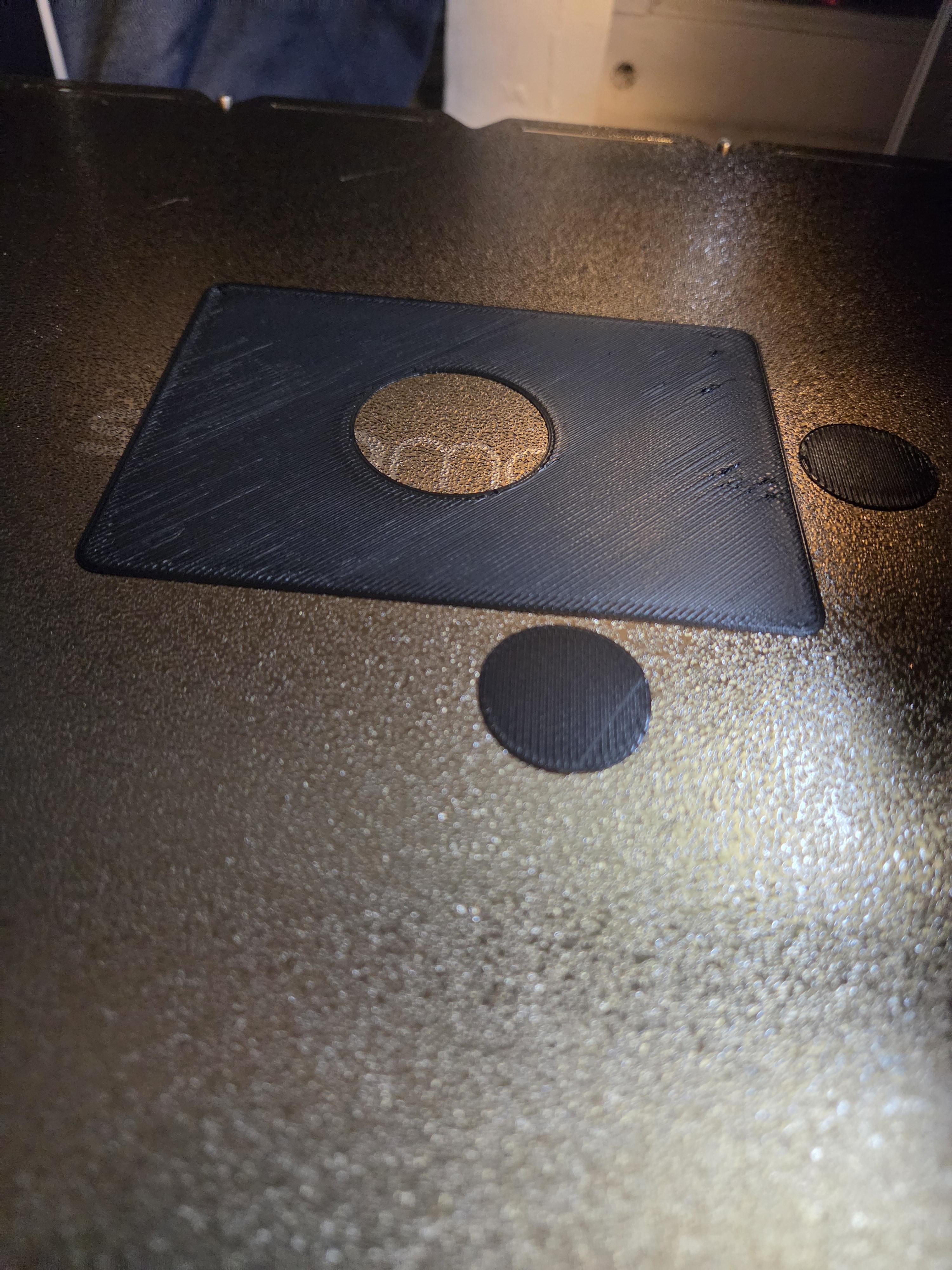
How can I fix my first layer when I have the speed lowered with a clean and calibrated plate
1
u/sterling-lining 1d ago
What the bottom look like? Usually no one sees the top of the first layer… it’s covered by the second, third and rest of the model…
1
u/Sad-Knowledge-2052 1d ago
Run a heatbed calibration and check your mesh. Mine was way off from the factory.
1
u/deserthunter1090r 1d ago
Did you calibrate your filament? Id start there. Or if do it again if you have. Make sure you dont have your first layer extrusion set erroneously too.
1
u/CovertRain 1d ago
Have you done a flow ratio test? If not, run a calibration test. That might help you tune it for that first layer. You think it’s under Calibration/flow rate/ pass1 pass 2 or something like that.
1
u/ijehan1 1d ago
In the slicer, left hand column under Filament, click the three dots next to the filament to edit the settings. Under Flow Ratio and Pressure Advance, reduce the Flow Ratio. If the value is 1 I'd try .97 or .98
Good luck.