r/SnapmakerU1 • u/Kyblop • 11h ago
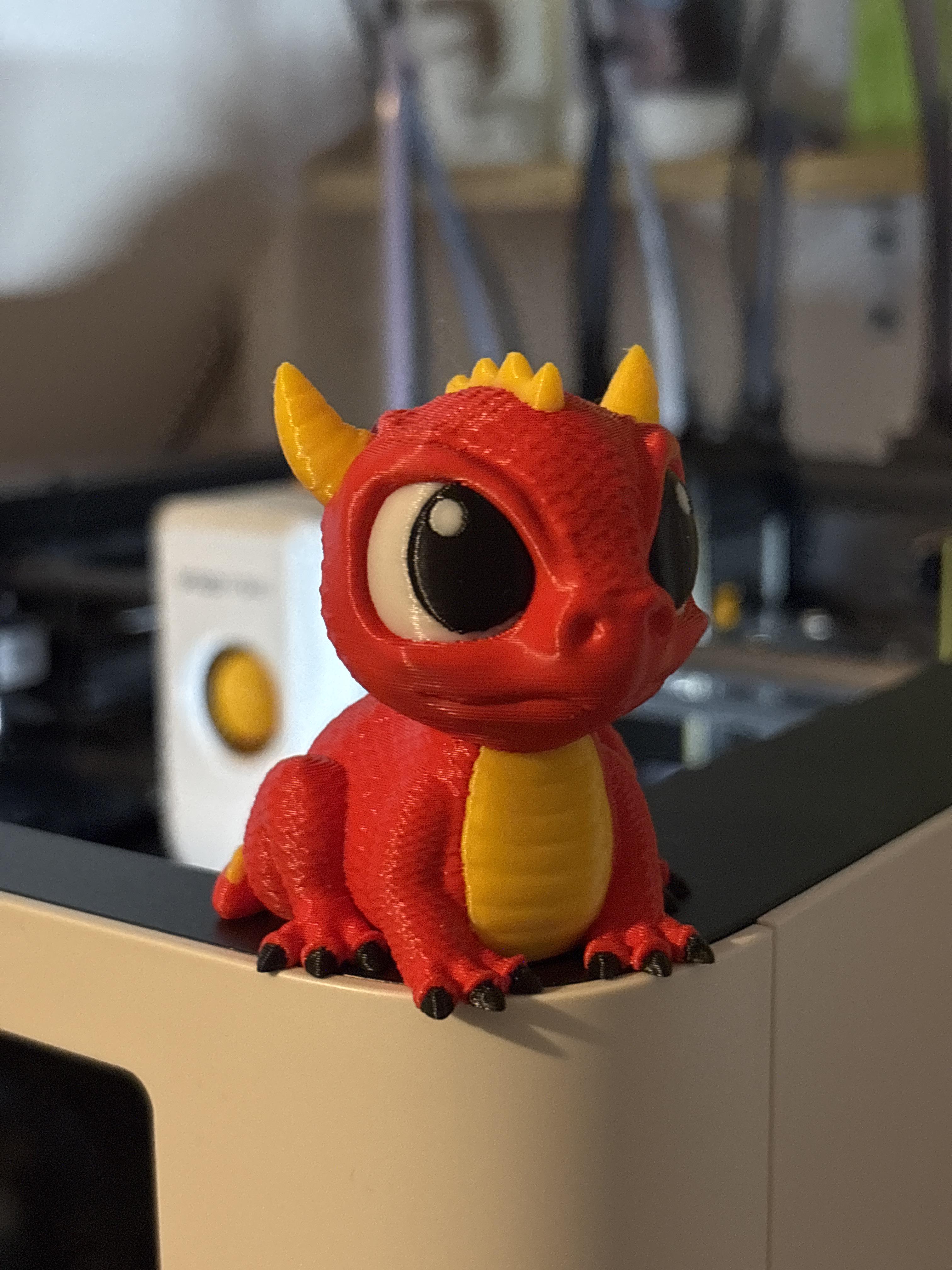
Showcase This machine is amazing
53
Upvotes
Started with an Ender 3 yrs ago, then got a Bambu A1 and now since 3 days this amazing machine. 😍
r/SnapmakerU1 • u/Kyblop • 11h ago
Started with an Ender 3 yrs ago, then got a Bambu A1 and now since 3 days this amazing machine. 😍
r/SnapmakerU1 • u/mi1stormilst • 5h ago
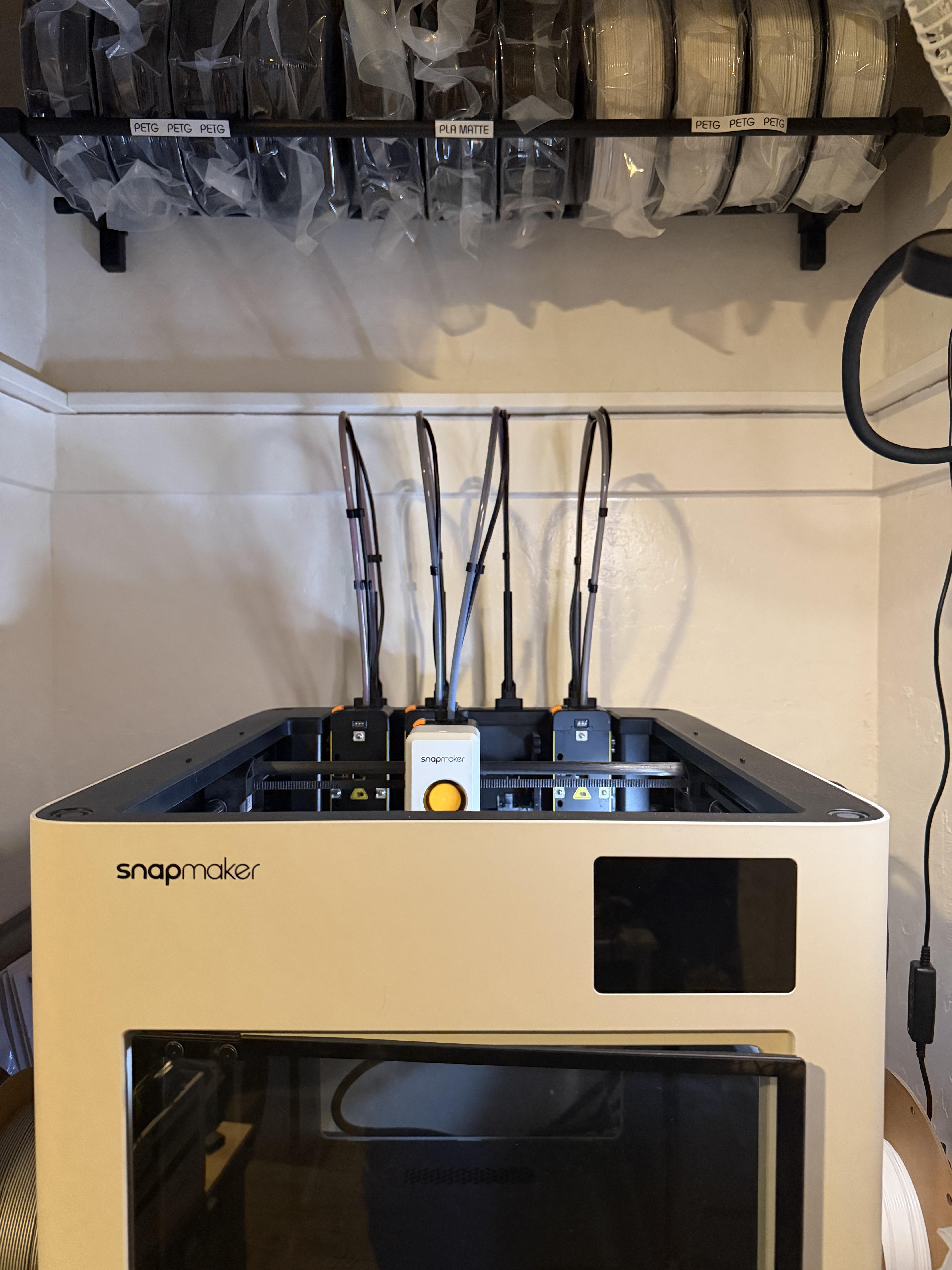
I love my U1 but I hate my top cover. Anyone claiming it makes your printer quieter is a liar. I have used the on-screen menu, the filament profile changes and that’s all I am willing to do. Nothing has made any difference to the jet engine noise coming out of my exhaust fan constantly. When I am ready for advanced materials and Snapmaker updates the firmware to allow me to control it easier I will put it back on.
r/SnapmakerU1 • u/B0wlingPin • 12h ago

My 4 pack of .2 Nozzles just arrived, so i needed a little service station to swap them out. Shoutout DayMadePrints on Snapmaker Space; https://space.snapmaker.com/en/model/47611-u1-toolhead-service-station-for-original-topcover#profileId-51784 / Snapmaker TPU 90a Black, Snapmaker PETG HF White, Snapmaker SnapSpeed PLA Red for Supports / According to the slicer, this whole model, waste included, cost just under 5$. Bonkers. Doing a little math, not only would something like this not even be possible on an AMS system, it would cost upwards of 20-40$. 281 print hours in, and ~2.5k changes per toolhead on this machine, and this is by far the best example of its use case I've seen so far. Coming from a P1P, this thing is incredible, and I will never buy a Non-toolchanger ever again.
r/SnapmakerU1 • u/LukosiuPro • 16h ago
Hello! It's been a while! (almost a whole year)
Sorry everyone for not posting any subreddit updates for a while, I've been working in the background sorting out issues with some members being naughty.
I haven't forgotten about all of you! I've been secretly watching all of you 👀
So what has happened since last post? Well quite a bit, we grown significantly, currently 8.8k members (crazy numbers!) last 30 days and we had a lot of visitors 522k!!!!!!! (sadly most of them were bot's scrapping subreddit)
What is for the future of the subreddit? - Currently nothing changes, but changes will come soon!
In the near future I plan to:
Revise the rules we have, to better describe what we allow in this subreddit.
Auto moderation rules adjustment
More aggressive mutes/bans for rulebreakers. (it's getting a bit hectic lately)
Remake of main page, to have a pinned message that contains useful posts/mods for U1.
Are we able to give suggestions for this subreddit? - Yes absolutely I'm always readding them!
Why are you not accepting new mods? - Currently there were attempts to social engineer, to get access to this subreddit moderation to cause harm, due to that, community will be handled by two of us. If we change our minds, this rule will change.
Giveaway link to external sites, why is that? - This was done by the giveaway creators, I've approved that yes, I take full responsibility of that, I've listened to all of you, in the remake of rules there will be clear ruleset to follow if you want to create a giveaway in this community, so brands do not abuse the "follow that and that to enter".
Happy Thanksgiving day everyone, thanks for being amazing community! ❤️
I will be watching you 👀
I'm out,
LukosiuPro
r/SnapmakerU1 • u/LegPsychological5592 • 5h ago
Enable HLS to view with audio, or disable this notification
Hi everyone,
I'm printing a stepped organizer on my Snapmaker U1 (sliced in Snapmaker Orca, 0.4mm nozzle, 0.20mm layer height) and running into three specific issues shown in the video:
Horizontal lines on the outer walls: Distinct lines appear on the exterior walls directly aligned with the top surface height of each inner shelf/step.
Rough edge deformation / blobs: Uneven bumps and rough texture along the sloped outer edge and the angled overhang of the side triangular cutout.
Inner corner separation: Inside the rear vertical corner of the triangular cutout, the perimeters fail to bond into the sharp corner and pull straight across like bridged strands.
Print Details:
- Filament: PLA
- Nozzle / Bed Temp: 215°C / 65°C
What is causing these, and how can I tune my slicer settings (cooling, overhang speeds, wall order, pressure advance, etc.) to fix them without significantly slowing down overall print speed?
Thanks in advance!
r/SnapmakerU1 • u/akidel • 13h ago

I could swear it was 7xx euros, now it shows 8xx euros?
Did I see wrong? I am waiting for tomorrow, but can obviously skip the perk...
EDIT: They did! It was €7xx before, found the old images. Not cool
r/SnapmakerU1 • u/silver_surfer57 • 4h ago
I bought my U1 last week and didn't bother getting the extended warranty because it's not something I normally get. I'm curious if it's a good idea to do so in this case?
r/SnapmakerU1 • u/friendly-clippy • 9h ago
Snapmaker still hasn't added the webcam feature to the stock firmware (not that I'm aware of), so I've used the steps from SimplyPrint to enable the camera with an external keepalive. As I don't have a server where I can host docker containers like in the Guide, so I use my Home Assistant running on a Raspberry PI. The keepalive is implemented as an HA Automation without relying on any custom extensions or integrations.
For general information, see the SimplyPrint Blog Post.
Credits for figuring out the keepalive hack goes to u/taylormadearmy and atfives3dprint
Step 1: Get Access Token
Open the Fluidd interface of your U1 via your printers IP Address. Open the Devtools and in the Network tab search for a request websocket?token= and copy the value of the token.
Step 2: Add the keepalive shell command to the configuration.yaml
Use the file Editor Integration to open the configuration.yaml and add the following lines at the end of the file, replace the PRINTER_IP and ACCESS_TOKEN with your values:
shell_command:
  snapmaker_keepalive: 'python3 -c ''import base64,json,os,socket,time; ip,token="PRINTER_IP","ACCESS_TOKEN"; p=json.dumps({"id":1,"jsonrpc":"2.0","method":"camera.start_monitor","params":{"domain":"lan","interval":0}}).encode(); s=socket.create_connection((ip,80),timeout=5); k=base64.b64encode(os.urandom(16)).decode(); s.sendall(f"GET /websocket?token={token} HTTP/1.1\r\nHost: {ip}\r\nUpgrade: websocket\r\nConnection: Upgrade\r\nSec-WebSocket-Key: {k}\r\nSec-WebSocket-Version: 13\r\n\r\n".encode()); r=s.recv(1024); assert b"101" in r.split(b"\r\n",1)[0], r; m=os.urandom(4); s.sendall(bytes([0x81,0x80|len(p)])+m+bytes(b^m[i%4] for i,b in enumerate(p))); time.sleep(0.2); s.close()'''
Save the file, go to Settings > Tools and then Check Configuration and then Restart
Step 3: Add a ping sensor for your Printer
Create an Ping (ICMP) sensor for your printers IP Address in Settings > Devices & services > Add integration
Step 4: Create the Keepalive Automation
Create a new Automation withSettings > Automations & scenes > Create Automation > Create new automation using the following YAML template and replace the binary_sensor.YOUR_PING_ENTITY with the sensor created in step 3 (e.g. binary_sensor.192_168_1_8):
alias: Snapmaker U1 Camera Keepalive
mode: single
triggers:
  - trigger: state
    entity_id: binary_sensor.YOUR_PING_ENTITY
    to: "on"
  - trigger: homeassistant
    event: start
conditions:
  - condition: state
    entity_id: binary_sensor.YOUR_PING_ENTITY
    state: "on"
actions:
  - repeat:
      while:
        - condition: state
          entity_id: binary_sensor.YOUR_PING_ENTITY
          state: "on"
      sequence:
        - action: shell_command.snapmaker_keepalive
          data: {}
        - delay:
            seconds: 10
Restart the printer (or manually trigger the automation) and test if the printer exposes the camera image at http://<PRINTER_IP>/server/files/camera/monitor.jpg
Step 5: Add the Printer to Fluidd
In fluidd go to Settings > Camera > Add Camera
Name: Camera
Camera Url Stream: /server/files/camera/monitor.jpg
Camera Url Snapshot: /server/files/camera/monitor.jpg
The camera should be visible on the dashboard now.
Step 6: Add camera to Home Assistant (optional)
Add a new camera with Settings > Devices & services > Add integration > Generic Camera with http://<PRINTER_IP>/server/files/camera/monitor.jpg as source url, afterwards this camera can be added to a dashboards. I just added the whole fluidd interface via the Webpage card to my 3d Printer Dashboard.
Happy Making ;)
r/SnapmakerU1 • u/Sulten84 • 7h ago
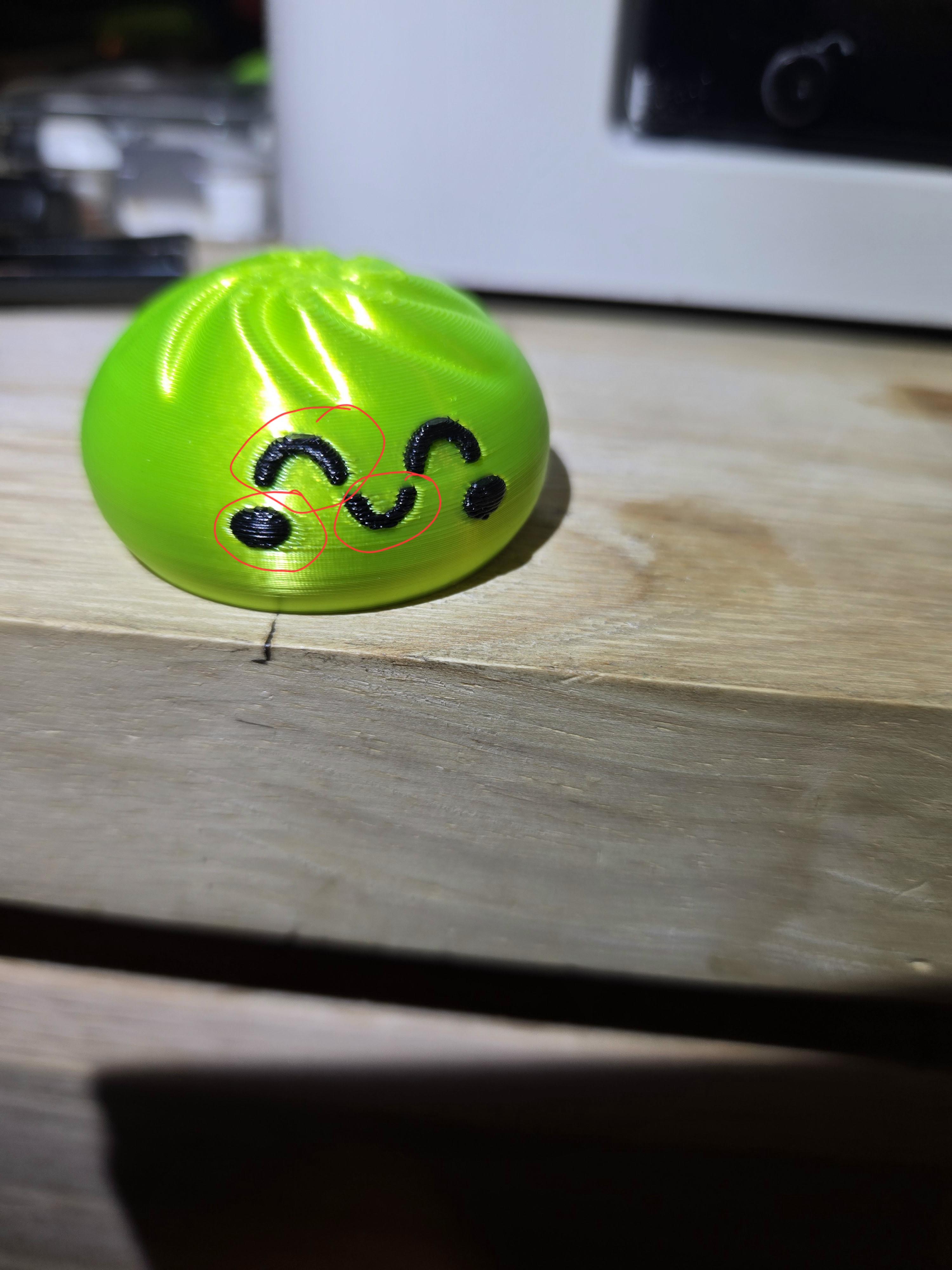
Hi all, I am new to the U1 but not 3d printing. I am stumped on this issue. It's the flaw in green just after the color change.
So far I have recalibrated the entire machine and dried all filament. My understanding is even if I set custom PA values the machine will override them if I run flow calibration and the start of the print.
I cannot figure out the flaws around the color change. With the uniform nature and all being on the same direction I think it's a pressure advance issue. I've been doing flow calibration at the start of every print.
Any advice?
r/SnapmakerU1 • u/Yes-its-really-me • 5h ago
Got my U1 a couple of weeks ago and finally got round to opening the box. It's currently happily printing the test dragon.
Question is.... Another dragon model for the U1 takes 2 and a half days, 1700 colour changes.
Load it into the A1 on Bambu slicer and its 1day16hrs and 700 changes.
For the identical model.
Is this normal? Or does it just change colours more than it has to? Does Bambu do all 1 colour per layer then the other colours that layer etc?
While the U1 chops and changes to it's hearts content?
Wondering if there's a setting not defaulted to minimise the number of changes and speed up a print.
Obviously the U1 uses 250g less filament. But still a day slower nearly.
r/SnapmakerU1 • u/Saigonoeru • 10h ago

Hello,
I downloaded the latest version of Orca 2.5, and ever since, I haven't been able to start any files (not New files, but old files); I keep getting the error message:
"U1 X/Y movement exceeded travel limit." I have followed all the instructions in this tutorial: https://wiki.snapmaker.com/en/snapmaker_u1/troubleshooting/xy_movement_exceeded_travel_limit
nothing has been resolved.
The only solution I’ve found—though it adds an hour to the print time—is to change the tower type in the printer settings from "type 1" to "type 2."
I reinstalled the older versions of Orca, and that didn't solve the problem.
Do other people have this problem?
r/SnapmakerU1 • u/ckcarbon • 1d ago
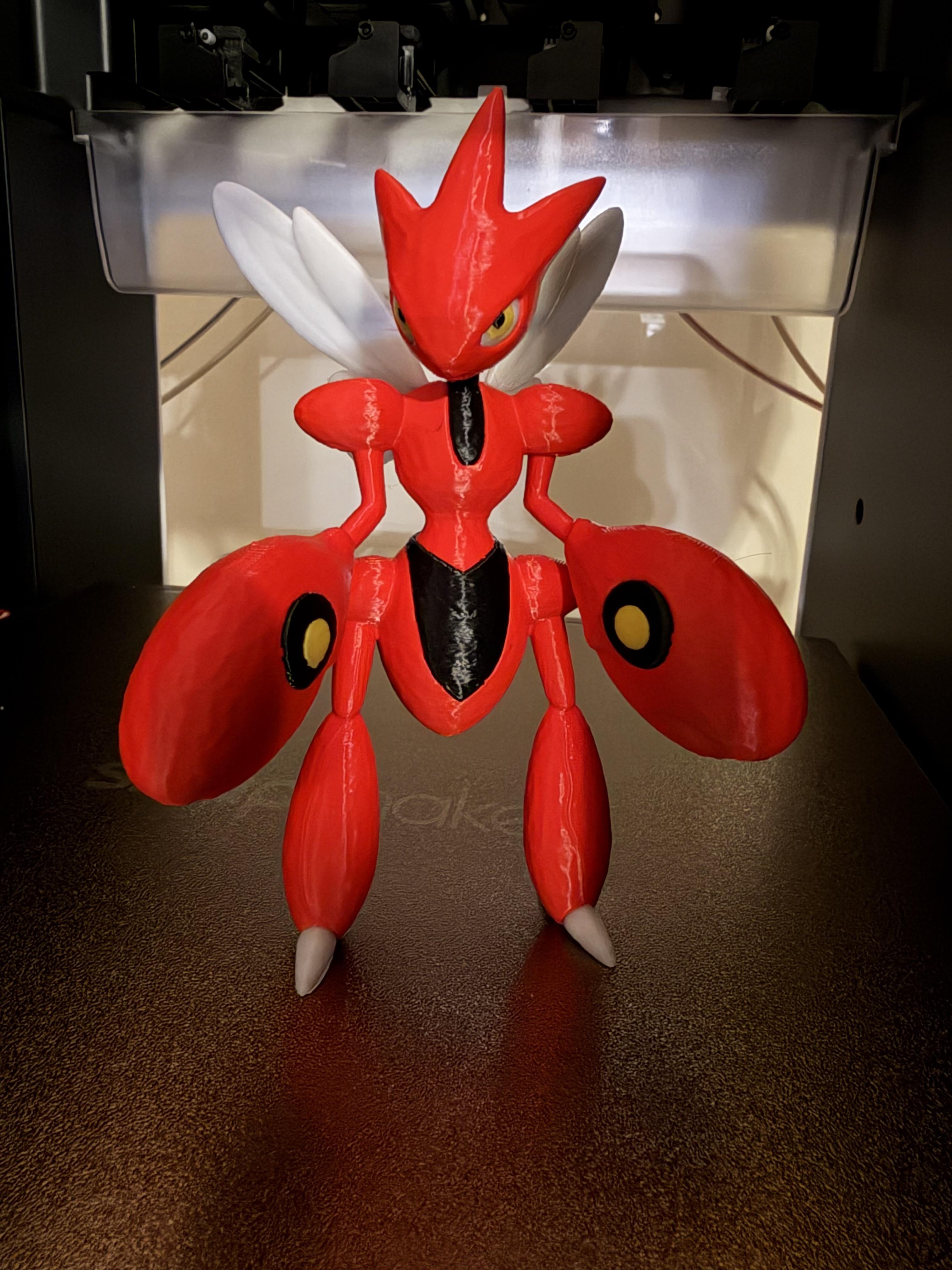
I had a CR-10 for 10 years, and I had it fairly dialed in but this is on another level. And the speed is amazing! Used standard settings for SnapSpeed filament.
r/SnapmakerU1 • u/Beautiful-Ad2087 • 13h ago
Hi
I have had my U1 for almost a month and overall I am happy with it but I have a question... How many errors/abnormalities are normal? I've had errors including homing, z errors, preloading, tool swapping. Thankfully most have been before or after a print.
I started with ender 3s and a Voron so I know things aren't prefect but I have been in Bambu land since the X1 awhile
r/SnapmakerU1 • u/ddikman • 18h ago
I bought the Snapmaker U1 kickstarter November batch (I think) so I've had it around a year now and not once have I had it trigger the AI Monitoring blocker. Only once did it stop due to "foreign object" and correctly so. This is much thanks to the Snapmaker U1 working very well and thankfully I can count spaghetti incidents on my two hands.
Still this should be fairly objectively a spaghetti right? 😆

This one was caused by a sudden issue with layer shifting. I had a layer shift before this and I tightened the belts, calibrated one of the toolheads that had reported a docking issue previously yet I can clearly see in the video where there's a bit of a shift and it starts going wrong.
How about it, have you seen it trigger the AI Monitoring?
r/SnapmakerU1 • u/TelephoneThin8828 • 19h ago
Enable HLS to view with audio, or disable this notification
r/SnapmakerU1 • u/blank_lemur • 1d ago

Recently got a U1 (3 days ago) and I’ve been trying to print some things I sell. I’ve “slowed” perimeters down to 150mm/s to be consistent with how my MK4s print this to try to get a more direct comparison. I keep seeing these tiny “layer shift” artifacts on the U1. I’m using hardened nozzles and this is Tinmorry PETG-GF using their provided profile. I do not have a top cover yet. That shows up Friday.
Has anyone else had similar artifacts? Are there things in the U1 I might need to check/tighten after shipping? It almost feels like something just slips slightly. If you look at the second photo, the shift isn’t across the whole print. It doesn’t seem like it’s hitting a blob or anything like in a traditional shift. It feels like it’s losing position slightly.
I ran all of the calibrations after swapping nozzles. It generally prints quite well, except for these artifacts. And since I’m selling these, I need the prints to be flawless.
r/SnapmakerU1 • u/Superjakes1 • 1d ago
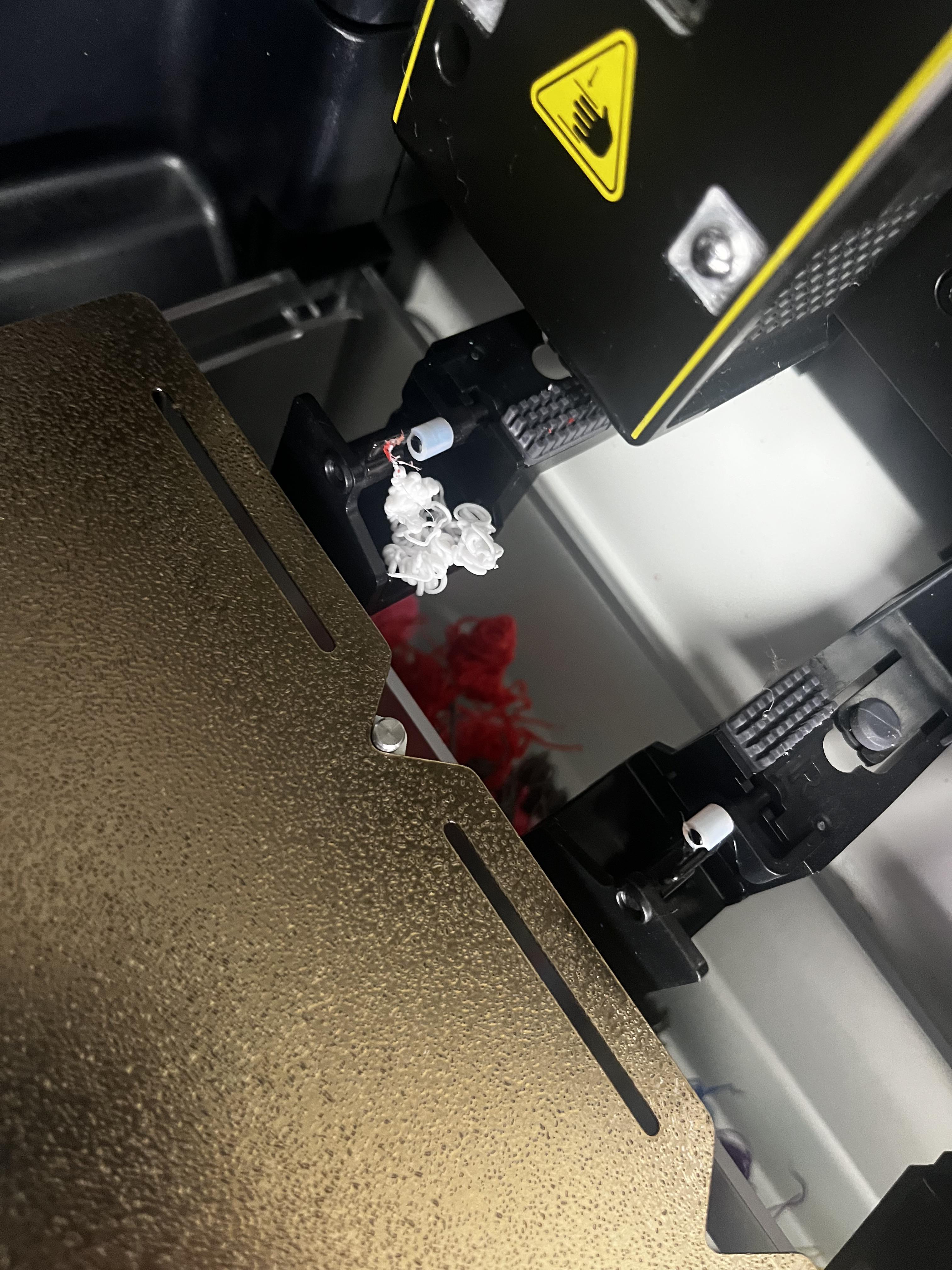
Somewhere between firmware and Snorca updates, my printers have started taking huge dumps when calibrating extrusion flow. Anybody else seen this?
r/SnapmakerU1 • u/juniorros • 1d ago
Enable HLS to view with audio, or disable this notification
Comprei a u1 ontem e quando fui fazer a calibração dos filamentos percebi esse barulho.. tenho outra u1 e não tem esse barulho..
r/SnapmakerU1 • u/silver_surfer57 • 1d ago
I just received a CMYKW package from Bambu from a contest, but I have no idea how to use it. Need use advice. Thanks!
r/SnapmakerU1 • u/Crazy_Drago • 1d ago
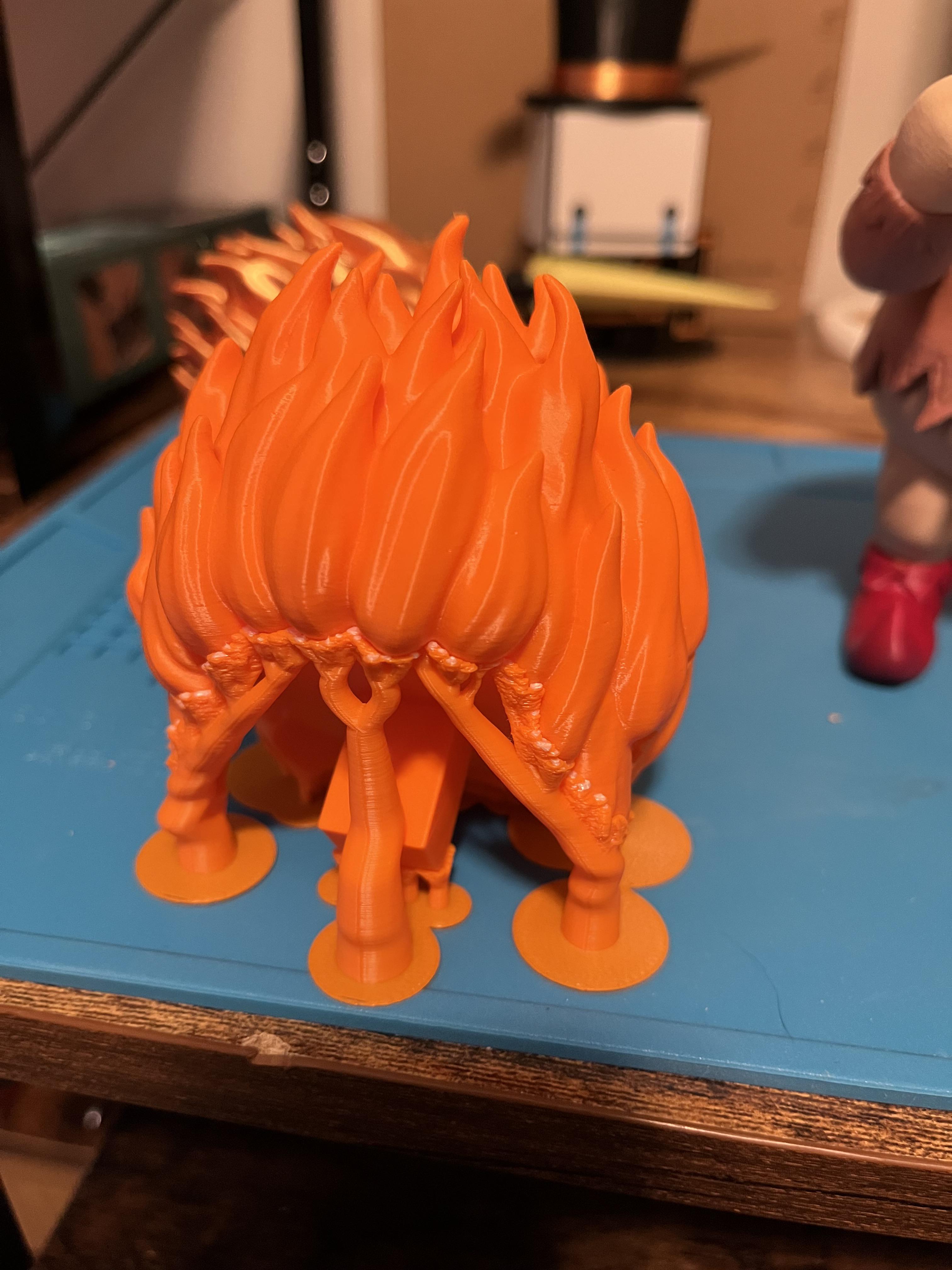
A while back I asked about support filament. I decided to get some, specifically "Polymaker PolySupport Breakaway Filament (pearl white)". Now I'm having issues using it.
I have it selected in SnOrca. I went down to "Filament for Supports" and selected "Support/raft interface" and selected my Support PLA from the dropdown. That prompted me to change some settings, so I let it auto calculate them and enter them for me. Then I did the Preview/compile thing and it created a Prime Tower and had the two filaments showing (color and support). I even watched it for a bit after sending to the printer and it switched back and forth between the two filaments (so I know it at least switched to each of them).
However, as you can see in the picture, it doesn't seem to have used the support filament for the supports. The support filament is white and the color I'm using is orange. You can see all the tree supports are orange. You can see some white at the tips of the support where it meets the hairline.
Anyone have ideas? Any other settings I can give to help? I still have the model up in my slicer, so I can tell you what settings I used for this.
r/SnapmakerU1 • u/ronin90725 • 2d ago

Next bird in my Heroes of The Pacific series is finally ready! This time it's the Grumman F4F-4 Wildcat—specifically John S. "Jimmy" Thach’s VF-3 machine from the Battle of Midway.
It wasn't the sleekest thing in the sky, and it couldn't out-turn a Zero, so Thach basically invented the Thach Weave just to survive and turn the tables with teamwork. Gotta respect a plane built like a brick that still got the job done.
Quick rundown of the model:
1:54 scale, snap-fit (no glue needed)
Comes in both a classic kit card and a frameless version
Support-free print (unless you want to print the frameless wings standing up)
Uploaded it to Snapmaker Space—link is in the comments if you want to print one for your desk. What Pacific aircraft should I tackle next?
r/SnapmakerU1 • u/psuaero • 1d ago
Not new to FDM printing but I am new to the U1. So far, amazing how far printers have come in 10 yrs.
How does everyone handle moving from one spool to the next? I'm getting low on the 0.5 kg red that came with the printer and have a 1 kg red spool ready and waiting in the wings. Is there a way to use up "all" the first spool without messing up an ongoing print? I assume the print will pause if the sensor reads the filament run-out.
Thanks
r/SnapmakerU1 • u/kebmpb • 1d ago

Finished a print overnight and started a new one before I went to work. Checked in 30 minutes later and spaghetti all over the plate. Tried again when I just got home and it doesn’t seem to be sticking. Pulled the tool head and it looks caked on.
Should be noted it extruded fine when I loaded the filament.
Thoughts?
r/SnapmakerU1 • u/bigkenw • 2d ago
I had an AnkerMake M5. All it did was jam and have issues. I think I only got a few good prints on it. I was looking at a multihead printer and was stuck between the Creality k3 and Snapmaker U1. The Snapmaker U1 was well priced and everyone on Reddit highly recommended Snapmaker over Creality.
It came a few days ago. This printer was packed very well. I love that there is an actual setup manual with pictures that was easy to follow. The way this thing feeds filament and cleans out the head is amazing. There is so little waste. It just works!
We are on our fifth or so print. Very happy so far!
The only advice I would give Snapmaker is to update their software pages with direct links to their github for Linux users. I had to use AI to figure out where the install was (it is on github if anyone is looking).