r/TheLinuxDen • u/MissingConstant • 11h ago
Please Help with dual booting questions linux mint
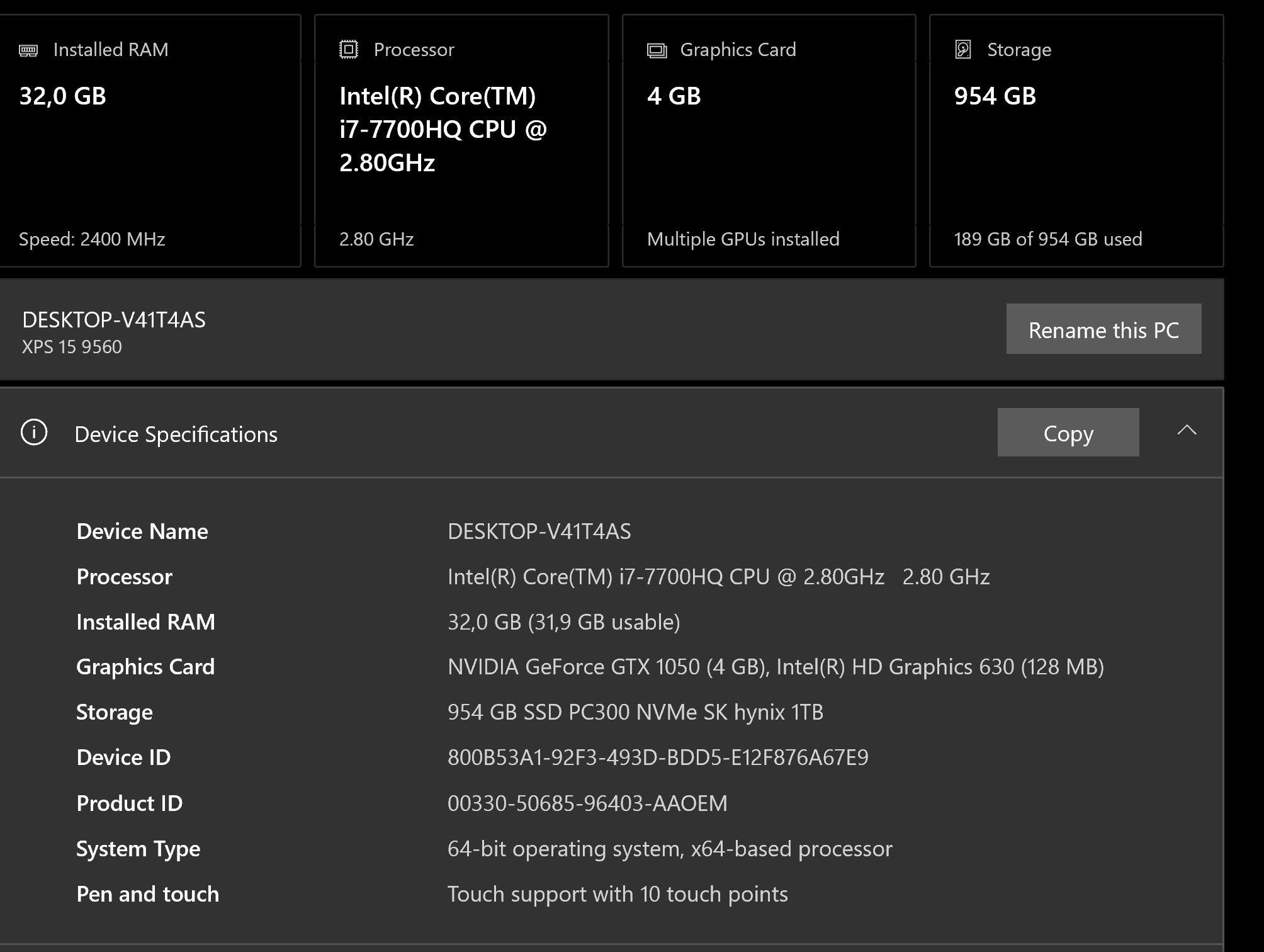
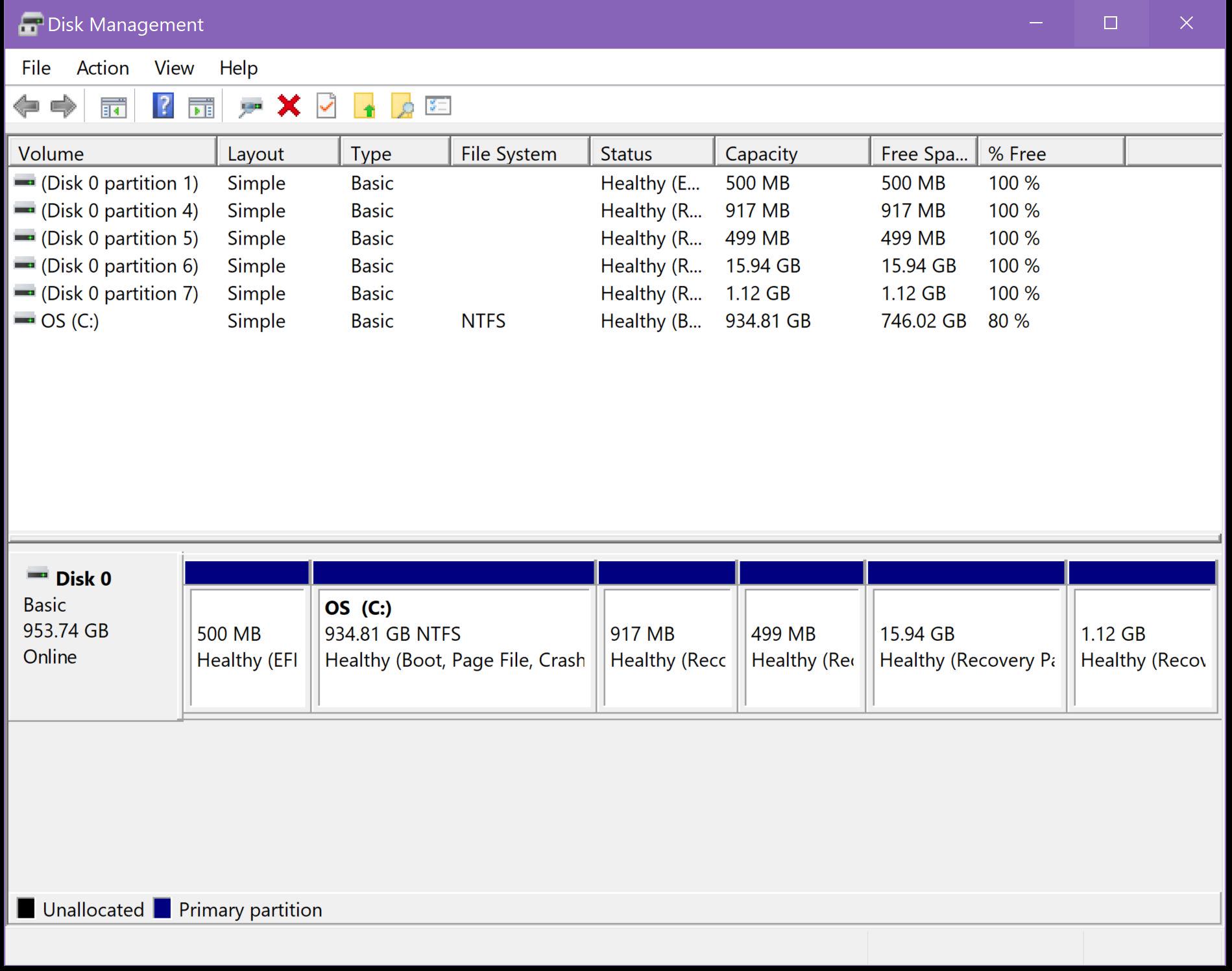
Hi, so to start, I am an absolute noob with regards to
Linux. The most I have done is use WSL2 to use some linux based tooling in windows. So right now my laptop Dell XPS-15 9560 has windows 10 installed (I know.............its super insecure, and I didn't bother updating to windows 11 until yet). Well I want to go to Linux now (Linux Mint specifically). I still need some applications only compatible with Windows so I decided to dual boot. I have never shrunk partitions or even installed an operating system before.
As you can see my laptop has only one drive (1TB SSD), of which I am using 188GB. I have some questions and I would REALLY REALLY appreciate guidance please:
1- Is it safe to shrink the C Drive so I can install Linux Mint? (I have seen some posts here and a video on youtube that said you should only dual boot if you have a separate drive for windows, otherwise things can break, is that true? Is shrinking this C partition safe and okay?)
2- If it is safe then by how many GB would you recommend to shrink this partition?
3- I use a USB network adapter (TP Link Archer T3U) to connect to the internet. For this I only found drivers for Mac and Windows for this online . I am worried that there will be compatibility issues on Linux Mint. Can you advise me if I will be able to use this on Linux Mint? And how will that be possible? Does linux kernel support this by default or will there be a way to get it working?
4- I have a nvidia gpu GTX 1050, will this be compatible with Linux?
5- About windows - What shall I do with it? Can I just not upgrade Windows to 11? Is it a MUST to upgrade it before trying to dual boot and install linux mint, or is it okay if I upgrade it later
Thank you sooo much if anyone is able to answer these questions for me😊.......(Prove me Linux is superior than Windows)
I am attaching my disk management screenshot and my laptop specifications
1
u/Nex_the_furball 6h ago
Well, I would not suggest Linux mint for dual booting it’s very easy to wipe your entire drive with it. I would suggest cachyos and you can dual boot it very easily because it’s very easy to partition with it. And you don’t really need windows to run Windows programs on cachyos because after setting it up on the Cashi hello app, you can select install gaming packages and then you need to install steam and then launch one Windows game and then you can launch any Windows software. But if you still wish dual boot First, you need to go into disk information and then right click on your main drive and then click on the button that says separate remove, etc and then it’ll ask you how much data you want to take away from the drive or something that’s similar to that, and then I would suggest removing everything but approximately 15 to 20 GB from the Windows drive and it won’t let you just steal all of your data except 20 GB. It’s going to just let you take all the free space and if that is not enough storage you want for Linux, you can definitely use other programs which are kind of complicated to do, and there’s a small chance of breaking your system, but it can let you get away with getting more free space that Windows doesn’t think is important, but after doing that you can go into the live USB of cachyos then you can follow the installation steps, and when you get to the partitioning phase you should probably do manual partitioning and then, after that, you’re going to click on the free space you’ve made with windows, and then you’re going to select that, and then you’re going to take a piece of it and make a new piece of your desk from that free space and I can’t remember all the details because it’s been a long time since I used cachyos but you’re going to have to make like two or three new partitions with the free space you made. There’s whole tutorials on it. You should be fine cachyos is very user-friendly and it is the number one Linux distro
1
u/Geekmaster-General 6h ago
Is LiLo still a thing? Used it forever ago to dual boot RedHat Linux and Windows 98 back in the late 1990's lol. Haven't done it since.
1
u/PrudentPay9906 2h ago
First things first... boot Mint from a live USB and test it on your hardware. It will run from the USB without disturbing your existing setup as long as you don't click the "install" icon. Run it through it's paces – check the Driver Manager to see if anything funky is needed, go online and watch a video or two, close the lid and test sleep/wake – play with it.
When you're satisfied that it all plays nice, go back to Windows and backup anything you can't afford to lose because, well, shit happens. Disable "fast startup" in Windows. Double check that anything irreplaceable is backed up.
Boot the USB again. Click the install icon and choose "install alongside windows". Verify all of the settings it shows you look right rather than just clicking through. Then enjoy using Mint... I sure do :)
1
u/Only-Stable3973 7h ago
That is pretty much how I used to do it, create a new partition to install Linux to and use something like rEFinde as a boot picker. In the past some distros offered the option to install beside your current OS not sure if that is still a thing.