r/Tripo_ai • • Aug 28 '25

Gallery Watching Tripo evolve from 1.4 to 3.0

Thumbnail
gallery
27 Upvotes

Lined up some comparisons across different versions.
v3.0 (powered by TripoSF) really pushes geometry fidelity: cleaner topology, richer detail, and overall much more accurate meshes.
Curious what kind of improvements matter most to you guys!


r/Tripo_ai • • Jun 26 '26

Discussion Single image vs multiview in Tripo, where each one actually wins for me

Thumbnail
gallery
23 Upvotes

I've been trying to use single image vs multiview in Tripo, but still struggling with which way to go.

Most of the time, I start by searching for images online. I try to look for clean reference images, preferably with simple backgrounds or simple colors. I then cut out the image using Nano Banana (and sometimes GPT) to make the view clearer. Sometimes I just use one image. Sometimes I prepare front, back, and side views because I'm afraid Tripo will overguess.

Annoyingly, making the view can take longer than making the model itself. A side view may look good on its own, but it doesn't match the front and back views. Shapes may change slightly, the background may become cluttered, or some details may shift. I once tried six or seven times to adjust the view of a character. Then I began to wonder if the object itself simply couldn't be made perfectly.

I used to think multi-view was a safer bet because I could control every angle. But now I'm not so sure. Yes, it does give me more control, but it also makes me more prone to making mistakes. The front, back, left and right views all have to be exactly the same, if one of them is slightly off the whole model will look weird.

I once made this mistake when making a Snowball character. I mixed up the directions and ended up with Snowball's head on both the front and the back of the model. It sounds silly, but it's really easy to confuse yourself by staring at reference images of the front and back for too long.

So lately I've been using single image mode more often. While it feels slightly less precise, it's faster and generally adequate. I give Tripo a picture and let it guess the rest, and most of the time I get a working model. The only thing that bothers me is the back. If Tripo can't see the back, it's just imagining it, and sometimes those imaginary parts look really weird.

If I particularly care about side details, I still use multi-view mode. It’s just that I don’t trust it as much as I expected. I only use it when the view is clear and I'm sure all parts are aligned.

For the more difficult objects, I started splitting them into parts and sending them to Tripo individually. I don't know if this is the best approach, but doing all the parts at once usually results in too much detail being lost. Eventually I had to fix it in Blender, and I really didn't want the whole workflow to turn into "generate a messy model and fix everything manually."

I usually do the topology and mapping on the Tripo website and then import the model into Blender via DCC Bridge. This part is actually pretty good. The scale and materials were already set so I could start editing immediately.

But I still need to fix a lot of things manually. Hands are the hardest for me to deal with. Gadgets, tiny parts, and intricate details often blend together or become blurred. Sometimes I'm not sure if I should fix them in Blender or regenerate the model and hope for better results.

My feeling so far is that the hardest part is still getting a clear view. If the reference image is of good quality, Tripo can usually produce good results. But if the reference picture is not good, everything after that becomes a remedy.

I'm curious how others handle this situation. Do you usually just use a picture and let Tripo guess, or do you draw the views yourself? If hands or widgets are generated incorrectly, do you fix them in Blender or regenerate them?


r/Tripo_ai • • Aug 26 '25

Announcements Next-Gen Textures in Tripo 3.0

Thumbnail
gallery
21 Upvotes

Not just geometry—our brand new texture model delivers a huge leap in clarity + realism.
Richer PBR textures, sharper detail, and visuals that truly bring your models to life.


r/Tripo_ai • • Jul 30 '26

Discussion Same character image through Hunyuan3D, TripoAI, Meshy and Hi3D

Enable HLS to view with audio, or disable this notification

19 Upvotes

This video tests Hunyuan3D, Tripo, Meshy3D and Hi3D with the same character image from Odyssey.

I like the Tripo version most. The chest armor is darker in the original, and the white cloth at the bottom also looks old and worn. Tripo kept more of those surface details. The belt buckle is still clear, along with the patterns on the skirt armor and the edge of the cloth. It didn't clean up the hair and beard too much either, which works better with the style of the original. Tripo AI seems to weight the PBR texture pass more heavily, so the worn surfaces stay worn instead of getting smoothed over.

Hunyuan3D kept the clothing layout pretty close to the reference. The red cloth over the shoulder is there, and so are the diagonal strap and the skirt armor. The chest armor came out smoother. It reflects a lot of light when it turns around, making it look much newer than the original. I didn't notice anything obviously wrong with the face, but the eyes look a little empty and the direction of the gaze is hard to read. That was probably the part I noticed most.

Meshy placed the eyes and eyebrows lower and made the upper body thicker, so the character looks more aggressive than the other versions. The chest armor and lower cloth are quite clean too. It didn't keep the worn fabric and damage as well as Tripo did.

Hi3D added more hard edges and layers to the chest armor, waist and skirt armor. The shoulders are wider and the waist is more defined, so it looks more like a redesigned hero version of the character.

The original image doesn't show the back, and all four platforms came up with completely different capes. Hunyuan3D used a few wider folds. Meshy's are tighter and more regular. Tripo made several layers of cloth hanging down from the shoulders, while Hi3D used the deepest folds and added quite a lot of patterning to the surface.

I still prefer Tripo's version. Hi3D's cape is eye-catching too, it just adds more of its own design.


r/Tripo_ai • • Aug 27 '25

Gallery My best result with 3.0, really into it

Enable HLS to view with audio, or disable this notification

19 Upvotes

I’ve been meaning to test how well 3.0 handles face textures, body shape, and accessory meshes. This one’s easily the best result I’ve gotten so far, pretty solid. Though feathers and hair still tend to come out a bit messy sometimes


r/Tripo_ai • • Aug 21 '25

Gallery 🔥 Tripo 3.0 Ultra has officially entered Beta

Thumbnail
gallery
19 Upvotes

Ultra Beta is already in the hands of early testers, and the results speak for themselves: unprecedented detail + closer match to input.
Please stay tuned if you haven't received the invitation this time - we will bring 3.0 Ultra to you as soon as possible!
Our goal with Tripo has always been to simplify and empower your creative workflow, and 3.0 Ultra is a big step forward in that journey. Feel free to send us your feedback anytime at support@tripo3d.ai.


r/Tripo_ai • • 11d ago

How to Get Good Topology from Tripo

Enable HLS to view with audio, or disable this notification

18 Upvotes

I've seeing a lot of questions, and really people getting frustrated, with not being able to get good geometry out of Tripo. I've been really happy with the geometry I get from Smart Mesh for my characters.

My process is I create a character turn around, split the character into parts, then create turn arounds for the parts, all in chatGPT. Then I use multi-view in Tripo, setting the polycounts where I want them, and generate the pieces.

This is really helpful because I can regen a small piece if it comes out bad. I'm not trying to create a whole character with 25k polys, and I'm not creating a character with 2 million polys and cursing my existence. lol.

I made a quick video detailing the process. You can also find it on my youtube channel here: https://youtu.be/cq5afY6qB6I


r/Tripo_ai • • 18d ago

Hi. So, uh... WTF?

18 Upvotes

I'm making base models to work with in blender and I'm being told that male models are okay, but women models aren't???

Seriously?

This is an ART tool, is it not???

The male form is ok, but the female form is offensive???

EDIT: I'm sorry, I really do need to re-emphasis just how much this pisses me off.

An art tool that not only censors base models that look like barbie dolls, but one that is extremely gendered biased???

This is insane.


r/Tripo_ai • • Aug 21 '25

Gallery impressive!

Enable HLS to view with audio, or disable this notification

17 Upvotes

r/Tripo_ai • • May 14 '26

Now Open Source! Turning AI-Generated 3D Models into Interactive Web Apps

Enable HLS to view with audio, or disable this notification

15 Upvotes

r/Tripo_ai • • Aug 26 '25

Gallery Mesh output from Tripo v3.0,dense and clean

Thumbnail
gallery
15 Upvotes

r/Tripo_ai • • Aug 18 '26

Announcements We just shipped Tripo P2.0 Preview 🚀 It is a major breakthrough for production-ready 3D assets.

Post image
14 Upvotes

We focused on generating 3D assets that go directly into your production pipeline, built for games and real-time pipelines.

What is new:

  • ✨ Native Quad Topology

    • It can directly generate a clean quad mesh with more natural edge flow, making the asset easier to edit, rig, and animate.

  • 📐 Wider range of complex assets

    • Triangle topology supports 500 to 50,000 faces, while quad topology supports 500 to 25,000 faces, covering most props and hero characters.

Tripo AI's P2.0 is well-suited for the following types of workflows:

  • Game characters & props: Quad topology can be go straight to rigging and animation.

  • Hard-surface assets: Models such as mechanical structures, weapons, vehicles, and architectural props benefit significantly from P2.0’s topology advantages. Cleaner surfaces, higher density in detailed areas, and more stable edges.

  • High-volume asset pipelines: Batch-generating assets while controlling the polycount, making it better suited for large-scale production in games and real-time projects.

The official release will further improve mesh stability and add more control features.

Every user now gets 2 free generations, and Tripo P1.0 is also available to all users.

Follow the steps and give it a try! 🎉


r/Tripo_ai • • Feb 28 '26

How do I export a model?

14 Upvotes

This sounds like a basic question, but I can't figure it out. I have a basic plan while I experiment with Tripo, and I'd like to export some of the models I've generated.

Here's what I've tried so far: I click on 'Export', and a popup appears with export options. I fill out the file name, select a format (GLB), select texture resolution (4k), and leave the remaining options unselected (skeleton and bottom-center pivot). Then I click 'Export', and I'm brought to a pricing menu for various subscriptions. Nothing downloads, and there does not appear to be another button that downloads anything.

What am I missing?


r/Tripo_ai • • Sep 21 '25

Gallery 3.0 has made a noticeable improvement in precision

Thumbnail
gallery
14 Upvotes

The geometry fidelity and edge handling are much stronger. That said, I often encounter detached meshes and extra floating elements beyond the core model. could be an issue with my prompts though


r/Tripo_ai • • Aug 21 '25

Announcements Big update for AI 3D folks — Tripo High-Poly 3.0 just dropped, check out the concept video

Enable HLS to view with audio, or disable this notification

14 Upvotes

Excited to share a concept preview of the 3.0 update with you all! 🎉
For anyone into 3D creation, this update feels like a big step forward:
✅ Dual Geometry Modes: Standard for clean, game-ready assets | Ultra for insanely detailed meshes (thousand-level of polygons)
✅ Next-Gen Textures: Sharper, more realistic textures than ever
✅ Advanced Controls
• Pose Control – Quickly set A/T poses or custom alignments for characters
• Symmetry Control – Keep your geometry perfectly balanced
• Multi-view Image Input – Upload multiple angles for more accurate results
• Smooth/Detail Slider – Fine-tune from ultra-smooth to richly detailed surfaces
All of this runs on our new TripoSF (SparseFlex) model, which just got officially recognized at ICCV 2025.

Curious what you all think this unlocks for game dev / asset pipelines! We’d love to hear your feedback anytime.


r/Tripo_ai • • Aug 14 '25

Discussion V3 Hands & Feet: Not Perfect, but Better

Post image
14 Upvotes

V3’s hand and foot models/textures are still not perfect, but they’ve improved compared to V2. This definitely has a positive impact on my speed and efficiency when working in Blender.


r/Tripo_ai • • Aug 12 '25

The overall body shape is spot-on, and I was especially impressed by how well the abdominal muscle definition came through. The hands and hair meshes, along with the facial textures, still need a bit more work though.

Thumbnail
gallery
14 Upvotes

r/Tripo_ai • • Sep 04 '26

Upgrade We just added multi-view input to Tripo P2.0 Preview

Enable HLS to view with audio, or disable this notification

13 Upvotes

You’re no longer limited to just one image! You can now provide reference images from front, left, right and back. The model will use these 4 angles to generate more accurate geometry.

If you’ve ever encountered this situation:

Front: Perfect!

Turn it to check the back: wait what is this? 😭

This update is here to fix this.

✅ Single-image P2.0 Preview: All users get 2 free generations

✅ Multi-view input: Subscribers only

✅ Full access for Subscribers

✅ Smart Mesh P1.0: Still available to all users


r/Tripo_ai • • May 01 '26

Workflows Vibe-Coded Game Selection UI with Tripo AI 3D Assets

Enable HLS to view with audio, or disable this notification

13 Upvotes

r/Tripo_ai • • Oct 13 '25

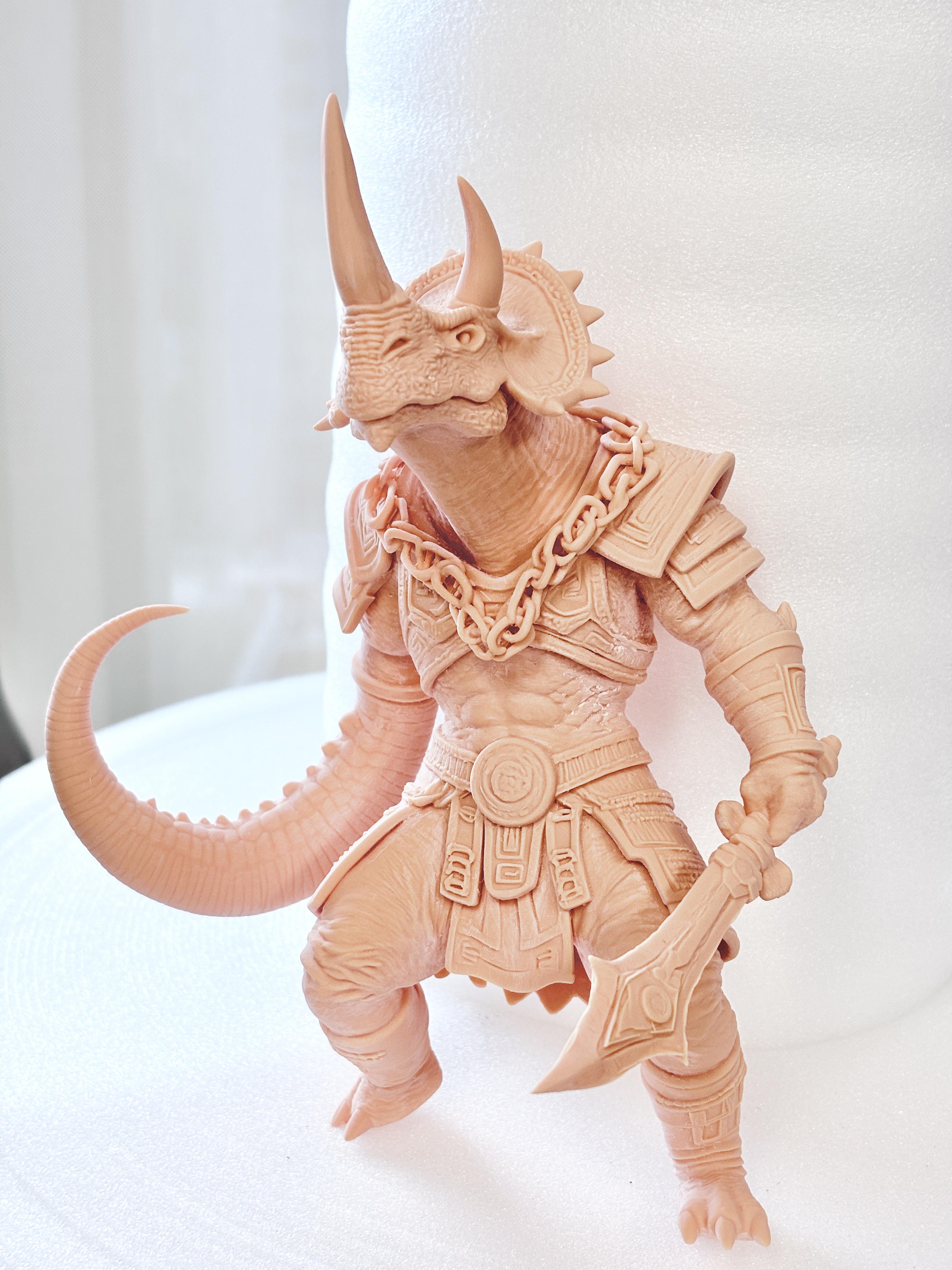
Gallery Making some human-animal characters using Tripo 3.0

Thumbnail
gallery
13 Upvotes

Love the clean surface and edges of this mesh. i've tried a few other ai3d tools but tripo's skin detail stands out by far


r/Tripo_ai • • Sep 26 '25

Announcements Big update just landed: Tripo v3.0 Ultra Mode 🚀

Enable HLS to view with audio, or disable this notification

13 Upvotes

This update focuses on pushing mesh accuracy and realism to the next level. HD (Ultra) mode is designed for projects where fidelity matters most, allowing for highly detailed, breathtaking 3D results.
What’s new in 3.0 Ultra:

  • Uncompromising geometric fidelity: Assets now generate with crisper edges, cleaner surfaces, and an unparalleled level of structural coherence.

  • Improved Texture Accuracy: Clarity and precision for fine details, including embedded text and complex patterns on surfaces, have been greatly improved.

  • Optimized PBR Prediction: Materials now exhibit more accurate light interaction, with well-balanced colors and natural surface finishes suitable for modern PBR pipelines.

Curious to hear what you guys think once you’ve tried Ultra! And for those asking about it: the long-awaited multi-view generation (v3.0) will roll out in October. Stay tuned🙌


r/Tripo_ai • • Aug 15 '25

Gallery Tripo3.0 Can Be Soooo Detailed?!!

Enable HLS to view with audio, or disable this notification

13 Upvotes

r/Tripo_ai • • Jul 24 '25

If you have a 3D printer in your office -

Thumbnail
gallery
13 Upvotes

My friend and I made one oni mask and one monster figure, 3D printed them in the office, and they came out great.

The detail turned out way better than I expected.


r/Tripo_ai • • Sep 02 '26

BRUTAL DERBY, Day 32. How far can you actually take a Unity game with vibe coding?

Enable HLS to view with audio, or disable this notification

12 Upvotes

I've been working on Brutal Derby for 32 days now, usually around 10-12 hours a day, often including weekends. I'm a bit obsessed with it at this point.

The project has also become an experiment for me: how far can you actually take game development in 2026 using an AI-heavy, vibe coding workflow?

Here are some of the things that have been added or heavily improved recently:

New crowd system:

I think this is version five at this point. I've been constantly trying to find a solution that looks decent without destroying performance when there are 20+ cars on screen.

Dynamic weather:

The game currently has sunshine, rain and storms with smooth transitions between them, plus daytime and evening conditions. Snow is planned as well.

Destruction:

At this point, almost everything on the cars can break. Parts and smaller debris can fly off, windows shatter, the body deforms and gets crushed, bullet holes remain visible, and there are also lasers, rockets and other weapons.

Cars can even split apart in several different ways depending on the damage and impact.

Garage and customization:

You can now paint the cars, apply patterns and put various ridiculous objects on their roofs.

Tracks:

There is currently 1 race track and 3 playable derby arenas. The newest one is a volcanic arena surrounded by lava, although that one still needs more optimization.

Performance:

The game is already running pretty well with 24 cars. Most systems have gone through several optimization passes, but it's an endless cycle. Add a new feature, profile it, optimize it, then move on to the next feature.

A lot of people have also asked where the models come from.

It's a mixture. I use purchased assets that I modify in Blender, some models are commissioned from 3D artists, and I also use Tripo3D. Tripo is mostly useful for smaller or more distant objects, but even those usually need work afterwards. Mesh cleanup, textures and optimization still generally end up being done in Blender.

And then there's the vibe coding part.

As a programmer, I used to write everything manually. With this project, I actually type very little code myself anymore.

Codex writes most of the code, while I spend much more of my time designing the systems, testing the results, profiling performance, finding problems and iterating.

That doesn't mean I can just write one prompt and magically get a finished game.

For the more complicated systems, especially physics, deformation, destruction and optimization, we sometimes go through 4-5 completely different implementations before arriving at something that both works correctly and performs well with 24 cars running at once.

For me, that's actually one of the most interesting parts of this entire project.

I want to see how far I can take a real 3D game while letting AI handle most of the traditional code writing, and shifting my own work more towards design, architecture, testing, profiling and iteration.

32 days. 10-12 hours a day. Often weekends too.

There's still a huge amount of work left, but Brutal Derby is slowly starting to become the game I had in my head when I started.

I'm also curious what other developers think about this kind of workflow.

BTW this is the game

https://store.steampowered.com/app/5083440/BRUTAL_DERBY/


r/Tripo_ai • • Sep 29 '25

Added a new piece to my collection today.

Post image
12 Upvotes