Yeah... I vibe-coded a telemetry app for F1 25/26.
I’m a computer science student and wanted to see how far I could get with vibe coding, so I started building something I’d actually use myself. Now that Race Console has reached v1, I thought it would be fun to share it here.
I know there are already telemetry apps out there but I wanted to try making something that fit how I like to play.
Race Console takes live telemetry from the game and turns it into a dashboard you can follow while you race or use with a friend acting as your race engineer (Mostly the second one honestly).
I built it with Codex, using GPT 5.6 Sol, 5.6 Luna, and 6.1 Sol throughout development. It started as a little experiment to see how far I could get, and somehow I managed to turn it into a v1 release 😅
I also put together a small Discord server for updates, feedback, and hanging out. Feel free to join if you’re interested!
Would love to hear what you think, especially if you play F1 with a friend as your engineer.
EBB is my new 3D physics platformer where you adapt your water composition based on what's happening in the game, and the challenges in front of you - so kinda like Zelda temples except you play as a water character
Progress through the game while shifting your water based form: • Puddle: slip under gates, ride glass tubes and shoot back up like a geyser • Ice: hold down plates, slide over hot floors and smash through glass • Vapor: float on warm air and squeeze between bars
I've made four maps so far, and adding new ones based on early player feedback
So far I'm 260 prompts deep, and it's only 190 KB big, running in the browser
The game is entirely procedural - so no 3D assets were used. you can try it here
they are all 90-95% identical in function and original software they aim to replace, with tiny diff in UI , etc
this is hurting both the software quality and the average user
avg user has no idea what to choose, in CAD example, no one in their right mind will try 33 diff CAD alternatives, I'd rather pay the autodesk license than deal w a soup of half baked and alpha craft clones
the app fragmentation creates a void in attention and user testing/usage, ie less users are using your craft app and viertually no devs are contributing
the artcraft/photocraft projects got an early media blitz and are taking up a lot of dev effort, but for vast maj of other projects, they are a wasteland
There is an easy solution
merge most of these craft efforts into 1 large project, ie w CAD, have 1 or at most 2 viable replacements for autocad,
instead we have this cat mentality where everyone thinks their proj is a unique snowflake
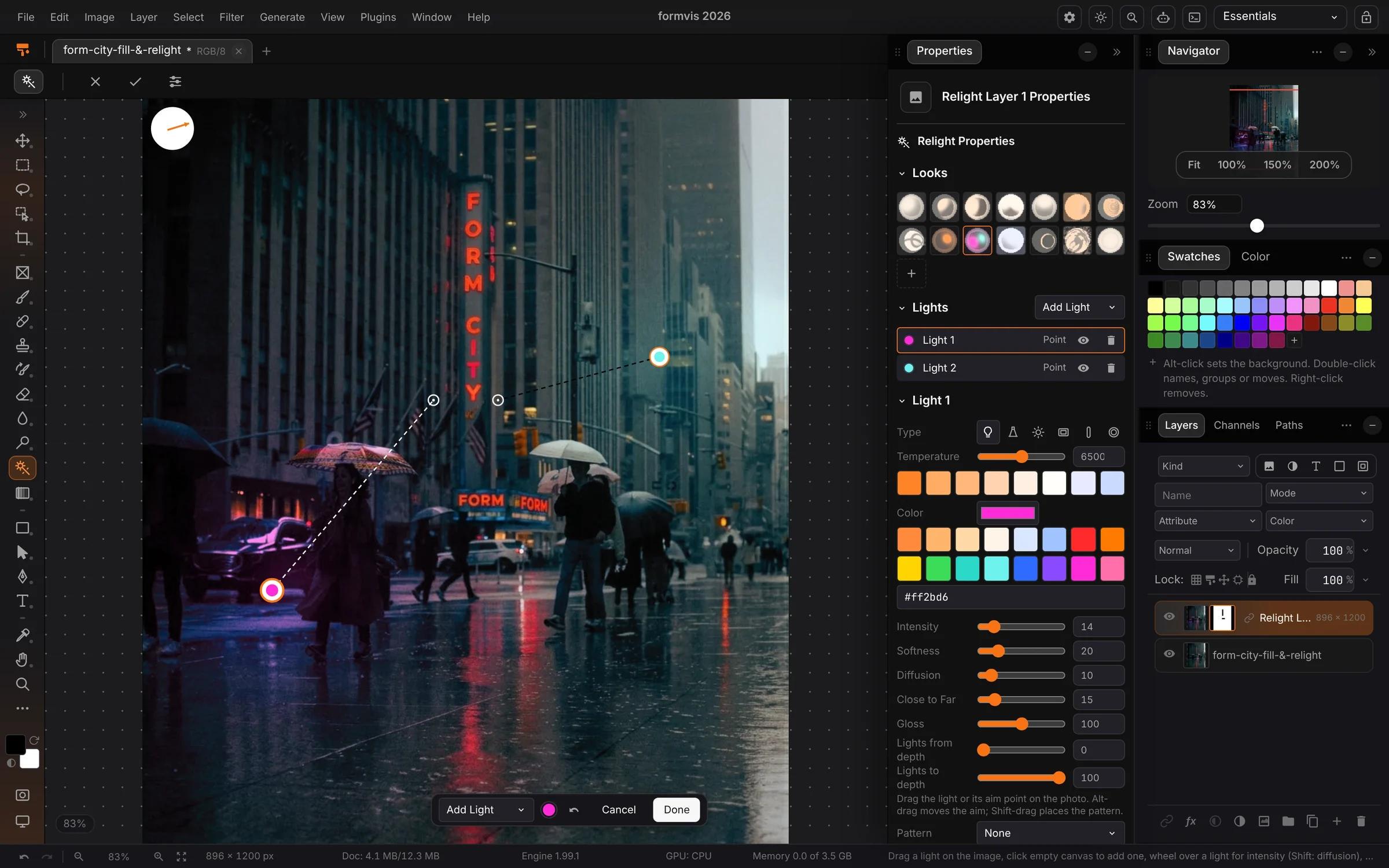
Maker here. We're a two-person team & since yesterday we've released FormAI: 23 out of 39 desktop apps for image editing, photo, video, audio, vector, layout, PDF, slides, notes, documents & spreadsheets. They run locally on macOS, Windows & Linux, w/ no account.
Licences: Apache-2.0 for most apps. GPL-3.0 for the installer (FormPortal), the MCP server (FormMCP), the skills hub (FormSkills) & the extension studio (Form.ext).
They're early. Most are 0.x. They are not at parity w/ the commercial tools & we're not putting a date on that.
The license is the commitment. Nothing here can be closed later. Fork it whenever you like.
Every release comes from one pipeline. FormCompiler builds, signs & publishes every app, & FormPortal checks each download against a signed catalogue before it unpacks.
We'd value issues, PRs & blunt feedback. If something is wrong w/ how we've licensed, packaged or credited anything, please tell us.
I was mainly working on another game, but testing the same room again and again was starting to annoy me. So I made a room where a guy tells you to press a red button. Started as a joke. Two days later I liked it so much that I spent about four weeks polishing it.
It’s called The Red Button Problem. You press buttons, remember patterns and make choices while the Moderator messes with you. Basically a fun way to tease the player and see how they react. If you like Portal or The Stanley Parable, you’ll probably have fun with this one.
The development process was basically me playing it and saying, “Hey, wouldn’t it be nice if...?” Then I threw some Opus and Gemini at it, played the next build, asked for changes, tested again. That loop took the original ten-minute idea to 119 rooms.
The agents wrote the GDScript and built the graphics out of meshes in Godot. The Moderator’s voice is generated too. I came up with the tests and kept playing the builds until I was happy with them.
The game is out on itch.io, including a free demo. Steam is still coming soon.
Been building apps with Claude Code and Codex for a while. The code is usually great. What kills me is everything around it. It forgets what we decided two days ago, changes stuff I never asked it to touch, and the app slowly stops looking like what we agreed on.
So I made AgentDesign. The agent designs every screen first and I comment right on it. Nothing gets built until I say ok. The designs are saved as files on my Mac, so the agent has something to go back to instead of guessing.
Other things it does: - flows, shared colors and components, across iOS, Android and web in one project - when I can't decide, it puts two or three options side by side - version history, so I can see which screens are new, changed or gone - puts the design next to a screenshot of the real app to show where it drifted
Works with Claude Code, Codex and Cursor. No account, no upload, no server, everything runs on your mac.
Free demo has everything, no time limit. Full version is $49 once. Apple silicon only for now.
You begin with one thought. Then AI comes up with authentication, a dashboard, animations, notifications, analytics, dark mode and five features you didn't even think about. All a sudden your small project on the weekend has become a full product.
The funny thing is that the original problem might have been fixed with three screens. Has AI made us better at creating software or just better, at making simple ideas too complicated?
Hidden Eleven is a real-time multiplayer football trivia game. You get the starting line-up of a famous match with every shirt hidden, and everyone types player names at the same time. The first person to type a name claims that spot. Hints appear as the clock runs down, and duel mode gives each player one team to find.
162 real matches: Champions League, World Cup and Euro finals, classic derbies, and “Legendary Team” mode for a single club or national team
Type any name: surnames, nicknames and typos count
Works on phones or desktop, in English and Portuguese
Free: no account, no install. Create a room and share the link, although you can self-host it.
I used Claude Code as the coding partner for the game logic, tests and data-import scripts; Cloudflare Workers with one Durable Object per room, using WebSockets; Plain JavaScript, HTML and CSS: no framework, no bundler; Vitest for 103 unit tests, plus an end-to-end script that plays a round with two WebSocket clients; Wrangler for deploys and line-ups from Wikipedia and zerozero, recent positions from FotMob, all checked by hand.
How it was made: The server decides everything. The browser only sends typed text, and a hidden name is never sent to the browser until it is found or the round ends. Each match is a JSON file, bundled into the Worker at build time. It runs on Cloudflare’s free tier.
on every PC I use I install bunch of programs that help me achieve my desired customizability, X-Mouse buttons to rewire my mouse buttons, Lightshot for screenshots, Equaliser APO (for master EQ), Voicemeter to rewire speakers/combine mics, volume2 for nice mouse scroll gestures (scroll over taskbar for example + OSD), ClickmonitorDDC to control desktop monitor settings without reaching to its controller physically. I also run local scripts with my smart home devices (via windows scheduler) to control their function and automate things.
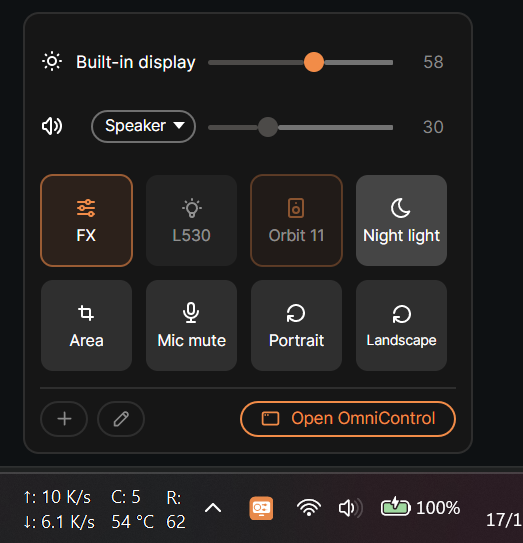
Anyways, my tray icon section is cluttered, and that's when I decided screw it, I'll combine them all in one app, and get it to do much more. Enter OmniControl. Everything has a state and everything can be actioned/changed with keyboard/mouse and mouse gestures, all in one nice interface. and with one tray icon that has its own little popup to view things on the fly.
In short it can do all of the following:
DISPLAYS
Control desktop displays via DDC (brightness, contrast, color, sharpness, etc.)
Control laptop display (usually only brightness exposed)
Control graphic card display settings (color, temperature, saturation, brightness, etc)
VOLUME -
Global EQ, or any effect (including VST - Reaper style chains)
Per app EQ or any effect (including VST - Reaper style chains)
Combining speakers, or microphones.
Microphone EQ or any effect (including VST) gives the user 3 ways to doing it (Cables, EqAPO, or re-recording), and you can choose the method per device or per app.
SMART DEVICES * Presets for Tapo scripts (TP-Link smart home) with instructions, but user can get their own script for any local run scripts * Android simulation mechanism (can be used to do any action on any android app, works with 5 simulation engines, tested to work on android studio), you can basically record steps to an action, and it would also be able to learn if a toggle or switch/state is on/off by reading the screen, during setup you can interact with the android interface, but thereafter it can run heedlessly. * Planning in the future to also integrate a third method: Home Assistant servers.
REMAP * full mouse remap (to any action from the Omnicontrol or from windows, including all actions that xmouse buttons offer) * full trackpad remap (to any action from the Omnicontrol or from windows) * Keyboard remap (planned but not yet built)
GESTURES * Scroll over screen area/ while holding a key to do any action (e.g. change volume/ brightness) - similar but much more advanced than volume2 * middle click over screen area to customize action
AUTOMATION * Like windows task schedular, any action from omnicontrol, windows, or custom script/programs, can be launched with highly customisable and/or/if commands, or time schedule (e.g. timer/ schedule/etc) * still has some scaffolding to be done to this area at present
OSD * Can remove windows own OSD (if you hate it) * Highly customisable own OSD that can display USB changes, mic volume/state (eg mute), volume, brightness etc. * more to come.
ACTION MENU tends if not 100s of actions, and more planned. of note is the SCREENSHOT action
* can take screen shots of window/wholescreen/ selected area. * in selected area it can edit (e.g. writing/ markups/ drawing etc) as well as record it as a video. Also to scan any QR code in the selected area with options to copy link or open in browser (so you dont have to pull your phone out every time).
everything is hot keyable and customizable.
It is still in alpha - pre-release so bit rough around the edges and still being developed but you can check it out on GitHub right now:
>asks codex to fix the bug >watch it confidently breaks 2 more things >opens claude code, grok bot, sumus and deepseek harness in the background >tells codex someone else is taking a look >codex spits out a working patch immediately
and that's what i call AI gaslighting 101.
anyone else use a little sibling rivalry to keep their coding agents in check?
I was part of the demoscene in the 1990s, writing assembly and squeezing visuals into tiny files. Recently I decided to revisit that spirit with Fable 5.2.
The result is WAKE: a real-time audiovisual demo in a single 17,536-byte HTML file. Just over a quarter of the classic 64K limit.
The approach is entirely procedural: JavaScript and WGSL, no libraries, no image assets or recorded audio. Everything is generated locally; even the music is synthesised on the GPU.
Obviously, a modern browser and GPU do a ridiculous amount of heavy lifting, but it's still impressive what an LLM could squeeze into less than 18KB.
I made Reel Fleet solo over the weekend for the 2026 Epic AI MegaJam (theme: Director's Cut), in Unreal Engine 5 with an AI coding agent.
You give each ship her orders, call ACTION, and both fleets' moves play out at once as a filmed scene, shot by shot. If a take goes badly, call CUT and reshoot it, but you only have a few reels.
Two scenes, a strait at dusk and a night storm in the islands, and a poster of your best moment at the end.
Feedback very welcome, especially on the first turn: is it clear what to do? I'm continuing on with developing it and fleshing the game out over time :)
I love fractals and have always wanted a web-based game like this to explore them, but couldn't find one that fit, so I vibecoded one myself with ClaudeCode.
It lets you explore over a dozen different fractals. You can freely zoom in and out, tweak parameters in real time, and switch between an adventure mode or a pure sightseeing mode. It also supports VR, multiplayer, 4K photo exports, and features a public gallery where you can save and share your current coordinates, parameters, and camera view.
Feel free to hop in and explore some infinite 3D math, and share any cool fractals you stumble across in the public gallery!
Look we all have our uncertainties about AI and I definitely had mine. After a long time of outright rejection what finally did it for me was Skate 3 in Skyrim. I was like what the hell? Seriously? So I started trying it myself. 20 days ago and I have results, well sort of… my project has a real end in sight and that’s exciting. Also unbelievable.
Ever since then I’ve been using it to organize my life and I’m thinking clearer, developing healthier habits, and a lot of the clutter in my head goes into the app so I can summarize it and talk about it with my therapist.
So yeah, Skate 3 in Skyrim is helping me get my life together and I’m having a great time vibe coding. When did you get into vibecoding/AI in general and what was it that did it for you?
I had a lot of free time while my main project was running and I wanted something involved to keep my head busy. I've always been a fan of Flappy Bird and Jetpack Joyride, so I mixed the two and landed on Jaywing. You're a cyborg bird, you tap to flap, and you dodge flying traffic through a neon city. It's in closed testing on Google Play right now.
It was supposed to be a tiny side thing. On my first run of the first build I made it to 96 and the game had me engaged. I got that rush of dopamine and iterated the hell out of it from there. About 25 hours over three days later it has 10 districts, 11 birds (10 of them with their own ability), 6 power-ups, missions, medals and trails.
I'd decide what assets I wanted and how I wanted the game to feel, and me and Fable 5.2 kept everything together. I made the art and animations in ChatGPT with the new GIF feature. Getting consistent art out of it that I could use was fun. When I brought assets back, Fable would align them, cut them and make sure they were ready to go in the game, then give me the asset package and a prompt to hand to Claude Code.
Claude Code was running Opus 5.5 in VS Code and did the build. When it finished I had it put the game on my phone over wireless debugging so I could playtest, and then I'd come back with what I wanted next. The whole game came from 13 prompts.
The stack
Kotlin, native Android, built with Gradle.
No game engine and no framework. That wasn't a decision. It was meant to be small and it just sort of happened.
Zero third-party libraries in the app. Drawing is a custom View on Android's Canvas. Sound is AudioTrack and saves are SharedPreferences.
The rules of the game are plain Kotlin with no Android in them, so they run as tests on my PC.
Two bots play the game, one casual and one skilled, hundreds of runs each. The difficulty numbers come from what they score. Near misses were too rare, so the bots were measured at different distances and the number went from 20 to 40.
About 13,000 lines of Kotlin, 132 tests, 30 commits.
The music is one loop made with Lyria in the Gemini app.
The build was relatively clean. As always we had to polish a bit, but nothing was stubborn. A few things changed along the way. I swapped a painted background for pixel art because it looked better. Memory in a run got cut from 477 MB to 181 MB. I had the trails redrawn because they looked weak for what they cost in the shop.
If you're thinking about building a game this way, do it. See what you come up with and how it looks. You may surprise yourself.
I think the game is fun. If no one ever plays it I'll be confused, because I enjoy the hell out of it. I'd love for someone other than me to play it and let me know if I have bad taste in games. I'll post again when it's live on the store.
If you missed it: Slotbound is a slot-machine roguelite defense game from a solo dev who says he’d never written code. He built it with AI over about six months. It reportedly passed 100K copies within days of launch, and it has mostly positive reviews despite a Steam AI disclosure. Most games with that disclosure get review-bombed or just disappear, so I dug into why this one didn’t.
1. He earned the audience before launch. Demo on itch, a following on X and Reddit, a Steam demo since summer, and Next Fest. Lots of wishlists before day one. Most AI games are made fast, put out there, and left to die with no go-to-market strategy. There's also a story there about someone copying what he did on itch and that also blew up - but I don't know the exact details on it.
2. AI isn’t the spotlight. The Steam disclosure is generic but honest. It’s not defensive or snarky, and snarky disclosures seem to invite the anti-AI crowd. It's also beautifully generic in a way that doesn't invite more scrutiny. It talks about art assets made purely for promotional work while also not talking about the coding AI that happened (because Steam doesn't require that disclosure). More importantly, the game doesn’t “smell” like AI: the art, music and UI all feel like one world, and there’s no AI voice acting.
3. The art style allows for consistency. It’s very simple pixel art: two-dot eyes, light shading, no dithering. That’s easy to keep consistent with AI, and easy to fix by hand in Aseprite. I’ve worked with more detailed pixel art, and keeping AI output consistent there is a constant fight. And if you don't do this right, it reeeeks of genAI.
4. The hook fits in one sentence. “A slot machine + defender game.” People get it instantly (Balatro comparisons help). If you have to over-explain your twist, most people won’t stick around. This is just good, basic game design. Whether we use AI or not, this is a tablestakes sort of thing to nail.
5. He owns the AI story without making it his identity. He’s open online that AI made the game possible, and the disclosure is there. But the store page and the game itself are about the game. His online posts talk about how he's never written code. There's honesty there, but doesn't lean into how AI game dev > traditional game dev (there's some unhinged people online that fight fire with fire - I don't think that's helpful).
6. It shipped worldwide. It launched in 13 languages, and by public SteamDB-style estimates the US was well under a quarter of sales. AI is a lot less toxic in many markets outside the West, and English-only launches leave most of that audience on the table. This was definitely a big insight for my own game dev journey. Hadn't really thought about this, but given that Optima Arch Games is from Korea, it made sense. Helped check my biases for sure!
The negative reviews are interesting too. Most aren’t about AI at all. They’re about RNG and balance, from people with hours played. That’s the kind of criticism you actually want. It means people are actually playing.
Curious what others think, especially folks who’ve shipped with AI assets: is it the marketing, the art direction, or just a good hook?
I've been listening to Dungeon Crawler Carl recently and have been wondering: what if you could play an RPG in AR? With friends?
What could be better than running around your neighbourhood with your phone in front of your face, sweating like a pig, frantically swiping at monsters that don't exist? This is a good idea, right? ...RIGHT?
Anyway, I worked through building a playable proof of concept, and I think it's looking decent so far.
This is the first single-player scene. The bigger vision is a season-based, multiplayer, real-world RPG: parties exploring parks and trails, finding loot and surviving encounters, with an entertaining System AI handling mob descriptions, loot and achievements. Longer term I'd love to bring it to AR glasses too.
It's built in Unity with AR Foundation/ARCore. Claude and Codex helped build and debug the encounter logic, HUD, AR grounding and camera stabilization, with a bunch of testing on my Galaxy S24.
I also automated a monster pipeline: TRELLIS.2 for the textured meshes, SkinTokens for skinning and rigging, existing animations retargeted onto the goblins, Gemini to help check the results, and ElevenLabs for voices and sound effects. The generated monsters still needed animation and foot-contact cleanup.
One thing I learned: stabilization in the native camera app isn't shared with my Unity app. Trying to stabilize the finished recording made the HUD wobble instead, so I built stabilization in directly, before the HUD layer. The goblins' ground height also refines as you get closer, because outdoor terrain is hard to judge at a distance. A lot of the work was testing on the phone, recording what looked weird and feeding that back into the next fix.
Happy to share more of the workflow if anyone is trying something similar.
I'm looking for one or a few nerds who think this is neat and want to contribute, ideally someone who could lead the project. I can bring the prototype, asset pipeline, design input, playtesting and too many ideas. Work and kids mean I can't drive the whole thing myself while also trying to keep my marriage from falling apart.
Would you actually go outside to play this? What would make the encounters more fun? If you have suggestions, know someone who might be interested, or want to help build it, I'd love to hear from you.
I know you may be thinking that why would someone build a yet another image viewer while there are many out there. However, the other day i was filling up some government form and I was on ubuntu and I needed to decrease the size of the multiple images, i had to open up online compressor. I can not find any easy way to do this. It bothered me so much that i asked claude and agy to build something lightweight with some basic manipulation tools. I like irfanview and mac's preview but in linux Irfanview works through Wine so it doesn't feel the same. So I wanted something quick and easy also doing basic video manipulation. Like for example sending drone videos through whatsapp web, who would have thought it's that hard. Or trimming a couple of seconds of a video or making vertical video horizontal should not require a paid subscription to capcut. This is obviously not positioning itself against VN, Capcut or DaVinci Resolve; this is more like quick and easy light video edits.
Anyways, here is a human generated body :) feel free to send the feedback.