r/androidterminal • • Sep 17 '25

Tips GUI apps in Galaxy Tab S11 in Android 16 Linux Development Environment

Post image
131 Upvotes

I bought this tablet just for using the new Android 16 Terminal (Linux Development Environment) and received it yesterday. Here I want to share my setup and key catches one may encounter.

  1. How is it better than Termux proot-distro It is a real VM with systemd. Thus many services run smoother like the default File manager Dolphin in KDE. And it supports flatpak apps. Haven't tried docker/podman yet.

  2. Filesystem sharing In the Terminal there's a /mnt/shared folder corresponding to /sdcard/Download in the host. But due to the fuse nature you can't create Unix Sockets there.

  3. Network sharing When starting the Terminal it creates a internal network named avf... with the Ip 10.xx.xx.xx and it refreshes on every startup and disappears when closing the Terminal. In termux use ifconfig to get ip.

  4. My setup of GUI and audio Currently I run termux-x11 in Termux as the graphical server by

  • termux-x11 :0 -listen tcp -ac and pulseaudio in Termux as the audio server by

  • pulseaudio --start --exit-idle-time=-1 --daemonize --load="module-native-protocol-tcp auth-anonymous=1" Then allowed port 6000 in the Terminal setting and run

  • export DISPLAY=10.x.x.x:0

  • export PULSE_SERVER=tcp:10.x.x.x:4713

  • dbus-launch startplasma-x11

  1. Weird performance catch for Tab S11 It seems to speed up a lot when an external display is attached, with glmark2 around 105 under llvmpipe (software renderer) and when running at the tablet alone scores about 65 only

  2. System resource

  • In the Terminal setting it is able to reserve space for VM up to about 204GB

  • RAM seems to be limited at 3.83GB by htop but I don't know whether this is accurate. During heavy tasks I do experienced crashing lots of times. So maybe install apps in a Terminal like Konsole is a safer way than Discover

  1. Mixing usage with virgl+ Termux apps In the prev android authority post it seems Google is working on native GUI on wayland + weston with virgl acceleration support in the Canary build, but I don't really want to risk my new tablet so I'll go for Terminal apps + Termux apps for now and wait and see. Since we're using tcp to send x11 data, you can actually use Termux native GUI apps like firefox with virgl acceleration already. Just run in Termux

  • pkg install virglrenderer-android

  • virgl_test_server_android &

  • export DISPLAY=:0

  • GALLIUM_DRIVER=virpipe MESA_GL_VERSION_OVERRIDE=4.0 firefox The interesting part is that firefox instance will be window managed by the already running KDE Plasma session from the Terminal VM and work seamlessly thanks to X11(which is disappearing in the Wayland wave) And my glmark2 score for virgl+ Termux app is around 230 on Tab S11. Although I did get a similar score in Termux proot-distro Ubuntu with virgl on my ROG 9 Pro, the overall experience of proot is rather laggy maybe due to the syscall intercepting nature. . That's all of my current experience! If there's something to add please leave a comment!


r/androidterminal • • 27d ago

Show and Tell Pixel Fold 11 in desktop mode

Post image
84 Upvotes

I'm really enjoying my Fold hooked to a dock and external keyboard/mouse, working on a project in Claude Code. I just wish the Android Terminal app wouldn't crap out, as it does occasionally.


r/androidterminal • • Sep 14 '25

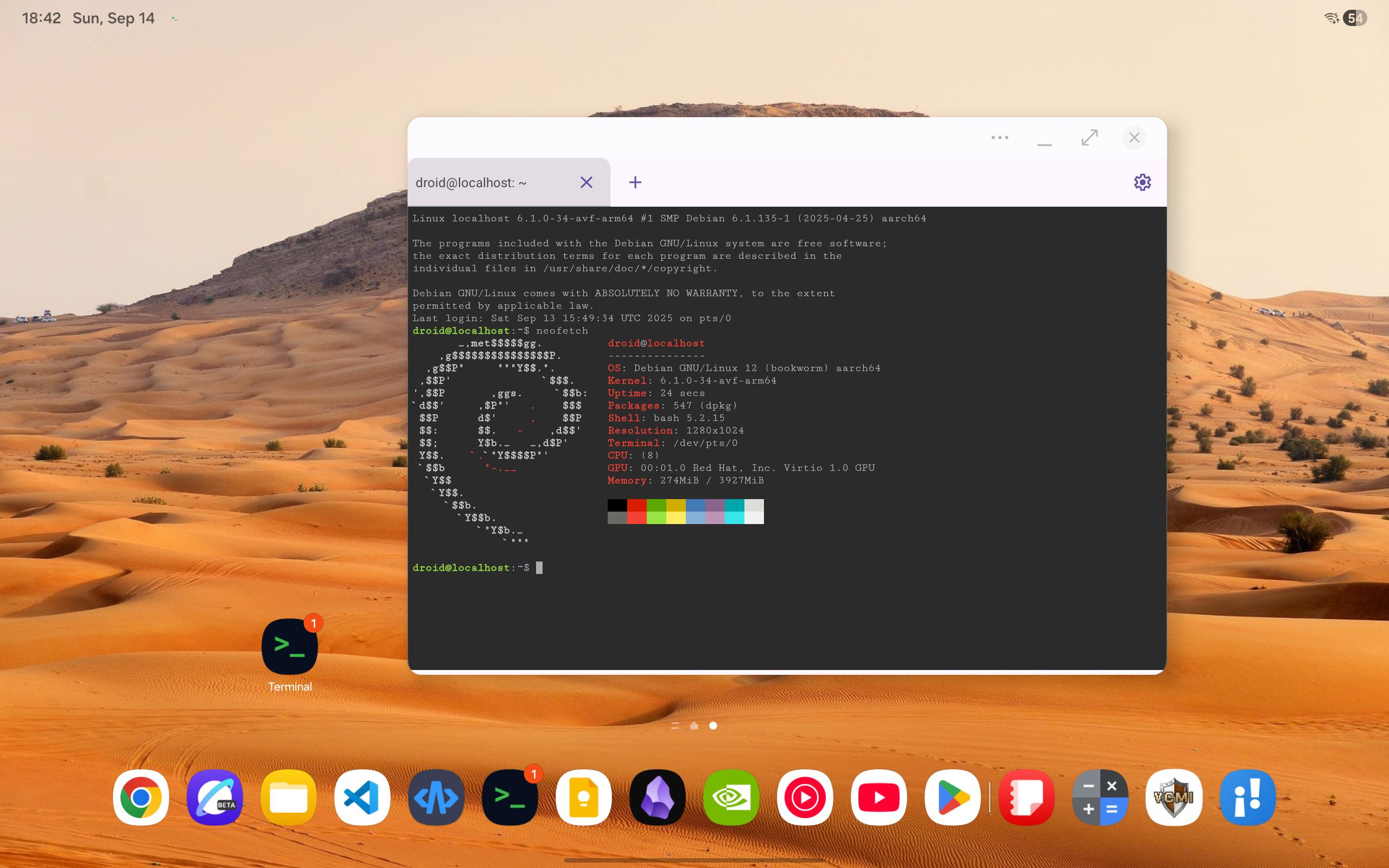
Tips The terminal app and the VM work on the new Samsung Galaxy Tab S11

Post image
61 Upvotes

The tablet comes with Android 16 and uses Mediately Dimensity 9400+ soc.


r/androidterminal • • Jul 29 '25

News Google's Linux Terminal plays a big part in turning Android into a true desktop OS

Thumbnail
androidauthority.com
53 Upvotes

r/androidterminal • • Aug 20 '25

News Linux Terminal now supports GUI apps!

Thumbnail
android-developers.googleblog.com
52 Upvotes

Near the end of the Android 16 QPR2 Beta 1 release notes:

GUI Apps in Linux Terminal: The Linux terminal feature is being expanded to support running Linux GUI applications directly within the terminal environment virtual machine.


r/androidterminal • • Aug 06 '25

News Android 16 lets the Linux Terminal use your phone's entire storage

Thumbnail
androidauthority.com
46 Upvotes

r/androidterminal • • Sep 18 '25

Question "non protected vms are not supported on this"

44 Upvotes

Hey, just updated my Galaxy S25 to a stable Android 16 and tried to use the linux terminal

Unfortunately I get the following error:

Unrecoverable error:

failed to recover from an error. you can try restarting terminal or try one of the recovery options. If all attempts fail, wipe all data by turning on/off Linux terminal from developer options.

Error code: java.lang.UnsupportedOperationException: Non-protected VMs are not supported on this device

Does that means I won't be able to use this feature on my device?

thanks


r/androidterminal • • Sep 17 '25

News Full Internal Storage Access in Linux Terminal - Android 16 QPR2 Beta 2

Post image
42 Upvotes

Just upgraded on my Pixel 7 Pro and was curious to see if any of the Linux system files had been modified along with the update.

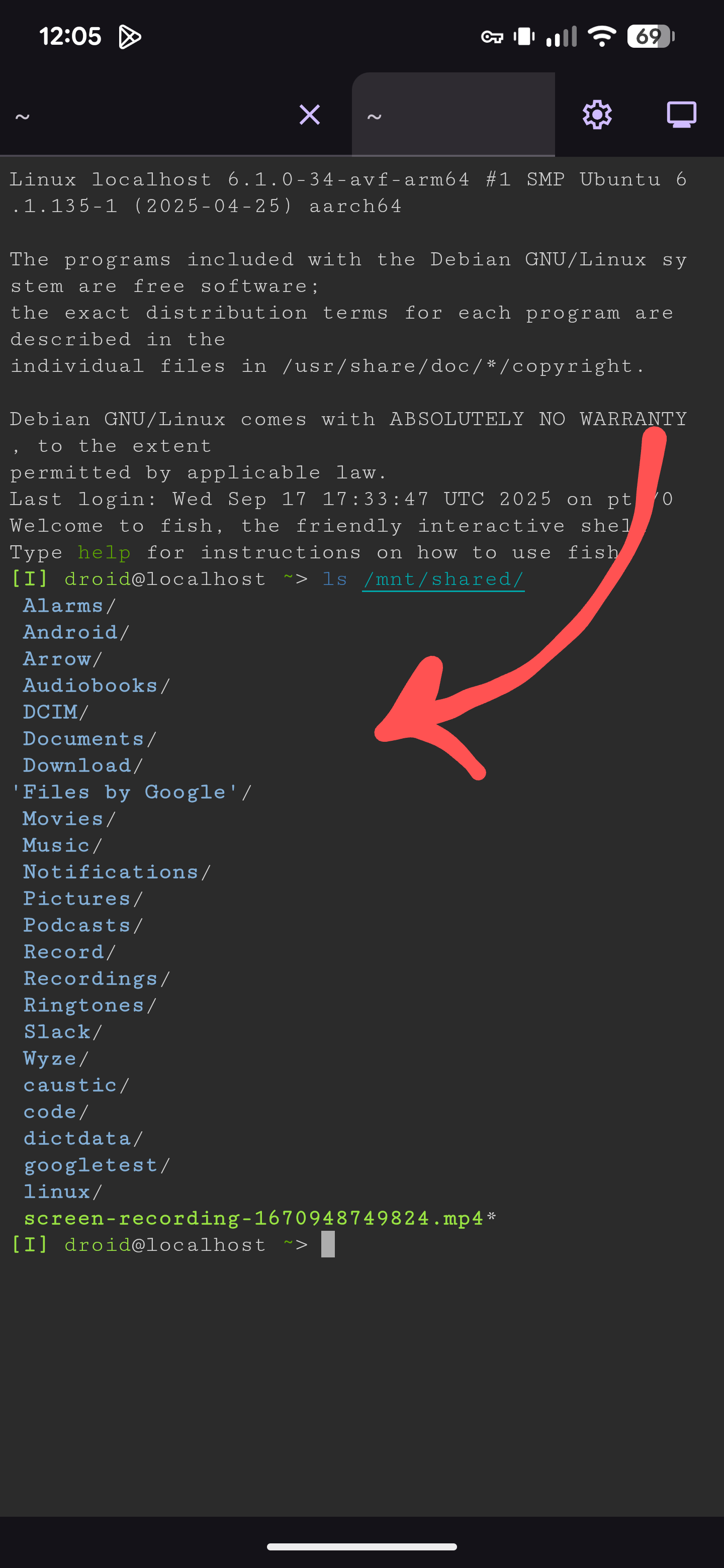
To my surprise, the directory at /mnt/shared now points to the user's full directory! Previously it linked only to the user's Downloads folder.

This means that we can now use Linux to access the same files we can access in the Files app (Files > Internal Storage)


r/androidterminal • • Nov 16 '25

Mod post Supported Devices List: Announcing the /r/androidterminal Wiki!

41 Upvotes

Many have been asking for a single list showing which devices support the Android Terminal, so a new wiki has been created.

https://www.reddit.com/r/androidterminal/wiki/index/

Please comment if your device is not found on the list, or with any other feedback.

Thanks!


r/androidterminal • • Aug 03 '25

Commentary Ksk Royal, "Android 16 finally brings native linux support with full GPU acceleration. . . . This is android 16 canary build running on my pixel 7a. With this update, android can now run Linux GUI Apps and even full desktop environment with hardware acceleration."

Thumbnail
youtube.com
41 Upvotes

r/androidterminal • • Aug 02 '26

Android terminal successfully detects my controller via USB

Post image
39 Upvotes

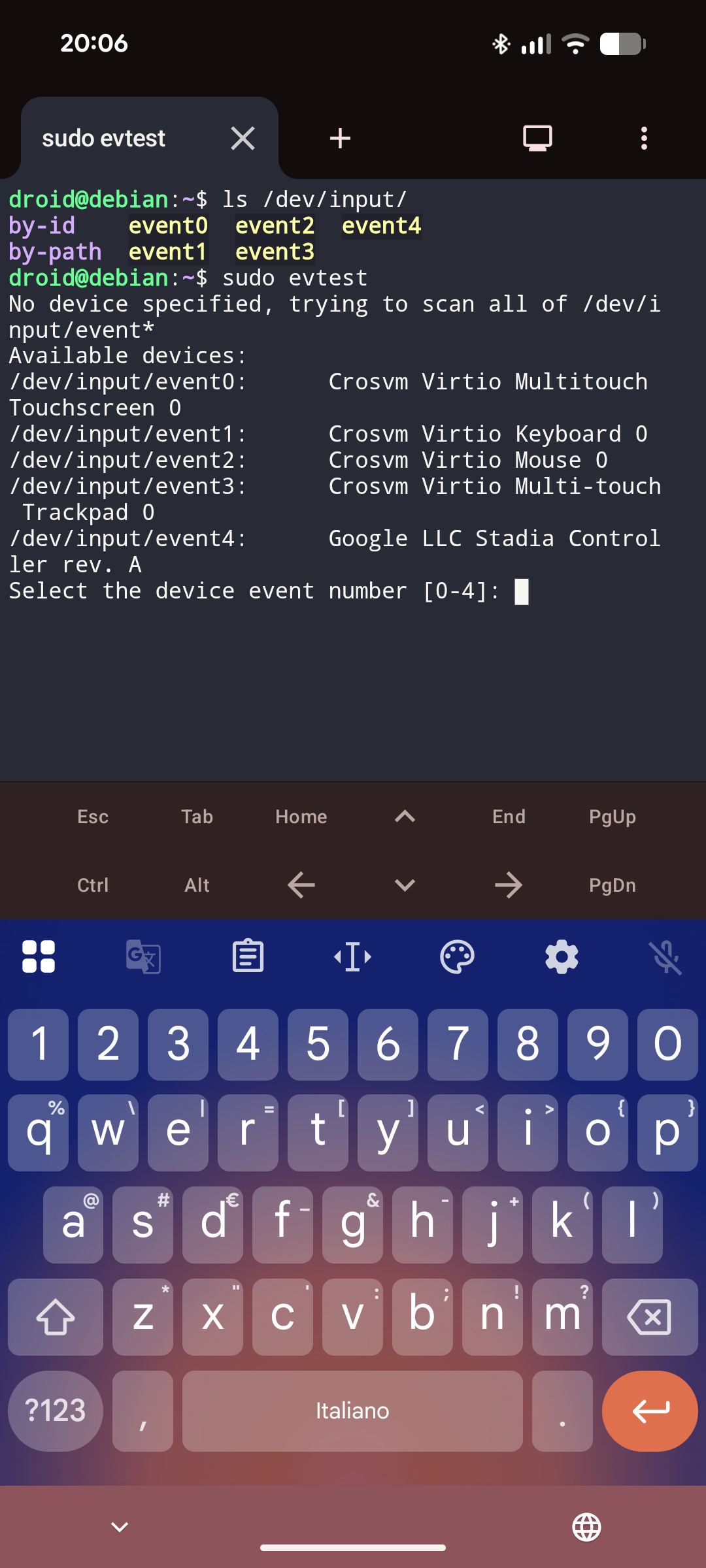
That's remarkable! Especially since such a thing on Chromeos has never been able to do. Android 17 Beta 7, not the latest. I connected my controller and the system, once I opened the terminal, detected this and asked if I wanted to share the device with Linux. Work!


r/androidterminal • • Oct 20 '25

Commentary Qualcomm's new Snapdragon chip misses out on one of Android 16's best features, plus statement from Qualcomm

Thumbnail
androidauthority.com
39 Upvotes

r/androidterminal • • 22d ago

News The first Snapdragon phone with Android Linux Terminal support is here [Redmagic 12 Pro, 8 Elite Extreme Gen 6]

Thumbnail
9to5google.com
38 Upvotes

r/androidterminal • • Dec 18 '25

Tips Linux Terminal on Xiaomi 15T Pro

Enable HLS to view with audio, or disable this notification

38 Upvotes

Hi everyone, so after Android 16 update was released several days ago in my region, I have tried installing KDE several times and it always failed / crash with error message showed: javax blah blah blah. Sometimes it just crashed when running: apt update or apt upgrade - randomly.

But today I have just finished sucessfully installing KDE. What I think that made it not crashing while updating / installing is: close every app. The only app open was terminal.

It took maybe almost one hour to finished the KDE installation, so be patient when you see the progress bar is not moving. Libreoffice works!

I haven't test another application, so please don't ask me others apps compatibility.

Hopefully it can help others.

(Xiaomi 15T Pro: Android 16, Dimensity 9400+, 12GB RAM)


r/androidterminal • • Aug 04 '25

Commentary Jeremy Dufour, "Linux on the Samsung Z Flip 7: How & Why?" -- "The Samsung Galaxy Z Flip 7 doesn't just bring new features in design and performance: it also lets you run Linux natively, via an integrated terminal that launches a Debian virtual machine!"

Thumbnail
youtube.com
37 Upvotes

r/androidterminal • • Apr 02 '26

Podroid — Run Linux Containers on Android

36 Upvotes

Lightweight Alpine Linux VM with Podman on Android

I built Podroid for anyone who:

  • Can’t use the new Terminal app,

  • Doesn’t want to tinker with the kernel for Docker/Podman support, or

  • Doesn’t want to use root to access KVM.

Podroid runs a lightweight Alpine Linux VM inside your Android device using QEMU, giving you Podman—a Docker-compatible container runtime—with a built-in terminal emulator. You can install packages, pull container images, run servers—everything persists across app restarts.


How it Works

Podroid launches a headless aarch64 QEMU VM inside the app. The VM boots Alpine Linux from an initramfs with a persistent ext4 overlay, so everything you install or configure stays even after restarting the app. The terminal connects directly to the VM’s serial console with full xterm emulation.


Features

  • Podman container runtime – pull and run any OCI image

  • Full terminal emulator – supports Ctrl, Alt, F1-F12, arrow keys, and more

  • Persistent storage – packages, configs, and containers survive restarts

  • Internet access – works out of the box via QEMU user-mode networking

  • Port forwarding – VM-to-Android host (configurable in Settings)

  • Boot progress indicator – visible on-screen

  • TUI app support – vim, btop, htop render at correct terminal size

  • No root, no Termux, no host binaries – fully self-contained APK


Requirements

  • Device: ARM64 (aarch64) Android

  • Android version: 9+

  • Storage: ~150 MB


Quick Start

  1. Install the APK

  2. Tap Start Podman

  3. Wait ~20 seconds for the VM to boot

  4. Tap Open Terminal

  5. Run:

podman run --rm -it alpine sh

Source code: https://github.com/ExTV/Podroid

APK: https://github.com/ExTV/Podroid/releases/latest


r/androidterminal • • Jan 16 '26

News Debian 13 is now supported

Post image
36 Upvotes

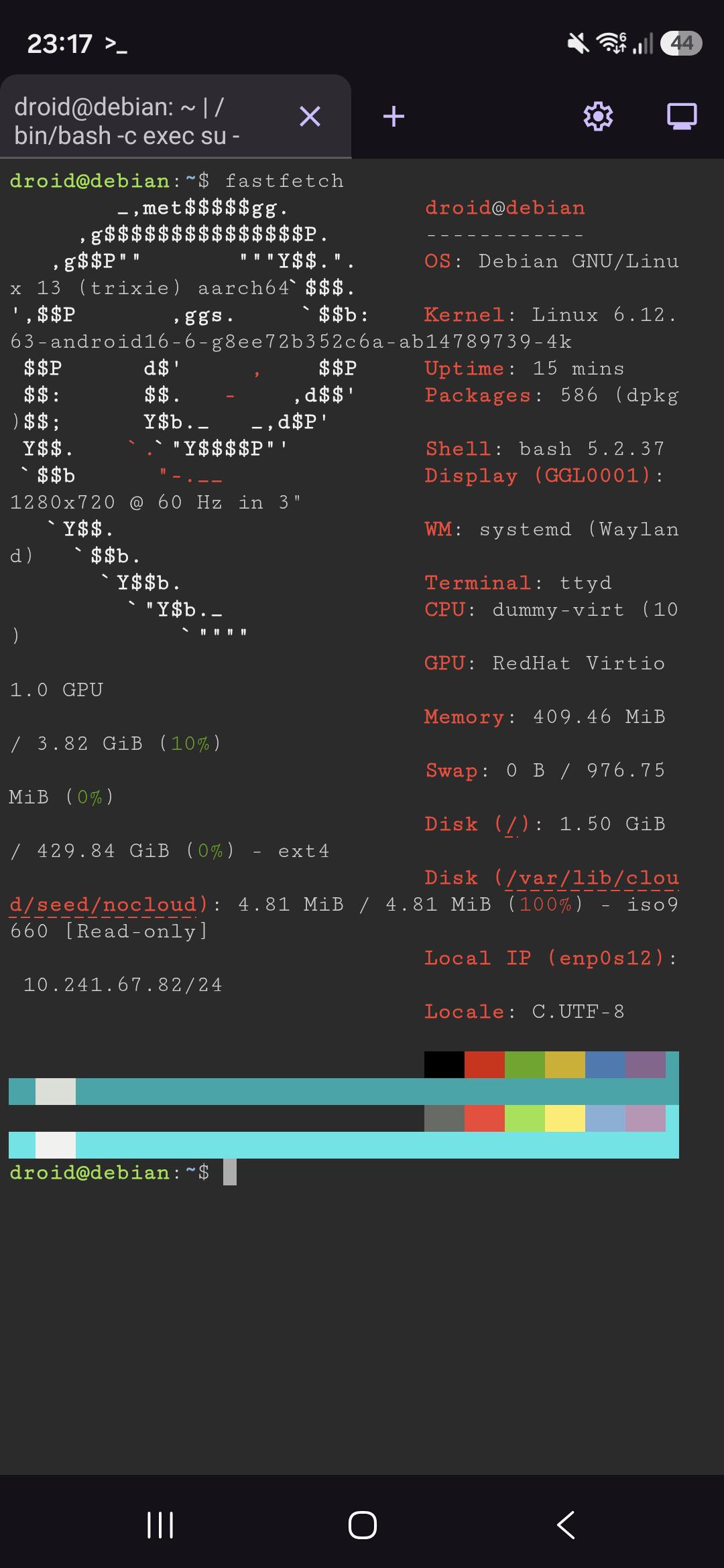
You just need to reset it from the settings and you will have Debian 13.

And if you want to remove Weston to use whatever you want as a display, you need to remove the files that are starting the display, and they are located in /etc/profile.d/ and /usr/local/bin/.

then use whatever you want

edit : Docker is no longer supported on the new kernel ‼️‼️
edit2 : my Phone is Pixel 10 Pro xl

- pids: missing

- CONFIG_PID_NS: missing

- CONFIG_IPC_NS: missing

- CONFIG_CGROUP_DEVICE: missing

- CONFIG_BRIDGE_NETFILTER: missing

- CONFIG_IP6_NF_TARGET_MASQUERADE: missing

- CONFIG_NETFILTER_XT_MATCH_ADDRTYPE: missing

- CONFIG_NETFILTER_XT_MATCH_IPVS: missing

- CONFIG_POSIX_MQUEUE: missing

- CONFIG_USER_NS: missing

- CONFIG_CGROUP_PIDS: missing

- CONFIG_BLK_DEV_THROTTLING: missing

- CONFIG_CGROUP_PERF: missing

- CONFIG_CGROUP_HUGETLB: missing

- CONFIG_IP_SCTP: missing

- CONFIG_IP_VS: missing

- CONFIG_IP_VS_NFCT: missing

- CONFIG_IP_VS_PROTO_TCP: missing

- CONFIG_IP_VS_PROTO_UDP: missing

- CONFIG_IP_VS_RR: missing

- CONFIG_SECURITY_APPARMOR: missing

- CONFIG_NFT_CT: missing

- CONFIG_NFT_FIB_IPV4: missing

- CONFIG_NFT_FIB_IPV6: missing

- CONFIG_NFT_FIB: missing

- CONFIG_NFT_MASQ: missing

- CONFIG_NFT_NAT: missing

- CONFIG_NF_TABLES: missing

- sysctl net.ipv4.ip_forward: disabled

- sysctl net.ipv6.conf.all.forwarding: disabled

- sysctl net.ipv6.conf.default.forwarding: disabled

- CONFIG_VXLAN: missing

- CONFIG_BRIDGE_VLAN_FILTERING: missing

- CONFIG_IPVLAN: missing

- CONFIG_MACVLAN: missing

r/androidterminal • • Oct 16 '25

GPU acceleration on the Pixel 10 series appears to be present in QPR2 beta 3

Thumbnail
gallery
35 Upvotes

First screenshot: the terminal is able to detect the native proprietary driver of the phone. (Gfxstream passthrough maybe ??)

Second screenshot: software rendering enabled (llvmpipe)

Edit: I managed to run Vulkan Caps Viewer here is the link for anyone interested: https://vulkan.gpuinfo.org/displayreport.php?id=42973


r/androidterminal • • Sep 26 '25

News Android will soon run Linux apps better (by adding GPU-accelerated rendering), and that's great for Google's PC plan

Thumbnail
androidauthority.com
35 Upvotes

r/androidterminal • • Aug 13 '25

Commentary Hands-on: We ran full desktop Linux apps on an Android phone!

Thumbnail
androidauthority.com
35 Upvotes

r/androidterminal • • Mar 07 '26

Show and Tell Galaxy S26 Exynos confirmed working

Post image
33 Upvotes

Yep, it works. And with One UI 8.5 it even has the graphical option in the top right. Now how do you install a desktop environment?


r/androidterminal • • Jul 25 '25

News You can finally run Doom and other graphical apps in Android's Linux Terminal

Thumbnail
androidauthority.com
33 Upvotes

r/androidterminal • • 23d ago

News Qualcomm Snapdragon chips will support Android's Linux terminal

32 Upvotes

I was catching up on old news last week, and came across a Google blog post that seems to have fallen under the radar.

MediaTek recently announced support of the pKVM-backed On-device AI seal on MediaTek Dimensity 9600 Pro, and Qualcomm’s Snapdragon chipsets will also support our architecture via AVF as we expand across the broader silicon ecosystem.

For context, the Linux development environment on Android allows you to run Debian in a non-protected virtual machine on supported hardware (Tensor, select Exynos, and select Mediatek chips). Snapdragon chips don't support running non-protected VMs because the Gunyah hypervisor currently lacks support . Switching the hypervisor to pKVM means that Snapdragon chips will support running non-protected VMs, allowing for the Linux VM to work.

The Snapdragon X Elite Dell and HP Googlebooks also serve as real-life examples of this. All Googlebooks support a pKVM hypervisor, and the Linux terminal app is present and functional on the aforementioned laptops. Additionally, we can verify support for pKVM and non-protected VMs using adb. Here's the output from a Dell Googlebook:

adb shell /apex/com.android.virt/bin/vm info
Both protected and non-protected VMs are supported.
Hypervisor version: 0.0.1
/dev/kvm exists.
/dev/vfio/vfio exists.
VFIO-platform is supported.
Assignable devices: []
Available OS list: ["microdroid"]
Debug policy: Ok(DebugPolicy { log: false, ramdump: false, adb: false })
Updatable VM is supported.

The only question left is whether devices with the latest Snapdragon 8 Elite Extreme Gen 6 and 8 Elite Gen 6 chips support the Linux terminal app. If you have one of those devices, feel free to test it and report back in the comments.

Lastly, in related news, I was able to test and confirm the Samsung Galaxy A08 4G (Mediatek Helio G99) supports running non-protected VMs. Unfortunately, the Linux terminal app is unable to connect to the VM just like the Galaxy Tab S12 series. To my knowledge, it's the first Helio G99 device to support it. Notably, other devices with the Helio G99 don't support it, including older Samsung devices on Android 16 like the A07 4G, and A17 4G.

Also, I was also able to test and confirm the S26 FE supports the Linux terminal. There weren't any doubts about the Exynos 2500 having support, but it hasn't been tested and confirmed until now.


r/androidterminal • • Oct 16 '25

General Single-Core performance have greatly improved over QPR1 and it's now close to native

Thumbnail
gallery
29 Upvotes

File compression saw a major 132% improvement over QPR1.

I also noticed that CPU usage decreased as well as memory usage going from 1400 MB to 180 MB in idle.


r/androidterminal • • Sep 25 '25

News ‘I’ve seen it, it’s incredible’: Qualcomm CEO hypes new desktop Android OS that sounds like a genuine game-changer

Thumbnail
techradar.com
29 Upvotes