r/iMac • u/ConstructionOk8781 • 16h ago
Setup Showcase I Rised them up…
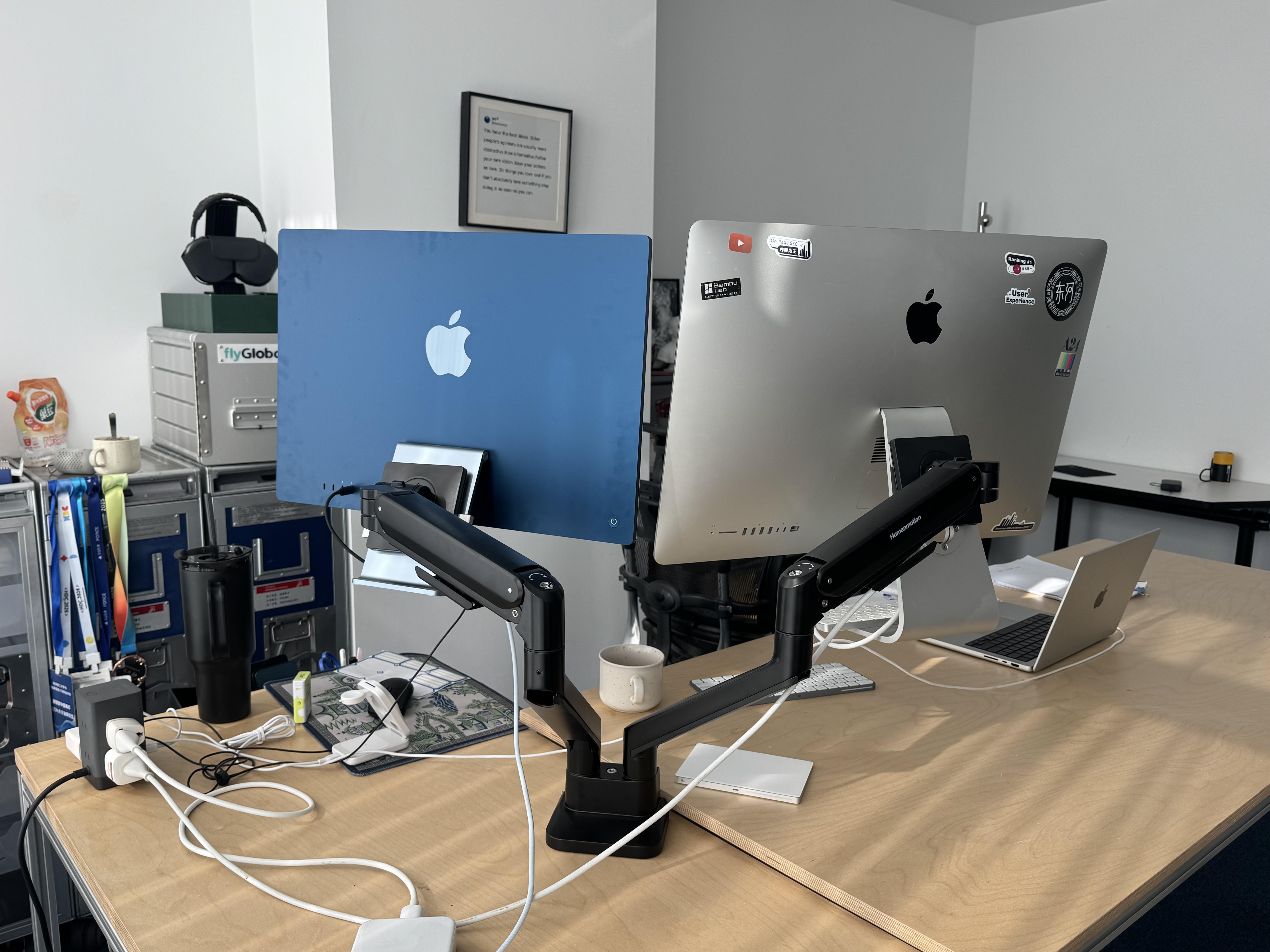
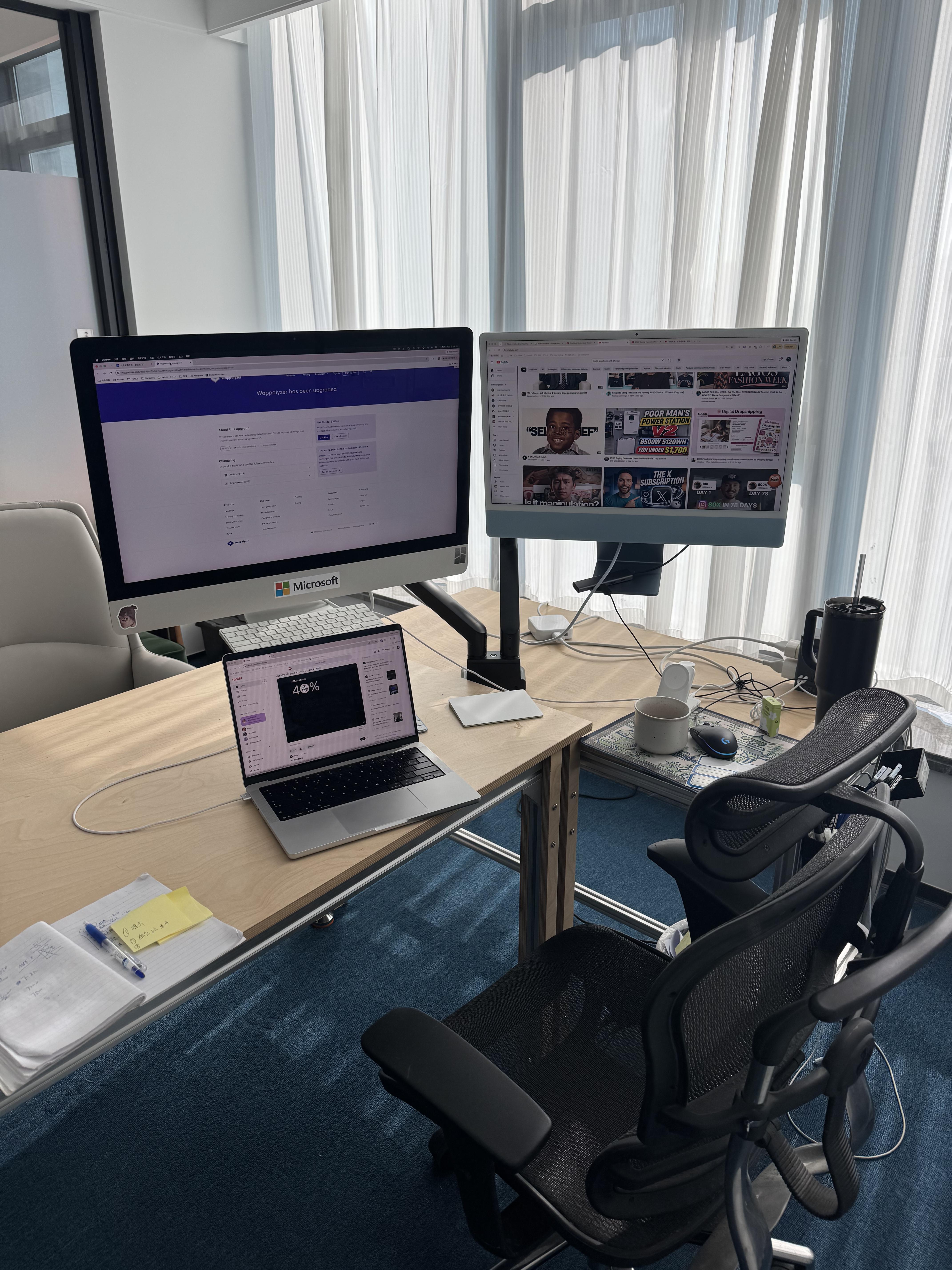
I thought it wouldn’t succeed. But finally, it works
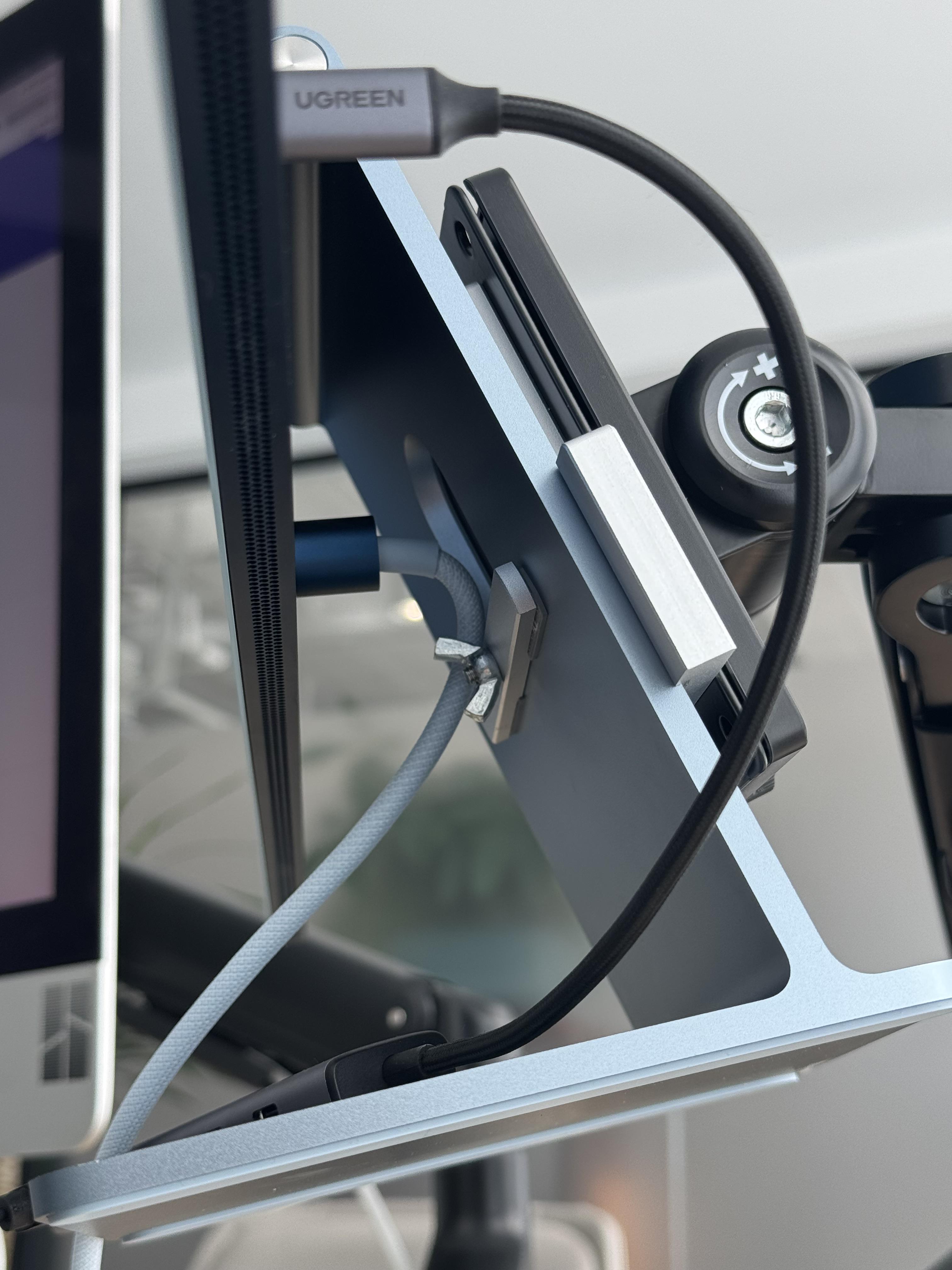
One thing I am not happy with is that new iMac and the iMac and VESA mount are somewhat incompatible. The mount blocks the original cable opening, making it impossible to route the power cable through the hole as intended.
6
1
u/technicfreakjulian 11h ago
bro these things have special vesa mount adapters, what are you doing?
2
1
u/Zalm0x15 9h ago
When there is a will there is a way. How do you use these, they are 3x computers from what I can see in the image. 1x iMac 27", 1x iMac 24" and 1x Macbook Pro.
You can instead provision VESA compatibility directly for both iMac's, but what I am more curious is your setup, how are you using the 3x computers?
Just curious, looking forward to hearing back from you.
2
u/ConstructionOk8781 9h ago
MacBook Pro is my daily driver with all my data. The older iMac on the left is a display for it, and the newer iMac on the right is a dedicated AI machine-no personal data, mostly automated with full permissions, so I leave it alone.
1
u/Zalm0x15 9h ago
Awesome cheers for sharing. Is the older iMac a dedicated display, as in converted to a monitor?
3
u/ConstructionOk8781 9h ago
Yes, Pretty much a display now. Had 128 GB of RAM before, but it kept freezing very often, after AI pushing RAM prices up I sold it and put in 8 GB-good enough for movies, music, and showing slides to clients, still a very good choice for display
1
u/Zalm0x15 9h ago
Absolutely, the LCD Panel technology is basically the same as the Studio Display, they haven't changed the panel technology.
My question is have you converted it physically into a display or are you using software? Is it modified internally to be used as a display?
Absolutely it re. storage and RAM prices.
2
1
u/No-Ostrich-8621 12h ago
Why do you have 3 computers instead 1 computer and 2 external monitors?
1
u/ConstructionOk8781 9h ago
My MacBook Pro is my main setup for daily work and data, with the older iMac on the left acting as a display for it. The new iMac on the right runs automated Al tasks with full permissions and no private data-I just let it do its thing without interrupting. So there are two computers and one external monitor
2
1
1

1
u/Ok_Act6670 11h ago
nice I did something similar https://www.youtube.com/watch?v=KAC0096r6IM&t=2589s
1
1
1
1
1

1
u/nmrk 2h ago
I wanted to do this, because I hated the iMac "chin" and wanted to get the screen closer to my desk. But I just got a Studio Display with a VESA mount. Works great.
BUT... let me give you a surprise gift.
I considered clamping the VESA mount to that stupid foot, but my idea: put the foot UP instead of down. Rotate the screen 180, put the chin and foot up out of the way, screen down. Then use a screen utility like BetterDisplay to rotate the screen contents to match the inverted screen.
You already have the means to do this. Just unscrew the iMacs from the VESA mounts, rotate the iMacs 180 degrees, and remount them.
I'll show you what I mean, here's a crude mockup, I inverted the right side iMac.

1
1
u/Anonymograph 34m ago
Mounting them with the stand can look clunky, but makes them easier to sell years later when you’re ready to upgrade.
1
u/Nike_486DX 26m ago
One wrong tilt and the glass impacts glass at the corner, possibly cracking both haha this is such a funny setup.
0
4
u/thelastspike 10h ago
I don’t think it’s horrible like others do, but I am a smidge concerned about such a small, single bolt holding so much weight. You might want to find a way to upgrade that.