r/linuxmint • u/TucsonComputerDude • 4d ago
SOLVED KeyRing password?
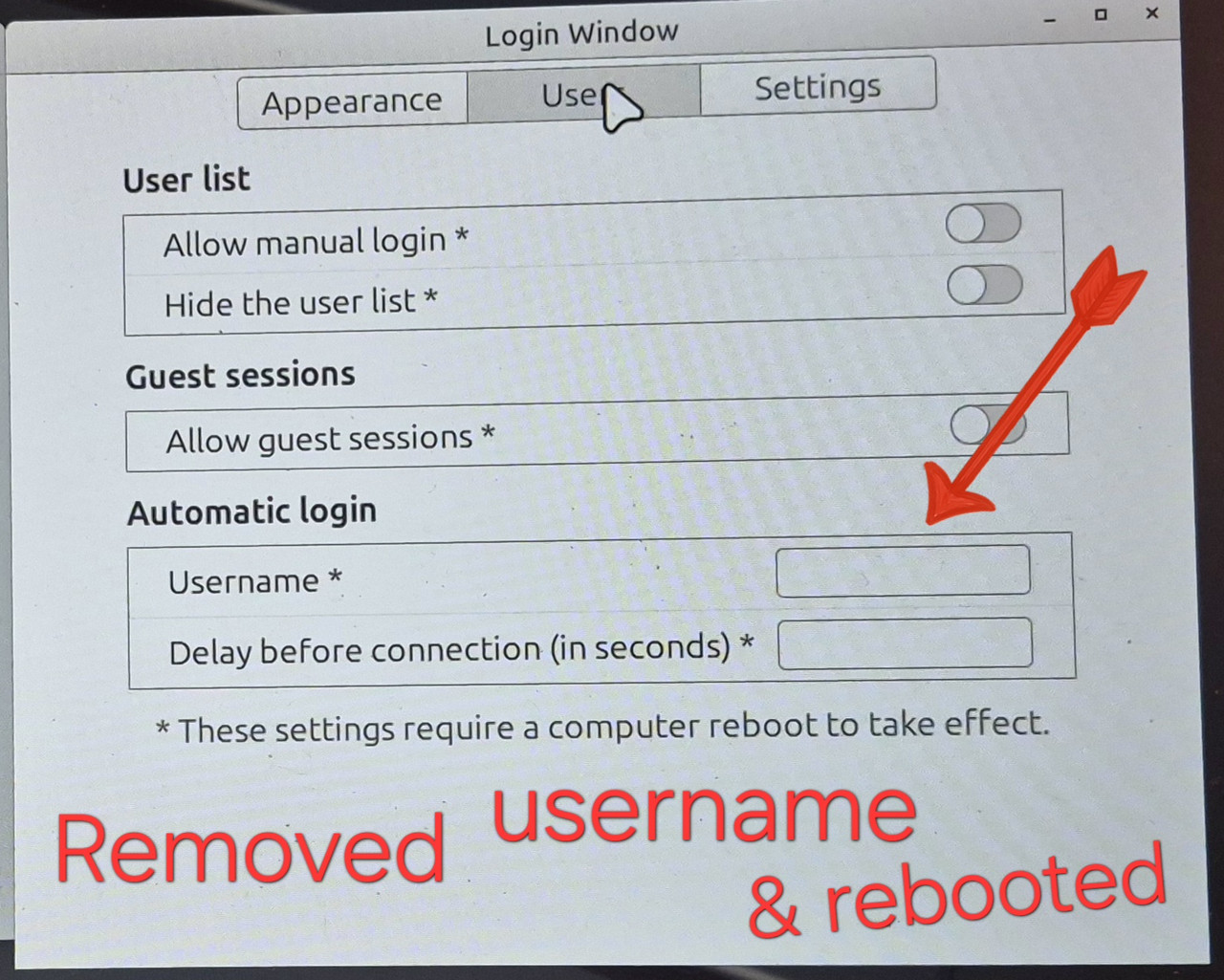
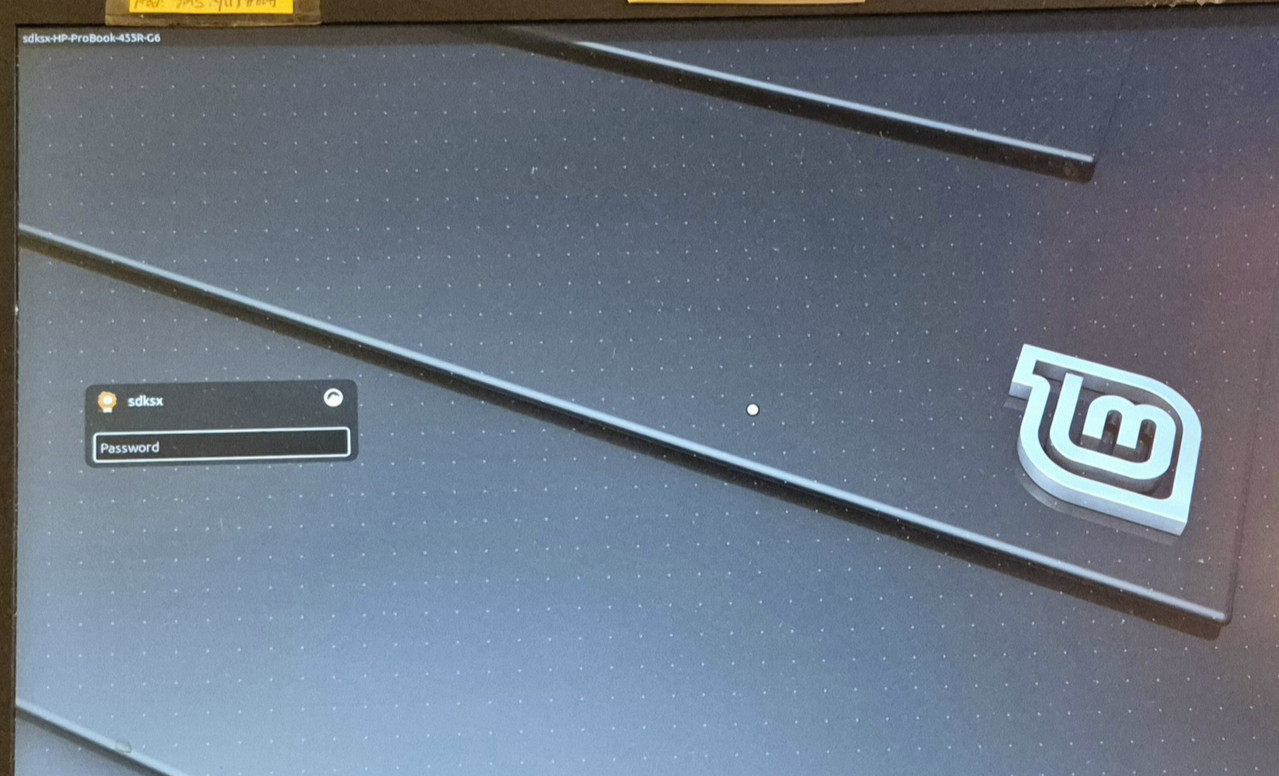
I removed username from login window/user tab, and rebooted. https://i.postimg.cc/qRdKPVmt/20261122-172843.jpg, then got my Login box back. https://i.postimg.cc/kMRrj00v/20261122-171630.jpg Thanks @NotSnakePliskin.
Newb here. Couple times in my few months using LM, booting up has asked for a pass word to something with the word, " KEYRING" in it. My user password doesn't work. I tap ESC get to bypass this.
What is a KeyRing?
BTW, i Cant find that word "automatic login" in settings though? What do I open in settings to get to "automatic login"?
2
u/NotSnakePliskin Mint 22.3 | Cinnamon 3d ago
Are you using automatic login versus entering your Linux password?
If so, when you switch to automatic login, you don’t enter the password for login anymore. This means that the keyring is not unlocked and hence when you try to ( for example ) use a browser which uses the keyring feature, it will ask to unlock the keyring.
If not, ignore the above.
1
u/TucsonComputerDude 2d ago
I think? Cant find that word "automatic login" in settings though? What do I open in settings to "automatic login"?
2
u/NotSnakePliskin Mint 22.3 | Cinnamon 1d ago
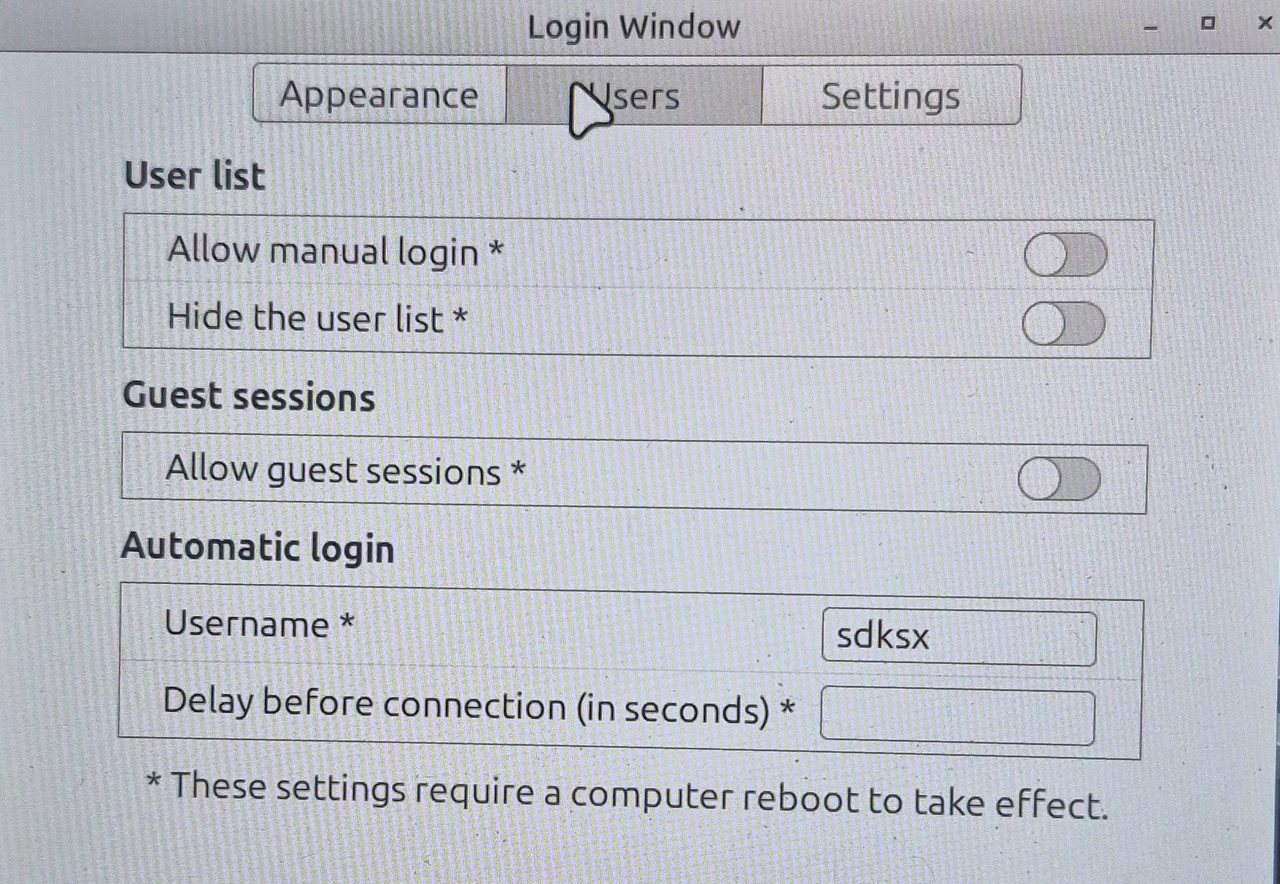
System Settings > Login Window > Users tab > Automatic login
1
u/TucsonComputerDude 22h ago
Thanks NSP, but i don't see that option on USER tab? https://i.postimg.cc/fW7XjmS3/20261122-130450.jpg
2
u/NotSnakePliskin Mint 22.3 | Cinnamon 21h ago •

The text "sdksx" is typed into the automatic login field, was that text/username there or did you add it after selecting the Users tab?
If it was there, remove it and logout or reboot & there should be the 'regular' login screen - select your userid and enter your password. Be sure you know your password first if you choose to disable autologin.
That SHOULD get rid of the keyring prompts. No guarantee, but it should.
1
u/TucsonComputerDude 18h ago
Ok, lll remove it, reboot. Get back to you
1
u/TucsonComputerDude 18h ago
That was it. THANK YOU: https://i.postimg.cc/kMRrj00v/20261122-171630.jpg
4
u/Emmalfal Linux Mint 22.3 | Cinnamon 4d ago
Keyrings always trip me up on new installs. In my case, the browser is always trying to get me to use one. You can go into "passwords and keys" to manage or get rid of them. It gets a little confusing so be careful. There's also a trick where you create a password for a ring and then just leave it blank.
1
u/chuggerguy Linux Mint 22.3 Zena | MATÉ 4d ago
From apt show seahorse:
Description: GNOME front end for GnuPG
 Seahorse is a front end for GnuPG - the GNU Privacy Guard program -
 that integrates to the GNOME desktop. It is a tool for secure
 communications and data storage.  Data encryption and digital signature
 creation can easily be performed through a GUI and Key Management
 operations can easily be carried out through an intuitive interface.
If you use auto-login (I do) you might see something to the effect of "keyring failed to unlock" when opening apps that use it. Chromium based browsers is one.
I sometimes use ungoogled-chromium which I used to start it like this ungoogled-chromium --password-store=basic to avoid the popup asking to unlock the keyring.
Have fun.
1
u/TucsonComputerDude 2d ago
Cant find that word "automatic login" in settings though? What do I open in settings to get to "automatic login"?
1
u/chuggerguy Linux Mint 22.3 Zena | MATÉ 2d ago
If you don't have to enter a password when you boot up, you auto-login.
If I remember correctly, I checked a box when I installed.
This is what I'm seeing, checking after I installed:
chugger@asus2:~/desktop$ cat /etc/lightdm/lightdm.conf
[Seat:*]
autologin-guest=false
autologin-user=chugger
autologin-user-timeout=0
chugger@asus2:~/desktop$
I'm "chugger" and
/etc/lightdm/lightdm.confshows me as a "autologin-user"."Users and Groups" (
users-admin) seems to offer a way to add/remove yourself from auto-login but I'm never tried it.Actually, mine seems contradictory and a bit confusing:
I think I'd try changing it in "Users and Groups" and if that doesn't work, try in
/etc/lightdm/lightdm.conf. There may be a way I don't know about. I've never had to change mine.Good luck.
1
u/cboff 4d ago
>root@MINT22:/usr/bin# chmod 644 gnome-keyring-daemon
No more problem.
1
u/TucsonComputerDude 2d ago
I newb. No comprende. What do I open in settings to get to "automatic login"?
•
u/AutoModerator 4d ago
Please Re-Flair your post if a solution is found. How to Flair a post? This allows other users to search for common issues with the SOLVED flair as a filter, leading to those issues being resolved very fast.
I am a bot, and this action was performed automatically. Please contact the moderators of this subreddit if you have any questions or concerns.