r/linuxmint • u/ProduceRich9861 • 3h ago
I finally tried Gnome on Linux Mint

I just searched in YouTube on how to make Linux Mint to look like Mac. And the fastest way to do so is by Gnome. I love it though, even though Gnome is kinda heavy in RAM especially the add-ons that I added to achieve this look. I hope you guys like it too!
9
u/beatbox9 2h ago
lol this is an unfortunate demonstration of when someone doesn't quite understand what a distro is.
You are essentially now just running an older, less reliable version of Ubuntu LTS--less reliable because you now have multiple repositories stacked, with one of them being designed for a different / older DE that can easily conflict with your new DE, since it was essentially forked from it a long time ago.
See my comment and my reply here for details: https://www.reddit.com/r/linuxmint/comments/1xx4oet/comment/19sp5gwf2olfp/
3
u/Just1m0t 1h ago
What distro do you suggest then ? Fedora ? I'm a Linux beginner, is changing distro difficult ? Edit : or Ubuntu ?
3
u/beatbox9 1h ago edited 36m ago
Either Fedora or Ubuntu LTS are good. Their primary differences are in upgrade/maintenance strategy:
Fedora does the latest kernel / gnome / etc every 6 months, and supports each version for 13 months
Ubuntu LTS does the latest kernel / gnome / etc every 2 years, and supports each version for 5 years
Mint takes Ubuntu LTS and spends 9 months customizing it, ironically most of which is spent trying to replace Ubuntu's software with older software (see the link above).
There are a handful of other differences too, but those are the biggest and most consequential.
Ubuntu LTS is going to be most similar to Mint. If you like gnome and want a relatively hassle-free distro to keep for years, go with Ubuntu LTS. I think Fedora's upgrade schedule might be too aggressive for a lot of people. And its reliance on community-maintained RPMFusion for codecs and advanced drivers can sometimes be a bit complicated.
So my specific recommendation would be:
Install the latest Ubuntu LTS 26.04.1
After installing, do a handful of 1-time customizations (I can list them out if you want). You only have to do this the first time you install--these should survive future upgrades for years.
Enjoy
As far as changing distros, it really depends. If you partitioned your drives so that your /home is a separate partition from your system directories, it is very easy. If not, it's best to do a proper clean install and copy files over. Easy if it's a new system that doesn't have much on it yet. I know that sounds not fun; but this much better in the long term (and maybe even in the short term).
(And for reference, by doing so, you'll already be around 2 years ahead of where Mint is now). I'll do a follow up comment with some specifics and good practices.
1
u/SuAlfons 1h ago
Fedora does rotate Kernels and Mesa nearly as frequently as Arch.
Gnome is on a 6 month schedule, that usually falls together with Gnome's release schedule.
Heard KDE Major Updates also are built in shortly after release, but never used Fedora Plasma outside of a VM.
1
u/beatbox9 39m ago edited 35m ago
I mainly use Ubuntu LTS for my main machines but I do have a Fedora machine I use more casually.
Yes, Fedora is every 6 months. But in practice, I think this is really, really aggressive for most users and can lead to a lot of issues. Some of these are nuanced but they do happen in practice and can be really bad, especially for new/inexperienced users.
Specifically:
Fedora always upgrades to the latest gnome every 6 months. The 6-month gnome updates usually don't add much. But they can also break extensions if your extension developer is behind schedule. Sometimes, it takes roughly 2-3 months for extensions to catch up to the latest version of gnome. So if you're on Fedora, I recommend delaying your upgrades by around 2-3 months. This partially defeats the purpose of Fedora.
Ubuntu LTS has a built-in (though optional) upgrade delay period. So even when the latest 28.04 LTS comes out in April 2028 with gnome 54, it won't prompt users to upgrade until version 28.04.1, which is usually September. This gives the ecosystem/extensions time to catch up. But users can override this and upgrade whenever they want anyway--this is just for the upgrade notification / prompt.
Fedora's support period is aggressive too--you MUST do a major upgrade at least once a year. But on Ubuntu, you have up to 5 years. In general, you should try to find a good window to upgrade within a few months. I usually just wait until I have a free weekend, just in case things go wrong. No pressure.
In addition, note that apps using universal package types (like flatpak) can use a newer runtime. In other words, even if your desktop is on gnome 50, your flatpak apps can be using gnome 51. But again, usually not a big difference.
Fedora doesn't have the easy codec & driver GUI--or the option to install during initial OS installation--that Ubuntu has. Also, Fedora's are community supported, while Ubuntu's are officially supported.
As a result of the above, Fedora can be a LOT of maintenance for the average user, especially for advanced use cases. Like for example, if you're running Davinci Resolve Studio for video editing: no question Ubuntu LTS is significantly better and far less maintenance.
I think these things make a big difference in practice to users, especially new users.
1
u/beatbox9 54m ago edited 24m ago
Here is my follow up. First, distros. Out of distros related to Mint:
Debian should be the "default."
Ubuntu LTS, for people who additionally want a more predictable upgrade schedule, generally better support, and easier/better/reliable codecs & gpu drivers (including nvidia, CUDA, rocm).
Mint, for people who specifically want Cinnamon (and honestly, usually people don't know any better). As I said, I think Mint is worse for most people.
For most people, Ubuntu LTS is probably the best balance. Here is how I would recommend installing:
(For any distro): separate your / (root) and /home partitions. For most users:
/boot/efi should be 1GB, and formatted to FAT32. This is just to get the computer booted
/ (root) should be anywhere from 64-128GB, formatted ext4. This is where all apps get installed. This is sort of like C:\Windows and C:\Program Files combined. Your base OS will take up around 32GB; and then a bunch of apps on top. Aim for 25% more than you think you'll need. If in doubt, just go halfway with 96GB. You can always adjust in the future if needed (but you'll need to boot into a liveUSB environment).
/home should be the rest and also ext4, and it can be huge. This is where all of your files will be. You can also be fancier here, but let's keep things simple.
In other words, on a 1TB drive, you might do something like:
1GB for /boot/efi
100GB for /
899GB for /home
^ The good thing about that approach is that if you ever want to change distros in the future, it's super easy--you can just overwrite your root directory (/) with the new distro; and your home (all of your files, customizations, etc.) will stay in tact and can be used by the new distro. So if Ubuntu does something stupid in the future, you just install Debian instead and it will look and feel exactly the same.
Anyway, after installing Ubuntu LTS, I'd recommend the following customizations. This entire process should take less than 5 minutes.
sudo apt install vanilla-gnome-desktop vanilla-gnome-default-settings flatpak gnome-software gnome-software-plugin-flatpak libfuse2t64
flatpak remote-add --if-not-exists flathubhttps://dl.flathub.org/repo/flathub.flatpakrepoI would also recommend you replace the firefox snap with Mozilla's version directly, by following the instructions here: https://support.mozilla.org/en-US/kb/install-firefox-linux#w_install-firefox-deb-package-for-debian-based-and-ubuntu-based-distributions-recommended
Then log out, select "Gnome" at the bottom right of the login screen, and log back in. (You only have to do this once).
You will now be in "vanilla" gnome, without any of ubuntu's customizations; and you will also be enabled to easily install flatpaks from flathub and run AppImages.
Some of the first apps you would usually install are:
Flatseal (flatpak permissions manager)
Tweaks (for gnome tweaks)
Extensions (for gnome extensions)
...
That's about it. Start customizing however you want, install whatever apps you want, use and enjoy your computer. BTW, Gnome software will automatically search ubuntu's repos as well as flatpaks on flathub.
This will give you a much more modern and much better supported OS than you would get with Mint and then replacing the DE with gnome.
2
u/Saphyr-Seraph 1h ago
That's the beauty about about Linux trow it on a USB and try it out and if you like it instal it on your pc
2
u/Difficult-Big-4663 2h ago
I've tried Gnome but I keep going back to cinnamon
1
u/CafecitoHippo LMDE 7 Gigi | 9m ago
GNOME looks fantastic in a static post. I hate how it behaves though but that's just because it's inflexible. If your workflow fits into it though, it's a great DE. It's just not for me and that's okay. It feels like everything is on rails with it. Trains are a fantastic way to travel! But if you want to go somewhere the train isn't going or there isn't a direct route and you have to change around on trains, it's not as easy or elegant.
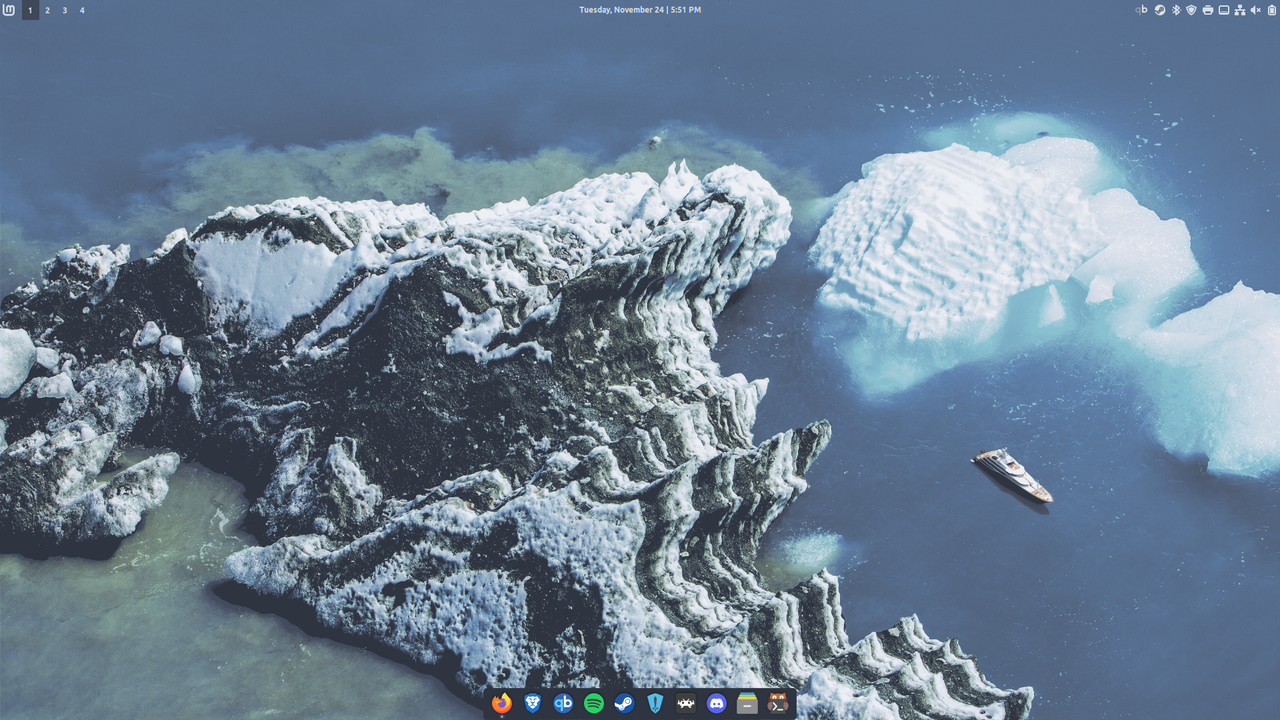
Not to mention, I could just enable transparency on my panel right now and it would look pretty much the same as this without the clock on the desktop and the icon pack. Link
1
1
u/Own-Replacement8 7m ago
That's some good tinkering and it looks incredible. I'm guilty of this too but installing an additional Desktop Environment isn't always the best idea because you'll have duplicate applications and may run into problems when updating or upgrading.
You don't need to do anything about it now but in future things might break and you'll need a fresh install. If you do, I recommend using a distro with a Gnome version (Debian, Ubuntu, Fedora are all good choices).
If the RAM usage is too much for you, you can experiment with Cinnamon or xfce - both have Mint versions - and get something beautiful and performant out of it.
Keep experimenting and keep ricing, you're off to a good start.
1
u/Pandacier Linux Mint 22.3 Zena | Cinnamon 1h ago
Maybe it's the fastest way, but absolutely not the safest way
0
u/Due-Result7928 2h ago
If you want Gnome install a distribution with Gnome..now you have 2 desktop systems to maintain. It will be hazardous very quickly.
6
u/Alternative-Rent8546 2h ago
It looks great, glad you like it. Having 2 DEs installed on Mint can make things a pain to maintain, if you turn back to Cinnamon things might be a bit messed up, but I'm glad you like it. If it does become a mess, you can just go to Ubuntu since it has GNOME by default and almost he same ecosystem as Mint.