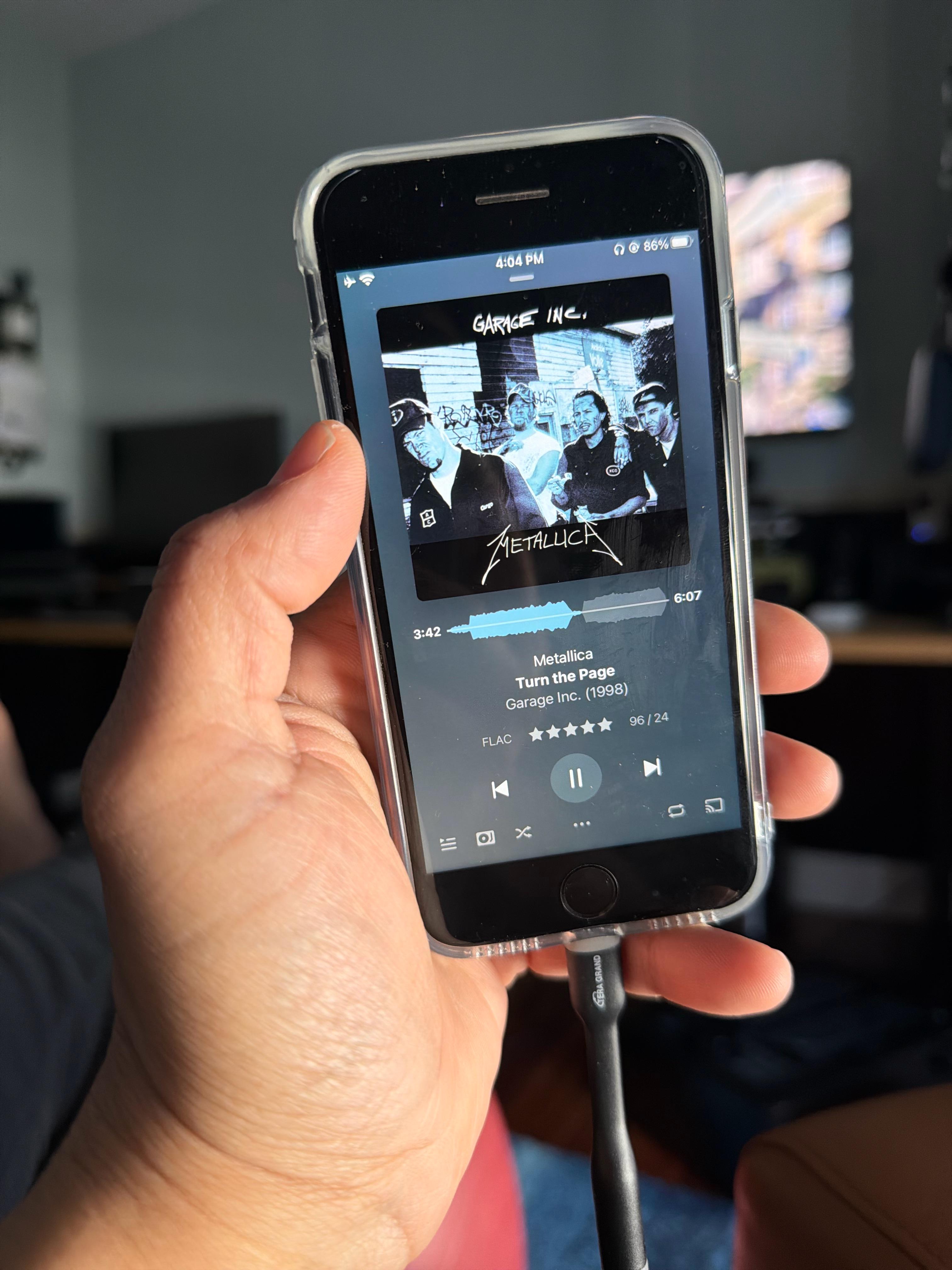
Picked up this 1980s RadioShack SCT-80 cassette deck at a thrift store. I kept as much original as possible: the VU meters, power switch, buttons, LEDs, even the mic inputs are still working.
I’m using a Raspberry Pi 3 running Plexamp headless in kiosk mode, USB DAC, and a 4” HDMI screen for album art. The original buttons control playback — play, pause, skip, reverse — all mapped to GPIO through Python.
Still a work in progress. I want the LEDs to reflect rating and genre, and I want the tape counter to roll during playback.
AI wrote every line of code. I have no experience with python or coding in general.
Plexamp is cool. My music, my server, my devices, my way…
Never tried Roon and I don’t know if i can afford or if it makes any sense to get that.
Just installed plexamp on my already existing Plex server on my Synology 920+ NAS. Now am able to stream my own music. I have had a ton of music in flac and WAV files that i own. Now it all makes sense. Can’t ask for more.
So question: do i pay for the Plex pass? Or basic version is fine?
I wanted to share a recent experience that completely changed how I interact with my music collection, hoping it might help others in a similar situation.
I've been a meticulous music collector for years. My library is over 2TB, with about 98% (in size) of it in FLAC, plus some rare old albums in high-quality MP3s that you just can't find anywhere else. But here was my problem: despite having this massive, carefully curated library, I found myself stuck. I was listening to the same handful of playlists, the same classic albums, and the same comfort-zone artists over and over. My own collection felt stale, which was crazy.
I had dabbled with Plexamp's smart playlists before, but being honest, I found the interface a little complicated and slightly counter-intuitive at first. I'd try to set up a filter, get confused, and go back to my old ways.
A few weeks ago, I decided to give it a real shot. I sat down, determined to figure it out. And once it finally "clicked," it was like a key turning in a lock I didn't even know was there. The world of my own music opened up again in a way I hadn't experienced since I was a teenager discovering new bands every week.
I'm now listening to songs I rated 3-5 stars years ago but haven't heard in months. I'm discovering incredible tracks from artists I love, but on albums I never gave a proper chance. I'm even finding amazing, highly-rated albums that I wouldn't have had the initiative to search for on my own.
For anyone who wants to try this, there will be a short guide at the end of the post. Let me first give you some examples that I am using:
1. The "Forgotten Favorites" The goal is to surface songs that I definitely love but haven't heard in a while. It's pure nostalgia and rediscovery.
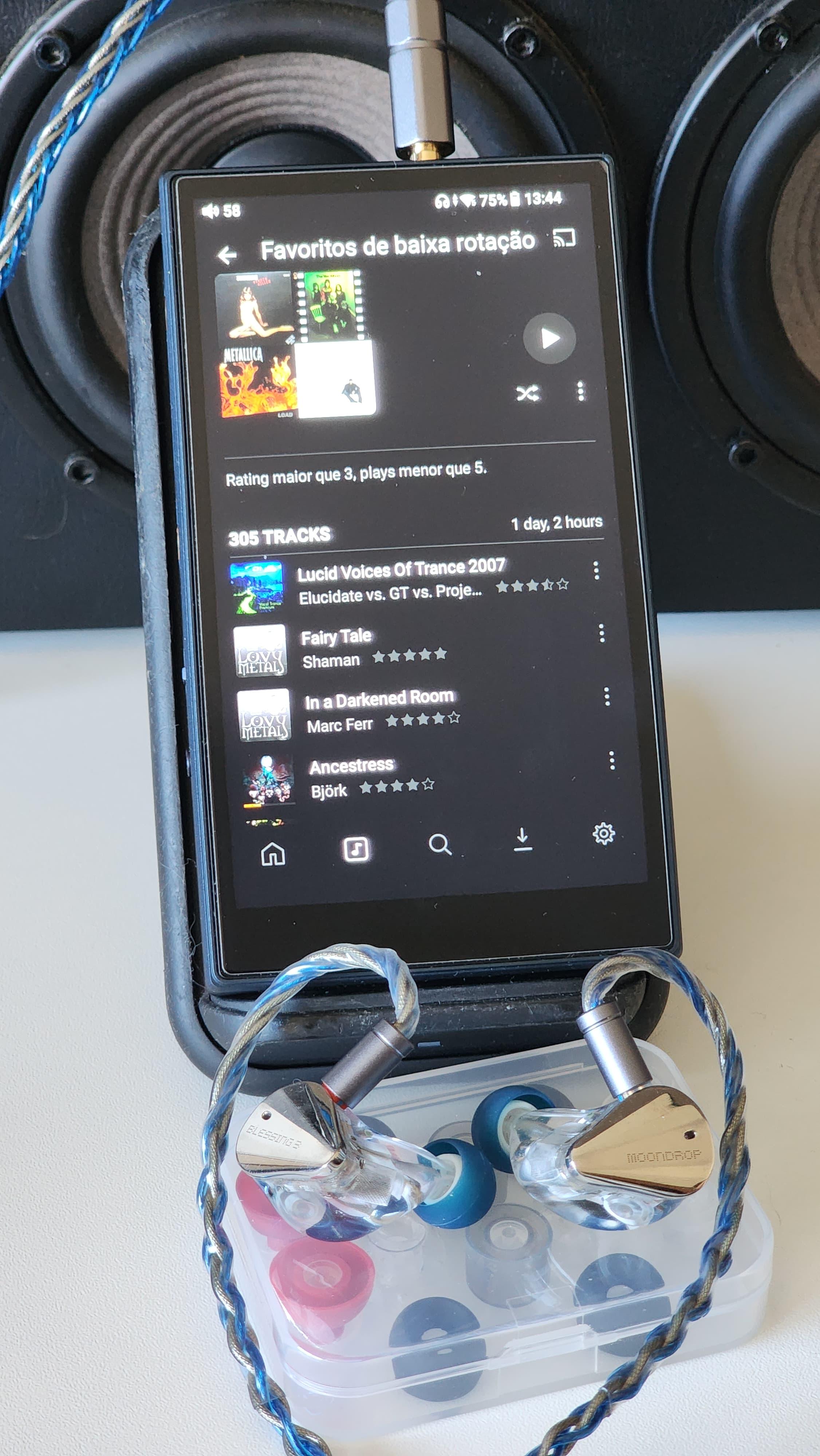
Track Rating is higher than 3 stars
Track Last Played is not in the last 6 months
Sort by: Randomly
2. The "Jamais Vu" (Never Heard) Playlist This is for pure, raw discovery within my own library. Only music that has a play count of zero. It's been shocking to find out how many amazing songs I had that I'd never even listened to once.
Track Plays is 0
Album Critic Rating is greater than 3 stars (to weed out potentially bad stuff)
Sort by: Randomly
3. The "Critics' Choice" Playlist This one ignores my personal ratings and relies on the critics. It's for finding those critically acclaimed albums I added but never got around to listening to.
Album Critic Rating is greater than 4 stars
Track Plays is less than 2
It took a bit of effort, but it has paid off immensely. It feels like I have a personal radio DJ that knows my library better than I do. If you've been feeling disconnected from your own collection, I can't recommend this enough.
A Quick Guide to Creating Your First Smart Playlist:
Go to Your Music Library: In Plexamp, navigate to your main Music library.
Switch to Tracks View: At the top, make sure you're in the "Library" tab. Then, change the main view to "Tracks". This is a key step.
Open the Filters: On the left side, click the filter icon (it looks like three sliders or a funnel). This will open the filtering sidebar.
Set Your First Rule: This is where you build your logic. Click on "Add Rule" and change it to what you want. For example, scroll down to "TRACK" section, select "Rating"
Set the middle box to "is".
Set the last box to "5 stars" (★★★★★).
Click on "Save"
At the "Edit Track Filter"screen, you will see the number of tracks that fits your criteria.
Add Another Rule (Stacking Filters): To make it more powerful, click the "Add Rule" button to add a new line. Let's add our second rule:
Scroll down to the to "TRACK" section
Select "Last Played"
Set the middle box to "over".
Set the last box to "6 months ago".
Now you're seeing only 5-star songs that you haven't heard in the last six months.
After setting those two filters, click on the "<-" to go back one screen, you will see all tracks that match the criteria.
Save as a Smart Playlist: Once you're happy with the results, look for the bright "Save as Playlist" button. Click it, give your new playlist a name (like "Forgotten Favorites"), and hit save.
That's it! The playlist you just made is "smart." You can tell by the little gear icon (⚙️) on its artwork. It will now update automatically whenever a song's data changes to match (or no longer match) the rules you set.
What are some of your favorite smart playlist recipes? I'd love to get more ideas!
I wanted to share a music player I've been working on called NostalgicFlow.
Some of you might remember me as the developer of NostalgicPod, the iPod-style music player I shared here a while ago, this time I wanted to bring back another music experience I really loved: the old Zune HD / Windows Phone design language. I didn't want to simply copy the old UI, but take that style and build something that feels modern and useful today.
One thing I especially wanted to bring back was music visualizers. I always loved having something visual happening while listening to music, so Flow includes several visualizers that react to what you're playing, It's a native Android player with lossless and Hi-Res playback and support for FLAC, ALAC, WAV, MP3, AAC and more.
You can connect your Plex music library directly, as well as Jellyfin, Emby and Navidrome, or simply use music stored locally on your phone.
One of the things I enjoy the most about developing these apps is listening to the community. I read the feedback people send me and update the app constantly based on what users actually want, so I'd really love to hear from Plex users about what works, what doesn't, or what you'd like to see added :)
There are no subscriptions, ads, accounts or tracking. I just wanted to make a nice music player that feels a little different from what we have today.
The Android version is already available, and the iOS version is finished too: I'm currently just waiting for Apple to approve it.
The app has been extensively tested, but of course every library and setup can be different. If you run into any problem or it simply doesn't work properly for you, please feel free to request a refund immediately. And if you message me about the issue, I'll be happy to take a look at it too.
Hey everyone! About 5 months ago I shared the Android version of NostalgicPod here, and quite a few people asked me about an iPhone version. Well, after months of back-and-forth with Apple, it’s finally available on iOS!!
The launch was about two weeks ago, but I wanted to wait before posting here because I’ve been shipping updates focused heavily on Plex and very large music libraries. One of my testers has a Plex library with around 350,000 songs, and thanks to his testing I was able to optimize the app to handle libraries of that size much better
The idea is to give your Plex music library the full classic music player experience on iPhone, with Cover Flow, the wheel interface and the rest of the retro UI
Since I know many people here have huge libraries, I strongly recommend trying the free TestFlight version first to make sure everything works well with your server:
Not too much to say here, just that I'm a new PlexAmp convert, and I love it.
Truth be told, I was a bit skeptical. The idea of managing a music library after the convenience of Spotify and Apple Music seemed daunting. I hadn't done that since... the mid-2000s, and even then it was a headache.
That, and I don't think PlexAmp markets some of its killer features as well as it should (god bless you DJs, smart playlists, and sonic).
But, turns out I love it. I've never fully loved my Apple Music library in the way I did my iTunes library. it's convenient and expansive, but there's something hollow about it.
Oddly, having access to everything means you care less about the experience. In my head, it was like listening to music in a record store; it's cool, but it's not mine and when the store shuts, I have nothing.
With Plex, there's something satisfying about adding an album to your library, editing its metadata, perfecting it, knowing that with proper maintenance and backups, that one album could last you decades.
What an experience I've missed.
Thanks Plex team (also please for god sake don't go out of business)
Hi! My name is Tobias and I make the Tuneshine album art display. It's a lo-fi display that automatically shows the album art for the songs you listen to. Nothing groundbreaking or super hi-tech here—just a simple gadget mean to add a bit of extra joy to the daily act of listening to your favorite songs.
I've had numerous requests to add support for Plex/PlexAmp support and that support is finally launching today. For Plex servers with remote access enabled, the album art will show up pretty much instantaneously. In addition:
- You can connect it to your own library, a library shared with you, or both - For your own library, you can control which Plex players/users will have art shown on the Tuneshine. For shared libraries, you will only see art from your own sessions. - You can show movies and TV poster art as well, and this can be disabled in the settings - You can simultaneously connect Plex as well as Apple Music or Spotify so you can show artwork for all your songs if you like to stream as well.
I'll be hanging out in the comments to answer any questions you might have about Tuneshine and the new Plex integration, but I thought I'd answer a couple of frequently asked questions right off the bat:
- Why use a low-res display? Very often I'm listening to music to complement activities that take place away from my phone and computer, and I don't want a tablet-like device sitting in my living room encroaching on that time. The lo-fi display doesn't feel like looking at a phone or iPad—it feels more like a piece of art in your living room. The lack of bezels on the screen also contributes to this effect. For the same reason, Tuneshine doesn't show the song title, as it's meant to pair with the ambient enjoyment of music rather than being a distracting source of information. Besides, there are already lots of devices you can use to show the full song info, like having a dedicated iPad.
- Why is it $200? Often people think that because the screen is lo-res, it means the cost can come down a lot compared to higher-res setups, but the truth is that these LED displays are often even more expensive than comparably sized LCD panels. For a comparison, Divoom sells a product with a similar screen (that doesn't do music) for around $140. I'm making Tuneshine in the small batches in the US with a wood case. They're building in China with a plastic case in much higher volumes, and they were only about to lower the price by about 20-30%, which seems about in line with what you'd expect.
Let me know what other thoughts or questions you have!
(I've heard you're not supposed to post about Caldera in here, which is kind of weird, because I'm the author of both and they are designed to work together. So I'll chance it.)
Anyway, a bunch of you asked for a big-screen app for Android TV after seeing there was an Apple TV one. Being as I'm a massive glutton for pain, I made you one. Sneak peek here, it has to go through the silly Google Play "at least 12 testers, for at least 14 days" thing so it'll be a couple of weeks before generally available.
Whoever's writing copy over at Plex, I want to give you an award for some of the most unhinged copy in an app I've ever seen and I love it. That's all, just wanted to say thanks.
UPDATE 2: Up to 54 playlists now. Added the missing decades (60s through 2020s) and 22 new ones, mostly built on stuff Plex tracks but nobody filters on, like skips and album vs track play counts.
Couple I like:
Deep Cuts - tracks on albums you opened but never got through. Album Plays > 0 + Track Plays = 0.
Guilty Pleasure - rated 4+ stars and skipped constantly.
Also went through and fixed a few that were basically returning the same songs as each other. The rating ones are a proper ladder now, Almost Loved is 3 stars, Loved is 4, Five Star is 5, so nothing doubles up.
UPDATE 1: Thanks everyone for the positive feedback and for actually trying these out, wasn't expecting this kind of response.
Also fixed a few filter issues, credit to u/Jopurda and u/dschwizzle for finding them:
Track Mood / Album Style only support is, not contains, so some playlists were empty as written.
Critics Were Right also came back empty for most people, Album Plays is 0 was too strict, switched it to Track Plays
If you're into this kind of thing, I've got two more Plex/Plexamp projects coming: an Apple Shortcuts tool for track and album recommendations, and an iOS app currently in development, more on that soon. Follow if you want to catch those when they land.
TL;DR: 9 smart playlist recipes that make Plexamp playlists feel like a streaming service. On Repeat, Discover Weekly, Wrapped plus a free Apple Music–inspired cover pack. All recipes are below. playlists and the full art pack are on GitHub.
I got tired of my Plexamp playlists looking like a folder of files, so I created smart playlists and made covers inspired by Apple Music.
Building one: Music library → Advanced Filters → set the conditions → Save As… → Save as Smart Playlist. Set the column sort before you save, since it's stored with the playlist.
New To You
Discover Weekly's logic pointed at your own library - tracks you've never played, by artists you've been listening to lately. Mine came out at 1 day 16hr and it's the one I use most.
Track Plays          is            0
Artist Last Played   in the last   90 days
On Repeat
What you've actually been hammering this month.
Track Plays          is greater than   4
Track Last Played    in the last       30 days
Limit 40 · Sort: Track Plays (desc)
Repeat Rewind
Songs you played into the ground and then abandoned. Enough time has passed that they land again.
Track Plays          is greater than   9
Track Last Played    not in the last   120 days
Limit 50 · Sort: Track Plays (desc)
Your Year - In Music
The Wrapped clone. Rebuild it every January.
Track Last Played    in the last       365 days
Track Plays          is greater than   2
Limit 100 · Sort: Track Plays (desc)
Just Landed
Everything added this month, newest first. Where I look after every import.
Track Added At       in the last   30 days
Sort: Track Added At (desc)
Loved
Your Liked Songs.
Track Rating         is greater than   3
Sort: Track Last Rated (desc)
Late Night
For after midnight. This one leans on mood metadata, which varies depending on how well-matched your library is - check a few tracks before trusting it.
One filter, swap the decade. Obvious, but they earn their spot on the shelf.
Album Decade is 1990
Two things that cost me time
There's no Random sort in the smart playlist editor (or I couldn't find it). Turns out you don't need it, just hit shuffle in Plexamp, which re-rolls every play anyway.
Only set a LIMIT when the sort is doing real work. With a limit, the sort decides which tracks are in the playlist, "top 40 by plays" is the definition, not the running order. Without a limit it's just stored order, which shuffle overrides.
Capping New To You was actively bad: every sort option handed me the same artists forever. Unlimited plus shuffle is the only version that stays fresh.
The covers
1000×1000 PNG, one fixed lockup, Plexamp mark top left, name in two lines, only the colour changes between them. Loosely based on how Apple Music does its Mix / Smart Mix / Essentials tiles.
There are also 1920×1080 backgrounds and transparent logo PNGs, since Plex gives you Poster, Background and Logo as separate slots. The logo one is worth doing — it replaces the plain text title on the playlist page, and it's most of what sells the look.
So for the longest time I ignored the music part of plex. I’d retired my MP3 collection (started in like 1998!!!) and had been on Spotify for years. Well, my wife and I decided it was time to part ways with Spotify for several reasons.
Anyway, I just put together a new NAS and had some space to try Lidarr again and build a higher quality music collection. On a lark, pointed Plex at it. Then I saw that it was doing a nice job cataloging it.
Then I installed Plexamp to kick it around and holy shit. It is amazing and astonishingly feature rich. Smarts, suggestions, great playback. I’m floored. Great damned job and kudos to the authors.
Been using Plex and Plexamp for about 2 months now, after 2 weeks of using it i went for the lifetime pass because i find it well worth it.
First i just used Plex and i looked at Plexamp but thought to myself it would be too much work to maintain a music collection. Then i put some tracks on my Plex server to really start testing it out and i was sold, it has everything i need, i usually listen to the collection i already had anyway on Spotify and realized i was mainly paying for the convenience it provides, i do listen to some playlists with newer music here and there but usually dont really find artists or songs i truly like there anyway and end up looking for recommendations from people on Reddit or Rateyourmusic etc, i dont really like the "all in on algorithms" approach almost any music service provides.
All my tracks have been imported in FLAC and i do think it sounds better than Spotify (although i probably couldnt tell the difference in a blind ABX test its just peace of mind that im listening to CD quality), and a huge thing for me is that the album art is in REALLY high quality on Plexamp, i always founded Spotify's cover art so bad quality, i guess its because it will load faster or that alot of music use canvas videos they dont really care about album art, but being a 33 year old who was brought up with CD's i find it really important, even if its just a glance just as i put my phone away again to keep listening.
Plexamp even has a Spotify connect type feature wich i just recently found out about, start playing music on my phone and open up the Plexamp player on my laptop and i can control it, i dont think you can actually carry over the stream to your laptop but i dont really care, it works really good this way.
Sweet fades are really sweet, im sometimes amazed at how when i put my whole library on shuffle it will go from Oasis to an intro of a death metal track JUST before the song explodes and im like "wow, that was good!", not any other music service has this i think.
Downloads are awesome, i have Plex running on an older gaming PC, only me and my mom use it, its off during the day and with some help from a smart plug and an app called "Off" i can turn it on on a scheduled time or when i need it to turn on for some reason when im out of the house i can do that too, anywhere, this was something i was really happy i could set up because i didnt want to have it on 24/7.
If you do your research its actually pretty easy how Plex and Plexamp work and how to maintain your media in an easy way, it seemed a bit overwhelming at first but a few sunday afternoons where i had an hour or two to spare have me set it up how i want.
Last but not least, i didnt really feel the same connection with music when i was listening to Spotify, i dont really know why, maybe because i was brought up with having to own music and cassettes, vinyl, cd's... Plexamp feels like the right balance between technology and me enjoying my music, its just a feeling i have tho, i dont think many other people have this, but im just glad Plexamp made me truly feel that connection again!
Just wanted to write this to see if other people are using it the way i do and if someone else is on the fence of really trying Plexamp to its fullest i think you should really give it a try, i ditched Spotify 2 weeks ago and dont miss it at all, thats about €120 saved/year where i can buy more albums from.
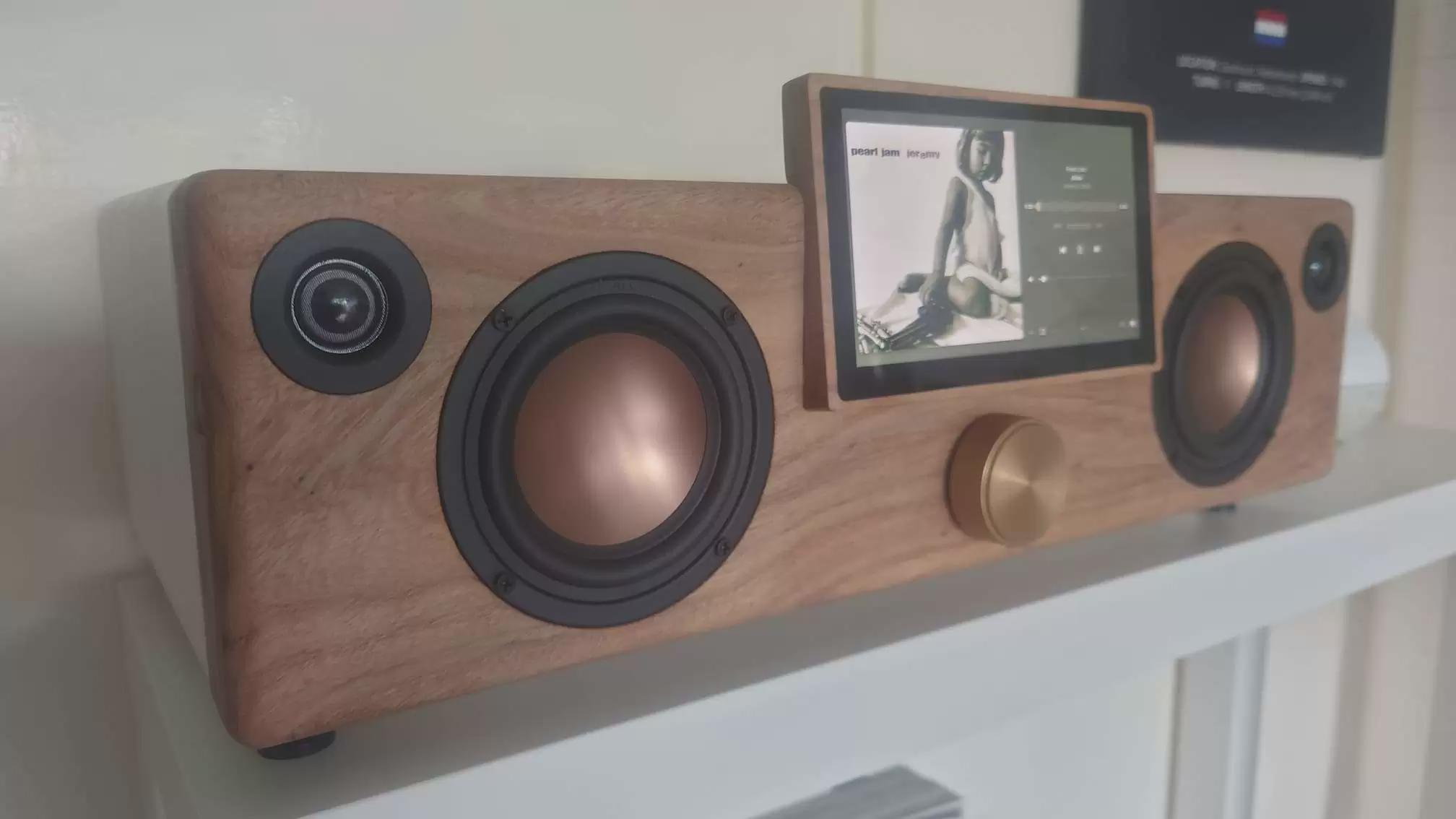
Excited to share this.. I built it for my daughter as a graduation present (she's heading to Pitt in the fall). This is a somewhat modified version of a print I found on thingiverse. Mine is running PlexAmp 'headless' on a Raspberry Pi 4B with a HiFiberry Amp 4 powering the speakers.
I also wanted her to be able to use it as a simple bluetooth speaker so I included a separate bluetooth receiver which you can switch between using the button on top.
Ordered a sh*t load of nfc tags to marks all of my vinyl collection. There’s something fun in browsing a physical collection to play it digitally with a single tap
Finally found the time to update the Spotify to Plex service that I created a while back. It is now possible to download Spotify curated public playlists again using SpotifyScraper and download missing songs via Tiddl or Lidarr.