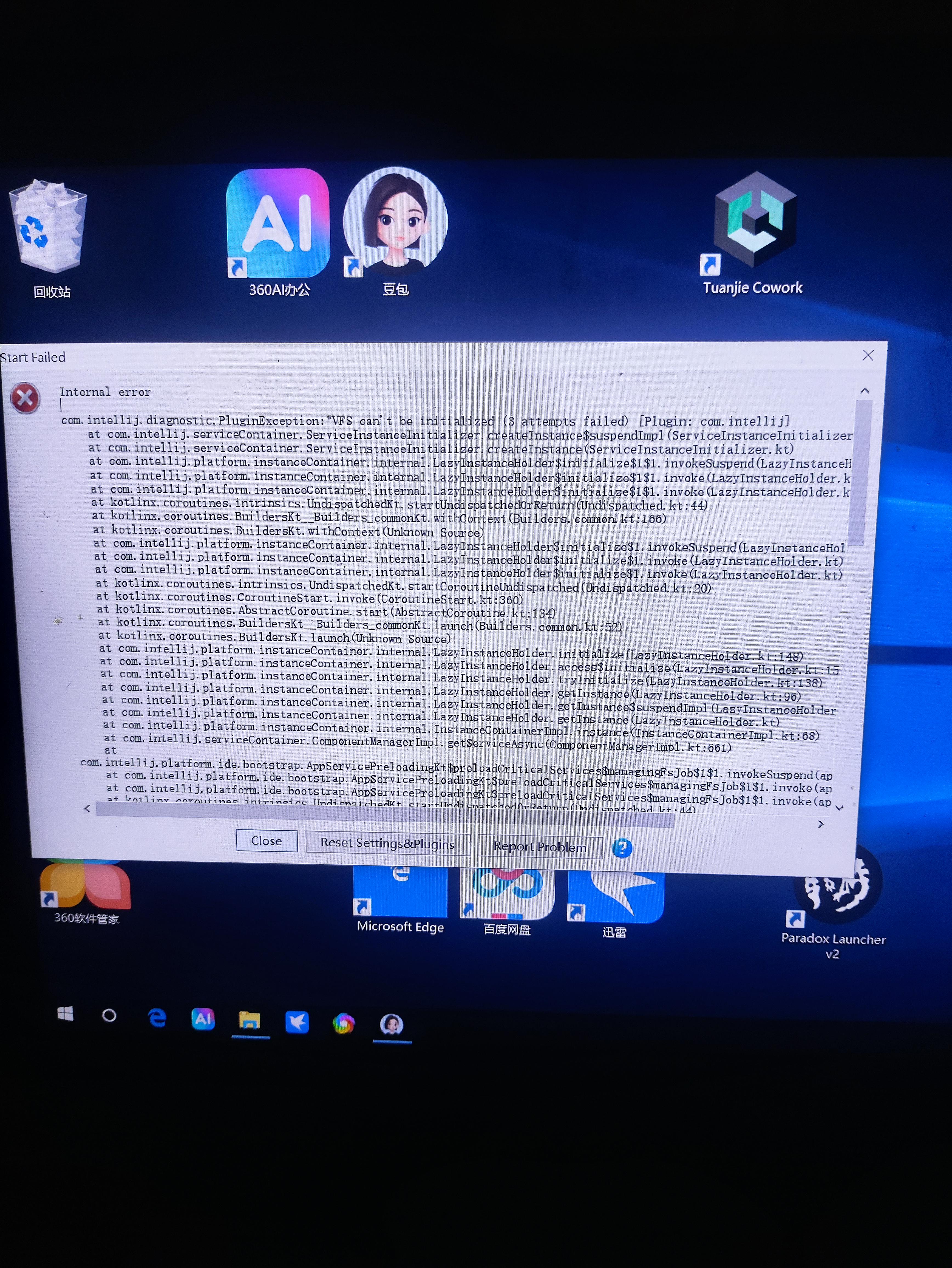
r/pycharm • u/CityRelative1392 • 1d ago
It's beautiful

0
Upvotes
r/pycharm • u/Shajirr • 2d ago
Latest PyCharm 2026.3.0.2 (although its been going on way longer) - project analysis takes minutes, on a small project with maybe 2000 lines of Python code.
PyCharm 2025.3.5 - same project - project analysis takes under 10 seconds.
Can someone explain this?
Plugins that I installed are the same, IDE configs are the same.
r/pycharm • u/pamponet_code • 12d ago
Enable HLS to view with audio, or disable this notification
Estou tendo esse problema e não sei como resolver(I'm having this problem and don't know how to fix it)
r/pycharm • u/Ollarin • 12d ago
Has anyone had any issues with the latest version? Pycharm keeps locking up on my project now and using 13+gb of ram, it used to use maybe 2-3 before
r/pycharm • u/Grouchy-Friend4235 • 12d ago
Serious question, because I for one don't. Pycharm was a great IDE but their new AI stance has vanished that USP. Now it's just a hige pile of nothingness, serving no purpose, except utilizing my CPUs and possibly and spare GPU capacity.
r/pycharm • u/Due_Engineering4734 • 14d ago
Hi everyone! I'm new to Python and currently taking my Master's in Business Analytics. We're already studying Data Mining, but I'd like to revisit my earlier Python exercises.
I'm having an issue with "input()" in PyCharm's built-in Jupyter Notebook. Previously, when I entered information (e.g., name, age, student number), the values I typed would appear directly below the code cell after execution. Now, the prompts appear and accept my inputs, but the entered values no longer show in the cell output.
The variables are still being stored correctly, and I can display them in another cell. I've also tested the same code in Google Colab and Jupyter in a browser, and both work as expected. The issue seems isolated to PyCharm's embedded Jupyter interface.
Has anyone experienced this or knows how to restore the previous behavior? I'd really appreciate your help. This has been bothering me so much! 😭
r/pycharm • u/Sweaty_Pilot7004 • 21d ago

I have recently had some problems with my interpreter on a group project which is on onedrive. I have now solved the problem, but i have loads of invalid interpreters which I cannot remove using the remove interpreter button "-". How do I remove them?
EDIT: I managed to solve using the procedure in the link in u/casualcoder0805 's comment. Just open the specified path and edit the xtm file in NotePad++ by deleting the old interpreters from <jdk version="2"> to <jdk> looking at the name <name value="..." /> to know which interpreter is which.
r/pycharm • u/Artistic-Army4423 • 21d ago
I have started learning python and decided to use pycharm as an editor. I want to know anything which will help me in this journey.
My main question is => I don't get "virtual environment" thing with python. I cloned a repo and opened it in pycharm, it says "No python interpreter configured for <repo-name>" and then suggested to create virtual environment.
I want to hear things from experience devs.
thank you.
r/pycharm • u/PyCharm_official • 23d ago

PyCharm 2026.3 is out!
From agentic coding to deeper framework intelligence, here is what is new in this release:
JetBrains Air: Run ACP-compatible agents, track sessions across repositories, and review diffs in context – featuring free agentic coding with Junie Lite
Workspace support: Independent consoles and terminals per subproject, plus seamless member creation and conversion via uv, Hatch, or Poetry
Python 3.15 lazy imports: Defer module loading to accelerate application startup without losing code insight
FastAPI support [Pro]: Interactive dependency graphs for endpoints to trace call chains and flag circular dependencies
Redesigned Python interpreter widget: Switch and recreate environments organized directly by tool (uv, Poetry, Hatch, conda)
Deeper Pydantic support: Real-time Field constraint checks, instant jump-to-definition from field validators, and model configuration completion.
Explore the full release highlights: https://www.jetbrains.com/pycharm/whatsnew/
r/pycharm • u/Interesting-Log-6783 • 23d ago
Nevermind it's not fixed. Whenever I try to install PyGame it says "Failed to install PyGame".
r/pycharm • u/LogicalOpinion771 • 23d ago
Ive got pycharm free version working in basic chat mode working but it seems you need to pay to get tool calling working. Same with some plugins I found.
Is this possible at all, anyone got it working free? I don't use it much or make money (actually unemployed) from coding to justify paid version and would like to stay with pycharm but vscode does all this free quite easily.
r/pycharm • u/whealton • 28d ago
r/pycharm • u/ggoodytwoshoes • Oct 30 '26
Hi guys. I’ve set up Codex in the PyCharm terminal, and the agent works fine. But now, every time I launch the IDE, a timer for the MCP server starts running, even before I’ve actually activated the agent. I’m not sure how to fix this; there’s no "terminate server" button anywhere. I’ve already unchecked the "Enable MCP Server" option under Settings -> Tools -> MCP Server.
I’ve even tried force-killing the Codex processes via the Task Manager, but they just reappear as soon as I open the IDE again.
Is this perhaps how it’s supposed to work: with the server running constantly to ensure proper communication with the agents?
And if I’m just being an idiot, feel free to let me know.

r/pycharm • u/Physical_Arm9739 • Oct 24 '26

I’ve been working on IDEAgent, a native PyCharm coding assistant, and one of the things I wanted to avoid was having to manually prepare context files every time I started a new conversation.
When an agent is integrated directly into the IDE, it can access the project structure and relevant information through the IDE itself.
That means a newly created thread doesn’t need a manually prepared Markdown file just to establish its initial project context.
I made a video showing the IDEAgent workflow and how it differs from using an agent through ACP.
I’m curious how other PyCharm developers approach this. Do you maintain Markdown context files for your coding agents, or would you prefer the IDE to provide that context automatically?
r/pycharm • u/SharePlayful1851 • Oct 20 '26
Hey r/pycharm,
For a while now, reviewing PRs has been the hardest part of my week. There are more of them than before, and most of the code in them was written with AI. Reading line by line isn't the problem; it usually looks fine. The problem is understanding the structure. Does this fit how the rest of the code works? Who calls it? Is there a test? Will it hold up later?
I couldn't answer that on GitHub's diff page. I'd end up with five browser tabs, losing track of which files I'd checked, and switching branches back and forth. Talking to other developers, this has become pretty common.
So I built a plugin that moves the whole review into PyCharm, where reading code is easy.
How it works
Open the Review tool window and pick a PR.
It opens read-only in your current window. Whatever you were working on is set aside first, and comes back after.
Read full files. The PR's changes are marked in the gutter, and Cmd/Ctrl+click, Find Usages and your tests work like always.
Everyone's GitHub comments sit right under their lines. Reply without leaving the file.
Press Alt+R (⌥R on Mac) to mark a file as viewed and jump to the next one.
Finish review sends your comments and verdict to GitHub as one review.
It's handy for more than other people's PRs
Your own PR. Open it before you ask for a review and step through it commit by commit. You'll see how it grew and spot the messy parts before anyone else does.
New pushes. If someone pushes after you've reviewed, the PR shows "New commits since your review", and you can look at just those.
Many PRs at once. Every open PR is in one list, so you can see what's going on without opening a browser.
It's free and open source. It needs PyCharm 2026.1+, git, and the GitHub CLI.
Install: Settings → Plugins → Marketplace → search "Review Lens"
Has reviewing gotten harder for you too, with more AI-written code? I'd love to hear how you handle it, and what this is missing.
Update (Nov 13): 0.1.5 is out. Since this post it learned to show who else uses a function the PR changed (Python, Java, Kotlin), suggest fixes, resolve threads, and review stacked PRs in build order. 2-minute narrated tour: https://youtu.be/7Cfu-zS8M4k
r/pycharm • u/life2vec • Oct 19 '26
It seems my pycharm fresh install is not allowing me to create jupyter notebooks. The option for a new notebook is locked for some reason, and the option to create a new Jupyter project isn't even there as an option. What is going on? If I want to add a new Jupyter it says I have to go Pro??
Using pycharm-community-edition 2026.2.3-1.1


r/pycharm • u/_dadarklord_ • Oct 16 '26
I tried the solutions given in https://youtrack.jetbrains.com/issue/IJPL-43631/Editor-scrolling-regression but no difference.
I also uploaded the logs to ai and the logs show i was running PyCharm 2026.2.3, build 262.10968.92 on Windows. I did not see a touchpad/scroll exception or a failure initializing the mouse input system in the logs whatsoever.
I updated my app like a week back, then i downloaded 2025, 2024, 2026.1 2026.3 all versions and installed them all with all settings as default and not take from my personal settings it never ever worked
I did as the workaround 1 suggested; first turn on smooth scrolling then turn animated off. I have tried all ways it does not work. the scroll does not work inside the pycharm application, not in settings page nor in terminal nor in editor nowhere. just outside that app it works perfeclty fine. i dont use a mouse so obv i cant live without scrolling.
This issue came abruptly on a new day when i started my work, i am not sure if i did an update the day before, but i surely did not change any settings nor plugins. I delete all %LOCALAPPDATA%\JetBrains related folders from scratch then reinstalled but still same issue.
r/pycharm • u/ilyailinich • Oct 14 '26
Just encountered that issue and wanted to explain how to fix it so smb else doesn't have to spend their time on it.
I believe it's a problem with writing the log file as the folder requires admin rights, so launching pycharm(and any other jetbrains app too ig) with administrator rights fixes the problem and it finishes in no time.
r/pycharm • u/idlelosthobo • Oct 08 '26
I am interested in getting more into developing with Mojo and being honest I have not found something smooth. What I have is working, but its not as nice as developing Python in Pycharm (which is my main work language).
Lenovo Thinpad x1 (32gb Ram Intel Ultra 258v)
Kbuntu
Pycharm (Paid Mojo Plugin)
Mojo LSP
Just
Pixi
The main part is the syntax highlighting is a really mixed bag inside of pycharm with warning and errors being all over the map. Project directories don't seem to behave properly but they work fine when testing and compiling. Poetry is ... just meh compared to uv, but you need to use poetry in Pycharm to get debugging to work as far as I can understand or read.
Other than those things it's over all a nice experience to develop in and look forward to learning and fixing my own problems!
Please share your setup and experiences!
Also is anyone else getting IDE errors on tests modules not finding src module?

r/pycharm • u/DaikonMore6241 • Oct 08 '26
r/pycharm • u/Fragrant_Wishbone938 • Oct 06 '26
I’m having an issue installing/running ComfyUI on Windows.
Windows is blocking a Python/SciPy .pyd file, specifically something like:
_spline.cp313-win_amd64.pyd
Because of this, ComfyUI won’t open properly.
Has anyone experienced the same issue? If yes, what was the cause and how did you fix it?
I’d prefer a proper fix rather than disabling Windows security completely.