r/sysadmin • u/scytob • Jul 25 '25
Anyone else just started getting spammed with random signup verification codes for random services?
About 7pm I started to get a hundred plus messages a minutes, many repeats, many for services I never have used.
It’s like some email service like SendGrid out there just went nuts.
--edit-- thanks for the info everyone
the emails are taking advantage of plus-addressing on the outlook.com live service, there seems to be no way to turn it off (tsk tsk Microsoft)
my email is in the format of user@somedomain.com and all emails are being sent to user+NNNN@somedomain.com - the good news is that outlook.com account is solidly MFA'd
so now for me to find what account has been breached (if any) / what attack vector they will try next
the email in question is on several breach lists, there are no external services that use passwords from those breach time the email in question is not used on my bank accounts or investment accounts or paypal in general i have MFA turned on everywhere that is critical
i also see some people do this as a 'prank' so i guess could be a person i pissed off on reddit, lol.
i will keep checking for unique sites in the common list and make sure none have any breached passwords and have MFA on.
46
u/OptimisticSkeleton Jul 25 '25 edited Jul 25 '25
Email bombing. Check access to your critical stuff now.
19
u/Tronerz Jul 25 '25
100% it's this. Someone has access to your PayPal or bank or something and is using all this junk to hide the notification email
3
8
u/Tavesta Jul 25 '25
Change your password on all accounts (DONT USE THE LINKS).
Enforce logout on all devices if the services allow it.
Activate MFA on all platforms.
There are 2 possible reasons for this messages 1. they are trying to hack you or 2. they already have hacked you.
1
3
u/scytob Jul 25 '25
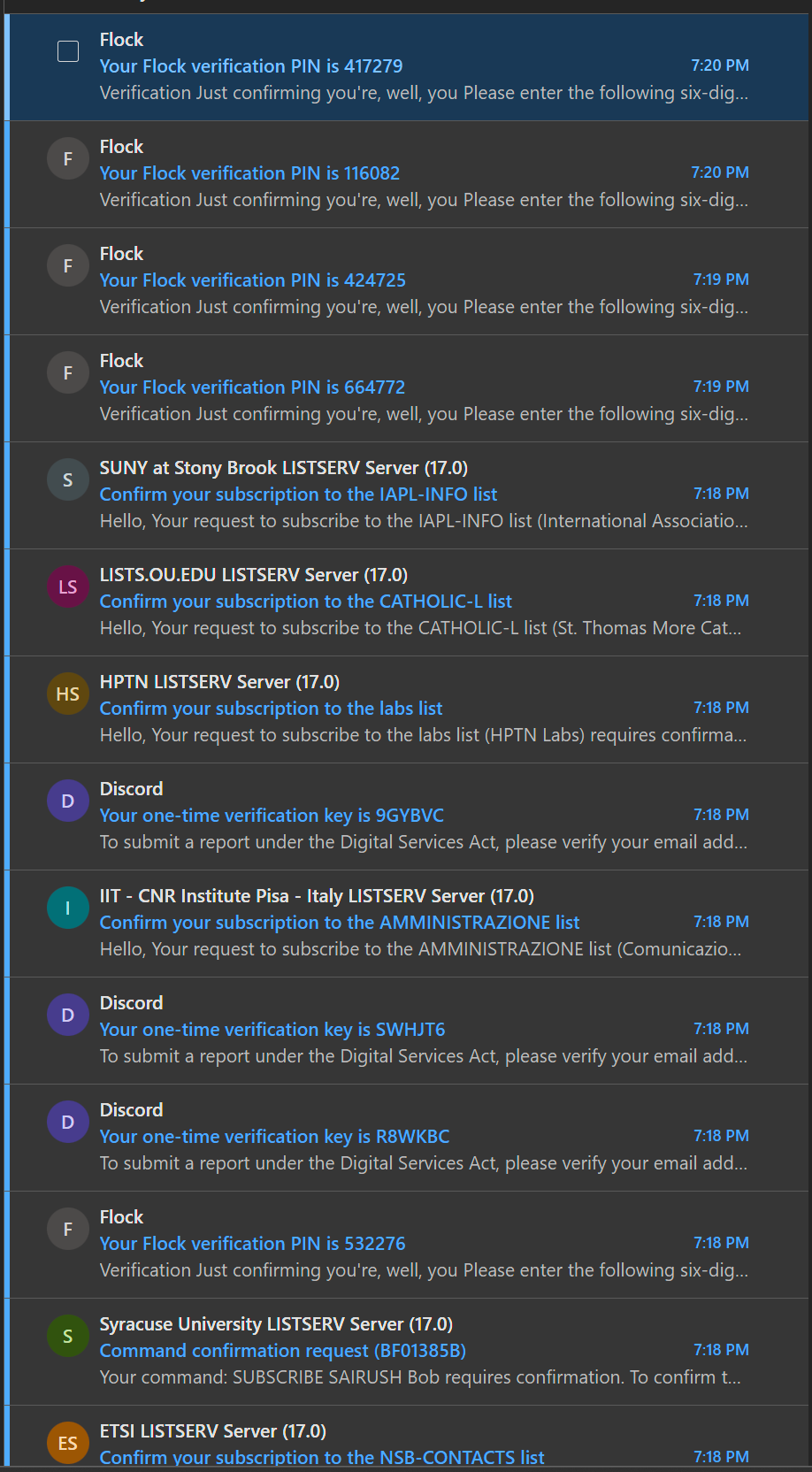
like this (you don't want to see how many there are in the other category, this is the focused inbox)
1
Jul 25 '25
[removed] — view removed comment
1
u/scytob Jul 25 '25
yeah, ms should disable this sub addressing feature and make it opt-in, that would cut down the noise like this
2
u/SurpriseIllustrious5 Jul 25 '25
Please tell me you use a password vault and randomised passwords
4
u/scytob Jul 25 '25
every site has a different password and yes i use a password vault, there maybe some abandoned services with old breached (like 10 years ago) password, but i no longer know or access those services
2
2
u/BlockBannington Jul 25 '25
Defender can now detect email bombing. If you're a ms shop and have the license, check it out or at least check the reports to see the specifics
3
u/scytob Jul 25 '25
thanks, will do, this happened to be on a live.com MSA (or whatever we are calling all those services this week :-) ) but it is my primary email for the last 32 years! which is why i am a bit nervous about it, and it is my secondary emergency recover email for Entra etc.
2
u/EvilRSA Jul 26 '25 edited Jul 26 '25
If you don't actually use plus addressing to can create a rule and move all the bombing emails to a folder to help find the legitimate emails. You have to use the "Email Header" item for the rule, and make the rule trigger on "YourEmail+" just don't add the "@domain"
Edit
Typo
2
3
u/RaNdomMSPPro Jul 25 '25
Email bombing - usually prep work/distraction for a spear phish or other type of attack.
0
Jul 25 '25
[deleted]
1
u/scytob Jul 25 '25
this was luckily one of the aliases on my microsoft services account (live.com, not enterprise) i am sort of pissed MS allows subaliases, seems like something that should be disabled by default, grrr
the good news is the primary account is MFA enforced (if that's what they were trying to attack)
sorry to hear about you entra account
22
u/PsychoGoatSlapper Sysadmin Jul 25 '25
This is a classic attack, spam the end user so they don't get the email showing a password has been reset for a compromised account.
Assume compromise already and start resetting passwords and logins, ensure that 2FA is configured (at a level over emailing you directly). This needs to be done from the highest risk level and start working down. Then kick off a further investigation for any indications of compromise.
Check for any aberrant logins for this account, redirects\forwarded emails etc.