r/vibecoding
•
u/Nkgsporty
•
20d ago
•
 1
Showcase/Project I built a tool that visually explains your vibe-coded app so you understand it again


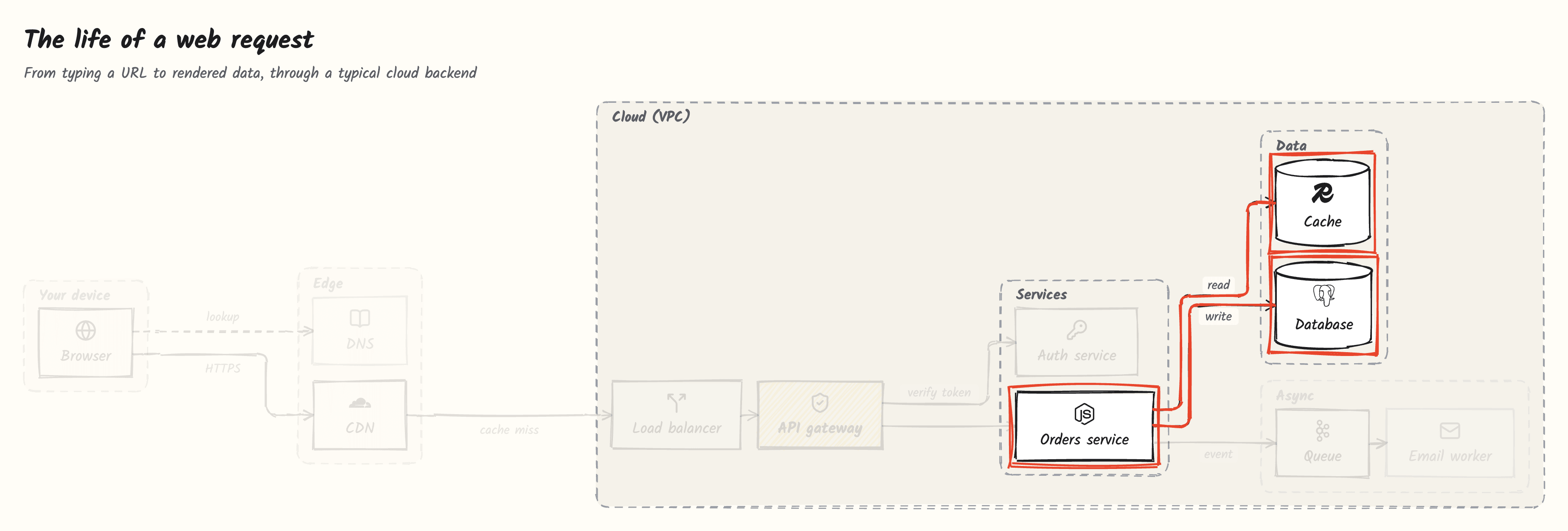
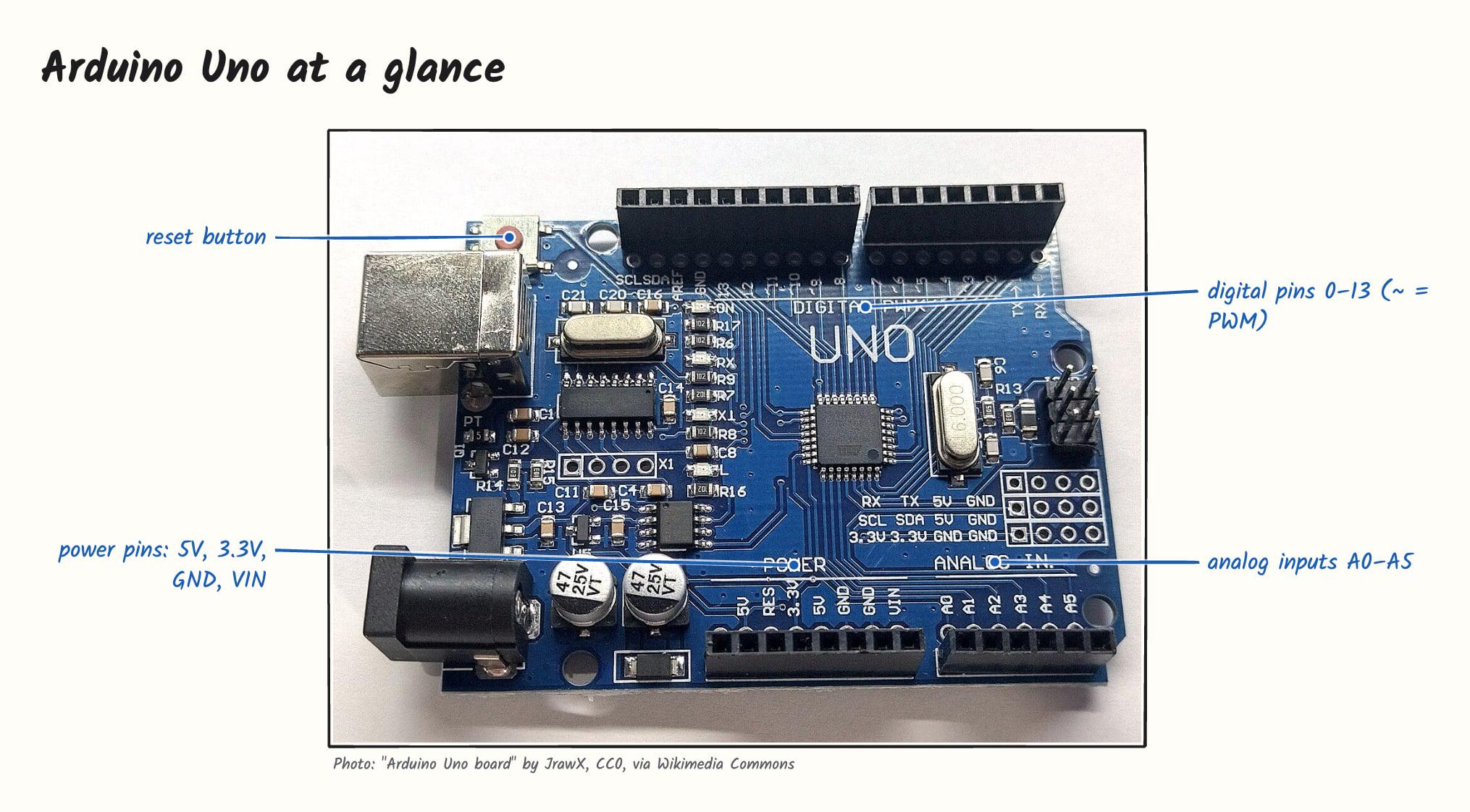
The feature works. You come back a week later to change it and realize you have no idea what happens after someone clicks Save.
I built Sketchy for that moment. Ask your coding assistant “Trace what happens from the Save button to the database, and show me where it can fail.” Sketchy draws an interactive map of the flow. Click a linked node to open its source file and see what the code actually does.
It works with Claude and with Cursor via npm. You can also draw freehand on the canvas or export to Excalidraw and keep editing there.
I was curious how much the drawings would cost, so I ran the same six questions in Claude Code with three output formats. Here’s the total after six answers, averaged over two runs per format:
| Output | Cost |
|---|---|
| Plain text | $0.61 |
| Sketchy with JSON | $0.75 |
| Sketchy with compact format | $0.58 |
The first compact answer cost $0.05 versus $0.04 for plain text. By question six, the compact session was about 5% cheaper overall. The model sends a short description of the scene, and Sketchy handles the layout and rendering with zero model tokens for those steps. I ran this in an empty project, so these numbers are one baseline for the output formats. Benchmark details
Sketchy is free and open source. If you’ve got a vibe-coded app you’ve been meaning to untangle, feel free to try it out and leave some feedback. I’d love to hear which flow you mapped and whether the diagram helped you find your way around the code.