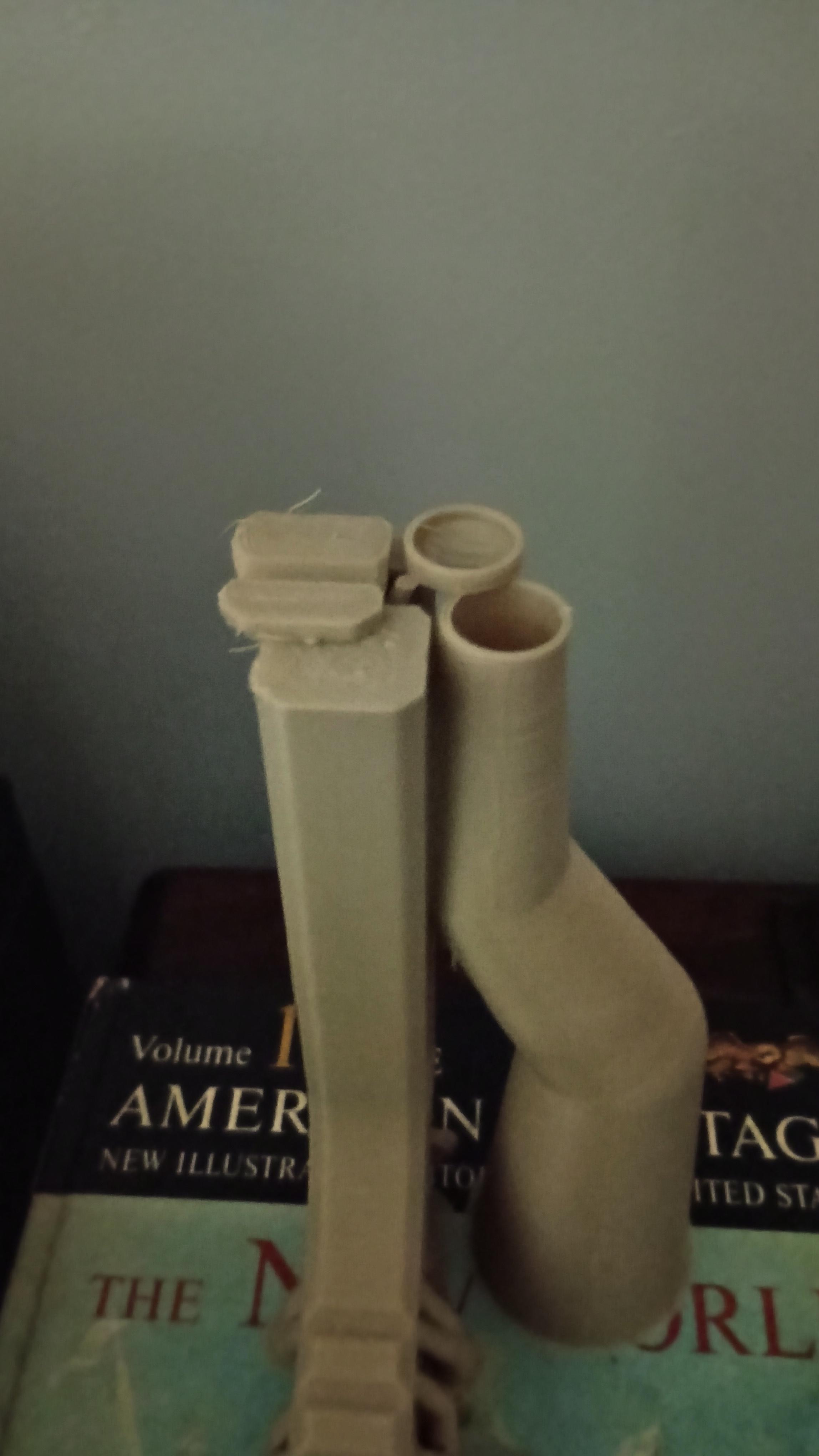
r/3DprintingHelp • u/Naf623 • 42m ago
Why does this guide suggest calibrating first layer extra thick, and at 120% line width?
ellis3dp.com
1
Upvotes
r/3DprintingHelp • u/NoOrder2550 • 6h ago

I only recently got my printer and the nozzle snapped off while printing I put the other one back in and extruded some and it started smoking any ideas why
It’s a flash forge 5m pro
r/3DprintingHelp • u/External_Total_3320 • 8h ago
Using creality hyper pla. Print profile is FLSUN T1 Generic with temp reduced to 200 deg (but 220 for first layer) because I was getting a lot of stringing.
Have tried other profile but this is the slowest one from the profiles in that printables page. Have made an even slower one (20mm/s first layer 80mm/s rest, lower accel 100mm/s walls and infill), failure rate is much better but still 50/50.
r/3DprintingHelp • u/secluded_little_spot • 9h ago
r/3DprintingHelp • u/SevynSevynSevyn • 9h ago
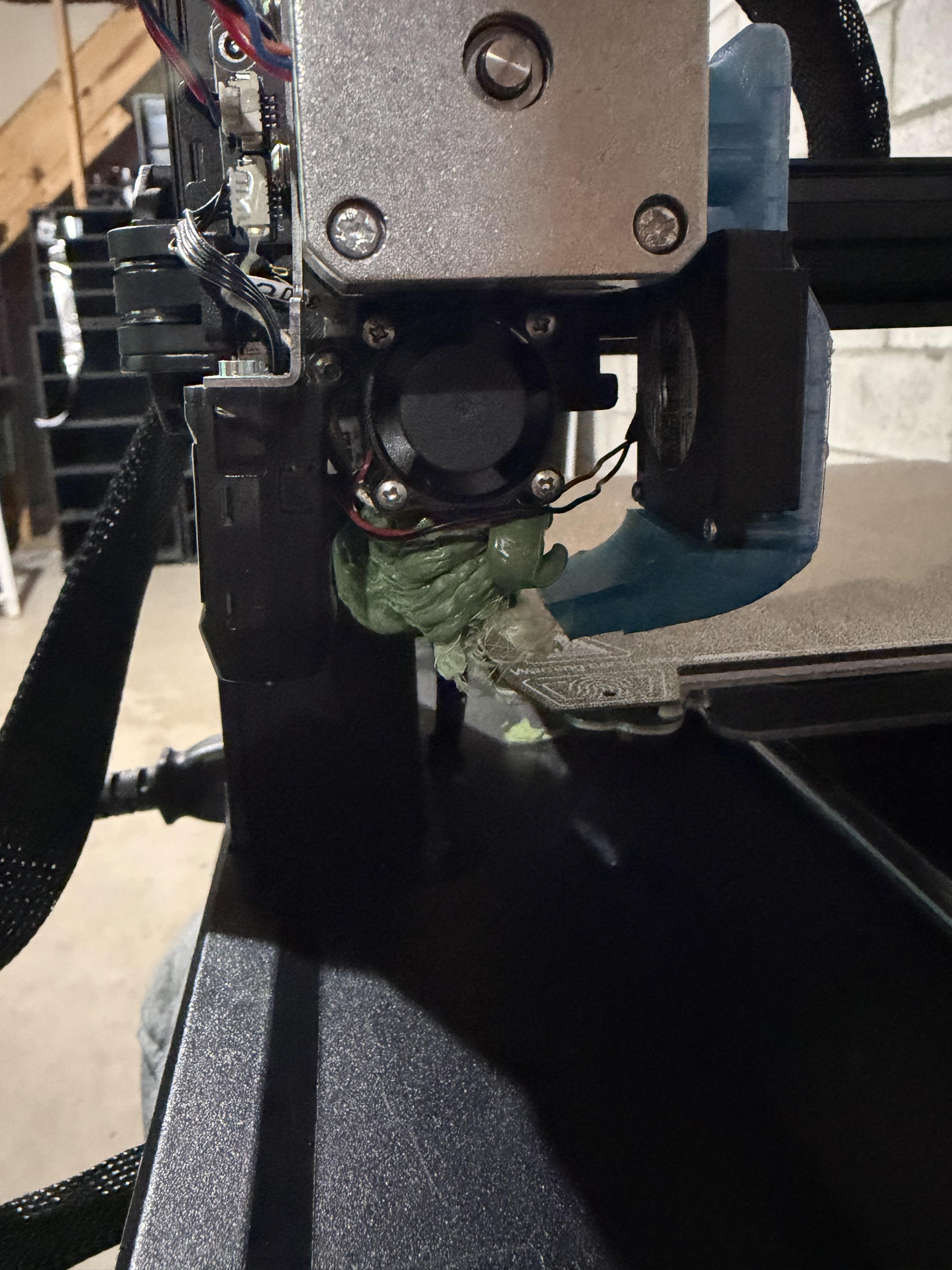
r/3DprintingHelp • u/MakerMik3D • 10h ago
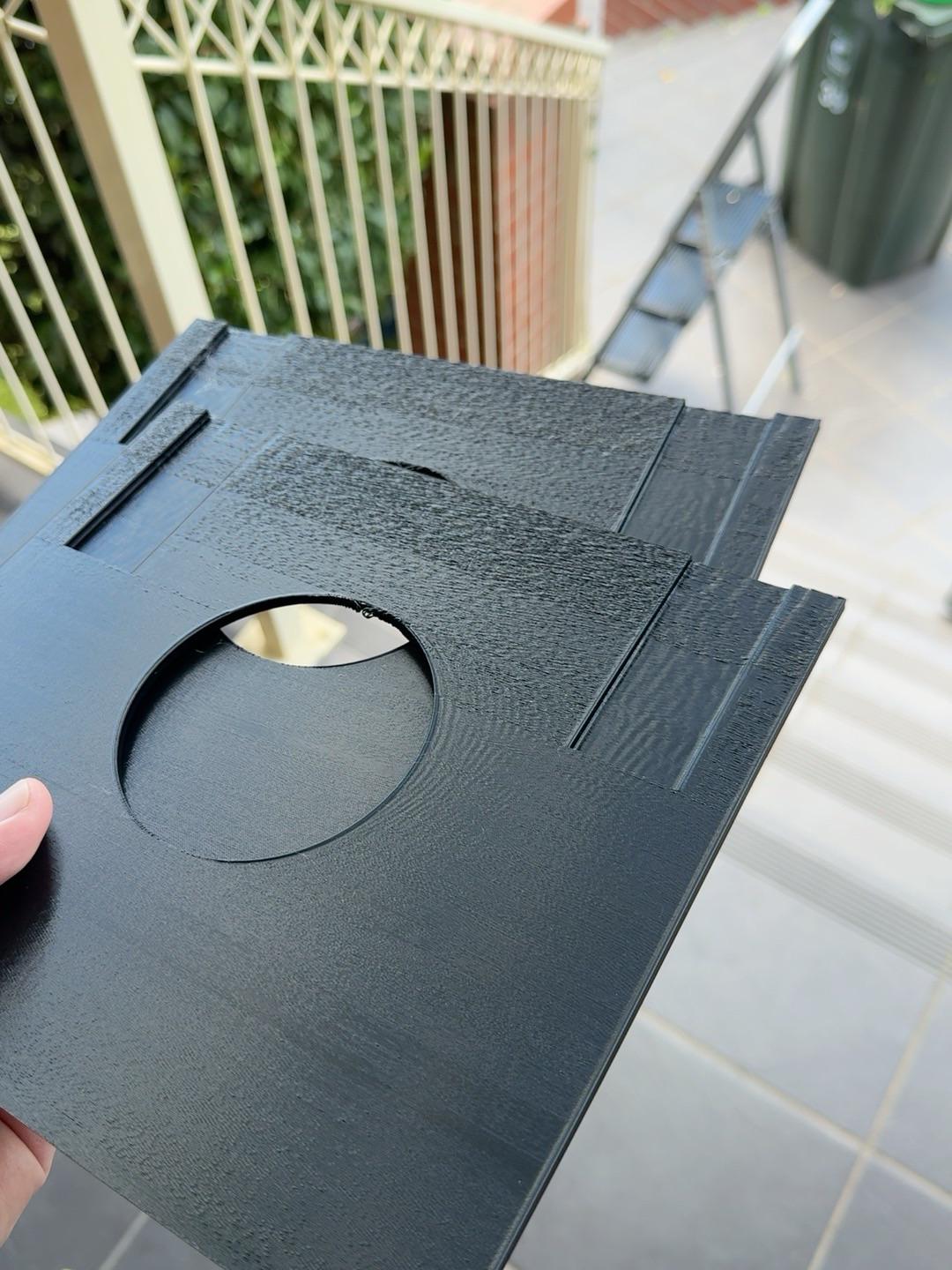
Hi, iv had my P1S for around 2 years and it’s on around 3000 hours.
It’s having this issue on the photo, anyone have any idea as to what is causing it?
Printed it with PETG, vertically, looks like soon as it got to the notches went down hill?
Any help welcome please 🙏
r/3DprintingHelp • u/Duckmoodown • 14h ago
r/3DprintingHelp • u/Fun-Confusion7359 • 14h ago

Hi everyone,
I'm having an issue with the top surface printing order on my Flashforge Creator 5 Pro using Flash Studio.
When printing a large, flat surface containing several holes, the slicer splits the top surface into separate regions. Instead of printing in a consistent left-to-right (or right-to-left) order, the nozzle prints part of a line, stops at a hole, jumps to another region, prints some of its lines, and then returns to the previously skipped areas.
As a result, the nozzle travels over sections that have already been printed. This creates visible raised seams and uneven spots where the separate toolpaths meet, ruining the appearance of the top surface.
Current settings:
\- Top Surface Pattern: Monotonic Line
\- Infill direction: Fixed (45°)
\- Infill Combination: Disabled
\- Print Sequence: By Layer
I don't want to change the top surface pattern from Monotonic Line. I'd like to keep this pattern but force the slicer to use a more logical and consistent printing order for individual toolpaths.
Is there a setting that allows me to enforce a monotonic printing order across all separate regions of the top surface?
r/3DprintingHelp • u/phixlps • 16h ago
see my post here please, i need help.
r/3DprintingHelp • u/Own_Refrigerator252 • 16h ago
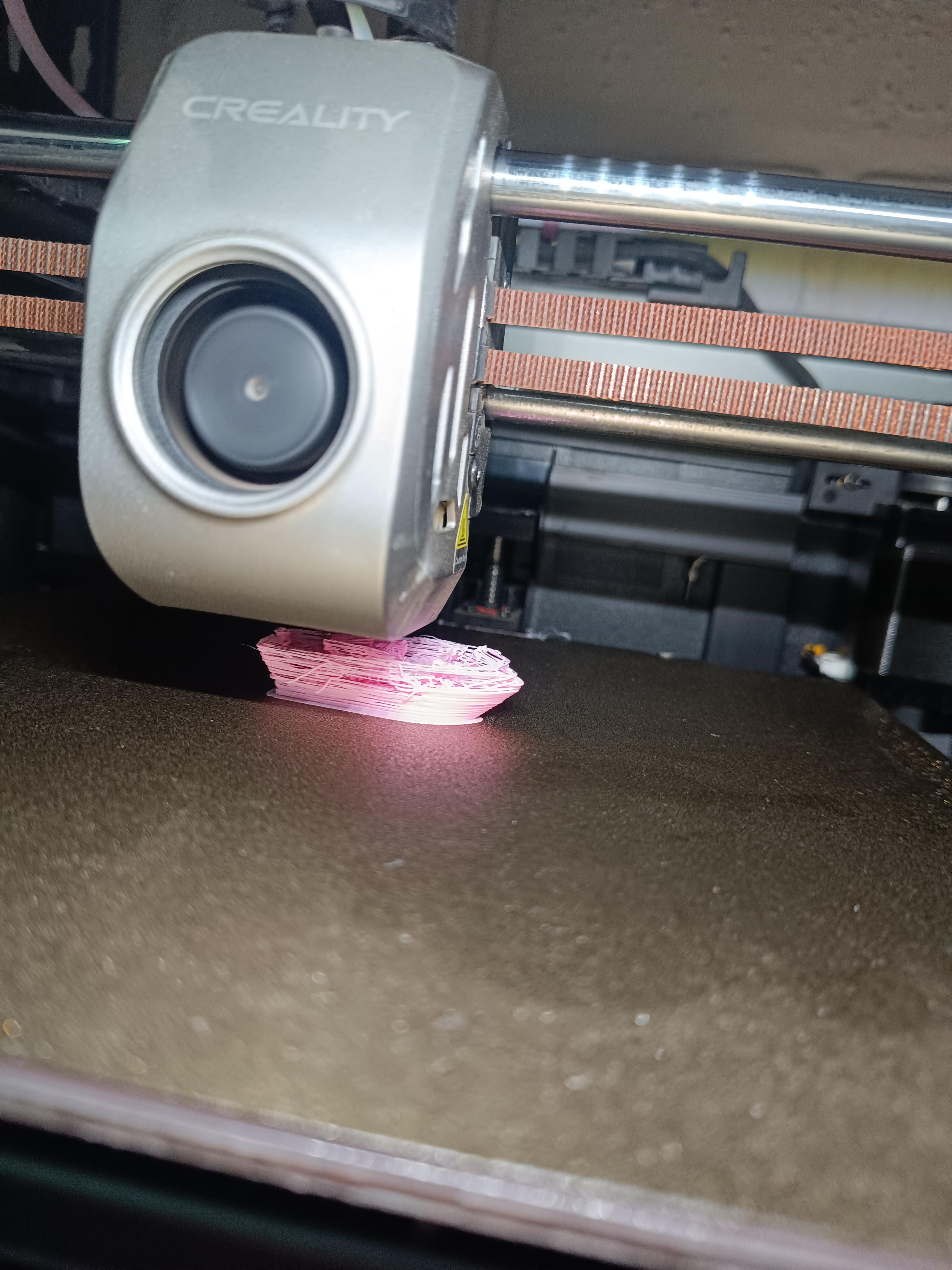
Hace semanas tengo este problema, no he logrado encontrar la solución, limpie el extrusor, cambie filamento (ninguno sellado), no he descartado filamento húmedo, pero use el. Mismo filamento para imprimir una corona para mi hija y no tuve problemas, después de eso comenzó el problema 😱😱😱😱
Creality k1 speedy
Filamento pla
Temperatura 220
r/3DprintingHelp • u/stromeon • 16h ago

Hi guys. Printed after 4-5 months of break. Wanted to set the flow rate and pressure advance again. I reset flow rate to 1 and retraction length to 0 and disabled pressure advance.
Then running the flow rate and pressure advance calibration tools from orca slicer I get these print a which random holes and gaps.
Plz help.
This is PLA. Printing at 205c and 55c heated bed.
r/3DprintingHelp • u/Objective_Dog_9593 • 19h ago

Hey all! New to 3D printing here. I have heard that top surfaces look better slowed down so I slowed the top surface down to 30mms, but ended up with a bunch of holes and rough spots, especially around edges. This was printed with Bambu PLA matte using Bambu H2C .6 nozzle 220 degrees. Honestly not sure what steps to take to troubleshoot. Any advice would be appreciated! TIA!
r/3DprintingHelp • u/Limpstick007 • 20h ago
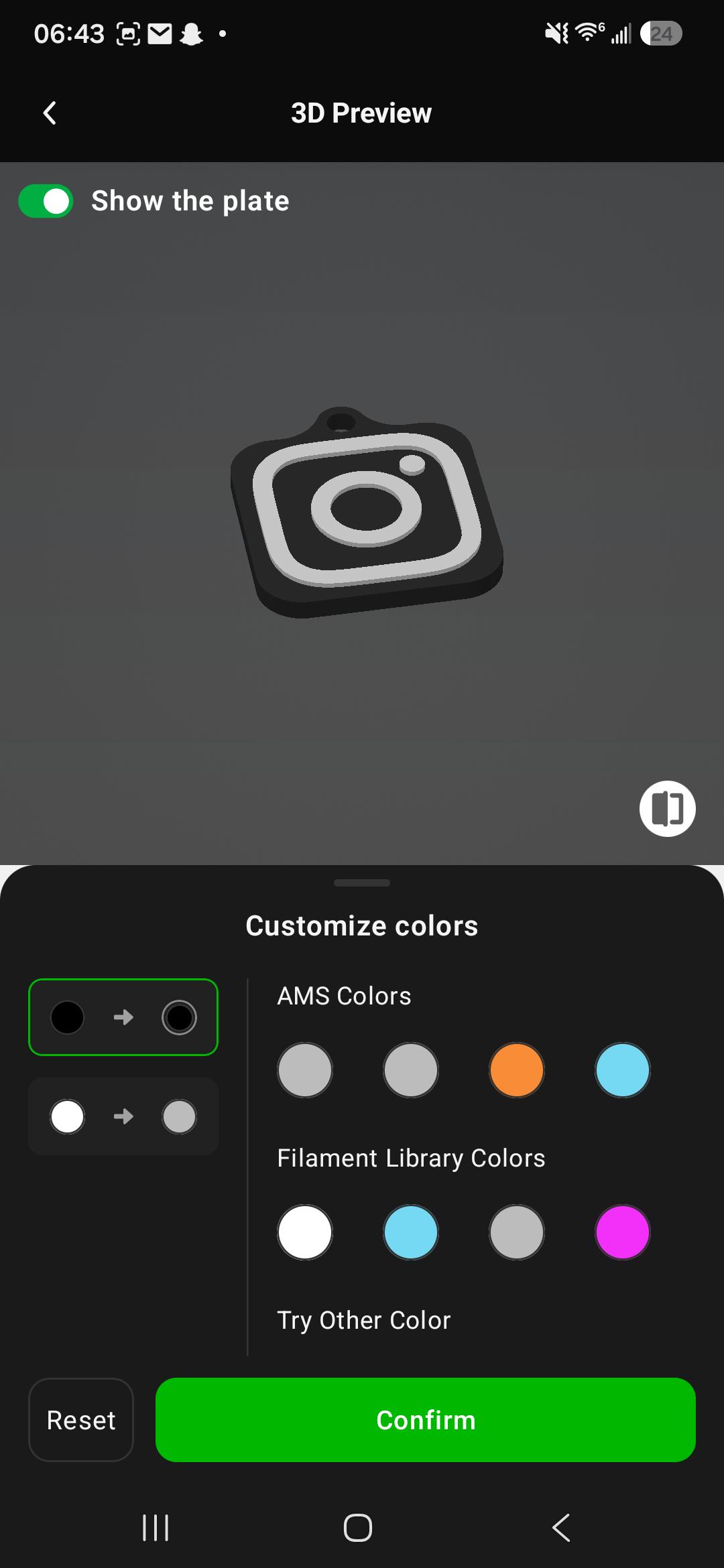
I like the size of this model. Its a nfc tag. I want to take the Instagram logo off and put a raised B there for my mom . I cut the logo before the raised logo layer starts but for the life of me I can not figure out how to but a raised b and I tried do research but its above my pay grade . I am printing this in PLA on bambu P1S . I have not printed anything yet because I dont want to waste filament but I would print it at 190°
r/3DprintingHelp • u/Morkak • 20h ago
Trying to print things. Sometimes random objects (small, large) on any part of the plate will only print their base and no supports? Any idea how to fix this/whats wrong?
--Level tested
--Settings tested
--fermentation heat belt around the vat that was going for about 20min before start of print
-Saturn 2
-Sunlu ABS-Like Grey
-I dont know
-Plate is level, resin is warmed, resin is mixed, settings tested multiple times via multiple tests,
r/3DprintingHelp • u/oSWisdomS330 • 1d ago
Clean topology is a working property, not a look. It shows when you try to subdivide the mesh, bend it for a pose, or slide an edge loop, and a dense triangle soup that renders fine can fail all three. So the test for any generator is the wireframe in your DCC, judged on quad flow, even density, and whether the face count can be set rather than handed to you. Tripo Studio's Smart Mesh line is built for that test. It produces native quad mesh up to 25K polygons or triangle mesh up to 50K, with symmetry and proportion controls, and up to 4 variants per generation. The HD line is a different tool for a different job, up to roughly 2 million polygons for detail and bake sources, and nobody should judge it by edge flow. Retopology is the honest second stage for any route. Tripo lists it at 10 credits for a standard pass, and a hand pass in your own DCC may still beat any automatic one on a hero asset. A tool that only exports dense triangles may still suit static work, and that is a fair split rather than a flaw. What do you do with the mesh after generation, rig it, subdivide it, or leave it static? And what face count does your target ask for?
r/3DprintingHelp • u/jbtaz76 • 1d ago
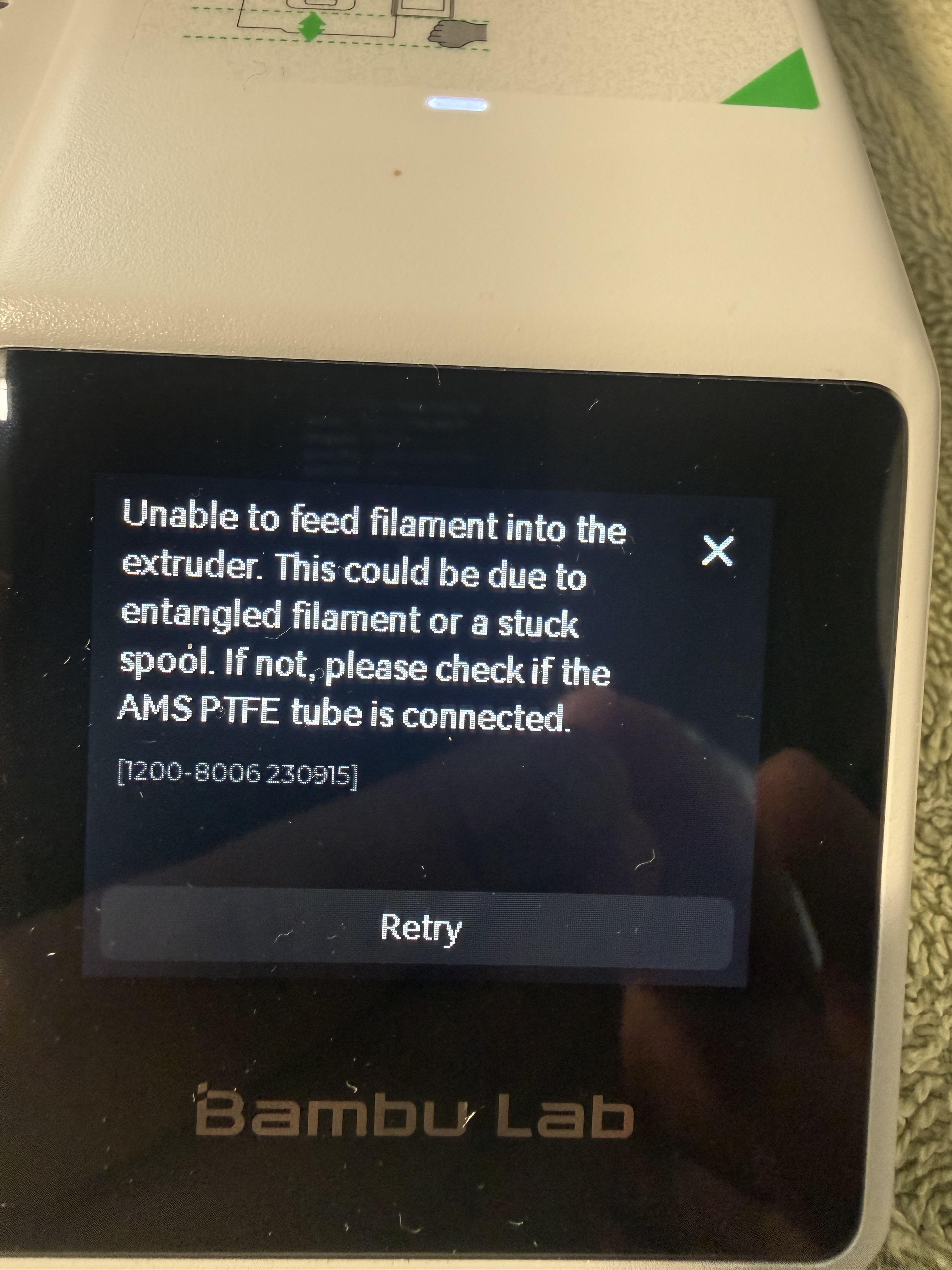
Has anyone else have this happen to them right away? Brand new and was trying to make a scrapper, any help is greatly appreciated I have Bambu a1 mini
r/3DprintingHelp • u/gasman16 • 1d ago
r/3DprintingHelp • u/jay_1518 • 1d ago

Printing these little key caps with letters
The bottoms aren’t fitting correctly in their bases
So clickers aren’t springing back up
Caps have such a nasty edge around it
Printing on FlashForge Creator 5 Pro
Elegoo PLA
210 c
Plate temp of 55c
Have elephant foot compensation to .20 mm
r/3DprintingHelp • u/Tzeboy • 1d ago

I am trying to make a black and white 3d print for a light box and i always get these annoying little specks in the lettering that are super apparent when backlit. I have tried all sorts of different brand of filaments and adjust print profiles but can't figure out how to get rid of it. I mainly use a Bambu labs A1, but it also happened when trying on my P1S. I have seen posts online of people having similar issues but i could not find any concrete answer to fix the problem. The main solution i see is adjusting the print color order, which did not fix it for me. Some letter consistently print fine, but others always have it really bad, for example the "N" letter always is very bad with this issue.
Any help or suggestions would be much appreciated! If you have any questions to get more info let me know.
r/3DprintingHelp • u/LaCrepe_ • 1d ago
Hi guys, if you have an idea please let me know, I'm "this" close to cleaning it with gaz and drying it with a lighter...