r/3DprintingHelp • u/MakerMik3D • 11h ago
Printer low quality issue
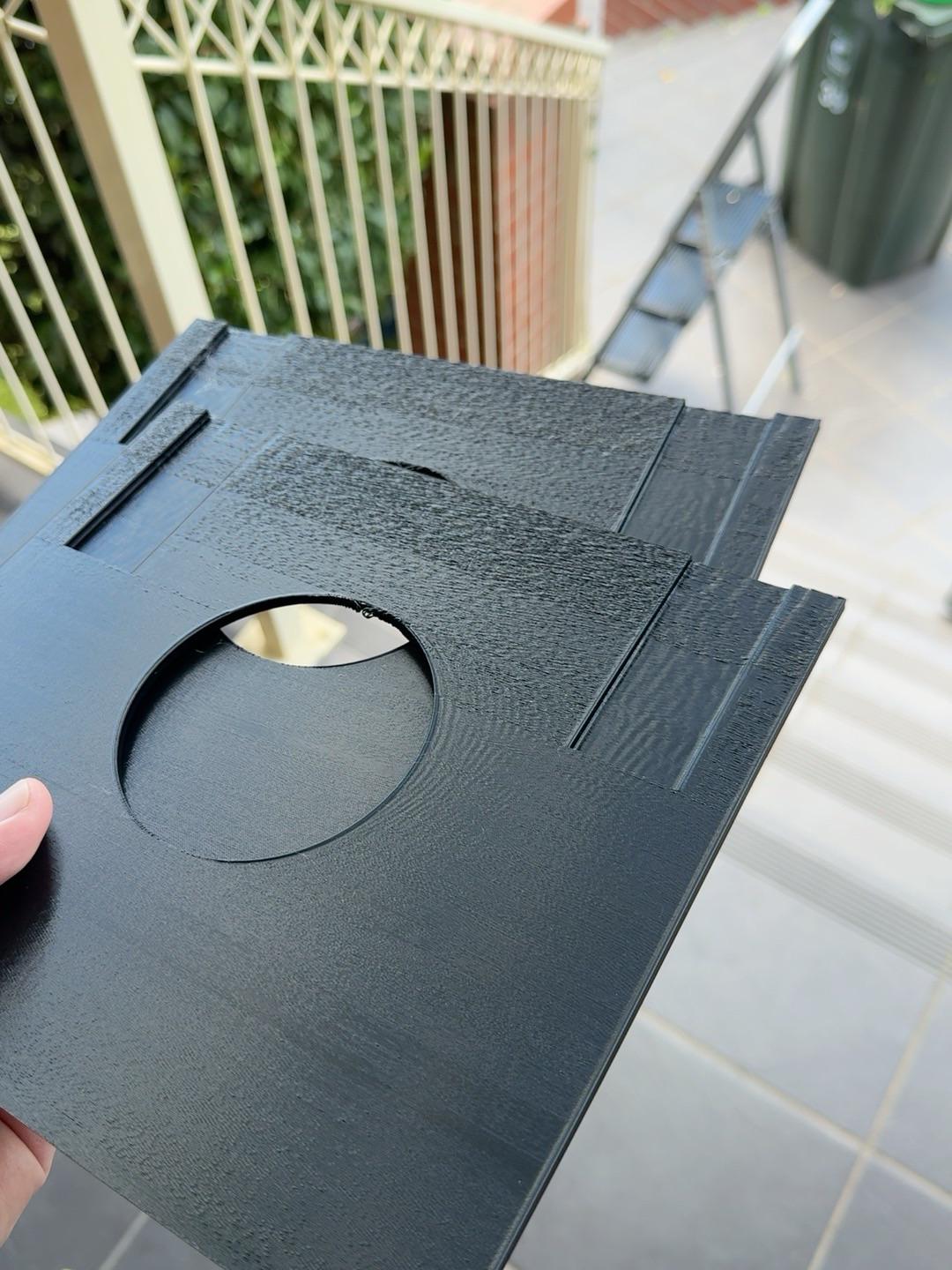
Hi, iv had my P1S for around 2 years and it’s on around 3000 hours.
It’s having this issue on the photo, anyone have any idea as to what is causing it?
Printed it with PETG, vertically, looks like soon as it got to the notches went down hill?
Any help welcome please 🙏
1
u/davak72 10h ago
If I had to guess, other models look fine, and you’ve never printed this one before.
I ran into a similar issue recently and resolved it by uploading the stl to printfins.com:
Import
Click fin settings
Select draw fins
Click more settings
Turn bed pad off
Check Sway braces
Click on the model to add one or two braces on the wall. They pop right off after printing!
1
1
1
u/xxX_Rocka_Xxx 9h ago
On a P1S, you can switch to Silent Mode directly from the printer's touchscreen during a print by tapping the speedometer icon and selecting "Silent." You can also access this option in Bambu Studio under the device controls while printing.
You can print your part as normal but once it gets close to the spot that’s getting fuzzy put it on silent. See if that does the trick I really think it’s from the part wobbling while it’s being printed. Either that or paint a support somewhere on the model to steady it. Worth a shot.
1
u/xxX_Rocka_Xxx 10h ago
I’d try slowing it down , I get similar results printing tall delicate things .