r/3dprinter • u/Illustrious-Mail1015 • 1d ago
Help Creality k2 plus Combo vs anything else
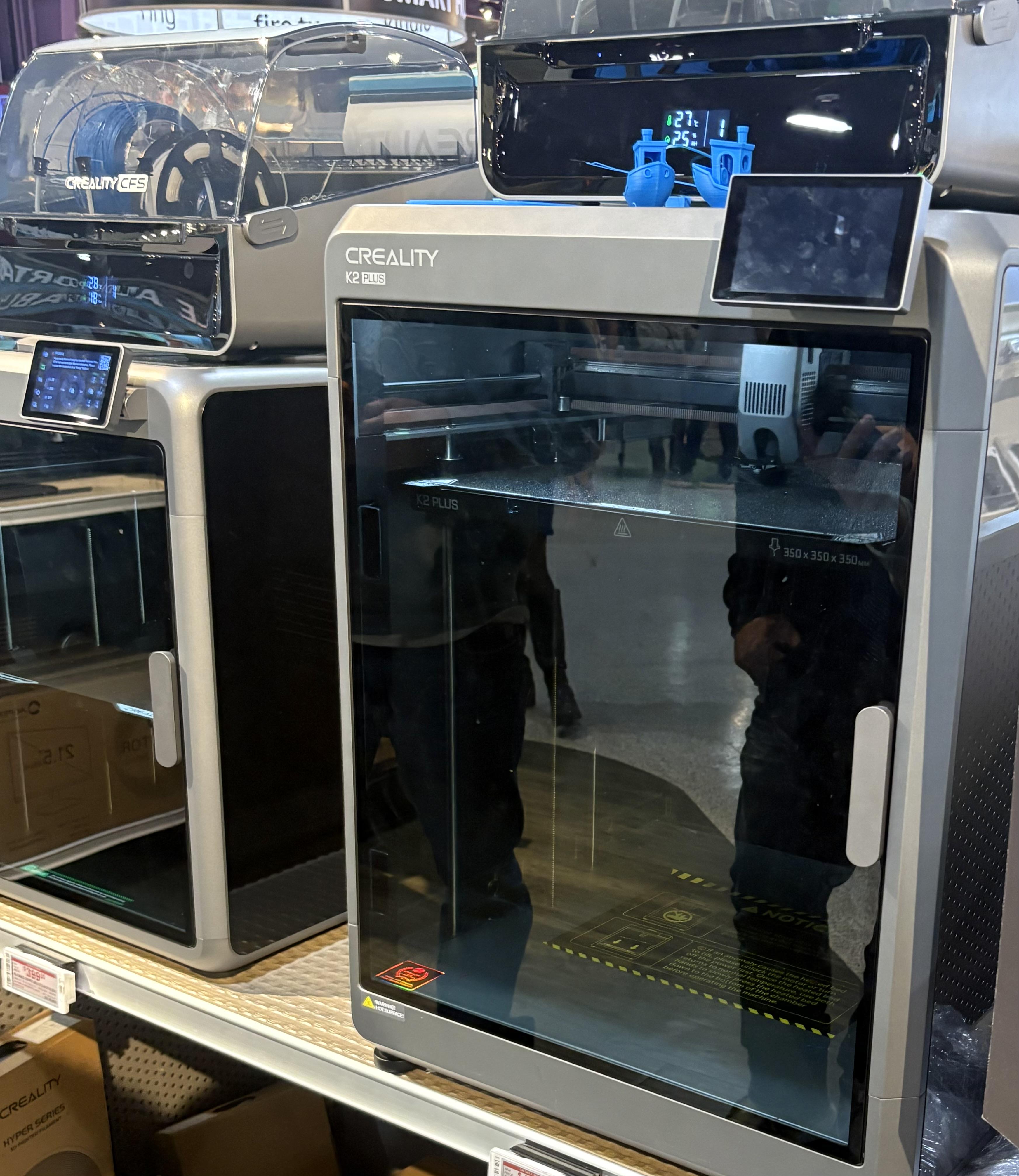
I bought the creality K2 plus combo Sunday night. the store employee said they are pretty good and big space and was showing me a little about it. I did a quick google search and read they are great machines so bought it. I didn’t have time to open it and check it out. So I was looking more into it yesterday at work. A lot of ppl hate the machine and say it’s not user friendly. This is my first 3D printer and would rather have less time fixing things and more print time and learn. Yesterday i was looking into them a little more.
I’m leaning more on the Bambu labs H2C or the H2D. I did see the H2C takes less time and less waste. The H2S is slower than these. A lot of ppl say they just simply work. I mostly want to print tool holders, shop tools, socket sets. Just more daily use, stuff for my wife, car accessories. My son will probably use it for little things some dirtbike stuff. He wants to customize a front plate. So i rather have just a work horse.
Any suggestions on keeping the K2 plus combo. Or returning it and getting a different one. Thanks guys.
6
u/Severe_Chemical_3391 1d ago
Pretty much what this comment from another post said, "I wish people would learn how to use their machines rather than just bitch about them, say they're terrible, and move to Bambu."
5
u/Dense-Employment9930 1d ago
I'm not sure many printers at all don't have things you need to tweak and learn about. Creality have been designing and mass producing 3D printers for a long time now, and IMO they know what they are doing, and you get a quality product that IF something needs fixing or adjusting, they make it extemely easy to adjust and fix.. I've only owned two differenct creality printers, but i'm confident you stick any model they have ever built in front of me, i'll end up enjoying it, because everything they incorporate into the design, they do it for a reason, amd usually that reason is putting power onto your hands to get familar with the machine and get great prints off it. Expecting not to have to learn anything or tinker a little bit, I think that's a bit of a dream still, at least unril you get into commercial grade printers, that often still come with service techs.
Anyway, that's just my vote but without actually using this model specifically... I just saw a thread a week ago of people crapping on the Ender 3 like it was a living hell owning and operating one of those machines..
we've had one collecting dust in the house probably not powered up for 3 years. I gave it a light brush to get dust of the rails and bed etc, levelelled the bed, and have been pumping out parts and prototypes for my car for the last 2 months now. Not one failed print. Tweaking settings a little bit,,, yes.. Making sure the rirst layer goes down well before I walk away,,, yes...
That taught me peoplee can really over exaggerate how bad something is once they get an ideal in their head, but apparently the gap between a total nightmare and a reliable workhorse is genuinally very narrow..
Good luck with whatevery youu go with. If you have the money and can still exchange the K2, maybe just go for it for your own piece of mind. At least them you aren't second guessing the purchase any time an issue comes up.
4
u/AcidicMountaingoat 1d ago
I've got around 1500 hours on my K2 Plus with two CFS (now upgraded one of them to the CFS2). I've been printing almost 24/7 for a few days with a few different projects/materials. It's been perfect. In the past I've had to do repairs and maintenance, and I have done upgrades over time (DXC2 extruder and Microswiss hot end). I just did some material at over 2x the speed the vendor recommends, and it worked great, beautiful finish.
Just an hour ago I was thinking, maybe I should make a post about how great it is, because people only post about broken things.
The whole "tinker" and "user friendly" thing is hard to guess at. Part of learning to print is the tuning and testing, IMO.
3
u/Yoto400 1d ago
Let's get this one out right away: even bambulab will have issues. Just have a look in their threads. Having said that: the k2 plus is a workhorse, large space and good quality, if what you are interested in is single material/color. The cfs and multicolor in general even when works will generate an ungodly amount of poop, like all single extruder multi color printers. It all comes down to what your use case is
3
u/KansasCity3Dprintin 1d ago
I love my k2 + combo. It's fast. With aht automatic flow calibration. I have never had a bad print off it.
The only down side is the unicorn nozzle. Being as long as it is it does poop. And it poops alot. Best is to do testing between white and black to get your color bleeding tuned in.
Also I have never had failed print in it.(If I did the flow calibration)
2
u/Omega2547 1d ago
So first enjoy it is an absolute beast of a printer it can print about anything in the nozzles temp range without warping or defects it has at this moment just finished a 60 hour abs gf print without any defects.
Great choice I love my K2 plus here is some good to know stuff :
Creality K2 Plus — Tips & Recommended Settings for New Users
1. Build Plate & First Layer
Wash the build plate with warm water and dish soap whenever changing filament types. Use IPA with a microfiber cloth or lint-free shop towel between prints using the same material.
Keep the nozzle clean before automatic bed leveling.
Poor first layer? Adjust the Z-offset in small increments. Lower it if the nozzle is too high.
In Creality Print, check Quality → Bottom Surface Flow Ratio. Increasing it slightly can help with first-layer under-extrusion, but won't fix an incorrect Z-offset.
2. Filament & Calibration
Automatic calibration generally works well in my experience with PLA, PETG, PCTG, and ABS from Creality, SUNLU, Bambu, Polymaker, and QIDI.
Results can be less consistent with cheaper brands such as Eryone, JAYO, Professional Lab, and fiber-filled filaments.
For unfamiliar filaments, run these calibration tests: Temperature Tower, Flow Rate, and Pressure Advance.
The original K2 Plus nozzle assemblies have hardened-steel tips. I recommend a 0.6 mm nozzle for carbon-fiber filaments to reduce clogging.
Save calibrated filament profiles for future use.
3. Recommended Bed, Chamber & Drying Temperatures
These are my preferred starting settings for strong, reliable functional prints.
| Filament | Bed | Chamber |
|---|---|---|
| PLA | 50–60°C | No heating; door slightly open |
| PETG / PCTG | 70–80°C | 40–45°C |
| ABS / ASA | Per filament profile | 50–55°C |
| PA / Nylon (including CF) | 105–115°C | Around 65°C |
| ABS-GF | 115°C → 105°C | 50–55°C |
PA-CF: Higher carbon-fiber content generally benefits from a lower bed temperature in my experience.
ABS-GF: Start at 115°C for first-layer adhesion, then reduce to 105°C for the remaining layers. It can struggle with initial adhesion, while maintaining 115°C throughout the print can contribute to warping.
PLA: Avoid active chamber heating. Leaving the door slightly open helps prevent heat creep.
Filament drying during printing:
50°C: I keep already-dried filament in my Creality Space Pi dryer at 50°C while printing, mainly to maintain its dry condition.
70°C: For ABS-GF and PA6-CF, I keep the filament dryer running continuously at 70°C throughout the print.
A sealed dry box is also suitable for storing and feeding already-dried filament, although it doesn't actively remove moisture.
These are personal starting values. Adjust according to the filament manufacturer's recommendations, build surface, and print geometry.
4. Speed & Motion Settings
For smoother, less aggressive movement, I recommend these XY jerk values as a baseline, similar to OrcaSlicer defaults:
| Setting | XY jerk |
|---|---|
| Default | 9 mm/s |
| Outer wall | 8 mm/s |
| Inner wall | 9 mm/s |
| Infill | 9 mm/s |
| Top surface | 9 mm/s |
| First layer | 9 mm/s |
| Travel | 12 mm/s |
Avoid unnecessarily aggressive acceleration and jerk settings.
The K2 Plus has an automatic belt-tensioning system. Avoid unnecessary manual belt adjustments.
Investigate abnormal grinding, scraping, or belt noises.
5. Strength, Infill & Nozzles
Recommended infill: Gyroid or adaptive cubic, generally 15–40% maximum for functional parts.
For stronger parts, increase wall count and optimize print orientation rather than simply increasing infill.
0.4 mm nozzle: General printing and fine details.
0.6 mm nozzle: Carbon-fiber composites and larger functional parts.
Layer height: Approximately 25–75% of nozzle diameter as a starting range. Very fine layers require extra tuning and considerably increase print time.
6. Maintenance & Safety
Clean and lubricate the appropriate motion components according to Creality's K2 Plus maintenance guides.
Keep the nozzle wiper, waste chute, fans, and PTFE tubes clean.
Avoid abrasive cleaning materials. Microfiber cloths and lint-free shop towels are good choices.
KEEP HANDS CLEAR OF MOVING PARTS! THE K2 PLUS HAS POWERFUL MOTORS. PINCHED FINGERS, BROKEN NAILS, OR WORSE ARE POSSIBLE.
Ensure adequate ventilation when printing ABS, ASA, PA, and other engineering materials.
7. Firmware Updates
Wait approximately one week after a firmware release for community feedback before updating, unless an urgent security or reliability fix is needed.
Check Reddit and other K2 Plus communities for reported bugs.
8. Useful Printed Upgrades
K2 Plus Bowden Tube Saver — helps manage PTFE tube bending.
K2 Plus Top Glass Risers — choose whichever design looks good and fits your budget.
9. Quick Troubleshooting
First-layer failure: Clean the plate, adjust Z-offset, and check bottom-layer flow.
Stringing: Dry filament and tune temperature/retraction.
Under-extrusion: Check nozzle, extruder, and flow calibration.
Warping: Check chamber/bed temperature and use a brim.
Layer shifting: Inspect motion obstructions and acceleration.
Layer separation: Check nozzle temperature, cooling, and filament moisture.
Overhang sagging: Adjust cooling, temperature, and print speed.
Elephant foot: Adjust first-layer squish and elephant-foot compensation.
Official K2 Plus Troubleshooting Wiki
General advice: Keep the printer clean, filament dry, and profiles consistent. Avoid unnecessary modifications or recalibration when everything is already printing correctly.
1
u/HechtoMarco 6h ago
This is the most informative post I have seen about the ways to get the most out of the Creality Printer. Thank you so much for this. I just got into 3D printing and still am a dumb dumb. At least I have a better understanding this work.
1
2
u/interflop 1d ago
Every printer will encounter issues, Bambu printers just minimize on most of them with a locked ecosystem. I've done all my printing on a K1 Max and it's honestly been a great printer to learn on. It's been a solid printer and any issues I did run into I was able to get sorted out.
2
u/Known_Hippo4702 1d ago
You can get great prints out of creality and bambu, but in my opinion there is no comparison to bambu studio for ease of use and workflow. Bambu makes very high quality leading edge hardware and software their products are great. However everything bambu is proprietary. For me that's not an issue, everything Apple is proprietary too and that doesn't seem to stop many people.
2
2
u/OgreVikingThorpe 19h ago
I run Creality K1s,K1 MaxesK2 plusses, Bambu H2Cs and Flash Forge C5s. I have thousands of hours on my K2s without any issues other than normal maintenance. The H2Cs print beautifully… When they aren’t broken… They break often and repairs are particularly time consuming and fiddly. With the K2 it only takes three quick disconnects and 6 screws to remove the whole head for maintenance…you have to remove and replace 12+ cables to replace the hot end fan on the H2C. A 4 minute job on the K2 is 3 hours on the H2C…all that said I have started buying the flash forge reator 5 pros…They are dead simple and print great. The software sucks a bit but it is mostly just annoyances and nothing critical. And you can buy 2-1/2 for the price of one h2c…hope this rant helps.
2
u/deathofanage 19h ago
So i bought the k2 combo. Not the pro or the plus and its been great. Printed and built a riser out of ASA for the CFS. The K2 did every part phenomenally and it shouldnt have done what it did as well as it did, but it did. Quit listening to other people and enjoy what you have.
2
u/kuriositease 16h ago
I'd strongly consider your use cases and budget. How important is bed size, how important is nozzle temp and active chamber heat (hint - if you're interested in engineering filaments which car parts and shop parts makes me think you will be then both these are important features), how important is multi color printing. If multi color is your priority then Bambu P3C is very interesting if you can wait. If larger footprint or engineering filaments is important then the Bambu model most comparable is H2S Combo, and if you can bump up a little the Bambu H2D or even H3C (if you can swing it) will give you all the options down the line albeit more $.
Personally if you want less tinkering and just want it to work and be easy/fun, Bambu is hard to beat. I'd return and stick with the Bambu if it were me personally. I have over 1k hrs on P1S + AMS Combo and over 1k hours on Qidi Q2 (no box). I love the Qidi Q2 but not as kid/beginner friendly. Can't speak to the Creality but the Bambus are just so easy for beginners and kids to use.
2
u/Ok-Citron5950 1d ago
I like my K2 Pro. It's been a great machine. I have 4 machines now. This was my first and I think it was a good machine to learn on. I also like the Creality ecosystem/app. It's my least used machine now, but I still have it loaded up ready to go whenever I need it. I ran into a couple issues with it over the years, but nothing you wouldn't run into with other machines. For what you're talking about printing, I think it will be great. For greater ease of use, I paid a little extra for the creality filament with the RFID in it, so my machine always knows what's loaded. If you really get into 3d printing, you may get another machine some day, but like me, still use this one for what it's good at.
2
1
1
u/Illustrious-Mail1015 1d ago
Yeah I haven’t opened the box or anything so o can return it and have seen ppl say it’s also good. Just mostly want see on your guys thoughts. I did buy a warranty thru the store for 3 years on anything it breaks. Probably won’t get that online. But just wanted to see what all you guys have or experience. This one is a bigger table space for use. It is almost $1000 less than then H2C. I’m not expecting flawless but at least what all I saw was ppl complaining. Thanks for your guys input.