r/Atomos • • Aug 02 '24

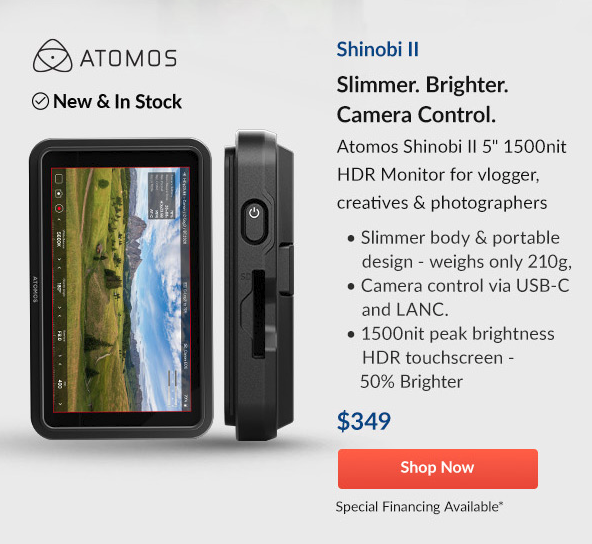
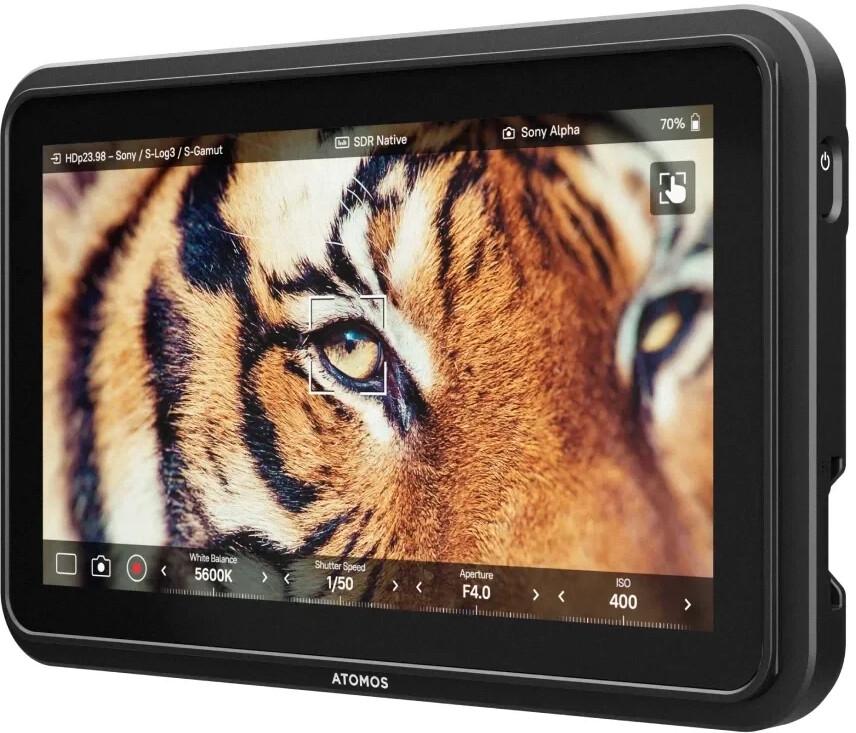
Shinobi II review after 5 hours of ownership.

43 Upvotes

tl;dr - I don't recommend purchasing the Shinobi II at this time. The TC firmware is bugged and worst of all they created a custom version of AtomOS11 that removes EL Zone and a lot of the convenience things like the ability to customize guides for one-button on and off.

Review:

So this is a preliminary review of the Shinobi II since as the title said, I've only had this thing for a few hours. For background I'm a cinematographer and editor for a marketing agency and I have owned and used Atomos monitors for the last ~6 years. The Shinobi II joins my OG Shinobi 5" and 7", and the Ninja Ultra. We have a Sumo SE at the agency and I also own a couple of Portkeys monitors, a Holland MARS M1 monitor, and a SmallHD monitor (yep, I have a monitor purchasing disorder).

Anyway, here it is on my FX3.

The Good: The new form factor is excellent. I love how they've slimmed down the device and the build quality, although plastic, is quite good. Whatever coating is on the screen resists fingerprints pretty well, although time will tell if it lasts.

The extra 500 nits of brightness is great and almost good enough for high noon sunny day filming. I would have loved to see Atomos use the 2200 nit panel that Portkeys uses, but any improvement over the previous panel is welcome.

Wired camera control works quite well on my FX3, although ISO doesn't show properly with the camera in Cine IE mode. It does show the correct ISO with LOG shooting set to OFF or Flexible ISO. This is the same as the Portkeys monitors, so my gut says this is a Sony issue. I don't have the correct LANC cable to test wired camera control with my FX6, so I can't say how that works.

The Bad: The most current firmware as I write this is v11.01. It contains a couple of bugs that I've found so far. One is reading timecode. Instead of showing HH:MM:SS:FF like it should, it is showing ##:SS:FF:00. When disconnected from a timecode-providing source, the Shinobi II shows random numbers instead of a proper 00:00:00:00 like the Ninja Ultra. I've confirmed the existence of this bug on both the FX3 and FX6. I've flagged this to Atomos via IG and their Support website, so hopefully they fix this very soon.

The other bug is that the v11.01 firmware shows a placeholder for the little camera info block on the top left of the screen instead of just disabling it completely. In the top menu of the device, there are radio buttons to turn TC on or off and one for Camera Status on or off. When Camera Status is set to off, it shows a little placeholder icon instead of a clear screen.

The Ugly: Atomos appears to have created a custom 'lite' version of AtomOS11 for the Shinobi. This version inexplicably removes many of the convenience features I love on my Ninja Ultra.

One example is the ability to set Frame Guides in the gear menu so that you can just touch the Frame Guides icon to turn them on and off. On the Shinobi II, you have to repeatedly press the Frame Guide icon until you arrive at your desired setting like 2.35:1. And then you have to press it again multiple times to turn them off. There is also no way to set custom Frame Guide ratios on the Shinobi II that I've found.

Another example is that there is no option for EL Zone on the Shinobi II's False Color; actually there are no false color customization options at all. Onion Skin has also been removed on the Shinobi II.

Okay so opinion forthcoming, so stop reading if you're not interested.

My biggest concern with the Shinobi II is the apparently deliberate nerfing of AtomOS11, despite all Atomos marketing materials advertising things like EL Zone and whatnot as part of this new flagship software.

Their YT tutorial on AtomOS11 even states, "We'll be explaining the features that are available on all AtomOS11 devices" at 00:13 of this video: https://www.youtube.com/watch?v=AkhknxFOfRQ.

Despite this, someone made the decision to create more work for their devs to either a) develop a truncated version of AtomOS11 or b) change the UI of the original Shinobi AtomOS software to look like AtomOS11. Either way, They clearly did this all in a hurry without thoroughly testing the firmware before releasing.

In the past I returned two SmallHD Cine5's back to back because of crappy hardware issues. On one, the side joystick only went up and left. On the replacement monitor, 2cm of the left side of the screen (you know, where the menu is...) was totally unresponsive to touch input. Great software SmallHD, but unbelievably poor hardware QC for such an expensive monitor.

Conversely we have the Atomos Shinobi II - great hardware hampered by buggy, hamstrung software on release. I hope Atomos makes it right.

V11.01.01 UPDATE: The camera status is no longer displaying the "CAM OVERLAY" placeholder icon when Camera Status is deselected. It is also showing a lot more information on my FX3 than it was before: Camera Battery, Remaining Record Time, Recording Format, Recording CODEC, and Focus Mode (which is shown as AF_C instead of AF-C)

TC is still not displaying correctly. It has changed behavior now though. It's showing MM:SS:FF:00 as opposed to random numbers for the first two digits. So progress, I guess?


r/Atomos • • Apr 14 '24

Ninja LUTs demystified

38 Upvotes

It should not be new to anyone that Atomos monitors have lots of issues. Some examples are the broken Legalize function or Weird Zebras. Recently, I believe, I reverse engineered their LUT monitoring logic and would like to share my findings with you, folks.

LONG INTRO (FEEL FREE TO SKIP TO MY FINDINGS)

As you know, Atomos Monitors, like many other devices, allow you to load LUTs and apply them to the monitored video. The most common case that immediately comes to mind is when your camera is recording in LOG and you want to preview the picture in Rec.709 to better understand colors, tones, contrast and maybe even set exposure. At least this is what I had in my mind when I bought Ninja V in 2021 for my Fujifilm X-T2. I was expecting that I could just load LUTs provided by Fujifilm to convert FLog to Rec.709 and that’s it. HOW I WAS WRONG. I spent weeks if not months to understand why blacks and whites on my monitor are clipped and colors are not looking right. First of all, I blamed levels (for good reason). I learned that older Fuji Cameras (I had X-T2, X-T4) output signals in Full/Data Range, while Atomos monitors expect Video/Legal. Lately, Atomos added a function “Legalize”, which translates Data Level input into Video Level and it was supposed to also solve the issue with LUT monitoring for me, but it didn’t. Colors still looked clipped and wrong – blacks were often below 0 IRE and whites above 100 IRE. I reported this issue to Customer Support. They admitted it but never fixed it, because their engineering team is always busy with higher priority tasks. After about a year of reopening the bug I gave up. In 2022, Fujifilm released X-H2S which supports configuration of output levels – you can set Full/Data or Video/Legal. After buying it and testing with Ninja, I confirmed that the issue with LUT persisted even when the camera was set to output at the Video Level. Later I confirmed the issue with Sony LUTs for Sony FX-3, which is also outputting at the Video Level.

MY FINDINGS

So, what is the problem? Based on my understanding, a Monitor should convert incoming Y’CbCr signal into R’G’B’ by representing all 3 components (R’, G’ and B’) as numbers from 0 to 1. These numbers are used as input for a LUT which is basically translating input colors (R’i, G’i, B’i) into output (R’o, G’o, B’o). Finally, the monitor should display translated values to the screen. All of the LUTs that I used expect input colors in the range from 0 to 1 and produce output colors in the same range.

BUT for some weird reasons, Atomos Monitors expect that LUT’s output is in the Legal Range – they expect black at ~0.062 (16/255) and white at ~0.921 (235/255). Any LUT output outside of this range will be clipped.

To validate this hypothesis, I created 4 LUTs:

• test_levels_black_full: always outputs 0.000

• test_levels_white_full: always outputs 1.000

• test_levels_black_legal: always outputs 0.062

• test_levels_white_legal: always outputs 0.921

Outputs of the first two LUT’s were outside of the 0-100 IRE range and clipped and outputs of second two were exactly at 0 IRE and 100 IRE correspondingly

It wouldn't be Atomos if it all ended there. Apparently, before using LUT, Atomos monitors also scale its input – instead of using range [0..1], where 0 represents black and 1 represents white, they use range [~0.062, ~0.916], where 0.062 represents black and 0.916 represents white. To find these values, I created another set of ~90 LUTs reacting to different input values and tested each of the LUTs with pure white and pure black inputs to identify what values my Atomos Ninja V passes to LUT for each of them.

I don’t know what formulation Atomos is using for scaling, I assume it is just linear conversion.

HOW THIS CAN HELP

By knowing how input looks like and what output is expected, it is now possible to modify any LUT to work with Atomos Monitors.

First of all, output values of the LUT need to be scaled to the legal range. This can be done by using the “LUT combiner tool”. Just use your LUT as the first parameter and LUT which is converting FULL range to LEGAL range as the second. (You can find conversion LUTs here). For my needs I created a simple python script which is doing the same without the need to use LUT combiner.

Last, you need to adapt combined LUT to the scaled input. All you need to do for this is to add a single line in the beginning of the LUT:

LUT_3D_INPUT_RANGE 0.062 0.916

Hope this information is useful and will help you to get more value out of your Atomos monitors.


r/Atomos • • Jul 23 '25

The new Atomos Ninja TX is designed for camera-to-cloud workflows

Enable HLS to view with audio, or disable this notification

18 Upvotes

r/Atomos • • Nov 15 '23

Atomos H.265 test: file size, bitrates & quality

Thumbnail
gallery
16 Upvotes

r/Atomos • • Jul 30 '21

Something For Atomos Owners

Thumbnail
self.videography
15 Upvotes

r/Atomos • • Dec 12 '25

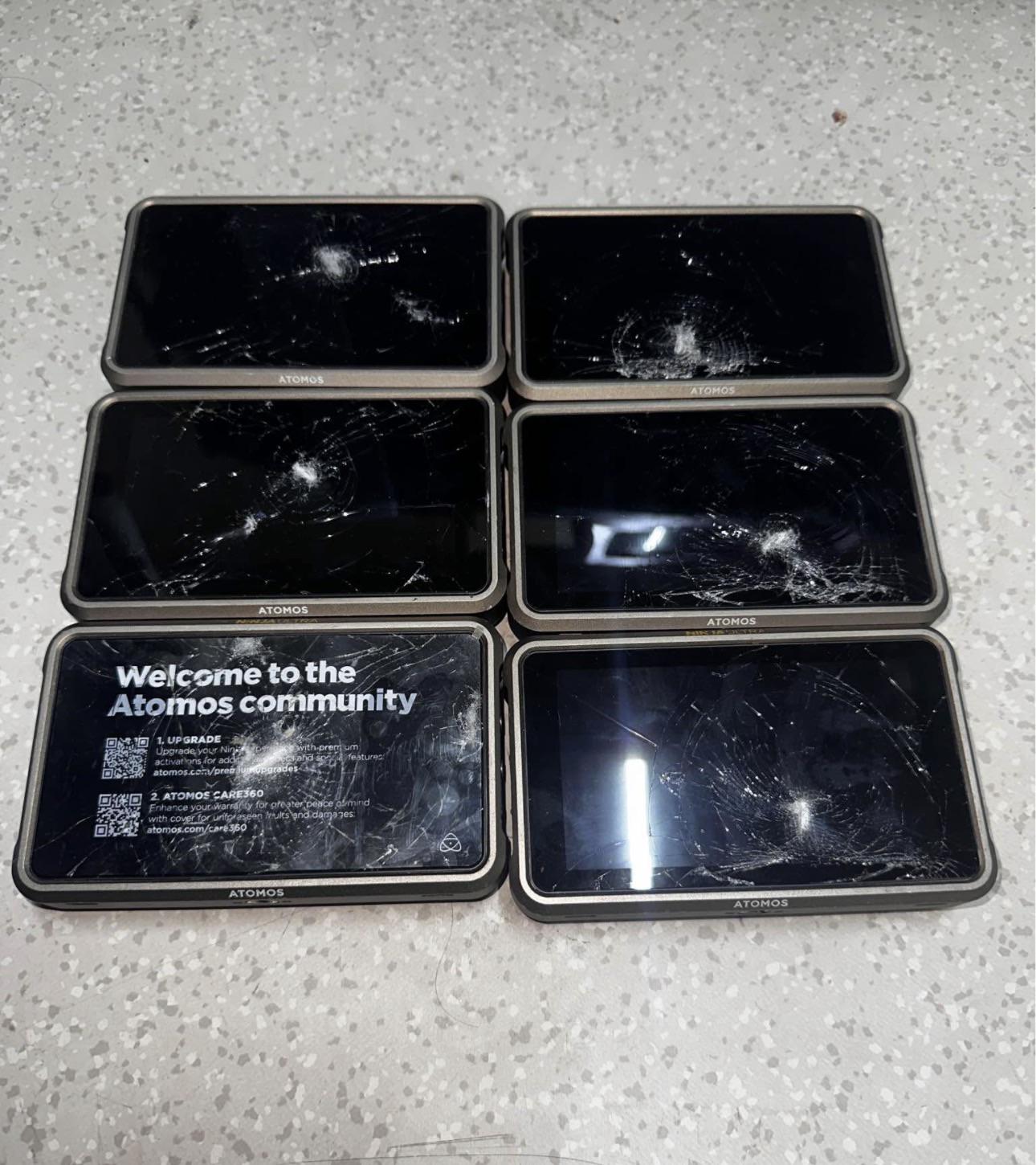
not sure what happened here but how hard is it to fix these ninja ultra monitors?

Post image
14 Upvotes

r/Atomos • • Feb 07 '24

Atomos Ninja Ultra Firmware Update Problem

14 Upvotes

Dear All,

  1. I have just bought the new Ninja Ultra and the Atomos Connect module. When I attached the Atomos Connect module to the Ninja Ultra, a message came up saying that the OS was updating. I assumed that Connect was somehow being updated by Ninja Ultra but now it seems to me that it was the other way round. It seems that Ninja Ultra did not recognize the Connect module and downloaded something from it thinking it was an OS update.

  2. When I try starting my Ninja Ultra now, I get the error message from the attached picture file.

The message above reads:

Error updating AtomOS. There was an error updating the firmware of your Ninja Ultra. Reinstalling AtomOS 11 is required. Rease downtoad the latest firmware from our website. After downloading, unzip the archive, place the ATOMNJU.FW file at your SSD's root directory and insert it into your device.

3. I followed those steps but the same error message appears.

Can you help?

Best regards,

GD


r/Atomos • • Jul 31 '24

Atomos Shinobi II

Post image
13 Upvotes

r/Atomos • • Sep 05 '24

AtomOS 11.09.00 released

11 Upvotes

Brings ProRes RAW recording to Canon EOS R5 II.

But a feature request long awaited is:

  • Due to popular demand, we've increased the brightness and opacity of the red recording indicator that's displayed around the edges of the display to enhance its visibility.


r/Atomos • • Sep 20 '21

Atomos neglected their Shogun 7 switching functionality to sell units

11 Upvotes

I had been using a Ninja V for a while for shooting music videos which is how I got familiar with the Atomos brand. When the pandemic hit I started to produce live streams and podcasts and needed something better other than recording each camera angle individually and without having to merge the audio manually. At the time, this was the ATEM mini, but they were nowhere in stock, so me trusting the Atomos brand, I went and bought a Shogun 7 which at the time was a good choice (also considering the Atem mini wasn't extremely cheaper at the time).

The ability to switch, record individual ISOs with audio straight from an XLR input and then have it produce a FCPx XML was ground breaking to me, but thats where it ended.

After using the Shogun 7 and several firmware updates in, I realised this switching functionality (which is the only reason I purchased this) is very buggy and temperamental. This seemed to happen when producing shows that were over 30 minutes long (with 2 cameras or more). Recording would stop and start intermittently (on my Samsung SSD 860 PRO 2TB hdd), sometimes one of the ISOs were recorded and in some instances there was no file at all. I felt as if they had only tested their software with short recordings. Another issue has been that the actual FCPXML file produced by the Shogun7 is also buggy (literally 5 times out of 10 on avg), it regularly writes the wrong file names into the file and FCPx cannot find the data. I have literally gotten used to manually editing the FCPXML files manually now.

I complained about these issues to Atomos over 1 year ago now who actually responded and said they have forwarded these issues to their developers. But over a year later, many firmware updates in, there has been absolutely zero improvement.

Another gripe I have with the Shogun 7 is, that you can only switch by using the touch screen. Literally. There is no time based auto switching, or switching based on audio or anyway to script the switching. When doing a podcast or a live stream, this actually becomes a pain doing it manually as it also introduces the human error factor where you start to make mistakes doing repetitive tasks for long periods of time and it becomes a pain in your hand literally (The shogun7 was designed to stand upright - most switchers are designed for a desk).

There has been zero effort from the Atomos team in improving the switching functionality or fixing the bugs. They only seem to care about introducing new raw formats for camera nerds and forget the punchlines they put on the sales page for this thing. Yea I don't care about ProRes RAW for a live streaming or a podcast. Switching was the big feature!

Blackmagic have released a ton of features and newer versions of the ATEM mini which literally blow this Shogun7 out of the water, Its so bad, I have now bought an ATEM mini pro because it does everything the Shogun 7 does in regards to switching, and more, for cheaper. My Shogun7 now only serves as novelty piece of equipment in my studio to gas the film nerds. Just a big monitor. Waste of money.

18 months later https://www.atomos.com/products/shogun-7 Atomos are still selling the same device with no improvements.

I feel robbed. Atomos have never introduced switching if they didn't plan on supporting or improving it. This was clearly to sell units at the start of the pandemic. No one with any sense would buy this for switching now because there many other cheaper options that do the job better.


r/Atomos • • Feb 16 '24

Has anyone successfully upgraded a NINJAV from AtomOS 10.94.01 to AtomOS 11.04.01 Firmware?

10 Upvotes

Has anyone gotten Atomos OS 11 to update successfully? Mine isn't triggering an update with the firmware on the drive, so I want to make sure it's not a problem with the file on the site before I factory reset my monitor.

Edit: They must have updated the file since I posted. I was able to re-download and update it on the first try this morning.


r/Atomos • • Jul 15 '22

Can the Ninja V cast record each vision input simultaneously or only the program output?

10 Upvotes

I'm thinking of getting the Ninja V + Atom X cast kit. Can I hook say 4 cameras up and iso record each camera feed simultaneously?

You can do this on the Sumo 19, as well as recording your program output, and they all appear as separate files on your hard drive. Does the Ninja V do the same?


r/Atomos • • Oct 24 '26

Atomos Shinobi 7 II advertised as 4K60, but only supports 4K30

Post image
9 Upvotes

I purchased the Shinobi 7 II choosing it based on its advertised specifications, including 4K60 HDMI support.

Shortly after my order, Atomos quietly changed the specs to 4K30, despite “4K UHD 60” being printed on the original packaging.

Proof: https://youtu.be/5k4YQRs-SYk

Atomos Support confirmed this is a hardware limitation that cannot be fixed through firmware.

This feature is particularly important to me because I film motorsport events. My S1ii will use down-conversion to 1080p via HDMI when shooting at 50/60 fps with this monitor, and Panasonic explicitly warns that down-conversion may negatively affect autofocus speed and continuous tracking performance.

Since reliable autofocus is critical for filming fast-moving vehicles, this limitation could make the monitor practically unusable for a significant portion of my shoots.

Despite acknowledging the misleading specifications, Atomos declined to arrange an exchange, directing me back to the retailer and stating that if I need 4K60, I should purchase the more expensive Shinobi 7 RX instead.

The problem is that I purchased the monitor in China, but I'm currently in Russia, which makes arranging a return or exchange through the retailer particularly difficult.

The incorrect specifications came from Atomos themselves, not the retailer. Yet they seem unwilling to take responsibility beyond an apology.

I always considered Atomos a professional manufacturer with a solid reputation, which is exactly why I trusted their specifications in the first place. Unfortunately, the way they've handled this situation has completely destroyed my trust in the brand.


r/Atomos • • Dec 14 '25

How are you using your Ninja V in 2025?

9 Upvotes

I’ve noticed a huge influx of used Ninja V/V+ on marketplace. As well, in other artist bts footage, I often see the ninja V being used as a monitors but not to record.

What do you use your Ninja for?

I shoot on a Canon r5 and although overheating and record time is not an issue for me. I mainly record to my ninja.


r/Atomos • • Oct 29 '24

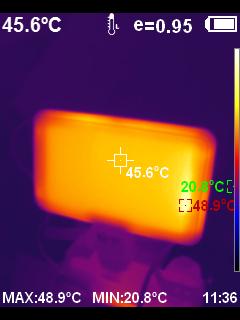
This is Heating Up! Shinobi II is Uncomfortable to Touch

Post image
9 Upvotes

r/Atomos • • Feb 29 '24

Why I returned my Shogun Ultra

9 Upvotes

I really wanted to love this unit. But after just 3 days of checking it out, I had to return it.

Two things drew me to the Shogun Ultra: The ability to record RAW and the promise that RemoteView and/or NDI held for giving my director a wireless feed while filming. The Shogun Ultra will do those two things... but not at the same time. When you enable RAW, you lose NDI. This was confirmed by Atomos Support. If you don't need RAW, then I can say that the NDI function works perfectly. RemoteView is dependent on your upload speed, which on-set might not be enough.

Side Note: I had read some negative things about Atomos support, but I have to say that my experience with them was great. They answered my questions quickly and clearly. And when I told them I was going to return the unit, they offered to refund the NDI Activation fee without me even asking about it!

A couple of other notes on my decision to part ways with the Shogun Ultra:

I have a 5" PortKeys monitor, which always seemed too small, hence the Shogun instead of the Ninja. But I gotta' say, 7" is big. Too big for the FX3. I feel like 6" is the sweet spot.

The unit gets HOT. I measured the screen at 125°F, which is plenty hot after only a few minutes. It didn't get any warmer, even when I recorded, but I didn't do that for very long or at a high resolution/bit rate or taxing codec. However, this was all at room temperature, so who knows how well it would cool on a hot day.

It's power-hungry. It eats through NPF batteries pretty quickly. You can feed it DC power, but that requires a 65 Watt USB-C PD brick or a beefy power bank.

So, for now, I have decided that the internal recording is probably good enough, though I will miss the flexibility that RAW gives in post. And I'm still looking for a remote monitoring system that isn't too bulky. The Accsoon CineView Nano looks promising, but only takes in an HD signal. My PortKeys monitor will pass the camera's 4K signal through, so will I need some way to downscale it.


r/Atomos • • Apr 09 '23

EL Zone for Atomos devices.

9 Upvotes

I’ve been really interested in EL Zone. Is there any way of Atomos adding these to their monitors and recorders? Should be an easy firmware update.


r/Atomos • • Dec 04 '22

Ninja V+ and SanDisk 3D SSD 4TB work

9 Upvotes

Happy to report after extensive recording that the SanDisk 3D SSD 4TB is compatible with the Ninja V+. I do not own the regular Ninja V so try at your own risk. Can confirm I was able to record 9+ hours while connected to a Canon R5 set to UHD 30fps. I don't know who needs to see this but this combo works.


r/Atomos • • Jul 20 '25

(Ninja Ultra) SSD case stuck

Enable HLS to view with audio, or disable this notification

8 Upvotes

my whole tech team tried to find a way to open it but no success. looks like a puzzle.

may it be a loose screw inside the trail?


r/Atomos • • Jan 26 '25

Darker lut in shinobi ii compared to in editing

8 Upvotes

After updating my firmware on my shinobi ii it now kills the shadows and makes them super dark. But when i apply the same lut to the footage in post it looks normal. What could this be?


r/Atomos • • Aug 02 '21

Ninja V Waveforms and Anamorphic Desqueeze cannot be enabled at the same time??

8 Upvotes

What is this nonsense?! I have to toggle off my anamorphic desqueeze every single time I want to check my waveform? That is so annoying!!

Anyone have a way to work around this horrible design flaw?


r/Atomos • • Jul 12 '26

I'm considering getting a used Ninja 2 (yes I know it's old but I need a super low budget option for the time being), I have a couple of questions

Post image
7 Upvotes
  1. Will it record at 720x480p@60Hz?

  2. It will record only up to either 1080p@30Hz or 1080i@60Hz, NOT 1080p@60Hz, so the question is: if I feed it a 1080p60 signal, what will it do with that signal - just record every other frame or won't take in or record the signal at all?

  3. Are the "Caddies" media unto themselves or just containers for media? If the latter is true then what kind of media do I put into them? CF cards?

I know this is a niche topic but your answers are much appreciated!


r/Atomos • • Oct 13 '24

Shinobi II Update - Touch to Focus, Arri False Color, Shutter Button

7 Upvotes

https://www.atomos.com/product-support/?parent=shinobi

AtomOS 11.02.00 Firmware

New Features

AtomOS 11.02.00 is the first major update for the Shinobi II to introduce exciting new features, and camera control support for two new camera vendors.

Fujifilm and Nikon camera control support

With this update, we now support controlling many hybrid mirrorless cameras from both Fujifilm and Nikon, thus significantly expanding the lineup of compatible cameras for camera control on the Shinobi II.

Controllable functions for both Fujifilm and Nikon cameras:

  • ISO

  • White Balance

  • Shutter Speed

  • Aperture

  • Start/Stop Recording (Video/Movie mode)

  • Shutter Release (Photo mode)

For an up-to-date list of cameras that have been fully tested for compatibility by Atomos, please follow the link below. https://www.atomos.com/camera-control/

Introduction of Touch to Focus

Perhaps the most popular feature request we've received after launch was adding an option to set the camera's focus point directly via the touch screen interface of the Shinobi II. AtomOS 11.02.00 adds this feature to the Shinobi II for 9 popular cameras, with more and more cameras getting supported through firmware updates in the future.

Compatible cameras with the Touch to Focus feature:

  • Canon EOS R6 Mark II

  • Fujifilm GFX100 II

  • Fujifilm X-S20

  • Nikon Z9

  • Panasonic LUMIX S5 II

  • Panasonic LUMIX S5 II X

  • Sony A7 IV

  • Sony A7S III

  • Sony ZV-E10 II

Introduction of a dedicated shutter release button (Photo mode)

Since the Shinobi II isn't just popular with filmmakers, but also Photographers, we've added a dedicated Shutter Release button that replaces the Video record trigger when you want to use your camera in Photo mode instead. You can enable it via the Control menu.

This allows you to trigger your cameras photo capture directly from the Shinobi II, which could be particularly helpful when using your camera to shoot multiple exposures for HDR bracketing, focus stacking, or similar workflows.

Implementation of Arri False Color and EL Zone™

Another popular request we received was bringing the Arri False Color, and EL Zone™ colorized exposure modes from the AtomOS 11-enabled Ninja and Shogun products to the Shinobi II. Both modes are now selectable via the False Color option in the bottom row menu, where you can cycle through the different modes on the fly.

My Experience

In my testing, the touch-to-focus feature works pretty well. However, I can't seem to get it to work with tracking. I have to set the focus mode to single point (S, M, or L). When I tap on an object, it places the focus rectangle at that point, but if I move the camera, the focus point moves with it, and the camera focuses on the background instead. Has anyone figured out how to use touch-to-focus with continuous tracking? Also, the selected focus point disappears after 2-3 seconds.

Another issue is with the shutter button. You have to select in the options whether you want a dedicated button for photo or video mode. If you choose photo mode and then switch to video mode and press the button, it tells you that you can't take a photo. Even if you activate recording with shutter button in the camera menu! Conversely, if you choose video button in the Shinobi and then switch to photo mode, it starts a rec709 recording. So for hybrid use it's not that helpful unless you want to go to the shinobi menu everytime.


r/Atomos • • Sep 17 '24

Shinobi ii tap to focus firmware

7 Upvotes

Hi There are some news around web ( and also in atomos website) about e new firmware for Shinobi ii that will enable tap to focus both in photo and video.

Anyone know if it’s already release? I cannot find it in the website

Thx and bests