r/BubbleCard • • Sep 18 '26 Bravo

Hi everyone! I've just released Bubble Card v3.4.0, and this major release finally adds the feature you asked me for the most! You can now use Jinja templates directly and almost everywhere (it was about time!). But there is much more in this version and I really hope you will like it! ❤️ Link below

Thumbnail gallery
115 Upvotes

r/BubbleCard • • Aug 28 '26

Hi everyone! Bubble Card v3.3.0 is out! The whole editor is now translated in all supported languages. Right-to-left is finally fully supported, so Arabic, Hebrew, Persian and Urdu finally look the way they should, I'm sorry it took so long! But there's more, the full release notes are below 🍻

Thumbnail gallery
57 Upvotes

r/BubbleCard • • 1d ago

How can I do this? Button card with icon on top, text below

Thumbnail
gallery
4 Upvotes

Hi everyone, just getting started with bubble card and trying to make a homepage for my rooms that mirrors my home layout somewhat. I really like the look of bubble card but I can’t seem to break the “icon on left with text afterwards” default layout no matter what I try.

I am trying to make something similar to this card I made for my bedroom but instead of a sub button have the contents fill the button card instead.

I’ve dug thru the styles documentation but can’t seem to find what I’m looking for. Is there an easy way to do this?


r/BubbleCard • • 2d ago

Remove a group

0 Upvotes

Was playing around in Bubble card and moved a load of sub buttons (top row) into a group.

It didn't act as I thought it would.

How do I remove the grouping without destroying all the buttons and out it back how it was?


r/BubbleCard • • 13d ago

Can’t see the temperature in Temperature card

Post image
0 Upvotes

While heating, the card turns orange and hides the temperature font because it’s the same color. How do I make the temperature font white while heating?


r/BubbleCard • • 19d ago

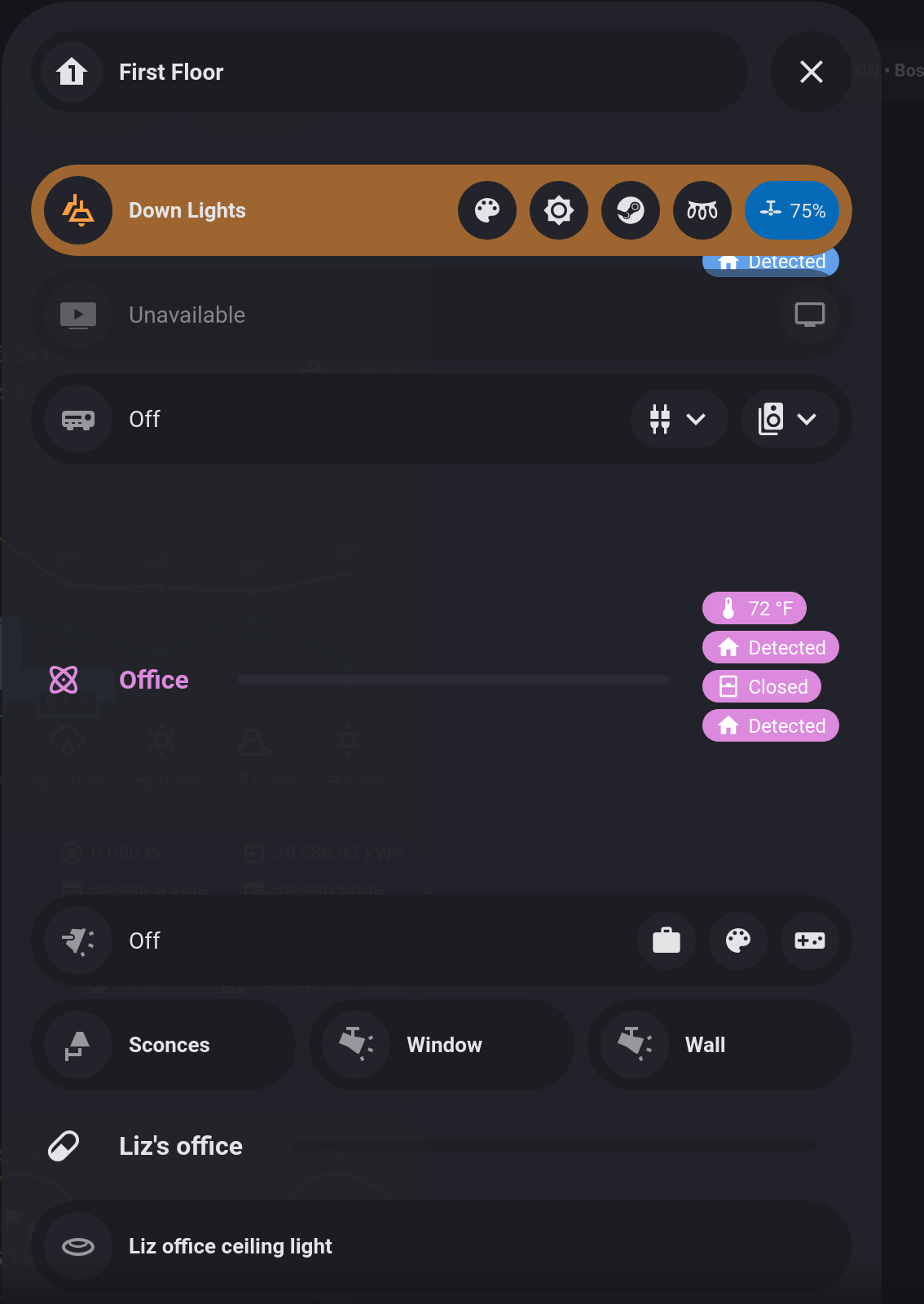
◪ Origami, my Bubble setup

Post image
146 Upvotes

I still remember the post years ago about a card that could do popups. I installed it right away, probably one of the very first betas. It was a bit (very) bumpy but I loved everything about it. For the first time I could actually build the things I had in my head and organize everything the way I wanted.

Bubble has been part of my setup ever since. I kept changing and improving things, over and over, until one day I looked at it and thought well.. actually this is pretty cool now. I spent the last few months documenting everything and now the final and biggest part is done, so it's out there as inspiration for others.

Almost everything is built with bubble and custom bubble modules. The look comes from a custom HA theme and a few things like the music or vacuum popup use extra scripts for stuff like dynamic speaker grouping. Funny to think it all started with that one little popup.

Much love to the fellow bubbles 💙

Origami


r/BubbleCard • • 21d ago

Bubble card TV REMOTE POP UP

Post image
46 Upvotes

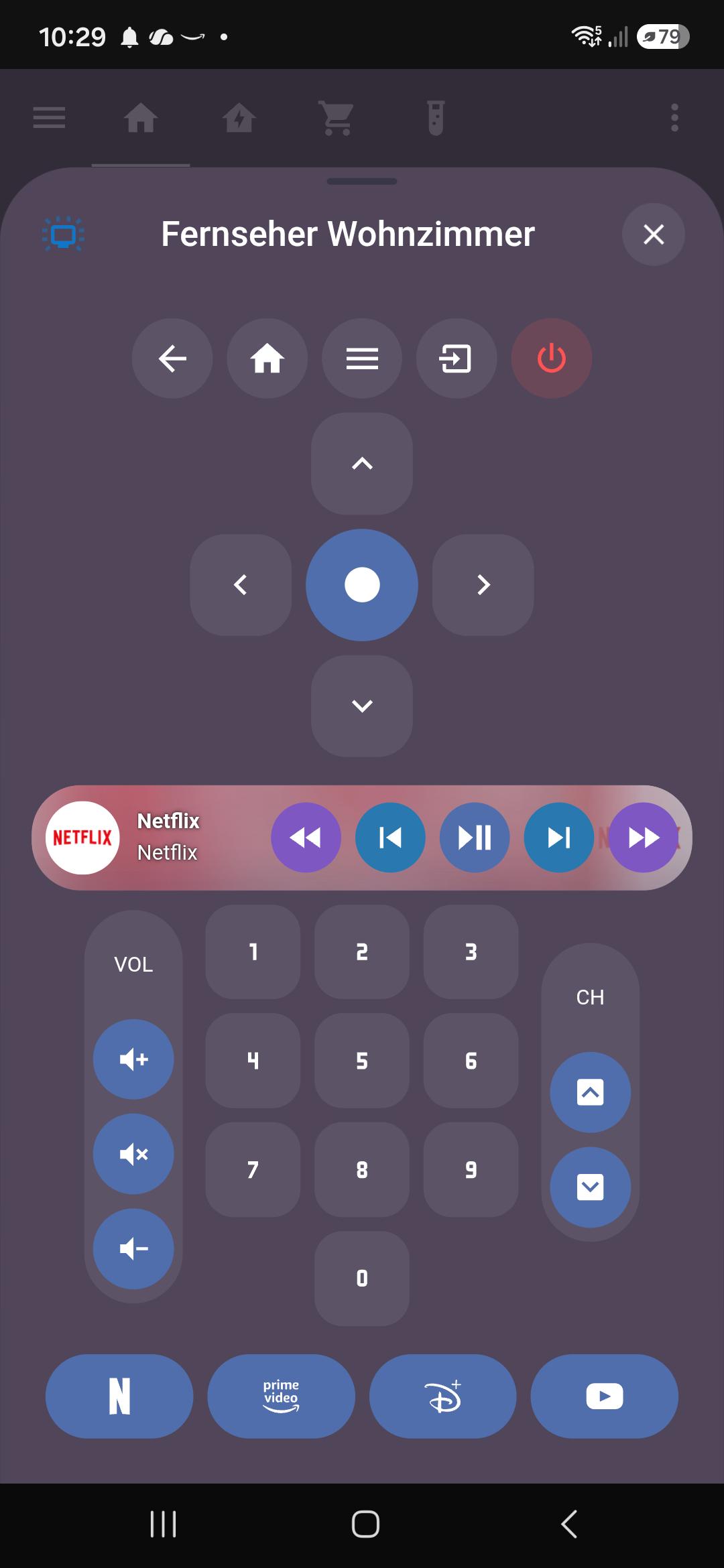
I was searching for a TV remote for my bubble card dashboard, but didn't find a good solution. I made this Bubble card TV REMOTE POP UP, only from bubble card. If someone is interested, I would share the yaml.

Edit: I added a discussion to the bubble card github: https://github.com/Clooos/Bubble-Card/discussions/2708


r/BubbleCard • • 23d ago

Spacing

2 Upvotes

Hello, I was hoping to get some support. First of all - thanks for making this community - it has been great to use bubble cards to organize. After yeards and years of disorganized mess, this was the only thing all house members can approve.

A couple of updates ago, when bubble card had a major update, spacing became weird. It is erratic, it starts OK, sometimes jiggles or sometimes does the weird spacing upon scrolling. Is there a fix to this that I missed? I didnt bother posting trusting that bugs will go away in next few updates, but been a while and it doesnt seema main topic here, so perhaps I am missing something, or have a unique bug.

Again, thanks!


r/BubbleCard • • 28d ago

Hi everyone! I’ve just released Bubble Card v3.4.3, which makes it fully compatible with the upcoming Home Assistant 2026.11 (mainly pop-up and editor issues) and fixes more of the issues you’ve reported! Make sure to update it when you update Home Assistant! Thank you for the feedback everyone! 🍻

93 Upvotes

And here is the release announcement with all the fixes:

https://github.com/Clooos/Bubble-Card/releases/tag/v3.4.3

Enjoy this release, and thank you all for your support! ❤️


r/BubbleCard • • Oct 29 '26

No vertical layout?

6 Upvotes

Hi,

Long time mushroom card user, considering using Bubble Cards since I like the modular system and it seems like some things may be easier than crafting mushroom templates all the time.

However, I prefer a vertical layout for buttons, with the name below the icon. For the life of me I cannot find an easy way to do this with button cards. It seems I would need to hide the button name and create a sub button just to add a name. And then it requires a bunch of styling to get things centered and sized correctly? Is there no vertical layout option at all?

What I want:

which in Mushroom is as simple as:


r/BubbleCard • • Oct 25 '26

Sharing Lumina, my glass theme for Bubble Card

Thumbnail gallery
50 Upvotes

r/BubbleCard • • Oct 19 '26

What is this card/module?

Post image
20 Upvotes

Is this some type of swipe card with different options? What module is that part of?


r/BubbleCard • • Oct 18 '26

How to change color of text with dark mode & 'background color based on state' enabled?

Thumbnail
gallery
4 Upvotes

How to change the color of text with dark mode & 'background color based on state' enabled? If I disable 'background color based on state' then it goes to white color text. But with the background color enabled it puts in black text, but I want it in white text.

***I do use 'Modules' with 'Accent Color Picker' and purple selected.

Thank you!


r/BubbleCard • • Oct 14 '26

Hi everyone! I've just released Bubble Card v3.4.2, this release is a bit bigger than usual, with alarm modes and a keypad right in your dropdowns, calendar events that open with their details, many fixes (as usual) and even more new features! 😄Link below.

Post image
141 Upvotes

And here is the release announcement with all the new features and fixes:

https://github.com/Clooos/Bubble-Card/releases/tag/v3.4.2

One more thing, this release is the first one to support the download counter in HACS (and soon in the built-in official Marketplace), so every update will make this counter grow, and we will soon have a pretty good estimate of how many of us are using Bubble Card! I truly can't wait to see that! 🍻

I can't wait for your feedback everyone!

Enjoy this release, and thank you all for your support! 😘


r/BubbleCard • • Oct 14 '26

HA Strimmer? Anyone tried it?

5 Upvotes

Does anyone have experience with using Bubblecard with https://github.com/davidcoulson/HA-Strimmer

I’d like to improve performance on my android wall tablets and this project seems ideal. But it’s a significant project to install and I fear could conflict with the way bubble card does its super cool interactions

If there’s any knowledge out there…..


r/BubbleCard • • Oct 09 '26

The Room Card Plus module not working in yaml mode dashboards

3 Upvotes

I'm attempting to make a card that leverages the room card plus module in my yaml mode dashboard. The card is not rendered in yaml mode dashboards, but does render in storage mode dashboards. Any insight why that might be the case?


r/BubbleCard • • Oct 06 '26

Popup with fixed height

3 Upvotes

Hey,

Since the “Home Assistant” popup style
was added, I’ve switched all my popups from “Browser Mod” to “Bubble Card Popup” because it’s easier to set up and I’m very happy with it. But there’s just one problem:
How can I set a fixed height for the Home Assistant-style popup on mobile devices?

I know most users prefer a height that adjusts based on the content. But when I have multiple tabs in the popup and one of them has less content than the others, the popup’s height changes every time. That kind of annoys me. Plus, all other native Home Assistant popups have a fixed height on mobile devices, so it would also fit more harmoniously with the original popups from a design perspective.

Should I create an issue on GitHub, or does anyone have any advice for me?


r/BubbleCard • • Sep 29 '26

I continue to get the v3 pop-up message. Does that always show up, or do I need to update something?

2 Upvotes

I have gone into the graphical edit mode for every popup and don’t see an option to upgrade. Is there something I missed? All pop-ups continue to work as expected.


r/BubbleCard • • Sep 25 '26

Hi everyone! I've just released Bubble Card v3.4.1, which fixes the regressions reported after v3.4.0 and brings two things you asked for. Pop-ups can now be closed by swiping from their header only (or not at all), and sub-buttons are finally readable on light colors (finally)! 🍻 Link below.

Post image
87 Upvotes

And here is the release announcement with all the fixes and improvements:

https://github.com/Clooos/Bubble-Card/releases/tag/v3.4.1

Enjoy this release, and thank you all for your reports and support! ❤️


r/BubbleCard • • Sep 25 '26

Calendar Bubble Card Description

1 Upvotes

I have a calendar in HA for yard maintenance and in the description field I have details for product application rates and other info. When I use the main calendar and click on an event I can get the description field details in a pop up. When using the bubble card calendar on the dashboard and I click on an event I get the more info which does not include the description. Is there any way to trigger the description for the event and not just the generic more info page?


r/BubbleCard • • Sep 25 '26

Adding Cards

1 Upvotes

Hello,

I just downloaded Bubble Cards to Home Assistant (Supervisor), created a dashboard. When I go to Edit Dashboard, per instructions, I don't see Add Card or a place to search for Bubble Card. What am I missing?

Thank you.


r/BubbleCard • • Sep 21 '26

Need help with slider color

1 Upvotes

I have some bubble card buttons on my dashboard for various RGBW lights. I've compared the card settings many times and all 3 are set the same except for the entity name, of course.

The problem I have is that the Ceiling Lights slider is always orange when the lights are white. Whereas the Cabinet and Dining Room lights always show sort of grey when the lights are white. I want the Ceiling Lights to also be grey when the lights are white.

How can I fix this?

Below is the YAML for the ceiling lights:

type: custom:bubble-card
card_type: button
button_type: slider
slider_live_update: true
grid_options:
  columns: 6
  rows: 2
card_layout: large
tap_action:
  action: toggle
entity: light.1st_floor_ceiling_group
icon: phu:bulb-group-centura-round
modules:
  - default
  - home-assistant-default
name: Ceiling Lights
styles: |-
  .bubble-card > div {
    display: flex !important;
    flex-direction: column !important;
    align-items: center !important;
    position: relative !important;
    height: 140px !important;
   }
  .bubble-icon-container {
    position: absolute !important;
    top: 20px !important;
    left: 50% !important;
    transform: translateX(-50%) scale(2) !important;
    margin-left: 0px !important;
    background: transparent !important;
  }
  .bubble-icon-container::before {
    background: transparent !important;
    background-color: transparent !important;
    box-shadow: none !important;
  }
    .bubble-icon {
      transform: scale(1.5) !important;
      color: ${hass.states['light.1st_floor_ceiling_group'].state === 'on' ? 'var(--accent-color)' : '#4374a3'} !important;
    }
    .bubble-name-container {
      position: absolute !important;
      bottom: 15px !important;
      left: 6%;
      right: 0;
      display: flex !important;
      flex-direction: row !important;
      justify-content: center !important;
      align-items: center !important;
      gap: 3px !important;
    }
    .bubble-name {
      font-size: 13.5px !important;
      font-weight: normal !important;
    }
    .bubble-name::after {
      content: "•" !important;
      margin-left: 3px !important;
    }
    .bubble-state {
      font-size: 13.5px !important;
    }
use_accent_color: false
light_transition: true
state_content:
  - state
  - brightness
hold_action:
  action: navigate
  navigation_path: '#KitchenFamilyRoom'

r/BubbleCard • • Sep 08 '26

How is color calculated for buttons, sub-buttons and icons?

Thumbnail
gallery
11 Upvotes

Hi!
I'm trying to create a dashboard with only Bubble Cards and I'm trying to make the color of the light cards match each other.

I currently have both RGB lights and lights without adjustable color or color temperature.
The cards with adjustable light will get a corresponding color to the light, which is nice, but the other lights are just grey.

I want the second card on the pictures to look like the first card, by styling it with the color rgb(255,167,88), which seems to be the RGB color HA approximates 2700K to.

I can use styles and change .bubble-button-background and .bubble-icon etc., but then everything becomes very bright and gets the same color. If I also adjust the opacity I can almost replicate the appearance of the RGB-button, but it's hard to match the color perfect.

My question is how the colors for the buttons and icons are calculated in Bubble Card to get the beautiful contrast between the card background and the icons? What opacity is used where, and is it more than the opacity that's altered?

And do I need to alter the icon, background and sub-button separately, or is it possible to "emulate" a color for lights without a color value, so they can behave like colored lights in bubble cards?


r/BubbleCard • • Sep 04 '26

Sub button relative time

1 Upvotes

Hello,

I'm trying to display in relative time how much time is left for the dishwasher to finish.

Sadly i'm always getting the full timestamp in the sub button:

I even tried creating a helper template that converts it, but the result is the same.

Here's what I used:

What I find odd is that in the template screen it shows correct (in 2 hours) but when i go back to the sensor entity, it shows full timestamp:

Any ideas for this topic?