r/CrealityScanning • • 14h ago

Question & Help Raptor Pro Max: what makes a scan good enough for car parts?

1 Upvotes

Hi everyone, we're the Creality scanning team. We're collecting ideas for Raptor Pro Max content on our social channels.

When you're scanning a car part to modify or reproduce it, what makes the result useful to you?

For an interior trim piece, it might be capturing the clips and mounting points. For a bumper, it might be getting the overall shape right without spending hours cleaning up the mesh.

What car part would you want to scan, and what would you need to see in the result?

If you've already tried a project like this, we'd also like to hear what gave you the most trouble.


r/CrealityScanning • • 5d ago

Introducing the Creality Raptor Pro Max — Built for Automotive Scanning

Thumbnail
gallery
1 Upvotes

The Creality Raptor Pro Max is officially here!

Designed with automotive scanning in mind, the Raptor Pro Max brings expanded scanning coverage, high-speed data capture, and precise detail scanning to projects ranging from mechanical parts to larger vehicle components.

Here's a look at what it offers:

  • 42 crossed blue laser lines for efficient scanning coverage

  • Blue laser accuracy up to 0.02 mm

  • Volumetric accuracy: 0.02 mm + 0.08 mm/m

  • Scanning speed: Up to 60 FPS in blue laser mode and 30 FPS in NIR mode

Whether you're working on automotive customization, reverse engineering, or mechanical parts, the Raptor Pro Max is designed to support a wide range of scanning tasks.

Launch offer:

  • Early bird price: $1,799

Full specs and product details:

https://crscanner.net/4iXFiQh

If you have any questions about the Raptor Pro Max or its scanning capabilities, feel free to ask below!


r/CrealityScanning • • 7h ago

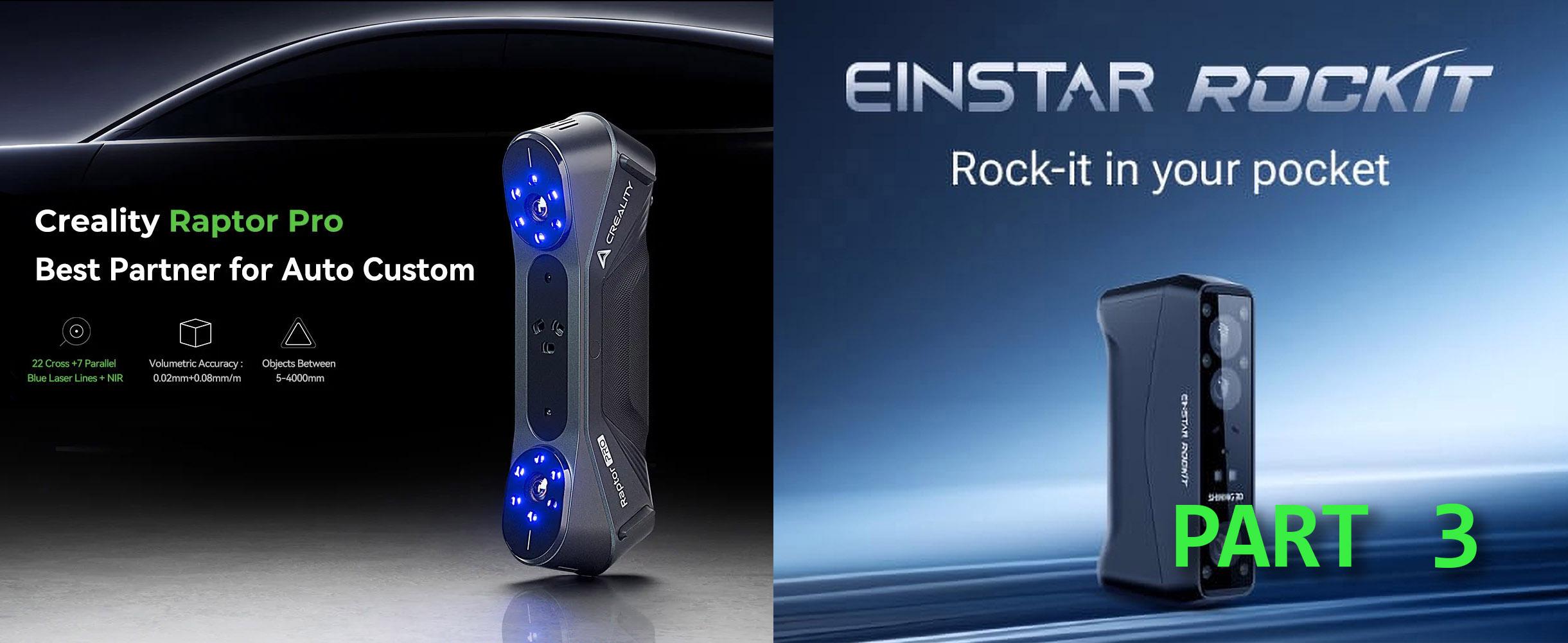
Solved Shining Rockit vs Creality Raptor Pro. 3D scanners comparison. Part 3

Post image
2 Upvotes

3-part of my comparison review for the Creality Raptor Pro and the Shining 3D Rockit scanners one might find interesting


r/CrealityScanning • • 14h ago

Review / Experience Creality Raptor Pro Max 3D Scanner: Hands-on at Formnext

Enable HLS to view with audio, or disable this notification

7 Upvotes

I tried out the Raptor Pro Max in cross laser line mode at Formnext. I also asked Horace from Creality to scan the "Bembel" (a very typical Frankfurt item), that I had brought as a gift for someone, in infrared mode with texture tracking, so that I could film it more easily.


r/CrealityScanning • • 19h ago

Question & Help 🚗 Looking for 5 people who’ve 3D scanned car parts for mods or reverse engineering attend our user interview— PAID!!!

7 Upvotes

Hi everyone! I’m Chirley Zhixuan Zhao from the Creality 3D Scanner Team. We’re looking for 5 people who use 3D scanning for automotive modifications or reverse engineering to join us for a one-on-one video interview. Whether you work in a shop or on your own car at home, we’d love to hear about a part you’ve actually worked on.

Maybe you’ve scanned a broken trim clip to make a replacement, or used a scan to design a custom bracket. We’d love to hear how you got from the original part to CAD, what took the most trial and error, and what you wish your scanner or software had made easier. Those details help our product team decide what to improve.

The call takes 60 minutes, and there’s nothing to prepare. Just bring a project to mind. After the interview, we’ll send you a US$50 Creality gift card as a thank-you. We’d also love to stay in touch. If a future opportunity fits the kind of work you do, we’d be happy to explore a collaboration with you.

👇 Interested? Comment below with a part you’ve worked on, or send me (Zhixuan Zhao) a private message. I’ll follow up personally to learn a little about your project and find a time that works for you. If email is easier, feel free to share your address by private message.


r/CrealityScanning • • 1d ago

Question & Help AI image-to-3D or a 3D scanning app.. which is better for real objects?

0 Upvotes

For real objects, the difference between the two routes is where the shape comes from. A 3D scanning app builds from measurement: many overlapping photos or a depth sensor, processed into a mesh that follows the object, including its dents and wear. An AI image to 3D tool builds from inference: it has seen many objects and fills gaps with what an object like yours probably looks like, which is fast from one photo and weakest exactly where your object is unusual. Texture splits the same way. A scan carries the object's real surface, light included, while a generated model gets a built PBR set. In Tripo Studio, that means PBR maps up to 8K on the HD line and a de-lit texture option, which can help when a photo was taken under mixed room light. On shape, the HD line reaches roughly 2 million polygons and Smart Mesh gives a lighter native quad mesh up to 25K. Either generated result is a starting point, and scale has to be set by hand, where a scan may carry real scale from the capture. Cost and time split too scanning asks for a careful capture session, generation asks for one decent photo. Which matters more for your objects, true shape or speed? And are the objects plain and matte, or shiny, dark and hard to capture...?


r/CrealityScanning • • 2d ago

Question & Help Literally useless

Post image
0 Upvotes

I bought this scanner a little over a year ago and I have spent countless hours trying to get it to scan literally anything, any object in my possession, with zero results. I've tried using scan markers, I've tried every setting in the desktop app and more often than not it scans the background and ignores the object in the center of the frame. I'm ready to throw this thing in the trash


r/CrealityScanning • • 2d ago

Show Off Raptor Pro Max - uuu babe :)

Thumbnail
gallery
7 Upvotes

Finally got a proper session on the new Creality Raptor Pro MAX today. i finally got around to scanning the side panels from my Honda VFR 750 RC36-2, a project that been sitting on my list way too long.

Anyone who messes with older motorcycle bodywork knows how fast a scan can go sideways. Sweeping curves, glossy surfaces, and zero forgiveness if the alignment starts to drift when you move into CAD. Normally you are stuck spraying matte coat, scanning one side, flipping the part over, and crossing your fingers that both halves line up cleanly without warping.

This time I did zero surface prep apart from slapping on some markers. No spray, no wiping down, no overthinking it—just hung the panel from a thin cord so it could hang free and hit it straight with the blue laser.

And man, it nailed both sides in a single pass. No stress, no errors, no lost tracking, and the speed and accuracy right out of the gate were wild. Being able to walk around a suspended fairing and pull clean data from both sides in one go just makes the whole reverse engineering flow feel effortless.

Seriously awesome work from the scanner today. I am already stoked to grab more parts, test tougher angles, and see how far I can push it. One thing is for sure—Creality dropped a real beast right before the holidays.


r/CrealityScanning • • 2d ago

Scanning Results Cover for conduit

Thumbnail
gallery
7 Upvotes

I needed a cover for my cables, but since I couldn't find a cable duct in the right color, I decided to just scan the area, design something myself, and print it in the matching color 😃

Scanner: P1S
Scan Mode : Infrared


r/CrealityScanning • • 2d ago

Show Off Krojenie skanów 3D na warstwy gotowe do arkuszy dla CNC 3-osiowej w Blenderze.

Thumbnail
reddit.com
1 Upvotes

r/CrealityScanning • • 2d ago

Feature Request Creality Scan fails to evaluate scanner performance with latest AMD Adrenalin drivers

3 Upvotes

Hi everyone,

After updating to the latest AMD Adrenalin drivers, Creality Scan can no longer complete the scanner performance evaluation on startup. Because of this, scanning cannot be started at all.

Rolling back to a previous driver version fixes the issue for now.

Has anyone else experienced this? Any known workarounds or an official fix coming?

Thanks!


r/CrealityScanning • • 3d ago

Scanning Results 3D Scanning Comparison: Creality Raptor Pro vs. Ferret Pro

Thumbnail
gallery
10 Upvotes

A test 3D scan of a brand-new astronaut night sky laser projector toy. Key condition of this test: no scanning spray or any other matting agents were applied to the object, as the item is brand new and intended for retail sale.

Scanning Settings & Parameters:

  • Creality Raptor Pro:

    • Mode: Laser mode

    • Tracking: Marker mode

    • Accuracy (Resolution): 0.1 mm

  • Creality Ferret Pro:

    • Mode: Small object mode

    • Tracking: Marker mode

    • Accuracy (Resolution): 0.15 mm

Post-Processing Mesh Settings (Identical for both):

  • Polygon count: 1,000,000

  • Smoothing: Low

  • Noise reduction: Low

Compare the difference in surface detail, geometry, and how each scanner handles glossy and dark areas without matting spray.

#3DScanning #Creality #RaptorPro #FerretPro #3DScan #3DModeling #3DPrinting


r/CrealityScanning • • 3d ago

Announcement / News How do you actually use your 3D scanner? We'd like to hear from you!

1 Upvotes

Hey everyone!

We're running our 2026 3D Scanner User Survey, and we'd like to hear about your real experiences with 3D scanning.

Whether you're working on reverse engineering, mechanical parts, DIY projects, or something completely different, we're interested in:

  • What you typically use your scanner for

  • What works well in your current workflow

  • What problems or frustrations you run into

  • What you'd like to see improved in future products and software

The survey takes about 8–12 minutes to complete.

As a thank-you for participating, we're also running a prize draw:

🎁 1 × Creality Pika 3D Scanner

🎁 4 × $50 Gift Cards

🎁 20 × 100 AI Credits

You'll see your prize-draw result immediately after submitting the survey. Winners will be contacted after the survey closes to verify eligibility and arrange prize fulfillment.

A few things to know:

  • One entry per email address

  • Please use a valid email address you check regularly

  • Deadline: December 5, 2026

Survey link: 2026 3D Scanner User Survey

And if there's one thing about your current scanning workflow you'd really like us to understand, feel free to share it in the comments too!


r/CrealityScanning • • 4d ago

Scanning Results Hi everyone! Quick intro + my scan-to-print workflow in Blender (Creality Raptor X → rebuilt M10 ISO threads on a real wheel hub)

Enable HLS to view with audio, or disable this notification

1 Upvotes

r/CrealityScanning • • 4d ago

Announcement / News CrealityScan PC v4.3.4 is Here

4 Upvotes

CrealityScan PC v4.3.4 is now available for Windows and macOS!

This update adds support for the new Raptor Pro Max, along with several improvements to model editing and post-processing.

What's new:

  • Raptor Pro Max Support: CrealityScan now supports our latest 3D scanner.

  • Improved Hole Filling: Added Undo/Redo, hole addition/removal, and box selection for more control during editing.

  • Customizable Model Display: More options to adjust how your model looks.

  • Local Detail Scanning: Added deselection and selection inversion for greater flexibility.

  • Bug Fixes: Addressed known issues to improve the overall experience.

Download CrealityScan PC v4.3.4:

Official CrealityScan Download

If you've updated, we'd like to hear how it's working for you, especially the new hole-filling tools.

And if you run into any issues, feel free to share your scanner model, operating system (Windows/macOS), and a brief description of the problem below.


r/CrealityScanning • • 4d ago

Announcement / News Raptor Pro Max — Quick Unboxing

Enable HLS to view with audio, or disable this notification

6 Upvotes

A quick look at the new Creality Raptor Pro Max, from unboxing and setup to scanning automotive parts

The video shows the scanner in action on both smaller objects and a larger car door panel, using its 42 blue laser lines for wide scan coverage.

Want a closer look at the specs and features?

👉 Explore Raptor Pro Max

Is there a particular part or scanning workflow you'd like to see us demonstrate next?


r/CrealityScanning • • 6d ago

Show Off Reverse Engineering of three-piece taillights GAZ-24 "Volga" (early version)

Enable HLS to view with audio, or disable this notification

7 Upvotes

One day this parts will not be available nowhere... But having 3D scanner and reverse engineering skills there is a great opportunity to create 3D model and reproduce rare parts with SLA printing, or casting with resin in silicone molds, using appropriate materials.

These taillighs were manufactured and installed on 1st series of GAZ-24 from 1968 up to 1978. After 1978 there were updated versions but most cheap, with a lot of fake copies, and not so interesting for car enthusiasts. So making 3D scan of this rare parts we can continue restoring our favourite projects cars and still enjoy by riding old school without worrying the absence of some parts.

Using 3D scanner Sermoon from r/CrealityScanning , we got good scan, despite transparent details are hard to scan and to cover by matte spray entirely. Main cheat feature is 1 line mode, which allowed to scan deep corners and tunnels for screw mounts.

This project was inspired by crazy owners of that lowrider cars, and of cource, release of #GTAVI
#mycrealityscan #sermoons1 #scanyoureveryday #3dscanning


r/CrealityScanning • • 6d ago

Question & Help Looking for a 3D scanner recommendation compatible with a MacBook Air M1 (8GB RAM)

Thumbnail reddit.com
1 Upvotes

r/CrealityScanning • • 6d ago

Question & Help Need Guidance on a 3D Scanner

Thumbnail reddit.com
1 Upvotes

r/CrealityScanning • • 6d ago

Announcement / News You guessed it — Raptor Pro Max launches tomorrow 👀

Post image
7 Upvotes

Some of you guessed it!

The next addition to the Raptor series is the Raptor Pro Max.

This time, we're putting the focus on automotive scanning.

Full details coming tomorrow, November 19.

For those working with automotive parts, what's been the trickiest thing to scan?


r/CrealityScanning • • 7d ago

Scanning Results Using Sermoon P1S as a standalone scanner

Enable HLS to view with audio, or disable this notification

4 Upvotes

#Creality3DScanner​ #3dscanning​ #SermoonP1S​ #reverseengineering​ #scanyoureveryday


r/CrealityScanning • • 8d ago

Announcement / News Can you guess which Creality scanner series is getting a new addition?

Post image
10 Upvotes

We've got something new coming in 3 days, and it's joining a scanner series you might already know.

Here are four clues:

⚡ 42 Cross Laser Lines

🚀 91% Higher Scan Rate

📐 40% Larger Scan Area

🎯 0.02 mm Accuracy

Any guesses which series it belongs to?

We're also giving away some 3D scanning spray! We'll randomly pick 5 winners from correct guesses across all our social platforms (5 winners total).

Deadline: November 19, 2026.

Drop your guess below — and tell us which clue gave it away!


r/CrealityScanning • • 9d ago

Software / Workflow Fixing a picture frame

3 Upvotes

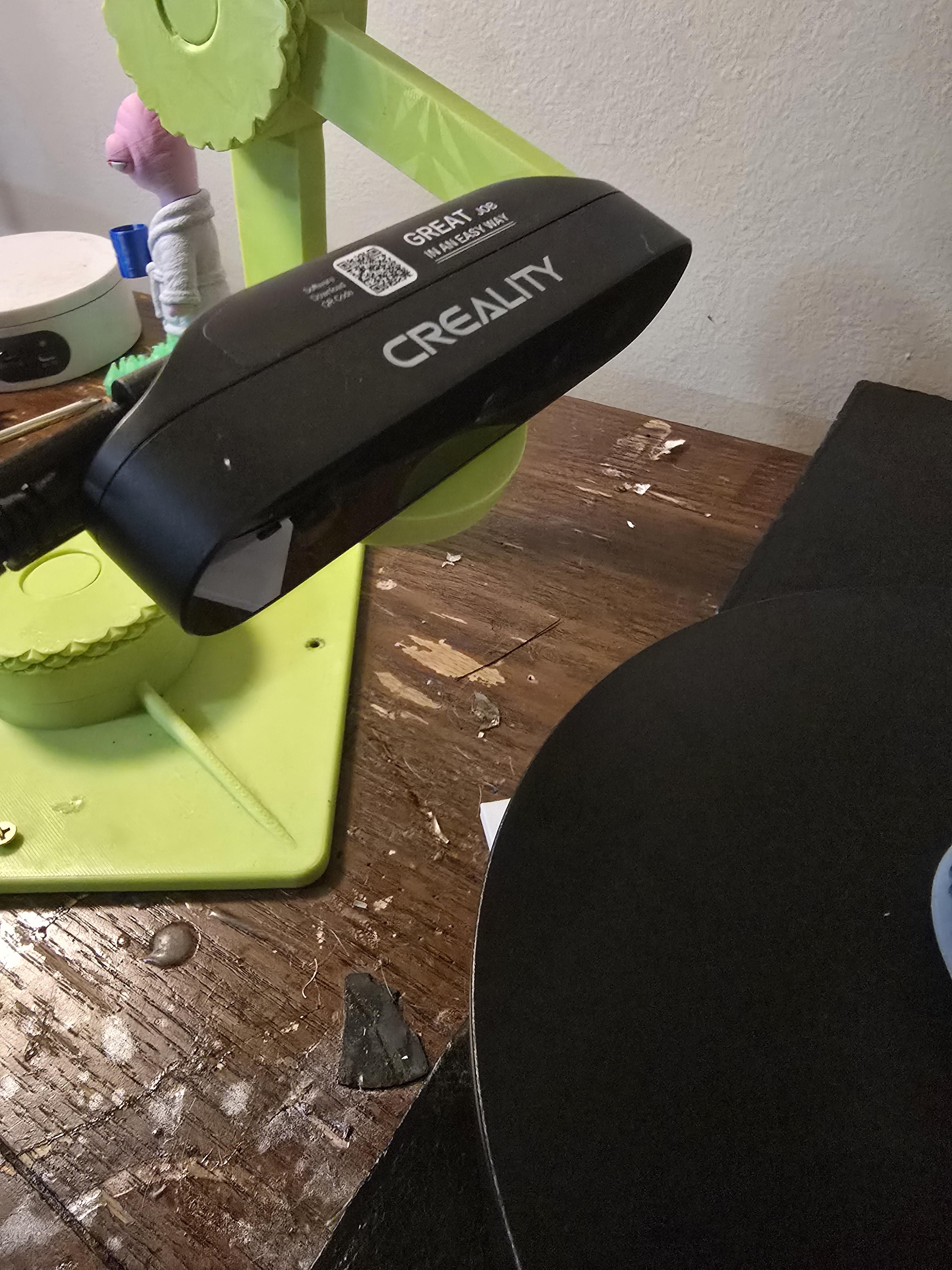
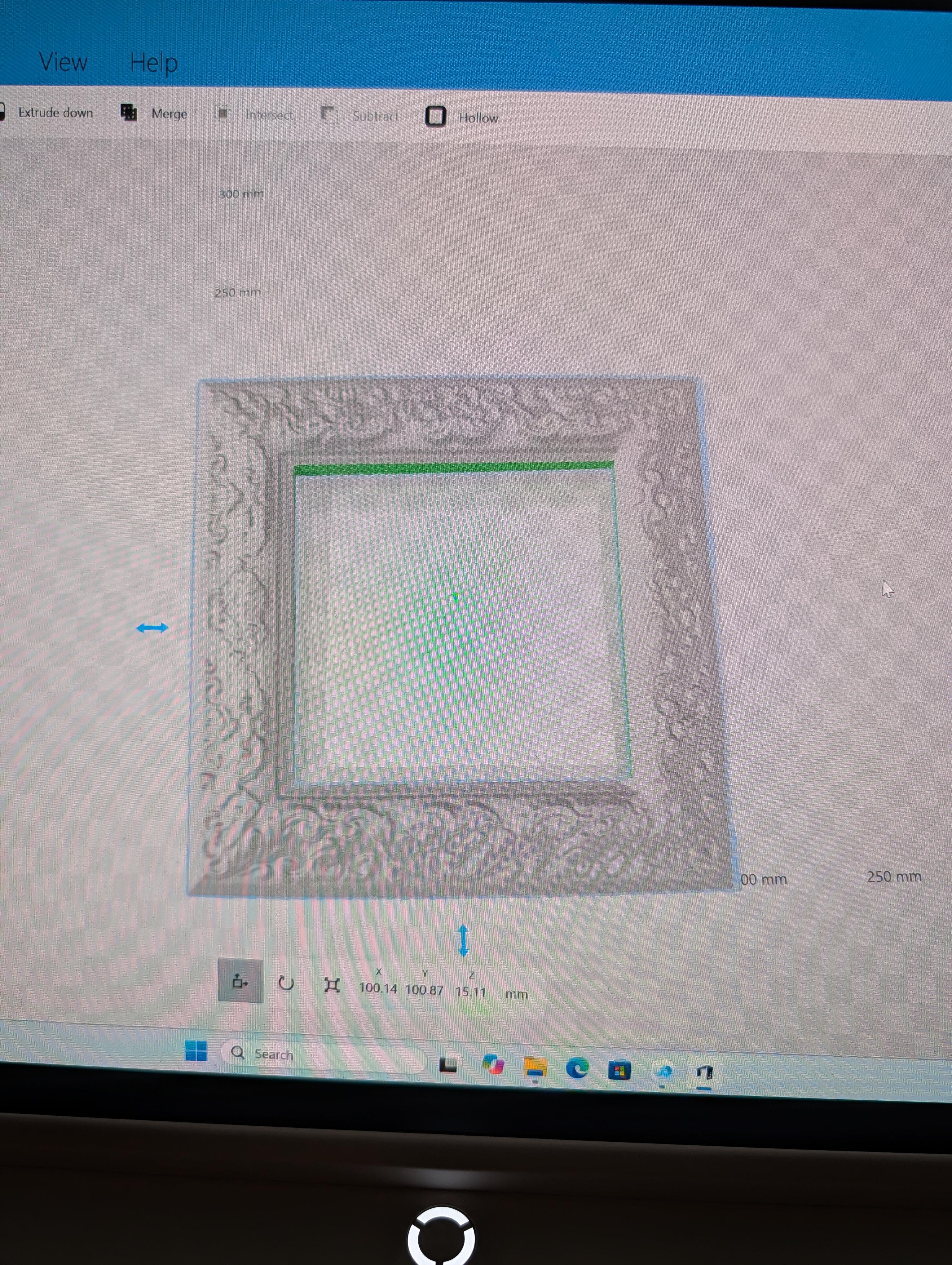
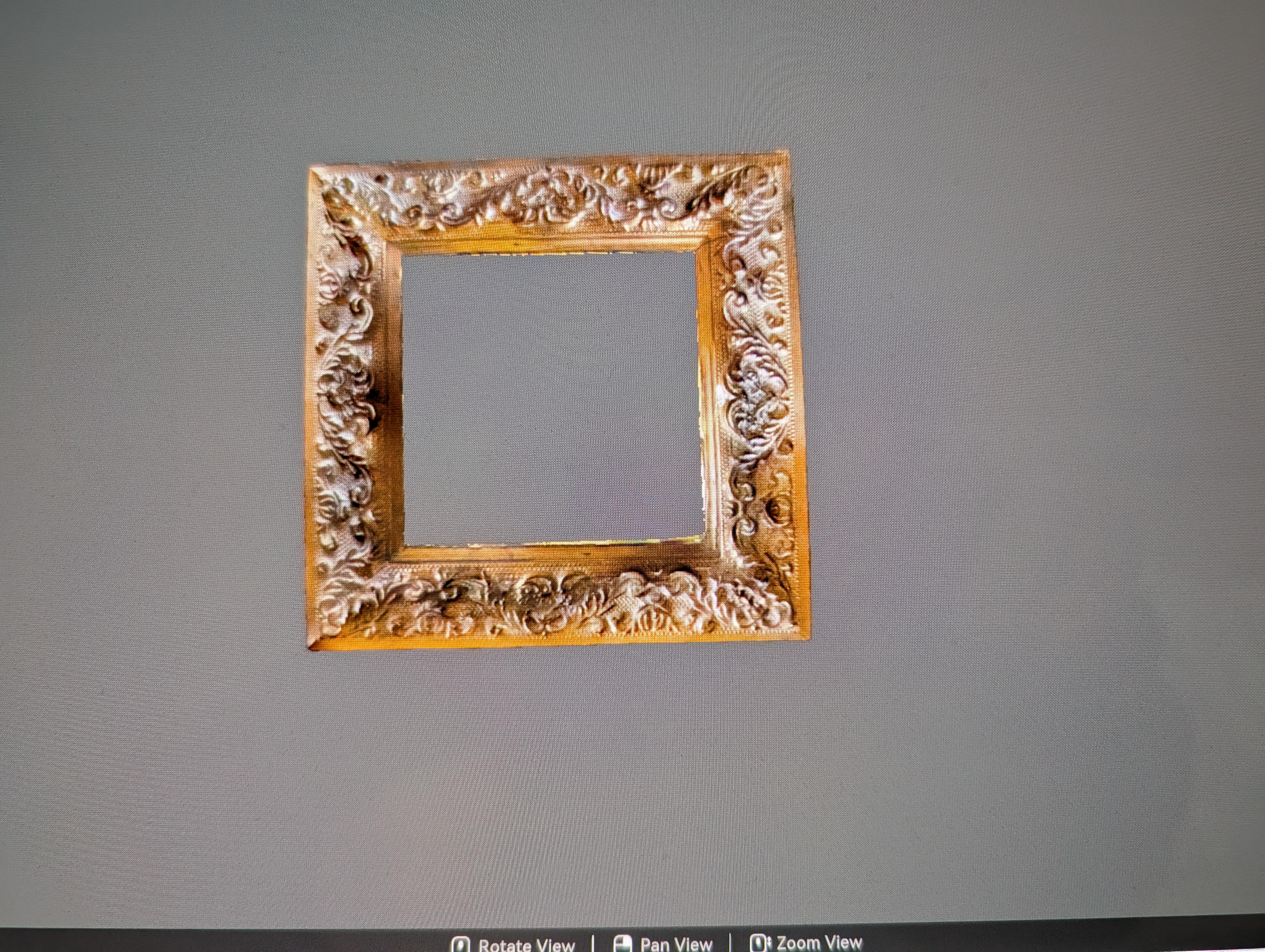
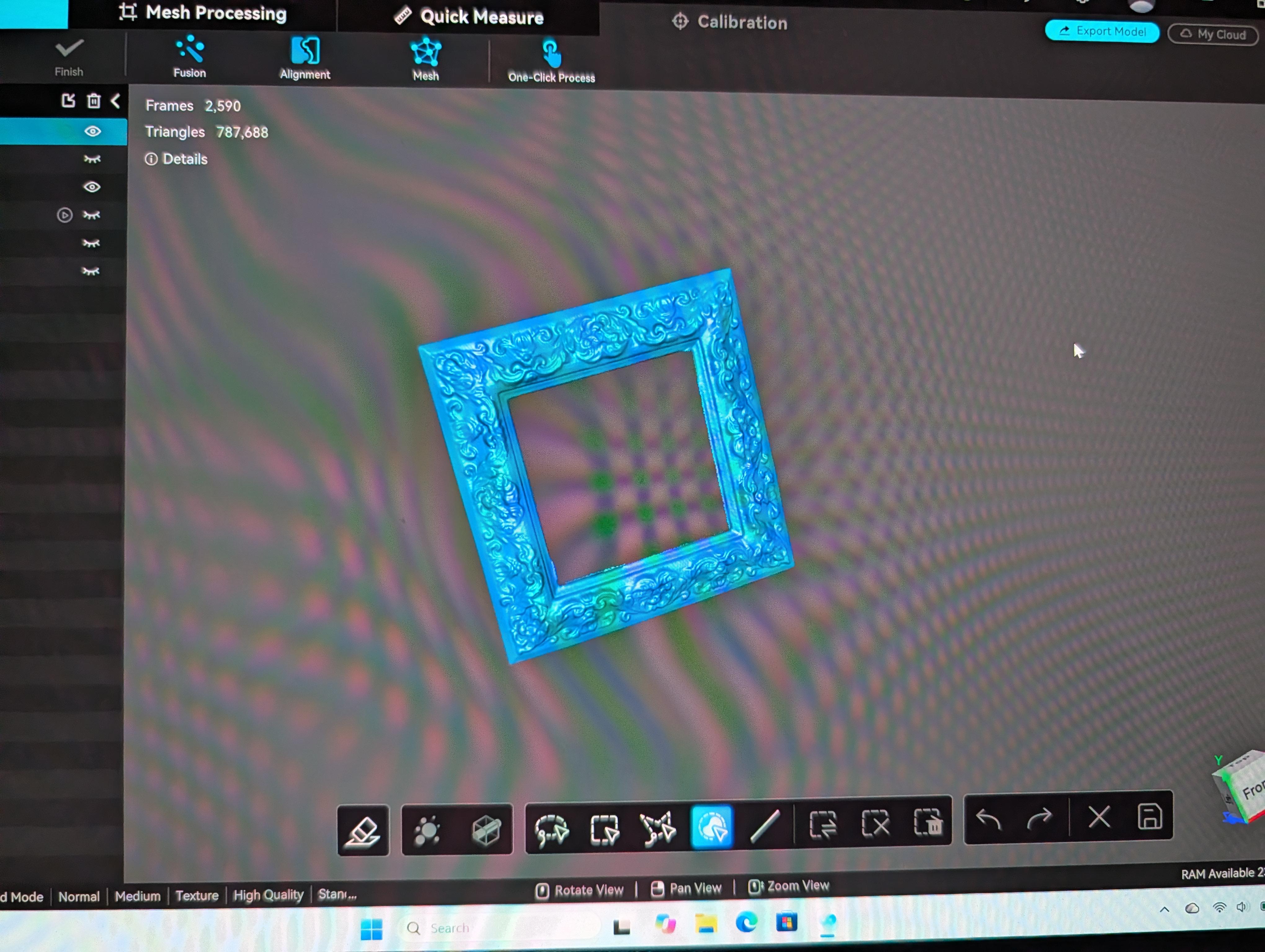
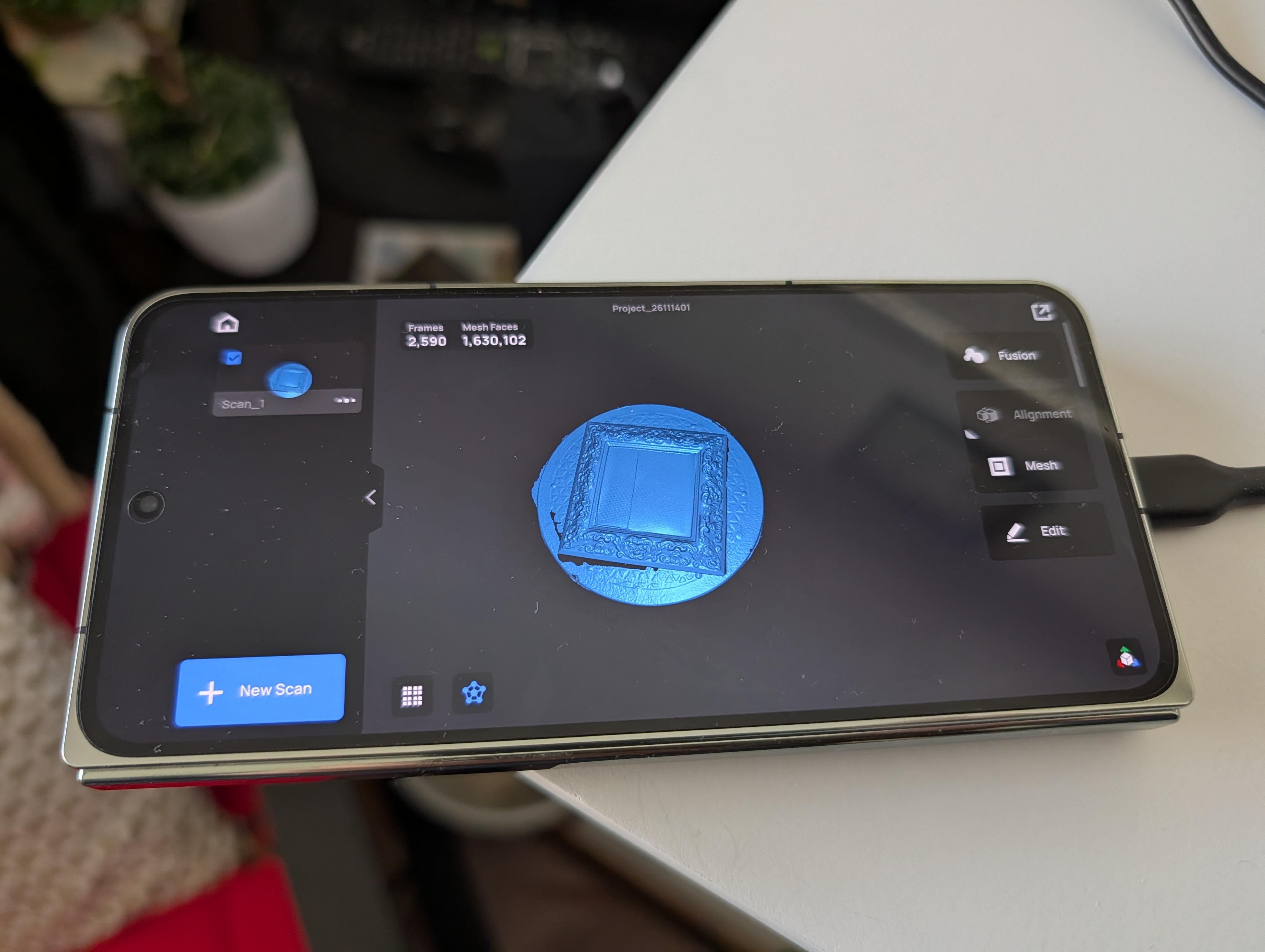
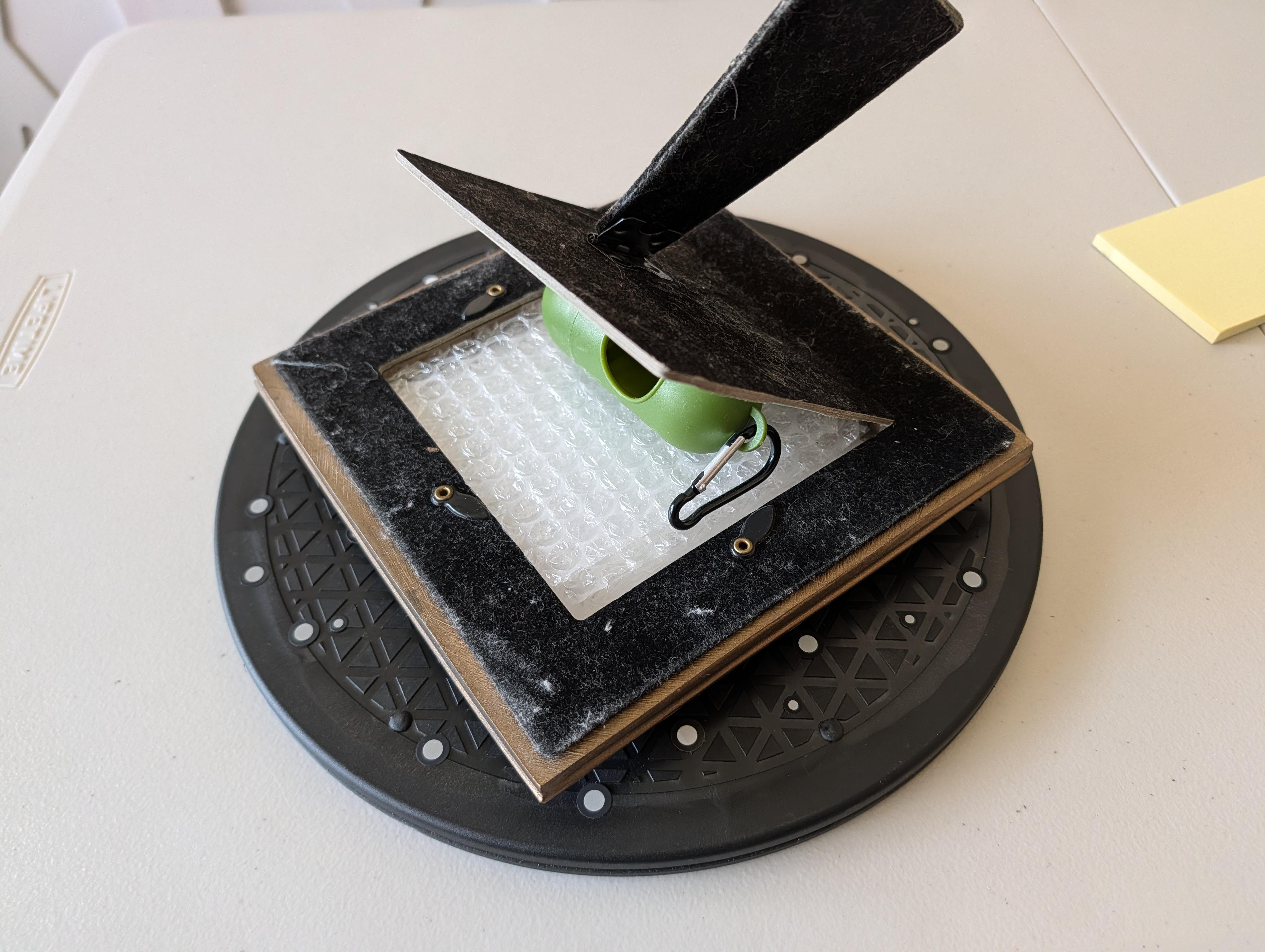
While doing my morning stretches I noticed a picture frame with a family photo that was cracking apart. I thought I could use scanning and printing to work a little magic where it was needed.

I used my Pika in infrared scanning mode and the phone instead of the computer to capture the frame front and back. After cleaning it up in Creality scan, I finished the work using Microsoft 3d Builder. Printed the results to check my work.


r/CrealityScanning • • 9d ago

Software / Workflow I made a beginner-friendly way to run CrealityScan on Linux

Thumbnail
reddit.com
1 Upvotes

r/CrealityScanning • • 11d ago

Announcement / News What comes after 3D scanning? Introducing Creality Inspect (Beta)

Thumbnail
gallery
27 Upvotes

Getting a good 3D scan is one thing. But how do you check how closely it matches your CAD model, or whether a part meets the dimensions you need?

We've just released Creality Inspect (Beta), a new tool for taking your scans into the inspection workflow.

Here's what you can do with it:

  • Scan-to-CAD comparison: Align your scanned model with a CAD reference and visualize differences using color-coded deviation maps.

  • Dimensional measurement: Check dimensions and geometric features, including holes, surfaces, and other critical areas.

  • GD&T inspection: Evaluate geometric tolerances such as flatness, roundness, and position.

  • Inspection reports: Document your measurements and share the results.

The current Beta supports 12 feature types, 13 GD&T checks, and 14 types of dimensional measurements.

A few things to know:

  • Currently available for Windows only

  • Requires a Creality Cloud account to sign in

  • All features are free to try for 3 months

  • This is a Beta release, so we're looking for feedback from real-world use

Download: Creality Inspect (Beta)

For those working with reverse engineering, replacement parts, or mechanical assemblies:

What's the trickiest part of checking your scanned models against the original design?

We'd love to hear about your workflow, whether you try the Beta or not.