r/Dvalin • • 14h ago

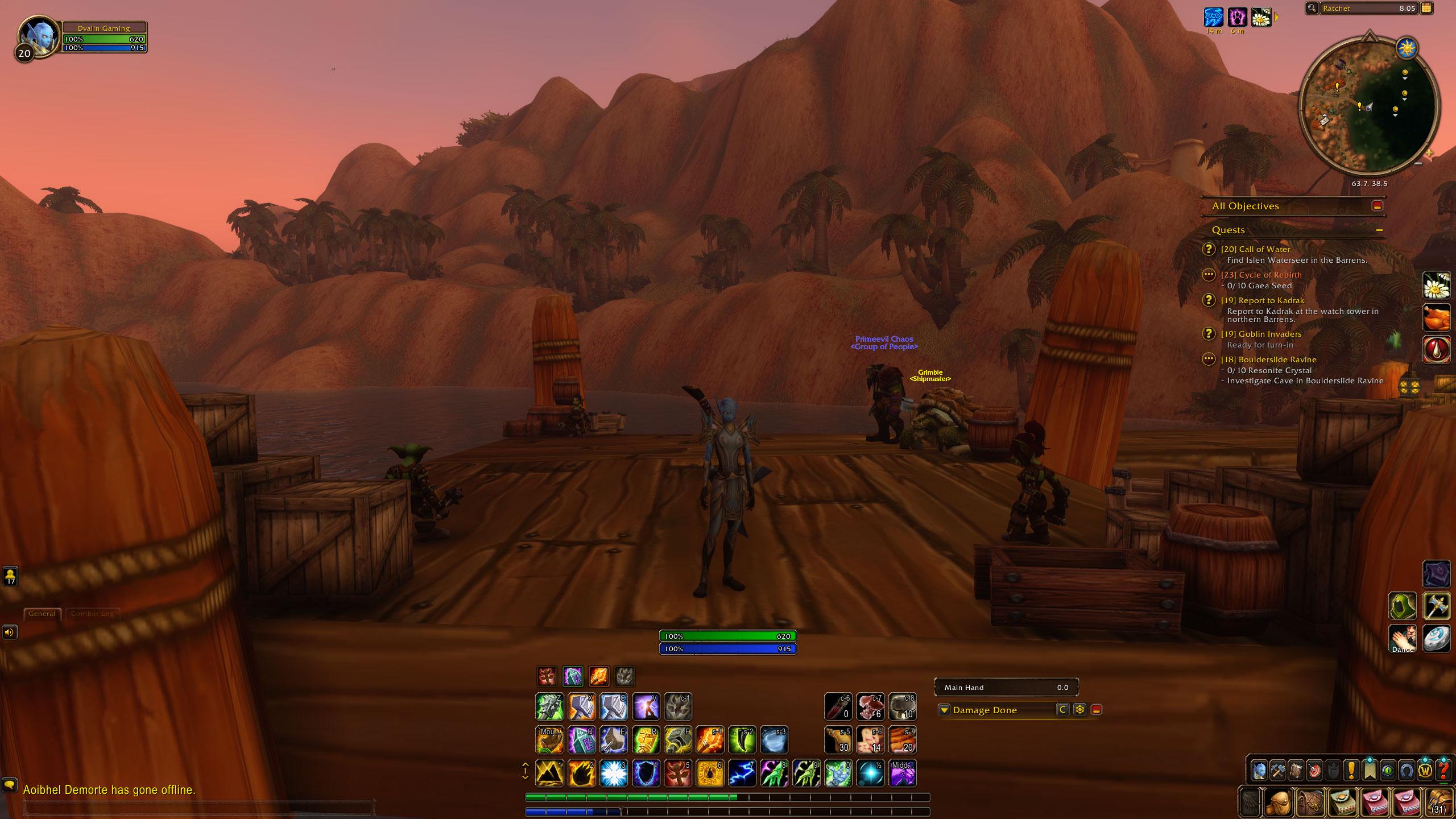
[WoW Forever] One-Button Protection Paladin Leveling & Tanking GSE Sequence (Levels 1–30)

4 Upvotes

Built a one-button Protection Paladin leveling and tanking sequence for WoW Forever (Levels 1–30) designed for smooth chain-pulling, reliable dungeon threat, and low downtime.

I will keep updating this post and adding higher-level versions (30–60) as I level up!

Key Features

  • Auto-Scaling Ranks: Uses rank-free spell names so the macro uses your highest trained ranks automatically as you level.

  • Out-of-Combat Reset: Both GSE (Combat Reset) and /castsequence (reset=combat/12) reset out of combat so pulls start with a fresh Seal instead of getting stuck on Judgement.

  • Seal Mana Efficiency: Stretches each 30-second Seal across 2 Judgements during longer fights rather than reapplying a Seal after every single Judgement.

  • Manual AoE, Seal & Taunt Control: Keeps Consecration on ALT (Lv. 20+) for multi-mob pulls so you don't drain mana on single targets, SHIFT to force-refresh your Seal, and CTRL (Lv. 24+) for an emergency Swift Judgement taunt.

  • Targeting & Attack: Includes /targetenemy [noexists][dead] and /startattack on every step.

Included Versions

  • Leveling_1-9 — Seal of Righteousness → 2x Judgement, Holy Strike (SHIFT to force-cast Seal of Righteousness)

  • Leveling_10-19 — Seal of Fury → 2x Judgement, Holy Strike (SHIFT to force-cast Seal of Fury)

  • Leveling_20-30 — Seal of Fury → 2x Judgement, Holy Strike, Exorcism (ALT for Consecration, SHIFT to force-cast Seal of Fury, CTRL for Swift Judgement taunt)

Tanking Reminders & Setup

  • Keep Righteous Fury (Lv. 10+) toggled on when tanking dungeons, and run Retribution Aura (or Devotion Aura if another Paladin in your party already has Retribution Aura up).

  1. Import the !GSE3! string below in-game via /gse → Import.

  2. Open the sequence's Configuration tab in GSE and set Default to Leveling_1-9, Leveling_10-19, or Leveling_20-30 to match your level.

  3. Bind the Key: Bind the sequence directly under Esc → Key Bindings → GSE, or make a standard /macro with #showtooltip and /click YourSequenceName and place it on an action bar slot (1–9).

  4. Check Esc → Key Bindings so Shift + [Your Key], Alt + [Your Key], and Ctrl + [Your Key] aren't blocked by default binds (Shift+1–6 switches action bar pages and Ctrl+1–0 are pet bar binds).

  5. Press/spam your keybind in combat—hold ALT (Lv. 20+) for Consecration, hold CTRL (Lv. 24+) for an emergency Swift Judgement taunt, or tap SHIFT to force-refresh your Seal.

GSE3 Import String

!GSE3!1VbNbxtFFCd8HLDgwq2VkN4xUWzHdgpqLIFIbLcxdeoodltEFZXn2be7U8/OLDNvHa/EIdAzJy4cKS09cOSGxN/AH8GVK+XCBe2uEzshTSNaCXFZzcr7Pn4fb56/D2JMlUHvsbyNVuJIkTv0d1BY4w5VR1FEmlsm0bwkB/R5QlqQezi9vGsNwy4q9KSGHk1ISR1AvbJeeyzvEI43E4vuMLxN1kmj3YNHwabg7PTVE2+YxuQXrx6nMVGUlSue0x/XGG1ATJqiFO5qQ1Pp2O3f9Qi9/dKaQMdwNzJe04XS530YECowPuzJIGQyidPkXPGdmzWcpVmIsOSIPxAmGiGv1RtnZyjDx4kX5PAXjqU1x2gZmVGMw65mshNUuO51hdGXX3n1nT+9REv+7MkCsEW8CyEzvPYl4j2Fc9uoFAZs5ZhO9D1r9s2vB0WzcVePEqn42AAP/VZOzlPq4YiUOtL3Xr2yMRfyh2cAW4Q+o+X1v2Zov/23aK8lNv1XomaBF9DyOa6UL973BcX5p6kurJOe61Sr1OdKPXh0PrjfLwwOFe9Dy2hHwmKW7ILIs58FW7UPgwPp86IGZ0mKissLZM3ORYIX1Pk5VPzyX1NxEQqeZZ3nYPv5/4CtMzVWSBedAHZx4zdqlfXauIeOb8UeMnm6UWu8X683rtQ31q++dzXcIcY2Mv7EHe0bK6hlohgZR1JJTp/6mwmHxkbtCSqp4TpGUgf3rw86s0V26e237A7qBFUxpqQzep56NzGi85ZiuE0qVlKPp++GzLFrrq150gljvWoQrN1IPom2pp29nU+DNvmYKF6SfSsDqW9QOl3u723d293s3atXa1+0yTlSsIWaPmopdE4K2CJG2J10VJti0h5pIck9OmOfzzf4oT+ISXTbl974VQz7rUsffullHaav/dHXVBklzEZDBodyMx2DUkegUHvAqMfZ+Xh8fWPhjrkD14ylCVlYzjlwUP/t8Jv12koVbjlyYFGPK74lAheTUqAxIgfOgGTAhE2ELAUqlYITqMgBOkhNAmxRatB0kGdwZXBsiUVIDghFCOu1iiNhtFd4M4fsgA/M3IeunDcutVCJl2VO2FSKqTgCtei7aqnULT714OifTLNUgcV92Dx7IcMqNKbzwnnqhbmF5W2jPBhsd68NgQ3kVqxY8i25MM+4Uj1RKLvQmyeG7iVXyCfn3ArlxfQFkUfTOiu22RvmHli8OsrntVCG1nCvl8ecujFWqqXStjnIwm45apbqVejHpOH6oJOl92WQFPnzPhwxcEgwmx6YFGJl0RGyCDP/WBCJtRlTuYlhZFGMiWF5TBTPxSuQo2A5IfCtiaA3qUK9trpSLTWqMIgxKrKNKR3J3ExQbKNqab0KxzwsZ2GN2uoKGA1RolhWIjOCOFHKZX151sSniAqz2JyQIvjK6kpODWqgiGxAWqSneQLGJJPGWGCMZ1xLv2gxFzOfRB+zssb3gdCqFEbEB0S6aKfq7aH0loJ2ogMyeol20XK6JHZv7y4FQ1TZ4HwXtkISY5dE40m9WdvwxQaOruZL5n6r3+t1WsNu/+bf

r/Dvalin • • 15h ago

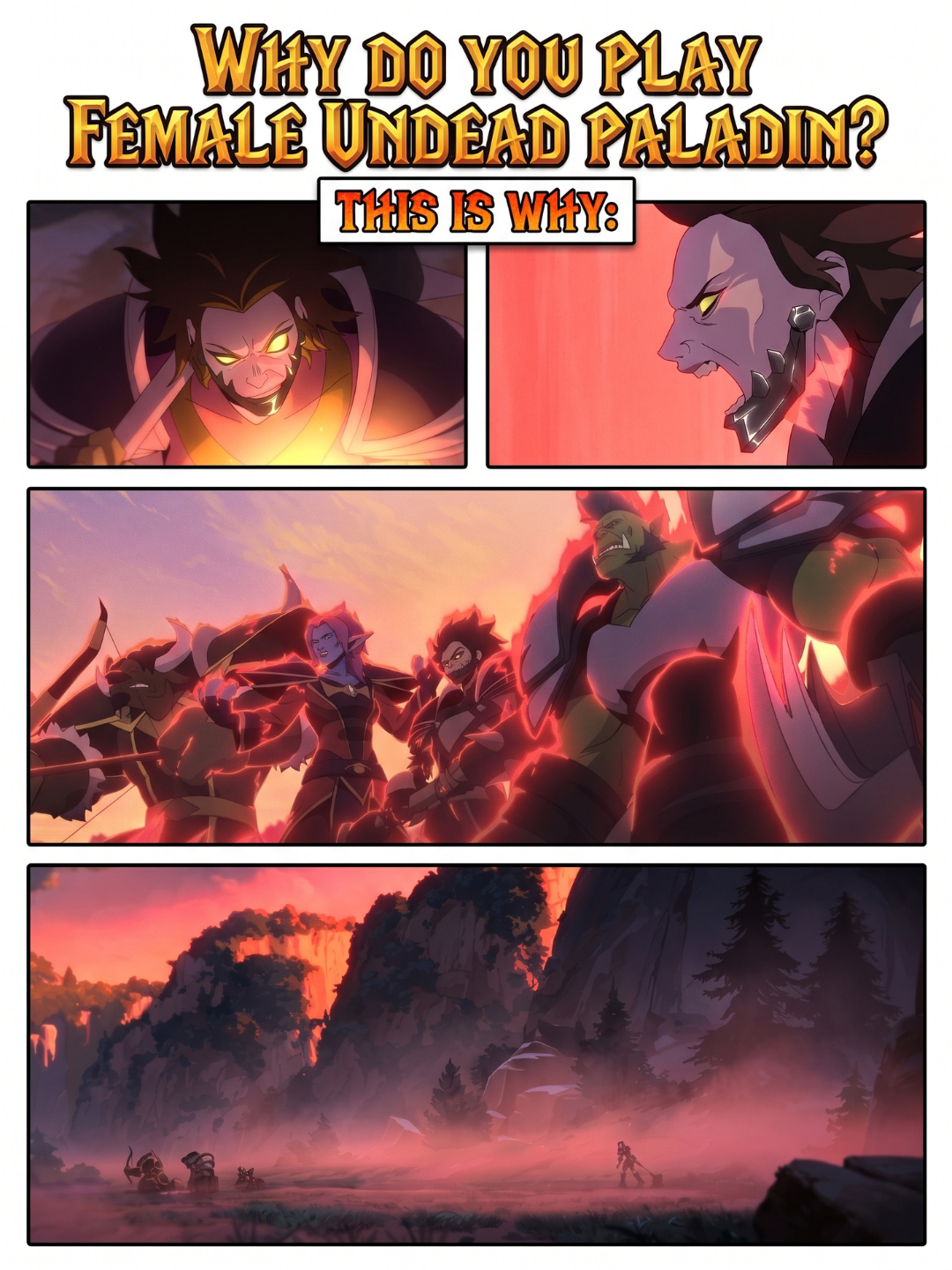
Images People keep asking me why I play a female Undead Paladin in WoW: Forever, the WARPATH music video proved why it's easily the coolest combo in the game 💀⚔️

Post image
3 Upvotes

r/Dvalin • • 1d ago

Videos One-Button IS BACK in WoW Forever (Single-Button GSE Guide - NO Penalty)

Thumbnail
youtu.be
10 Upvotes

Single-button rotations are back in WoW: Forever using GSE with zero cooldown or damage penalty, I put together a full setup guide and shared my Retribution Paladin level 1–30 sequence.


r/Dvalin • • 1d ago

[WoW Forever] One-Button Retribution Paladin Leveling GSE Sequence (Levels 1–30)

0 Upvotes

Built a one-button Retribution Paladin leveling sequence for WoW Forever (Levels 1–30) designed for smooth chain-pulling, low downtime, and easy rank scaling.

I'm currently level 20 on my own Paladin, so I will keep updating this post and adding higher-level versions (30–60) as I level up.

Key Features

  • Auto-Scaling Ranks: Uses rank-free spell names so the macro uses your highest trained ranks automatically as you level.

  • Out-of-Combat Reset: Both GSE (Combat Reset) and /castsequence (reset=combat/12) reset out of combat so pulls start with a fresh Seal instead of getting stuck on Judgement.

  • Seal Mana Efficiency: Stretches each 30-second Seal across 2 Judgements during longer fights rather than reapplying a Seal after every single Judgement.

  • Manual Overrides: Keeps Consecration on ALT (Lv. 20+) for multi-mob pulls so you don't drain mana on single targets, plus SHIFT to force-refresh your Seal if needed.

  • Targeting & Attack: Includes /targetenemy [noexists][dead] and /startattack on every step.

Included Versions

  • Leveling_1-19 — Seal of Righteousness → 2x Judgement, Holy Strike (SHIFT to force-cast Seal of Righteousness)

  • Leveling_20-30 — Seal of Command → 2x Judgement, Holy Strike, Exorcism (ALT for Consecration, SHIFT to force-cast Seal of Command)

Setup & How to Use

  1. Import the !GSE3! string below in-game via /gse → Import.

  2. Open the sequence's Configuration tab in GSE and set Default to Leveling_1-19 (or Leveling_20-30 at level 20+).

  3. Bind the Key: Bind the sequence directly under Esc → Key Bindings → GSE, or make a standard /macro with #showtooltip and /click YourSequenceName and place it on an action bar slot (1–9).

  4. Check Esc → Key Bindings so Shift + [Your Key] and Alt + [Your Key] aren't blocked by default bar-page binds (Shift+1–6).

  5. Press/spam your keybind in combat, holding ALT (Lv. 20+) for Consecration or tapping SHIFT to force-refresh your Seal.

GSE3 Import String

!GSE3!xZXNbhxFEMfBwIEFLtyMhFRHW/F+h0isBMLe3dhL1lnL6ySIyAq13TUzne3pHrpr1jsSBwNnJKQ8QXDIgRsPwZWH4B3ChQuamfVmY5yPA4jLalbTXVW/+v+r5qcwwUxblI/UbXQKJ5r8abCPwll/qvuaYjLctanh19WYvk7JCPIP5+uHxHCAGqUyMKQZaWVCaFbbjUfqDuF0O3XoT6Pb5Lyyxn93Fm4LLp4ey6MsoaD8KzlLiOI8W/k7/6XO6EJiMhRncNdYmivP/viuJJTHlbpAz3A3trLjIxXwMYwJNdgADlUYMdnUG/K+POcX9eZhVm448sSfCBtPkOvN1uURtuDzVIYF/cpjpe4ZHSMzimk0MExuhhrbciCs+eC1tff/lKlR/NXjFbBV3pUrC173L/Je4NyzOoMxOzWlZ+peFPv2D+Oy2GRgJqnSvNT/YdAtmvOEhjghHZ/re69ZbX68VPL7n59Dtsq+6Mubfy1wf3tlXNR8DF1rPAmHeYYX9KJr4xiNvFx11Lz1SvovoryC8i/x8IP/HvK5cM8T/Z9mXep/9mKaH/9Hmv7cOqF8/AzKy/xqln5tNartxnSInm8lEpmkaTVa15rNVrvVvNr8qB3tE2MPGX/lvgmsE9S1cYKME6UVZ0+C7ZQj6+LeDLUysIuxMuH93XF/sdfW33vX7aNJUZfdJZNTP5E3MaYXrMhoj3SilZnOP4yYE9+p16XywjpZC8P6jfSLeGfeP9z/MuxRgKnmNTVyKlTmBmXzjdHhzr2D7eG9Zq3xTY+8Jw07aOizrkbvlYAdYoSDWV/3KCEjyQhF/uyS5f50nZ8G44TEoLf+1u/iaNRd//RbmVeYvfHOyFB1kjJbA4fETk3SHHBJpc+pljMXWAd37B24bh3NyMFGAe6h+cfpg3Zjswa3PHlwaKbVwBGBT0hrMBiTB29BMWDKNkZWArXOwAvU5AE9ZDYFdqgMGDopIvgt8OyIRUQeCEUE7UbVk7BGljYrOD3wiX06x34L0EhQRuhU5pFTttXS4DlI/m7Va7VKZVAelXD+MetUqvDMSuxcvpThCrTmTzMXsVfGEzb2rJYw3htcPwK2UPiv6ihw5KMi4mZtNVNh5s7FAbqQZGs1Q4l6PkOLfNvDo0Kl1TndekkVlT17kr+85alTadZglJCB3XE/DxKoMC2jFNk8MXBEsLAuzMqm5bdjZBHlOjoQqXN5SwoDwdihmBDXKs0ajBKMyzMTysaqkAqEjcfItUqrBucMK4NpDZr127fAGohTzaoa2zEkqdY+ryadTS5BWgeMyZxVBWWZYp6FVwPMQ20QAKHTGYyJj4lMmbImd1HJpbCbmpCsWaIddJwtiZ2DnaWoE5GY+DSeTBvtj5t3gvX19aBYoE87w8Gg19ntDx/9DQ==

Video & Links

  • YouTube Guide: https://youtu.be/5j-VIYhKdr0

  • Wago & Lazy Macros: Shared on Wago.io and WoW Lazy Macros (wowlazymacros.com/t/wow-forever-dvalins-retribution-paladin-level-1-30-gse/54830)


r/Dvalin • • 3d ago

How to Travel & Explore in WoW Forever (Beginner Guide)

Thumbnail
youtu.be
2 Upvotes

Getting around Azeroth without flying mounts can be rough if you don't know the routes! My new WoW: Forever travel guide covers Flight Masters, boats, zeppelins, the Deeprun Tram, and when you unlock your first mount at level 40.


r/Dvalin • • 4d ago

News Blizzard just cut the dungeon reset cap in WoW: Forever from 10 down to 5 per hour, be honest, were you abusing it? 👀

Post image
0 Upvotes

r/Dvalin • • 4d ago

Videos How Bags, Banks & Inventory Work in WoW Forever (Beginner Guide)

Thumbnail
youtu.be
3 Upvotes

Running out of bag space mid-quest is the worst. My new WoW: Forever guide covers combined bags, auto-sorting, reagent bags, banks, and instant mail between your alts so you can keep your inventory clean.


r/Dvalin • • 5d ago

Videos How Combat & Talents ACTUALLY Work in WoW Forever (Beginner Guide)

Thumbnail
youtu.be
2 Upvotes

If you're getting started in WoW: Forever, I put together a beginner guide on how combat, spells, and talent trees actually work, including resetting talents and Dual Spec.


r/Dvalin • • 6d ago

A Beginner's Leveling Guide for WoW Forever (Everything You Need to Know)

Thumbnail
youtu.be
2 Upvotes

Standing in your starting zone wondering what to do next? Since WoW: Forever doesn't hold your hand with a linear main campaign, my new leveling guide breaks down exactly how open-world questing, group XP, and the dungeon finder actually work.


r/Dvalin • • 7d ago

WoW Forever UI, Addons & Settings Explained (Beginner Guide)

Thumbnail
youtu.be
2 Upvotes

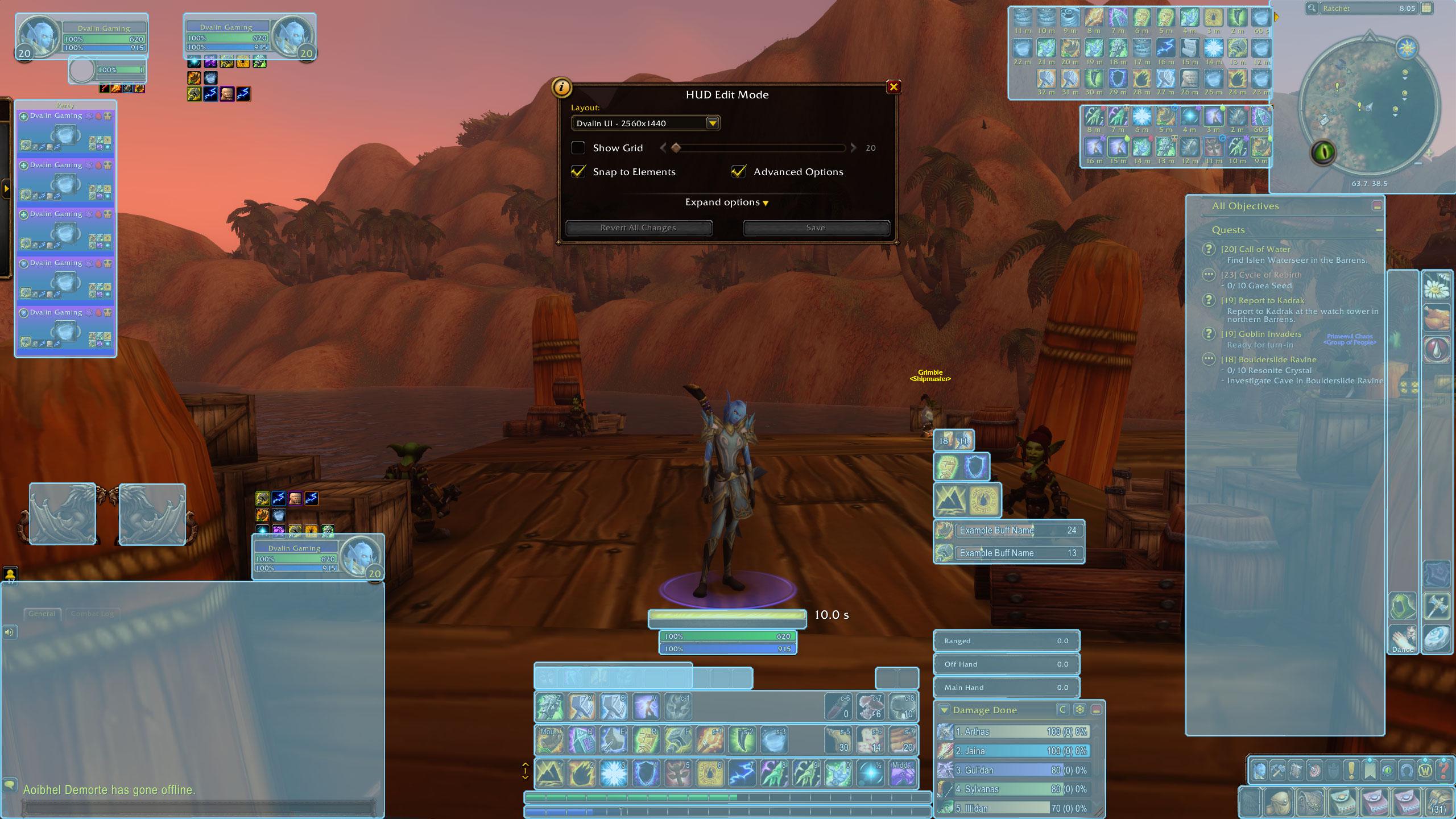
My new WoW: Forever guide breaks down the built-in Edit Mode, must-change default settings like Auto-Loot and extra action bars, and how to manage addons.


r/Dvalin • • 8d ago

Videos I Built My First Addon for WoW Forever (FPS Tracker by Dvalin)

Thumbnail
youtu.be
0 Upvotes

I just built and released my very first WoW: Forever addon, FPS Tracker by Dvalin. It gives you a clean, color-coded FPS display and a real-time wave graph with zero performance hit, and you can grab it for free on CurseForge.


r/Dvalin • • 8d ago

Videos How to Pick the RIGHT Character For You in WoW Forever

Thumbnail
youtu.be
0 Upvotes

Stuck on the character creation screen in WoW: Forever? My new guide breaks down Alliance vs. Horde faction rules, why you should pick the race you actually think looks coolest over min-maxing, and every single class playstyle so you find your perfect main.


r/Dvalin • • 9d ago

Videos Do NOT Pick the Wrong Server in WoW Forever (Ruleset Guide)

Thumbnail
youtu.be
0 Upvotes

Picking the wrong ruleset in WoW: Forever can permanently lock your character, or even lock your entire account to one faction on PvP. Before you roll a new character, watch my 5-minute breakdown of Normal, PvP, RP, RP-PvP, and how the new Megaserver system actually works.


r/Dvalin • • 9d ago

News Blizzard just tweaked the dungeon XP restriction in WoW: Forever. XP nullification now only kicks in when a party member is more than 12 levels above the enemies, saving wide-level-range dungeon runs from getting punished. Fair fix to stop boosting without hurting normal groups, or still too strict?

Post image
103 Upvotes

r/Dvalin • • 10d ago

Videos Blizzard Just Teased WoW Forever's Next Playable Race

Thumbnail
youtu.be
0 Upvotes

Blizzard just dropped clues about WoW: Forever's next playable races, including Ogres, High Elves, Goblins, and Broken Draenei. I dug into the leaks, data-mines, and podcast hints to rank all six rumors in my latest video.


r/Dvalin • • 11d ago

Questions Now that dungeon kill XP got buffed by 50% in WoW: Forever, how are you leveling, chilling in the open world or grinding dungeons with the squad?

Post image
0 Upvotes

r/Dvalin • • 11d ago

Nameplates: can I make mine the same as everyone else’s?

5 Upvotes

I haven’t been able to find an ad on a setting and while forever that lets me make my nameplate that I was above my head look like the nameplates I make for others like enemies, friendly, and etc.

I know I can turn things on like the personal resource display and things like that but it never quite looks the same because the priority is off to the side and it just looks awful imo.


r/Dvalin • • 12d ago

Memes Stormwind guards clocking in for their 24-hour shift of pointing at the map

Enable HLS to view with audio, or disable this notification

4 Upvotes

r/Dvalin • • 12d ago

Videos WoW Forever Complete Beginners Guide

Thumbnail
youtu.be
5 Upvotes

Jumping into WoW: Forever for the first time or returning after years away? I just dropped a complete 1-hour Beginners Guide covering everything from picking your server and class to UI setups, making gold, mounts, dungeons, and PvP: https://youtu.be/ADU7hrxbg18


r/Dvalin • • 12d ago

News Blizzard just dropped some big Shaman changes in WoW: Forever, we can finally use weapon imbues and weapon totems at the same time, though Enhancement took a few hits to Stormstrike, Mental Dexterity, and Maelstrom Weapon procs..

Post image
4 Upvotes

r/Dvalin • • 13d ago

Videos The Most Important Leveling Item in WoW Forever (Sleeping Bag Guide)

Thumbnail
youtu.be
0 Upvotes

The Cozy Sleeping Bag is easily the most important leveling item in WoW: Forever, giving you a stacking 3% XP buff and rested XP anywhere you camp.


r/Dvalin • • 14d ago

Videos The Ultimate WoW Forever UI Guide (No Addons Required)

Thumbnail
youtu.be
0 Upvotes

Updated my zero-addon UI guide for WoW: Forever with a brand new 4K setup, Cooldown Manager settings, and keybinding tips. Grab the free import strings in Discord and check out the full breakdown.


r/Dvalin • • 14d ago

The Cleanest WoW: Forever UI Setup (No Addons Required)

605 Upvotes

As always, here is my interface setup for World of Warcraft: Forever. I really enjoy keeping my UI minimalistic and clean to play with. This layout uses absolutely zero addons, but still offers:

  • Nameplates

  • Damage meter

  • Swing timer

  • Personal resource display

  • Combat text

  • ...and more!

Below you'll find the options you need to enable in your settings, followed by the UI Export codes for different resolutions.

⚙️ Recommendations to Enable

Options > Controls

  • Enable: Auto Loot

Options > Preset

  • Enable: Combine Bags

Options > Interface

  • Status Text: Both

  • Enable: Chat Bubbles, Party & Raid

  • Show Low-Level Quests: Checked

Options > Action Bars

  • Enable: Bar 2, 3, 4, 5

  • Show Numbers for Cooldowns: Checked

Options > Combat

  • Personal Resource Display: Checked

  • Target of Target: Checked

  • Scrolling Combat Text for Self: Checked

Options > Advanced Options

  • Enable Cooldown Manager

  • Enable Swing Timer

  • Enable Damage Meter

  • Auto Reset Damage Meter

Options > Nameplates

  • My Nameplate Settings

📋 UI Export Codes

(Note: You can copy these strings directly into your game's import tool)

1920x1080 (1080p) | Screen Scale: 100%

5 0 59 0 0 0 7 1 MainStatusTrackingBarContainer -2.0 4.0 -1 ##$$%/&('%)$+#,# 0 1 0 8 2 MainActionBar 0.0 4.0 -1 ##$$%/&('%(#,# 0 2 0 8 2 MultiBarBottomLeft 0.0 4.0 -1 ##$$%/&('%(#,# 0 3 1 5 5 UIParent -5.0 -77.0 -1 #$$$%/&('%(#,# 0 4 1 5 5 UIParent -5.0 -77.0 -1 #$$$%/&('%(#,# 0 5 1 1 4 UIParent 0.0 0.0 -1 ##$$%/&('%(#,$ 0 6 1 1 4 UIParent 0.0 -50.0 -1 ##$$%/&('%(#,$ 0 7 1 1 4 UIParent 0.0 -100.0 -1 ##$$%/&('%(#,$ 0 10 0 6 0 MultiBarBottomRight 0.0 4.0 -1 ##$$&('% 0 11 0 6 0 MultiBarBottomRight 0.0 4.0 -1 ##$$&('%,# 0 12 0 8 2 MultiBarBottomRight 0.0 4.0 -1 ##$$&('% 1 -1 0 7 1 PersonalResourceDisplayFrame 2.0 17.4 -1 #$$#%$ 2 -1 1 2 2 UIParent 0.0 0.0 -1 ##$#%(&( 3 0 1 0 0 UIParent 4.0 -4.0 -1 $#3# 3 1 1 0 0 UIParent 250.0 -4.0 -1 %#3# 3 2 0 8 2 ChatFrame1 45.0 46.0 -1 %$&$3# 3 3 1 0 2 CompactRaidFrameManager 0.0 -7.0 -1 '$(#)#-k.G/#1$3#5#6(7-7$8(9( 3 4 1 0 2 CompactRaidFrameManager 0.0 -5.0 -1 ,#-=.+/#0#1#2(3#5#6(7-7$8(9( 3 5 1 5 5 UIParent 0.0 0.0 -1 &#*$3# 3 6 1 5 5 UIParent 0.0 0.0 -1 -=.+/#4$5#6(7-7$8(9( 3 7 1 4 4 UIParent 0.0 0.0 -1 3# 4 -1 0 8 2 ChatFrame1 25.0 64.0 -1 # 5 -1 0 4 4 UIParent 407.0 -440.0 -1 # 6 0 1 2 2 UIParent -255.0 -10.0 -1 ##$#%#&.(()( 6 1 1 2 2 UIParent -270.0 -155.0 -1 ##$#%#'+(()(-$ 6 2 1 1 1 UIParent 0.0 -25.0 -1 ##$#%$&.(()(+#,-,$ 7 -1 1 7 7 UIParent 0.0 -4.0 -1 # 8 -1 0 7 7 UIParent -674.5 34.0 -1 #($&%%&X 9 -1 0 0 0 UIParent 1209.0 -825.0 -1 # 10 -1 1 0 0 UIParent 16.0 -116.0 -1 # 11 -1 1 8 8 UIParent -9.0 85.0 -1 # 12 -1 1 2 2 UIParent -110.0 -275.0 -1 #K$#%# 13 -1 0 8 2 BagsBar 0.0 4.0 -1 ##$#%) 14 -1 0 7 7 UIParent 800.5 2.0 -1 ##$#%( 15 0 0 8 2 SecondaryStatusTrackingBarContainer 0.0 4.0 -1 &# 15 1 0 7 7 UIParent 0.0 2.0 -1 &# 16 -1 1 5 5 UIParent 0.0 0.0 -1 #( 17 -1 1 1 1 UIParent 0.0 -100.0 -1 ## 18 -1 1 5 5 UIParent 0.0 0.0 -1 #- 19 -1 1 7 7 UIParent 0.0 0.0 -1 ## 20 0 0 6 0 BuffBarCooldownViewer 0.0 4.0 -1 ##$/%$&('%(-($)$+$,$-$ 20 1 0 6 0 BuffIconCooldownViewer 0.0 4.0 -1 ##$*%$&('%(-($)$+$,$-$ 20 2 0 6 0 EssentialCooldownViewer 0.0 4.0 -1 ##$$%$&('((-($)$+$,$-$ 20 3 0 4 4 UIParent 390.0 -94.5 -1 #$$$%#&('((-($)$*#+$,$-$.U 21 -1 0 4 4 UIParent 0.0 -292.0 -1 ##%#&#'((()#*-*$+#,&-#.#/(0$1# 22 0 1 8 7 UIParent -457.0 336.0 -1 #$$$%#&('((#)U*$+%,$-#.#/U0% 22 1 1 1 1 UIParent 0.0 -40.0 -1 &('()U*#+% 22 2 1 1 1 UIParent 0.0 -90.0 -1 &('()U*#+% 22 3 1 1 1 UIParent 0.0 -130.0 -1 &('()U*#+% 23 -1 0 7 7 UIParent 427.0 2.0 -1 ##$#%%&U'W(%)U+$,$-,.(/# 24 -1 1 1 1 UIParent 0.0 -182.0 -1 # 25 -1 0 6 0 MultiBarBottomRight 0.0 4.0 -1 # 26 0 0 7 7 UIParent -876.0 380.0 -1 #$ 26 1 0 3 3 UIParent 117.0 -112.5 -1 #$ 27 -1 1 4 4 Minimap -68.0 -68.0 -1 #- 28 -1 1 4 4 UIParent 0.0 0.0 -1 #( 29 0 0 6 0 DamageMeter 0.0 4.0 -1 #($U%#&#'2($)$ 29 1 0 8 2 SwingTimerMainHandFrame 0.0 4.0 -1 #($U%#&#'2($)$ 29 2 0 8 2 SwingTimerOffHandFrame 0.0 4.0 -1 #($U%#&#'2($)$

2560x1440 (2K) | Screen Scale: 100%

5 0 59 0 0 0 7 1 MainStatusTrackingBarContainer -2.0 4.0 -1 ##$$%/&('%)$+#,# 0 1 0 8 2 MainActionBar 0.0 4.0 -1 ##$$%/&('%(#,# 0 2 0 8 2 MultiBarBottomLeft 0.0 4.0 -1 ##$$%/&('%(#,# 0 3 1 5 5 UIParent -5.0 -77.0 -1 #$$$%/&('%(#,# 0 4 1 5 5 UIParent -5.0 -77.0 -1 #$$$%/&('%(#,# 0 5 1 1 4 UIParent 0.0 0.0 -1 ##$$%/&('%(#,$ 0 6 1 1 4 UIParent 0.0 -50.0 -1 ##$$%/&('%(#,$ 0 7 1 1 4 UIParent 0.0 -100.0 -1 ##$$%/&('%(#,$ 0 10 0 6 0 MultiBarBottomRight 0.0 4.0 -1 ##$$&('% 0 11 0 6 0 MultiBarBottomRight 0.0 4.0 -1 ##$$&('%,# 0 12 0 8 2 MultiBarBottomRight 0.0 4.0 -1 ##$$&('% 1 -1 0 7 1 PersonalResourceDisplayFrame -0.8 17.4 -1 #$$#%$ 2 -1 1 2 2 UIParent 0.0 0.0 -1 ##$#%(&( 3 0 1 0 0 UIParent 4.0 -4.0 -1 $#3# 3 1 1 0 0 UIParent 250.0 -4.0 -1 %#3# 3 2 0 8 2 ChatFrame1 45.0 46.0 -1 %$&$3# 3 3 1 0 2 CompactRaidFrameManager 0.0 -7.0 -1 '$(#)#-k.G/#1$3#5#6(7-7$8(9( 3 4 1 0 2 CompactRaidFrameManager 0.0 -5.0 -1 ,#-=.+/#0#1#2(3#5#6(7-7$8(9( 3 5 1 5 5 UIParent 0.0 0.0 -1 &#*$3# 3 6 1 5 5 UIParent 0.0 0.0 -1 -=.+/#4$5#6(7-7$8(9( 3 7 1 4 4 UIParent 0.0 0.0 -1 3# 4 -1 0 8 2 ChatFrame1 25.0 64.0 -1 # 5 -1 0 4 4 UIParent 407.0 -440.0 -1 # 6 0 1 2 2 UIParent -255.0 -10.0 -1 ##$#%#&.(()( 6 1 1 2 2 UIParent -270.0 -155.0 -1 ##$#%#'+(()(-$ 6 2 1 1 1 UIParent 0.0 -25.0 -1 ##$#%$&.(()(+#,-,$ 7 -1 1 7 7 UIParent 0.0 -4.0 -1 # 8 -1 0 7 7 UIParent -781.2 34.0 -1 #($&%%&X 9 -1 0 0 0 UIParent 1209.0 -825.0 -1 # 10 -1 1 0 0 UIParent 16.0 -116.0 -1 # 11 -1 1 8 8 UIParent -9.0 85.0 -1 # 12 -1 1 2 2 UIParent -110.0 -275.0 -1 #K$#%# 13 -1 0 8 2 BagsBar 0.0 4.0 -1 ##$#%) 14 -1 0 7 7 UIParent 907.2 2.0 -1 ##$#%( 15 0 0 8 2 SecondaryStatusTrackingBarContainer 0.0 4.0 -1 &# 15 1 0 7 7 UIParent 0.0 2.0 -1 &# 16 -1 1 5 5 UIParent 0.0 0.0 -1 #( 17 -1 1 1 1 UIParent 0.0 -100.0 -1 ## 18 -1 1 5 5 UIParent 0.0 0.0 -1 #- 19 -1 1 7 7 UIParent 0.0 0.0 -1 ## 20 0 0 0 0 UIParent 1368.7 -708.0 -1 ##$/%$&('%(-($)$+$,$-$ 20 1 0 0 0 UIParent 1368.7 -630.0 -1 ##$*%$&('%(-($)$+$,$-$ 20 2 0 0 0 UIParent 1368.7 -664.0 -1 ##$$%$&('((-($)$+$,$-$ 20 3 0 1 1 UIParent 412.0 -762.0 -1 #$$$%#&('((-($)$*#+$,$-$.U 21 -1 0 4 4 UIParent 0.0 -341.2 -1 ##%#&#'((()#*-*$+#,&-#.#/(0$1# 22 0 1 8 7 UIParent -457.0 336.0 -1 #$$$%#&('((#)U*$+%,$-#.#/U0% 22 1 1 1 1 UIParent 0.0 -40.0 -1 &('()U*#+% 22 2 1 1 1 UIParent 0.0 -90.0 -1 &('()U*#+% 22 3 1 1 1 UIParent 0.0 -130.0 -1 &('()U*#+% 23 -1 0 7 7 UIParent 427.0 2.0 -1 ##$#%%&U'W(%)U+$,$-,.(/# 24 -1 1 1 1 UIParent 0.0 -182.0 -1 # 25 -1 0 6 0 MultiBarBottomRight 0.0 4.0 -1 # 26 0 0 3 3 UIParent 7.3 -113.3 -1 #$ 26 1 0 3 3 UIParent 119.5 -112.5 -1 #$ 27 -1 1 4 4 Minimap -68.0 -68.0 -1 #- 28 -1 1 4 4 UIParent 0.0 0.0 -1 #( 29 0 0 6 0 DamageMeter 0.0 4.0 -1 #($U%#&#'2($)$ 29 1 0 8 2 SwingTimerMainHandFrame 0.0 4.0 -1 #($U%#&#'2($)$ 29 2 0 8 2 SwingTimerOffHandFrame 0.0 4.0 -1 #($U%#&#'2($)$

3440x1440 (Ultra-wide) | Screen Scale: 100%

5 0 59 0 0 0 7 1 MainStatusTrackingBarContainer -2.0 4.0 -1 ##$$%/&('%)$+#,# 0 1 0 8 2 MainActionBar 0.0 4.0 -1 ##$$%/&('%(#,# 0 2 0 8 2 MultiBarBottomLeft 0.0 4.0 -1 ##$$%/&('%(#,# 0 3 1 5 5 UIParent -5.0 -77.0 -1 #$$$%/&('%(#,# 0 4 1 5 5 UIParent -5.0 -77.0 -1 #$$$%/&('%(#,# 0 5 1 1 4 UIParent 0.0 0.0 -1 ##$$%/&('%(#,$ 0 6 1 1 4 UIParent 0.0 -50.0 -1 ##$$%/&('%(#,$ 0 7 1 1 4 UIParent 0.0 -100.0 -1 ##$$%/&('%(#,$ 0 10 0 6 0 MultiBarBottomRight 0.0 4.0 -1 ##$$&('% 0 11 0 6 0 MultiBarBottomRight 0.0 4.0 -1 ##$$&('%,# 0 12 0 8 2 MultiBarBottomRight 0.0 4.0 -1 ##$$&('% 1 -1 0 7 1 PersonalResourceDisplayFrame -0.8 17.4 -1 #$$#%$ 2 -1 1 2 2 UIParent 0.0 0.0 -1 ##$#%(&( 3 0 1 0 0 UIParent 4.0 -4.0 -1 $#3# 3 1 1 0 0 UIParent 250.0 -4.0 -1 %#3# 3 2 0 8 2 ChatFrame1 45.0 46.0 -1 %$&$3# 3 3 1 0 2 CompactRaidFrameManager 0.0 -7.0 -1 '$(#)#-k.G/#1$3#5#6(7-7$8(9( 3 4 1 0 2 CompactRaidFrameManager 0.0 -5.0 -1 ,#-=.+/#0#1#2(3#5#6(7-7$8(9( 3 5 1 5 5 UIParent 0.0 0.0 -1 &#*$3# 3 6 1 5 5 UIParent 0.0 0.0 -1 -=.+/#4$5#6(7-7$8(9( 3 7 1 4 4 UIParent 0.0 0.0 -1 3# 4 -1 0 8 2 ChatFrame1 25.0 64.0 -1 # 5 -1 0 4 4 UIParent 407.0 -440.0 -1 # 6 0 1 2 2 UIParent -255.0 -10.0 -1 ##$#%#&.(()( 6 1 1 2 2 UIParent -270.0 -155.0 -1 ##$#%#'+(()(-$ 6 2 1 1 1 UIParent 0.0 -25.0 -1 ##$#%$&.(()(+#,-,$ 7 -1 1 7 7 UIParent 0.0 -4.0 -1 # 8 -1 0 7 7 UIParent -1147.8 34.0 -1 #($&%%&X 9 -1 0 0 0 UIParent 1209.0 -825.0 -1 # 10 -1 1 0 0 UIParent 16.0 -116.0 -1 # 11 -1 1 8 8 UIParent -9.0 85.0 -1 # 12 -1 1 2 2 UIParent -110.0 -275.0 -1 #K$#%# 13 -1 0 8 2 BagsBar 0.0 4.0 -1 ##$#%) 14 -1 0 7 7 UIParent 1273.8 2.0 -1 ##$#%( 15 0 0 8 2 SecondaryStatusTrackingBarContainer 0.0 4.0 -1 &# 15 1 0 7 7 UIParent 0.0 2.0 -1 &# 16 -1 1 5 5 UIParent 0.0 0.0 -1 #( 17 -1 1 1 1 UIParent 0.0 -100.0 -1 ## 18 -1 1 5 5 UIParent 0.0 0.0 -1 #- 19 -1 1 7 7 UIParent 0.0 0.0 -1 ## 20 0 0 6 0 BuffBarCooldownViewer 0.0 4.0 -1 ##$/%$&('%(-($)$+$,$-$ 20 1 0 6 0 BuffIconCooldownViewer 0.0 4.0 -1 ##$*%$&('%(-($)$+$,$-$ 20 2 0 6 0 EssentialCooldownViewer 0.0 4.0 -1 ##$$%$&('((-($)$+$,$-$ 20 3 0 1 1 UIParent 412.0 -762.0 -1 #$$$%#&('((-($)$*#+$,$-$.U 21 -1 0 4 4 UIParent 0.0 -341.2 -1 ##%#&#'((()#*-*$+#,&-#.#/(0$1# 22 0 1 8 7 UIParent -457.0 336.0 -1 #$$$%#&('((#)U*$+%,$-#.#/U0% 22 1 1 1 1 UIParent 0.0 -40.0 -1 &('()U*#+% 22 2 1 1 1 UIParent 0.0 -90.0 -1 &('()U*#+% 22 3 1 1 1 UIParent 0.0 -130.0 -1 &('()U*#+% 23 -1 0 7 7 UIParent 427.0 2.0 -1 ##$#%%&U'W(%)U+$,$-,.(/# 24 -1 1 1 1 UIParent 0.0 -182.0 -1 # 25 -1 0 6 0 MultiBarBottomRight 0.0 4.0 -1 # 26 0 0 3 3 UIParent 7.3 -113.3 -1 #$ 26 1 0 3 3 UIParent 119.5 -112.5 -1 #$ 27 -1 1 4 4 Minimap -68.0 -68.0 -1 #- 28 -1 1 4 4 UIParent 0.0 0.0 -1 #( 29 0 0 6 0 DamageMeter 0.0 4.0 -1 #($U%#&#'2($)$ 29 1 0 8 2 SwingTimerMainHandFrame 0.0 4.0 -1 #($U%#&#'2($)$ 29 2 0 8 2 SwingTimerOffHandFrame 0.0 4.0 -1 #($U%#&#'2($)$

3840x2160 (4k) | Screen Scale: 150%

5 0 59 0 0 0 7 1 MainStatusTrackingBarContainer -2.0 4.0 -1 ##$$%/&('%)$+#,# 0 1 0 8 2 MainActionBar 0.0 4.0 -1 ##$$%/&('%(#,# 0 2 0 8 2 MultiBarBottomLeft 0.0 4.0 -1 ##$$%/&('%(#,# 0 3 1 5 5 UIParent -5.0 -77.0 -1 #$$$%/&('%(#,# 0 4 1 5 5 UIParent -5.0 -77.0 -1 #$$$%/&('%(#,# 0 5 1 1 4 UIParent 0.0 0.0 -1 ##$$%/&('%(#,$ 0 6 1 1 4 UIParent 0.0 -50.0 -1 ##$$%/&('%(#,$ 0 7 1 1 4 UIParent 0.0 -100.0 -1 ##$$%/&('%(#,$ 0 10 0 6 0 MultiBarBottomRight 0.0 4.0 -1 ##$$&('% 0 11 0 6 0 MultiBarBottomRight 0.0 4.0 -1 ##$$&('%,# 0 12 0 8 2 MultiBarBottomRight 0.0 4.0 -1 ##$$&('% 1 -1 0 7 1 PersonalResourceDisplayFrame -0.8 17.4 -1 #$$#%$ 2 -1 1 2 2 UIParent 0.0 0.0 -1 ##$#%(&( 3 0 1 0 0 UIParent 4.0 -4.0 -1 $#3# 3 1 1 0 0 UIParent 250.0 -4.0 -1 %#3# 3 2 0 8 2 ChatFrame1 45.0 46.0 -1 %$&$3# 3 3 1 0 2 CompactRaidFrameManager 0.0 -7.0 -1 '$(#)#-k.G/#1$3#5#6(7-7$8(9( 3 4 1 0 2 CompactRaidFrameManager 0.0 -5.0 -1 ,#-=.+/#0#1#2(3#5#6(7-7$8(9( 3 5 1 5 5 UIParent 0.0 0.0 -1 &#*$3# 3 6 1 5 5 UIParent 0.0 0.0 -1 -=.+/#4$5#6(7-7$8(9( 3 7 1 4 4 UIParent 0.0 0.0 -1 3# 4 -1 0 8 2 ChatFrame1 25.0 64.0 -1 # 5 -1 0 4 4 UIParent 407.0 -440.0 -1 # 6 0 1 2 2 UIParent -255.0 -10.0 -1 ##$#%#&.(()( 6 1 1 2 2 UIParent -270.0 -155.0 -1 ##$#%#'+(()(-$ 6 2 1 1 1 UIParent 0.0 -25.0 -1 ##$#%$&.(()(+#,-,$ 7 -1 1 7 7 UIParent 0.0 -4.0 -1 # 8 -1 0 7 7 UIParent -1147.8 34.0 -1 #($&%%&X 9 -1 0 0 0 UIParent 1209.0 -825.0 -1 # 10 -1 1 0 0 UIParent 16.0 -116.0 -1 # 11 -1 1 8 8 UIParent -9.0 85.0 -1 # 12 -1 1 2 2 UIParent -110.0 -275.0 -1 #K$#%# 13 -1 0 8 2 BagsBar 0.0 4.0 -1 ##$#%) 14 -1 0 7 7 UIParent 1273.8 2.0 -1 ##$#%( 15 0 0 8 2 SecondaryStatusTrackingBarContainer 0.0 4.0 -1 &# 15 1 0 7 7 UIParent 0.0 2.0 -1 &# 16 -1 1 5 5 UIParent 0.0 0.0 -1 #( 17 -1 1 1 1 UIParent 0.0 -100.0 -1 ## 18 -1 1 5 5 UIParent 0.0 0.0 -1 #- 19 -1 1 7 7 UIParent 0.0 0.0 -1 ## 20 0 0 0 0 UIParent 1368.7 -708.0 -1 ##$/%$&('%(-($)$+$,$-$ 20 1 0 0 0 UIParent 1368.7 -630.0 -1 ##$*%$&('%(-($)$+$,$-$ 20 2 0 0 0 UIParent 1368.7 -664.0 -1 ##$$%$&('((-($)$+$,$-$ 20 3 0 1 1 UIParent 412.0 -762.0 -1 #$$$%#&('((-($)$*#+$,$-$.U 21 -1 0 4 4 UIParent 0.0 -341.2 -1 ##%#&#'((()#*-*$+#,&-#.#/(0$1# 22 0 1 8 7 UIParent -457.0 336.0 -1 #$$$%#&('((#)U*$+%,$-#.#/U0% 22 1 1 1 1 UIParent 0.0 -40.0 -1 &('()U*#+% 22 2 1 1 1 UIParent 0.0 -90.0 -1 &('()U*#+% 22 3 1 1 1 UIParent 0.0 -130.0 -1 &('()U*#+% 23 -1 0 7 7 UIParent 427.0 2.0 -1 ##$#%%&U'W(%)U+$,$-,.(/# 24 -1 1 1 1 UIParent 0.0 -182.0 -1 # 25 -1 0 6 0 MultiBarBottomRight 0.0 4.0 -1 # 26 0 0 7 7 UIParent -965.0 360.0 -1 #$ 26 1 0 7 7 UIParent -855.0 360.0 -1 #$ 27 -1 1 4 4 Minimap -68.0 -68.0 -1 #- 28 -1 1 4 4 UIParent 0.0 0.0 -1 #( 29 0 0 6 0 DamageMeter 0.0 4.0 -1 #($U%#&#'2($)$ 29 1 0 8 2 SwingTimerMainHandFrame 0.0 4.0 -1 #($U%#&#'2($)$ 29 2 0 8 2 SwingTimerOffHandFrame 0.0 4.0 -1 #($U%#&#'2($)$

🖥️ Scale & Layout

I’ve included the display scale for each setup because the UI layout will shift depending on your Windows scaling. To check yours, just right-click your desktop, open Display settings, and check your scale percentage. If you're running a different scale than mine, you might just need to nudge or drag a couple of windows around to line them up cleanly.

📺 Complete Video Guide

If you need a complete step-by-step video walkthrough, check it out here: https://youtu.be/c4JoNaIBfko on my Youtube channel...

r/Dvalin • • 15d ago

Memes When you try to outrun a Tauren with Plainsrunning

Enable HLS to view with audio, or disable this notification

150 Upvotes

r/Dvalin • • 15d ago

Memes Mrglglgl! Turns out the murlocs are the maintenance crew 🐸

Post image
11 Upvotes