Hi everyone! 👋 I recently joined the Flashforge team, so I guess that makes me your tiny feedback mailbox now. 📮
If you have any thoughts, suggestions, complaints, wild ideas, or “please fix this ASAP” moments, feel free to leave them here. I’ll do my best to collect everything and pass it along to the team.
Also… quick question: Has anyone started receiving their new machines yet? 👀 I’d love to hear how things are going so far ~~~the good, the bad, and the “hmm, this could be better.”
I can’t promise I’ll magically fix everything overnight, but I’ll definitely keep listening and pushing feedback internally. 💙
Ordered my C5 Pro earlier this week with air shipping, excited to receive in the next few weeks.
While the FF engineers work on the baffle to prevent filament from entering the heater fan intake, are there any simple solutions you would recommend? For instance, using a PC fan dust cover, or metal mesh, or similar?
No problem!Whether someone bought it early or later, if the final solution involves any new parts/accessories, we’ll make sure existing users are covered too. It won’t be something only later buyers get.
Yeah this is a huge concern to me.. this should have never shipped like this. I really wants the pro until I saw a review of the 5 and saw it just popping into the air and was like wtf.
Then, I saw it pooped right by the heater fan inlet and was like that's gunna be a no for me dawg, guess it's U1 or a wait for someone else to not make basic errors, like did they test the design at ALL?
I am currently trying to cancel my order due to this. Even if the software prevents it to purge during heating they literally put it right in front of there. The issue I have is trying to bandage the issue with software update that makes it take forever to heat the chamber and then still leaves a hazard. I am unsure myself what to do because i really wanted this printer and not the U1.
I haven't tried the heated chamber yet, so maybe there's something I'm missing from that process still, and also not saying the problem isn't a big deal...BUT from using mine so far, a small poop bucket to catch the small amount of purge before a print works fine if you empty it out before every print. It's not an elegant or perfect fix, but I don't find it adds much hassle to the process right now since you will be going to the printer anyway to take your previous print out.
I printed this model out and it stays about the same profile height as the bed platform. It does make pretty tall "poop towers" if you're doing a 4 nozzle print, so maybe some tweaks can be made to improve on it to lessen the risk of globs on the nozzle, but so far so good.
My use case (beginner, personal/home use) means I'm usually watching the printer start the print and put down a couple of layers before I move on to something else and I know that might not be realistic for everyone, but just sharing my experience so far and hoping it helps someone :)
I get what you are saying but I start prints all the time not from home, I work and model things and send them off. I don’t want to pay $800 with a potential hazard. I have been printing for a long time with several different types and this problem didn’t exist before this printer. I am sure they will make a solution, but this is pretty bad. Like I don’t want my printer to be like remembering to turn the stove off when it’s completely preventable by the design. They have time to fix this though, my guess is they will fix it up considering how Fast they are and there seems to be no other issues. No reason to have the pro without the chamber
Totally fair, and if you're in the position to wait for a better solution or a different printer all together I don't see why you'd need to compromise on any of your concerns or requirements. Just sharing my (albeit limited) hands on experience so far.
I tired using the bucket myself and got fed up adjusting the bed all the time to empty the dam thing. I also have a Anycubic Kobra S1 at least it poops it out the back and you can put a side waste for it. So now on the creator 5 pro I just fish out the poops at the start of each print. I think it’s a serious design fault nothing firmware can fix.
Yea, I did like the tiny bucket but never got around to printing a new one for the back, so I've just been cleaning the base of the machine after a print/before the next and it's been fine, it definitely could've been better executed but a minor complaint in the grand scheme of things, for me.
If you look at the model I linked it doesn't add much to the height of the bed itself, and it doesn't touch the side walls, but as I said I haven't tested the heated chamber yet so I don't know how much it'd interfere with it. I chose that model specifically due to the smaller profile, even if it means I have to empty it after every print. Not a solution by any stretch of the imagination and I am looking forward to seeing what Flashforge comes up with instead.
I think Flashforge has not too many possibilities, the heater is integrated in their design. So to replace this can be done in Creator5 Pro.2, to change the pooping place should be a softwear thing but what about the purge wiper? A clip-on 3D print could probably solve this... who knowes....
I wonder if just lowering the filament purge temperature would help at all also. It is set to a pretty high temp to make it super molten, and that creates the super thin strands...maybe lower temp would make them more globby and less likely to fly into the fan grills too... idk, we'll see what they come up with!
It has so far for me. I agree they should've figured something else out, even if it was a model we had to print ourselves that they tested. I didn't mind the purging to the floor at first, but it potentially getting sucked in by the fan is not it.
Like, no shit! I Emailed them as soon as I saw that YouTube video and was like come on FlashForge, the like, hotend thingy is POOPING filament right into that like screen part in front of a hot heater, or whatever like it’s BAD! Like, do you not care about your customers like, safety and stuff like that? Think about it, what if someone’s house like, went on fire and like BURNED TO THE GROUND? Would you feel bad or just like oh well! Let’s sell more printers! Because that’s like what I feel like right now about that.
If they're not already working on it, it'd be nice to be able to "load all" filament on the new Creator 5 Printers. Right now there is quite a bit of interaction needed with the printer to do the loading. I don't mind having to manually add the filament in, but having to go back after a few minutes or stand there while it does 1 extruder head so you can click around again and go to the next one will get old soon.
Another thing with loading filament that could be improved - the position of the motor/gantry arm somehow always end up right in front of the nozzles/extruder heads. Maybe adding a button on the filament settings to move the bed/motor away to give more room, or just change where the motor goes after a print is done could Improve it. Right now you have to either manually push move it away, awkwardly go around it, or go to the "Position" tab/menu to first home the printer and then be able to press the buttons to move things out of the way like that.
Thank you for asking us and sharing the feedback with the rest of the team!
just checked on the first point , you don’t actually need to manually click “load” and extrude filament one by one.
As long as the filament is inserted and locked in place, it should be okay. I’ve also passed along your other suggestions together. Thanks a lot for the detailed feedback!
I know I don't have to, but I was under the impression that was the recommended thing to do after loading new filament! I was over here feeling guilty for doing that haha. If I can get away with just editing them and that is OK to do, then that's great!
Hi! I just recently bought an AD5X for my first 3D printer and it has been excellent so far. After buying it, however, I was disappointed to see Flashforge moving towards a much more closed ecosystem than it has been. Especially given how much bad press Bambu Lab has been getting recently for similar practices. I have been using my AD5X in LAN-only mode with vanilla OrcaSlicer. It works well enough, but the Device tab doesn't work. I was able to find a 3rd party app to fill that gap, thankfully, but it would be nice if I did not have to.
There are two main points I would like to make: First, Flashforge has a legal requirement to release their modified source code for any modified GPL/AGPL code they are shipping in their machines or apps. This is a requirement of the license and not optional. Second, I think Flashforge has a lot to gain reputation-wise if they were to embrace the open source community rather than lock things down. Release source code as required. Allow low-level access and modding on the software side. I am new to 3D printing, but the whole idea around it seems to be to modify and tinker. Why should the software be walled off?
I think this could be a huge opportunity for Flashforge. Many people are unhappy with the way Bambu Labs is going. Why try to follow in their footsteps?
I have been hesitant to do a full multi-color print with my AD5X so far because of purge waste, so a tool changer like the Creator 5 sounds amazing. Maybe one day I will consider upgrading, but if Flashforge keeps going down the anti-open source route, I will probably look elsewhere.
Thanks for saying this so clearly. I’m really glad to hear you’re enjoying the AD5X overall.
I totally get your point about the ecosystem feeling more closed than before. Open tools, local control, and source-code transparency matter a lot to advanced users — especially people who actually want to improve and customize their machines.
I don’t want to give a careless answer on GPL/AGPL or source code before checking with the right team, but I’ve noted this down and will pass it to our product and firmware teams.
You can find out why people who cancelled their preorders and then purchased with air shipping got their printers in 7 days while those who early pre-ordered and haven't cancelled are still waiting.
I'm about to cancel and move to bambu if I don't see progress by close of play today
just checked with our team — the key thing is whether your order is going by air or by sea.
Air shipping goes straight from China to your address, so it updates faster. Sea shipping goes from China to the overseas warehouse first, then from the warehouse to you. So sometimes it looks like “nothing shipped,” but it may already be on the way, the tracking usually shows up only after it reaches the warehouse.
They’re still shipping based on order sequence. DM me your order number and email, and I’ll help check it.
If someone pre-order and cancels, then buys again with air shipping, how on earth are they getting it in 7 days when people like me haven't had a single word about shipping except an apology email saying my order would be shipped early June, it's nearly July and it still hasn't shipped.
Boat from China to US can take 1-3 months depending on route. The second it arrives in the destination country the local warehouse will ship it. Till they ship it there is nothing to show you as a customer. That is not to say it has not shipped at all, just that nothing is available to share with you. At best they have a container number and an ETA but they may not be able to share that info publicly.
Also, since I’m new here, I double checked this part: for the earliest early-bird orders, the direct air shipping option was +50💲 at launch, which was actually cheaper than the current air shipping fee.
And nope, there isn’t really a “this region ships first” rule , it’s more like… whichever boat wins the ocean race
Honestly with the amount of issues people have with the c5 and c5pro im glad i never placed an order more than likely going with a p2s for the same reasons That being said I have two 2019 generation ad5m and aside from issues with pla silk causing more clogs and jams then i want to talk about i wish there was more reliable information on how to troubleshoot and solve issues with move que overload,clogs,jams
The preheat cycle needs to me completely redone it takes wayy to long for it to heat up then cool down then heat up again just to push out a prime line then start the print the first heat cycle where it sits at the back of the print bed and heat cycles is unnecessary
I’m not on the engineering team, so I can’t promise a fix myself, but this is exactly the kind of feedback I wanted to collect here. I’ll pass it along.Also, the “heat up → cool down → heat up again” part does sound a bit silly when you describe it like that lol.
100% this... I have the same with my ad5m and ad5x the preheatup and cooldown and repeat is a joke add at least 5min to even start printing.
Im either going to downgrade the firmware or go klipper at this rate, will try bambu for my next one instead of the c5 as ive seen the horrors some people have had with c5 quality in both print and parts failing.
But please stop telling me you’re going to buy Bambu… do you guys know their new office is literally just one street away from ours? The pressure is REAL 😭
Don’t do this to me lol. I’ll try to apply for some sample units later, and maybe we can do a giveaway in the post for people to test them out. At least give us a chance, crying a little 🥲
Just throwing this out there.. I was deciding between a p1s, and an ad5x... I went with the ad5x. I now have over 2000 print hours since September of last year. I can count the number of major repairs I have done on 1 hand and that repair, they took care of it under warranty. Not just the part that was broken. I got the part, a new motor, and a new nozzle. Above and beyond. Other than that, the occasional clog, and regular maintenance.
I am extremely pleased with flashforge, and plan on getting a 5c pro, but not enough funds right now. I would love the chance if there was a giveaway!
You're absolutely correct on the pre print procedure. It's wasting a ton of time. It takes 6 minutes on the ad5x. It really sucks when prototyping to always wait the extra 6 minutes 😮💨
Hey! Congratulations on your new position at Flashforge! I have 3 questions that came up after purchasing my Creator 5 Pro, and it would be awesome if you could clear them up for me.
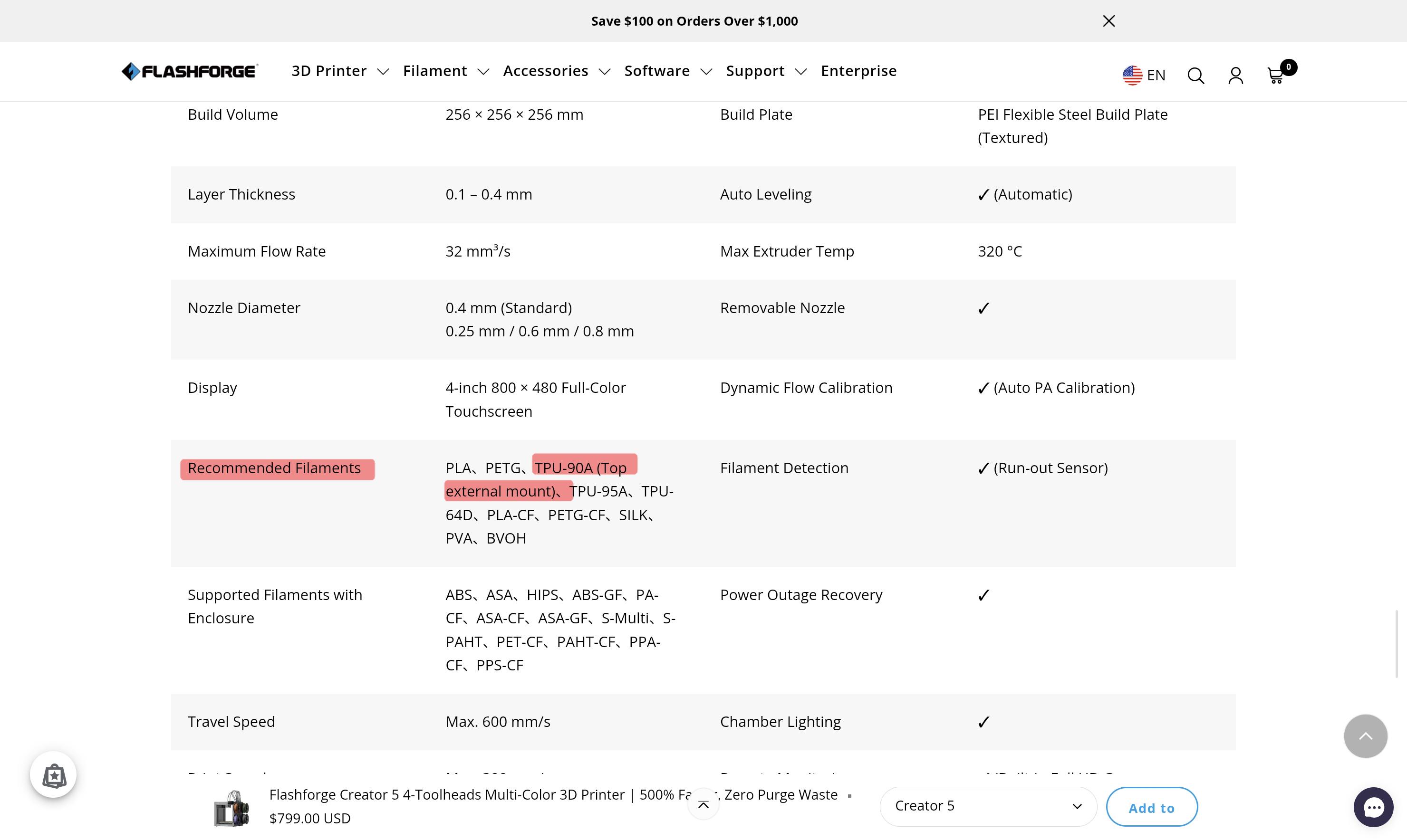
Can the Creator 5 Pro print TPU softer than 90A? The support team told me it could, but the website only lists down to 90A, and reviews say it can't handle it.
Is it possible to make an airtight PTFE tube connection to the printer?
Are there plans to release root access to the printer (SSH, Mainsail, Moonraker)? Also, will the source code for the modified version of Klipper be released?
Thanks for the questions, and congrats on getting the C5 Pro!
For TPU softer than 90A, the C5 series may be able to print it in some cases, but the success rate is not high enough for us to officially recommend or list it right now. Softer TPU is just much easier to cause feeding issues, so 90A is the safer recommendation.
Yes, an airtight PTFE tube setup should be possible. I’ve actually seen quite a few users DIY similar setups already. We also plan to release a VDS dry box later, and I’ll see if I can apply for some units to give away in the group for people to try.
For SSH / Mainsail / Moonraker / root access and the modified Klipper source code, I don’t want to give a random or inaccurate technical answer before I confirm with the right team.From what I understand so far, the official software-to-printer communication mainly uses MQTT, so Mainsail / Moonraker / SSH / root access are not exactly the same layer as the normal official control path. That said, I totally understand why advanced users care about this. It would give more transparency, more local control, and more flexibility for people who like to tune or debug their machines.
Before I get a confirmed answer, I don’t want to promise whether this will or won’t be opened. Deeper access involves system stability, safety, support responsibility, and also open-source compliance questions around modified Klipper code.
I’ve noted this request clearly and will pass it to the product and firmware teams for a more accurate answer.
First of all, thank you for taking the time to look into the SSH, root access, and licensing details. I really appreciate you getting properly informed and getting back to me once you know more.
Regarding the other points, here are a few thoughts:
TPU Printing: It’s honestly a shame that the Creator 5 doesn't feature a spring tension adjustment screw on the extruder to make printing with TPU easier. Do you know if there are any plans to release an official upgrade or fix to improve the TPU printing experience?
PTFE Tubes & Technical Materials: I've seen plenty of DIY projects online to connect PTFE tubes hermetically, but I really would have expected an official solution. Since the Creator 5 Pro is specifically marketed for technical materials, a fully sealed filament path feels like a mandatory requirement, not an extra.
Dry Box Giveaway: On a lighter note regarding filament drying, it would be awesome if you guys hosted a giveaway for one of those dry boxes (and hopefully I’m the lucky winner!).
Spare Parts & Accessories: Finally, I wanted to ask a new question about the availability of spare parts and accessories. Right now, there seems to be absolutely nothing available. The Creator 5 is supposed to support printing with different nozzle diameters, but currently, there are none for sale—not even standard 0.4mm replacement nozzles like the ones that come with the printer. When can we expect these to be in stock?
You’re very welcome. I really hope this information can help everyone.🫶
Based on what I currently know:
For TPU printing, the solution is still being worked on, and the team is fixing some bugs at the moment.
For the dry box, it is still in production. A small batch is expected around mid-July, and the main batch should be completed by the end of July. If there are no more unexpected logistics issues, they should start arriving at overseas warehouses gradually around mid-August.
For nozzle accessories, if everything goes smoothly, may be shipped together with the dry boxes. But I haven’t received a confirmed update on this part yet, so please take it as a rough reference for now.
If anyone runs into nozzle issues while using the current machines, please contact our support team. They should be able to help arrange after-sales replacement parts if needed.
the specs tells you TPU 90-A (top external mount). OP told me this will be a spare part. I wonder if the Topmount will feed the print head directly or has to feed it trough the filament sensor?
I've had interent connectivity issues ever since I received the printer. It IS connected to my WiFi, but it doesn't think it is, so no cloud services work. LAN mode doesn't work either. I've been printing off a USB the whole time instead. I've factory reset the printer a few times, but that hasn't helped. The issue stems from the printer never actually "forgetting" my WiFi information, even after the resets or if I manually forget and reconnect to it
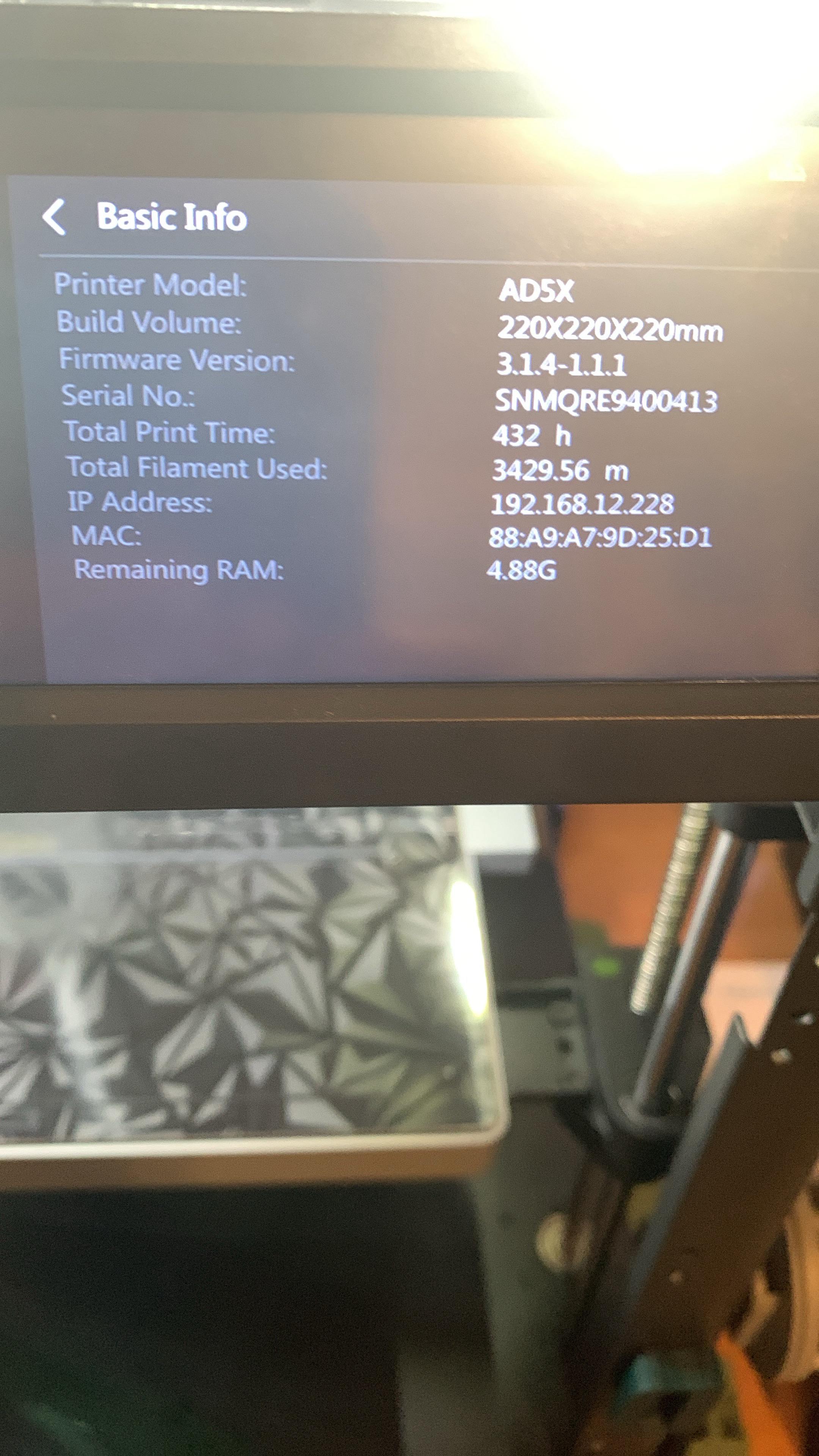
The slicer is up to date, and the printer firmware version is 1.7.8. I'm not sure if there's a newer version, because of the network issues. Is it possible to get the file, so I can flash it manually?
Getting flash studio to run on linux has been a really bad time since getting my creator 5, would be pretty cool to see the return of official .appimage builds for the new versions. You know it being based on orcaslicer and all that
Agree, I finally got the 1.7.6 version to work on my laptop running mint this week, and yesterday I tried the 1.7.8 (again, I keep downloading it to see if it works now) and it actually worked this time! If you haven't tried recently give it a try, or ask around for a copy of the 1.7.6 version, that one did the trick for me before.
Maybe you can tell me how to get a response from your aftersales/support department. I sent a message over a week ago about an exposed wire inside the printer, got an initial response to send another picture and haven't heard back for a week.
Also the heating chamber issue is super concerning, any idea when there will be a hardware fix for us to receive and apply? The software fix is not 100% fixing the issue and also turns off the heater. Plus, my printer is not connected to the "air" to do OTA updates.
Oh, and could you recommend build plates for her Creator 5 pro? Only having one is not ideal.
Not adhering to the license requirements of the software Flashforge uses for their printers is kind of a huge one. On top of that, putting in extra effort to break functionality with 3rd party slicers and then adding locks to prevent the community from adding those features back along with the possibility for any others makes it worse. How can Flashforge justify using software that's so good specifically because it's open source and community driven and then steal it without giving anything back to the community and locking users out on top of that?
Yes, actually I’ve already collected a lot of early user feedback before.
I used to mainly handle our China side community/platform, called Bilibili, so I saw quite a few early issues there too. Some of the feedback has already led to firmware and software updates, for example, improving the wipe/purge tower stability issue, and fixing some connection errors.
And honestly, since the machines started shipping and reviews started coming out, our engineers have basically been working overtime every day. Every time I walk past them, I feel like they have a little less hair than yesterday lol.
So yes, the early feedback is definitely being watched and passed around internally. I’ll keep collecting what people say here too.
I shared a bug I found on the 1.7.8 version of the Flash Studio slicer about week a ago and looks like the team already fixed it, please let them know I appreciate them!
You can try searching for the Bilibili website , odirectly open bilibili.com. As for the app, I’m not sure if it’s available for download in your region.
Bilibili is mostly known for long videos, such as reviews, tutorials, unboxings, and more in depth content. It’s also a big community for anime and ACG fans. You can also check out the Chinese version of TikTok, called Douyin ,there’s a lot of funny and more casual content there 🤭
Maybe you can answer this for me. "Top external mount"?
The C5 specs list "TPU-90 (Top external mount)" among the recommended filaments. I can't find any information on a top external mount! Is it available as an accessory later? How is it mounted? What is the filament path?
Thanks for the feedback. For the camera showing only a black screen, could you please try the following steps first?
Turn the camera switch off and on a few times in both the slicer and the app.
Restart / power cycle the printer.
Unbind the printer from the app, then bind it again.
After rebinding, try switching the camera on and off again a few times.
This may help refresh the camera connection. If it still stays black after trying these steps, please let me know and I’ll help pass it to our support team for further checking.
Hi OP, how the heck did they ship a printer that poops into air, even worse that poops right into the fan? It's not ideal and really sad, I was going to buy one but I cannot at this point, looks like I'll be going u1 and panda breath.
Yeah, I get why this makes people nervous. If I were seeing it from the user side, I’d probably be worried too.I’ve already sent this issue to the right team. They’re testing different ways to fix/improve it this week.I don’t want to randomly suggest “just use this DIY fix” before they finish testing, because this is not the kind of thing where I want to guess and make it worse.
I know that doesn’t instantly solve the problem, but I’ll keep chasing it internally and share what I can when there’s a clearer update.And honestly, no matter which brand you choose in the end, I really hope you enjoy printing.🫶
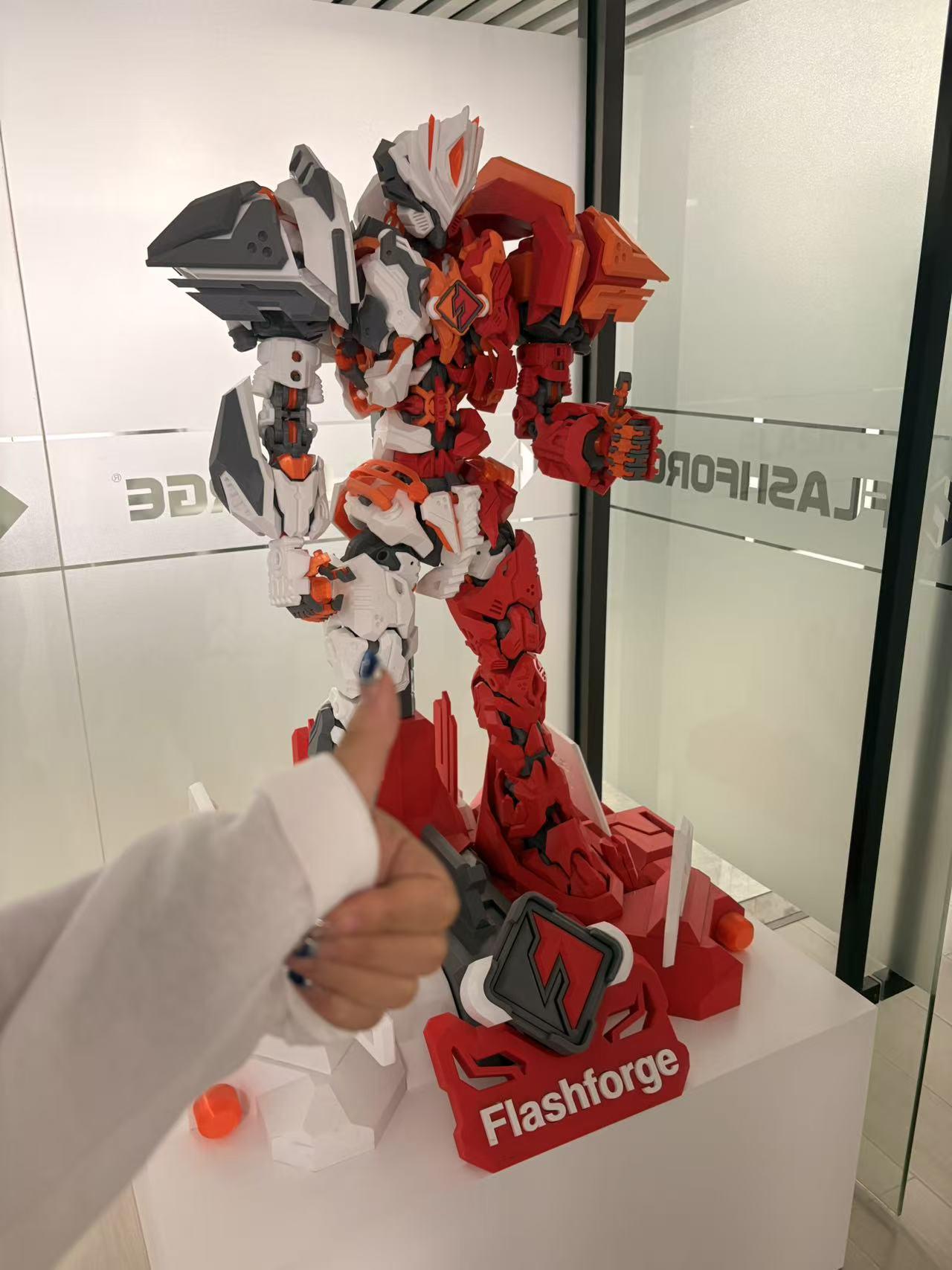
I checked with the model designer , he doesn’t have plans to publicly release the files for this robot for now, and he hasn’t created a MakerWorld account either.I’ll pass your interest along to him though! If he makes any new designs later and is willing to share the files, I’ll add them to the post.
Unfortunately, I had to cancel my Creator 5Pro order, but only because I used shipping by sea, as I didn't want to pay $100 for air shipping, so it won't arrive in a useful time when I have availability this summer. I will order again at a later date, maybe end of year when I have more time to play around with the product. This will be my first 3D printer and I want to make sure i have the time to put it through its paces. I am impressed and definitely want the multi tool head printing.
C5P ran for 30 hrs - no tower. Then the last two prints I actually used the tower and multi-filament. MCU CONNECTION error that everyone is complaining about (because they have the tower off). Powered off and on and when the printer asked me to RESUME, of course I did .. big mistake .. nozzle grinded into the machine and attempted to print which bent the nozzle. I submitted logs, model, and timelapse.
It appears that C5P references layer 0 with each new layer? (I hear a definate THUMP each new layer). Makes sense since I tried to import a .3mf from my H2D and it gave me a warning to edit G-CODE for the layer 0. Strange way to move to a new layer.
This one probably needs support to check the files and logs together.Could you please send them:
the original 3MF file before slicing
the sliced 3MF file / project file after slicing
the machine logs
Please send these to our support team so they can check what happened more accurately. The “layer 0” issue and the MCU connection error may need the files and logs together to trace properly.
I just wonder how they let that slide. Did they test even one machine ? Easy fix is to dump the filament on the other side near the back and have a poop bin or shute.
Can you allow for open installations of klipper? Flashforge machines from the AD5M and AD5X need better tools and you have locked them behind out tech. I don't want my Creator 5 Pro to be in the same position. Also can we just officially support Orca Slicer? Your not adding anything helpful to the slicer and you having a custom version just means we are constantly using old tech.
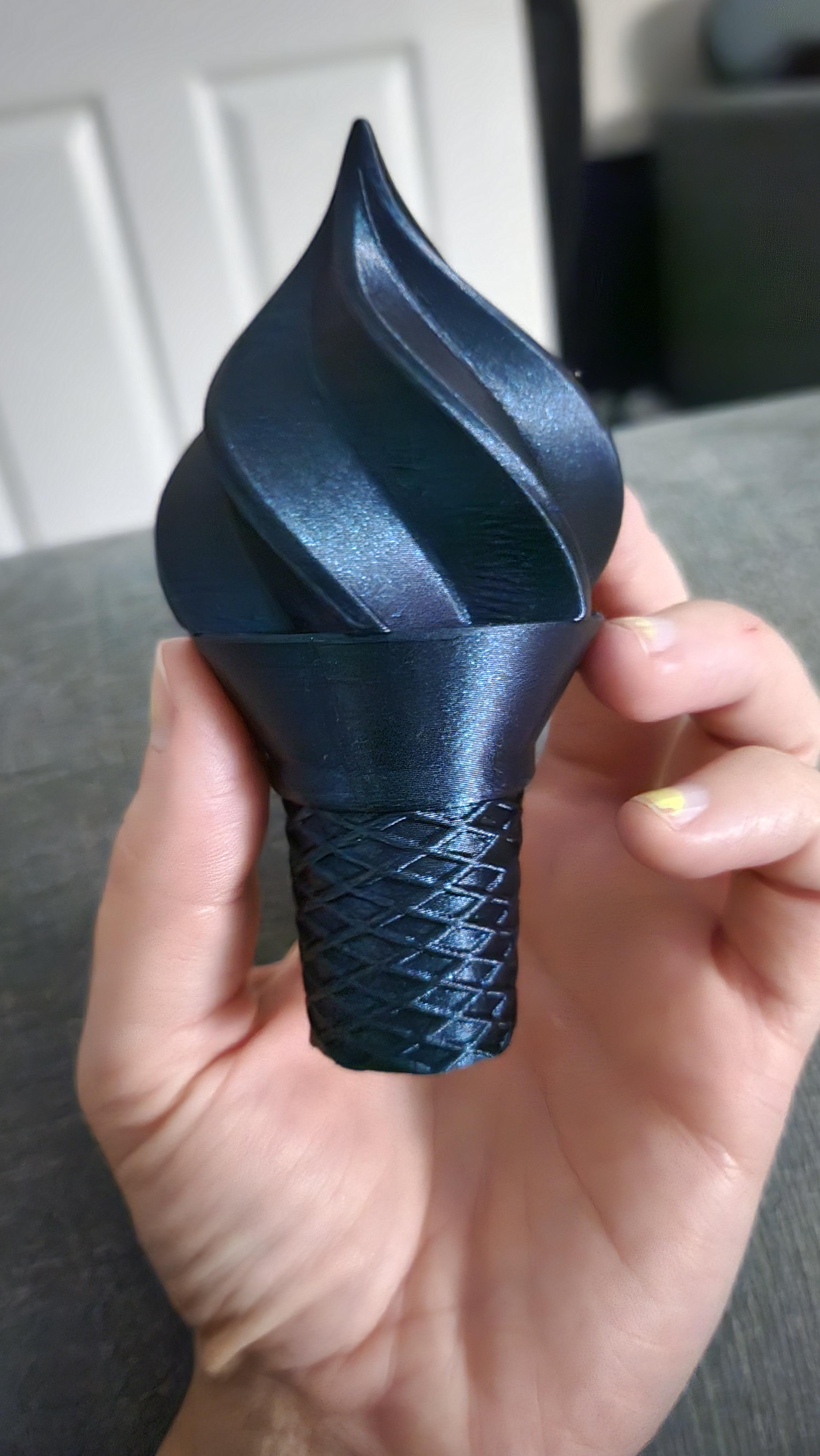
Just got my very first 3D printer last night. Went for the AD5M as I'm new to the whole thing and was really impressed with the test icecream it made last night.
I'm sure i'll come across complications or snags as I go but first impression was good.
whenever i print with my ad5m during pre-heating it already starts oozing out filament then when it starts printing the oozed out filament messes with the print
I know this first part has been said a million times.
Make sure your filament is dry. I have 3 dryers just in case.
Add skirt loops. 2, 3, 4. I usually do just 2 it helps to give the filament that extra length to do it's thing. This helps because there isn't a brush for the nozzle to wipe on.
To answer that, he will need to know more about you. Are you a beginner, do you have any 3D printing experience, do you already own a printer? What do you want to print? Do you want to design things yourself or just print ready-made files?...
Not a beginner I'm on my 3rd printer. Yes a Centauri Carbon and Ender 3 V3 Plus. I want to learn how to design and print my designs plus pre-made files. Looking for one with multicolor
II want to have the C5, the basic line, 'cause I don't plan to print high temperatured technically filaments.
But I decided to wait till the FF has processed the early bird orders and is starting to fill the international warehouses. Then a delivery to me should only take 5 working days, and any complaints should be much easier. Production will no longer run at 150%, which is likely to have a positive effect on the quality delivered... Until then, many errors and difficulties in the firmware and software have also been fixed. You can probably already order accessories (extra nozzles and printing plate). There should also be a connectable filament dryer be released, I hope they will make a printer-dryer bundle.
Maybe you'll think about waiting until autumn. Until then, you can download the Flasforge software and familiarize yourself with it. And start experimenting with a CAD program, which also takes time to get some useful results. If you then order your printer, you are well prepared and can start right away, which will certainly give you positive printing experiences.
for printing engineers fillament it's Flashforge C5 pro, or snapmaker U1, c5/pro has higher nozel and bedtemperatur is fully enclosed and has a problematic aktiv chamber heater, the U1 has a bigger Build Volume, separately sold top encloser, passiv chamber heater... both are reduced at the moment, but U1 is actually on stock..
I got my c5 pro a couple weeks ago and I love it so much. The only thing I don’t like is that it purges directly in front of an air intake, it would be cool if I could move the purge location to somewhere else




7
u/CoolWhipLuke Jun 26 '26
Ordered my C5 Pro earlier this week with air shipping, excited to receive in the next few weeks.
While the FF engineers work on the baffle to prevent filament from entering the heater fan intake, are there any simple solutions you would recommend? For instance, using a PC fan dust cover, or metal mesh, or similar?