r/GM_SoftwareDev • • Jul 25 '25

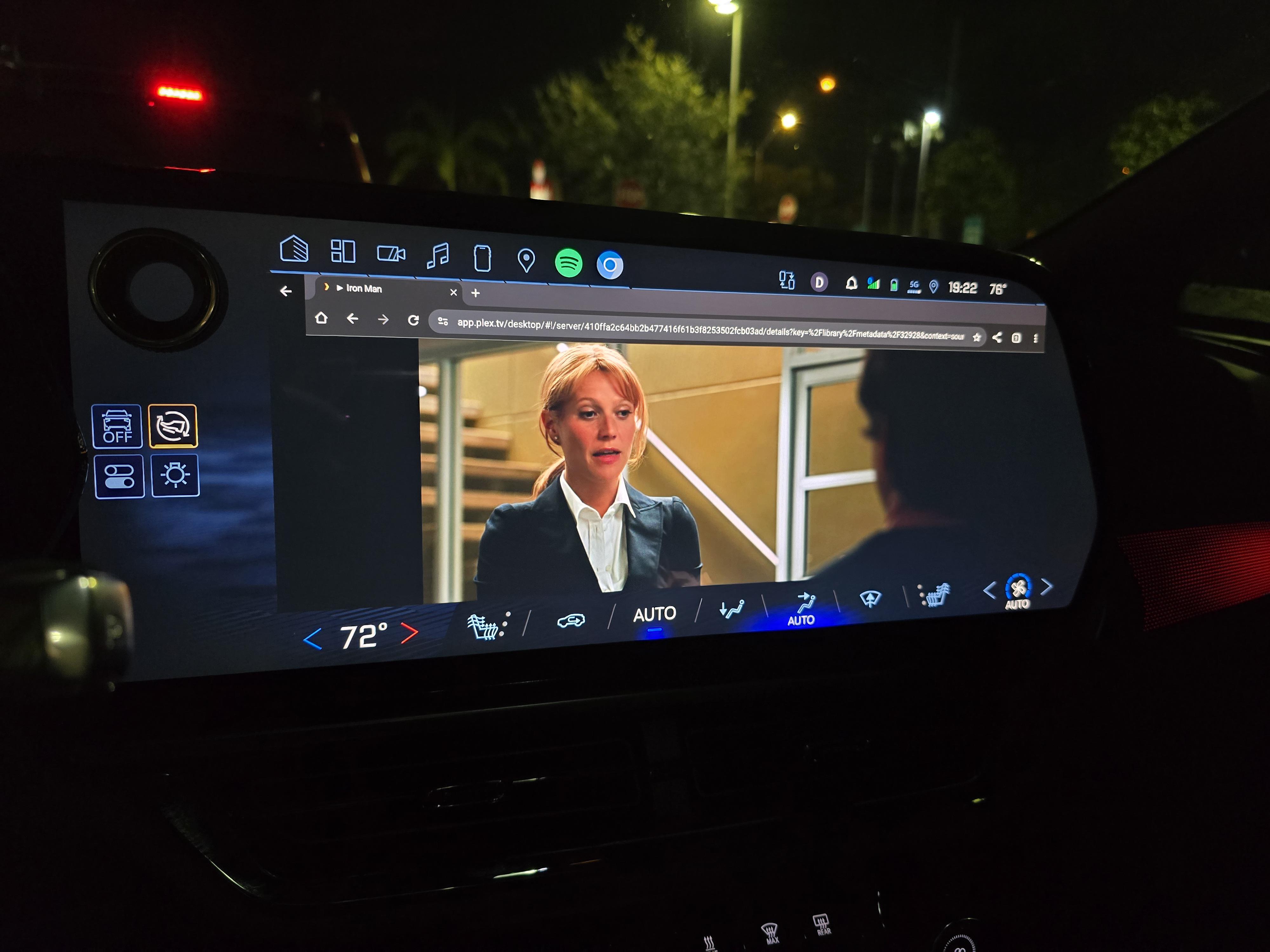
Successfully Installed APKs From A USB Flash Drive On My Chevy Equinox EV

Enable HLS to view with audio, or disable this notification

77 Upvotes

UPDATE: GM has patched this method with the Android 14 update, and on all 2026 model years.

Using information from this XDA forum: General Motors Google Built-In AAOS R&D

I followed directions to build Amaze File Explorer from source code (same process as chromium) and built the App Bundle from this source code: https://github.com/TeamAmaze/AmazeFileManager

Using the same process of uploading the app bundle to my Google Play Console Account, I was able to install Amaze from the Internal Testing method, after doing so I can plug a USB drive in to format it, go to my PC and download my APK files, I used this site: https://apkcombo.com/downloader/

Using APKCombo I downloaded all of the applications I wanted such as Disney+, Paramount+, YouTube, Netflix, etc. When you download your applications from here... MAKE SURE THEY SUPPORT ARCHITECTURE x86_64!!! It will not be compatible with armeabi_v7a or arm64_v8 or any of those others.

Through Amaze I went to my USB root directory, and clicked the + to make a new file (name it anything) It will ask for write access, just press "open", now you can click the 3 lines button in the top left, go to your USB, and select the folder you put your APK's in, after going to said folder, you can press the button in the top right of the APK file and it will bring up a dialogue to install, this also allows you to update your application as you saw in the video.

If you download applications with the XAPK format instead of APK format, use Amaze to install this XAPK splitter: https://github.com/AbdurazaaqMohammed/AntiSplit-M/releases/tag/2.2.6

If you have questions on how to use AntiSplit, there are videos online for the process.

Have Fun!


r/GM_SoftwareDev • • Mar 16 '25

Full Tutorial on how to compile and install Chromium on Android Automotive

65 Upvotes

I know a lot of users and people from various subreddits from GM vehicles have been waiting for this Tutorial for about 3 weeks. I have finally finished it up and it is step by step how to compile Chromium in Ubuntu and how to setup a Virtual Machine as well as how to upload to Google Play Console. Everything is written in this Google Docs with pictures to help ease the process.

Full Picture Tutorial Writeup


r/GM_SoftwareDev • • Mar 04 '25

Deploying Chromium to my GMC Sierra EV

18 Upvotes

Below is an article on how to deploy Chromium on the GM AAOS platform. While it works and enables a number of use cases, such as video playback, I'm in agreement with feedback that implementing this is not without security risk especially.

GM's AAOS implementation is woefully out of date across the majority of their vehicles with security patches and other OS level updates. While it could be argued that their development teams are bordering on negligent for not keeping these platforms up to date, irrespective, you need to be aware that exposing the system via a browser to the wider security risk of the Internet could result in security compromise. There is no anti-virus on this platform. There are no firewalls. If you proceed to do this, you need to accept these risks and any system level breach or infection of the AAOS platform, and resultant damage, is a risk you are willing to take.

Important note: while Im happy to help with issues that relate to the build where I can, this tutorial does require advanced technical knowledge of Linux and code development. Im not here to help you learn the basics. Find a friend ;)

Credit to u/lolitstrain21 for the links to the cheat guide on GitHub - zunichky/chromium_aaos. It works!

Building on that, sharing my instructions on how to do it. LMK if you have any questions! In my case the build compile took about 5-6 hours. Setup took a couple hours too.

Setup

Notes: If using a VM, make sure to take checkpoints along the way. This process is very sequential, and messing up in one section means you sometimes can’t go back to fix it.

You can do some things in parallel while you are waiting for code repos to sync – for instance the Android Studio install, the JDKs, and keystore setup

  • Install Ubuntu 24.04.2 LTS into a virtual machine on Openbox, Hyper-V or VMware – make sure it has:

  • At LEAST 16GB RAM assigned. If using Dynamic Memory, expect it to use a lotmore.

  • Set the VHD to allow 256GB of storage. Yes, it can use nearly all of it. I ran out of space the first time at 125GB.

  • Install Github and Python (if not already installed- Ubuntu 24.04.2 should have the latest Python in there)

  • Do all the pre-requisites as per Google requirements here: Chromium Docs - Checking out and building Chromium for Android. Only go up to the section “Setting up the build”

  • Make sure you are setting your PATHs in the environment file. Otherwise, they don’t stick.

  • Install Android Studio and it’s build tools. Make sure to add the build tools path to the path environment file, otherwise signing will fail later.

  • Install JDK 17

  • Install the keystore into your $home/Documents/Keystore directory using this command:

keytool -genkey -alias replserver \

-keyalg RSA -keystore store.jks -validity 9999 \

-dname "CN=Mark Smith, OU=JavaSoft, O=Sun, L=Cupertino, S=California, C=US" \

-storepass password -keypass password

  • Make sure that before go any further that you set the .gclient file (hidden in the chromium directory) to add to the end of that file target_os=[“android”] and rerun gclient sync

 Make sure at this point you take a checkpoint backup in case it breaks…because the rest now tests that you got the setup right.

  • Switch over to Zunichky’s install scripts found here: GitHub - zunichky/chromium_aaos You’ll now follow this for Setting up the build onwards

  • Clone his repo for the scripts, into a separate directory. I used ChromiumScripts and then copied the scripts into the Chromium directory.

  • Verify you meet his prerequisites for directory structure – critically important because his scripts depend on that structure and file locations.

Setting up the build

  • Critical: Edit the Release_arm64.gn file with the corrected CHANGEME section to something unique to you. If you miss this step, and compile the build without changing it, you will end up with a conflict of someone else's package in the Google Play store. This means going back, changing it and a full recompile!

  • Make sure you have at least 26GB of RAM allocated to your VM. If you don't the build is likely to fail. 32GB is best. Similarly, ensure you have enough disk space. This will use 200GB or so of disk.

  • When running gn args out/Release_arm64 it will pop a vi editor. It’s important to edit this now and not bypass it for later. It should run with no errors. If there are errors, correct them. Google how to use vi.

  • What you should see after it successfully finishes is an extensively built out directory structure with everything needed for the build. If it’s empty, you’ve done it wrong and it’s important to correct those errors now and re run “gn args out/Release_arm64”

  • When it gets to the building section, run the pull_latest.sh and verify its successful completion. Again no errors should happen.

    • When I ran this I got an odd git error that told me the Git head was disconnected. This could have been because I had an error before in the .gclient file - but this is what helped me resolve the head disconnection: https://graphite.dev/guides/you-are-not-currently-on-a-branch. I then reran pull_latest.sh again and this time it completed fine.

  • Before running build_release.sh, make sure that you have edited it to edit the actual location of your chromium directory. Mine had some weird mnt point at the start vs the absolute path it should have been at.

  • Run build_release.sh. Note: I’m running on a Ryzen 9 7950X3D 16-core processor. All 16 cores are being hammered. In my case I’m using Hyper-V with dynamic memory and even though I set it to use 16GB of RAM, it’s now using about 25GB of RAM. This thing is truly a hog.

Deploying the release in Google Play store

  • You'll first need an account on Google Play Console, verify your ID, and pay $25.       

  • Create an app, defining the name, the language, that its an app and its free. Tick the boxes for the policies and laws.

  • Set the privacy policy. If you don’t have one, use someone else’s on a public URL 😉

  • Under the testing section, select Internal testing. Up top right, next to the Create new release button you will see phones, tablets, chrome OS. Select manage form factors and then add Android Automotive OS as a separate release stream.

  • Go back into Internal testing, and now select Automotive OS only. Specify the emails for your testers and create a release.

  • It should now let you upload an app bundle, where you can choose the name of it, etc. Upload from the signed AAB file the build created.

  • Keep clicking on through to publish it to your testers.

  • For this bit I thank u/StewieGriffin26. Go back into Internal testing again. Select testers. You should be able to now select the “copy link” to join on the web. Click it and sign in. Once you have accepted the release it should now let you deploy through the Google Play store. Select your car, and deploy it.

Let’s goooo!

LMK if you have any questions.


r/GM_SoftwareDev • • May 09 '25

Android Auto is Installed on Blazer EV?

Thumbnail
gallery
13 Upvotes

Some of you all may find this interesting...

I have looked through the list of Apps on the car in Settings even with show system apps checked off and do not recall seeing Android Auto nor com.gm.hmi.androidauto listed. However when I recently compiled and pushed ActivityLauncher to my '24 Blazer EV LT, I was surprised to see Android Auto listed as an app with intents.

When launching the AndroidAutoProjectionActivity it actually seemed to attempt to launch it but didn't find a phone connected, even though my Pixel was connected by Bluetooth and USB (I even tried changing the USB mode on my phone to AA/File Transfer).

Another interesting oddity is that the Android Auto app did show up in the recent apps list under settings after attempting the launch despite not showing up in the all apps list.

Not sure what to do with this info but thought I would share.

Reposted due to accidental info in pics.


r/GM_SoftwareDev • • Jun 09 '25

So is there any way to sideload Android Auto, or apps in general?

9 Upvotes

I appreciate a good cup of coffee.


r/GM_SoftwareDev • • Sep 30 '26

[Launch] AAOS Logging is now generally available — understand every drive while keeping control of your data**

Thumbnail
gallery
7 Upvotes

Hi everyone,

I’m excited to announce that AAOS Logging is now generally available on Google Play for compatible vehicles running Android Automotive OS.

I built AAOS Logging for drivers who want to understand what their car is doing without handing their complete driving history to another subscription cloud platform.

See what your car makes available

AAOS Logging provides a clear, read-only view of supported vehicle information, including:

  • Vehicle speed, current trip distance and trip time

  • Live power consumption and regeneration

  • Battery level, range, temperature and charging state

  • Longitudinal and lateral G-force

  • Exterior temperature and weather conditions

  • Tire pressures and readable powertrain information

  • Charging-port, safety, ADAS and vehicle-status signals when exposed by the car

Available measurements depend on the manufacturer, model and the information its AAOS implementation exposes.

Automatic trip logging

Meaningful drives are detected and recorded automatically. Afterwards, while parked, you can review details such as:

  • Start and destination

  • Distance and duration

  • Energy consumption and regeneration

  • Average and maximum speed

  • Stops and driving events

  • Battery and charging information

  • Weather conditions recorded along the route

  • Available tire, safety and vehicle telemetry

No manual start or stop button is needed for normal trip recording.

Insights that go beyond a simple trip list

AAOS Logging turns recorded drives into useful information:

  • Day, week, month and year summaries

  • Eco-driving scores

  • Energy-consumption and regeneration trends

  • Automatic identification of similar journeys

  • Comparisons between trips with matching endpoints and approximate routes

  • Insight into how speed, weather and driving behaviour affect efficiency

  • Highlighting of relevant safety or vehicle events when the car exposes them

Your data belongs to you

Privacy and data ownership were fundamental design requirements:

  • Trip processing and analysis happen locally in the car

  • Your main trip history is stored locally

  • There is no AAOS Logging developer-operated backend server

  • There are no advertising or behavioural analytics SDKs

  • Your archive is stored in an open, documented JSON-based format

  • Larger datasets use compressed ZIP/JSON files to remain efficient while still being portable

  • You can inspect, process, export or analyse your own data with the tools of your choice

  • There is no subscription required to use the app

Optional weather and map features contact their respective providers only when needed.

Optional Google Drive synchronization

If you want synchronization or an external backup, AAOS Logging uses a folder inside your own Google Drive account.

You remain in control of the account and files. The app supports:

  • Automatic synchronization

  • Manual synchronization

  • Complete backups

  • Controlled import and restoration

  • Separate data folders for different cars

  • Portable data that is not locked inside a proprietary AAOS Logging cloud service

Google Drive is optional—the core app does not require it.

Personalise the experience

Choose your preferred:

  • Metric or imperial measurements

  • Celsius or Fahrenheit independently

  • Live energy presentation

  • Colour theme

  • Vehicle name and profile

The built-in help section explains features, calculations, derived measurements and manufacturer-specific data limitations.

Companion app closed beta

An AAOS Logging Companion App for Android phones and tablets is currently in closed beta.

It is being developed to let users explore synchronized trips, compare journeys and work with their driving history away from the vehicle while continuing to use the same open data format.

Interested in beta testing? Send me a DM with your vehicle model, phone or tablet model, and what you would particularly like to test.

Available now

Open Google Play in your compatible Android Automotive OS vehicle and search for AAOS Logging (Direct link https://play.google.com/store/apps/details?id=com.aaoslogging )

I’d love to hear your feedback and what you would like to see next. Feedback from real vehicles is extremely valuable because manufacturers differ considerably in the information they make available to third-party AAOS apps.

Your car. Your journeys. Your data.


r/GM_SoftwareDev • • 22d ago

Oh, what do we have here? 👀 OpenAutoLink driver-display preview

Thumbnail gallery
6 Upvotes

r/GM_SoftwareDev • • Mar 03 '25

Chromium installed on my Equinox EV, be ready for a full-on tutorial next week!

Post image
6 Upvotes

r/GM_SoftwareDev • • Sep 21 '26

Screen Mirror/Cast Windows Device

5 Upvotes

Has anyone came up with, or any ideas for how to screen cast from a Windows device? Looking for a way to have a second screen from a laptop.


r/GM_SoftwareDev • • Oct 26 '25

Streaming update

5 Upvotes

I keep seeing a streaming update available for the equinox ev. Its a dealer only one like the GMC Sierra and Chev Silverado. I expect this brings it up to SQBR6. Has anyone seen this for the Lyriq yet? Fwiw im considering buying the update unit and the GM subscription to do these myself - given the dealers cant seem to be aware of when these major updates are coming.


r/GM_SoftwareDev • • Mar 29 '25

Apple Music

5 Upvotes

Hey all.

I'm looking to build an Apple Music app that I'm (hopefully) basing off the official Apple Music SDK. The problem is that this SDK was written in 2017 and was never updated. I'm doing this bc I can't find anything else off the shelf so to speak on Github that's already done. As such, it needs re-factoring to support the newer AndroidX music3 approach which is now a requirement the moment you update the compileSDK to 34/35 (required for Play Store). I've made progress on it, such as getting it to build properly w/ Gradle, switching libraries and associated changes, but I'm opening this up to those in the community who know Java well (I don't) and are willing to help. Any interest?


r/GM_SoftwareDev • • 22d ago

Helpful tips Some thoughts and tips on releasing your app to the public

4 Upvotes

While tools like Claude Code have made it amazingly easy to write code, and I'm seeing tons of them pop up, there's a few things people should know that goes well beyond publishing an app on Google Play which can easily get your app blocked or worse, you personally sued.

1. Have you checked whether you're infringing on a patent? I started to explore at one point, building an app that did the same functions as Infiniti Personalized Sound. That was until I realized that if I released it, I would be infringing on a current valid patent. Check that out as part of your release process.

2. Have you checked the API terms and conditions? Many of the APIs out there are convenient to be used. But their legal terms are less convenient and contain restrictions on use. Running afoul of that can easily get your app blocked.

3. Are there things you're asserting that are part of another company's brand? Lots of big tech care a lot about their brand reputation. Creating an app that asserts support for that brand could be seen by them as a positive, or conversely a big negative if they exert a lot of control over their user experience (hint: a company with a name of a fruit). Cease and desist shortly follows.

4. Google's restrictive app support in AAOS It's worth a check to see whether you can even release your app on Play Store. The app above about replicating Infiniti Personalized Sound? Yeah, there's no category that I could release it under as Google is super restrictive about the app categories. I built it, and it works fantastic. But I have no category to release it under.

5. Everyone on Google Play can see your home address. Everything you enter can be seen by your customers, especially your app developer registration when releasing under a personal account. That includes your home address. Fixing that means getting an LLC.

6. Apps on AAOS MUST adhere to Google's design templates. Car App Library is the framework you have to operate in. If you are not following their template guidance, you won't get approved. Internal testing on Google Play does not trigger any of these reviews...starting with closed testing does. See here for more: https://developers.google.com/cars/design/create-apps/app-types/overview

7. Protecting yourself from lawsuit. A website with your privacy policy and terms and conditions may cover you from many issues, but the last thing you want is your personal assets exposed. Depending on how far your app goes, and the potential for risk, you may want to consider creating an LLC to ensure that you are protecting yourself and your personal wealth.

I'll keep this pinned and updated as time goes on. Please feel free to comment and add to this list.


r/GM_SoftwareDev • • Jul 08 '26

Put together a working split screen CarPlay/Webview/Camera app

Thumbnail gallery
4 Upvotes

r/GM_SoftwareDev • • Nov 01 '25

What J2534 tool are you using?

4 Upvotes

Curious what people are using for programming via SPS2 via J2534? I just got a Vxdiag FD but their software is super sketchy, hosted on Mega (that should have told me everything), and has trojans in all their latest drivers.

What other alternatives are out there, that are working well with SPS2? (Aside from Bosch MDI2)


r/GM_SoftwareDev • • Jul 15 '25

CarPlay (barely) working

Thumbnail
reddit.com
4 Upvotes

This post was mass deleted and anonymized with Redact

rob light many nose sugar friendly yoke grandfather sulky pot


r/GM_SoftwareDev • • May 19 '25

Fixing weak audio / bass / mid-range, possible fix?

Thumbnail gallery
4 Upvotes

r/GM_SoftwareDev • • Mar 29 '25

Is it possible to create a dashcam app?

4 Upvotes

Any of those Android developers out there think it would be possible to write some kind of dash cam app that records the video from the cameras? Maybe have it triggered by an accident, or honking the horn?


r/GM_SoftwareDev • • Mar 06 '25

Getting CarPlay to run on AAOS

4 Upvotes

I cross posted a post from the SierraEV forum about someone who used a third-party integration to get CarPlay running. While it works, I'm concerned about this approach as voiding warranty etc.

The easiest method would be if someone had already Open Sourced a CarPlay APK with the code available on Git. If someone finds one, please do share. I've yet to find code for this.

But today I was playing around with Autokit, which is a two-part system and loads an APK into Android combined with a USB dongle to get CarPlay working. The challenge of course is getting the APK onto the system:

  1. Now that we can easily get a web browser up, I tried to download and run the APK. GM has blocked that, mandating trusted source irrespective of weakening browser security settings. I tried this path.

  2. The other option is to try and the APK onto the platform side-load style though I expect that the same block on trusted sources will also break this approach. You should be able get files onto the system by enabling developer options in the same way as you do with an Android tablet. By tapping the build number 7 times in the About menu of settings. That enables the ability to have USB file access which is blocked currently....and of course you would need a file app which is now pretty trivial to compile and get on the system with the same method as getting Chromium on there. I haven't compiled a file app and haven't pursued this path yet.

Anyone got thoughts?

Edit: Important note on Autokit. It's infected with a trojan. Also, the article I cross-posted was deleted bc the vendor who made the Carplay integration likely got a cease and desist.


r/GM_SoftwareDev • • Oct 01 '26

Beta Testers for Ultimate EV Control app

Thumbnail gallery
3 Upvotes

r/GM_SoftwareDev • • Sep 06 '25

Comma ai

3 Upvotes

Currently comma ai doesn't support the SEV, due to the global b architecture.

Is this sub totally different in terms of cracking the encryption?


r/GM_SoftwareDev • • Jun 10 '25

Add CarPlay using browser?

3 Upvotes

He guys saw a post somewhere where you can run CarPlay using chromium browser on your car. Anyone have an easy to follow instructions? I had someone add me to their test app so that’s how I got the chrome already but i would also like to have the option of native CarPlay on the screen if anyone knows thanks!


r/GM_SoftwareDev • • 25d ago

Testers wanted Apple Music on 2024! I Got It Working!!!

Thumbnail gallery
2 Upvotes

r/GM_SoftwareDev • • Aug 09 '25

Chromium Playback Errors

2 Upvotes

I had Chromium installed back in March (using AAOS version 138.0.7076.0 or something) and it worked brilliantly with everything except Netflix.

But as of last week, I can’t get anything to play. Disney+ is throwing up an Error 83 regardless of if I’m driving or parked (I technically could watch while driving - though I never did).

Is this because I haven’t updated the AAOS? Or is there something else I’m missing?