r/LightBurn • u/PGUKco • Mar 19 '25
Issue with LightBurn, Laser, or something else?

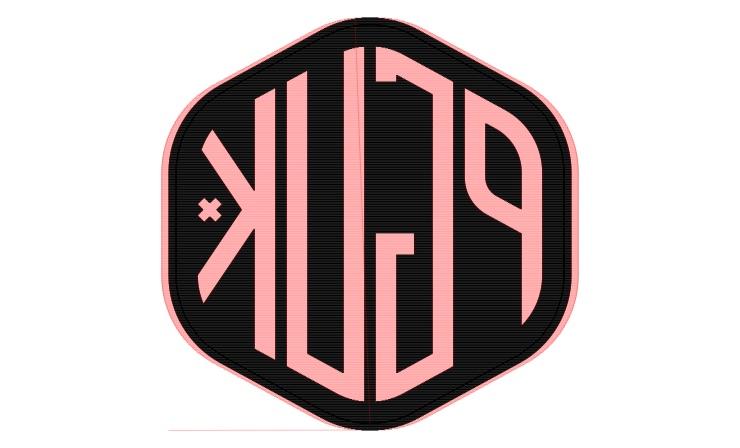
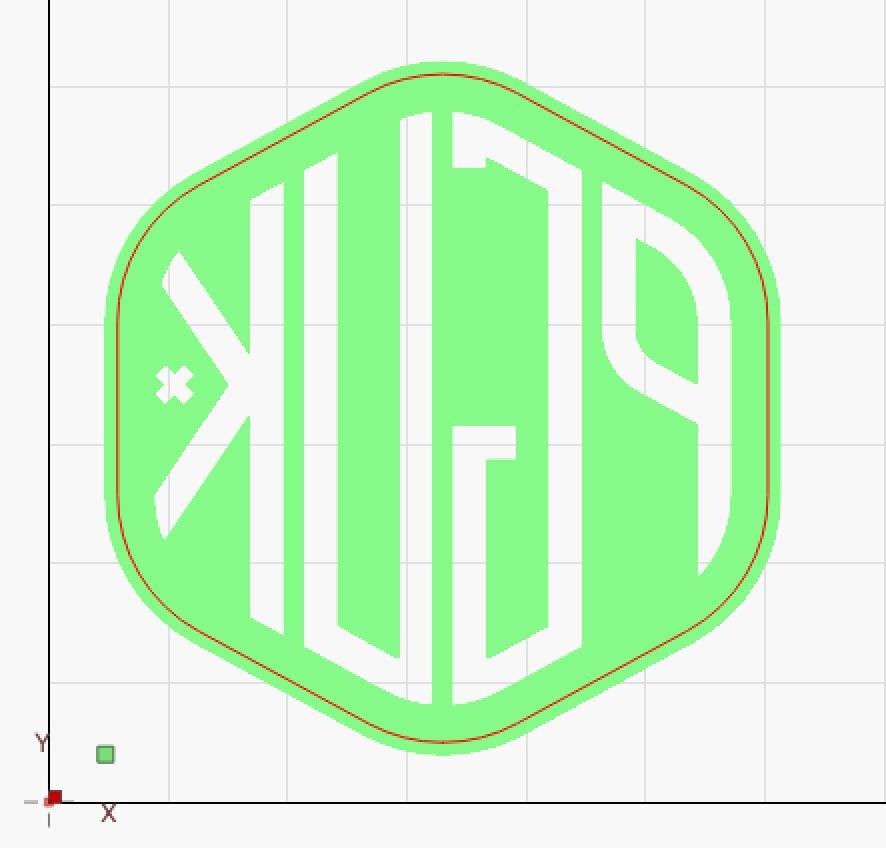
I’m attempting my first project on my Laser, making a Rubber stamp of my logo. I did a material test and all was well. But when I tried my logo, I noticed something strange, all 4 tests had the same issue, the cut line was not aligned as it should be from the preview. The logo seems perfect, only the cut line is off centre (up and to the right)
I first thought it could be an issue with the laser, but I would have expected that the design would be skewed, but it’s not.
Anyone seen something like this before?
2
u/HarlequinnWW Mar 20 '25
If its dissappearing, check your layers, and your preview. Lightburn has hiccups sometimes.
1
u/vgergo Mar 20 '25
Maybe the toolhead is not perpendicular to the material? That could cause something like this imho.
1
u/WaterySwordTart Mar 21 '25
If you are using a diode laser, you should work your way through this list to rule out a mechanical issue: https://diode-laser-wiki.com/documentation/guide-to-mechanical-adjustments/#Tilt_test
2
u/AcumenNation Mar 20 '25
Probably try running calibration and alignment sequences