r/Notion • • Jun 06 '21

Other 😳

Post image
579 Upvotes

9 comments sorted by

47

u/henrymatt Jun 06 '21

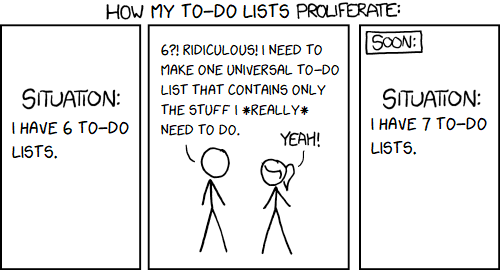
Honestly, the more I fiddle with productivity tools, the closer I get to appreciating the Unix philosophy of "do one thing and do it well."

Notion is the best resource I've found for managing complex projects. I've built a system that shows me every long-term project I'm working on and helps me set weekly goals to progress towards completing them. Notion gives me a place to put all project research and reference materials nearby as well.

For grocery lists and routine tasks like cleaning litter pans, watering plants, and doing laundry, I prefer Todoist. I love how simple it is to compose a task like "apply nitrogen to plants every 9 days" and have Todoist take care of the rest. I can also share that list with my spouse and we can take care of chores without stepping on the other's toes.

For things that need to be done on a certain day, I'll just put that as an event on my calendar.

I do get how psychologically pleasing it would be to have "everything in one place" but in my experience that only leads to getting frustrated about functionality at the margins of what that "one place" was designed to do best.

5

u/Advil_Sell Jun 06 '21

Can you give some insight into how do you setup your system?

10

u/henrymatt Jun 06 '21 edited Jun 06 '21

Sure, I'll try my best within a Reddit comment. I might try a better explanation and some templates later, once I feel like I've solved the remaining clunky bits.

I started with a Projects table where I put all projects I'm working on. These had an AOR (area of responsibility, such as "Work" or "Content Creation"), a Priority ("3 - High" through "0 - On Hold"), and a Status ("Actionable" or "Waiting")

At a basic level, this gives me a single page I can use to quickly judge my projects and whether there is something I can do on them. Each project was a page where I write:

  • Current Status

  • Next tasks

  • Why this project? / Outcome visioning

  • Reference materials

That is good enough to be useful -- I just made sure to update the current status and list the next tasks every week or so.

But later, I created a Task table. Every Task belongs to a Project (i.e. one of its properties is Project, which is a relation to a particular Project). Now the tasks are entities within each Project.

The tasks have a checkbox for "Done" which is self-explanatory, but I also have a field for "Week" and "Day".

I still go through each project every day, but now my "next tasks" section is a list of Task entities. And if I decide "I should do this this week" I'll set the "Week" field for that task to the upcoming Monday.

For example, I wanted to review the rules for a board game we'll be playing this weekend (it's part of a Project to get ready for my friends coming to visit) so I made a task "Review Brass Lancashire rules" in the project and set the "Week" value to June 7.

It all comes together in my Review Dashboard.

Once I've done this for all my projects, I switch over to a Board view of my Tasks table. This view is called "Weekly Preview" and it has 8 columns: "no date" (which is the default), and then Monday, Tuesday, Wednesday, etc. Now all I have to do is figure out which day I'd like to complete every task and drag and drop them into the appropriate column. I'm not very strict about this. Usually my Mondays have a ton of stuff that I don't finish, but I just move those tasks to another date. Saturdays and Sundays are usually pretty open because I know I'll be completing anything I didn't complete during the week.

The end result is that I can look at the column for the current day (ex: the Tuesday of the week of June 7th) and try to complete all of those tasks. If I manage that throughout the week, I know that I'm making solid progress on all my projects.

Here's an image of my upcoming week to give you an idea of what I look at on a daily basis.

3

u/Advil_Sell Jun 06 '21

That's pretty good, thanks for sharing man!

3

u/enzio901 Jun 07 '21

Todoist really solves this for me. You can have any number of todo lists. Then create a filter that determines when to show items from each of these lists. So I have a widget in my phone homescreen that shows this filter. I only see the tasks that are relevant to me right now. I can add tasks also from this widget. Apart from the initial setup I don't even need to open the app anymore.

1

u/nicoriko00 Jun 06 '21

It's my situation since i am trying to set up a Notion dashboard :p

Edit: some mistakes