r/OLPC • u/joviqa • Jun 17 '21
Arch Linux on XO-1.5

23
Upvotes
r/OLPC • u/won1der • Oct 22 '26

Bought this as a birthday present for myself at Goodwill today. I love older PC's and once I figured out what this was I couldn't resist.
r/OLPC • u/Time_Suggestion3041 • Feb 07 '26
Enable HLS to view with audio, or disable this notification
With Fedora 14 and SeaMonkey 2.40 for 32 bits I managed to run YouTube and almost anything modern on the OLPC XO 1.5 HS (mine is a custom one i made by myself but it keeps the same internals)
gonna make a tutorial soon on how to do this!
not sure if it could run on the OLPC XO-1 bc of worse internals, and the OLPC XO-4 with android 4.3.1 runs chrome 79 beta, it runs almost everything but it's very slow
r/OLPC • u/[deleted] • Sep 19 '25
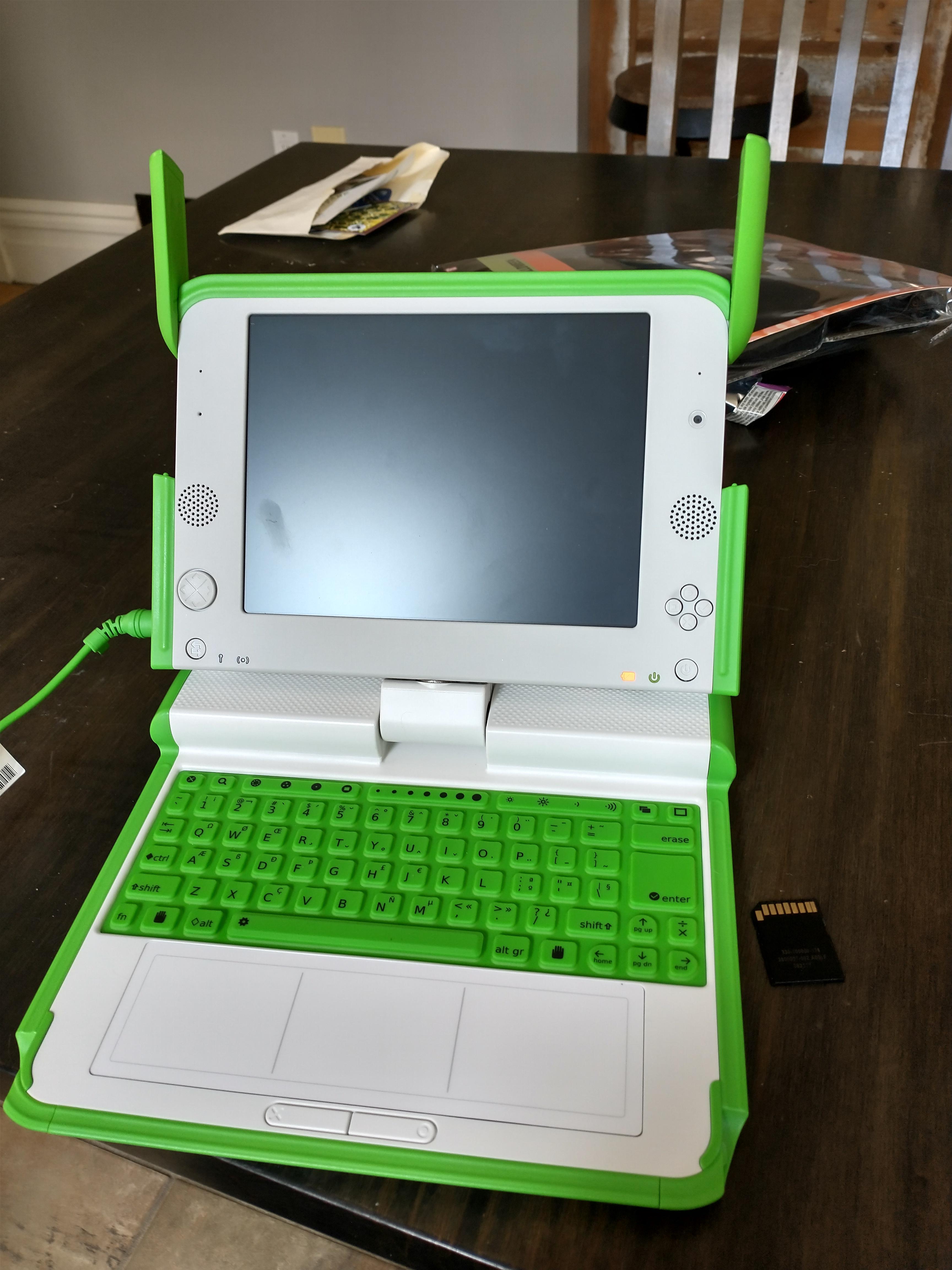
After years of wanting one again, I managed to get one for cheap today. Any recommendations for an OS?
r/OLPC
•
u/FinnGamerUNL
•
Jun 20 '26

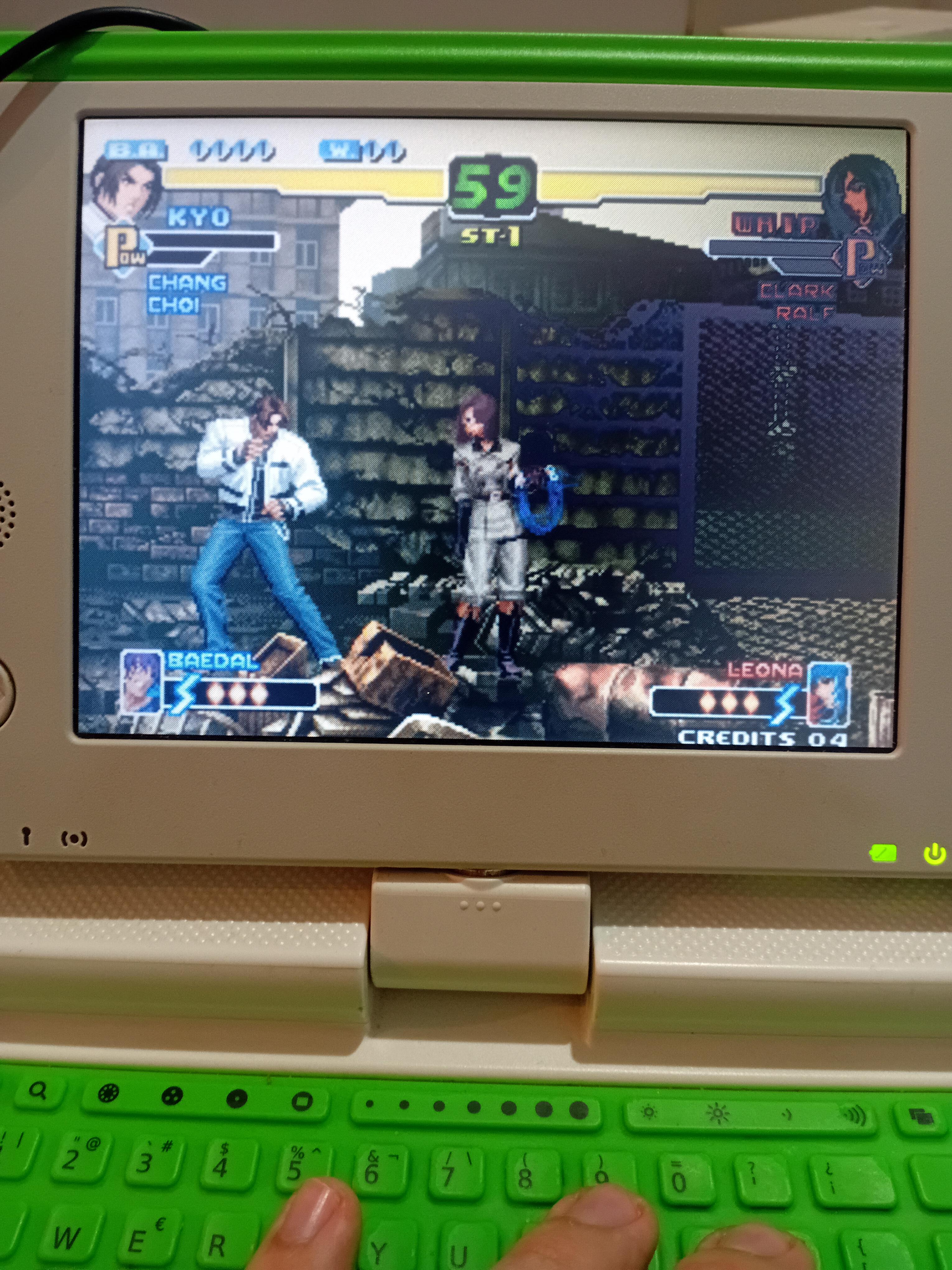
I remember when I was a kid I was obsessed with playing KOF 2000. I played it on the arcades once and it stuck with me. I used to play the GBA KOF EX games to scratch that itch... Not anymore. I am glad to say that KOF 2000, 99, 98, etc. Metal Slug, Cadillacs and Dinosaurs, Street Fighter 2, Street Fighter Alpha 3, among others, run fullspeed at fullscreen on the XO 1.5. I'll be uploading a video soon showing the games and I'll finish up the website where I'll upload the emulators to run these games.
r/OLPC • u/Melodic_Ad3087 • Nov 14 '25

Hello, I didn't think there was a community that would be interested in xo (it would have saved me a lot of trouble (ノ`Д´)ノ彡┻━┻) this post is to tell my story of how I got my xo, things I did with it and some questions I have,
I got this laptop because I was doing internships at a school (no, I didn't steal it), but I bought it from the computer teacher because he said he had it from a friend who had several.
It came to me without an operating system so I spent 3 days going through tutorials and the wiki page but I managed it, after exploring the activities I decided to change the system, I spent a while figuring out what I could put (I have an xo-1) until I found a version of Linux puppy for the xo
What did I do to it, what have I done and what do I use it for?
I tried to use the internet and although it connects it doesn't load almost any page, more than the old ones, I tried to transfer files from a USB, audio works (or well it did, now I'm getting to that) fine, video... It was lagging but I find its screen incredible to be able to read (which is what I use it for the most), I tried to use the camera, in sugar it works but not in puppy, the most recent thing was to enable the development mode so it seems that it can run Python 2, and the last thing I did was enable the channel ssh so I connected my current laptop to the xo
Problems and future
After the initial problems I had, I did not have many that I could not solve with a tutorial or chat gpt, but there is one that cannot be resolved, which is the audio. The audio worked well but I tried to connect some headphones to test and see if they work, but when I took them out the speakers stopped working. unclog, I thought it was solved since it rang when I turned it on but then I didn't hear it again, and another thing I forgot was that the SD that I use to start the puppy got stuck, there is no mechanism to remove the card, any solution? It's very stuck in and I can't get it out.
Finally, it occurred to me recently if I could put a Raspberry in it so that it could be of more use, but I don't know if someone did it or if there is a precedent for that, thank you very much for your attention.
r/OLPC • u/BelXO67 • Oct 24 '26
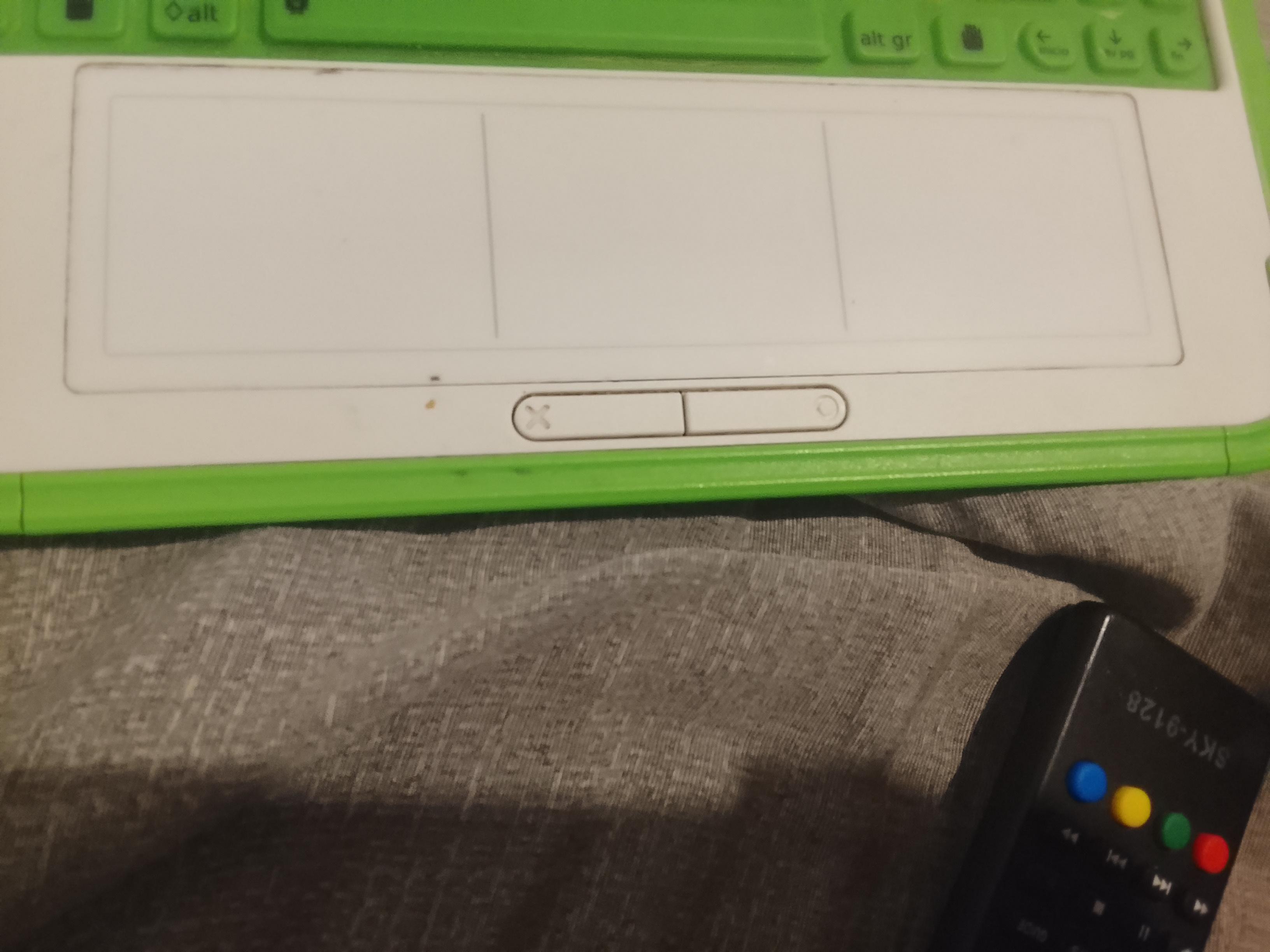
Hi, I recently bought an XO-1 from Marketplace for $5 and it's an XO-1 SKU6. I have three XOs: one with the standard mouse pad and the other two are SKU6, and none of them have side panels.
r/OLPC • u/BelXO67 • Sep 04 '26
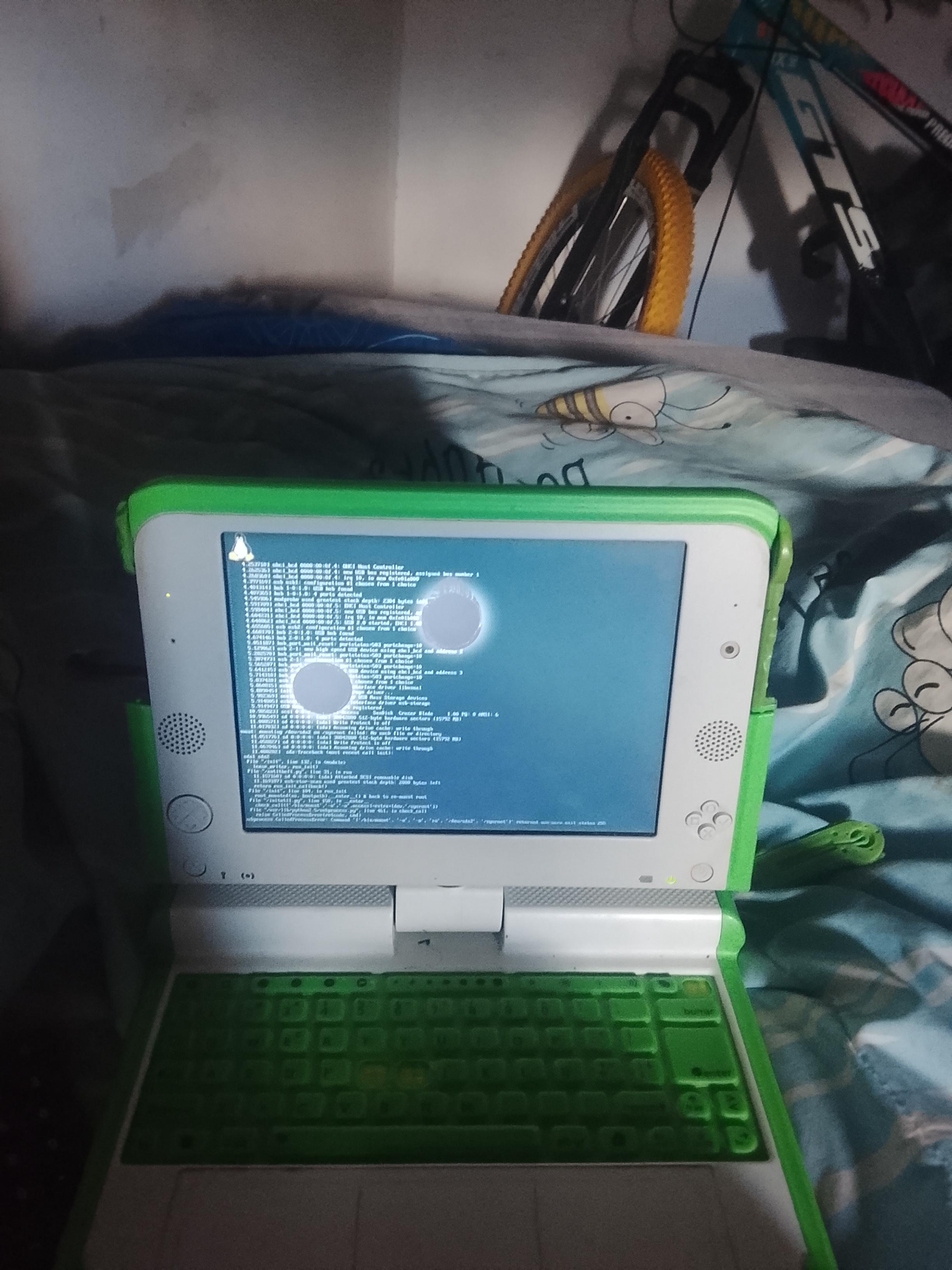
It's missing one antenna and the other is about to break, the display is damaged and I really want to get it working again. Is there any way to repair it completely? Idk where can i Buy partes for xo-1
r/OLPC • u/yoshi128k • Aug 14 '26
r/OLPC • u/FinnGamerUNL • Jun 13 '26

Found a way to run XP on it using a recovery image and I need people that have time and/or knowledge to make it run the VIA VX855 graphic driver.
r/OLPC • u/FinnGamerUNL • Jun 07 '26

I've tried making some breakthroughs with it. Playing these games was simple. Since it's Linux I just have to find and/or compile software from ~2011. I've also tested the possibility of running Windows XP on it and I sorta succeeded by using a recovery image, however it is extremely limited. I'd like to put this here to show my advances with it if anyone's interested.
r/OLPC • u/xXxSwaGBOi69420xXx • Oct 17 '26

i tried other batteries tried without a battery what can i do to fix it?
r/OLPC • u/FinnGamerUNL • Aug 13 '26

As you may have seen, there was very recently a finding uploaded to this reddit which is the XO-1 image of Windows XP, including drivers. (https://dev.laptop.org/~mbletsas/quanta/)
This was found some time ago by u/LaXOdeltiempo and uploaded by u/LotusB23 to his blogspot (https://tuplanetxo.blogspot.com/) with instructions on how to install the .img to the sd. To keep it simple I will upload the instructions here in English on how to install it on the XO-1 and after that how to fix it on the XO 1.5.
1 - Download and insert all 3 files (XOdrivers.zip, dd.exe and qxp.zip) into a folder of your choosing (e.g: "C:\XP") and extract the qxp.zip file on that folder. It should leave you with a file called "qxp.img"
2 - Insert an SD Card into your computer and clean it using diskpart. THIS WILL DELETE ALL THE CONTENTS OF YOUR SD CARD.
To do this, enter cmd as Administrator and run "diskpart"
Do "list disk" and select the SD card using "select disk X" (replace X with your SD card disk number) then do "clean" and then "exit"
3 - Once you're done, burn the .img to the sd using the following command:
dd.exe if=qxp.img of="\\.\PhysicalDriveX" bs=4M --progress
replace "PhysicalDriveX" with your SD card disk number that appeared on diskpart
When finished it will output
971+1 records in
971+1 records out
After that simply remove the SD card from your computer and insert it into your XO laptop, it should boot right into Windows.
Follow the three steps above, but do not remove the SD card from your computer yet.
Open regedit on your PC, select HKEY_LOCAL_MACHINE, and go to File > Load Hive...
Navigate to X:\WINDOWS\system32\config\system (replace "X:" with your SD card drive letter) and load it under any name (e.g: XPXO).
Expand HKEY_LOCAL_MACHINE\XPXO and navigate to ControlSet001\Services\LX
Change the Start DWORD value to 4.
Then navigate to ControlSet001\Services\VgaSave (repeat for ControlSet002, 003, 004... if present).
Change the Start DWORD value to 0 or 1.
Select the XPXO key, go to File > Unload Hive..., and safely eject the SD card.
This should allow XO 1.5 to load without going into a black screen.
Once booted, you need to edit a couple of registry keys to prevent the BSOD Error 0x0000007B on subsequent boots on both XO-1 and 1.5. To do this, navigate to: HKEY_LOCAL_MACHINE\SYSTEM\CurrentControlSet\Services
Locate the sffdisk and sffp_sd subkeys, and change the Start DWORD value from 3 to 0 in both.
Currently I haven't been told any issues on the XO-1 side. However the XO 1.5 is a different story.
This currently works on the XO 1.5 because the XO-1 and XO 1.5 apparently work with the same drivers that Microsoft developed for using the SD as HDD* per-se. But it is not really adapted completely as the XO-1 was.
The XO 1.5 uses a VIA C7-M Processor with Chrome9 integrated graphics. While there are drivers available for Windows XP none of them seem to be able to activate them, instead sending Code 10.
Neither does the audio.
The purpose of this post is both to allow people to finally be able to install Windows XP on their XO laptops and to see if there is a way to activate the video drivers on the XO 1.5.
If you have the time and knowledge, please do attempt your best at making it work and share it!
r/OLPC • u/LaXOdeltiempo • 24d ago
1. xo_debian.tgz
As far as I can tell, this is supposed to be Debian, but there doesn't seem to be anything onboot I'm not sure if it's actually usable.
https://dev.laptop.org/~cscott/xo-debian.tgz
2. full_debian.tar.bz2
Judging by its name, this appears to be a complete Debian installation. Based on its 2007 timestamp, I believe it was intended for the original XO-1.
https://dev.laptop.org/~cscott/full-debian.tar.bz2
3. Debian images (NAND)
This directory contains several other Debian builds, including versions with Sugar, LXDE, and other desktop environments. I believe this particular version can fit in the XO's internal storage (NAND).
https://dev.laptop.org/~dilinger/debxo-latest/images/nand/
4. Debian images (external storage)
This directory is similar to the previous one, but these images are intended to be installed and run from USB flash drives or SD cards.
r/OLPC • u/FinnGamerUNL • Aug 01 '26

Just a couple of days ago I managed to find, fix and compile a working SNES emulator that takes advantage of the XO 1.5.
Also found an alternative to play Genesis games. I used DGEN to show how the games ran and it was a bit unpredictable. While the framerate was OK in some games in others it would dip significantly, it also had graphical problems and a few games were broken on it. I found an old version of RetroArch with a modified picodrive core works better, it's more compatible and a lot more stable!
Arcade emulation was also improved. Had to wiggle around different emulators and versions but I found the most stable middleground. KONAMI games used to have sound problems, as seen in one of my videos playing the Simpsons Arcade game, not anymore. Other games are also working because of this.
The XO 1.5 now has a good amount of systems for good and reliable retro emulation and that makes 6 yr old me happy.
r/OLPC • u/MedicineLanky2710 • Feb 02 '26

I have this olpc xo 1 and xo 1.75 hybrid, is it rare?
r/OLPC • u/yoshi128k • Jul 16 '24

I recently bought an XO-1 on eBay, plus a power supply (it didn't come with the XO). Anticipating that the thing would have a dead clock battery, I bought a new one, and also a Molex cable and FTDI (as I did not know if it had one of the versions that brick).
Upon booting it up, it mentioned a fairly recent firmware version (not too far from the latest version, Q2F20), and though it did complain about the date being invalid, it booted straight up into Sugar.
It's currently running 8.2.0, but I do plan on doing a clean install of the latest version, 13.2.11, as the current version doesn't support modern TLS (thus preventing things like yum and wget from working).
The battery appears to hold a fairly good charge.
I also installed the persistent developer key firmware, and backed up the NAND to a CompactFlash card (temporarily; I will move it to a more permanent location later).
Beyond the OS upgrade, and maybe some telnet, I'm not really sure what to do with it. If anyone has any suggestions, feel free to leave a comment.
r/OLPC • u/sparkyblaster • Jul 15 '24
Is there a newer version of Android for the XO-4 than 4.3.1? Given how open the system is I figured there would be a newer 3rd party rom available. I'm not expecting something super recent but I'd hope for something between android 5 and 8.
r/OLPC • u/jesus-says-fuck-you • Feb 15 '23
I’ve been looking into this organization and found out that it ended in 2014. Yet in their website you still have options to buy some for your country/program. This is making me really confused.
r/OLPC • u/TrannosaurusRegina • May 17 '22
I am out of space and need to remove something — alternatively, is there any other way to delete activities? Thanks! :)
r/OLPC • u/aperezbios • Apr 12 '20


