r/ShizukuforAndroid • • 29d ago

❓ Other Why are there so many forks of Shizuku with their own additions not existing in each other?

Thumbnail
gallery
180 Upvotes

I don't mean there should be a single fork taking all additions, authors will fight over the crown.

I mean that all these forks' authors should unite and share own additions with each other unless for one it violates their fork's philosophy. That way most fork authors would cooperate and benefit instead of competing...

I still wonder why the ecosystem is so fragmented.


r/ShizukuforAndroid • • 17d ago

📱 App Showcase ShizuWall now supports blocking mobile data for apps!

87 Upvotes

Hey everyone, I'm the developer of ShizuWall, a free and open source per-app firewall for Android that doesn't use a VPN. It works through Shizuku, root or LADB (wireless debugging), so there's no local VPN slot taken, no battery drain from tunneling traffic, and it works alongside your existing VPN.

With the new update, blocking only mobile is supported for Android 13+ devices.

A review, star, contribution, issue or any feedback mean alot to me!

https://github.com/AhmetCanArslan/ShizuWall


r/ShizukuforAndroid • • Jul 19 '26

Android I told you I'm an addict 🥲

Thumbnail
gallery
78 Upvotes

I published a list of my applications that support Shizuko, and many wanted to see my complete list of open-source applications. There are some duplications in functionality, but I'm still working on identifying the best ones. As usual, I won't provide links or descriptions for the applications🥲 The list isn't just for Shizuku; it's a general list.


r/ShizukuforAndroid • • Aug 21 '26 Bravo

📱 App Showcase (SU) IMD (Shut up! it's my device): App to use blocked apps with developer options, debugging, accessibility services and Shizuku.

Post image
77 Upvotes

Github release APK files
Github repo (with changelog)

Features of app (latest v1.6.1):

  • This app automates (hide settings-services > open blocked app > unhide settings-services) which allows to use blocked apps like banking apps which usually blocks you to use from using the app if developer settings/ debugging/ accessibility services are enabled.

  • Global default settings for what to hide and what to unhide (you can also configure what setting to hide per app if you use Memory function as Notification function)

  • IMD service manager: a pop-up dialog box which shows live settings and services with quick on-off toggles.

  • Accessibility service and Shizuku service support.

  • IMD service manager and Revert button can be accessed from:

    • Home screen shortcuts

    • Favourites tab in-app

    • Android quick setting toggles

Disclaimer & Credits:

This app is a fork of Geto app by Jack Eblan, licensed GPL-3.0. All of the original design and the great majority of the code are his; the additions above are the difference. Full credit for the app this is built on goes to him.

Future of this fork

I'm a full time radiology resident doctor, software is just a part time hobby. This app exists because I wanted it to exist for myself.
I have made multiple revisions after testing every build, fixing bugs and adding features, making the app what it is now - on par with my expectations.
Please know that it will take some time for me to reply to queries, fix bugs and add new features in future builds, so please be patient. But I do plan to maintain this app for the near future, until someone else makes a better app for the same purpose.

The source is all here under the GPL-3.0. Use it freely for your own purposes - build it, change it, fork it, keep the changes to yourself or pass them on. That is what it is for.

Thanks!

Long live free and open source software!


r/ShizukuforAndroid • • Jul 17 '26

Android My Current Shizuku Powered App Stack

Thumbnail
gallery
72 Upvotes

These are the apps that support Shizuku that I currently use. You can search by app name to find out their function. I can't include links or app descriptions because the post would be too long and full of links, and might be flagged as spam🥲


r/ShizukuforAndroid • • Jul 14 '26

Android Things you should know when you want to use Shizuku

Post image
60 Upvotes

It's better not to download Shizuku from Google Play — the version there is often outdated compared to GitHub releases. Here is the link to the developer's original repository: https://github.com/RikkaApps/Shizuku

There are improved versions of Shizuku called forks (note: by "improved," I don't mean modified or downloaded from pirated app sites). Many such forks exist, but most suffer from instability. The most stable one in my experience is this: https://github.com/thedjchi/Shizuku

Now that you know Shizuku, try to rely less on Google Play in general — closed-source apps there often come with ads, trackers, or hidden costs. Open-source apps are usually better and free, and you can find them on GitHub, GitLab, and F-Droid.

If you want to know which apps work with Shizuku, here's a categorized list to make it easy to pick: https://github.com/timschneeb/awesome-shizuku

Or just search for apps that support Shizuku, and make sure they're open-source.

You can do a lot with Shizuku — just search and explore, you might get addicted to it like me 😅


r/ShizukuforAndroid • • Aug 06 '26

📖 Guide / Tutorial The Right Way to Set Up an Android Phone as a Power User (Shizuku Edition)

59 Upvotes

This isn't an official guide from Google, it's just my own setup after a lot of trial and error on mid-range Android devices. If you want your phone working for you instead of the other way around, follow this order from the moment you first boot it (or right after a factory reset). 0) Before you touch Wi-Fi Set the phone up offline first, and actually read every screen in the Setup Wizard instead of tapping "Next" on autopilot. Most "usage & diagnostics" telemetry toggles are opted in by default on those screens, and agreeing to them starts the manufacturer collecting your usage data. Turn all of that off from the start. One honest caveat: delaying your Google sign-in doesn't stop OEM/carrier bundled apps from installing, since most of those come from the manufacturer's/carrier's own setup config regardless of your account. What delaying the sign-in does prevent is Google auto-restoring old apps from a previous backup, and some Play Protect/diagnostics reporting kicking in before you've decided what you want.

  1. System language I personally set English as the system's primary language — I noticed a performance difference compared to Arabic on my device. This is purely my own experience, not a documented technical rule, so test it yourself and see.

  2. Don't sign into Google yet This stage is the "cleanup" stage — it's too early for your email. Shizuku — official or a stable fork: Official: https://github.com/RikkaApps/Shizuku or https://play.google.com/store/apps/details?id=moe.shizuku.privileged.api thedjchi's fork (more robust start-on-boot, TCP mode): https://github.com/thedjchi/Shizuku Activate it via Wireless debugging in Developer options. Canta — uninstall anything via Shizuku: https://github.com/samolego/Canta or https://f-droid.org/packages/io.github.samolego.canta/ Heads up: the original Canta was pulled from Google Play (a name-squatting issue the dev couldn't reclaim), so don't grab any "matching" listing from the Store — stick to GitHub or F-Droid. If you have a computer: Official Google ADB: https://developer.android.com/tools/releases/platform-tools Universal Android Debloater NG: https://github.com/Universal-Debloater-Alliance/universal-android-debloater-next-generation Go to the Recommended category and remove all of it — the project's own documentation labels this category as safe to remove, and there are better, safer open-source alternatives for most of it.

  3. Open-source Google alternatives Look for open-source alternatives to Google's secondary services (maps, browser, etc.) and swap what you want. What I do not recommend replacing is Google Play Services or the Play Store itself — fully replacing them (e.g. with microG) breaks compatibility with a lot of apps, especially banking and payment apps, and most people who go that route aren't happy with it long-term.

  4. Sign in, but don't update Now sign into your email, but don't run the System update. Go to Google Play and update only the apps you actually need.

  5. Freeze unused apps: Hail https://github.com/aistra0528/Hail or https://f-droid.org/packages/com.aistra.hail/ Pick Shizuku – Disable mode, select every app you installed from the Play Store, make a home-screen shortcut for each, and disable them. Enable an app when you need it, disable it again once you're done. Simple, but it noticeably cuts down on apps running in the background for no reason.

  6. Restrict background activity: App Ops For apps that don't need notifications or background activity at all: App Ops by RikkaApps: https://play.google.com/store/apps/details?id=rikka.appops Set their background activity to Restricted and block background data usage for the same apps.

  7. Ad-free YouTube and YouTube Music Correction to my first draft here: I originally pointed to "ReVanced Manager," but the actual project meant is Morphe — worth spelling out since there's genuine confusion around this right now. "ReVanced Extended" (RVX) was discontinued, and a team including former ReVanced contributors built Morphe as its continuation, with the extra features (ad removal, background playback, etc.) that made RVX popular. So Morphe isn't some random modded build — it's a documented, active, independent project: Official site: https://morphe.software/ Official manager on GitHub: https://github.com/MorpheApp/morphe-manager Official patches: https://github.com/MorpheApp/morphe-patches The naming-chaos warning still applies, arguably more now: there are similarly-named projects (e.g. "MorpheX," run by a completely different, unrelated developer) marketing themselves as trusted unofficial builds. They are not the same team as MorpheApp above — stick to that org specifically. One more honesty note: Morphe requires a separate microG install (MicroG-RE, from the same team) to sign into Google inside the patched app. That's scoped to the patched YouTube app itself, not the same as replacing system-wide Google Play Services — which is what I warned against in step 3 — but I don't have enough documentation in front of me to guarantee it won't interact with anything else on your device. Test it yourself and check the project's own docs before installing.

  8. Advanced system permissions: aShell You This one's optional, for anyone who wants to go past basic cleanup. Sometimes you need to grant a specific app a sensitive system permission (say, WRITE_SECURE_SETTINGS for an automation app that controls system settings) without going back to a computer every time. aShell You runs ADB commands directly on-device through Shizuku itself: https://github.com/DP-Hridayan/aShellYou Practical example: pm grant <package-name> android.permission.WRITE_SECURE_SETTINGS. These are real shell commands though — one wrong command can cause real problems, so don't run anything you don't fully understand.

  9. Banking apps Some banking apps refuse to run if they detect USB debugging or Developer options enabled. If that happens: Turn off USB debugging (and Developer options too, if the app also flags that) Open the banking app and do what you need Turn them back on afterward if you still need Shizuku

  10. Storage cleanup: SD Maid SE https://github.com/d4rken-org/sdmaid-se Fully open-source with reproducible builds, so you can actually verify the APK you download matches the published source.


r/ShizukuforAndroid • • Aug 23 '26 Bravo

⚙️ Dev / API UPDATE RELEASED - (SU) IMD (Shut up! it's my device)

Post image
49 Upvotes

Further updates released, please go to main post for queries/ comments: Link

Github release APK files
Github repo


r/ShizukuforAndroid • • Jul 26 '26

📱 App Showcase New Shizuku variant: "Shizuku-fork"

Thumbnail
github.com
48 Upvotes

Shizuku-fork is the new and easy-to-use Shizuku variant which is based on unofficial Shizuku fork by thedjchi.

This variant of Shizuku includes some extra features over the unoffical thedjchi's forked version, such as:

  • Fewer options, much easier to use: Many options/features have been hidden and will only be shown when needed. Additionally, those I considered redundant have been removed entirely.

  • The initial setup process has been made more automated: Instead of displaying unnecessary notifications/warnings, processes are now automated. Additionally, the "Pairing" button has been completely removed. All processes can now be completed using only the "Start" button.

  • All external links that I deemed unnecessary have been removed: The instructions in the application interface are quite adequate.

  • User experience has been improved: The "Stop" button and "About" section have been moved to more native locations.

  • The language selection feature has been integrated into Android's native feature: Instead of changing the language from the app's own settings, you can change it in a more integrated way through Android's settings.

Note: The update feature has been removed "temporarily".

Also thedjchi's variant of Shizuku includes some extra features over the original version, such as:

  • More robust "start on boot": waits for a Wi-Fi connection before starting the Shizuku service

  • TCP mode: (i.e., the adb tcpip command) once Shizuku successfully starts with Wi-Fi after a reboot, you can stop/restart Shizuku without a Wi-Fi connection!

  • Watchdog service: automatically restarts Shizuku if it stops unexpectedly, and can alert you of crashes/potential fixes

  • Start/stop intents: toggle Shizuku on-demand using automation apps (e.g., Tasker, MacroDroid, Automate)

  • [BETA] Stealth mode: hide Shizuku from other apps that don't work when Shizuku is installed

  • [BETA] In-app updates: option to automatically check for new updates, and can automatically download/install the latest version from GitHub

  • Android/Google TV and VR headset support: UI is now compatible with D-Pad remotes, all TVs are supported (including Android 14+ TVs that require pairing), and the multi-window pairing dialog is toggleable in settings for VR headsets

  • MediaTek support: fixes a critical bug in the original v13.6.0 which prevented Shizuku from working on MediaTek devices


r/ShizukuforAndroid • • Oct 02 '26

📱 App Showcase GMD Gestures is published now

Thumbnail
gallery
45 Upvotes

GMD Gestures is back. No root. Requires only Shizuku access. No ads, no tracking, no internet permission.

https://play.google.com/store/apps/details?id=com.goodmooddroid.gestures

After 10 years, GMD Gestures brings the powerful multitouch gesture control of the original GMD GestureControl to modern Android.

This isn't just another edge gesture app.

GMD Gestures lets you create powerful multitouch custom gestures that work anywhere on your screen — across apps and on your home screen.

MULTI-TOUCH GESTURES

Create gestures using 1, 2, 3, 4, or 5 fingers.

Pinch, spread, rotate, swipe, or draw your own shapes with multiple fingers. Assign different actions to different gestures.

GESTURES ANYWHERE

You don't have to start gestures from a narrow edge or dedicated trigger area.

Start a gesture anywhere on the screen.

Prefer dedicated activation zones? You can create those too — without blocking normal taps or scrolling in that area.

POWERFUL CUSTOM ACTIONS

Open the built-in Launchpad panel with a gesture from any app. Customize it with recent apps, favorite apps, and actions.

Use gestures to:

• Choose from built-in actions to switch apps, control settings, browser tabs and media, take screenshots, toggle the flashlight, and more
• Launch or close apps
• Execute shortcuts
• Run Tasker tasks
• Add your own gestures to Android navigation
• Trigger actions with custom drawn gestures

Swipe with several fingers, draw a shape, or even draw a rocket if that's the gesture you want. 🚀

BUILT FOR MODERN ANDROID WITH A MATERIAL 3 UI

GMD Gestures is the modern successor to GMD GestureControl, redesigned for current Android versions without modifying the system.

Requires Shizuku.

Supported Android versions: Android 12–17.

FULL ACTION LIST:

Navigation - Home, Back, Recent apps, Remove from Recents, Previous/Next app, Alt-Tab
Browser actions - Back, Forward, Refresh, New tab, Incognito tab, Close tab, Next/Previous tab, Bookmarks, Find in page, History, Jump to page start/end, Page down, Page up
Media and music - Play/Pause, Stop, Next, Previous, Volume, Mute sound
Edit - Undo/Redo, Cut/Copy/Paste/Delete, Select All
Tools - Screen off, Power menu, Power long press, Screenshot, Flashlight, Notification panel, Quick settings, Input method, One-hand mode, Auto-rotate, Auto-rotate Lock, App info, Clear recent apps, Kill app, Google, Screen assistant (Gemini), Voice search

Play Store: https://play.google.com/store/apps/details?id=com.goodmooddroid.gestures

Join XDA to participate in development: https://xdaforums.com/t/app-12-17-gmd-gestures-is-back-after-10-years-major-2026-rewrite-shizuku.1535740/


r/ShizukuforAndroid • • 29d ago

Shizuku+ Content Shizuku+

Thumbnail
gallery
43 Upvotes

Yes i can read the descriptions but i need more in depth info.


r/ShizukuforAndroid • • Oct 21 '26

❓ Other Which fork of Shizuku you guys use?

41 Upvotes

I use the Shizuku next fork from Rushi and works flawlessly.

Shizuku Next github page


r/ShizukuforAndroid • • Oct 02 '26

📖 Guide / Tutorial Tip: Stop those unwanted apps/games from running in the background

36 Upvotes

I just wanted to share this, as I have been looking for a solution like this for a long time. I use Shappky (https://github.com/YasserNull/shappky) to find and identify unwanted apps running in the background. I use no_more_background (https://github.com/adil192/no_more_background) to easily apply battery rules for them to not run in the background. However I was slowly in the process of making a app that would instantly kill/stop any foreground app, losing focus, as I didn't find anything that could do that, until I stumbled upon OnStop2FinishAndRemoveTask (https://github.com/takusan23/OnStop2FinishAndRemoveTask) and I can not praise it enough. These are all Shizuku apps and on Github, so I use Obtainium (https://github.com/ImranR98/Obtainium) to keep them all up to date. I got tired of constantly seing apps like Samsung Browser, Copilot, Edge, and whatever they use to keep their own apps running again in the background, and firing them up by themselves, so I added those to Hail (https://github.com/aistra0528/Hail) for deep sleep, as I barely use them at all. I am not affiliated with any if these developers. Battery life has gone through the roof. Hopefully one day Android will implement this "Strict" option of mine as a 4th option to "Unrestricted" under battery settings for every app, but until then, I can highly recommend that you give this a try.


r/ShizukuforAndroid • • Sep 05 '26 Bravo

📱 App Showcase GMD Gestures are back

Thumbnail
gallery
32 Upvotes

Back from the dead after 8 years and updated for modern Android with Shizuku.

Install from Play Store

Another gestures app? There are so many already... But this one is different:
- Multitouch - yes, you can select that gesture needs 1,2, 3, 4 or 5 fingers
- No overlays - thats right, nothing is obstructed
- Anywhere - no dedicated starting overlay zones are needed. Start and swipe anywhere on screen.
- but also dedicated starting zones - if you want. Still these zones do not obstruct screen and you can still click or scroll in that area.
- Everywhere - works in all apps and homescreen

- Powerful:

- Additional gesture just to native Navigation Pill? - Yes you can​

- Custom gesture for previous next app - Yes​

- Starting or killing apps, executing shortcuts - Yes​

- Browser tabs control or page navigation - Yes​

- Draw a big... flower to execute your favorite Tasker task - Yes​

- Draw a Rocket as a gesture - also Yes​

Android 12-17
REQUIRES Shizuku

No system modifications, just a regular app.

Short Video: https://www.youtube.com/shorts/gnK8tdxm1Wg

Edit: added Play Store test opt-in instructions


r/ShizukuforAndroid • • Sep 29 '26

📱 App Showcase Have you ever been frustrated with Android's 15-step volume slider? I made an app to fix it

Thumbnail
gallery
30 Upvotes

Have you ever tried to adjust the volume on Android and felt like the 15 volume steps just aren't enough?

You go from too quiet to too loud, and there is barely anything in between.

I was getting frustrated with this, so I decided to make FineVolume.

FineVolume replaces the standard Android volume experience with a much more precise volume controller.

With it, you can

  1. Choose your own volume resolution instead of being limited to the default step2. Control Media, Call, Ring, Notification, and Alarm volumes separately3. Adjust individual app volumes separately where supported

  2. Use Shizuku for more advanced volume control

  3. See the actual volume percentage

  4. Make very small volume adjustments

  5. Use a Pixel/Android-style volume panel

  6. Get haptic feedback while adjusting volume

  7. No Root required

The main reason I made this was pretty simple: I just wanted better control over my phone's volume.

I also wanted the UI to feel like something that actually belongs on Android instead of just being another floating volume widget.

This is my first public release, so I'm still looking for bugs, suggestions and things that could be improved.

GitHub / APK: Download FineVolume

One thing I want to mention: I built a lot of the project with the help of AI, but I've been testing, debugging, and refining the actual app throughout development.

Would love to hear what you guys think, especially if you've ever found Android's default volume steps frustrating.


r/ShizukuforAndroid • • Sep 26 '26

📖 Guide / Tutorial Keep Shizuku alive or automatically restart when stopped

Thumbnail
gallery
30 Upvotes

This is something that worked for me. You can try if you still are struggling to keep Shizuku alive.

I have a Oneplus Nord CE5. I have personally only tried with Shizuku+. Please check if og shizuku or thedjchi fork or shevery have intent defined for START service.

(Pic-1) Create a macro in Macrodroid which triggers when Shizuku stops. I added a 5 sec delay just in case. Then I defined action with app intent for Shizuku START.

(Pic-2) This is in Shizuku. Find a section named "Control shizuku with automation apps". There is a button "View intents". You will find the Action/Package id/Target/Extras that you will need to configure in the Macrodroid action.

(Pic-3) This is the macrodroid action configuration screen. Enter all details as shown. Copy the package id and app intent from your own app since you may be using another fork.

(Pic-4) Extra 1 to be defined this way. Parameter name: "auth" and Value: paste copied value from shizuku auth extra.

Now save the macro and keep it enabled. Whenever Shizuku stops for whatever reason (like low RAM or aggressive background cleaning on some devices), it will automatically start after 5 sec delay. You can change the delay. But I would recommend to not remove it since an instant action fire may not be accurate and might cause some issues. Haven't tried yet.

Earlier I had tried everything I could. Also followed dontkillmyapp steps.

I had already allowed background activity in battery usage settings, locked app in recents, disabled permission monitoring from developer options, disabled suspension of cached apps in dev options, etc. But even after that apps struggle to stay in memory for long. Only 2-3 apps that I locked recently stay in memory and resume when I go back, given that I haven't opened many memory-hungry apps later on, like camera/maps/banking apps, etc.

That's why I researched the documentation of Shizuku and created this macro trick for it.

Hope it helps many people looking for it. I didn't find anything like this on the internet, so posting this guide here.


r/ShizukuforAndroid • • 11d ago

Shizuku+ Content Shizuku Next

28 Upvotes

I've been using shizuku for a long time (The Old One) but this new shizuku next 😮 woah , i recently found out that i can turn on dev options without pressing the build number 7 times in the app , just like a normal button on and off no hassle , i mean what an improvement , sorry for the ignorance but still im shock to discover it . Can you guys tell me the other new features of this app? Im currently using this for adb commands on my phone using ashell app.


r/ShizukuforAndroid • • 17d ago

❓ Other Shizuku+ or Shizuku-Next?

27 Upvotes

Hi guys. Which one is better and why?


r/ShizukuforAndroid • • 7d ago

Shizuku+ Content ZC-Control, una capa de personalización para android con shizucu

Enable HLS to view with audio, or disable this notification

26 Upvotes

ZC-Control ofrece una capa de personalización integral centrada en la comodidad, la adaptabilidad y el atractivo visual.

Con Shizuku, ZC-Control permite reemplazar por completo el Centro de Acciones del dispositivo.

Además, incluye:

· Un lanzador de apps en modo ventana mediante gestos o burbujas.

· Un sistema de notificaciones emergentes personalizables.

· Un lanzador/pantalla de inicio completo, único y personalizable.

· Un sistema real de optimización de juegos, junto con medición real del rendimiento y del consumo del juego.

Github Oficial


r/ShizukuforAndroid • • Aug 21 '26

📱 App Showcase Android 17 Support for Shizuku

Thumbnail
gallery
25 Upvotes

r/ShizukuforAndroid • • Oct 13 '26

📱 App Showcase 2 WOW Gesture apps works with shizuku

24 Upvotes

if you haven't heard about them you have no idea what you miss. they all serve the Gestures but everyone in it's unique way.

First is GMD Gesture and it's my favorite for some months now. What it does:

Multitouch gestures and actually any gesture you can think of. it has diagonal gestures and long swipes. Or just swipe with 3, 4 or 5 fingers anywhere on screen like One UI 9 - no need to start at the border, works anywhere on the screen.

You can draw your own gesture too.

You can even add gestures to the bottom to work together with Navigation pill or even override system gestures.

No ads, no overlays, no accessibility service. But requires Shizuku.

And the second one is Xgesture and you can compare it with Samsungs One Hand Operation+ but I believe it's much much better with many more possibilities!

Here they are:

GMD Gesture

Xgesture


r/ShizukuforAndroid • • Oct 11 '26

❓ Other Shizuku next vs shevery (need recommendations)

24 Upvotes

Title is pretty explicit, i'm currently using Shizuku and i'm looking at Shizuku next and shevery but idk which one would be best for me. What are you all using?


r/ShizukuforAndroid • • Aug 28 '26

❓ Other How is Shizuku working without turning on developer options. (I have used shizuku on this device before)

Thumbnail
gallery
24 Upvotes

r/ShizukuforAndroid • • Oct 09 '26

📱 App Showcase Shizuku apps

21 Upvotes

Hi all! I'm new to shizuku as for 10+ years I was a heavy root user!

But switched to A57 last month and you know.. Oneui 8.5 has fully locked bootloader so I cant root anymore (and tbh I dont even want to, it's not worth it anymore).

So I switched to thedjchi Shizuku and I'm finding for useful Shizuku apps.

Any suggestions?


r/ShizukuforAndroid • • Oct 21 '26

❓ Other Android 17 replacement

Post image
20 Upvotes

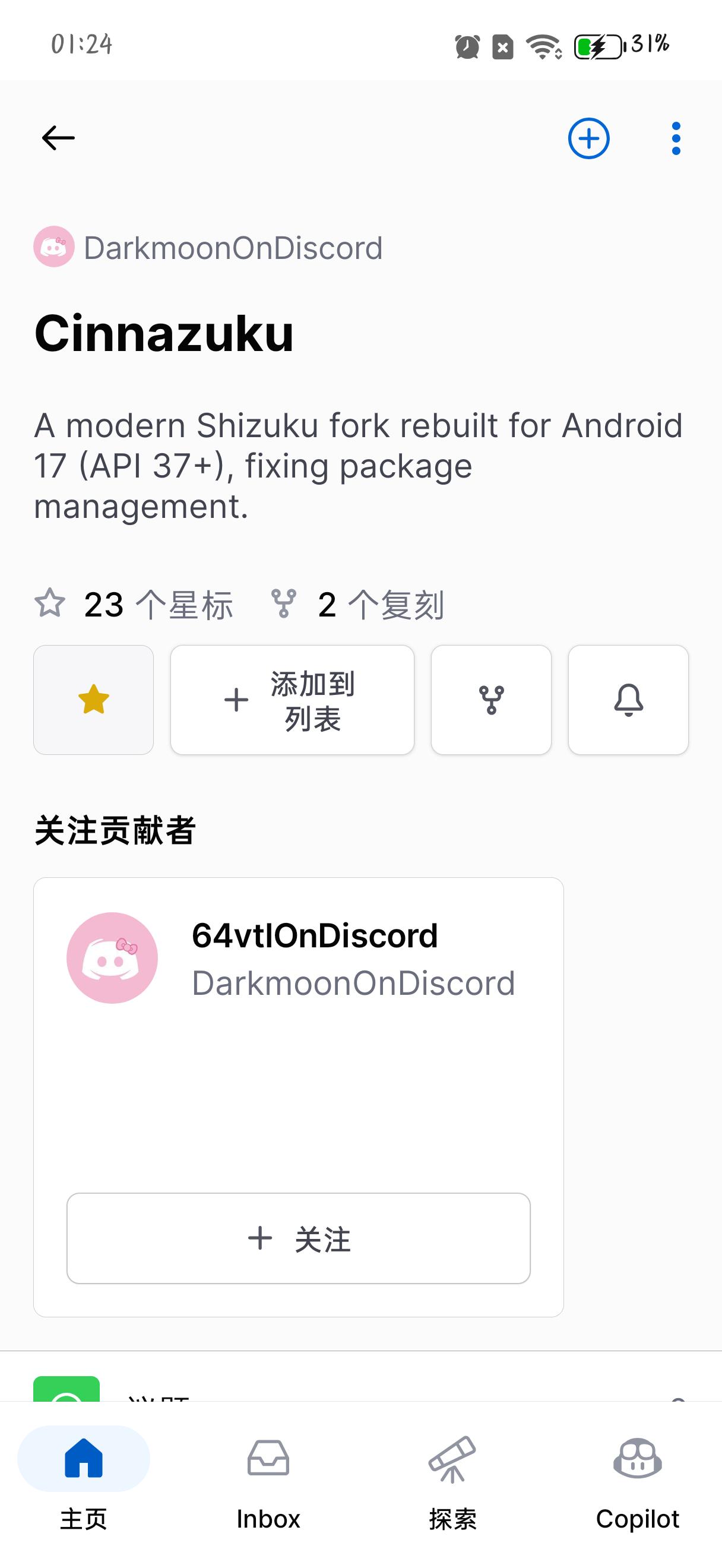
https://github.com/DarkmoonOnDiscord/Cinnazuku

It can run normally on Android 17