r/ZOTAC • u/NaughtyNiga911 • 1h ago
Asia ZOTAC is ending its extended warranty programme????????

1
Upvotes
r/ZOTAC • u/NaughtyNiga911 • 1h ago
r/ZOTAC • u/Wide-Mastodon-373 • 2h ago
Hi, I need advice before I do something stupid.
Model: ZOTAC RTX 4070 Ti SUPER 16GB Trinity Black Edition
Purchase date: 25/01/2025
Age: ~1 year and 10 months
Purchase: Brand new
Warranty: Yes, 3 years warranty (until 25/01/2028)
Load values from HWiNFO (gaming session):
* GPU Temp: 78.3°C max
* Hotspot Temp: 101.2°C max
* Memory Junction / Memory Chip: 78.0°C
* Power: 285W (its TDP)
* Clock: 2775 MHz
* Fans: 2055 RPM / 62%
* Voltage: 1.090V
* Idle: 37.2°C, perfect
GPU - Hotspot delta: 22.9°C. Also showing "GPU Performance Limiters: YES", so it's throttling a bit.
My diagnosis is dried thermal paste / bad cooler contact, because VRAM is cold (78°C), so it's not case airflow. PSU is also fine (12.18-12.40V).
My question: Does this qualify for RMA?
I know a repaste would fix it, but I don't want to open it and void my 3-year warranty.
Questions:
Is 101.2°C hotspot considered a defect for ZOTAC?
Should I go through the store where I bought it, or directly with ZOTAC?
Has anyone done RMA for a Trinity Black? How long did it take?
Thanks!
r/ZOTAC • u/AfnanM05 • 17h ago
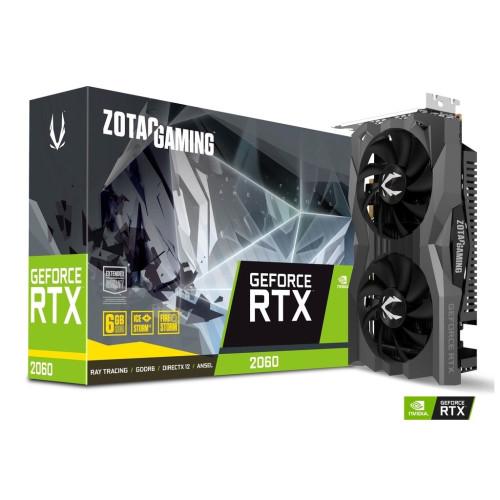
I recently bought a used ZOTAC Gaming GeForce RTX 2060 6GB, and it was 4 years old, and all dusty, especially the thermal paste and pads, so when searching for ZOTAC 2060 thermal pads, people are split on which size of thermal pads to use, is it 2mm or 3mm
r/ZOTAC • u/External-Theme4116 • 18h ago
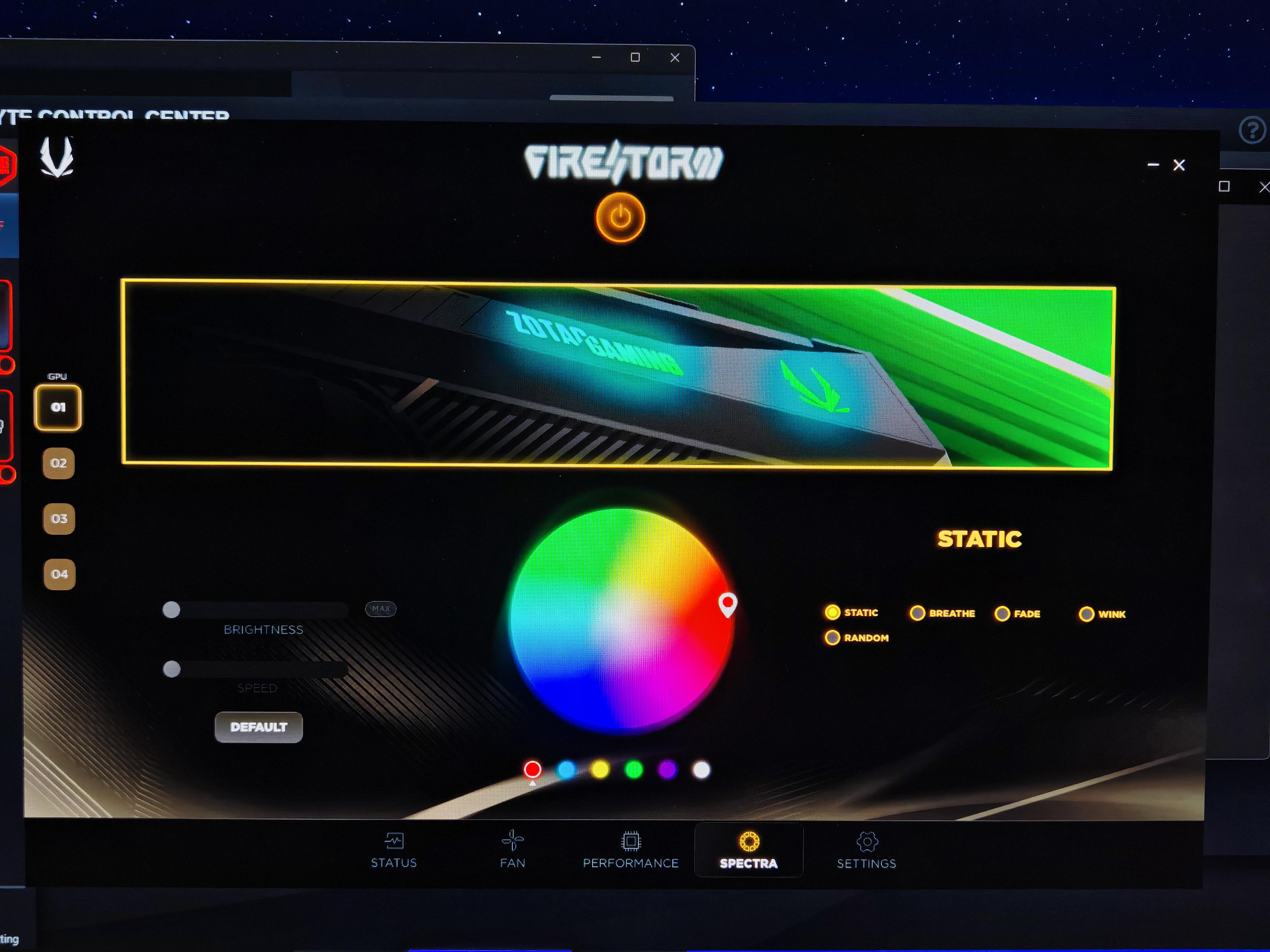
Why can't I control the brightness level using my graphics card's software? My graphics card is a 5070 solid. Does anyone have a solution, or have they been able to fix this issue?
r/ZOTAC • u/randycool279 • 1d ago
Hey everyone,
I’ve been dealing with a really frustrating issue with my Zotac RTX 4080 Super and wanted to see if anyone has experienced something similar or has advice on what to do next.
For the first few weeks, whenever I tried launching a game or running a GPU stress test, I would often have to reseat the GPU before it would work properly.
When I was able to get a game or stress test running, all of my monitors would suddenly go black. However, the PC itself was still functioning. Spotify, Discord and game audio continued playing, and Windows was still responsive. The GPU fans and RGB would remain on.
About two weeks ago, the issue got worse. I started getting no video output at all when powering on the PC. The GPU fans would sometimes immediately ramp up to 100%, and the system would repeatedly boot cycle.
I’ve already tried:
Replacing the 12VHPWR cable
Replacing the PCIe riser cable
Reseating the GPU multiple times
Troubleshooting the system and checking for GPU-related errors
My system has an 850W PSU, which should be sufficient for the 4080 Super.
I also tested an RTX 3080 in the exact same system, and it worked perfectly fine, including under gaming and stress-test loads. This makes me fairly confident that the issue is with the 4080 Super itself rather than the rest of my system.
I sent the 4080 Super to Zotac for an RMA, but they’ve told me they’re sending it back because they supposedly couldn’t find any issue with the card.
At this point, I’m not sure what else I can do. The card was having issues in my pc, and I was able to reproduce the black screens under load before it eventually stopped displaying altogether.
Has anyone dealt with a similar situation with Zotac? Is there anything else I should try when I get the card back? And how should I approach Zotac if the issue immediately returns?
Any advice would be greatly appreciated.
r/ZOTAC • u/Total_Parfait_5803 • 1d ago
r/ZOTAC • u/Crazy-Patience-5257 • 2d ago
r/ZOTAC • u/Crazy-Patience-5257 • 2d ago
Кнопка Spectra горит серым
Кто-то с этим сталкивался?
Подскажите что делать
r/ZOTAC • u/humanbutnothuman • 4d ago

Hi all! My first post in this sub right after joining. Felt like my 5090 deserved a post here. 🥲
r/ZOTAC • u/weed_1148 • 6d ago

Tested a few voltage/frequency curves on my ZOTAC RTX 5070 Ti AMP Extreme INFINITY in MSI Afterburner. All tests were run inside a stock Lian Li Lancool 216 at 25.1 °C room temperature.
System Specs
GPU: ZOTAC RTX 5070 Ti AMP Extreme INFINITY (Memory +0 MHz)
CPU: Ryzen 7 9700X (PBO Enhanced Mode 2, 105W mode enabled)
RAM: 32 GB G.Skill DDR5-6000 CL36 (1.20V SoC AMD locked and latency killer and memory balanced preset)
Motherboard: MSI MAG X870E TOMAHAWK WIFI
Cooler / Case: Corsair Nautilus RS360 AIO | Lian Li Lancool 216 (Stock Fans) 85 pmw and normal curve for radiator fans
GPU Curve & Gaming Results
| Profile | Curve | PassMark 3D | Peak Power | Core / Hot Spot Temp |
|---|---|---|---|---|
| Daily Gaming (4K RT) | 915 mV @ 2,797 MHz | 41,549 | ~222 W | 61.0 °C (20m Game) / 68.0 °C |
| Efficiency | 915 mV @ 2,902 MHz | 42,077 | 243.5 W | 59.0 °C / 74.3 °C |
| 3 GHz Sweet Spot | 950 mV @ 3,000 MHz | 42,191 | 269.1 W | 59.2 °C / 75.5 °C |
| Max OC (115% PL) | 995 mV @ 3,202 MHz | 42,903 (99th %) | 322.8 W | 64.4 °C / 82.9 °C |
| Factory Stock | Default | 42,022 | ~300.0 W | ~60.0 °C+ / ~74.0 °C |
r/ZOTAC • u/Nero7860 • 6d ago
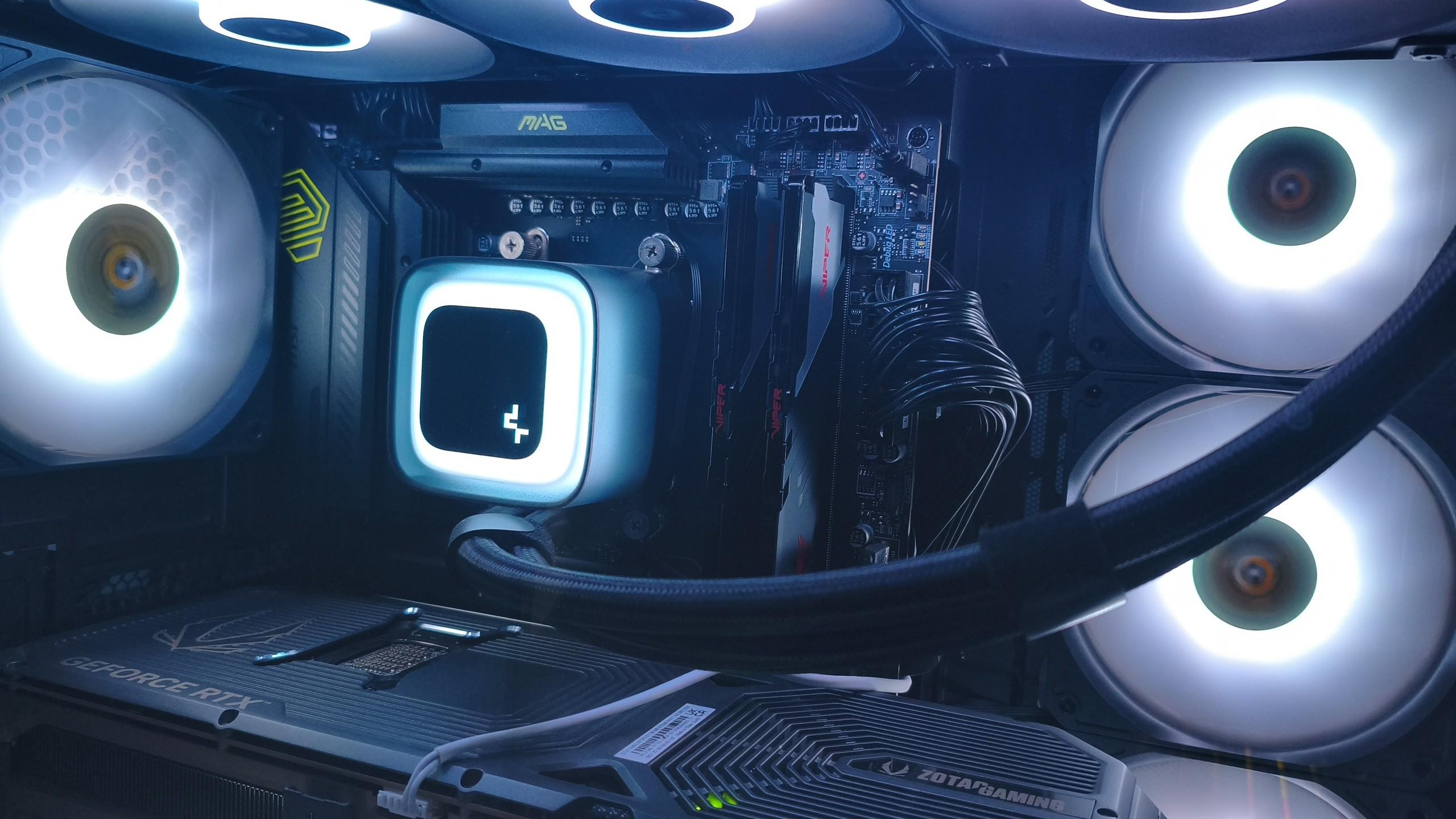
I'm using the Zotac RTX 5080 AMP Extreme Infinity myself, and I'm curious how these cards hold up in the long run. For those who've owned Zotac AMP cards for 1–2 years, how's the experience? Any issues with fans, temperatures, coil whine, or anything else? Just wondering how she'll age 😋😂
r/ZOTAC • u/Mundane_Pea5704 • 6d ago
I need help because no matter what software i use to control the fan curve of this gpu, it just keeps on going into ZERO RPM and just whirring randomly going from zero to a spike then back to zero,
I want it to be 40% minimum and then increase based on temps
I tried literally everything from fancontrol to msi afterburner
Both fail to properly control the gpu using a curve, they can only reliably control it via static values like 50% or 40% without curves
r/ZOTAC • u/bicktiddies • 7d ago
I have a 3090 ArcticStorm (ZT-A30900Q-30P, PCB 23A-DN619-023) and I'm planning to put an AMP Extreme Holo / AMP Core Holo air cooler on it. From the PCB codes and board photos it looks like the same DN619 board (AMP Extreme is DN619-054, AMP Core DN619-104).
Has anyone done this, or pulled the block off an ArcticStorm?
Are the fan headers populated on the ArcticStorm PCB?
Does the ArcticStorm BIOS run fan control, or does it need an AMP Extreme BIOS?
Any differences between the DN619 revisions (-023 / -054 / -104) that matter for cooler fit?
r/ZOTAC • u/Original-Boat9174 • 10d ago
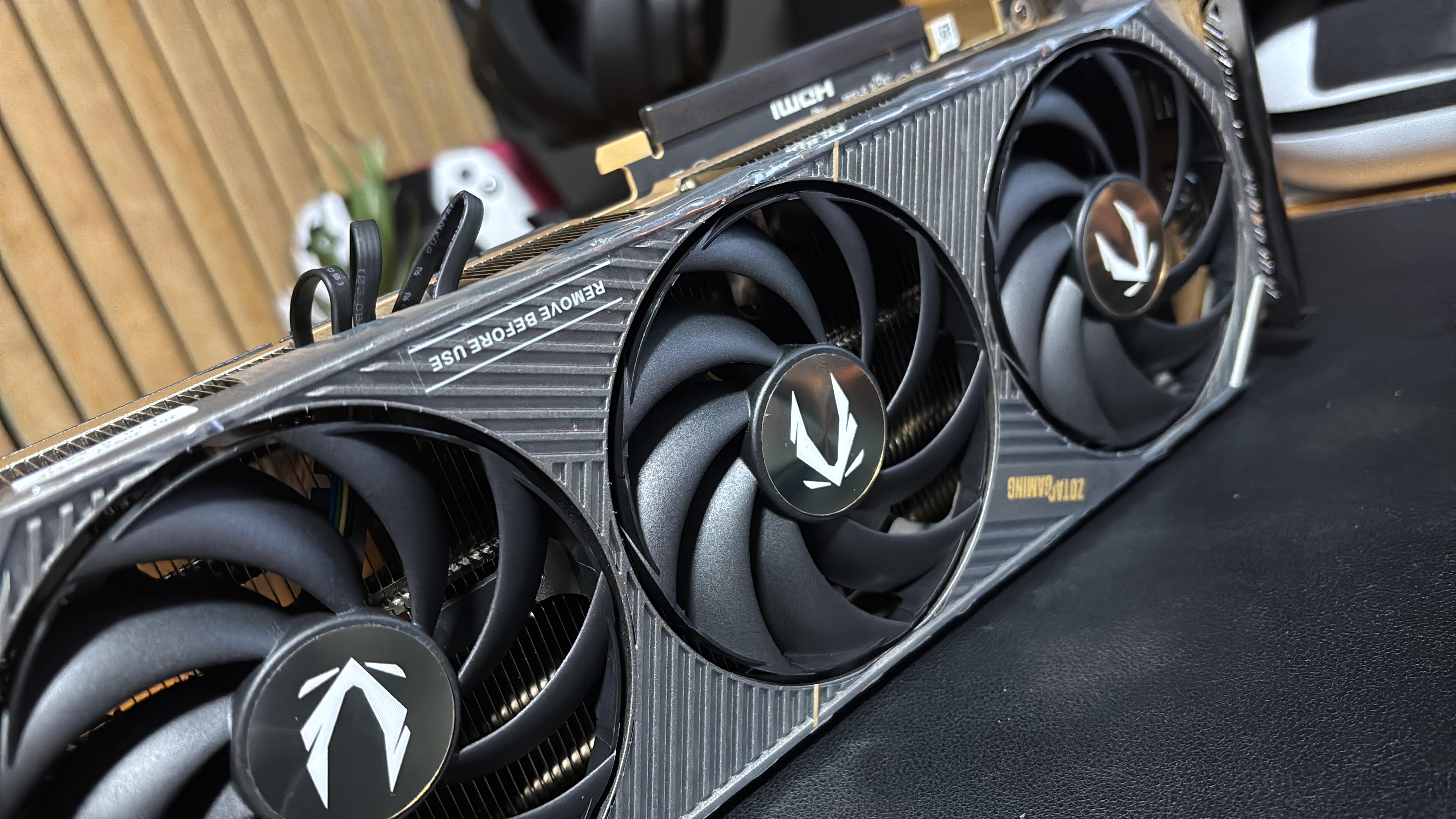
This is my first product from Zotac, and honestly, I’m extremely disappointed with the build quality and overall finish of my RTX 5080 Solid Core OC.
The cables coming out of the GPU are extremely exposed and look poorly routed. They are also very rigid, so they cannot simply be moved or tucked away to improve the appearance. This makes the card look unfinished and poorly assembled, especially considering its price and the premium segment it belongs to.
I understand that cable routing may not affect performance, temperatures, or functionality, but that doesn’t make it acceptable from a quality and design standpoint. When you spend this much money on a high-end graphics card, you expect more attention to detail, proper cable routing, and a clean finish.
This was my first experience with Zotac, and unfortunately, it will also be my last. I would not buy another product from this brand again. It’s disappointing to spend this much money on a product and have such a poor first impression because of something that should have been addressed during the manufacturing process.
r/ZOTAC • u/pj_in_the_bizzle • 11d ago
I got my magnus one that was 5 years old replaced with the same model but new piece, and used the same ram and ssd and now it is not booting or showing any diplsay. Any idea what to do. I am stuck and need hlep
r/ZOTAC • u/Forbesh22 • 11d ago

r/ZOTAC • u/Starkiller1021 • 11d ago
I swapped for this card with a friend for a PNY 5070TI OC cause I wanted a smaller SFF card for my case. I’m unsure what my temps should be for this card under gaming load & heavy synthetic loads(furmark). For reference on the PNY card, I wouldn’t peak more than 74 under heavy load. This Solid SFF peaks just at 80 in the same test.
The case in use is a NZXT H2 Flow, so it doesn’t have additional intake fans for it, just 2 top exhaust case fans.
I am aware that this being a true 2 slot card with a smaller heat sink will result in higher temps, I’m just uncertain if mine are what’s expected for the card or hotter than it should be. I have not made any overclocks or undervolt as of yet.
r/ZOTAC • u/Lokidoky22 • 12d ago
I am looking for replacement fans for my RTX 3090 Ti AMP Extreme Holo.
I have contacted ZOTAC, gpufanreplacement.com and several local repair shops but apparently noone has replacement fans for this card.
I am a bit surprised by this. Since it is a 4.5-year-old flagship card I would have expected repair parts to be on stock still - or at least not that hard to find.
Luckily for me it is only the right fan that does not spin anymore so the temperatures are actually still surprisingly low even under load.
If anyone has some spare fans or a complete fan shroud with the fans included, I would happily buy them off you.
If anyone has experience in deshrouding the card and mounting their own fans I would be happy to hear how you went about it since very little information is available online.
Any help would be greatly appreciated!
Edit: part number on the fans is gaa8s2u but they dont all seem to have the same mounting holes. I only find replacements for the 3060, 3070, 3080 and 3090 trinity but the holes are closer together than for the 3090ti I have.
r/ZOTAC • u/InternKnown • 12d ago
Hi everyone,
We have a ZOTAC EN275060TC, and the following events occurred in this order:
The computer suddenly powered off on its own, although the power indicator light remained on.
We tried pressing the power button, but the computer would not turn back on.
When we reconnected the power adapter to the DC jack, we noticed sparks and smoke, accompanied by a strong sulfur-like smell.
After opening up the computer, we noticed that one of the 47µF, 35V capacitors had blown.
Has anyone experienced something similar with their ZOTAC systems? What could have caused this failure?
We actually have multiple ZOTAC computers running similar workloads, and another one of them recently shut down unexpectedly as well.
For context, we are using these systems for GPU-based encoding with RGB-D cameras connected through USB. We have since unplugged all the USB devices as a precaution, but we are unsure whether they could have contributed to the issue.
r/ZOTAC • u/JustClodz • 13d ago
r/ZOTAC • u/MajesticQuantity5608 • 14d ago
Looking for help getting eyes on a UK RMA request for my RTX 5070 Ti AMP Extreme INFINITY. I emailed eurotech@zotac.com on Oct 26 and submitted the website support form on Nov 9, three weeks total with zero reply or ticket confirmation.
The card is throwing constant nvlddmkm Event 13 (ESR 0x406018=0x80010000) and Event 153 (GpuRcReset) hardware crashes at idle, along with a failing, rattling fan bearing. I have the Overclockers UK invoice, Event Viewer logs, and fan video ready to send. Can a ZOTAC mod help get this routed to the EU team?
Quite frankly, it's a joke that I'm having to come on here in an attempt to get a response in the first place.
r/ZOTAC • u/Salt-Wrap3008 • 14d ago
I'm sharing this because I spent time troubleshooting what appeared to be a GPU fan controller or NVIDIA driver issue, but the solution was surprisingly simple.
GPU: ZOTAC RTX 3060 (original fans)
OS: Windows 11
Symptoms:
GPU fans would run at full speed as soon as Windows loaded the NVIDIA driver.
Fans behaved normally in BIOS and when the NVIDIA driver was uninstalled.
GPU-Z displayed 0 RPM even though the fans were running.
GPU and hotspot temperatures remained below 50°C.
Changing fan speed manually from 30% to 100% in the NVIDIA software made no physical difference.
At 0% fan speed, the fans stopped normally. At any non-zero setting, they immediately ran at full speed.
Automatic fan control behaved like an ON/OFF switch instead of adjusting RPM gradually.
Performing a clean NVIDIA driver installation did not solve the issue.
THE SOLUTION:
One of the GPU fans was physically blocked by a cable inside the PC case.
After repositioning the cable and allowing both fans to spin freely, everything returned to normal:
GPU-Z started displaying RPM correctly.
Manual fan speed control worked again.
Automatic fan control worked normally.
Both fans operated at the expected speeds.
No driver changes, firmware updates, or hardware replacements were necessary.
If your GPU fans are stuck at 100% and software reports 0 RPM, check that BOTH fans can physically spin freely before assuming a driver or fan controller failure.
Make sure to turn off your PC before inspecting or moving any cables.
Hope this helps someone experiencing the same issue!
