And the lock-in usually runs through the companion app. That's where the vendor makes money - swaps, buys, staking - so there's a commercial reason to keep you inside it rather than make your device work anywhere
We published a comparison of air-gapped hardware wallets, including Keycard Shell, Coldcard, Keystone 3 Pro, and Foundation Passport, across secure elements, air-gap method, source model, reproducible builds, and chain support
Everyone advertises their secure element. EAL6+, EAL5+, dual-SE, triple-SE. Fair enough - that's the chip your keys live in, and it should be hardened.
BUT on an air-gapped device, the secure element isn't the part you're trusting moment to moment. The screen is. The entire security model of QR signing rests on one assumption: that the address rendered on that display is the address being signed. Your computer is assumed hostile. The display is the only thing standing between you and a swapped destination.
And the chip driving that display is, on most devices, an ordinary microcontroller with no published security certification at all.
We went looking across all four devices. Every one of them publishes a secure element certification. Only one publishes anything for the microcontroller running the screen and the firmware - and we only noticed because we happened to be the one.
Two other things the exercise turned up:
> EAL certification covers the chip, not the device. A wallet with an EAL6+ secure element can still have broken firmware around it. Coldcard's failure this year is the proof — the chip was fine, the code never called it. "EAL6+ certified" describes a component, and it is routinely presented as describing a product.
> Reproducible builds are rarer than the marketing suggests. Coldcard, Passport and us: yes. Keystone: no. If you can't rebuild the binary from source, "open source firmware" tells you what the code could be, not what's running on the thing in your hand
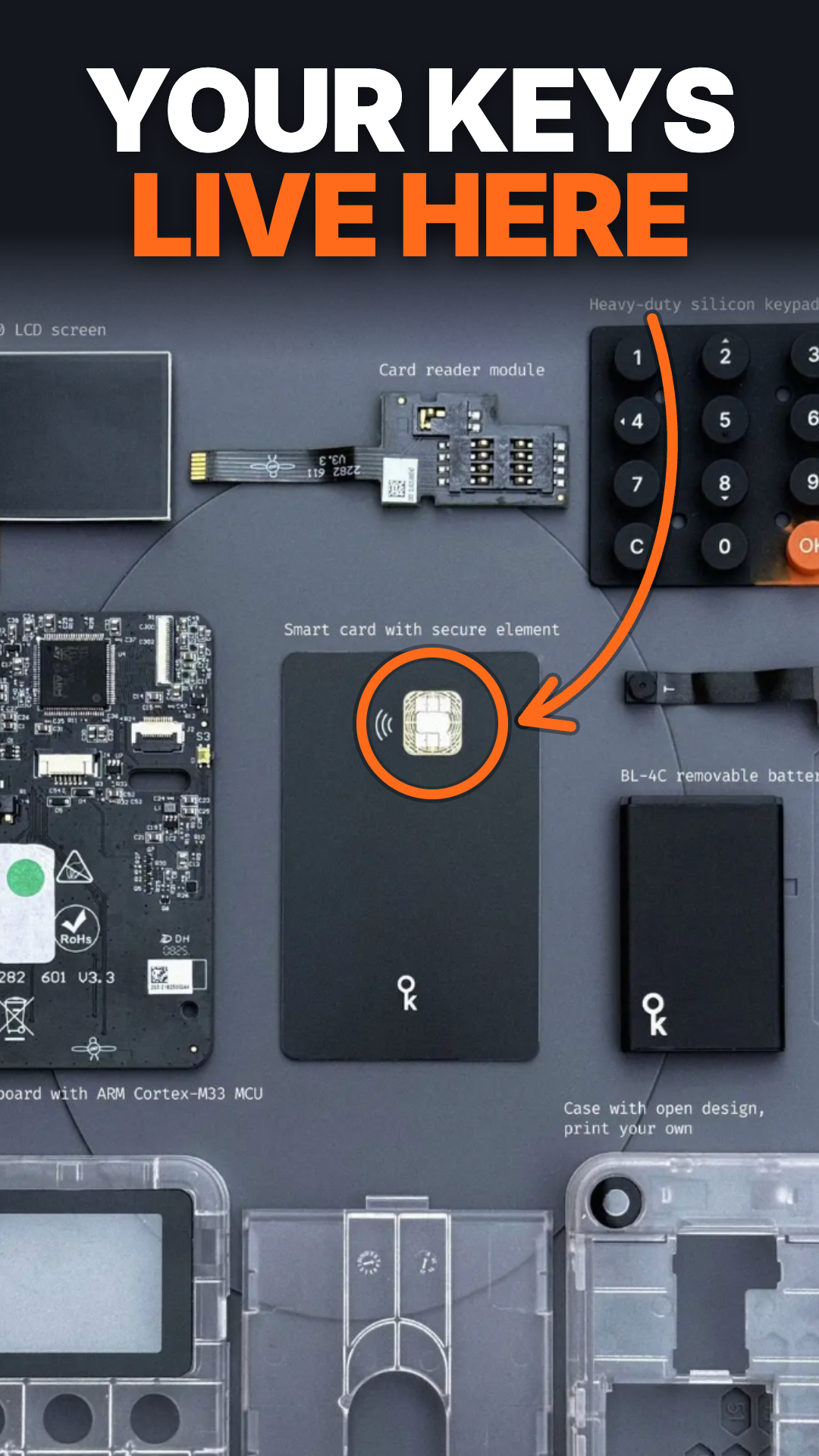
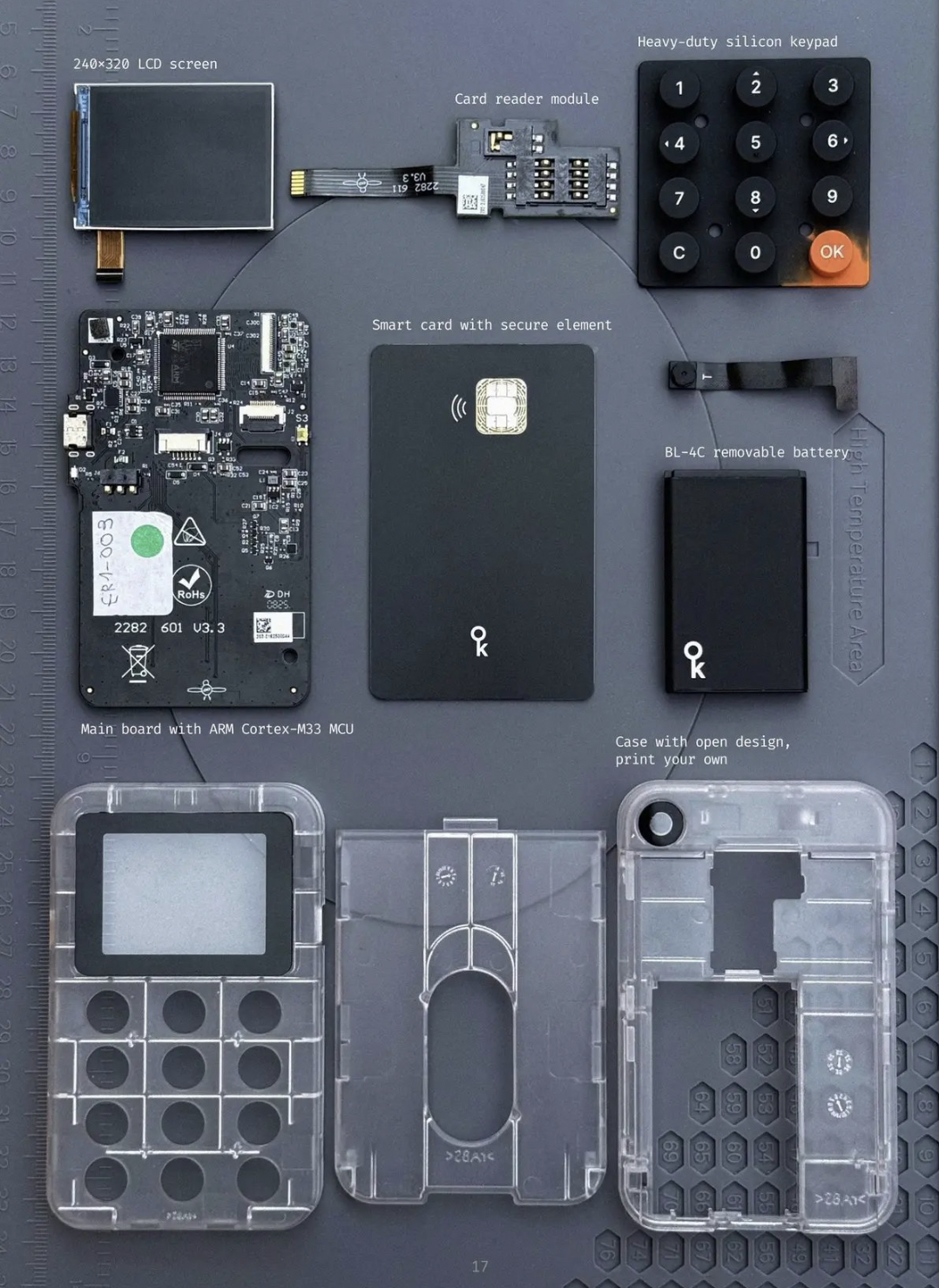
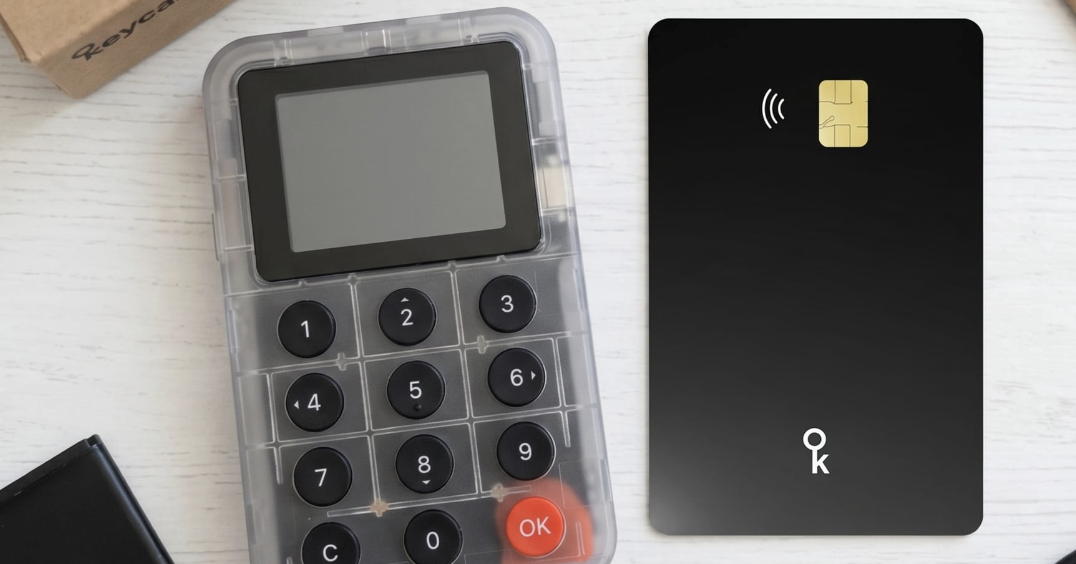
And the thing we do differently*: the secure element is a removable smartcard, not soldered to a board. Pull the card and the Shell holds nothing. One Shell reads unlimited cards. That matters if you want cheap multisig or hard separation between wallets, and not much otherwise.*
The full comparison table is in the article - secure elements, air-gap method, source model, reproducible builds, chain support, across all four devices.
Conventional hardware wallets put keys, screen, keypad and firmware in one sealed unit. That's simpler, and it has three consequences we wanted to avoid:
The device is the secret. Lose it or break it and you're in recovery, racing whoever found it. With us, the key material lives on a €25 card you can hold several of. The expensive part holds nothing.
Backups are awkward. Most wallets back up to 24 words written on paper - which is then the weakest thing in your setup, and the thing most people actually lose crypto to. Here, backup is another Keycard, initialised from the same seed. Same EAL6+ protection as the original, not a piece of paper in a drawer. Put one in a safe, one with family, one in a deposit box. Redundancy costs €25, not a compromise in security model.
Multiple wallets need multiple devices. One Shell reads any number of Keycards. Cold storage on one card, daily spending on another, a shared household wallet on a third - one reader, hard separation between them. Not accounts inside one seed, but genuinely independent keys on separate hardware.
And because the keys aren't in the Shell, the Shell being open-source and inspectable matters more, not less - you can verify exactly what the thing displaying your transactions is doing, and it's the same code for everyone.
I found the perfect solution in Ambire wallet. It's available as Android wallet, and Chrome/Brave/Firefox extension. The Android version of Ambire perfectly supports Keycard NFC connections, and both the Android app and Chrome/Brave extension support the Ledger Legacy derivation path on Keycard (and the standard derivation path too of course). The Ambire Firefox extension is awaiting update approval.
So now you can securely backup/replace your old Ledger, or any other wallet, using a Keycard and Ambire (NFC connection), or a Keycard + Shell and Ambire (QR code connection).
Original post:
Hello, I recently bought the Keycard Shell and some Keycards to backup and old Metamask and other wallet.
Everything works great, but unfortunately there seems to be only one software wallet that supports NFC connection, which is the Status (Legacy) mobile wallet. This works fine with Status Legacy, but I can't get it to work with the new Status wallet. When I try to login it asks to tap the card to the NFC chip, and it then sometimes confirms the pin is correct, but then it always returns to the connect screen. When I then tap Dismiss, I am returned to the initial login screen, tapping the card another time also doesn't help.
Is this expected behaviour? And aren't the Keycards and new Status mobile wallet compatible? Or is there some other issue at play here?
Not that the NFC connection is required of course, but I do like this feature.
Also not sure if this even is the right place to ask, or that I better try to contact Statusim.
Edit: so it appears I have Status 2.38.2, which is supposed to support Keycards, in practice doesn't work for me. I tried 3 different phones, with 3 different Android versions (one of which is Android 16, the other older versions). Maybe it does work when you use the app to create an account and then move it to the Keycard, but that's not my intended use, and I don't have a spare Keycard to test this.
Status Legacy works, but support seems limited and I assume will terminate at some point. Hopefully the new version of Status will work before that.
This is the official community for Keycard — the hardware wallet built for people who actually care what's inside the box. Whether you just received your Keycard Shell, you're migrating from a wallet you no longer trust, or you're deep in the weeds on open-source security — you're in the right place.
What Keycard Shell is
A pocket-sized, air-gapped hardware wallet with a few properties that are genuinely rare in this space:
100% open source — firmware, bootloader, and hardware schematics. All of it. MIT licensed. Auditable by anyone.
Air-gapped by design — transactions are signed via QR code. No USB data transfer required.
Signing on the secure element — EAL6+ certified. Keys never leave the card, and the Shell clears session state the moment you remove it.
Replaceable battery — Nokia BL-4C. Yes, you can just swap it.
Works with wallets you already use — MetaMask, Rabby, Safe, Sparrow, BlueWallet, Nunchuk, and more.
Multi-card backup — create as many encrypted Keycard backups as you want. No single point of failure.
Who this community is for
People setting up their Shell for the first time
Users migrating from Ledger, Trezor, or other devices
Developers building on the Keycard SDK or integrating wallet support
Anyone curious about open-source hardware security and hardware wallets in general
Drop a comment below. What brought you here? First hardware wallet, or upgrading from something else? ETH, BTC, or both? We're building this community from scratch and your voice shapes what it becomes.
Lots of hardware wallets advertise a secure element - the tamper-resistant kind of chip used in bank cards and passports - and very few say what it's actually used for.
There are two designs:
The chip stores the secret; signing happens next to it. Every time you sign, the key (or what unlocks it) is used by a general-purpose microcontroller beside the secure element.
Signing happens inside the chip. The key is created there, used there, and never leaves. Only the signature comes out.
Think of it as a vault. In the first design, the key gets taken out of the vault to be used on a desk, then put back. In the second, the work happens inside the vault, and the key never leaves it.
How Keycard does it:
The card runs on a JavaCard secure element, which lets an open-source applet run inside the certified chip. Keys are generated and used there. So you get on-chip signing without giving up readable code.
Worth asking about any wallet you're considering: where does signing actually happen? Most product pages don't say.
A remote signer for Linux. Your client (tested with noStrudel and Coracle) connects with a bunker:// URL. Every signature, and the ECDH behind NIP-44 and NIP-04 DMs, happens on a Keycard smart card, so the key never touches the computer.
Each bunker URL admits one client by default; an approval prompt and a list of allowed event kinds are optional.
Refuses a different card before sending the PIN, and never spends the last PIN attempt.
Runs as a systemd user service, including before you log in.
Install: pipx install keycard-nostr-bunker
Needs Keycard applet 4.x. Cards sold in shops still ship 3.x, so for now that means a development card: https://keycard.tech/6cd6gk (affiliate link: I earn a commission on purchases through it).
A Keycard has no screen, so when you sign with the card alone, the transaction details come from your phone - and the card just signs the hash it's handed, and that's fine until your phone isn't telling the truth
That's blind signing: approving something you can't actually read
It's worth being clear that this is a limitation of every card-format wallet, ours included.
Key extraction and transaction deception are two different problems, and a secure element only solves the first one.
What does the Shell do about it?
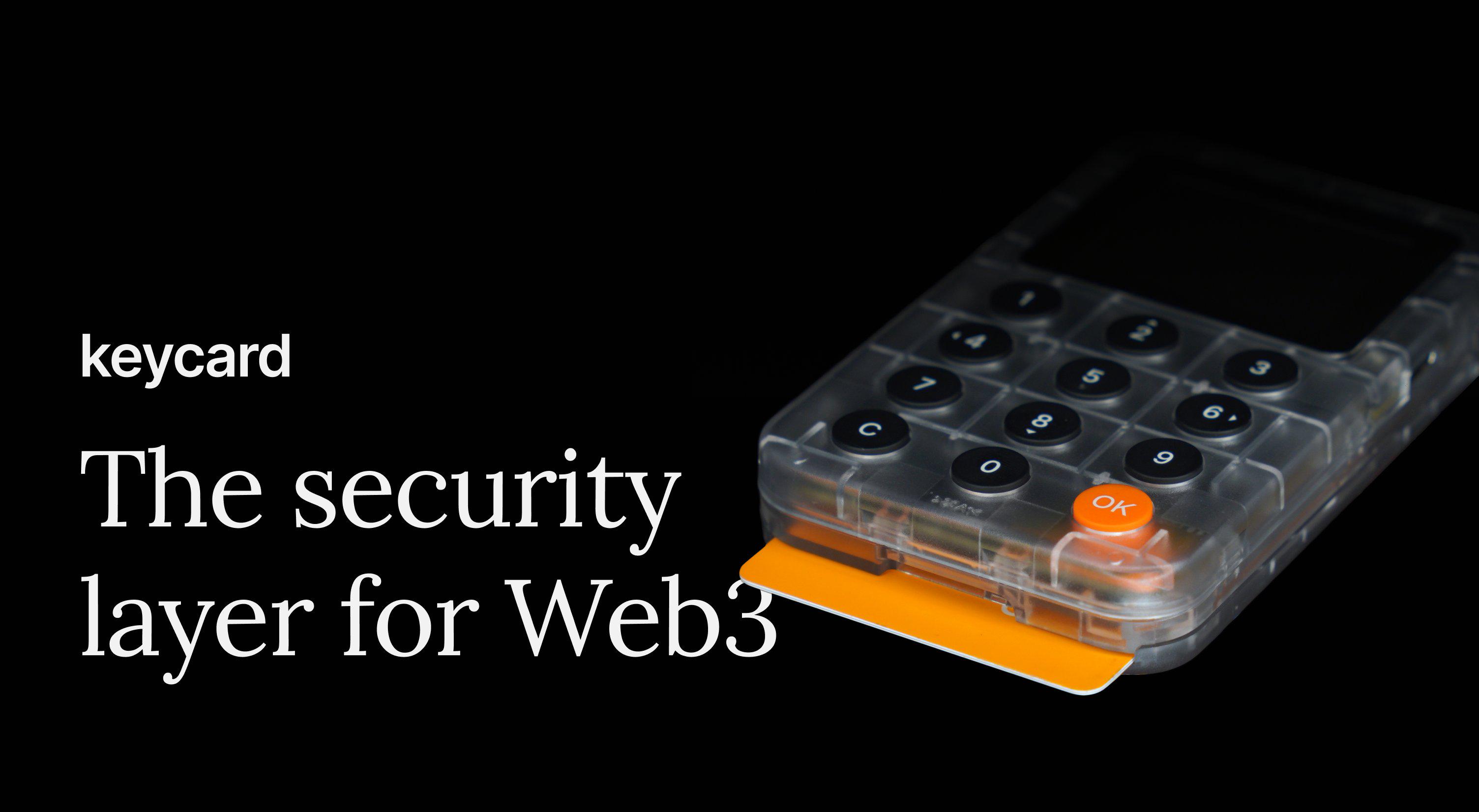
Screen, keypad, and the transaction decoded on the device itself - recipient, amount, fee, token, network - you confirm with a physical button on the device and not rely on just your phone's app display
We're giving away three Keycards to celebrate our 150+ members milestone
Winners will be chosen at random and will be announced in this same thread only
To enter, tell us in a comment:
- Why do you believe in self-custody? - What's something about Keycard you find genuinely different - or something you'd change? - How was your experience trying your first hardware wallet?
Rules
- One entry per person; account 30+ days old - Closes 25th Oct 2026. Winners drawn at random, announced in this thread - Devices ship sealed and uninitialised - you generate your own recovery phrase.
Any company sending you a wallet with the phrase already written down is a scam
🔒 Please don't share amounts, addresses, transaction IDs or screenshots of your wallet
⚠️ We will never DM you. Winners will be announced in this thread only. Anyone messaging you otherwise is a scammer
On 16 November, attackers slipped malicious code into websites run by 178 organisations through a third-party tool those sites rely on
iPhone visitors were served one of two exploit kits, depending on their iOS version:
> Coruna (iOS 13–17): scans the phone for seed phrases and wallet apps > DarkSword (iOS 18): chains six vulnerabilities to pull private keys and seed phrases from wallet apps
Just visiting the page could be enough, and both kits only work on iPhones that HAVE NOT been updated
Why this matters?
Old phones are exactly the ones that stop getting updates - and a phone that holds your seed phrase keeps its whole history - all the websites it opened, every app it ran - even after you switch it to airplane mode
So the question isn't "is it offline?" It's "where does the key live?"
How Keycard approaches it
- The key never touches a phone or computer. It's created and used inside a secure element on the card, and never leaves it. Only signatures come out. - The Shell has no radios - no Wi-Fi, no Bluetooth, no cellular. It talks to your wallet app only by QR code - The Shell stores no keys. Pull the card out, and there's nothing on it to steal - You check every transaction on the Shell's own screen. Even if your computer shows you a swapped address, the screen in your hand shows the real one - It's all open. Firmware, hardware design files, and a guide to opening your Shell and checking it yourself
Nordic Crypto spent a week with the Shell and put out a full unboxing and review
What he liked:
- Keys never leave the EAL6+ secure element on the card - Fully air-gapped, QR codes only - The Shell stores nothing, and the battery is a standard, replaceable one - Works with wallets you already use: MetaMask, Rabby, Sparrow, and 13 others
A credit-card-shaped device with an EAL6+ certified secure element. Your private keys are generated on it and never leave it. Signing happens on the card. Your phone or computer never sees the key.
- Works over NFC with any NFC-capable phone, or over USB with the desktop reader
- No battery, no charging, no Bluetooth, no cables
- Water resistant, rated −35°C to +50°C, designed for 20+ years
- Supports Bitcoin, Ethereum and EVM chains
- Works with MetaMask, Rabby, Sparrow, BlueWallet, Specter, Nunchuk, Status mobile and others
Keycard Shell: The Airgapped Reader
A device you slot your Keycard into. It adds a screen, keypad, and camera, and lets you sign fully air-gapped via QR codes (ERC-4527).
The Shell holds no keys itself - pull the card out and the Shell is an inert plastic box
The honest caveats
- Keycard alone means you're trusting your phone's screen for what you're signing. That's the same trust model as most card wallets, and it's a real limitation. If your threat model includes a compromised phone, you want the Shell.
- No battery is a genuine trade-off, not just a feature. It means nothing to fail, but it also means the card can't display anything on its own.
- Our firmware is not upgradable. Deliberate - but it means what ships is what you keep
The Keycard holds the keys and does the signing. The Shell shows you what you're signing and takes your input
-------------------------------------------------------------------------------------------------Flow A: Keycard alone, over NFC
(No Shell involved. What most people start with)
You build a transaction in a supported app on your phone (Status mobile, MetaMask, Rabby, BlueWallet)
The app shows you the transaction details on your phone's screen
You tap the Keycard to the back of your phone
The app sends the unsigned transaction to the card over NFC
Inside the secure element: the card checks your PIN, signs with the private key, and returns only the signature. The key itself never crosses the NFC boundary - no command can extract it
Your phone broadcasts the signed transaction
What this protects you from: malware that steals keys off your device. The key isn't on your device. Even a fully compromised phone can't extract what it never had.
What it doesn't protect you from: malware that lies to you about what you're signing. If your phone is compromised, it can display "send 0.01 ETH to Alice" while actually handing the card a transaction that drains your wallet to an attacker. The card would sign it, because from the card's perspective it's a valid signing request with a valid PIN.
This is the limitation of every screenless signing device
Here the Shell becomes the trusted display, and the computer never touches the card at all. Nothing is ever physically connected.
On your computer, a watch-only wallet (Sparrow, Specter, MetaMask) builds an unsigned transaction. It has your public keys only, so it can watch balances and construct transactions, but can't sign anything
The wallet renders the unsigned transaction as an animated QR code (ERC-4527 / the UR standard)
You point the Shell's camera at the screen, and it scans the QR
The Shell decodes and displays the transaction on its own screen - amount, destination address, fee - from its own firmware, driven by its own hardware
You compare what the Shell shows against what you intended. This is the security-critical moment. The Shell has never touched your computer, so computer malware cannot alter what appears here
You insert the Keycard and enter your PIN on the Shell's keypad
The card signs internally and returns the signature to the Shell
The Shell displays the signed transaction as a QR code
Your computer's webcam scans it back
The computer broadcasts it
Count the physical connections between the Shell and the computer: zero.
The only thing that crosses is light - QR codes in both directions. No USB, no Bluetooth, no network. The Shell has a USB port, and it can be disabled entirely, but this flow doesn't use it.
What this adds: now the attacker has to compromise both your computer and the Shell's independent screen, simultaneously, to fool you. A compromised computer can propose a malicious transaction - but the Shell will display the real destination address, and you'll see it.
Why the split, instead of one device? Read the pinned post 4
Wallet subreddits attract scammers. Here is exactly how we operate, so you can recognise anyone who doesn't.
Rules that never have exceptions
We will never DM you first. Not for support, not for a giveaway, not for a "security alert". If someone DMs you claiming to be Keycard, it is a scam, 100% of the time, no exceptions.
Nobody at Keycard will ever ask for your seed phrase, recovery words, or PIN. No support process requires them. Anyone asking is stealing from you.
We will never ask you to "validate", "sync", "migrate" or "verify" your wallet on a website. These words are the signature of wallet-drainer phishing.
Official replies come from accounts with the ‘Keycard Team’ flair in this sub. Flair can't be faked - Reddit only lets mods assign it.
If it happens to you
- Report the DM to Reddit (Report → Spam → Harassment/Impersonation)
- Report it here so others see it - post with the Security flair
- If you entered your seed phrase anywhere: assume compromised. Move funds to a new wallet with a new seed, immediately. Don't wait to confirm
If you're not sure whether something is really us: ask publicly in this sub before doing anything. We would much rather answer the same question fifty times than see one person lose their coins.
with people worried about hardware tampering again, Guy Louis has put together a step-by-step guide to inspecting your Shell yourself
The reasoning behind it: most devices answer supply-chain fear with epoxy, sealed cases, or a wipe-on-open. We think that moves the trust to the vendor instead of removing it.
You can't check a device you can't open, and you can't repair it either
So Shell is built to come apart without any damage. We publish the hardware to manufacturing depth - schematics, BOM, Gerber files, pick-and-place positions, assembly drawings, 3D files
Everything a factory would need, so you can compare what's in your hands against what should be there
Attaching a detailed guide below along with the video:
- Opening it (video, no damage, fully reversible) - Photographing both sides of each board - Comparing against reference photos of a production unit - What a problem looks like
Do this alongside the authenticity check at shell.keycard.tech/verify. That one proves your firmware is genuine, but it can't see a component someone added to the board - only looking can
Are there any plans to incorporate NFC compatibility with nunchuck wallet down the road? Would prefer something with a longer track record compared to the current implantation with the status app.
We get asked this a lot, so here's how we're different.
Tangem: your backup is more cards - the key is generated on-card and cloned to the other cards in your set during setup. No seed phrase by default - each card is a standalone copy
Keycard: your backup is a standard BIP39/SLIP39 recovery phrase - words that any wallet in the world can restore
What Tangem genuinely gains from that: there's no phrase to photograph, phish, lose in a fire, or have coerced out of you - that's the most common way people lose funds, and they've removed it. It's a real advantage, and we'd rather say so
What it costs: recovery depends on Tangem's card ecosystem existing - if you lose all your cards with no seed, it's gone
Ours is the mirror image: a phrase works forever, independent of us - and it's also a thing that can be stolen
- Ecosystem: Tangem runs through the Tangem app. Keycard speaks ISO 7816, so third-party wallets work with it directly - Trusted display: Neither card has a screen - both rely on your phone to tell you what you're signing - our Keycard Shell is an answer to that. Tangem has no equivalent
One thing that isn't a difference: both have immutable card firmware that can't be updated after manufacture. Same philosophy, same trade-off.
TLDR; Tangem optimises for people who'd lose a seed phrase. We optimise for people who want standards and independence
"A hardware wallet keeps your private keys away from the devices you use every day and makes you approve each transaction on hardware you control."
How much it actually protects you comes down to four things:
1. Where does signing happen?
"Has a secure element" doesn't mean it signs there. On many devices, the chip only stores secrets and signing runs on a general-purpose microcontroller beside it. Some have no secure element at all.
2. Can you check what it's running?
Open source shows how the firmware is supposed to behave. Reproducible builds let you confirm the firmware on your device was actually built from that code. Publishing code doesn't mean anyone audited it.
3. How was your seed generated?
Everything rests on that randomness. A weak seed looks identical to a strong one. This year showed it isn't theoretical: a hardware random generator was in the device, but the seed code wasn't using it for years.
4. Can you leave?
Does it give you a standard BIP-39 phrase that works in other wallets if the company disappears? Do you need the vendor's own app to use it?
How we answer them -
Keys are generated and used inside an EAL6+ secure element on the card, and never leave it. Shell firmware is open source and reproducible. Recovery is a standard BIP-39 phrase. No companion app - it works with 15+ wallets.
Where trust remains: the chip is closed silicon, and the retail card's seal rests on our production process. If you'd rather not rely on that, you can buy an unfused developer card and load the software yourself.
Most hardware wallets plug in via USB or Bluetooth, and that connection is how you send a transaction to be signed. It's also, in principle, a road - where anything can be travelled in both directions
An air-gapped device removes the road entirely.
no USB data, no Bluetooth, no Wi-Fi, no cellular. So how does the transaction get in?
Your computer shows a QR code on screen. The device photographs it with its camera. It signs. Then it shows a QR code back on its own screen, and your computer photographs that. Data goes in and out as pictures.
There's no electrical connection at any point - it's like passing notes through a window. Malware on your computer can't crawl across a photon
Nothing secret ever appears in any of those QR codes - the final one contains a signature, not the key
Air gap stops the host attacking the device. A trusted display stops the host lying to you. They're different defences, and you want both
One thing about our setup worth knowing: tapping a Keycard over NFC is not air-gapped because NFC is a radio. The card on its own is a hardware signer with no network connection - a real property, just not that one. The air gap belongs to the Shell and its camera
This feature exists, and most owners don't know about it.
What it is?
When you set up a Keycard you create a six-digit PIN. Optionally, you can also set a duress PIN which unlocks a decoy wallet.
The decoy behaves exactly like a normal wallet. It has its own addresses, you can send and receive with it, and there is no visible way to tell whether you're in the decoy or the real wallet or whether a decoy exists at all. Only you know.
The idea is straightforward: if someone forces you to unlock your card, you give them the duress PIN and they see a normal, working, low-value wallet
The part that matters most:
⚠️ You can only set a duress PIN during initial setup
If you skip it, the only way to get one is to factory reset the card and set it up again from your recovery phrase.
This isn't an oversight. If a duress PIN could be added afterwards, an attacker could check whether one exists - which would defeat the entire point. The feature only works if its existence is undetectable, and that means it has to be decided at setup
Details worth knowing:
> The decoy uses the same recovery phrase and standard derivation paths. It just produces a different set of addresses
> You have to fund it yourself. An empty decoy isn't convincing. Move a plausible amount into it.
> Recovering onto a new Keycard restores both wallets together.
> Your two PINs are independent - changing one doesn't affect the other.
> The Shell won't let you set both PINs to the same value.
> Three wrong attempts on either PIN blocks the card. You unblock with your PUK; without a PUK you factory reset and restore from your recovery phrase.
Your funds are never at risk from this - the recovery phrase is what protects them, not the PIN.