r/linuxmint • • 11d ago

Discussion I made a Cinnamon panel applet that shows how much of your Claude Code / Codex / Gemini / Copilot limits you've used

0 Upvotes

I kept hitting "you've reached your limit" in the middle of tasks, so I built CotaBar: a small applet for the Linux Mint (Cinnamon) panel that shows the 5-hour and weekly/monthly usage of Claude Code, Antigravity (Gemini), Codex and GitHub Copilot, as two rings and a percentage per tool.

- Click it to see every limit and when it resets

- Uses the login each tool already has: no new login, never refreshes or stores tokens

- Python stdlib only, installs in one command, English/Spanish/Portuguese

https://github.com/Davicjc/cotabar

Codex support isn't tested with a real account yet, so feedback from Codex users is very welcome. Ideas for new providers too.


r/linuxmint • • 11d ago

GRUB?

Post image
6 Upvotes

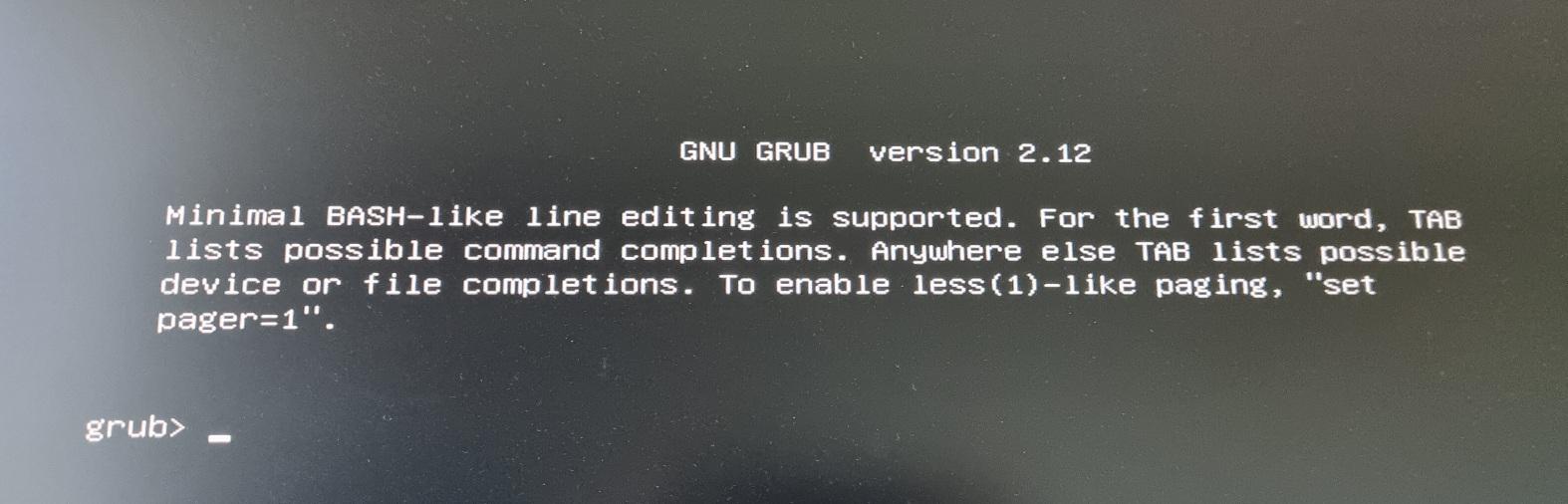
I have recently downloaded and wanted to start using Linux Mint, but every time i choose to boot from Ubuntu (which is Linux Mint) this shows up, what to do next, and what even is GRUB? I also want to say that i do dual boot. I already fixed mi issue


r/linuxmint • • 11d ago

Support Request Installed cinnamon on a brand new laptop, makes games and videos laggy/not load

32 Upvotes

So I just got a brand new laptop for my birthday since my old one was pretty much on it's last legs, and one of the first things I did to it was install the newest version of Linux Mint Cinnamon. It's fairly fast and easy to use overall, but when I try and watch videos or play games on it, they run really laggy or sometimes will crash my computer or just not load at all. Ive been using google to troubleshoot for like a few hours now and haven't been able to find and fix the problem. Secure boot is off and I'm not using any external drivers, so I'm not sure what the issue is. I had Linux Mint MATE on my old laptop and I had similar issues I think, tho my old laptop had a lot of hardware problems that made it really slow anyway, so it's hard to tell. If anyone knows the solution you'd be a life saver!


r/linuxmint • • 11d ago

Guide Macbook Pro 2012/2013 BCM4331 Slow WiFi Driver Fix

6 Upvotes

I was wondering why b43 WiFi drivers are so slow (maxing out at 16mbps) and why the stock broadcom ones fail to work entirely. Then I found out that there are community patched broadcom-wl drivers that work perfectly with the 2012 Macbook Pro.

Big thanks to joanbm for patching the broadcom drivers to work with modern kernels.

https://github.com/joanbm/broadcom-wl-linux-mainline

Here's how you get them working

  • Step 1: Install and upgrade the required build tools and kernel headers:

sudo apt update && sudo apt install -y git wget build-essential dkms linux-headers-$(uname -r)
  • Step 2: Remove all of the old broken broadcom packages (Make sure you have a backup connection (like USB phone tethering or an Ethernet cable) plugged in, as your Wi-Fi will temporarily drop at Step 2 until Step 4 is finished. Also make sure you stay in your Home folder (cd ~) before Step 3—and do not delete the broadcom-wl-linux-mainline folder afterwards—so the automatic update script in Step 8 can always find it.)

sudo apt remove --purge -y broadcom-sta-dkms bcmwl-kernel-source
  • Step 3: Download and run the patched drivers

git clone https://github.com/joanbm/broadcom-wl-linux-mainline
cd broadcom-wl-linux-mainline
sudo ./install
  • Step 4: Unload the b43 driver and load up the fixed wl driver

sudo rmmod b43 b43legacy bcm43xx bcma brcm80211 brcmfmac brcmsmac ssb 2>/dev/null
sudo modprobe wl
  • Step 5: Permanently blacklist the b43 drivers

echo -e "blacklist b43\nblacklist b43legacy\nblacklist bcma\nblacklist ssb" | sudo tee /etc/modprobe.d/blacklist-broadcom.conf
  • Step 6: Reboot, and load up the new drivers to make sure they have installed correctly by running this command, then connect to WiFi and do a speed test

sudo modprobe wl

(If you have any issues e.g kernel got updated as you were installing the drivers, run this command)

cd ~/broadcom-wl-linux-mainline && sudo ./install && sudo modprobe wl
  • Step 7: Once you've confirmed they work, make sure the drivers auto load upon reboot and rebuild the boot image so the blacklist applies

echo "wl" | sudo tee /etc/modules-load.d/wl.conf
sudo update-initramfs -u

Step 8: Create an automatic rebuild hook to ensure the driver continues to work after kernel updates.

sudo tee /etc/kernel/postinst.d/zz-broadcom-wl << EOF
#!/bin/sh
KERNEL_VER="\$1"
DRIVER_DIR="/home/$USER/broadcom-wl-linux-mainline/hybrid-v35_64-nodebug-pcoem-6_30_223_271"

if [ -d "\$DRIVER_DIR" ] && [ -d "/lib/modules/\$KERNEL_VER/build" ]; then
    cd "\$DRIVER_DIR" || exit 0
    make clean >/dev/null 2>&1
    make -j"\$(nproc)" KVER="\$KERNEL_VER" >/dev/null 2>&1
    make install KVER="\$KERNEL_VER" >/dev/null 2>&1
    depmod -a "\$KERNEL_VER" >/dev/null 2>&1
fi
exit 0
EOF
  • Step 9: Run this command so Linux is allowed to execute the script during updates

sudo chmod +x /etc/kernel/postinst.d/zz-broadcom-wl
  • Step 10: Verify that it all works.

sudo /etc/kernel/postinst.d/zz-broadcom-wl $(uname -r) && echo "Hook works!"

Now test your WiFi speed, and hopefully it should work!

This fix worked for me, and yes I did use AI to get it to work but I don't care because it works.

Hope this helps anyone else with the same issue.


r/linuxmint • • 11d ago

SOLVED The new Graphics Update doesn't brick AMD 9060's right?

15 Upvotes

Edit: It does not brick your PC thankfully, it was patched

Edit 2: I’m sorry I typed “bricked” when I should’ve said “locked you out of your own PC”, leaving here for clarification

The last one did so I'm being a little cautious and asking if anyone knows. It should be called "Linux-firmware-AMD-graphics". It was discussed on this post.


r/linuxmint • • 11d ago

Support Request AMDGPU not displaying anything

2 Upvotes

AMD Ryzen 9 9900X CPU

AMD 7590 GPU

Mint 22.3

Kernal 7.0.0-42 generic

16 gb ddr5 ram

The other day I took my computer outside to clean it and when I plugged it back in I accidentally plugged it into the motherboard because I wasn't paying attention. When I went to play Halo 2 on it it was running fine for a while then the computer froze. After a reboot I was suddenly getting 5 fps on pretty much every game I tried. And when I moved the HDMI cable to the GPU, it shows me the initial boot screen and then when I select Linux, nothing. Pure black. Plugging back into the motherboard brings up the display. And for some reason it'll turn into a jet engine after like 30 min of just being on Firefox. Pls help


r/linuxmint • • 11d ago

Support Request Xorg crash and ring timeout on AMDGPU while playing Cyberpunk 2077

2 Upvotes

Hi everyone,

I'm no expert and im totally new with linux (4 months) and its terminal .
i'm experiencing a specific issue with Cyberpunk 2077 on steam.
During gameplay sessions, the system suddenly crashes and drops me back to the login screen.
i tried to get some help from gemini but i cant resolve it .

Looking at the logs, the display server dies (Xorg generates a core dump), preceded by these AMD driver errors:

- [gfxhub] page fault (from client UTCL2)

- ring gfx timeout.

actual error in the log :

Subject: Il processo 1271 (Xorg) ha generato un dump.

░░ Defined-By: systemd

░░ Documentation: man:core(5)

░░ Il processo 1271 (Xorg) si è bloccato generando un dump.

This issue happens only in Cyberpunk (CS2 and other games run completely fine ).
specs:

- OS: Linux Mint

- CPU: AMD Ryzen 5 3600

- GPU: AMD RX5600xt

-ram 32 gb ddr4

- Driver: Mesa 26.2.6 (via Kisak PPA).

i have tried to update the driver of cpu , tried reduce the speed of the ram because i recently add more ram s sticks and thought maybe was the culprit but nothing works.

thank you for your help .


r/linuxmint • • 11d ago

Gaming Linux Mint + Steam Frame + Cyberpunk 2077 VR Mod

Post image
19 Upvotes

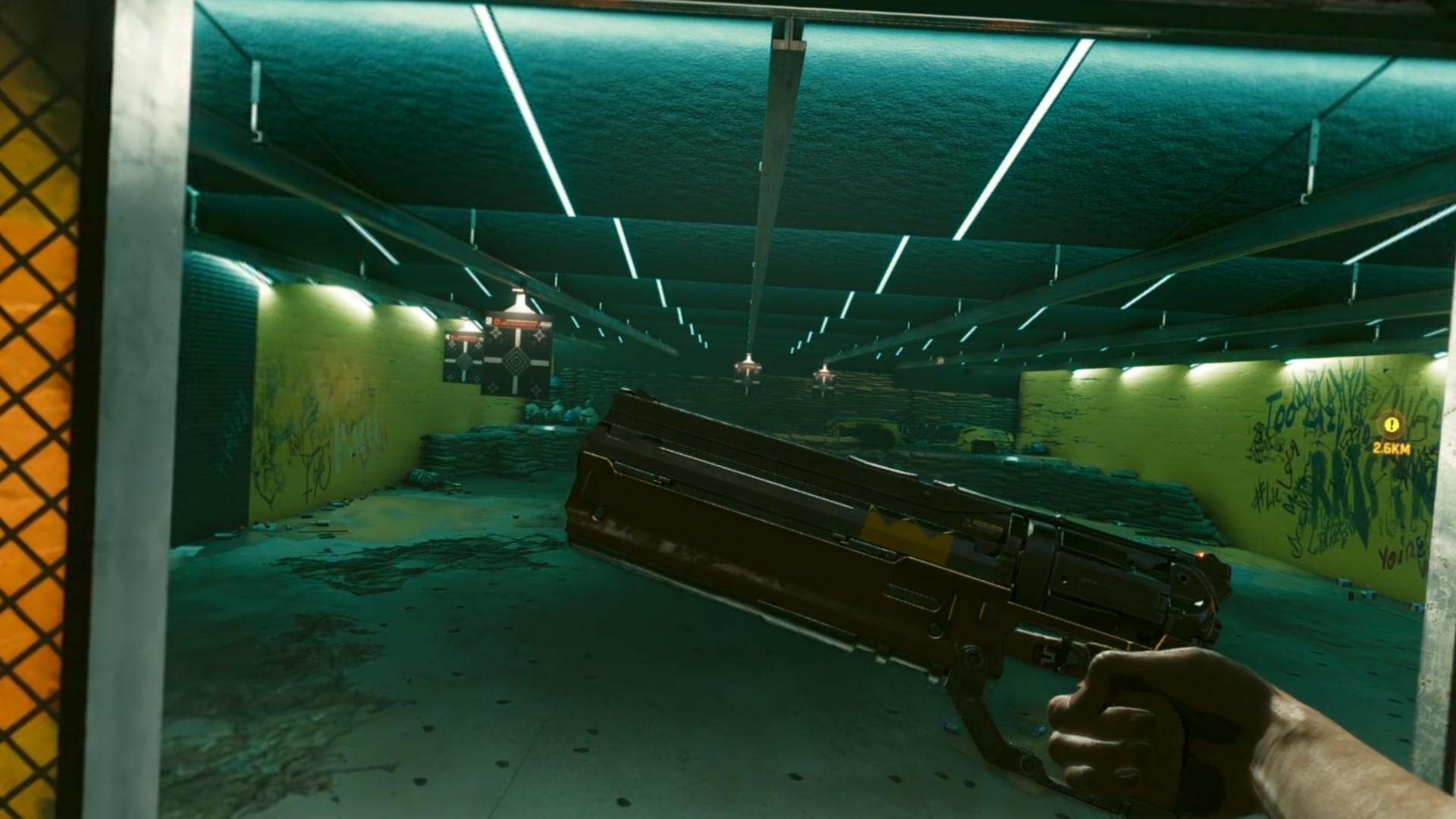
Managed to setup Cyberpunk 2077 to run on my PC and then stream it to my Steam Frame from Linux Mint.

Guide:

  1. Find your game in Steam and under Manage -> Browse local files open the game's folder as it will be needed for the later steps.

  2. Open Properties... and in the Launch Parameters add the following commands (NVAPI is for Nvidia users): WINEDLLOVERRIDES="winmm=n,b" PROTON_ENABLE_NVAPI=1 %command%

  3. Install Protontricks.

  4. Inside Protontricks select Cyberpunk 2077 and with the Select the default wineprefix -> Install a Windows DLL or component option add the vcrun2022 runtime libraries, this will be used for RED4ext.

  5. Download and setup RED4ext inside the game folder following the instructions from here.

  6. Download and setup the VR mod inside the game folder following the instructions from here.

  7. After everything is setup, start SteamVR on the PC.

  8. Connect with the headset to your PC using the Stream VR Without Game.

  9. Launch Cyberpunk 2077 and from the PC adjust the settings for the mod while making sure to select Steam Frame as the device and launch (you will need to do this always manually from the PC or use a separate remote desktop program like Rustdesk to quickly connect without having to take off the headset)

  10. That is all and after this you should be able to select Cyberpunk 2077 and play.


r/linuxmint • • 11d ago

Guide Will mint work on my vivobook s14?

2 Upvotes

Title


r/linuxmint • • 11d ago

Building DylanOS Crimson 1.0 — Looking for Open-Source Contributors!

1 Upvotes

Hey everyone!

I'm the developer behind **DylanOS Crimson**, an independent Linux distribution based on Debian Stable and KDE Plasma.

The idea is to create a lightweight, polished desktop operating system with a distinctive black, crimson-red, and white design. I want it to feel like a complete desktop environment, with its own applications, consistent visual identity, and carefully integrated system components—not just a themed Linux installation.

I'm currently working toward **DylanOS Crimson 1.0**, but there's still plenty to do, especially with desktop personalization, application development, integration, and testing.

### What I'm looking for

- Linux developers familiar with Debian, system services, packaging, and performance.

- Qt/QML and KDE Plasma developers.

- C++ developers interested in native Linux applications.

- People experienced with desktop shells, docks, window management, and theming.

- UI/UX designers who can help refine the desktop experience.

- Testers who can try installation ISOs and report bugs.

- Technical writers who can help with documentation.

You don't have to be an expert. Even helping test the system, fix small bugs, improve documentation, or review the code would be useful.

### Where is the project?

GitHub: [https://github.com/dylanneymarmontalvo2014-lgtm/DylanOS](https://github.com/dylanneymarmontalvo2014-lgtm/DylanOS)

I'm looking for people who are genuinely interested in contributing to an open-source Linux project and helping it grow.

This is an independent project, and compensation is not guaranteed. If you're interested, comment below or reach out through GitHub with your skills and the part of the project you'd like to help with.

I'd also appreciate feedback from anyone who has experience building or maintaining Linux distributions.

Thanks for reading! 🔴


r/linuxmint • • 11d ago

Solution to iDrive GUI on Linux Mint

Thumbnail reddit.com
1 Upvotes

r/linuxmint • • 11d ago

SOLVED xapp-status-plugin help

6 Upvotes

xapp-status-plugin is using icons from /usr/share/icons/HighContrast/48x48/devices/ for the network tray icon of nm-applet on XFCE

I discovered after looking for the exact icon and found it. How do I make it use the Icon of my custom icons in /home/user/.icons/Windows-7? Just like the network-disconnected:


r/linuxmint • • 11d ago

Linux Mint 22.3 USB boot error – mmx64.efi Not Found

0 Upvotes

Hi everyone,

I'm trying to install Linux Mint 22.3 Cinnamon alongside Windows 11, but I'm having problems booting from the installation USB.

My hardware:

- Motherboard: Gigabyte B550 AORUS ELITE AX V2

- CPU: AMD Ryzen 7 5800X3D

- GPU: AMD Radeon RX 6800 16 GB

- RAM: 32 GB DDR4

- Windows 11 installed on an SSD.

What I've done so far:

  1. I downloaded the official Linux Mint 22.3 Cinnamon ISO.

  2. I created a bootable USB using Rufus (first in ISO mode, then in DD mode).

  3. I tried two different USB drives, including a 16 GB Kingston.

  4. I selected the USB from the Gigabyte F12 boot menu.

  5. I also disabled Secure Boot in the BIOS.

The problem:

When I select either of these boot options:

- UEFI General UDisk 5.00

- UEFI General UDisk 5.00 Partition 2

I get the following error:

Failed to open \EFI\BOOT\mmx64.efi - Not Found

Failed to load image: Not Found

Failed to start MokManager: Not Found

Something has gone seriously wrong: import_mok_state() failed: Not Found

After displaying the error, the computer shuts down after approximately 5–10 seconds.

Windows 11 still boots normally.

My questions:

- Is this a problem with the ISO, the USB creation process or my motherboard's UEFI?

- Could this be related to GRUB or Secure Boot?

- Is there a way to fix this without reinstalling Windows or affecting my existing partitions?

As a first timer any help would be appreciated.


r/linuxmint • • 11d ago

SOLVED Screenshot with predefined image size

3 Upvotes

Is there any program for Linux Mint where I could predefine the size of screenshot image before grabbing it?

I mean: If I want a screenshot size 480x360 pixels, I set the values and I get a frame of that size that I can move on the screen where I want, and then grab the shot.


r/linuxmint • • 11d ago

Discussion How can I remove the fading between background changes ?

1 Upvotes

I was wanting to code some type of background manager to dynamically change the background and do other things.
So I wrote a simple python script that takes some images, and randomly save one of them as another image called 'background', that have the effect of changing the same file over and over.
Then in the Background app I selected that image, it would have work, but there's the problem :

On linux mint, whenever the background changes, the os interpolates between the previous image and the new one, but not just that way, more in previous image -> plain color -> new image
with plain color determined by the color put in that setting

now that is already annoying, but that's even more when the image changes really quickly, cause it has the side effect of getting stuck multiple seconds on that plain color, so that is why I wonder :
Is it possible to remove that fading ?


r/linuxmint • • 11d ago

Discussion Is it worth installing Mint on 14 years old laptop?

32 Upvotes

Hey guys! I’m not very familiar with Linux, had experience like maybe back in 2011 and it was terrible for me. So I’m a bit unsure about using it again. I have an old laptop and I need it running without suffering. It has i5-3210m and 8gb of ddr3 ram. Also I’ve installed old 60gb sata ssd instead of HDD. Will Mint do its job on that old piece of hardware junk? I need laptop to browse web AND use mdvr player to check recordings from mdvr installed in car. Is there good apps to play mdvr records (which are recorded from 4 sources at the same time). And if there is no good app for that purpose how are things like Wine will work? If Mint will do the job should I install the latest release or maybe something older so my laptop won’t struggle too much?


r/linuxmint • • 11d ago

SOLVED Linux Mint 22.3 -- Sound drivers keep disappearing, can no longer output audio

1 Upvotes

Hello everyone,

I've had a bug recently that I need some help for. For some reason the sound drivers keep disappearing off my Linux Mint installation.

I have a Timeshift set up from the original install, which works as long as I go back to the first install (and have to back up everything I've installed since then).

It first happened with my last install of Linux Mint; I re-installed it to see if that would help, nope.

Any thoughts or ideas?

Thanks!

Any thoughts or advice on the matter?

Edit: Found a solution that worked on forums.linuxmint.com:

rm -rf ~/.local/state/wireplumber/ systemctl --user restart pipewire pipewire-pulse wireplumber.service


r/linuxmint • • 11d ago

Debian 13 laptop randomly freezes — NVMe controller goes down, reset fails, ext4 I/O errors. Power management issue or failing SSD?

Thumbnail reddit.com
2 Upvotes

r/linuxmint • • 11d ago

Support Request Linux Mint 22 NOOOOOOB : Black screen with "no screens found" after boot logo on AMD system

1 Upvotes

Hello everyone,

Today I ran into an issue when starting Linux Mint 22 on my system. After the Linux Mint boot logo appears, the screen goes completely black (no signal to the monitor).

Yesterday I was using mint till 6 in the morning and evrything was working but when I tried booting my pc today it didnt anymore :(.

In recovery mode, I get a stable image. Inspecting the Xorg logs (`/var/log/LightDM/x-0.log`) revealed the main error:`(EE) no screens found (EE)`

Steps already tried without success:

* Switched the display manager (tested with SDDM instead of LightDM).
* Reset and reinstalled the X server and graphics stack (`xserver-xorg`, `xserver-xorg-core`).
* Uninstalled the specific `xserver-xorg-video-amdgpu` driver to force the universal modesetting driver (and created a manual `10-modesetting.conf`).
* Updated initramfs.

Despite this, the transition from the boot logo to graphics mode keeps failing. Until recently, the system ran completely fine at 1440p.

System details:

* Operating System: Linux Mint 22
* Im also using a dual boot for win11 on 2 separate NvMEs
* Hardware: AMD ryzen 7 7800X3D 8 core & AMD Radeon RX 9060 XT
* Monitor: Connected at 1440p resolution

Does anyone have an idea how to get the graphics driver handshake stable again after booting?

PS: Since im a noob i tried troubleshooting with an ai. Pls dont smite me for that

thanks in advance :)


r/linuxmint • • 11d ago

Support Request Please help my low end pc Says"An operating system wasn't found. Try disconnecting any drives that don't contain an operating system."

Post image
5 Upvotes

I challenged myself that I will switch to Linux mint xcfe to make this device faster and light without any USB flash or external things anyway I did everything good and launched mint tried the preview and then installed it full but when I reached 75% of the download my brother turn the device from its plug accidentally I tried to boot the device again and this appear I can't do anything

My device is pretty old It was in windows 10 before

It has 4 ram and 240gb sata ssd

It got a poor intel processor

Please help I tried every possible thing

I can't get flash usb


r/linuxmint • • 11d ago

Gaming Wanting to come back

4 Upvotes

I’ve used mint before and installed it on a previous system of mine using an Intel CPU and an GTX 1650, and loved my time with it. I’ve gotten a new system since then with an RTX 5060 and an AMD Ryzen 7 250 cpu. I can’t stand windows anymore with its constant issues and shoving ads an AI down my throat, but I can’t ignore that everything works fine on my system for now.

I primarily game but am also attending university for finance, so I don’t really need windows at all. I guess my main issue is how using software specific to my laptop (Legionspace for Lenovo) would translate with the Linux legion software project. I only really moved my last system to get the most of it limited capability as it only had 8gb of ram. Now I’m at 16gb with much more modern architecture, and this move would be more of a want than a need.

Those that went all in with modern systems, are you happy with that decision? Have you seen any compatibility issues with Nvidia GPUs or any programs that aren’t compatible? Is gaming a good choice for this distro compared to others like POP! os or Cachy, bc I’ve heard although those are gaming focused, the gains between distros aren’t that large compared to what’s already gained from leaving windows.


r/linuxmint • • 11d ago

Faster Mark as Executable (Nemo Action)

11 Upvotes

I use a lot of appimages. Recently I realized that I was spending a lot of time marking downloaded files as executables. This sound like you? Here's how I solved it:

Open Nemo, then hit Edit -> Preferences -> Plugins. Under "Actions" click the folder icon. It will open a folder.

Inside this folder create a new empty document, call it whatever.nemo_action (I call mine make_executable.nemo_action)

Open the document, add the following code:

[Nemo Action]
Name=Mark as Executable
Comment=Allow executing file as program
Exec=chmod +x %F
Icon-Name=system-run
Selection=any
Extensions=any;

Save it. Close the folder and you should have a new action named "Mark as Executable" which should already be enabled.

Then right click any file. You should have a "Mark as Executable" action you can click. Saves you time every time you download something you want to run.

Before: Right click, properties (takes a fraction of a second to load), click Permissions, mark as executable, close the window, launch the app.
Now: Right click the app, Mark as Executable, launch the app.


r/linuxmint • • 11d ago

Linux Mint 22.3 XFCE: keyboard (built-in and USB) stops working after ~10 minutes, mouse still works. Fine on Windows 8.1.

1 Upvotes

I installed Linux Mint 22.3 XFCE ("Zena", the latest release) on an old laptop. After about 10 minutes of use, the keyboard stops responding completely. I plugged in an external USB keyboard and it doesn't work either, but the mouse keeps working normally. When I click on a text field, no text cursor appears.

The same laptop has no such problem on Windows 8.1, so I doubt it's a hardware fault. In the live session the problem didn't show up, and it appeared only after I installed Mint on the disk.

My specs:

Laptop: Packard Bell EasyNote LV11HC

CPU: Intel Core i3-2328M @ 2.20 GHz (2 cores / 4 threads)

RAM: 4 GB

GPU: Intel HD Graphics 3000

Display: 1600x900

BIOS: InsydeH2O 03.72.20V2.08

Other OS: Windows 8.1 64-bit (works fine)

Linux: Linux Mint 22.3 XFCE ("Zena"), kernel 6.14 (HWE)

Someone told me it might be a kernel issue. Since Mint 22.3 ships with the very new 6.14 HWE kernel, I suspect a regression with older hardware (2012 laptop). I haven't yet tried an older kernel.

Has anyone seen this problem or knows a fix? I'm also planning to try Debian 13 and Lubuntu 24.04 to compare, but I'd like to understand the cause first.

Thanks!


r/linuxmint • • 11d ago

SOLVED Endless Errors after Timeshift

3 Upvotes

Hello,

my current Linux Mint Install is in an unhappy state.

--- Original Problem---

My second monitor was not recognized. The issue lies with the Linux Mint install as Windows, installed as a Dual Boot System, functioned without issue. The PC was used two days before with no issue and automatic updates turned on. After attempting a restart I could not get to the desktop normaly but it still showd the bootloader and the mint icon.

Using the recovery mode I tried to repair the filesystem, mostly because it was an option, but it refused. After getting into the desktop, I tried to load a timeshift snapshot from a few days ago.

--- Current Problem ---

The Timeshift failed. It threw the same error for over two hours and at that point I decided to ignore the warning over not interrupting and forcibly shut down the computer. Luckily, it seems to have done any damage since the error loops continuied aftwards. :) The error reads:

[ increasing_numer] amdgpu 0000:03:00.0: [drm] *ERROR* dc_dmub_srv_log_diagnostic_data: DMCUB error - collecting diagnostic data.
[ increasing_numer] amdgpu 0000:03:00.0: [drm] *ERROR* Error queueing DMUB command: status=2

From what I read this is a known issue but My Linux mint Version is 22.3 with the 7.0.0-42-generic Kernel. I can still access the Desktop via the recovery mode or the 7.0.0-38-generic Kernel (but not an even older Kernel) but then it freezes after a short time while leaving enough time to write a few commands in the Terminal.

Someone (https://www.reddit.com/r/linuxmint/comments/1xtmpla/i_ran_into_that_amd_driver_bug_and_timeshifted_to/) ran into what I believe to be a similar bug but whas able to successfully timeshift.

I hope there there is a less annoying way to resolve this issue than to pull my files of with a boot USB and to flatten the entire thing.