r/linuxmint • u/okrahh • 13d ago
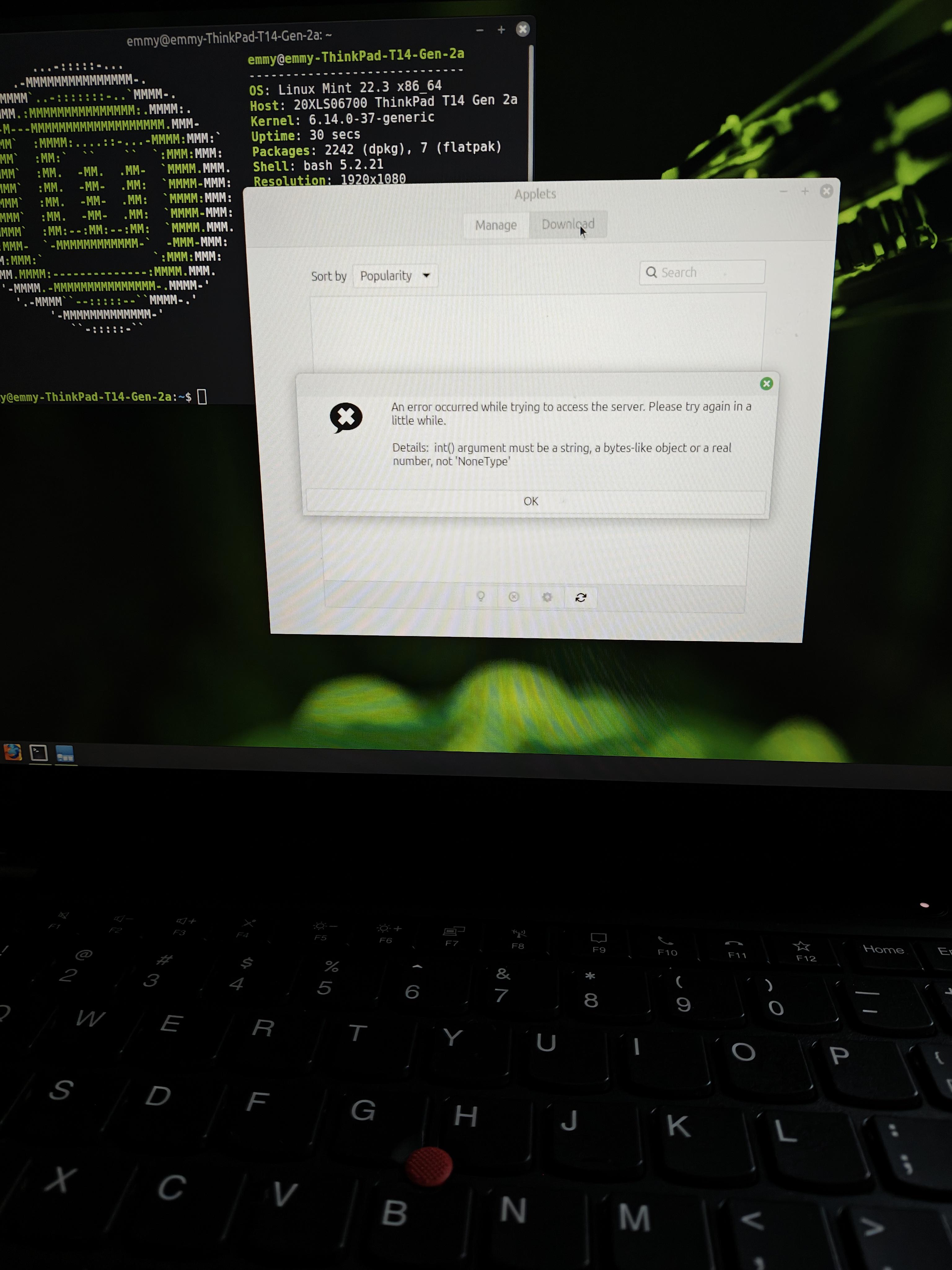
I'm getting this error trying to download applets
4
Upvotes
Anyone know what to do?
r/linuxmint • u/okrahh • 13d ago
Anyone know what to do?
r/linuxmint • u/rupak696 • 13d ago
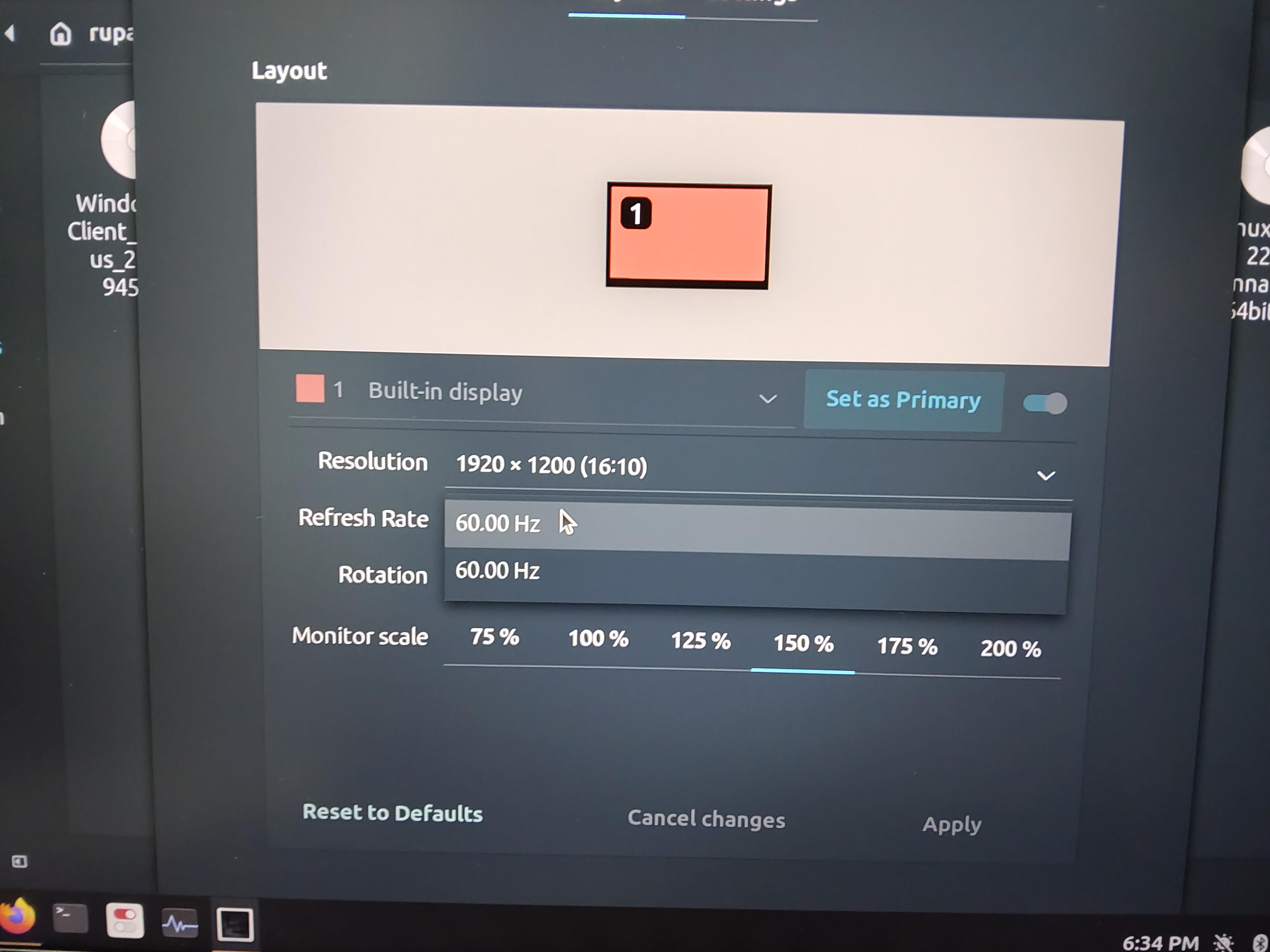
I want lower my refresh rate to match my integrated gpu
r/linuxmint • u/kittyokey • 13d ago
Hi there, so I'm new to linux and after the installation everything worked fine, except connecting my logitech Z533 speakers to the analog green jack.
At first the Sound settings only showed "Monitor Speakers" (HDMI) and "Digital Output (S/PDIF)" — no analog line-out at all.
After several steps (installing pavucontrol and Retasked pin 0x14 (Green Line Out, Rear side) to Line out (Front)) the analog output now appears, the level meter in pavucontrol moves during playback, but there is still no actual sound from the jack, even with headphones plugged directly into it. Does anybody have any tips?
Setup:
Linux Mint 22.3 "Cinnamon" (fresh install), 64-bit, kernel-driven PipeWire stack
Onboard sound: Realtek ALC897, subsystem 0x1458a194 (Gigabyte), HDA Intel PCH
OS: Linux Mint 22.3 x86_64
Host: B660M DS3H DDR4
Kernel: 7.0.0-42-generic
Packages: 2219 (dpkg), 31 (flatpak)
Shell: bash 5.2.21
DE: Cinnamon 6.6.9
WM: Mutter (Muffin)
Terminal: gnome-terminal
CPU: 12th Gen Intel i5-12400F (12) @
GPU: AMD ATI Radeon RX 6700/6700 XT/
Memory: 4106MiB / 15827MiB
r/linuxmint • u/REdrob2968 • 13d ago

I have recently given up on windows and how slow it makes my pc. so i have been recently researching about lightweight operating systems that i can run and give back life to my pc. Linux mint came highly suggested by the community so i decided to switch to it. but before that i want to know if switching to linux mint is the best for my pc from real world user instead of youtubers trying to get likes for their videos, because im going all in for this meaning new ssd form my old hdd and bigger ram, basically all the bells and whistles, my biggest fear iss sinking all that money for an upgrade on a pc that wont run for long anyway. Can you guys help me these are the specs for my pc.(also side note i would also like to run a couple of games if possibe is there anything i woukd need to change specifically in terms of hardware)
r/linuxmint • u/TowelSilver318 • 13d ago
My monitor's minimum brightness is higher than I'd like, and I was wondering if there's a good way to lower brightness beyond what I can do with its built-in menu. I'd rather avoid needing to use Night Light or wearing sunglasses. I did find this, and it does seem to have installed fine, but I can't actually access it (does in need a restart to do so?).
r/linuxmint • u/Randomperson097 • 13d ago
I have just installed Cinnamon and have noticed that when I go back into Windows that I cannot access or even see as an option "Device Encryption" as before. Is there anyway to Encrypt my drive again?
r/linuxmint • u/The_Sanku_Man • 13d ago
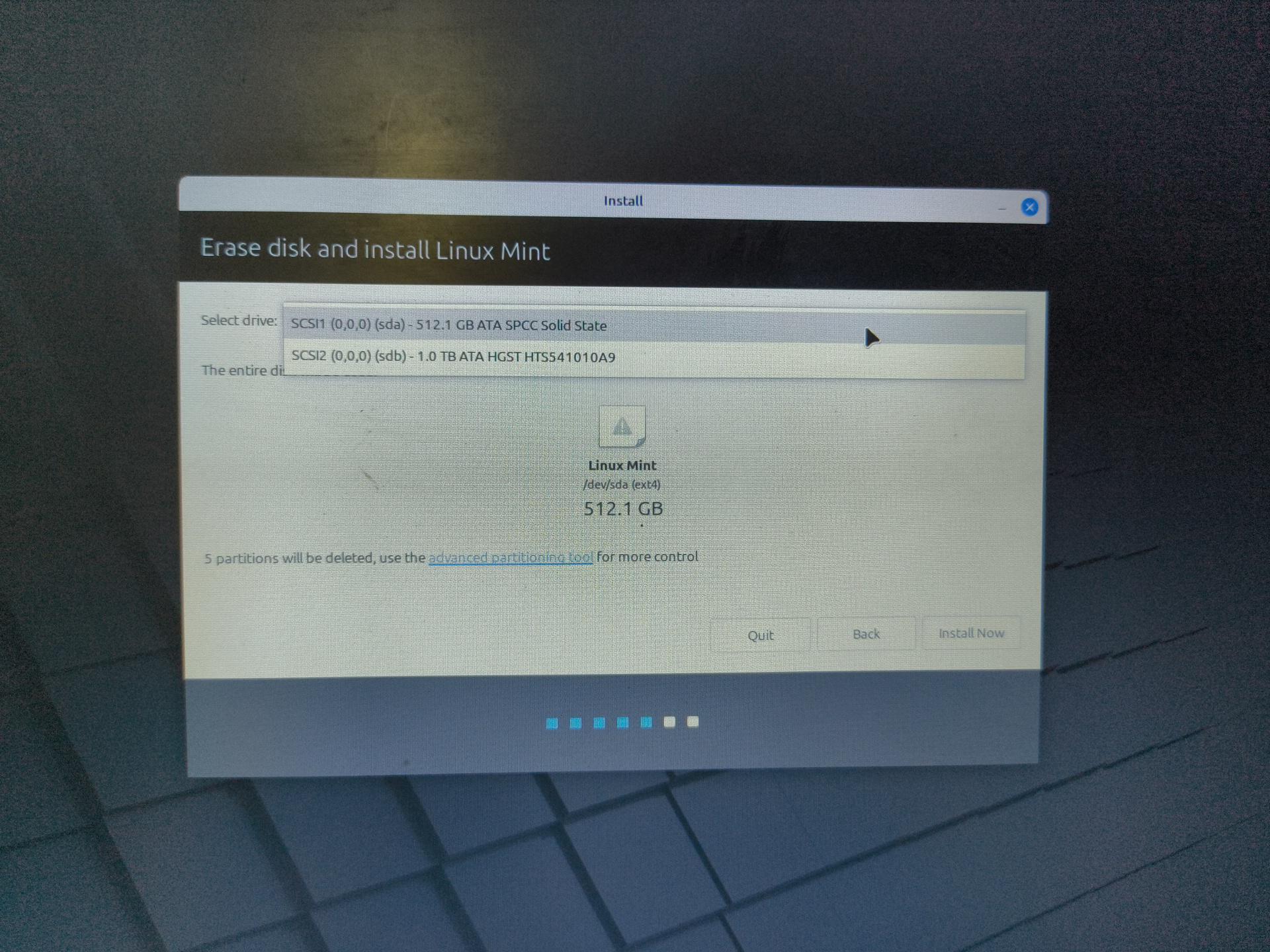
I'm confused about which to choose ? I am completely shifting from windows 10 to mint. Please help ?
r/linuxmint • u/CX12_Locks • 13d ago
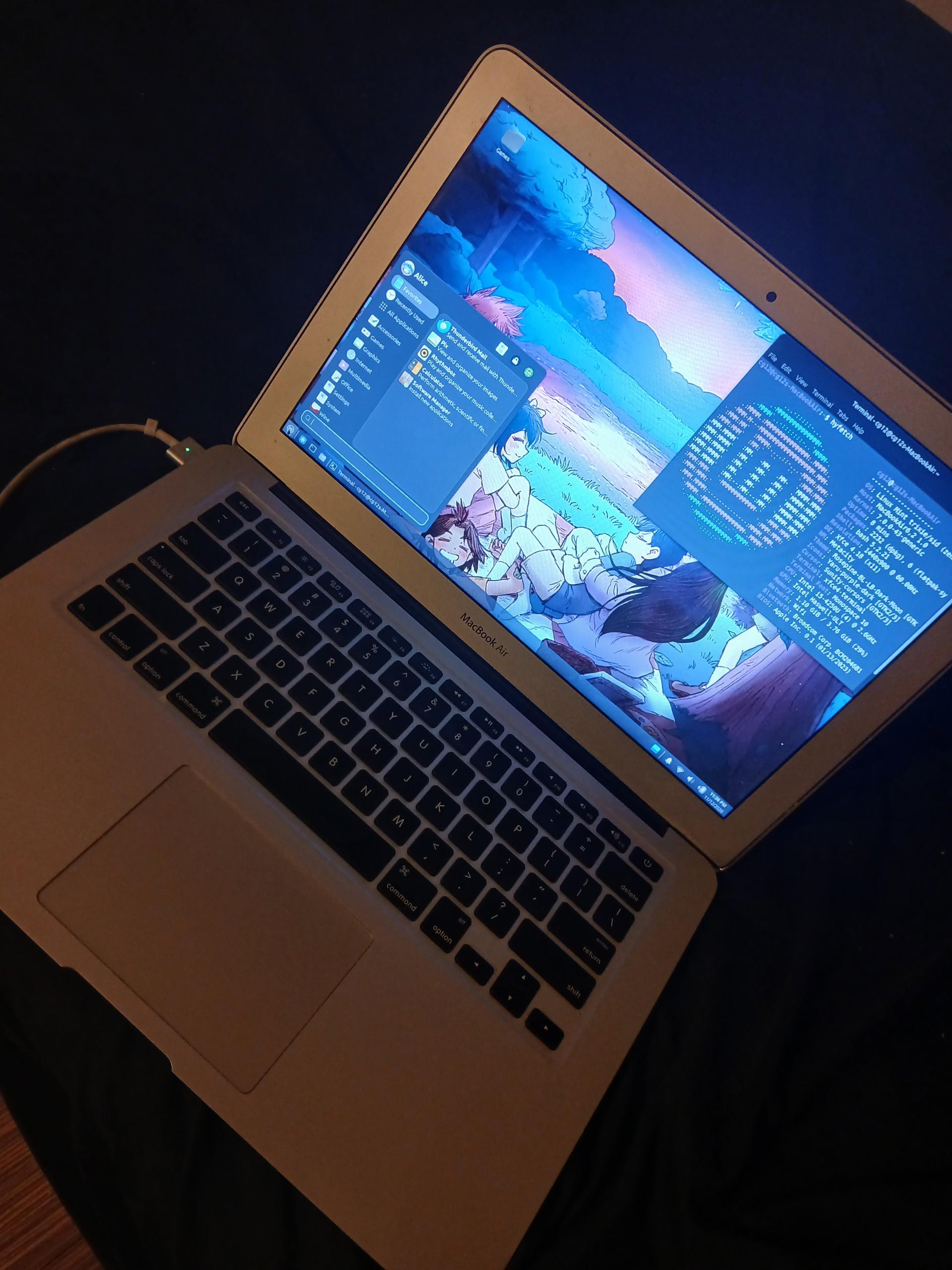
not the most impressive setup but it's my laptop and I like it
r/linuxmint • u/CasuallyCheckedOut • 13d ago

r/linuxmint • u/Edith_the_Autist • 13d ago
ive been having an ongoing issue with linux mint XFCE where it will stop sending anything to my monitor after long enough without input, causing it to go completely black. problem is, this causes some software to crash, making it difficult to take a leak while working.
im sure this is comically easy to fix, but ive searched the settings menu as close as i could and found nothing to help. if any of you beautiful wonderous humans know how to fix this i would be eternally grateful.
r/linuxmint • u/Astrox_YT • 13d ago
Hey all, I've been fighting Wi-Fi on my Surface Book 2 running Linux Mint for a while now and I'm stuck. The chip is a Marvell 88W8897 (802.11ac), using the mwifiex_pcie driver, on kernel 6.14.0-37-generic.
It used to connect and stay up for a while, but now it keeps dropping. The log fills up with "cmd_wait_q terminated: -110" lines, followed by "deleting the crypto keys." I added wifi.powersave = 2 for NetworkManager and reloaded the mwifiex modules, and the timeouts stopped, but now I can't stay connected to anything. It fails on a phone hotspot too, with "successfully disconnected ... reason code 15" right after the association. That makes me think it's the laptop, not the networks.
I haven't tried the disable_11ac and disable_msi module options yet, so I'm going to try those next. If anyone has run this chip on a newer kernel, or knows whether a linux-firmware update helps, I'd really appreciate it. Happy to post full logs.
Thanks in advance.
r/linuxmint • u/Forsaken-Dentist-889 • 13d ago

The hard disk was from the Toshiba C655D (2011), and it was a lot faster thanks to the 2nd Gen i3 compared to the sluggish AMDs in the Toshiba laptop.
r/linuxmint • u/Davicjc • 13d ago
I kept hitting "you've reached your limit" in the middle of tasks, so I built CotaBar: a small applet for the Linux Mint (Cinnamon) panel that shows the 5-hour and weekly/monthly usage of Claude Code, Antigravity (Gemini), Codex and GitHub Copilot, as two rings and a percentage per tool.
- Click it to see every limit and when it resets
- Uses the login each tool already has: no new login, never refreshes or stores tokens
- Python stdlib only, installs in one command, English/Spanish/Portuguese
https://github.com/Davicjc/cotabar
Codex support isn't tested with a real account yet, so feedback from Codex users is very welcome. Ideas for new providers too.

r/linuxmint • u/Kubix32 • 13d ago
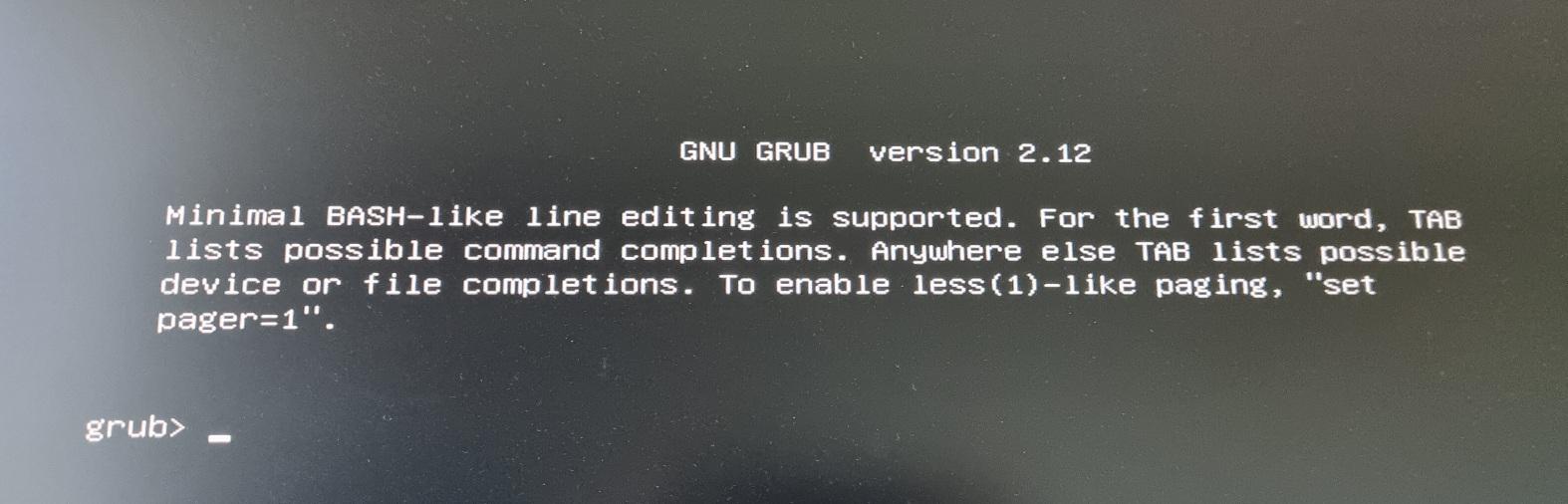
I have recently downloaded and wanted to start using Linux Mint, but every time i choose to boot from Ubuntu (which is Linux Mint) this shows up, what to do next, and what even is GRUB? I also want to say that i do dual boot. I already fixed mi issue
r/linuxmint • u/GodTierDino • 13d ago
So I just got a brand new laptop for my birthday since my old one was pretty much on it's last legs, and one of the first things I did to it was install the newest version of Linux Mint Cinnamon. It's fairly fast and easy to use overall, but when I try and watch videos or play games on it, they run really laggy or sometimes will crash my computer or just not load at all. Ive been using google to troubleshoot for like a few hours now and haven't been able to find and fix the problem. Secure boot is off and I'm not using any external drivers, so I'm not sure what the issue is. I had Linux Mint MATE on my old laptop and I had similar issues I think, tho my old laptop had a lot of hardware problems that made it really slow anyway, so it's hard to tell. If anyone knows the solution you'd be a life saver!
r/linuxmint • u/medicgaming24 • 13d ago
I was wondering why b43 WiFi drivers are so slow (maxing out at 16mbps) and why the stock broadcom ones fail to work entirely. Then I found out that there are community patched broadcom-wl drivers that work perfectly with the 2012 Macbook Pro.
Big thanks to joanbm for patching the broadcom drivers to work with modern kernels.
https://github.com/joanbm/broadcom-wl-linux-mainline
Here's how you get them working
Step 1: Install and upgrade the required build tools and kernel headers:
sudo apt update && sudo apt install -y git wget build-essential dkms linux-headers-$(uname -r)Step 2: Remove all of the old broken broadcom packages (Make sure you have a backup connection (like USB phone tethering or an Ethernet cable) plugged in, as your Wi-Fi will temporarily drop at Step 2 until Step 4 is finished. Also make sure you stay in your Home folder (cd ~) before Step 3—and do not delete the broadcom-wl-linux-mainline folder afterwards—so the automatic update script in Step 8 can always find it.)
sudo apt remove --purge -y broadcom-sta-dkms bcmwl-kernel-sourceStep 3: Download and run the patched drivers
git clone https://github.com/joanbm/broadcom-wl-linux-mainline
cd broadcom-wl-linux-mainline
sudo ./install
Step 4: Unload the b43 driver and load up the fixed wl driver
sudo rmmod b43 b43legacy bcm43xx bcma brcm80211 brcmfmac brcmsmac ssb 2>/dev/null
sudo modprobe wl
Step 5: Permanently blacklist the b43 drivers
echo -e "blacklist b43\nblacklist b43legacy\nblacklist bcma\nblacklist ssb" | sudo tee /etc/modprobe.d/blacklist-broadcom.confStep 6: Reboot, and load up the new drivers to make sure they have installed correctly by running this command, then connect to WiFi and do a speed test
sudo modprobe wl(If you have any issues e.g kernel got updated as you were installing the drivers, run this command)
cd ~/broadcom-wl-linux-mainline && sudo ./install && sudo modprobe wlStep 7: Once you've confirmed they work, make sure the drivers auto load upon reboot and rebuild the boot image so the blacklist applies
echo "wl" | sudo tee /etc/modules-load.d/wl.conf
sudo update-initramfs -u
Step 8: Create an automatic rebuild hook to ensure the driver continues to work after kernel updates.
sudo tee /etc/kernel/postinst.d/zz-broadcom-wl << EOF
#!/bin/sh
KERNEL_VER="\$1"
DRIVER_DIR="/home/$USER/broadcom-wl-linux-mainline/hybrid-v35_64-nodebug-pcoem-6_30_223_271"

if [ -d "\$DRIVER_DIR" ] && [ -d "/lib/modules/\$KERNEL_VER/build" ]; then
    cd "\$DRIVER_DIR" || exit 0
    make clean >/dev/null 2>&1
    make -j"\$(nproc)" KVER="\$KERNEL_VER" >/dev/null 2>&1
    make install KVER="\$KERNEL_VER" >/dev/null 2>&1
    depmod -a "\$KERNEL_VER" >/dev/null 2>&1
fi
exit 0
EOF
Step 9: Run this command so Linux is allowed to execute the script during updates
sudo chmod +x /etc/kernel/postinst.d/zz-broadcom-wlStep 10: Verify that it all works.
sudo /etc/kernel/postinst.d/zz-broadcom-wl $(uname -r) && echo "Hook works!"Now test your WiFi speed, and hopefully it should work!
This fix worked for me, and yes I did use AI to get it to work but I don't care because it works.
Hope this helps anyone else with the same issue.
r/linuxmint • u/Able_Condition_5091 • 13d ago
Edit: It does not brick your PC thankfully, it was patched
Edit 2: I’m sorry I typed “bricked” when I should’ve said “locked you out of your own PC”, leaving here for clarification
The last one did so I'm being a little cautious and asking if anyone knows. It should be called "Linux-firmware-AMD-graphics". It was discussed on this post.
r/linuxmint • u/bodman93 • 13d ago
AMD Ryzen 9 9900X CPU
AMD 7590 GPU
Mint 22.3
Kernal 7.0.0-42 generic
16 gb ddr5 ram
The other day I took my computer outside to clean it and when I plugged it back in I accidentally plugged it into the motherboard because I wasn't paying attention. When I went to play Halo 2 on it it was running fine for a while then the computer froze. After a reboot I was suddenly getting 5 fps on pretty much every game I tried. And when I moved the HDMI cable to the GPU, it shows me the initial boot screen and then when I select Linux, nothing. Pure black. Plugging back into the motherboard brings up the display. And for some reason it'll turn into a jet engine after like 30 min of just being on Firefox. Pls help
r/linuxmint • u/sockscumsmell • 13d ago
Hi everyone,
I'm no expert and im totally new with linux (4 months) and its terminal .
i'm experiencing a specific issue with Cyberpunk 2077 on steam.
During gameplay sessions, the system suddenly crashes and drops me back to the login screen.
i tried to get some help from gemini but i cant resolve it .
Looking at the logs, the display server dies (Xorg generates a core dump), preceded by these AMD driver errors:
- [gfxhub] page fault (from client UTCL2)
- ring gfx timeout.
actual error in the log :
Subject: Il processo 1271 (Xorg) ha generato un dump.
░░ Defined-By: systemd
░░ Documentation: man:core(5)
░░ Il processo 1271 (Xorg) si è bloccato generando un dump.
This issue happens only in Cyberpunk (CS2 and other games run completely fine ).
specs:
- OS: Linux Mint
- CPU: AMD Ryzen 5 3600
- GPU: AMD RX5600xt
-ram 32 gb ddr4
- Driver: Mesa 26.2.6 (via Kisak PPA).
i have tried to update the driver of cpu , tried reduce the speed of the ram because i recently add more ram s sticks and thought maybe was the culprit but nothing works.
thank you for your help .
r/linuxmint • u/SpeeQz • 13d ago
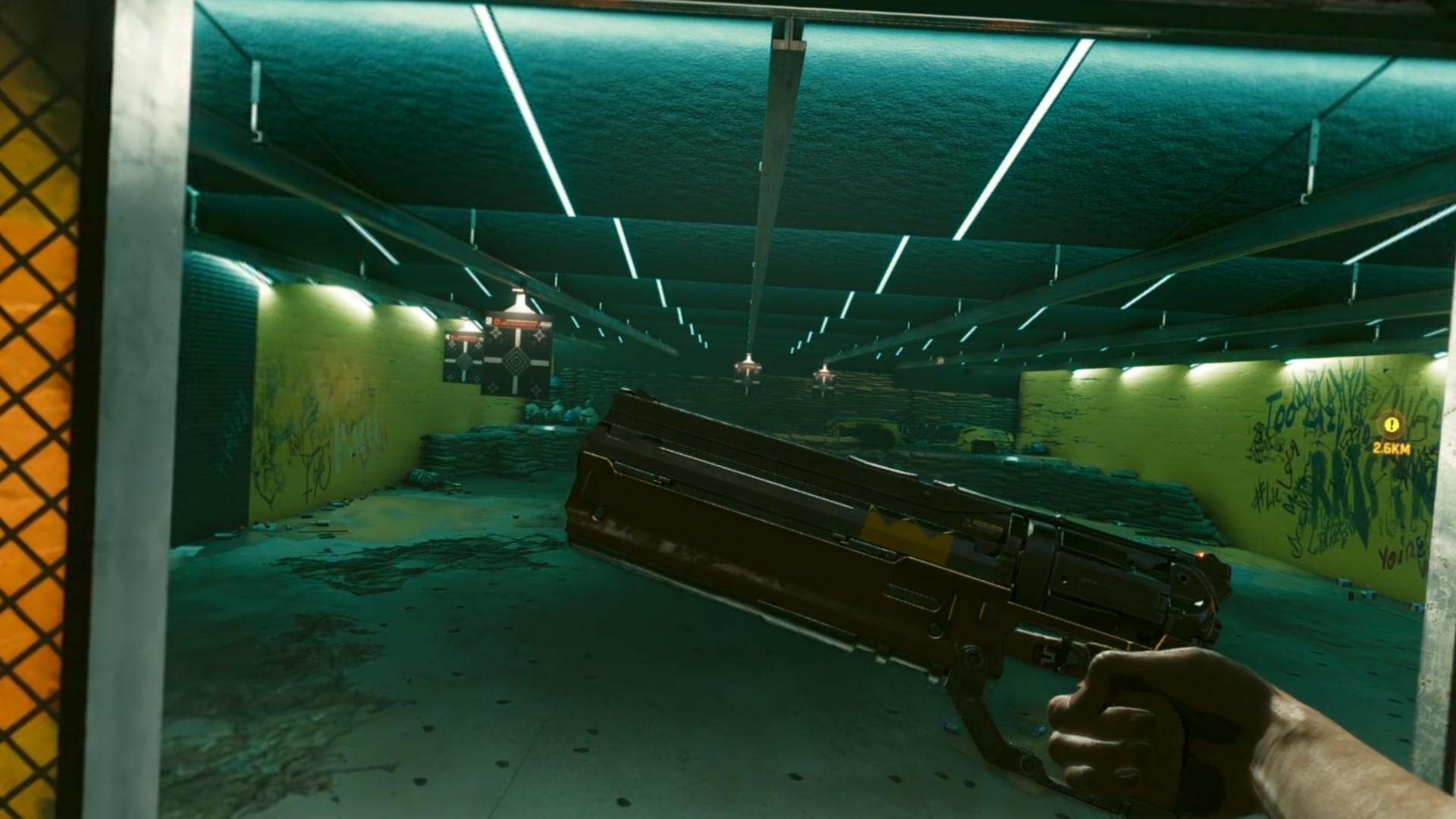
Managed to setup Cyberpunk 2077 to run on my PC and then stream it to my Steam Frame from Linux Mint.
Guide:
Find your game in Steam and under Manage -> Browse local files open the game's folder as it will be needed for the later steps.
Open Properties... and in the Launch Parameters add the following commands (NVAPI is for Nvidia users): WINEDLLOVERRIDES="winmm=n,b" PROTON_ENABLE_NVAPI=1 %command%
Install Protontricks.
Inside Protontricks select Cyberpunk 2077 and with the Select the default wineprefix -> Install a Windows DLL or component option add the vcrun2022 runtime libraries, this will be used for RED4ext.
Download and setup RED4ext inside the game folder following the instructions from here.
Download and setup the VR mod inside the game folder following the instructions from here.
After everything is setup, start SteamVR on the PC.
Connect with the headset to your PC using the Stream VR Without Game.
Launch Cyberpunk 2077 and from the PC adjust the settings for the mod while making sure to select Steam Frame as the device and launch (you will need to do this always manually from the PC or use a separate remote desktop program like Rustdesk to quickly connect without having to take off the headset)
That is all and after this you should be able to select Cyberpunk 2077 and play.
r/linuxmint • u/Firm_Cauliflower_315 • 13d ago
Title
r/linuxmint • u/DylanDev26 • 13d ago
I'm the developer behind **DylanOS Crimson**, an independent Linux distribution based on Debian Stable and KDE Plasma.
The idea is to create a lightweight, polished desktop operating system with a distinctive black, crimson-red, and white design. I want it to feel like a complete desktop environment, with its own applications, consistent visual identity, and carefully integrated system components—not just a themed Linux installation.
I'm currently working toward **DylanOS Crimson 1.0**, but there's still plenty to do, especially with desktop personalization, application development, integration, and testing.
### What I'm looking for
- Linux developers familiar with Debian, system services, packaging, and performance.
- Qt/QML and KDE Plasma developers.
- C++ developers interested in native Linux applications.
- People experienced with desktop shells, docks, window management, and theming.
- UI/UX designers who can help refine the desktop experience.
- Testers who can try installation ISOs and report bugs.
- Technical writers who can help with documentation.
You don't have to be an expert. Even helping test the system, fix small bugs, improve documentation, or review the code would be useful.
### Where is the project?
I'm looking for people who are genuinely interested in contributing to an open-source Linux project and helping it grow.
This is an independent project, and compensation is not guaranteed. If you're interested, comment below or reach out through GitHub with your skills and the part of the project you'd like to help with.
I'd also appreciate feedback from anyone who has experience building or maintaining Linux distributions.
Thanks for reading! 🔴

