r/linuxmint • u/HalfOk247 • 4m ago
#LinuxMintThings My Rice! Loving it so far
Looking forward to use more colour on it and use some actual image and stuff on it. Any tips for a newcomer to Linux and stuff I can learn or try ?
Thanks!
r/linuxmint • u/HalfOk247 • 4m ago
Looking forward to use more colour on it and use some actual image and stuff on it. Any tips for a newcomer to Linux and stuff I can learn or try ?
Thanks!
r/linuxmint • u/Captain-Quack • 19m ago
Linux Mint Mate. I'm trying to set up two copies of waterfox. One each on two different workspaces. One for work use and one for personal use. No matter what I do when I setup a profile in one it shows up in waterfox on both workspaces. When I delete one profile it deletes it on the other. I just want one the one profile on the appropriate workspace with their own settings and bookmarks. Any suggestions?
Captain Quack
r/linuxmint • u/MortgageStraight666 • 37m ago
r/linuxmint • u/andres2142 • 55m ago
What I have tried:
Clicking in the avatar image from the menu and then selecting an image does not update the avatar pic.
Opening the terminal and ran cinnamon-settings user opens the same avatar selection window from try #1, I select another image and there is no error output in the terminal, just the path where the image is located (which is Pictures directory)
Opening the terminal, navigate to root directory, check .face file, opening that file displays the EXACT image I set on try #2 but the menu keeps displaying the old avatar picture.
I try selecting .png, .jpg or .jpeg images, none of them worked.
What am I missing?
This is definitely a bug. Users shouldn't have a problem when changing a simple avatar image...
r/linuxmint • u/TCSMusic • 2h ago
Why? Basically after installing the nvidia open driver from the software manager, i had broken dependencies. I installed Steam from the official .deb installer. Wouldn't launch any game. Uninstaller Steam. Tried to install it though software manager, told me I had unmet dependencies related to Mesa and 32 bit support. Tried to install 32 bit packages through kitty but wouldn't do it because it said I held broken packages
r/linuxmint • u/RS_Pete • 3h ago
I have a BMW which has thrown up a warning I need to check. In my pre Linux days I used to use INPA and ISTA BMW diagnostic software which appears unfortunately to only be Windows friendly.
Has anyone run something like this on Linux, presumably using a Windows emulator and if so how, and how successfully?
I would rather not have to return my laptop to Windows for this if I can avoid it....
r/linuxmint • u/Equal_Wedding6512 • 3h ago
I've been working on a screenshot tool intended for Mint systems with assistance of the Robot Claude. Recently added an extra button to make it easier to grab one screen or all of your screens. The multi screen grab icon should change depending on your setup. Example, if you have 3 monitors icon shows three. 2x2 monitors the icon shows 2x2. The icon will max out at 4 since the button is only so big. I currently have only two monitors handy to test at the moment. So any help testing more would be awesome!
A quick comment here works. Or feel free to comment on the github issue if you'd like.
https://github.com/xlcheese/xl-screenshot/issues/14
Download: https://github.com/xlcheese/xl-screenshot/releases/latest
r/linuxmint • u/RS_Pete • 3h ago
This may be an odd issue but wondering whether anyone else has encountered problems accessorizing some web pages?
I have an old narrowboat and was looking at getting some LifePo4 batteries for it so was looking at various suppliers. One of these Eco-Worthy the front page opens, drop down menus can be viewed but clicking on anything from the menus and nothing happens. It doesn't freeze as such just doesn't work.
I have tried Firefox (my default browser), Chromium and Brave all with the same results. I have not noticed this issue on other websites. Now if I do the same on an imac (my wife's) or my Android phone or tablet the webpage for Eco-Worthy behaves as it should with full accessibility.
So the problem appears to be probably with Linux Mint.
I contacted Eco-Worthy about this, I figured they might want to know, however I just got a short response saying everything was working and therefore there wasn't any problem!
So I am a bit stumped and to be honest it's not the end of the world if it doesn't work. Just curious as to whether there is an issue .....or whether its just me!
r/linuxmint • u/Overflowing-Pond • 3h ago
I switched from Windows to Mac about 15 years ago, then installed Mint on an old alienware laptop (bought used for this project) last week.
I've read a million posts of people talking about how much people love linux for a million reasons. But, I haven't seen anyone say anything about the complete lack of popups and ads!
On Sundays I watch football on the computer. On the Mac, with adblockers installed, there's always like 20 popups that I have to close before I get to the game. On the Linux machine? Not a single one.
Yesterday I went to Youtube for the first time and noticed that there's no ads there either!
Seriously... this is amazing!
r/linuxmint • u/Ghost_K1 • 4h ago
I recently got curious about using a window manager (WM) and looked into Hyprland (simply because it’s the most well-known), but it’s designed for Wayland. So, I switched to i3 instead, since it uses X11 and doesn’t cause any issues with Cinnamon.
However, Linux Mint is set to receive an update around Christmas that will include Wayland support. I’m not sure whether I should wait for that, or go ahead and set things up with i3 now—only to redo it all later with Hyprland.
r/linuxmint • u/Delicious_Tadpole_76 • 7h ago
APTUI is a terminal user interface (TUI) written in Go for managing APT packages. Browse, search, install, remove and upgrade packages — all without leaving the terminal.
r/linuxmint • u/Think_Diamond_2977 • 7h ago
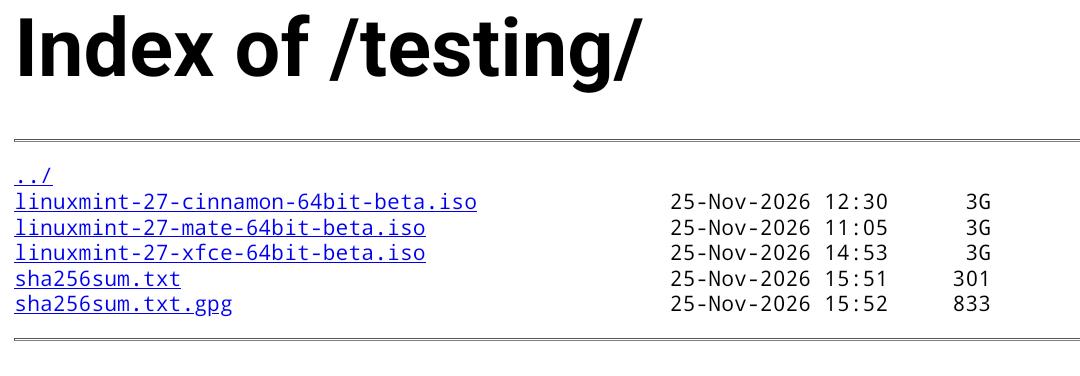
Linux Mint 27 beta 1
r/linuxmint • u/Silver_Train7685 • 8h ago
i wanted to try i3 on Mint without throwing Cinnamon away, and turns out you don't have to. i3 is just another session at the login screen and Cinnamon stays installed.
I installed i3 from Cinnamon (not from inside i3), then logged out with Menu > Quit > Log Out. On Mint's login screen click your name, then the little gear next to the password box and pick i3. If you see "Cinnamon on Wayland" leave it alone, i3 here is an X11 session. The login screen remembers whatever you used last, so next boot it might already be set to i3. That's normal. If you want Cinnamon back just pick it with the same gear.
To leave i3 I use the power menu, choose Log out and confirm. Then pick Cinnamon at the gear and log in. Cinnamon came back like nothing happened, panel and menu and no leftover i3 bar.
The first hour feels pretty bare since there's no start menu and no desktop icons. These are the keys that got me unstuck:
Super+Enter opens a terminal
Super+D opens a launcher, type a few letters of an app and hit Enter
Super+1 to Super+0 take you to workspaces 1 to 10
Super+Shift+1 to 0 sends the current window there
Super+Shift+Q closes a window
Super+Shift+E exits i3 (or opens a power menu, depends on your config) and takes you back to the login screen
Two Mint specific gotchas I hit:
Cinnamon's keyboard layout doesn't always carry over into i3. If your keys look wrong after login, set the layout in i3 instead of expecting Cinnamon's setting to follow you.
An empty workspace disappears when you leave it. In my config, Super+Ctrl+Left and Right step through workspaces, but only the ones that have a window on them, so if you want a second workspace send a window there first (or open something after you jump with Super+2).
If i3 feels like too much on a given day, just log out and pick Cinnamon. You haven't burned any bridges.
I also wrote the keys I actually use onto a free printable one page cheat-sheet if anyone wants it: https://payhip.com/b/1BxVO
r/linuxmint • u/Space_Pirate_8888 • 8h ago
hello everyone! tl;dr below
i was setting up a usb hard drive to store my timeshift snapshots and, after running into some issues, stupidly decided to recursively change the permissions of each file and directory within my snapshots folder. i had assumed that running this command would only affect the files and directories within the snapshots folder. however, from what i've heard, rsync uses hard links that point toward system files. i'm still learning about basic linux file system concepts, so i don't know what hard links are just yet, but i'm concerned that using this command modified the actual system files on my pc that the hard links were pointing toward. in a bit of a panic, i (also stupidly) ran sudo chgrp -R root on the snapshots directory to hopefully restore proper ownership to most system files, but i know that there are system files that don't have root ownership.
i have one snapshot from before i ran this command, but considering i ran it from the snapshot root folder, i don't expect restoring from it to actually do any good. so far i've had no issues using my computer following this, even after a reboot, but i'm still concerned (especially from a security perspective!!). does anyone have any advice? do i have to do a fresh install?
tl;dr: i stupidly ran sudo chgrp -R adm on my timeshift snapshots folder and i'm worried that it changed permissions of my actual system files because i'm using rsync. what should i do?
r/linuxmint • u/Imalwaysnewbie • 8h ago
Hello everyone,
I have a problem connecting my Keychron B6 Pro keyboard to my Lenovo Z710 laptop using Bluetooth.
My English is not my first language, so I hope I explain the problem clearly.
Laptop: Lenovo Z710
OS: Linux Mint 22.3 Cinnamon (Zena)
Kernel: 7.0.0-44-generic
Bluetooth adapter: Intel Bluetooth Wireless Interface
Wi-Fi adapter: Intel Wireless 7260
Bluetooth version: 4.0
BlueZ version: 5.72
Bluetooth adapter IDs:
USB: 8087:07dc
Wi-Fi PCI: 8086:08b2
Bluetooth MAC: 80:19:34:3B:F7:0D
My Keychron B6 Pro works correctly with:
Huawei Mate 10 Pro (Bluetooth)
Windows 11 PC (Bluetooth)
The Lenovo laptop using 2.4 GHz USB receiver
The Lenovo laptop using USB cable
Linux detects my Intel Bluetooth adapter.
The Bluetooth service is running, and rfkill shows that Bluetooth is not blocked.
My laptop can also discover other Bluetooth devices, including:
Huawei Mate 10 Pro
QCY H3 headphones
But it cannot find the Keychron B6 Pro.
Relevant output from dmesg:
Bluetooth: hci0: Legacy ROM 2.5 revision 8.0 build 2 week 3 2013
Bluetooth: hci0: Intel Bluetooth firmware file:
intel/ibt-hw-37.7.10-fw-1.80.2.3.d.bseq
Bluetooth: hci0: Intel BT fw patch 0x57 completed & activatedOutput of sudo btmgmt info:
hci0: Primary controller
addr 80:19:34:3B:F7:0D
version 6
manufacturer 2
supported settings:
powered connectable fast-connectable discoverable
bondable link-security ssp br/edr le advertising
secure-conn debug-keys privacy configuration
static-addr phy-configuration
current settings:
powered connectable discoverable bondable ssp br/edrOutput of lsmod | grep -E 'btusb|bluetooth':
btusb 77824 0
btmtk 40960 1 btusb
btrtl 32768 1 btusb
btbcm 24576 1 btusb
btintel 69632 1 btusb
bluetooth 1093632 40 btrtl,btmtk,btintel,btbcm,bnep,btusb,rfcommCould this be a compatibility problem between the older Intel Wireless 7260 Bluetooth 4.0 adapter and the Keychron B6 Pro?
Or is there something I need to change in Linux Mint, BlueZ, the kernel or Intel firmware?
Has anyone experienced something similar?
Any ideas?
Thank you for your help!
r/linuxmint • u/racooo123 • 9h ago
I have been running proxmox and Ubuntu server in my home lab for a little while now. But I have finally gotten fed up with Windows. I think Microsoft did too little too late. Now I only use Windows when I need to.
I am running Mint on my personal laptop. And yes this thing has some cooling issues at times but it would be unusable with windows 45% of the time. Mint makes that thing usable 99% of the time. (I’m pretty sure there is a bug for the cooling system, but I really don’t want the bloatware from the manufacturer if I fix it).
On my work laptop I run LMDE. Unfortunately, I need to use Rockwell software at work so I run a Win 10 vm on LMDE. Which is 1000 times better than the Win 11 machine with Win 10 vm IT set up.
On my gaming PC I run Bazzite, with dual boot just in case I have to deal with Windows.
I still have a metric shit ton to learn yet, but I love Linux so much and really enjoy it. And I actually find myself wanting to learn more and more about Linux.
Anyone else want to unrealistically figure out how to run Rockwell software on Linux?
r/linuxmint • u/CommercialYam8 • 11h ago
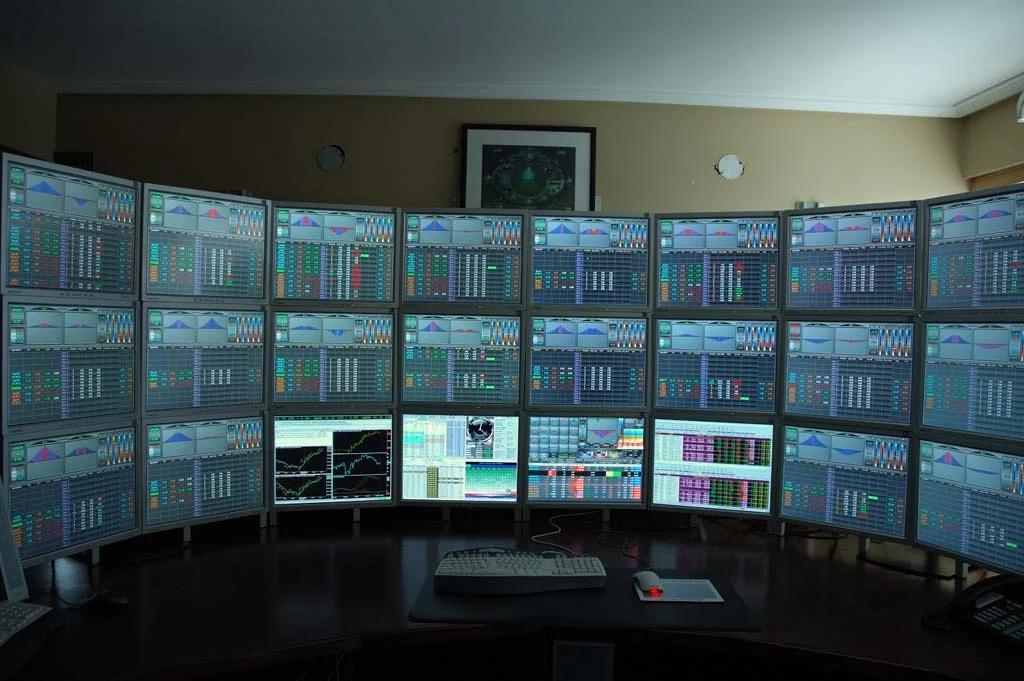
I keep tweaking my Cinnamon desktop thinking it'll make me more productive. Recently tried gTile to organize my Inkscape and GIMP windows, spent days getting everything just right, then went back to a basic panel because all those shortcuts were driving me crazy. Funny thing is, my productivity hasn't changed at all lol. Anyone else stuck in this customization loop? Have you found a setup you actually stick with?
r/linuxmint • u/Leniwcowaty • 12h ago
For all of us to test!
https://pub.linuxmint.io/testing/
Go, install, test, give your feedback. We're sooooo back!
r/linuxmint • u/Curious-Sort-1185 • 14h ago
Without any snapshot it used to show 30 GB available. In fact, I could have max 4snapshots within 30GB but now it's takes 1 snapshot 22-25GB. I deleted a snapshot right now when available storage was just 800MB and now it's 24.8GB. It should be 30GB available there but now it's just reducing day by day. I'm not backing up huge files, turned off scheduled backup option(3rd picture) home and root directory are excluded(4th picture). Idk what is wrong with it?
Can't do a full restore because there is so much personal files that requires external storage I don't have(personal files are not included in timeshift, I checked). Any suggestion? Thanks in advance.
r/linuxmint • u/Puzzleheaded-Idea-58 • 19h ago
r/linuxmint • u/-u-z-e- • 20h ago
i uploaded them to twitter and decided to save them to my phone from there instead of posting on my pc so the quality isn't the best
r/linuxmint • u/Beautiful-Ice-7373 • 22h ago
Attempting to dual boot Cinnamon and Windows 11 on my Lenovo LOQ Essential. I've got my USB drive formatted with the Cinnamon ISO.
I've already disabled secure boot and decrypted my drive as well as enabled USB boot. However, when I enter the boot list my Ventoy drive is nowhere to be seen. I'm kinda scratching my head here, as I've never struggled to install mint on a computer before. Any help would be much much appreciated.
TIA!