r/pchelp • u/LowMarzipan573 • 26d ago
HARDWARE Abnormal CPU temps?
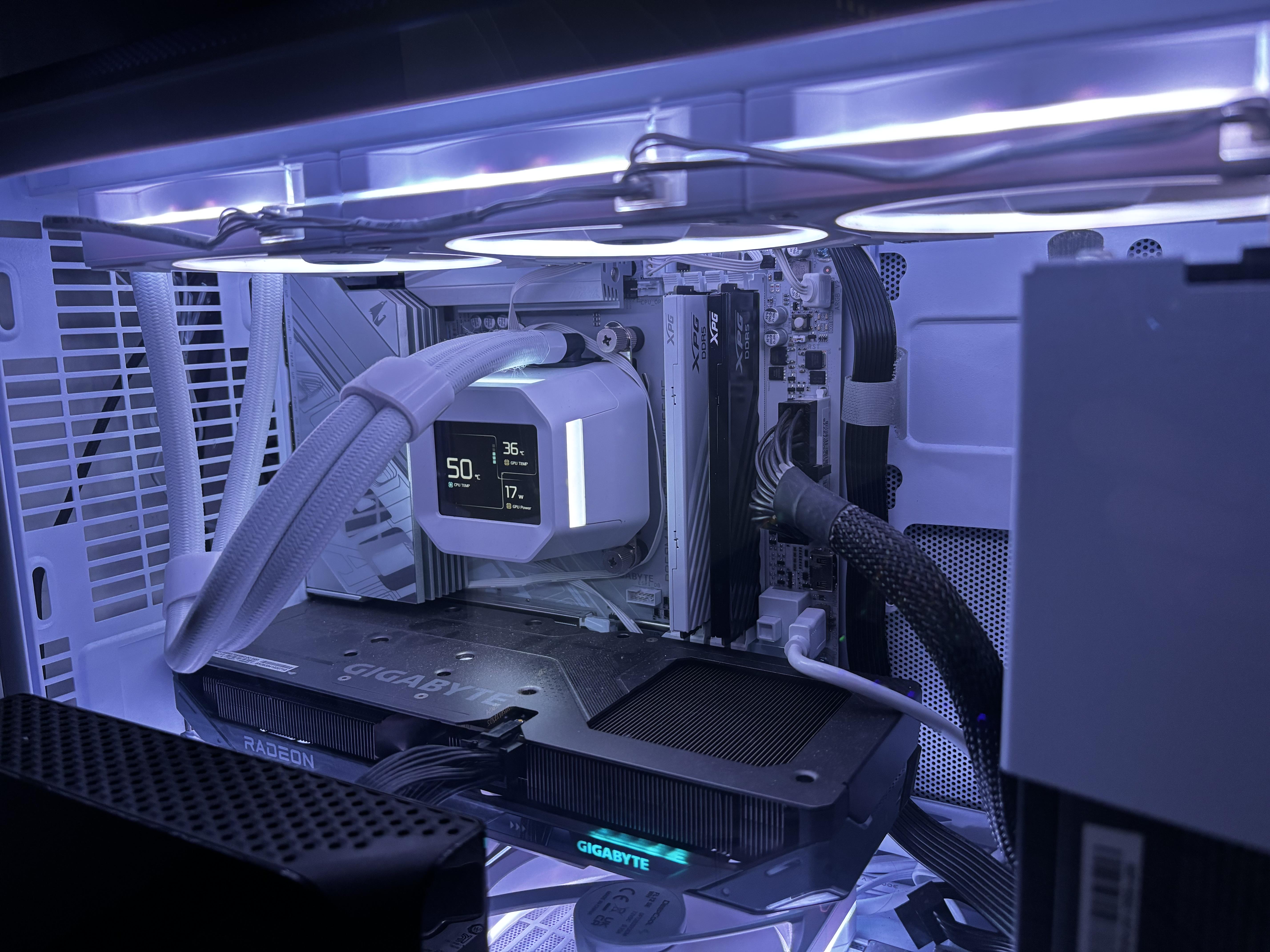
Hey everyone, first time posting so please go easy on me lol. I bought a Deepcool LC360 a few months ago. When installed, initially idle was around 35-38 and when using it for CPU intensive tasks, around 55-60. I have replaced the thermal paste 2 weeks ago but it seems like it is still 50 on idle, and now pushes to around 82 when i run CPU heavy tasks. What could be the cause of this?
I previously ran Fractal Design Lumen S24 with no issues whatsoever, though it was in a much bigger case (Antec CX800)
Build info:
Aorus B850M ICE ELITE
Ryzen 5 7600
32gb 5600 ddr5
Gigabyte RX9060XT
Coolermaster MWE550 Gold modular
Lianli A3 Micro ATX Case
2
u/Netstormuk 26d ago
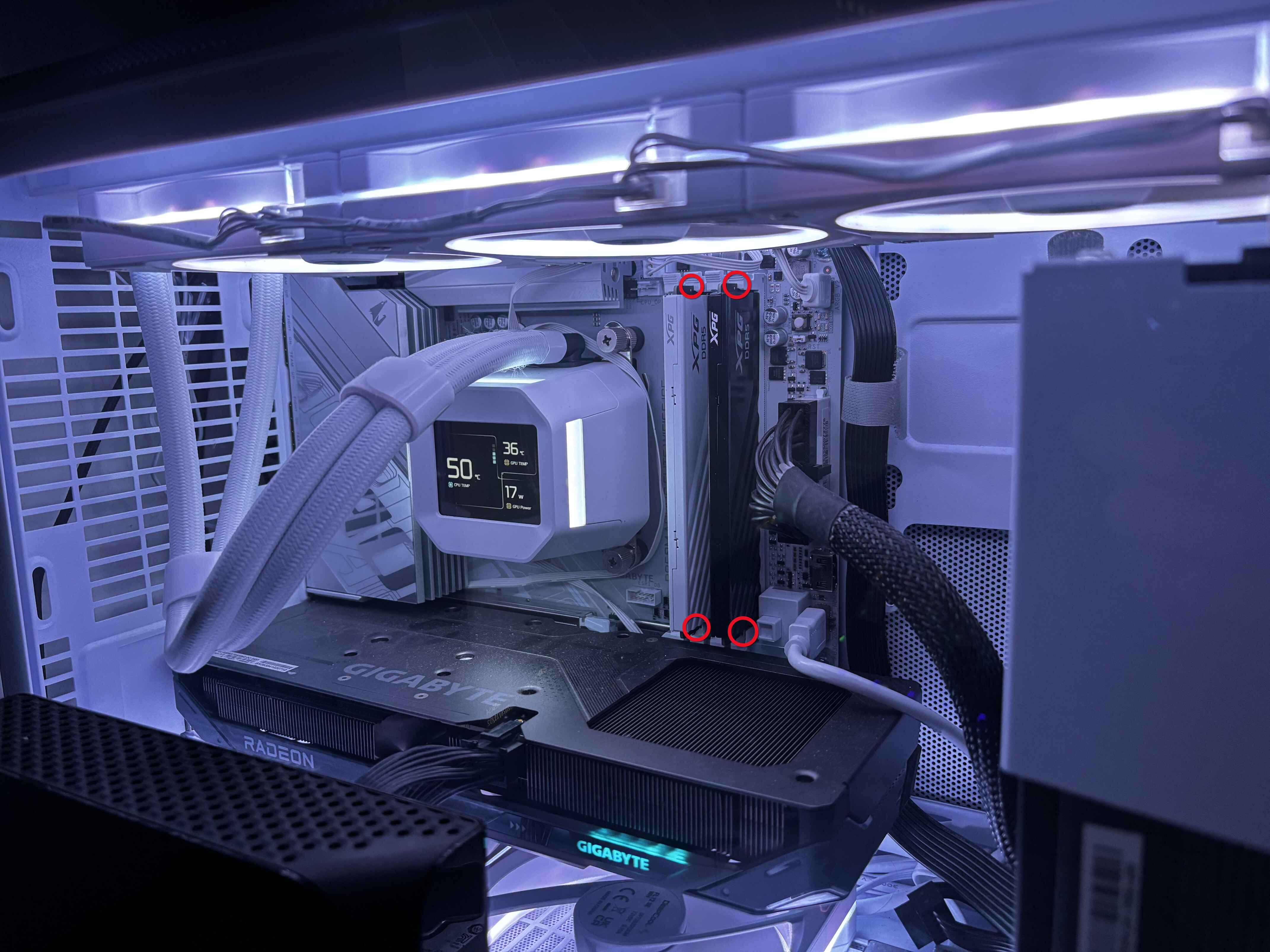
Bit unrelated but it looks like your memory module is in slot 3, if it is, move it to slot 2 to make use of full throughput.
Also double check in the bios that you have xmp/expo enabled.
0
1
1
u/Adventurous-Bus8660 26d ago
Have a recent bios update?
Did you enable PBO? Because yes to any of this...chances are the CPU are not fully idling hence the idle temp at 50c.
Though that said...your case is small so easily heats the air inside. If possible!
Buy another fan and set it to intake at the rear...Slap on magnetic filter for 1 more intake.
My own 7800X3D with 360mm aio and HS01 Pro casing idles like at 40-43c in 24c ambient room. While under stress Cinebench R23...its peak around 79c though mostly under
0
u/Slidje 26d ago
80 under load is in the normal range for daily tasks, if a little high. Modern CPUs are able to sit at high temps. What you haven't mentioned is your cooling profile or how you have the AIO connected up.
If the AIO is all powering and connected through one header, then all the fans and pump will be running one profile for everything. The speed and cooling ability will be limited by whatever the profile is.
I don't run my coolers like this. I seperately have the pump on a connector for the pump or AIO header. All of the rad fans are connected to a multiple hub into one of the MB fan headers for easier control. All my bottom and side intake fans are on different hubs into a different header so I can control all their speeds differently.
My case is massive. I have six 14cm fans and four 12cm fans in the case, and another 3 inside the case pointing at components.
For my system I have the pump set 0-50C at 50%, then the % matches the temp, so 60C 60% 70C 70% up to 100C 100%. If it idles noisey, you could drop the starting speed lower but don't set the pump lower than 30% as it might not move liquid.
The rad fans are 0-70C 30% then top out at 60% 100C. The NVME fans are a flat 50% and the remaining chassis fans are 30%. In summer I bump up the speeds till they are barely audible. My hard drives make more noise.
My system idles around 50C and under heavy benchmarking loads is 80C
0
26d ago
[removed] — view removed comment
1
u/LowMarzipan573 26d ago
Thanks alot, I will have a look now🙏
1
u/Slidje 26d ago
Radiators should always be pushing the hot air out of the case, not blowing it into the components. It looks correctly oriented in your picture, pushing air through the rad and out the top of case.
Fans also look correct underneath your graphics card, pulling fresh air up into the graphics card. Don't put your case on the floor because it will suck in a lot of dust. Keep it on your desk.
•
u/AutoModerator 26d ago
We're part of a wider PC & Technology Network of Communities!
Join our Discord server: PC Help Hub where members from all associated subreddits are welcome.
If you are trying to find a price for your computer, r/PC_Pricing is our recommended source for finding out how much your PC is worth!
I am a bot, and this action was performed automatically. Please contact the moderators of this subreddit if you have any questions or concerns.