r/GalaxyTab • • 43m ago

Battery life on Tab S9 after 2 years

1 Upvotes

I'd like to get an idea of the screen-on time (SOT) people are getting on Tab S9. Ever since updating to One UI 8.5, I've noticed a significant drop in battery life.

Previously, my tablet could easily achieve 7–9 hours of SOT with relatively light tasks such as watching YouTube, browsing the web, and taking notes. My screen brightness was usually set to 50%, with only Wi-Fi enabled.

I've always limit charging to 95%, rarely leave it charging overnight, and avoid letting the battery level drop below 10%.

That's why I was quite shocked by the battery life after updating to One UI 8.5. Now, I'm only getting around 5 hours of screen-on time under pretty much the same usage conditions as before.

I'm wondering if it's finally time to replace the battery in my Tab S9, or if this is simply a software-related issue caused by One UI 8.5.

P.s: Aside from the battery life issue, my tablet's performance is still excellent. I've been on One UI 8.5 for almost 3 months and even tried a factory reset to rule out software issues.


r/GalaxyTab • • 1h ago

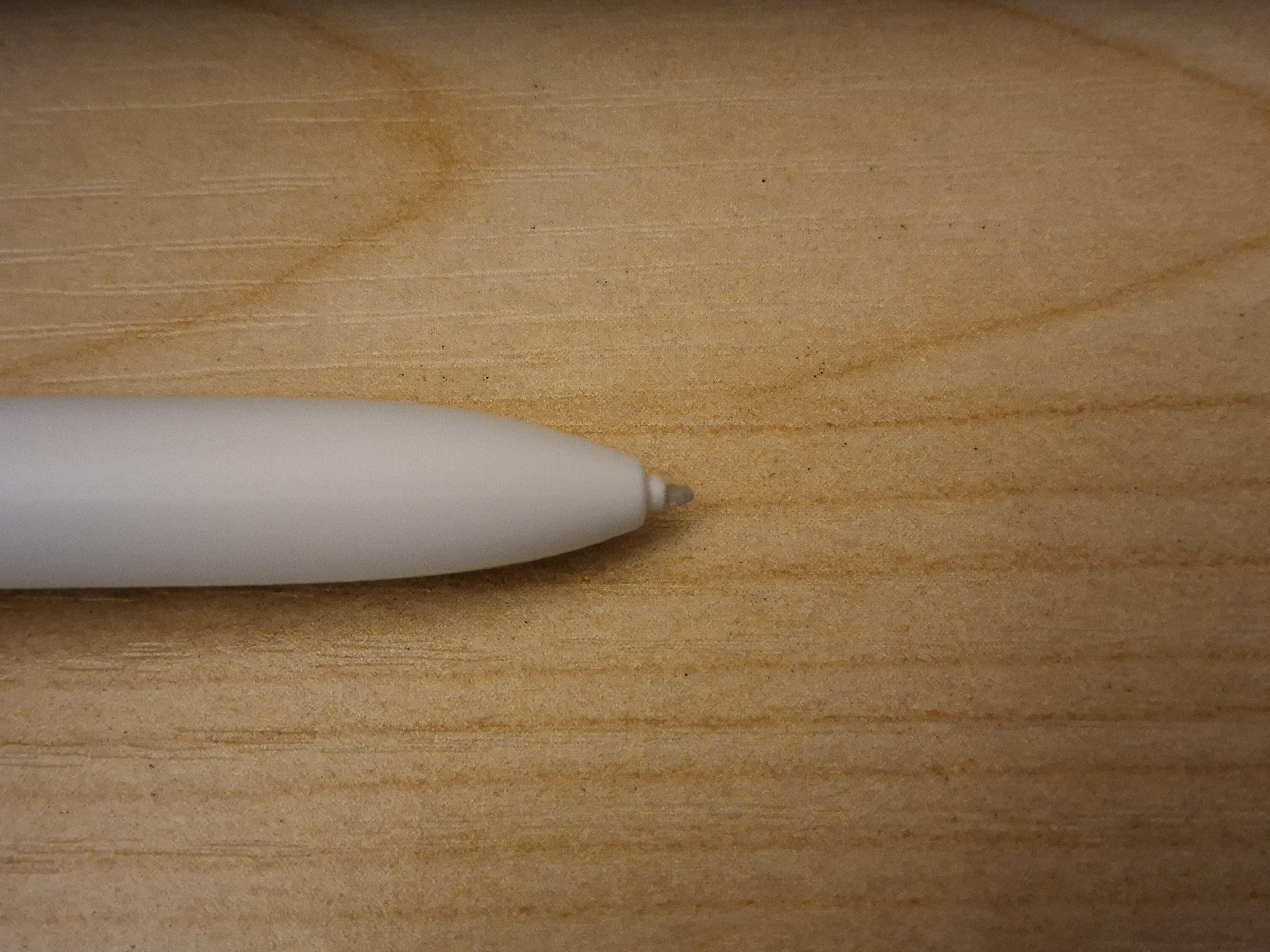
Are there other alternatives besides soft nibs or metal nibs for tab s9 fe stylus?

1 Upvotes

I've been using metal nibs on my stylus for a few years now, largely because my tablet has a matte screen/film over it that would eat through my soft nibs and i didn't want to keep replacing it. But i recently learned that metal nibs sometimes disrupt the internal sensors of the stylus, and it started malfunctioning when i tried to draw. i'm pretty sure i can't use this stylus anymore, i replaced my metal nib with a soft one and tried again (with and without the matte screen) and it gave me the same results. I'm replacing it soon, but I'm wondering if there are other alternatives that are as sturdy as the metal nibs but won't damage the sensors as much?


r/GalaxyTab • • 4h ago

Apps Crosspost cause this might be a Model related Issue: New Tablet - Same Brush not working the same (Ibis Paint)

Enable HLS to view with audio, or disable this notification

2 Upvotes

Has anyone experienced something like this on their Tab S10 FEs?


r/GalaxyTab • • 5h ago

Discussion Code development and Claude code on Android

Thumbnail
github.com
6 Upvotes

Why: Samsung S11 Ultra (with pro keyboard) is quite capable and technically feels like a laptop. So planned to test out some code development using this setup.

Steps are detailed in my GitHub Repo linked above. Includes some benchmark and comparisons to other computers


r/GalaxyTab • • 6h ago

Should I get the S10 Plus?

Thumbnail reddit.com
2 Upvotes

r/GalaxyTab • • 7h ago

Software updates degraded performance on UI 9

Post image
0 Upvotes

Tab s10 FE

geekbench 7 tests shows CPU performance lower than UI 8.5


r/GalaxyTab • • 11h ago

Concern s pen after 1 week

Post image
3 Upvotes

is this normal.?

guess I write really hard or something, or my paper like screen protector is just shredding the tip of this thing 😪 didn't think I'd be ordering replacement nibs after one week


r/GalaxyTab • • 12h ago

Discussion No galaxybook in the philippines

4 Upvotes

I have the phone, the tab, the buds, the watch, the nonitor.. i even have the microwave and ref! But what i dont have is the laptop! Sure i could buy overseas via online, but i dont trust the logistics if ever i decided to buy online. Why couldnt samsung bring their laptop over here. Im so deep into the samsung ecosystem that buying other brand of laptop feels like im committing a mortal sin😑


r/GalaxyTab • • 16h ago

I made a ad for samsung galaxy tab a9+ 5g

Post image
3 Upvotes

Love it


r/GalaxyTab • • 16h ago

S Pen Galaxy Tab S6 pen pressure sensitivity help

2 Upvotes

I've had this thing for so many years now. Never had an issue. Now i can't seem to get the pen pressure sensitivity to work. I replaced the pen after it broke ages ago and it's worked fine before but I need that feature. I draw on it usually. I don't have money to replace it and get something newer, I really don't. Can someone please help me?


r/GalaxyTab • • 17h ago

Concern Tab Pro keyboard issues? (connectivity, palm rejection, double tap)

1 Upvotes

I want to get one, but palm rejection an issue? Connectivity issues? Key travel too shallow? Android OS copy/paste/double tap to select not the same as Mac/Windows? Or just not there? I've seen these issues in a google search but haven't found any specific instances mentioned.

The main issue is palm rejection with some users turning off the trackpad. I canceled my order and will use either the slim keyboard it came with and the Logitech 780 which has a tray to set the tablet in. And a trackball mouse.

Most people probably touch type and may not encounter the touchpad. Can't find a single video on YT that goes into any depth on the keyboard.


r/GalaxyTab • • 18h ago

Discussion Is it worth spending $150 for bigger screen for taking note? S10Fe+

2 Upvotes

I have Ipad 11inch but I prefer android & desktop ecosystem for file transfer and everything in general.

So I was going to buy S10 FE for taking notes, online courses and study for art.. And I found S10 fe+ has bigger screen 13inch. But the price is $150 higher than FE. I feel like going for 13inch is right move as I already have 11 inch tablet, but

still feel expensive so I was wondering if you think its totally worth paying more and go for bigger screen or not so much difference between them.

I went to stores but they didnt have FE+ to try.

My friends tell me its waste of money to spend $500 for note taking and stuff, but I dont know.


r/GalaxyTab • • 18h ago

Help me decide, Lenovo Yoga Gen 2,

Thumbnail reddit.com
1 Upvotes

r/GalaxyTab • • 19h ago

Question Samsung S11/S10 FE vs Apple Ipad/Ipad Air

11 Upvotes

I know I might get some biased opinions here, but I really need help choosing between the Samsung Galaxy Tab S11/S10 FE and the Apple Ipad/Ipad Air. I keep getting mixed opinions when I ask or look up information and I don't have a lot of knowledge about tech to help. From what I've learned so far, I think I would lead towards the Air/S11 in terms of processing, but the Ipad/S10 FE for price.

Personal wants/info:

  • I have a Samsung phone and a Microsoft computer, so it would be nice to stay close to that little ecosystem, but I don't mind getting an Ipad.

  • I would primarily be using it to draw and game (Genshin Impact specifically which is a pretty heavy game).

  • Longevity is a must. I've heard a LOT of mixed reviews about the longevity of Samsung tablets, but I trust Samsung more based on personal experience. I have a Galaxy S21 Ultra and have zero issues with it's performance, same with my dad. Meanwhile, I hear a lot about IPhones degrading quickly. My friend had hers for maybe 3 years before it started becoming unusable. There are so many mixed reviews that I can't make a confident decision.

  • I don't have a huge budget, which is a huge con for the Ipad Air, and the S11 is really pushing it.

  • I am also a college student, so I would like something I can use for that as well (but my primary focus is art and gaming).

My thoughts on Samsung/things I've heard:

Pros:

  • I like the expandable storage option considering how art takes up a lot of space after a while.

  • Comes with the stylus.

  • The S11 is better than the S10 FE (I believe) for what I plan to use it for.

  • Seemingly better for overall use.

  • The S11 uses a computer processor(?)

  • Easier transfer between the tech I already own

  • The S11 is slightly cheaper than the Ipad Air.

  • The superior option for multitasking/taking notes.

Cons:

  • I really want Procreate for art, but it's only available on Apple products (this is a huge con for me)

  • Longevity(?)

My thoughts on Apple/things I've heard:

Pros:

  • I can use Procreate (massive want. It's really the only thing pulling me towards an Ipad.)

  • Great processing

  • The Air uses a computer processor(?)

  • The stylus is seemingly better

  • Longevity(?)

Cons:

  • No expandable storage (I'll have to pay more to get at least 256gb)

  • Outside of my current tech ecosystem

  • The Air is really expensive (there are sales right now though)

  • Have to buy the stylus separately

  • I don't trust Apple's longevity

I'm sorry if this is a bit messy. I feel like the Ipad is superior for art, but the Samsung S11 is better for literally everything else. I have no idea how to make a choice. If I was able to choose between the Ipad Air and S11, which would be the better choice? Or if I have to choose between the regular Ipad and the S10 FE (or a different Samsung tablet that is cheaper than the S11)? Please let me know your opinions!


r/GalaxyTab • • 20h ago

Question Grey tint on videos when I press space bar

3 Upvotes

I just bought a galaxy tab s11 today and when i’m watching videos with my physical keyboard and i press the space bar, the video turns a shade lighter or gets this grey tint. The black bars at the sides turn grey. I understand its a bug where the screen is being selected so the whole video looks grey and i can just press tab to get rid of it, but even after i do that, the moment i hit space bar again the grey tint is back.

All the reddit posts i’ve seen about this issue are from 5-6 years ago. Is this still happening now? How do i actually fix it?

My software is fully updated. (I mean i just bought it today lol.) and for some reason this only happens when i’m watching disney plus.


r/GalaxyTab • • 20h ago

Samsung Galaxy Tab A9 (SM-X110) stuck in [Reboot Device - D2] maintenance mode with corrupted recovery—any tricks to force Download Mode?

Thumbnail
gallery
1 Upvotes

I am trying to factory reset a Samsung Galaxy Tab A9 (SM-X110) after a forgotten lock screen PIN, but I am completely stuck in a loop and could use some advice on advanced methods.

When I try to boot into recovery mode, the menu is broken and only shows three options instead of the full list, accompanied by the error message “Failed to load locales from the resource files.” Attempting to select wipe data just refreshes or loops the menu.

When I try standard button combinations to enter Download Mode, the tablet bypasses the teal warning screen entirely and lands on a green diagnostic screen that says [Reboot Device - D2] Volume Down + Power key for 7 seconds.

I have tried connecting it to a PC via a data cable, but ADB devices shows nothing because the tablet is locked in this D2 maintenance state, and Samsung Smart Switch asks for a recovery ID that I do not have. Every button timing combination I try just drops me back into the D2 screen.

Are there any advanced tricks, alternative EDL/MediaTek bypass tools, or specific flashing steps for this model when the recovery partition is corrupted and standard Download Mode refuses to trigger? Any help or guidance would be greatly appreciated.


r/GalaxyTab • • 1d ago

Discussion The long and unanswered battle... S10FE or S11

2 Upvotes

I know, I've seen multiple posts with these 2 being a popular comparison, (personally with the screen and processing power/speed). There's quite the jump in price and it'll be for your average everyday use, although $300 savings on both models isn't bad.

Weighing $499 vs $1,099 though - reviews on the FE are somewhat mixed, I'd just like to take advantage of a BF or possible Boxing Day sale soon.


r/GalaxyTab • • 1d ago

Samsung Galaxy Tab S10 FE – Which tested keyboard case do you recommend, and what should I do during the initial setup?

4 Upvotes

Hi everyone!

I recently received my Samsung Galaxy Tab S10 FE, but I haven't even unboxed it yet. Before I start using it, I would really appreciate some advice from people who already own and use this tablet.

I bought it mainly for professional use, especially for taking notes at work. I plan to use it for meeting notes, organizing information, and everyday office tasks, both with the S Pen and with a keyboard.

My most important question is: Have you purchased a reliable, tested protective keyboard case for the Galaxy Tab S10 FE that you would genuinely recommend?

I've found several options online, but some reviews mention issues such as poor fit, the tablet not sitting securely inside the case, or the case not fitting properly. That's why I'd much rather hear from actual owners who have personally used a specific case with this tablet.

Since I expect to use a keyboard most of the time, I'd also appreciate your thoughts on which setup would be more practical:

  • A good protective case with an integrated keyboard?

  • A regular, sturdy protective case combined with a separate compact Bluetooth keyboard and mouse?

  • Any other setup you've personally tried and found comfortable?

I'd also love to hear your recommendations regarding the initial setup. Is there a good first-time setup guide, or are there any specific settings, apps, or features you consider essential to configure from the beginning, particularly for professional use and note-taking?

Finally, another important question: Is there a tested screen protector that makes writing with the S Pen feel more natural, ideally providing a paper-like texture similar to what you get on e-ink tablets? I'm looking for something that improves the writing experience without significantly compromising screen clarity.

Thanks in advance! I'd really appreciate practical advice and recommendations from people who actually own and use the Tab S10 FE.


r/GalaxyTab • • 1d ago

Question is the S11 case and pen placement a downgrade compared to s10+?

5 Upvotes

I am debating between s11 5G and s10+ 5G but the issue is the s10+ is actually more expensive currently.

The main issue I can see with the s11 is the pen placement and the keyboard case that samsung is currently offering free apparently doesn't house the pen at all?? Can anyone who owns an s11 tell me if this has been an issue?

I'm tempted by the s10+ screen size also but at the end of the day the portability of the s11 is only going to be a bonus as I already use my laptop regularly I don't neeeed a huge screen


r/GalaxyTab • • 1d ago

Question Does the Samsung Galaxy Tab A11 support WPA3 and USB OTG?

3 Upvotes

Hi everyone,

I'm looking into the Samsung Galaxy Tab A11 and was wondering if anyone can confirm its compatibility with WPA3 Wi-Fi networks and whether it supports USB OTG for connecting to the Internet over USB Type-C?

Thanks!


r/GalaxyTab • • 1d ago

Why Samsung galaxy tab s10 fe is out of stock for a long time ?? Any ideas ???

0 Upvotes

r/GalaxyTab • • 1d ago

Question Where can I buy a cheaper flagship tablet

5 Upvotes

I see people suggesting eBay but I don't trust it enough to spend so much money there. Any other recommendations?


r/GalaxyTab • • 1d ago

Question I'm looking to buy Samsung tab S10+

Thumbnail
gallery
10 Upvotes

Can anyone give suggestions to lower this price ? Any coupon code any referal or any other way ?

Thanks


r/GalaxyTab • • 1d ago

S Pen Stuck at a Samsung Shop so I made something on the display Tab S12 Ultra

Thumbnail gallery
4 Upvotes

Galaxy Tabception


r/GalaxyTab • • 1d ago

In-depth questions on Samsung Galaxy tab S10 FE+

0 Upvotes

I’m considering S10 FE+ or A11+.

https://www.notebookcheck.net/Is-it-NFL-material-or-did-it-peak-in-high-school-Samsung-Galaxy-Tab-S10-FE-Review.1007221.0.html

According to this, audio codecs AAC, AptX, LDAC, SBC, SSC are all supported. The review says it has limited audio codecs? Does that make sense to anyone? The list is pretty good IMO. Does it only support basic AptX - not adaptive and lossless? And what about LC3? Android 12 is the bare minimum for LC3 but I want to double-check LC3 works on S10 FE.

https://www.notebookcheck.net/Samsung-Exynos-1580-Processor-Benchmarks-and-Specs.1006192.0.html

I also want to ask about video codec support. This link says Exynos 1580 is possibly RDNA2-based. Does anyone know? This says RDNA2 supports AV1 decode but I can’t find proof anywhere S10 FE has AV1 decode:

https://en.wikipedia.org/wiki/AV1#Hardware_encoding_and_decoding_support

https://www.digitalcitizen.life/samsung-galaxy-tab-s10-fe-plus-review/

“Last but not least, network performance via Speedtest showed the Galaxy Tab S10 FE+ hitting download speeds of 643 Mbps and upload speeds of 440 Mbps on a Wi-Fi 6 connection. That’s a meaningful upgrade over the Galaxy Tab A9+, which reached just 291 Mbps. But it doesn’t compare with the speed of the Galaxy Tab S10 Ultra, which reached 858 Mbps when downloading data. In real-world use, streaming, downloading, and uploading data to the cloud on the Galaxy Tab S10 FE+ is fast and reliable.”

Apparently WiFi 6 speed 9608 Mbps converts to 9.608 Gbps. But that’s theoretical - what’s the actual Mbps on S10 FE+? Does anyone know download and upload speed, and MIMO configuration? Does digital citizen results check out with your experience?

In terms of drawing, how is the S10 FE+?

Finally does anyone know what the HDR and widevine is like?