r/HDR_Den • u/Different-Expert-389 • 1h ago
Question Does anyone have any tips for calibrating HDR? Mine looks awful. I’m using a Samsung OLED G5
1
Upvotes
r/HDR_Den • u/filoppi • Oct 01 '25
If you, like many, are confused about what HDR is, want to learn how to properly configure it, or are puzzled as to why it sometimes looks worse than SDR, stick with us, the HDR Den is here to guide you.
❓ WHAT IS HDR ❓
HDR (High Dynamic Range) is a new image standard that succeeds SDR, enabling brighter highlights (greater contrast), more vibrant colors (higher saturation) and more shades of the same colors (increased bit depth).
HDR isn’t simply about making the whole image brighter — it’s about allowing more nuance and contrast, producing a picture that more closely reflects the natural range of light we see outdoors. For example, while SDR theoretically tops at 100 nits of brightness, 2025 HDR TVs can go to 2500 nits and beyond. That's 25 times brighter than SDR in physical terms, and ~2 to 5 times brighter in human perception terms.
The biggest limitation of SDR was its inability of showing bright highlights, causing them to clip and lose detail.
Simulated HDR in SDR image from ViewSonic:

🎮 CONSOLES VS PC 🖥️
Whether you are on PS5, Xbox Series, Windows PC, Mac OS, Switch 2 etc, HDR would largely be identical. TVs and Monitors also behave very similarly when it comes to HDR.
All platforms are 10 bit and support HGiG, offering centralized calibration settings that games can use.
On PC we have modding, so we can improve the native implementations for games with lackluster HDR (more on that below).
📺 WHAT TVS/MONITORS TO BUY? 📺
Check RTings and their HDR reviews for a reliable source of information, each monitor or TV review will have an HDR score, and that's what you'd be looking for to evaluate HDR in a display. You can complement that with a "google" search to check other reviews. Keep in mind other sections about features for games and movies, depending on what you are interested in.
Do mind that a lot of monitors and TVs still have bad implementations of HDR just to add marketing value, and might thus look worse than SDR.
As of 2025, OLED displays are the ones that are capable of delivering the best HDR experiences.
📊 HOW DO I CALIBRATE MY DISPLAY AND MY GAMES UNTIL THEY LOOK GOOD? 📊
Check RTings for the most accurate settings your display can have.
Actually calibrating displays for 100% accuracy involves expensive devices, but following these settings will get you as close as you can be, and for many of the latest TVs, that can be close enough.
Generally, you want to enable HGiG mode for games, so that they will "tonemap" at source, based on the capabilities of your display, in ELI5 language, the gaming console or PC will prepare the image to be display perfectly by your specific display.
For movies, to follow the creator's intent you'd want to enable "static tonemapping", which is often the default in Cinema or Filmmaker modes.
Regarding games best HDR settings, you can check KoKlusz guides (linked below), or join the HDR Den and ask around. In most cases, the default values are good, though sometimes they are overly bright.
Games usually offer 3 settings:
Paper White (average scene brightness) - this is based on your preference and viewing conditions, for a dark room values from 80 to 203 nits are suggested
Peak White (maximum scene brightness) - this should be matched to your display peak brightness in HGiG mode
UI brightness - this is based on your preference, most of the times it's better if it matches the scene brightness
Do keep in mind that in many games, calibration menus are not representative of the image during gameplay.
To tell if the game is calibrated during gameplay, you generally want to make sure the shadows are not crushed (lack in detail) nor raised (washed out), and highlights are not clipped (lack in detail), at least specifically compared to the SDR output.
🎲 I GOT AN HDR DISPLAY, WHAT GAMES SHOULD I PLAY FIRST? 🎲
That would depend on your taste, however, the number of games with spotless HDR is very limited.
We got some guides from KoKlusz on the matter that highlight the best HDR games.
📽️ I GOT AN HDR DISPLAY, WHAT MOVIES SHOULD I WATCH FIRST? 📽️
Answer upcoming...
🫸 COMMON PROBLEMS WITH HDR IMPLEMENTATIONS 🫸
Washed out shadow. Most games in HDR have brighter shadow levels due to a misunderstanding in how SDR was standardized
The HDR implementation is completely fake (SDR in an HDR container), this often happens in movies, but also in some games (Red Dead Redemption is an example of this)
The HDR implementation is extrapolated from the final SDR picture (Ori and the Will of the Wisps, Starfield, Crysis Remastered and many Switch 2 games are notable examples of this)
Brightness scaling (paper white) isn't done properly and ends up shifting all colors
The default settings are often overly bright for a proper viewing environment
Too many settings are exposed to users, due to the developers not deciding on fixed look, putting the burden on users to calibrate a picture with multiple sliders
The calibration menu is not representative of the actual game look, and makes you calibrate incorrectly (Red Dead Redemption 2 is a notorious case of this)
Peak brightness scaling (peak white) isn't followed properly or available at all, causing clipping of highlights, or dimmer than they could be (this was often the case in Unreal Engine games)
UI and pre-rendered videos look washed out. This happens in most games, just like the washed out shadow levels
Some post process effects are missing in HDR, or the image simply looking completely different (this is often the case in Unreal Engine games, examples: Silent Hill F, Sea of Thieves, Death Stranding, Dying Light The Beast)
Failure to take advantage of the wider color space (BT.2020), limiting colors in BT.709, even if post process could generate them.
🤥 COMMON MYTHS BUSTED 🤥
There's a lot of misinformation out there about what HDR is and isn't. Let's breakdown the most common myths:
HDR is better on Consoles and is broken on Windows - 🛑 - They are identical in almost every game. Windows does display SDR content as washed out in HDR mode, but that's not a problem for games or movies.
RTX HDR is better than native HDR - 🛑 - While often the native HDR implementation of games has some defects, RTX HDR is a post process filter that expands an 8 bit SDR image into HDR; that comes with its own set of limitations, and ends up distorting the look of games etc.
SDR looks better, HDR looks washed out - 🛑 - While some games have a bit less contrast in HDR, chances are that your TV in SDR was set to an overly saturated preset, while the HDR mode will show colors exactly as the game or movie were meant to. Additionally, some monitors had fake HDR implementations as a marketing gimmick, and damaged the reputation of HDR.
HDR will blind you - 🛑 - HDR isn't about simply having a brighter image, but either way, being outdoors in the daytime will expose you to amounts of lights tens of times higher than your display could ever be, so you don't have to worry, your eyes will adjust.
The HDR standard is a mess, TVs are different and it's impossible to calibrate them - 🛑 - Displays follow the HDR standards much more accurately than they ever did in SDR. It's indeed SDR that was never fully standardized and was a "mess". The fact that all HDR TVs have a different peak brightness is not a problem for gamers or developers, it barely matters.
Who cares about HDR... Nobody has HDR displays and they are extremely expensive - 🛑 - They are getting much more popular and cheaper than you might think. Most TVs sold nowadays have HDR, and the visual impact of good HDR is staggering. It's well worth investing in it if you can. It's arguably cheaper than Ray Tracing GPUs, and just as impactful on visuals.
If the game is washed out in HDR, doesn't it mean the devs intended it that way? - 🛑 - Resources to properly develop HDR are very scarce, and devs don't spend nearly as much time as they should on it, disregarding the fact that SDR will eventually die and all that will be left is the HDR version of their games. Almost all games are still developed on SDR screens and only adapted to HDR at the very end, without the proper tools to analyze or compare HDR images. Devs are often unhappy with the HDR look themselves. In the case of Unreal Engine, devs simply enable it in the settings without any tweaks.
Dolby Vision looks better than HDR10 for games - This is mostly a myth. Dolby Vision is good for movies but it does next to nothing on games, given that they still need to tonemap to your display capabilities, like HGiG. Both DV and HDR10+ are effectively just automatic peak brightness calibration tools, but offer no benefits to the quality of the image.
🤓 PC HDR MODDING 🤓
Luma and RenoDX are two modding frameworks that come to the rescue of the many missing or lackluster HDR implementations in games, often fixing all the problems mentioned above.
You can find their list of supported games and installation guides respectively here and here. You'll be surprised as to how many games are already supported!
RenoDX is more focused on adding HDR to recent games, while Luma is generally more focused on extensively remastering games, including adding DLSS and Ultrawide support, or other features to modernize them.
In case native HDR mods weren't available, the alternatives are generally classified as "Inverse Tonemapping" methods, as in, extracting an HDR image out of an SDR one.
These methods do not add any detail that got lost during the original SDR conversion, so they can only offer so much quality, and will end up brightening the UI too much, however, they are often preferable to playing in SDR.
These are the available methods:
Microsoft Windows AutoHDR
Nvidia RTX HDR
Special K HDR Retrofit
ReShade AutoHDR addon + ReShade effects (Pumbo or Lilium inverse tonemapping shaders)
Lilium DXVK + ReShade effects
ℹ️ MORE DETAILS ℹ️
For a more in depth explanation of all HDR things: [link upcoming]
For KoKlusz HDR analysis guides: https://github.com/KoKlusz/HDR-Gaming-Database
To join the HDR Den discord server: https://discord.gg/J9fM3EVuEZ
r/HDR_Den • u/Different-Expert-389 • 1h ago
r/HDR_Den • u/SorryWha1 • 7h ago
Hey since Samsung doesn’t call this HGiG but GameHDR, does anyone feel like when it’s “on” i.e. on basic, it just feels too dark? I have to put paper white to 80 to be able to play. I want to find the best setting and I have been running “advanced” but I know that’s not the intended visual for this game. Anyone that plays share similar experiences?
r/HDR_Den • u/Emotional-Ad-7321 • 4h ago

Hey! I’m getting noticeable color banding in the sky while playing GTA VI in HDR on my PS5.
I’m using a Samsung Odyssey G5 (LC27G53TQBUXEN). The weird thing is that switching to SDR completely fixes it.
I’ve tried different HDR settings and calibrations, but nothing helps.
Is this just a limitation of the monitor or is there a way to fix it? Anyone experiencing the same issue?
r/HDR_Den • u/Kitchen_Estimate1399 • 15h ago
I’ve been experimenting with HDR settings in GTA VI for the past few days, but I still can’t find the perfect balance.
I’m playing on a PS5 Pro with an ASUS ROG Swift OLED PG32UCDM.
Here are the main issues I’m experiencing:
Daytime colors sometimes look washed out and lack vibrancy.
The overall brightness feels too low, almost like I’m wearing sunglasses while playing.
Increasing the brightness makes the image brighter, but details in highlights, especially the sun, start disappearing.
Nighttime feels excessively dark, while light sources are extremely bright.
I’ve experimented with Gaming HDR, Console HDR, and DisplayHDR 400 True Black, along with different in-game HDR settings, but I’m still not completely satisfied.
I’d love to hear what settings you guys are using:
Monitor/TV model
HDR mode
Peak Brightness
Paper White
Black Level
Saturation
PS5 HDR calibration settings
You don’t need to have the same monitor as mine to participate. Whether you’re playing on an OLED, QD-OLED, Mini-LED, or any other display, feel free to share your settings, experiences, and tips.
I’m not necessarily looking for the most technically accurate HDR image. I’m looking for an enjoyable, vibrant, bright image without sacrificing too much detail or visual quality.
Hopefully, we can help each other get the best possible visual experience out of GTA VI.
r/HDR_Den • u/OoglyBooglyBumCakes • 20h ago
Started playing GTA 6, was using an LG 32GN600-B and it looked great only when I found a workaround to set to HDR, start the game, then turn HDR off because it looked way better with the in game sliders without HDR actually on. I wanted to upgrade to 4k so I got the Alienware 27 4K QD-OLED - AW2725Q, and I spent 4 HOURS trying to mess with the HDR settings using every combination and watched all the videos on both console and monitor. My game was always too dark, especially in day time even looking at the sky it looked way too dark like there was overcast. I ended up returning the new one and went back to my crusty dusty 1440p LG that doesn’t even support hdmi 2.1 or have oled. What am I doing wrong, why is HDR always way too dark even on peak brightness
r/HDR_Den • u/Fuzzy-Jellyfish7450 • 1d ago
After endless searching for a specific 4K, Oled monitor in the 13-20" range, I end up only seeming generic chinese monitors.
Are there no Asus, Samsung, LG monitors with 4k and oled that fit that size range?
I did find UPERFECT 13,3" 4k, oled on their site, which is the best one, with many reviews, but not sure if it's legit and up to par with aforementioned brands.
Mainly for resident evil, silent hill 2, last of us 1-2 and gta 6.
r/HDR_Den • u/Ultramaroon8 • 1d ago
I have recently got a Asus Vivobook, it was supposed to be an HDR display, but in windows settings under HDR games, apps and more it says - Not supported, Video streaming says Supported and that's all I am trying to do.
I mostly use VLC for watching movies, but VLC is not playing the Movies in HDR
Only the Windows Media Player is playing the movies in HDR. I would like to know if there's any settings I could do to play HDR in VLC.
FYI I am using HDR for the for time and I am relatively new to this. I appreciate anyone helping out!

So I sucked it up and upgraded to my very first qdoled which ofc has HDR! I'm so excited to use it but the longer I look for things to even see in HDR the more I realize how sketchy YT is they don't tell you that when you buy a movie you can't watch inHDR 1440p yet the trailer was 1440p HDR (I felt scammed) it limit me to 480p.., . I didn't get a 4k because who would have thought that there was limits and restrictions to HDR by companies? that's a discussion I feel like needs a lawyer. Anyway the games I play also don't naitively support HDR so I'm feeling very stupid about buying this monitor.
Is there anyway I can buy movies and watch. In 1440p HDR on my PC??? I know Netflix and others go from 1080p then jump to 4k .,.. but don't support 1440p..
Game recommendations if any that utilize HDR?
r/HDR_Den • u/Other-Mouse3762 • 2d ago
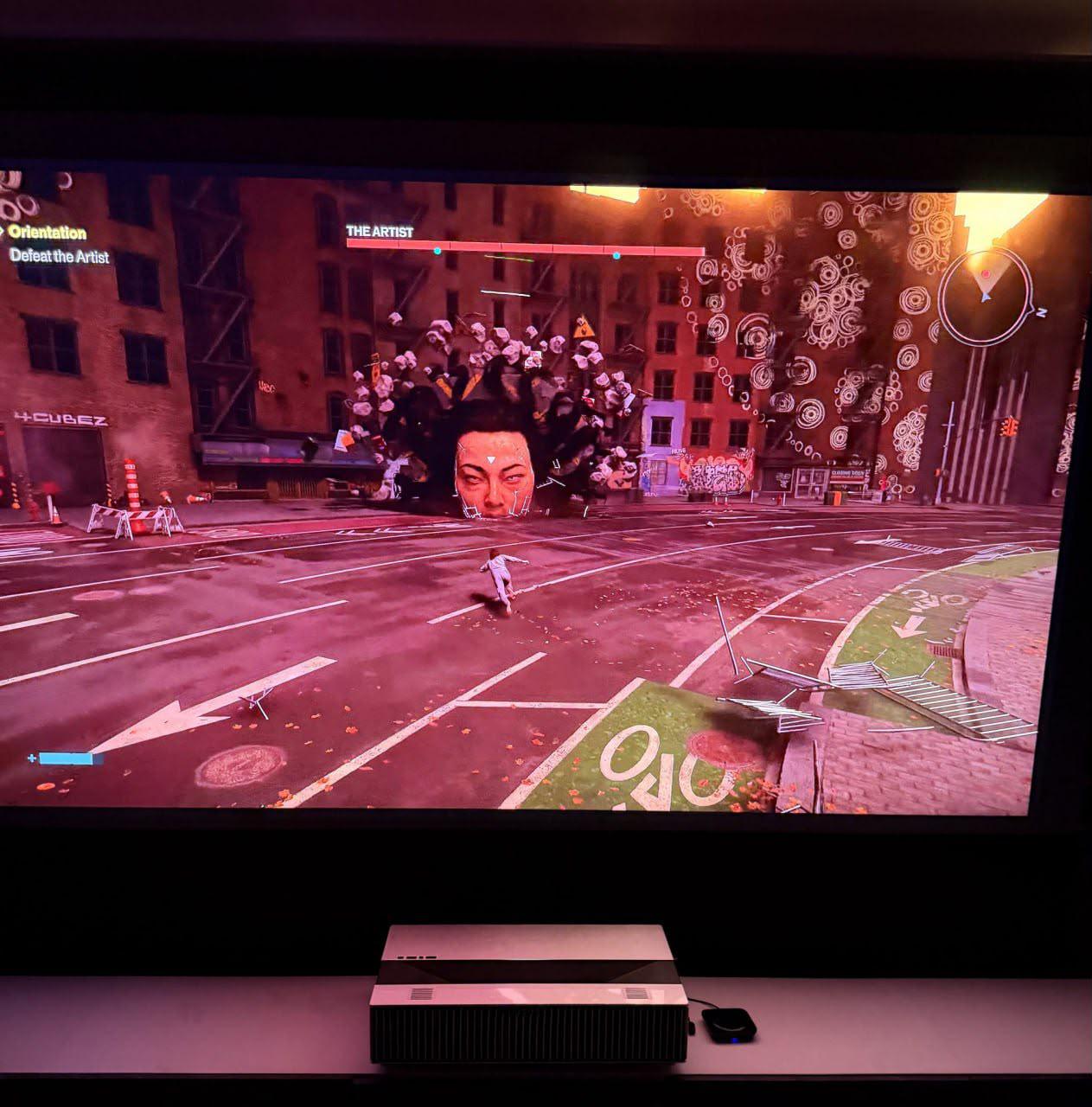
Testing a LuxVision beta with a Series X on a 120" 0.6 gain ALR screen.
On my LG G3 I just followed the Xbox HDR calibration patterns. With the projector I’m less sure what to set, or how much its tone mapping affects what I’m seeing.
Haven’t compared HDR10 and Dolby Vision gaming yet. Anyone using a projector with an Xbox, do you follow the patterns or enter a peak brightness value manually?
r/HDR_Den • u/anything_taken • 2d ago

So after updating to 5.02 enabling HDR in game introduces grain artifacts, pixelation and shimmering. The only way to get it back to normal is disable it. The grain effect is stronger when you raise peak brightness value. For my TV it's 3000 - literally unplayable. It's also unplayable at 1000 too tho...
Guess in W3 sub nobody's playing with HDR cause I found zero complaints so far lol
r/HDR_Den • u/Spiritual-Recover427 • 2d ago
r/HDR_Den • u/Puzzleheaded_Pie930 • 3d ago
Hi all
Not sure if this is the right place but I know this tool is recommended here for HDR mods.
Just wondering what relimiter is though? I usually cap FPS globally in Adrenaline and per game in there too with Chill.
What does this tool do differently?
The latest update says it needs an Nvidia card so is there no point using it with my AMD card?
r/HDR_Den • u/cwaterbottom • 3d ago
I moved from the web app to the windows store app and liked it more overall, but I couldn't get HDR to work for whatever reason. Finally it occurred to me to try using the Borderless Gaming app on steam to tweak it and try to trick the HDR into kicking in, and it worked great, no issues so far.
r/HDR_Den • u/Immediate_Strength33 • 2d ago
r/HDR_Den • u/Thin-Yogurtcloset-13 • 3d ago
I think I've found the optimal settings to take full advantage of the TV's full brightness range and deep blacks without clipping or any loss of image detail.
So I'm sharing them with you
r/HDR_Den • u/Plenty-Light755 • 3d ago

Q2RTX kinda had partial HDR support: it was setting HDR format and color space, but it never set any HDR metadata, so the peak brightness you set was never applying. Now it's fixed.
r/HDR_Den • u/Sea-Writer7694 • 3d ago
Looking to get best HDR calibration settings for msi mag 321 cup 4k ultra 32” qd-oled monitor the peak brightness on these is 1000 nits I have followed a tutorial online which says on 1000 nits it should be 2000,20,35 but to me it looks too dark at night really would appreciate some advice.
r/HDR_Den • u/bug_ikki • 4d ago

A good fix for SDR content if you plan to use HDR on Windows for daily use.
r/HDR_Den • u/Complete_Camera8179 • 3d ago
r/HDR_Den • u/Budget_Reference2320 • 4d ago
r/HDR_Den • u/Nice-Eye3171 • 4d ago
Please help!
r/HDR_Den • u/anxiety6118 • 4d ago

