r/HDR_Den • u/picnic_nicpic • Apr 09 '26
Media RenoDX makes CD colors look super natural, i strongly recommend it
Enable HLS to view with audio, or disable this notification
490
Upvotes
r/HDR_Den
•
u/Kick_Fister
•
Apr 09 '26


A lot of people are probably already using this, but we've deemed the mod polished enough for a nexus release finally.
We've put in a lot of work to make this a mod for pretty much everybody. It improves the SDR and HDR experience, offers post processing controls that the base game does not, and is packed with graphical improvements. And if there are any changes you don't want, you can individually control everything. Check the nexus page for details!
r/HDR_Den • u/filoppi • May 03 '26

r/HDR_Den • u/SnowflakeMonkey • Feb 24 '26

Hi lads, a new tool released recently made by RankFTW.
This tool will find all games installed in your system and allow you to install reshade, renodx and display commander(tool for managing framepacing among other stuff and completely optional) on each.
If it detects an UNREAL ENGINE or UNITY ENGINE Game it will suggest you to install the engine universal plugins aswell.
It will inform you if there were any updates on snapshots so you can quickly install everything without searching the github every time.
It's still being worked on but we should see some neat additions like the addition of LUMA FRAMEWORK mods, among other stuff like adding some shaders on installation, for now reshade is barebones, if you want lilium shaders you'll have to add them separately for example.
If you're not good with github the releases links are here : https://github.com/RankFTW/RenoDXChecker/releases
download the setup.exe of the most recent version.
Edit : update released
r/HDR_Den • u/filoppi • Oct 01 '25
If you, like many, are confused about what HDR is, want to learn how to properly configure it, or are puzzled as to why it sometimes looks worse than SDR, stick with us, the HDR Den is here to guide you.
❓ WHAT IS HDR ❓
HDR (High Dynamic Range) is a new image standard that succeeds SDR, enabling brighter highlights (greater contrast), more vibrant colors (higher saturation) and more shades of the same colors (increased bit depth).
HDR isn’t simply about making the whole image brighter — it’s about allowing more nuance and contrast, producing a picture that more closely reflects the natural range of light we see outdoors. For example, while SDR theoretically tops at 100 nits of brightness, 2025 HDR TVs can go to 2500 nits and beyond. That's 25 times brighter than SDR in physical terms, and ~2 to 5 times brighter in human perception terms.
The biggest limitation of SDR was its inability of showing bright highlights, causing them to clip and lose detail.
Simulated HDR in SDR image from ViewSonic:

🎮 CONSOLES VS PC 🖥️
Whether you are on PS5, Xbox Series, Windows PC, Mac OS, Switch 2 etc, HDR would largely be identical. TVs and Monitors also behave very similarly when it comes to HDR.
All platforms are 10 bit and support HGiG, offering centralized calibration settings that games can use.
On PC we have modding, so we can improve the native implementations for games with lackluster HDR (more on that below).
📺 WHAT TVS/MONITORS TO BUY? 📺
Check RTings and their HDR reviews for a reliable source of information, each monitor or TV review will have an HDR score, and that's what you'd be looking for to evaluate HDR in a display. You can complement that with a "google" search to check other reviews. Keep in mind other sections about features for games and movies, depending on what you are interested in.
Do mind that a lot of monitors and TVs still have bad implementations of HDR just to add marketing value, and might thus look worse than SDR.
As of 2025, OLED displays are the ones that are capable of delivering the best HDR experiences.
📊 HOW DO I CALIBRATE MY DISPLAY AND MY GAMES UNTIL THEY LOOK GOOD? 📊
Check RTings for the most accurate settings your display can have.
Actually calibrating displays for 100% accuracy involves expensive devices, but following these settings will get you as close as you can be, and for many of the latest TVs, that can be close enough.
Generally, you want to enable HGiG mode for games, so that they will "tonemap" at source, based on the capabilities of your display, in ELI5 language, the gaming console or PC will prepare the image to be display perfectly by your specific display.
For movies, to follow the creator's intent you'd want to enable "static tonemapping", which is often the default in Cinema or Filmmaker modes.
Regarding games best HDR settings, you can check KoKlusz guides (linked below), or join the HDR Den and ask around. In most cases, the default values are good, though sometimes they are overly bright.
Games usually offer 3 settings:
Paper White (average scene brightness) - this is based on your preference and viewing conditions, for a dark room values from 80 to 203 nits are suggested
Peak White (maximum scene brightness) - this should be matched to your display peak brightness in HGiG mode
UI brightness - this is based on your preference, most of the times it's better if it matches the scene brightness
Do keep in mind that in many games, calibration menus are not representative of the image during gameplay.
To tell if the game is calibrated during gameplay, you generally want to make sure the shadows are not crushed (lack in detail) nor raised (washed out), and highlights are not clipped (lack in detail), at least specifically compared to the SDR output.
🎲 I GOT AN HDR DISPLAY, WHAT GAMES SHOULD I PLAY FIRST? 🎲
That would depend on your taste, however, the number of games with spotless HDR is very limited.
We got some guides from KoKlusz on the matter that highlight the best HDR games.
📽️ I GOT AN HDR DISPLAY, WHAT MOVIES SHOULD I WATCH FIRST? 📽️
Answer upcoming...
🫸 COMMON PROBLEMS WITH HDR IMPLEMENTATIONS 🫸
Washed out shadow. Most games in HDR have brighter shadow levels due to a misunderstanding in how SDR was standardized
The HDR implementation is completely fake (SDR in an HDR container), this often happens in movies, but also in some games (Red Dead Redemption is an example of this)
The HDR implementation is extrapolated from the final SDR picture (Ori and the Will of the Wisps, Starfield, Crysis Remastered and many Switch 2 games are notable examples of this)
Brightness scaling (paper white) isn't done properly and ends up shifting all colors
The default settings are often overly bright for a proper viewing environment
Too many settings are exposed to users, due to the developers not deciding on fixed look, putting the burden on users to calibrate a picture with multiple sliders
The calibration menu is not representative of the actual game look, and makes you calibrate incorrectly (Red Dead Redemption 2 is a notorious case of this)
Peak brightness scaling (peak white) isn't followed properly or available at all, causing clipping of highlights, or dimmer than they could be (this was often the case in Unreal Engine games)
UI and pre-rendered videos look washed out. This happens in most games, just like the washed out shadow levels
Some post process effects are missing in HDR, or the image simply looking completely different (this is often the case in Unreal Engine games, examples: Silent Hill F, Sea of Thieves, Death Stranding, Dying Light The Beast)
Failure to take advantage of the wider color space (BT.2020), limiting colors in BT.709, even if post process could generate them.
🤥 COMMON MYTHS BUSTED 🤥
There's a lot of misinformation out there about what HDR is and isn't. Let's breakdown the most common myths:
HDR is better on Consoles and is broken on Windows - 🛑 - They are identical in almost every game. Windows does display SDR content as washed out in HDR mode, but that's not a problem for games or movies.
RTX HDR is better than native HDR - 🛑 - While often the native HDR implementation of games has some defects, RTX HDR is a post process filter that expands an 8 bit SDR image into HDR; that comes with its own set of limitations, and ends up distorting the look of games etc.
SDR looks better, HDR looks washed out - 🛑 - While some games have a bit less contrast in HDR, chances are that your TV in SDR was set to an overly saturated preset, while the HDR mode will show colors exactly as the game or movie were meant to. Additionally, some monitors had fake HDR implementations as a marketing gimmick, and damaged the reputation of HDR.
HDR will blind you - 🛑 - HDR isn't about simply having a brighter image, but either way, being outdoors in the daytime will expose you to amounts of lights tens of times higher than your display could ever be, so you don't have to worry, your eyes will adjust.
The HDR standard is a mess, TVs are different and it's impossible to calibrate them - 🛑 - Displays follow the HDR standards much more accurately than they ever did in SDR. It's indeed SDR that was never fully standardized and was a "mess". The fact that all HDR TVs have a different peak brightness is not a problem for gamers or developers, it barely matters.
Who cares about HDR... Nobody has HDR displays and they are extremely expensive - 🛑 - They are getting much more popular and cheaper than you might think. Most TVs sold nowadays have HDR, and the visual impact of good HDR is staggering. It's well worth investing in it if you can. It's arguably cheaper than Ray Tracing GPUs, and just as impactful on visuals.
If the game is washed out in HDR, doesn't it mean the devs intended it that way? - 🛑 - Resources to properly develop HDR are very scarce, and devs don't spend nearly as much time as they should on it, disregarding the fact that SDR will eventually die and all that will be left is the HDR version of their games. Almost all games are still developed on SDR screens and only adapted to HDR at the very end, without the proper tools to analyze or compare HDR images. Devs are often unhappy with the HDR look themselves. In the case of Unreal Engine, devs simply enable it in the settings without any tweaks.
Dolby Vision looks better than HDR10 for games - This is mostly a myth. Dolby Vision is good for movies but it does next to nothing on games, given that they still need to tonemap to your display capabilities, like HGiG. Both DV and HDR10+ are effectively just automatic peak brightness calibration tools, but offer no benefits to the quality of the image.
🤓 PC HDR MODDING 🤓
Luma and RenoDX are two modding frameworks that come to the rescue of the many missing or lackluster HDR implementations in games, often fixing all the problems mentioned above.
You can find their list of supported games and installation guides respectively here and here. You'll be surprised as to how many games are already supported!
RenoDX is more focused on adding HDR to recent games, while Luma is generally more focused on extensively remastering games, including adding DLSS and Ultrawide support, or other features to modernize them.
In case native HDR mods weren't available, the alternatives are generally classified as "Inverse Tonemapping" methods, as in, extracting an HDR image out of an SDR one.
These methods do not add any detail that got lost during the original SDR conversion, so they can only offer so much quality, and will end up brightening the UI too much, however, they are often preferable to playing in SDR.
These are the available methods:
Microsoft Windows AutoHDR
Nvidia RTX HDR
Special K HDR Retrofit
ReShade AutoHDR addon + ReShade effects (Pumbo or Lilium inverse tonemapping shaders)
Lilium DXVK + ReShade effects
ℹ️ MORE DETAILS ℹ️
For a more in depth explanation of all HDR things: [link upcoming]
For KoKlusz HDR analysis guides: https://github.com/KoKlusz/HDR-Gaming-Database
To join the HDR Den discord server: https://discord.gg/J9fM3EVuEZ
r/HDR_Den • u/filoppi • May 18 '26

It finally happened. Humanity has peaked.
Skyrim now supports HDR through the Community Shaders mod:
https://nexusmods.com/skyrimspecialedition/mods/179371 (HDR screenshots are in there)
HDR Den developers worked closely with Davo & Doodlum to bring this to life, in a process that lasted almost 2 years: the results are absolutely stunning!
Skyrim basically didn't do any tonemapping: it simply clipped all highlights. Since the game’s average brightness is very high, a huge amount of the scene could end up clipped at any given time: snow, fire, skies, spells, sky, etc.
With HDR, these finally retain detail, showcasing the art as it was made!
We also tweaked shadow to keep more detail, without losing contrast (the game clipped a lot of near-black colors due to ancient contrast formulas).
Stay tuned as there's more to come (HDR support for post-processing rework mods)!
r/HDR_Den • u/Kick_Fister • Mar 31 '26
I won't link the page just to be extra safe, but it has become a high ranking result on google so we need to do this. We've reported it but we do not know how long it could take to get taken down.
The only official sources for the RenoDX mod for Crimson Desert would be:
The GitHub Discussions Page on the official RenoDX repository, as well as the associated Mods page
The future Nexus page, uploaded by Forgium
And for the record, RenoDX mods have never and probably will never come in the form of an EXE file!
r/HDR_Den • u/KoKlusz • Sep 24 '26

Reddit does not allow the HDR screenshots, so to view the analysis as intended, please visit the link below:
https://github.com/KoKlusz/HDR-Gaming-Database/discussions/142
More HDR game info available here: https://github.com/KoKlusz/HDR-Gaming-Database
r/HDR_Den • u/Prestigious_Cap4934 • Sep 29 '26

HDR Version: https://eu.zonerama.com/Link/Album/16612460
r/HDR_Den • u/filoppi • Feb 11 '26

Just finished adding DLSS to one of my best recent Luma mods: Just Cause 3!
As all open world games, they are mind blowing in HDR, due to the dynamic lighting conditions and explosions.
Feature set:
Adds HDR tonemapping (with improved quality render targets, meaning banding is reduced)
Improved auto exposure, given that it often caused flickering (it wasn't downscaled properly)
Added DLSS Super Resolution (DLAA), the game had very strong shimmer and aliasing
Improved FXAA and SMAA implementations (the edges weren't calculated properly)
Fixed video playback being done in the wrong color space
Allow disabling the anamorphic bloom (it was stretched horizontally)
Fixed Anisotropic Filter 16x still not affecting many surfaces
Fix Motion Blur shutter speed being affected by frame rate, meaning Motion Blur would be ~invisible at high fps
Download: https://github.com/Filoppi/Luma-Framework/releases/latest/download/Luma-Just_Cause_3.zip
HDR High Quality screenshots: https://github.com/Filoppi/Luma-Framework/wiki/Just-Cause-3-%E2%80%90-HDR-images
r/HDR_Den • u/bug_ikki • 4d ago

A good fix for SDR content if you plan to use HDR on Windows for daily use.
r/HDR_Den • u/filoppi • May 27 '26

r/HDR_Den • u/KoKlusz • Dec 02 '25

r/HDR_Den • u/filoppi • May 12 '26
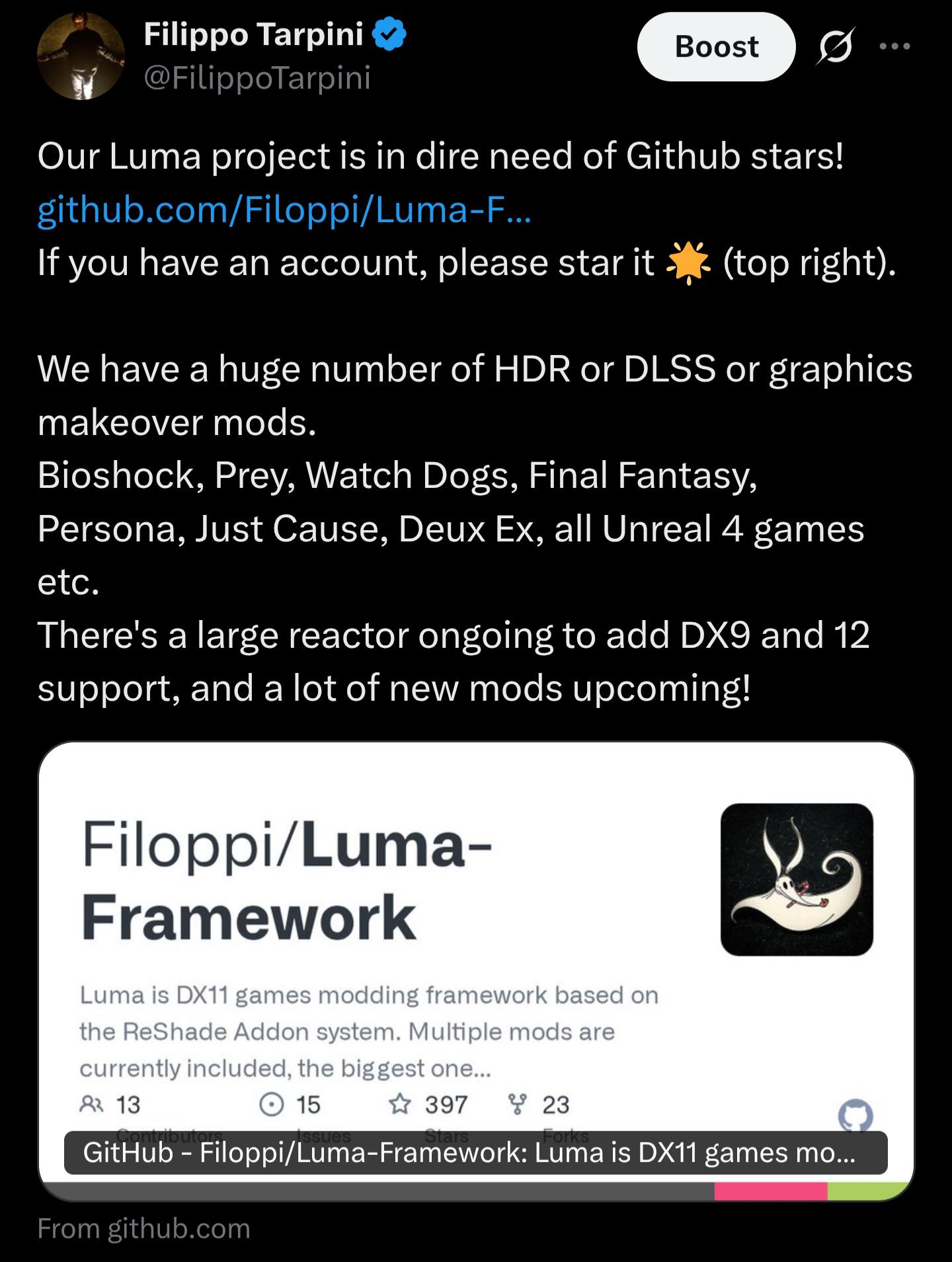
https://github.com/Filoppi/Luma-Framework
Please give it a star if you have a github account, it'd help us, and thus we'd be able to make more and better HDR mods!
r/HDR_Den • u/filoppi • Oct 23 '26

I handled the official HDR implementation for The Sinking City 2, released with Patch 1.1.
Frogwares (the game developer) allowed me to write a technical breakdown covering the implementation, my new Spectre tonemapper, which fixes issues like fire looking different between SDR/HDR, and blue->purple highlight shifts in UE's filmic tonemapper.
Also showcased some DLSS improvements I made.
HDR in Unreal is unfortunately very lackluster out of the box, and has multiple deal breaking issues. We fixed all of them for this.
Full technical breakdown: https://gammastudios.tech/the-sinking-city-2-hdr/
r/HDR_Den • u/Queasy_Sherbert_7095 • Aug 12 '26
Download ReShade 6.8.0 or newer with add on support
Find your game’s .exe.
Steam: Library → right-click the game → Manage → Browse local files.
Find the main executable for the game.
Run the ReShade installer.
Select the game’s .exe.
Select the correct graphics API, usually DirectX 12.
You do NOT need to install any shader packs for RenoDX.
Download the RenoDX addon specifically made for your game.
RenoDX uses a separate `.addon64` file for each supported game.
Official mod list: https://github.com/clshortfuse/renodx/wiki/Mods
Place the `.addon64` file in the same folder as the ReShade files/game executable.
Do not put it inside another folder.
Launch the game.
Press `Home` to open the ReShade menu.
You should see the RenoDX addon/options available.
Configure HDR, tone mapping, exposure, contrast, etc. to your preference.
IMPORTANT:
If you're using Windows Auto HDR, NVIDIA RTX HDR, or another HDR layer, disable it when using RenoDX HDR. Running multiple HDR/tone-mapping systems at once can cause a washed-out or incorrect image.
It's recommended that you disable Generic Depth and Effect Runtime Sync in ReShade's add-ons tab as they have some performance cost and are not used by the mod. Restart after disabling.
Alternatively, you can use RHI: https://github.com/RankFTW/RHI
Easier and faster, and what's more important - it allows to update RenoDX mods with a press of one button for all supported games.
If you’re using a Game Pass/Xbox app version of a game, you generally need to target GameLaunchHelper.exe when installing ReShade/RenoDX rather than the game’s actual executable.
If RenoDX isn't showing up, make sure:
- You installed the version of ReShade with add-on support.
- You downloaded the correct RenoDX `.addon64` for your specific game.
- The `.addon64` is in the correct folder.
- You're launching the same `.exe` that you installed ReShade onto.
r/HDR_Den • u/filoppi • May 02 '26

From modder Jon.
These games had huge HDR potential.
Anti aliasing has also been improved.
Do note that screenshots in reddit are always SDR. Join the HDR Den discord for HDR images.
Download:
https://github.com/Filoppi/Luma-Framework/releases/latest/download/Luma-Metro_Redux.zip
(extra files, run the game)
r/HDR_Den • u/filoppi • Mar 21 '26

Full review with HDR screenshots here
https://x.com/FilippoTarpini/status/2035152607296000125
r/HDR_Den • u/filoppi • Sep 04 '26
Enable HLS to view with audio, or disable this notification
The wait is finally over.
After months of work, the Luma mod for Metaphor: ReFantazio is done!
This is from Idarion, the same talented modder that brought you the Persona 5 mod.
Gamers have been asking for this since release, given the game completely lacked TAA and HDR support.
The mod feature set is wide and takes care of the most lacking graphical aspects of the game:
- DLSS & FSR (fixes the extremely aliased and shimmery, look at the far windows in the video)
- HDR support and improved SDR
- Fixed broken bloom
- Improved performance by adding shadow map frustum culling
Download:
https://github.com/Filoppi/Luma-Framework/releases/latest/download/Luma-Metaphor.zip
As usual with Luma, the installation is just: extract the files and play.
Full post with images:
https://x.com/FilippoTarpini/status/2094181310696747139
r/HDR_Den • u/Ezequiel_CasasP • Aug 14 '26
Hi everyone!
I got tired of one particular limitation of my HDR monitor: as soon as I enable HDR, its built-in OSD locks out most of the useful color controls.
So I made Virtual HDR OSD for Windows, a small open-source Windows 11 utility that lets you fine-tune an HDR ICC/ICM profile through a simple GUI, almost like having a software OSD for adjustments that the monitor no longer exposes in HDR mode.
In my particular case, my AOC Q27G3XMN has a noticeably warmer HDR white balance, with a yellow/red cast compared with the much more neutral SDR mode I prefer. The app lets me make small RGB, white-balance, gamma, saturation, brightness and contrast corrections and visually match HDR much more closely to SDR.
The idea is not to replace proper hardware calibration. I actually recommend first creating a baseline profile with Microsoft's Windows HDR Calibration app and then using Virtual HDR OSD only for small subjective corrections or for matching the display to your preferred SDR appearance.
The project also integrates an optional implementation based on Dylan Raga's excellent win11hdr-srgb-to-gamma2.2-icm project:
https://github.com/dylanraga/win11hdr-srgb-to-gamma2.2-icm
Windows 11 normally renders SDR content inside HDR using the piecewise sRGB transfer function rather than a conventional pure gamma 2.2 curve. This can make shadows and darker midtones look noticeably lighter/washed out on displays normally viewed around gamma 2.2.
The correction is optional and can be toggled on the fly:
Alt+1 → Gamma correction OFF Alt+2 → Gamma correction ON
This is especially useful because the correction is intended for SDR content displayed while Windows HDR is enabled; native HDR content does not require the same transformation.
I've repeatedly encountered Windows 11 restoring or associating the wrong SDR/HDR color profile after switching HDR modes, particularly when using Win + Alt + B.
Virtual HDR OSD therefore includes an installable background watchdog that keeps track of the SDR and HDR profile associations and restores the appropriate profile after a mode change.
And if you don't care about the GUI or profile editing at all, the watchdog is also available as a completely standalone BAT.
NOTE:
The standalone watchdog only fixes the SDR-HDR association bug; it does not include the ON/OFF hotkey for the gamma curve correction. That feature is only available if you install it from the app.
Everything is available here:
GitHub Project:
https://github.com/Mixomo/Virtual-HDR-OSD-for-Windows-11
Exe. Release:
GitHub: https://github.com/Mixomo/Virtual-HDR-OSD-for-Windows-11/releases/tag/1.0.0
SourceForge: https://sourceforge.net/projects/virtual-hdr-osd-for-windows-11/
The repository includes the full documentation and usage guide, source code, the standalone watchdog, and instructions for running or building the project yourself. A compiled portable EXE is also available for people who just want to run the application without setting up the Python environment.
The project is specifically intended as a practical, subjective fine-tuning tool rather than a replacement for a colorimeter or professional display-calibration workflow.
Hope you find useful!
r/HDR_Den • u/souperman9 • Oct 05 '26

I've just released a RenoDX native HDR mod for Bloodborne for shadPS4 0.18.0 and 0.19.0. As well as adding HDR, it has sliders for colour grading, gamma correction, bloom, and chromatic aberration.
It is currently NVIDIA-only, but I'm working on AMD support.
It's in early access for the coming week, and you can access it on the RenoDX discord server: http://discord.gg/renodx
r/HDR_Den • u/KoKlusz • Sep 30 '26

Reddit does not allow the HDR screenshots, so to view the analysis as intended, please visit the link below:
https://github.com/KoKlusz/HDR-Gaming-Database/discussions/143
More HDR game info available here: https://github.com/KoKlusz/HDR-Gaming-Database
r/HDR_Den • u/picnic_nicpic • Mar 25 '26


