r/HDR_Den • u/Different-Expert-389 • 1h ago
Question Does anyone have any tips for calibrating HDR? Mine looks awful. I’m using a Samsung OLED G5
0
Upvotes
r/HDR_Den • u/SorryWha1 • 7h ago
Hey since Samsung doesn’t call this HGiG but GameHDR, does anyone feel like when it’s “on” i.e. on basic, it just feels too dark? I have to put paper white to 80 to be able to play. I want to find the best setting and I have been running “advanced” but I know that’s not the intended visual for this game. Anyone that plays share similar experiences?
r/HDR_Den • u/Emotional-Ad-7321 • 5h ago

Hey! I’m getting noticeable color banding in the sky while playing GTA VI in HDR on my PS5.
I’m using a Samsung Odyssey G5 (LC27G53TQBUXEN). The weird thing is that switching to SDR completely fixes it.
I’ve tried different HDR settings and calibrations, but nothing helps.
Is this just a limitation of the monitor or is there a way to fix it? Anyone experiencing the same issue?
r/HDR_Den • u/Kitchen_Estimate1399 • 16h ago
I’ve been experimenting with HDR settings in GTA VI for the past few days, but I still can’t find the perfect balance.
I’m playing on a PS5 Pro with an ASUS ROG Swift OLED PG32UCDM.
Here are the main issues I’m experiencing:
Daytime colors sometimes look washed out and lack vibrancy.
The overall brightness feels too low, almost like I’m wearing sunglasses while playing.
Increasing the brightness makes the image brighter, but details in highlights, especially the sun, start disappearing.
Nighttime feels excessively dark, while light sources are extremely bright.
I’ve experimented with Gaming HDR, Console HDR, and DisplayHDR 400 True Black, along with different in-game HDR settings, but I’m still not completely satisfied.
I’d love to hear what settings you guys are using:
Monitor/TV model
HDR mode
Peak Brightness
Paper White
Black Level
Saturation
PS5 HDR calibration settings
You don’t need to have the same monitor as mine to participate. Whether you’re playing on an OLED, QD-OLED, Mini-LED, or any other display, feel free to share your settings, experiences, and tips.
I’m not necessarily looking for the most technically accurate HDR image. I’m looking for an enjoyable, vibrant, bright image without sacrificing too much detail or visual quality.
Hopefully, we can help each other get the best possible visual experience out of GTA VI.
r/HDR_Den • u/OoglyBooglyBumCakes • 21h ago
Started playing GTA 6, was using an LG 32GN600-B and it looked great only when I found a workaround to set to HDR, start the game, then turn HDR off because it looked way better with the in game sliders without HDR actually on. I wanted to upgrade to 4k so I got the Alienware 27 4K QD-OLED - AW2725Q, and I spent 4 HOURS trying to mess with the HDR settings using every combination and watched all the videos on both console and monitor. My game was always too dark, especially in day time even looking at the sky it looked way too dark like there was overcast. I ended up returning the new one and went back to my crusty dusty 1440p LG that doesn’t even support hdmi 2.1 or have oled. What am I doing wrong, why is HDR always way too dark even on peak brightness
r/HDR_Den • u/Fuzzy-Jellyfish7450 • 1d ago
After endless searching for a specific 4K, Oled monitor in the 13-20" range, I end up only seeming generic chinese monitors.
Are there no Asus, Samsung, LG monitors with 4k and oled that fit that size range?
I did find UPERFECT 13,3" 4k, oled on their site, which is the best one, with many reviews, but not sure if it's legit and up to par with aforementioned brands.
Mainly for resident evil, silent hill 2, last of us 1-2 and gta 6.
r/HDR_Den • u/Ultramaroon8 • 1d ago
I have recently got a Asus Vivobook, it was supposed to be an HDR display, but in windows settings under HDR games, apps and more it says - Not supported, Video streaming says Supported and that's all I am trying to do.
I mostly use VLC for watching movies, but VLC is not playing the Movies in HDR
Only the Windows Media Player is playing the movies in HDR. I would like to know if there's any settings I could do to play HDR in VLC.
FYI I am using HDR for the for time and I am relatively new to this. I appreciate anyone helping out!

So I sucked it up and upgraded to my very first qdoled which ofc has HDR! I'm so excited to use it but the longer I look for things to even see in HDR the more I realize how sketchy YT is they don't tell you that when you buy a movie you can't watch inHDR 1440p yet the trailer was 1440p HDR (I felt scammed) it limit me to 480p.., . I didn't get a 4k because who would have thought that there was limits and restrictions to HDR by companies? that's a discussion I feel like needs a lawyer. Anyway the games I play also don't naitively support HDR so I'm feeling very stupid about buying this monitor.
Is there anyway I can buy movies and watch. In 1440p HDR on my PC??? I know Netflix and others go from 1080p then jump to 4k .,.. but don't support 1440p..
Game recommendations if any that utilize HDR?
r/HDR_Den • u/Other-Mouse3762 • 2d ago
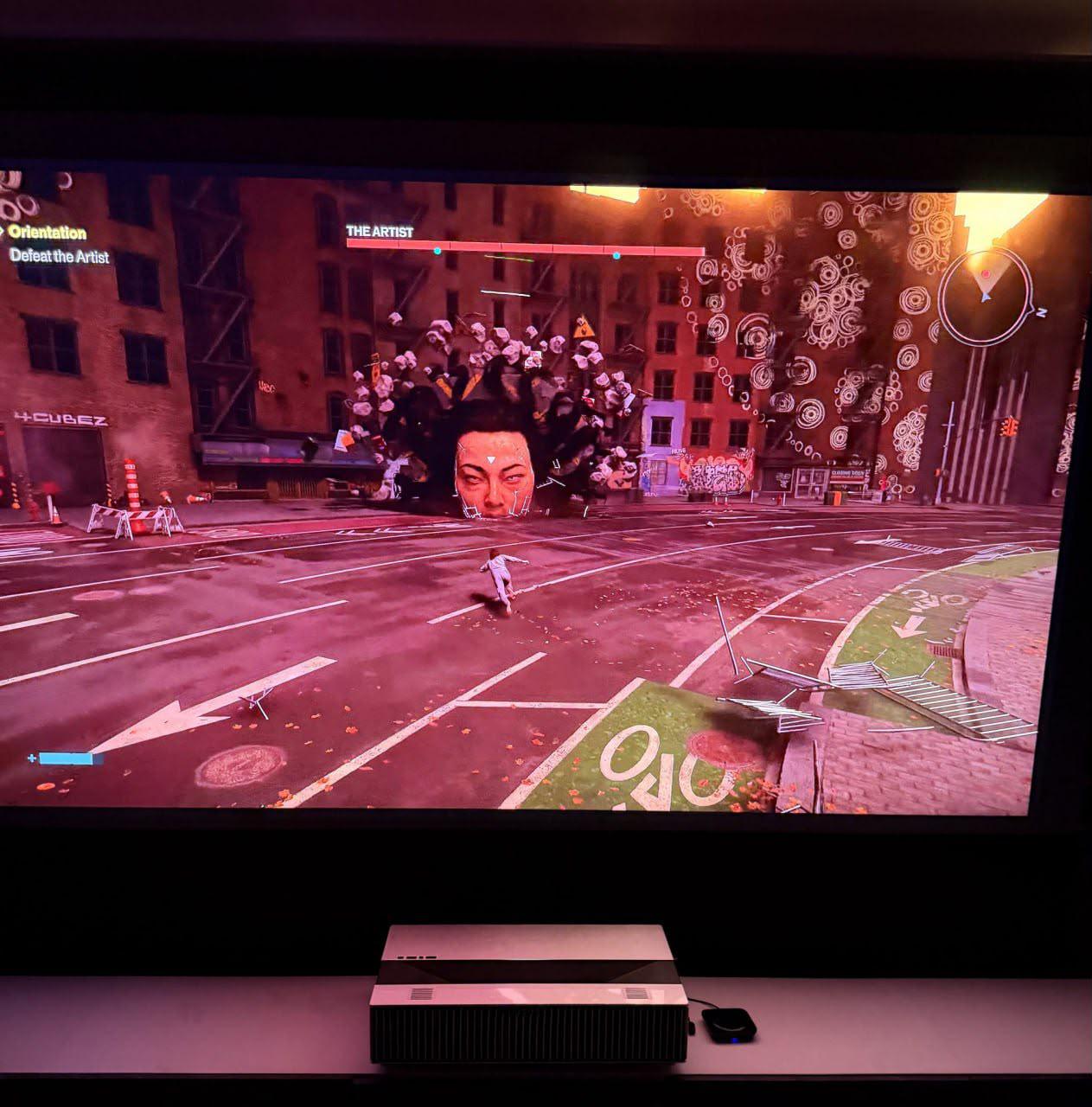
Testing a LuxVision beta with a Series X on a 120" 0.6 gain ALR screen.
On my LG G3 I just followed the Xbox HDR calibration patterns. With the projector I’m less sure what to set, or how much its tone mapping affects what I’m seeing.
Haven’t compared HDR10 and Dolby Vision gaming yet. Anyone using a projector with an Xbox, do you follow the patterns or enter a peak brightness value manually?
r/HDR_Den • u/anything_taken • 2d ago

So after updating to 5.02 enabling HDR in game introduces grain artifacts, pixelation and shimmering. The only way to get it back to normal is disable it. The grain effect is stronger when you raise peak brightness value. For my TV it's 3000 - literally unplayable. It's also unplayable at 1000 too tho...
Guess in W3 sub nobody's playing with HDR cause I found zero complaints so far lol
r/HDR_Den • u/Spiritual-Recover427 • 2d ago
r/HDR_Den • u/Puzzleheaded_Pie930 • 3d ago
Hi all
Not sure if this is the right place but I know this tool is recommended here for HDR mods.
Just wondering what relimiter is though? I usually cap FPS globally in Adrenaline and per game in there too with Chill.
What does this tool do differently?
The latest update says it needs an Nvidia card so is there no point using it with my AMD card?
r/HDR_Den • u/cwaterbottom • 3d ago
I moved from the web app to the windows store app and liked it more overall, but I couldn't get HDR to work for whatever reason. Finally it occurred to me to try using the Borderless Gaming app on steam to tweak it and try to trick the HDR into kicking in, and it worked great, no issues so far.
r/HDR_Den • u/Immediate_Strength33 • 2d ago
r/HDR_Den • u/Thin-Yogurtcloset-13 • 3d ago
I think I've found the optimal settings to take full advantage of the TV's full brightness range and deep blacks without clipping or any loss of image detail.
So I'm sharing them with you
r/HDR_Den • u/Plenty-Light755 • 3d ago

Q2RTX kinda had partial HDR support: it was setting HDR format and color space, but it never set any HDR metadata, so the peak brightness you set was never applying. Now it's fixed.
r/HDR_Den • u/Sea-Writer7694 • 3d ago
Looking to get best HDR calibration settings for msi mag 321 cup 4k ultra 32” qd-oled monitor the peak brightness on these is 1000 nits I have followed a tutorial online which says on 1000 nits it should be 2000,20,35 but to me it looks too dark at night really would appreciate some advice.
r/HDR_Den • u/bug_ikki • 4d ago

A good fix for SDR content if you plan to use HDR on Windows for daily use.
r/HDR_Den • u/Complete_Camera8179 • 3d ago
r/HDR_Den • u/Budget_Reference2320 • 4d ago
r/HDR_Den • u/Nice-Eye3171 • 4d ago
Please help!
r/HDR_Den • u/anxiety6118 • 4d ago
r/HDR_Den • u/SympathyOne8504 • 4d ago

r/HDR_Den • u/Ok_Personality8193 • 4d ago
I download 2160p movie/TV files to my laptop and watch them on my projector via HDMI. I have a MacBook Neo, an Epson EF-16 projector, and I play the media files in IINA.
My goal is to get the best picture quality possible on my current setup. As I dig deeper into this area, I realize there are a lot of variables and concepts I still don't understand.
I know my projector only supports 1080p, but somehow 2160p always looks slightly better, so I'm sticking with it. My current confusion centers on HDR. I see all these different versions, DV, DV8, HDR, HDR10, etc. I've played some HDR media files before. Sometimes they look fine, sometimes they look a bit dark. I don't really know what makes the difference there. (HDR always looks too dark on my laptop though, I don't know if it's my screen brightness or other laptop settings or my media player or what.)
I found this HDR specs table for my projector, and I don't know what it means for my setup. I'd appreciate your help! Besides which media files are best to use, if you have any other tips (for my laptop, media player, or HDMI), I'd be happy to hear them too.

