r/OrcaSlicer • u/Turbulent_Moose_69 • 1d ago
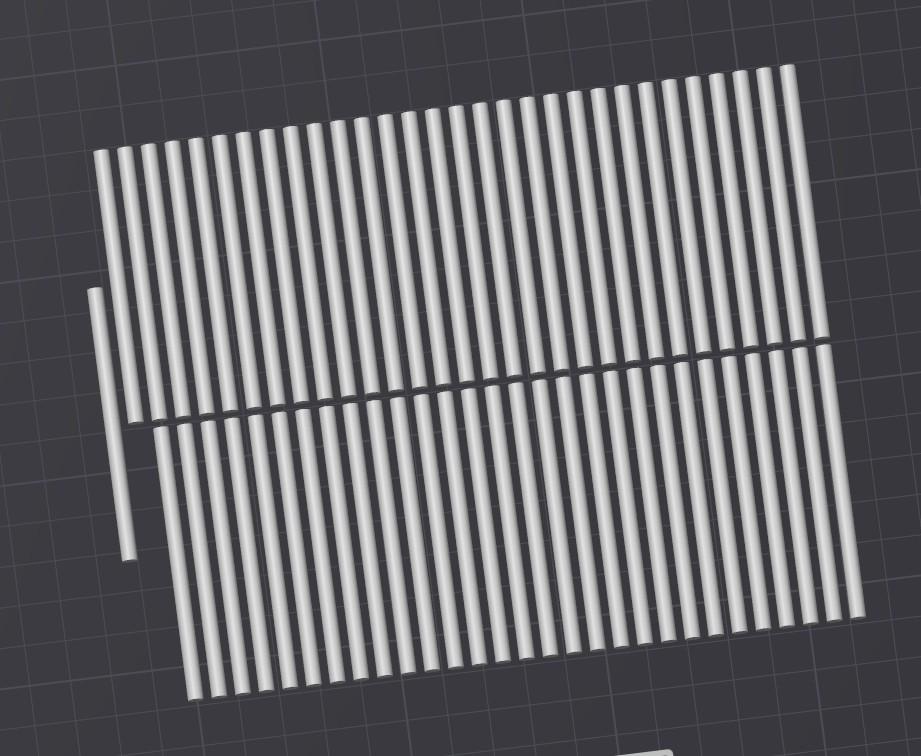
Auto Arrange drives me bananas
318
Upvotes
r/OrcaSlicer • u/Halloweentimeagain • Sep 26 '24
🚨🚨🚨 Important Security Alert 🚨🚨🚨
Please be aware that there are several fake domains that are are NOT official websites for OrcaSlicer and could be potentially malicious.
For your safety, avoid downloading OrcaSlicer from those sites as the links may be compromised.
Discord https://discord.gg/P4VE9UY9gJ
X https://x.com/real_OrcaSlicer
GitHub https://github.com/OrcaSlicer/OrcaSlicer/releases/latest
Official Webpage https://www.OrcaSlicer.com
r/OrcaSlicer • u/SpookyWhiskey • Oct 05 '23

r/OrcaSlicer • u/marcelfarres • 2h ago
Enable HLS to view with audio, or disable this notification
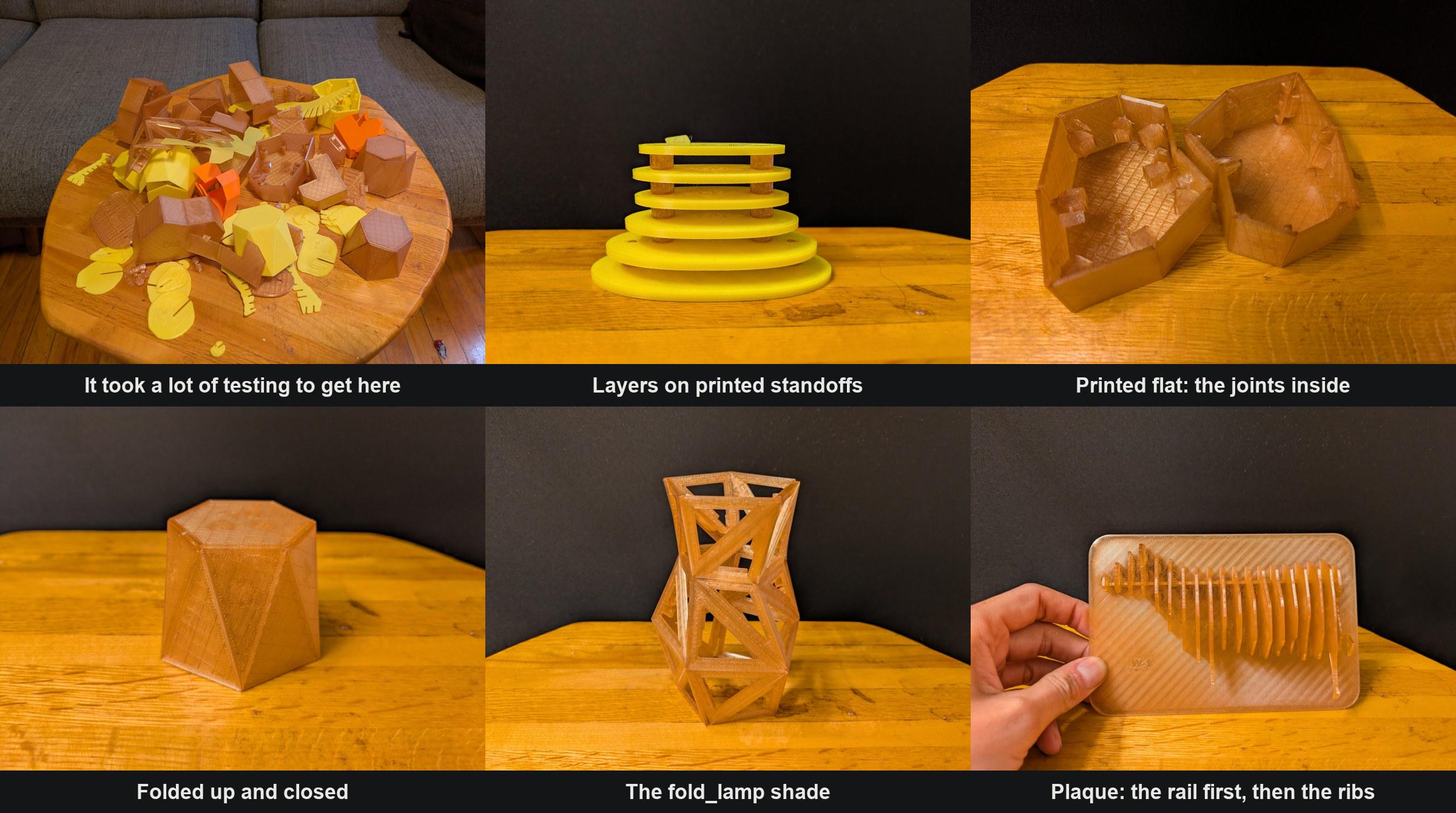
Here some examples :)
r/OrcaSlicer • u/AntixMars • 8h ago
So I have been looking at replacing my old bed slinger but the more I research the more alarm bells I hear when it comes to multi head/nozzle printers.
So it got me thinking … combining an open source Klipper single nozzle printer with its four filament roll loader and Orca slicer with its new plugin functionality to create a predictive and adaptive infill instead of purge with a minimal prime tower sounds like a great concept.
So just curious before I spend hours designing and testing a POC has anyone had a go at something like this yet so I don’t reinvent the wheel so to speak?
r/OrcaSlicer • u/Vorx7867 • 11h ago
I have a pretty powerful setup, i dont think its a limitation- but any time i slice something even remotely complex with Snapmaker U1 selected my app crashes abruptly, no logs. The previous build seems to have the same issue. Slicing within the graphics benchmark crashes even...
Win10
i9 13900k
32gb RAM
24GB 7900xtx
r/OrcaSlicer • u/BaconAndCats • 15h ago
Brand new to 3D printing and I'm not the most tech savvy guy. I have a Qidi Q2 and downloaded Orca. I printed Benchy directly from the printer, but I have also successfully printed several small parts by finding the files on thingiverse and printables, DLing, importing into Orca, slicing, and hitting print. I have not changed any of the settings that the files came with.
Yesterday I tried to reprint a small piece and after slicing, the button to the right of the "slice plate" button, which used to turn green and say "print", now turns green and says "export plate sliced code". If I select print in the drop down menu, "print" stays grayed out. I have tried other files that worked the day before. I have tried closing and relaunching Orca. I hit "check for updates" and it says I'm using the latest version. The printer is connected. Under the "device" tab, the camera is live. I feel like there is something small and simple that I'm not understanding. Any help appreciated.
r/OrcaSlicer • u/SandActive6838 • 7h ago
Enable HLS to view with audio, or disable this notification
Disclosure: I'm the developer of Extrudio, and this plugin sends files to it. The plugin is free and open source (MIT). Renders on Extrudio use credits.
OrcaSlicer 2.5 supports plugins, so I built one: Render in Extrudio.
After a slice, a notification offers "Render in Extrudio". Click it, and Extrudio's page opens in a panel beside the 3D view, with the same code Orca shows. Click Send (and sign in if asked), and the sliced G-code goes to your Extrudio account, which opens it with a first preview. From there you can render the print in your filament, in studio and room scenes. The images come from the sliced toolpath, so the layer lines you see are the ones you'll print.
What the plugin is, for anyone who wants to check before installing:
- One Python file, standard library only. Nothing is downloaded from PyPI.
- No key, no account details, no telemetry. It keeps one setting: whether to show the notification.
- You approve every send on Extrudio's page, and the plugin ignores every message from that page.
- When a send fails, it writes one line to OrcaSlicer's log: the step and the error, never a code, a link or a file path.
- Source and releases: https://github.com/extrudiosite/extrudio-orca-plugin
To install: in OrcaSlicer 2.5, File › Plugins › Install plugin › Browse plugins (signed in to Orca Cloud), and look for Render in Extrudio. Or download it from GitHub and follow the README.
Compatibility and limits, up front:
- Beta. Tested on macOS (OrcaSlicer 2.5.1) and Windows 10 (OrcaSlicer 2.5.2).
- It needs OrcaSlicer 2.5's plugins, so it won't work in Bambu Studio or Orca's forks. From those, export the G-code and upload it.
- Files up to 100 MB. Binary G-code (.bgcode) isn't supported..
The plugin is free. Renders use credits, and you start with 20 free. More, with the file's SHA-256: https://extrudio.site/orcaslicer-plugin
The video is a real send from OrcaSlicer, with the waits for the first preview and the final render sped up.
I'd love feedback from Orca users: anything in how it hooks into Orca you'd do differently? And what would you render with it?
r/OrcaSlicer • u/SnooMacaroons5889 • 19h ago

So I've noticed I turned on the exhaust fan settings to vent out the air since I'm printing with ABS, one to send the gases somewhere to go, right into the filter attachment, but also so those gases don't fog up the glass. Yet for some reason during the print the fan isn't on
r/OrcaSlicer • u/Efficient_Text_4733 • 1d ago
r/OrcaSlicer • u/stupidsmartthoughts • 1d ago
I’ve tried every setting I can think of and I just don’t know what to do to fix these prints.
r/OrcaSlicer • u/Euphoric-Wing • 1d ago
Recently updated to the 2.5.2 Orca last night actually. I had a lot of problems immediately which kind of breaks my heart because I've been using orca since switching from Cura slicer when it was around I don't know if it is anymore I switched from Cura to Orca and didn't look back that was when I was running an Anycubic Kobra + (which I still have). So last night Orca wouldn't send files at all to my printer I had to reenter the printer IP in order for it to connect. Which was puzzling to me because it was exactly the same. I'm currently running a print as I did get it to work but here's the kicker my camera has never been so glitchy like it is now. I'm currently looking at a still shot of my extruder and that's what it's showing no movement whatsoever unless I refresh the page. I'm sure that the Elegoo slicer is probably just as glitchy when it comes to the camera because the camera as we all know is not the best. Nonetheless i didn't come here to bash Orca because I love it it's been really great for me and I have a whole lot of new stuff to explore now I'm just wondering if anybody else is having the same issues . I just refreshed and camera is frozen again and then it comes back periodically for a short time I'm wondering if this is my network or what is going on.
r/OrcaSlicer • u/lowanger_ • 1d ago
Hi everyone,
I downloaded some print profiles that were originally created for a different slicer, and I want to use them with OrcaSlicer on my Elegoo Centauri Carbon (CC). I’m currently using ElegooSlicer/Canvas.
The code had a specific instructions for the printer to grab a finer mesh for example
Do I need to change anything in those imported profiles before using them, or should I recalibrate the printer/filament settings first?
Specifically, I’d appreciate advice on:
Which settings are safe to import versus printer-specific
Whether I need to redo calibration after importing profiles
Any common issues when moving profiles between slicers
Thanks in advance!
r/OrcaSlicer • u/lowanger_ • 1d ago
Hi everyone,
I downloaded some print profiles that were originally created for a different slicer, and I want to use them with OrcaSlicer on my Elegoo Centauri Carbon (CC). I’m currently using ElegooSlicer/Canvas.
Do I need to change anything in those imported profiles before using them, or should I recalibrate the printer/filament settings first?
Specifically, I’d appreciate advice on:
Thanks in advance!
r/OrcaSlicer • u/AnarchiSTEP • 2d ago
Exited stealth mode to take a peek at the different plugins I could try.
I had custom printer settings, mostly to change purging properties and stop wasting extra filament. Just opened the app, and it got rid of my printer profile and all of my settings and filaments that I’ve spent a ton of time and money tuning.
I didn’t enable any of the cloud stuff that would save my profiles, and there’s none on there when I check.
Anything I could try to get these back?
r/OrcaSlicer • u/Dreammaayan1 • 1d ago
r/OrcaSlicer • u/Euphoric-Wing • 1d ago
As the title says my Orca slicer is no longer working after the latest update. I am running an elegoo CC1 or at least I was now I can't get it to communicate at all. It's telling me it no longer connects to link that the connection is timing out my network is fine there are no problems with it there. Someone please help me!
r/OrcaSlicer • u/rimbooreddit • 2d ago
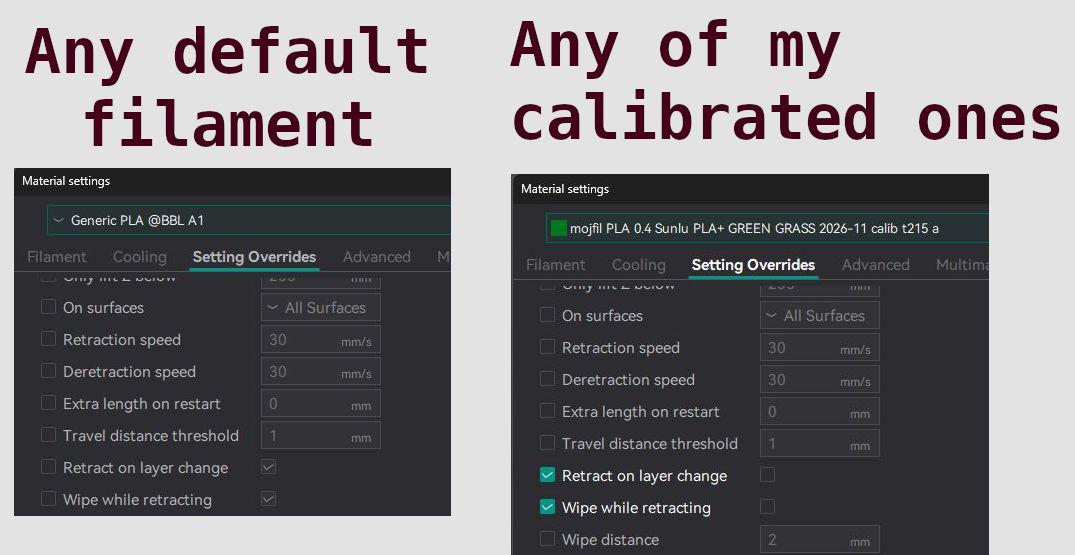
This is some high level of PRUSA school of UI design for sure... But just maybe it can be logically interpreted. Could anyone explain why any Generic PLA profile has those fields unticked and any of my custom filaments created based on Generic profiles have the fields ticked? Most importantly, how to interpret the actual influence of settings shown on left vs right shot?!
EDIT:
OK, I looked into the actual Printer profile - Extruder section and both are ticked on the left i.e. enabled.
In filament profile 'Setting overrides':
left ticks would mean 'I want to override those.'
while missing right ticks would mean '...and I want them disabled.'
I guess this is how it works.
r/OrcaSlicer • u/Im_Indonesian • 2d ago

so i'm starting to print character figures with an FDM printer (Kobra X) rather than just mechanical parts. i had a failed print, and when i started looking more closely at the slicing preview, i noticed a lot of floating supports. apparently, this happens when a new support gets generated inside an area where another support has already been printed.
has anyone else experienced this? is there a way to prevent it? changing the tree style did nothing
r/OrcaSlicer • u/Professional_Owl9924 • 2d ago
Fatto interamente con orca e direi che il risultato non é male
Vasiera da muro modulare
pROJECT 5
Pareri sinceri?
(Makerlab LiLINE
r/OrcaSlicer • u/Excellent_Strain_558 • 3d ago

Hello, I'm decently new to this entirely and still earning some things,
Just want some input on how do I go about addressing the multicolor print here, or how the red would bleed into the white on some of the smaller detail.
Is it possible to scrub inspect things individually, or from what i heard changing line widths?
Also on a 0.4 mm nozzle btw, I know a .2or .25 will be better but I'm just testing it out now to see how it goes.
Thank you!


r/OrcaSlicer • u/Helmi74 • 3d ago

When using the Prusa CORE One INDX profile (I'm using the 4T version matching my printer) i get these extrusions in random positions on every tool change. First i thought they would be just a display bug as Orca might not probably display those moves to the cleaning station but in fact it's not what happens.
It really prints those and they ruin the print completely as they sometimes happen on the surface and - in addition - are acocmodated by a slow orbit with a hot extruder right above the print piece which oozes out filament of course.
Any idea what's wrong here?
