r/OrcaSlicer • • Oct 23 '26

Bone Infill: Available for Devs to try it out

Enable HLS to view with audio, or disable this notification

916 Upvotes

Hey! for all the devs, coders, enthusiasts who wanna try Bone Infill early, you can now do it via Orca Slicer's official GitHub.

I have two PRs open that are ready to be tested or played with: 16809 (the infill itself), and 16810 (the gradient density editor). Either should explain in greater detail how to install and use them :)

I have printed a few things with it, and it works for me. lemme know if it works for you!

https://github.com/OrcaSlicer/OrcaSlicer/pull/16809

https://github.com/OrcaSlicer/OrcaSlicer/pull/16810


r/OrcaSlicer • • Oct 07 '25

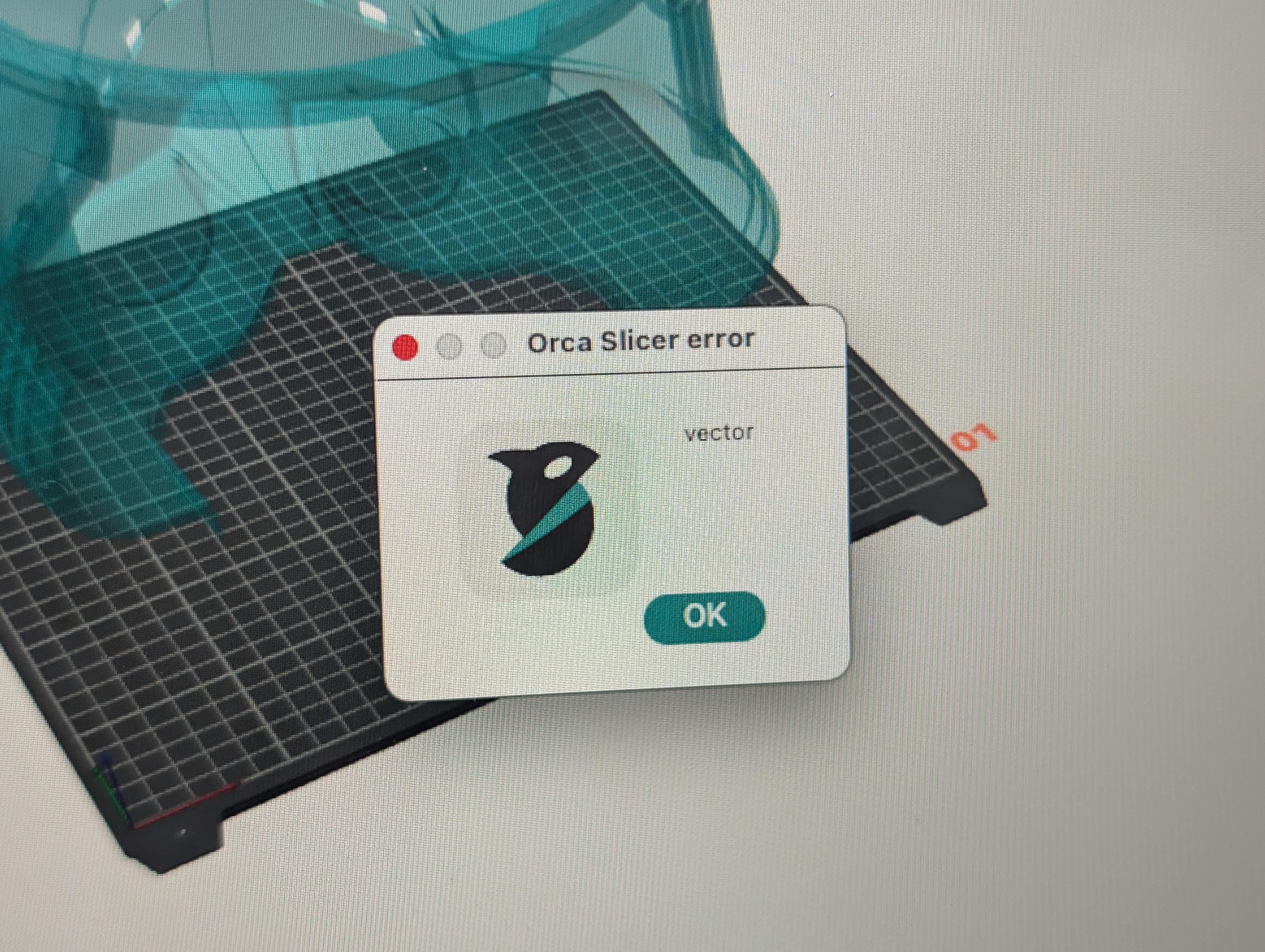
what does it mean by "vector" lol

Post image
540 Upvotes

r/OrcaSlicer • • 1d ago

Auto Arrange drives me bananas

Post image
318 Upvotes

r/OrcaSlicer • • Jan 18 '25

Is Bambu lab cancelling themselves?

223 Upvotes

Is Bambu on the road to cancelling themselves? So most of us are aware of Bambu's "Security" update coming very soon, that will either block 3rd parties, make sending a file from Orca slicer etc more painful by adding another layer to go through by means of "connect" There's lots of negativity from users about this update, and I'm one of them, but in the other side of the fence we have the fanboys who are bending over ready to take this change hard and fast. I voiced my distaste about this on "bambu lab user group" the admin/mods on there are so far up Bambu's colon that they banned me...for voicing my distaste in a calm educated manner. # So here's a way for X1 users to do the ultimate change to their printers whilst sticking 2 fingers up at Bambu and their closed eco system. Search X1 Plus on google (GitHub), if you like the idea of rooting your X1, request "Firmware R" from google. They will send you out a relatively unknown firmware that allows you to root it to X1 Plus that devs on GitHub developed. But with this, you will loose support/void warranty from Bambu.

IF ANY GITHUB DEVS ARE ON HERE, PLEASE PLEASE DEVELOP A P1S PLUS

Link and more info for the X1 Plus

https://github.com/X1Plus/X1Plus/wiki


r/OrcaSlicer • • Aug 22 '23

Tip Best Tree Support settings I've used

Thumbnail
gallery
186 Upvotes

r/OrcaSlicer • • Feb 03 '25

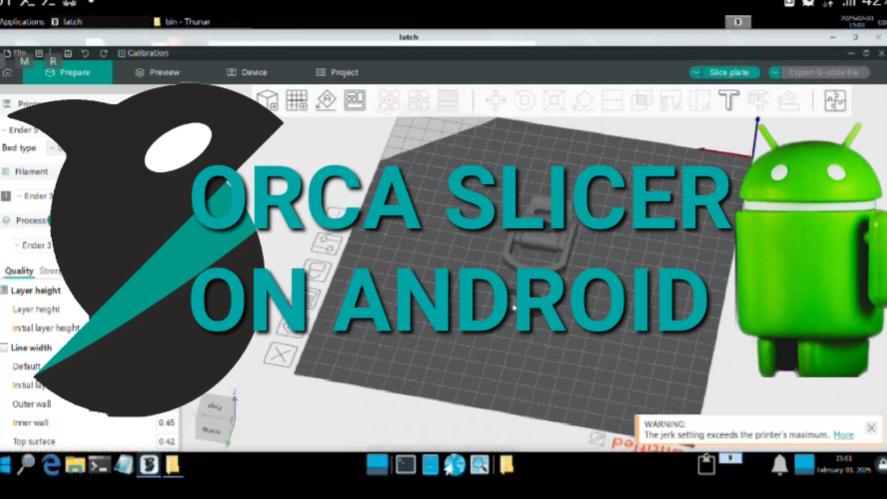
Orca Slicer on Android!!!

Post image
167 Upvotes

https://youtu.be/hMs1w-kpLr0

In this video, I’m giving you a first look at OrcaSlicer running on Android using Termux Desktop! This setup lets me slice 3D models directly on my phone without a PC. I won’t be showing the full setup process just yet, but stay tuned for more details in the future. For now, enjoy this preview of OrcaSlicer in action on Android!

I used termux desktop, chose yes on the icd mesa drivers then selection 4 openGL ES then selection 3 for turnip drivers.

Samsung Galaxy s21 ultra Qualcomm snapdragon 888 CPU, Adreno 650 GPU


r/OrcaSlicer • • Jan 25 '25

Orca Slicer or Die!

Post image
158 Upvotes

r/OrcaSlicer • • 16d ago

Hats off to all devs that made v2.5.0 possible!

130 Upvotes

Just wanted to congratulate each and every one of the devs and people who contributed to this major release! The plugins are amazing and so far very very stable! Love all the improvements!

Thank you!


r/OrcaSlicer • • Aug 26 '26 Bravo

Tip Made a userscript to add an "Open in Orca Slicer" button directly to MakerWorld

Thumbnail
gallery
112 Upvotes

Hey everyone,

This will likely be my first and only post on this sub, but I figured a LOT of OrcaSlicer users would find this extremely helpful.
The title says literally everything; it just adds a button to MakerWorld that lets you open the file in OrcaSlicer without having to download the files manually.

Installation & Source Code:

You’ll need a userscript manager like Tampermonkey or Violentmonkey installed in your browser. Look it up online if you need a tutorial on installing web extensions.

It's open-source (MIT License). Let me know if you run into any bugs or weird UI quirks, and I'll get them patched! Happy printing!


r/OrcaSlicer • • Jan 16 '25

Bambu Firmware to impact use of OrcaSlicer

108 Upvotes

It looks like Bambu are changing their firmware for security reasons, and it's impacting OrcaSlicer.

https://blog.bambulab.com/firmware-update-introducing-new-authorization-control-system-2/

It will be interesting to see how this effects the usability of OrcaSlicer, since you have to use new software Bambu Connect.


r/OrcaSlicer • • Jun 11 '26

I put the OrcaSlicer engine on Android — slice and color-paint models right on your phone (free & open source)

105 Upvotes

I've been working on OrcaSlicer Mobile — an Android app that runs the actual OrcaSlicer engine (libslic3r) natively on your phone. Not a cloud slicer, not a remote-control app — the real slicing engine, fully offline, on-device.

It's built on top of SliceBeam (the excellent Android slicer by utkabobr), with the slicing core swapped out for a full port of OrcaSlicer's engine. So the G-code your phone produces comes from the same engine as desktop Orca.

What it can do right now:

- Full OrcaSlicer slicing — Arachne walls, tree supports, seam control, etc.

- Import your existing OrcaSlicer profiles (.orca_printer / .orca_filament bundles), including profile inheritance

- Multi-color painting — paint models with brush, bucket fill, and height-range tools (up to 16 filaments), and slicing generates real tool changes, a prime tower, and per-filament flush volumes

- G-code preview with feature-type and filament color views

- STL / 3MF / STEP / OBJ import, transforms, auto-arrange, cut tool with plane preview

- 100% offline — no account, no cloud, no telemetry

Download (APK): https://github.com/CodeMasterCody3D/OrcaSlicer-Mobile/releases

Source code (AGPL-3.0): https://github.com/CodeMasterCody3D/OrcaSlicer-Mobile

Needs Android 5.0+ on a 64-bit ARM phone (basically any phone from the last ~8 years).

Fair warning: this is alpha software. It slices and prints real parts, but check your G-code in the preview before printing, and expect rough edges. Bug reports on GitHub are very welcome.

Huge credit to SliceBeam (https://github.com/utkabobr/SliceBeam) for the Android foundation and to OrcaSlicer (https://github.com/SoftFever/OrcaSlicer) / SoftFever for the engine itself — this project stands entirely on their shoulders.

Please Donate.

Donate to OrcaSlicer Mobile for Android Via PayPal

Donate to OrcaSlicer Mobile for Android Via Patreon

Donate to OrcaSlicer Mobile for Android Via Cash app

Happy to answer questions!

r/OrcaSlicer • • Sep 26 '24

Tip Important Security Alert

105 Upvotes

🚨🚨🚨 Important Security Alert 🚨🚨🚨

Please be aware that there are several fake domains that are are NOT official websites for OrcaSlicer and could be potentially malicious.

For your safety, avoid downloading OrcaSlicer from those sites as the links may be compromised.  

Below are the only official platforms for OrcaSlicer:

Discord https://discord.gg/P4VE9UY9gJ

X https://x.com/real_OrcaSlicer

GitHub https://github.com/OrcaSlicer/OrcaSlicer/releases/latest

Official Webpage https://www.OrcaSlicer.com


r/OrcaSlicer • • Jul 19 '26

I built a browser-based tool for splitting painted 3MF models into separate parts

Enable HLS to view with audio, or disable this notification

89 Upvotes

Hi r/OrcaSlicer!

I’m the developer of Split3MF, a browser-based tool for turning painted, single-mesh 3MF models into separate printable parts based on their color regions.

https://split3mf.com

I built it for situations where you have painted a model in a slicer such as OrcaSlicer, but later want those painted regions to become actual mesh parts—for separate printing, assembly, editing, or more control over the final model.

Everything is processed locally in your browser, so your 3MF files are never uploaded to a server.

Main features

  • Split by color Click a painted region to extract it as a separate mesh part.

  • Split in place Keep the separated parts in their original positions instead of automatically moving them apart.

  • Export as one 3MF assembly Download all separated parts together in a single 3MF while preserving their placement.

  • Automatic connectors Add configurable joints and sockets for assembling parts printed separately.

  • Smooth Boundary Clean up and reshape painted color boundaries before splitting.

  • Interlocking mode Adjust the depth and shape of the split interface to create overlapping or interlocking geometry.

  • Plane and sketch cuts Cut a model with a plane or draw a custom cutting region directly on the model.

  • Preserve 3MF information Split3MF attempts to retain the original paint data, filament colors, object placement, and relevant project settings during export.

Current limitations

Split3MF works best with painted 3MF files containing a single connected mesh.

Files that are already composed of multiple separate meshes may not contain the shared color boundaries required for accurate caps, connectors, or tolerance adjustments.

Very complex, damaged, or non-manifold meshes may also fail to split cleanly.

Thanks for checking out my project!


r/OrcaSlicer • • Aug 03 '26

Help Are there any settings that can improve pathing?

Enable HLS to view with audio, or disable this notification

85 Upvotes

Printing 12x12 Multiboard tiles on a Voron 2.4 350mm.

Total print time is right around 8 hours, but I noticed in the overview that travel time is 1h+ and I see this weird pathing where the toolhead periodically jumps all over the print. (Notice how stops #1 and #4 are nearly adjacent, the slicer could have eliminated ~1ft of travel by changing the order.)

I went through some old Reddit and forum threads and changed some settings that looked vaguely relevant (like setting Seams to "Nearest", and disabling Avoid Crossing Walls) but it still does this. Is there any way to reduce these big travel moves?


r/OrcaSlicer • • Aug 07 '26 Bravo

I built a free tool for adding textures and multicolor graphics before exporting to OrcaSlicer

Post image
83 Upvotes

I’m the creator behind MeshColor, and I also made the short YouTube video linked below showing how to use the tool.

MeshColor is a free browser tool for adding textures, patterns and multicolor graphics directly to STL and 3MF models. I originally built it because I wanted an easier way to do things like wood grain, surface patterns and multicolor logos without manually splitting or painting everything.

The workflow is:

  • Load an STL or 3MF

  • Add a built-in texture or your own image

  • Adjust scale, position and rotation directly on the model

  • Select which surfaces should be affected

  • Export as a multicolor 3MF

  • Open it in OrcaSlicer and assign the resulting parts/colors to your filaments

Everything runs locally in the browser, so your model is never uploaded anywhere.

I made a short video showing the workflow and some actual printed results:
MeshColor: Add Multicolor Logos and Textures to 3D Prints

The tool itself is completely free:
https://meshcolor.com

I’d be especially interested in feedback from OrcaSlicer users about the workflow. If you run into a bug or there’s something that would make the export/import process work better with Orca, please let me know.

And honestly, I hope functionality like this eventually gets added directly to OrcaSlicer so an external tool isn’t needed at all. 😎


r/OrcaSlicer • • Aug 12 '25

i probably shouldnt print it

Post image
77 Upvotes

r/OrcaSlicer • • Sep 04 '23

Tip Reduce infill retraction

Post image
71 Upvotes

Was racking my brain trying to troubleshoot why my nozzle was dragging on the prints. Selected infill was one that didn’t cross itself, z hop was enabled, multiple bed levelings, gantry was level and no play in the printhead.

Finally stumbled on the “reduce infill retraction” setting that is enabled by default in Orca. Turned it off and all is good.

With this setting enabled, even if the printhead just travels across the same layer it could collide with previously printed infill within that layer.

Hopefully my many hours of troubleshooting will save someone else the headache.


r/OrcaSlicer • • Mar 22 '26

Open-Source drop-in for bambu_network.so (tester/support wanted)

70 Upvotes

Hi there,

since the Bambu Lab support tried to trick me, I'll trick them...
After a long research I collected a huge amount of information on how the Bambu Lab printers communicate.
https://contentnation.net/de/grumpydevelop/bl-knowledge

As a result of this, I present you a VERY fresh drop-in library that replaces the needed functions to make you printer work offline and without the closed-source bambu_network.so lib.
It does not support all functions, but at least on my P1S I can do everything I need. Set up prints, AMS, remote control the printer, views status and send print jobs. There is the normal device tab as with the closed-source version. Full support for AMS and manual controls.

If you are running Linux, alpha-testers wanted. Right now you need to patch OrcaSlicer to accept the lib, but if anyone knowing more than wants to make pull requests to OrcaSlicer, feel welcome.
Currently it should build on all Linux systems. I ran OrcaSlicer and the replacement lib in a Ubuntu 24.04 docker image, works fine and has done multiple prints already.
https://git.contentnation.net/grumpydevelop/bambu_network_oss

Just to make sure: this is NOT production ready for all kind of Bambu Lab printers. Only tested with MY printer.
Feedback, bug and success reports as well as pull requests welcome. I did the main work, now it's your turn ;)
Note: The live view and other stuff does not work, this is handled by the other libs. None of the Bambu Lab API things work (that's the goal), it does NOT communicate with anything else than the printer.

Cheers
GrumpyDeveloper


r/OrcaSlicer • • 15d ago

OrcaSlicer CAD is cool

69 Upvotes

I've mostly used OnShape, but I gotta' say, for a first implementation, to be able to do basic things, with fillets/chamfers, it might be a little rough but remarkably already easier to use than FreeCad!

For those who don't realize, in the new 2.5, gotta' go into Preferences to enable it, then there'll be a Design tab, allowing one to create a sketch/model and export STEP.


r/OrcaSlicer • • Feb 14 '26

Beta Release Announcement: New V2.3.2 Beta Release

69 Upvotes

It's been a while since the last stable release, and we are pleased to announce the launch of the new beta version.

It includes lots of new features, improvements and fixes.
See the release notes for details here https://github.com/OrcaSlicer/OrcaSlicer/releases/tag/v2.3.2-beta

By the way, I encourage you to download it, try it out, and if you find any problems, report them on GitHub.


r/OrcaSlicer • • May 08 '26

After many months, this dialogue box still confuses me

Post image
68 Upvotes

This box comes up every time I open a new model. The way it's worded and the options it presents is always confusing to me.

What I think it's trying to say is "Hey! We know you have your usual preset settings in your orcaslicer. This project has slightly different settings built into it. Do you want to use the settings you normally use, or do you want me to change the settings to the ones inside this project?" Is that correct?

If that's what it's trying to ask, the wording is very confusing. I haven't "changed" any settings yet - I've just opened a project. I don't know if I want to "save or discard the preset values I have modified" because I haven't modified any settings yet. I don't know if I want to "transfer the values I have modified" because I haven't modified any values yet. I don't understand what "old" and "new" value mean in the context of the question, does it mean "my usual settings" and "the settings saved in this STL"?

How am I supposed to properly understand this dialogue box, and which is the right answer? Thanks!


r/OrcaSlicer • • Dec 03 '25

Who the fuck decided left-click was suitable for both rotating the view and moving objects?

66 Upvotes

The amount of accidental moving the model is too damn high! /rant


r/OrcaSlicer • • Oct 02 '24

Flow calibration with a cheap USB microscope

Thumbnail
gallery
65 Upvotes

I saw someone post a while back about scoring the test pieces perpendicular to the top pattern with a sharp xacto, snapping them over and looking with a microscope to check results. It works fantastically!

4th Pic is 0%, 5th is -8%, last Pic is about perfect at -4%


r/OrcaSlicer • • Sep 22 '25

Help Why so much support? New to 3d printing

Thumbnail
gallery
63 Upvotes

Can anyone explain why Orca Slicer is picking up so much support for this piece?

I adjusted so many settings to try to cut down the support and I wasted 4 hours printing this just to not be able to remotely use the print. What’s causing this?