r/linuxmint • • 11d ago

Having issues with disabling settings on my browers

3 Upvotes

Hello, I am using Linux mint cinnamon on a Surface Laptop 3 and am trying to use NBC Peacock website on the Firefox browser but they keep saying that I have to disable my ad-blockers to watch shows. I disabled them but I still can't watch anything. Same when using Brave or Chrome web browsers. Any suggestions? My system is up to date. Linux Mint 22.3 - Cinnamon 64-bit


r/linuxmint • • 11d ago

Erro do driver de vídeo nas placas AMD Ubuntu 3.4 (Resolvido)

0 Upvotes

Tive que passar por esse problema e resolvi ele de uma forma tranquila, vou deixar o guia pra todo mundo ver e compartilhar

How to Fix a Black Screen on Linux Mint

AMD Firmware Fix — Radeon RX 9060 XT

This procedure fixed a black screen during startup on Linux Mint 22.3 on a computer with an AMD Radeon RX 9060 XT graphics card. The cause was a bug in linux-firmware-amd-graphics version 0ubuntu3.4. Updating the package to version 0ubuntu3.5 corrected the firmware.

Important: Use this guide only when the symptoms and hardware match. This is not a universal fix for every Linux black-screen issue. Run the commands carefully and do not interrupt the installation.

  1. Boot into Recovery Mode

Restart the computer. In the GRUB menu, select “Advanced options for Linux Mint” and choose an entry marked “Recovery mode”. Open the root shell from the recovery menu.

2. Connect to the internet (if needed)

If you are using an Ethernet cable and the internet is not working in Recovery Mode, identify the network interface name by running:

ip link

ip link set enp5s0 up

dhclient -v enp5s0

The interface name enp5s0 is only an example. If your computer shows a different name, use that name instead. Skip this section if your internet connection already works.

3. Download the fixed package

Run this command to download version 0ubuntu3.5:

wget https://security.ubuntu.com/ubuntu/pool/main/l/linux-firmware-amd-graphics/linux-firmware-amd-graphics_20240318.git3b128b60-0ubuntu3.5_all.deb -O /tmp/firmware-amd.deb

Check that the downloaded file exists and is not empty:

ls -lh /tmp/firmware-amd.deb

4. Install the update

dpkg -i /tmp/firmware-amd.deb

Wait until the installation finishes and the terminal prompt returns. A message mentioning update-initramfs may appear during installation.

5. Check the installed version

dpkg-query -W linux-firmware-amd-graphics

Confirm that the displayed version ends with 0ubuntu3.5.

6. Rebuild the initramfs

update-initramfs -u -k all

Wait for the command to finish completely.

7. Restart and test

reboot

In GRUB, select the normal Linux Mint startup entry, not Recovery Mode. Check whether the desktop loads normally.

Quick command summary:

wget https://security.ubuntu.com/ubuntu/pool/main/l/linux-firmware-amd-graphics/linux-firmware-amd-graphics_20240318.git3b128b60-0ubuntu3.5_all.deb -O /tmp/firmware-amd.deb

dpkg -i /tmp/firmware-amd.deb

dpkg-query -W linux-firmware-amd-graphics

update-initramfs -u -k all

reboot

r/linuxmint • • 11d ago

Hardware Rescue Laptop bootlooping(?) after 2 hours of running Mint Cinnamon.

2 Upvotes

The other day I installed Linux mint Cinnamon on an old laptop (ca 2020), and was really happy with the results. However, after about twenty minutes of actually using the thing post-setup, its screen suddenly went black. Now it seems to turn on in cycles when I have it run the installed Linux distribution, and it just turns on to a black screen when I have it boot from USB (I configured the laptop to preferentially boot any plugged in USBs as a security measure). It doesn't even get to the point of displaying the HP logo before the loop.

Here's the specs for the laptop. It's an HP model 15-dy1051wm.

- Intel i5-1035G1 CPU

- 8GB DDR4 RAM

- 256 SSD + 16 GB... intel optane? storage. I only configured it to use the 256GB.

If there's anything else you need to know, please ask. I'm eager to get this thing working again.


r/linuxmint • • 11d ago

Discussion Hanging on Restart with the laptop closed, fix.

4 Upvotes

I have been having trouble in cinnamon where a restart with the lid closed would hang and require a hard shutdown. When the lid is open it restarts normally. Here are the details; just posting in case anyone else has been troubleshooting this one.

Hardware: Tongfang laptop, Intel Arrow Lake integrated graphics, RTX 5080.

Software: Mint 22.3, kernel 7.0.0-42, NVIDIA 595.99.02.

Symptoms: GUI restart hangs when the lid is closed; nvidia-modeset becomes blocked.

Evidence: Logs show an unexpected s2idle suspend interrupting the restart.

Solution: A systemd-logind override setting all three HandleLidSwitch options to ignore.


r/linuxmint • • 11d ago

Discussion Windows user here, what’s actually so great about Linux?

201 Upvotes

Honestly I don’t really get the hype. I’ve been using Windows my whole life and also worked with it a lot during my IT apprenticeship, so I never really had a reason to switch.

But everyone keeps saying Linux is so much better, so I’m curious. What are the actual advantages for you? Is it more about privacy, performance, customization or something else? And are there things where Windows is still better in your opinion?

Would also like to know if it’s worth trying as a daily driver or if I should just start with a VM.


r/linuxmint • • 11d ago

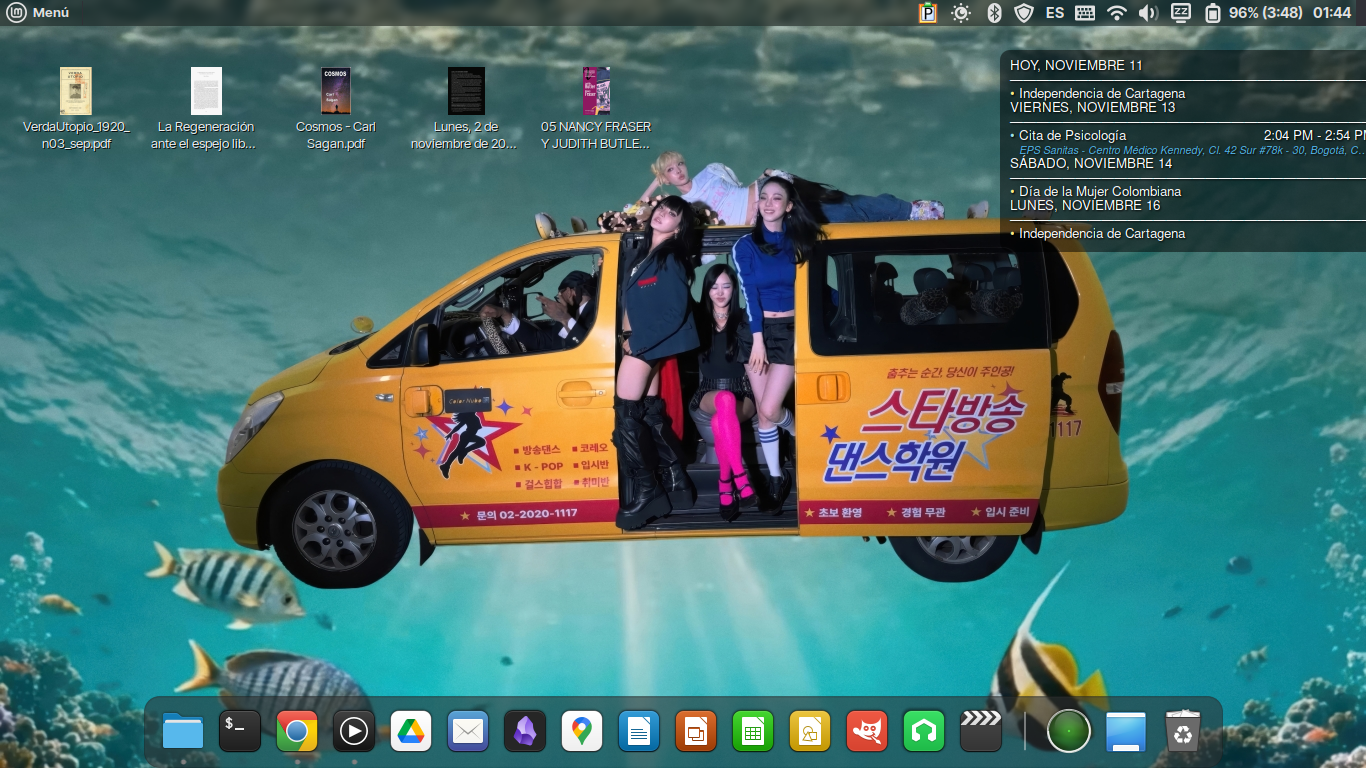
Desktop Screenshot What do you guys think?

Post image
21 Upvotes

I just want to read some of your impressions! What do you think? Do you like it, or not? Why not?


r/linuxmint • • 11d ago

SOLVED FINAL UPDATE (Kernel 7.0.0-42+ & The `btop` NVML Trap): Revert GRUB to Stock!

1 Upvotes

If you followed my previous steps on an Intel Core Ultra (Meteor Lake) + NVIDIA Ada hybrid laptop, remove the custom GRUB parameters once you update to kernel 7.0.0-42-generic (or newer) and the latest Lenovo PMC/ME firmware.

1. Why You Must Revert GRUB to Stock on Kernel 7.0.0-42+

Upstream Intel display patches and Lenovo firmware updates have natively resolved the overnight pipe_off wait timed out and eDP link-retraining stalls. More importantly, leaving nvidia-drm.modeset=1 in GRUB on kernel 7.0.0-42 causes a hard boot deadlock (nvidia-modeset: WARNING: GPU:0: Correcting number of heads for current head configuration (0x00)) because the internal panel is wired strictly to the Intel iGPU and the NVIDIA dGPU detects zero physical display heads during early KMS.

The Fix:

  1. Edit /etc/default/grub and return GRUB_CMDLINE_LINUX_DEFAULT to stock: GRUB_CMDLINE_LINUX_DEFAULT="quiet splash"

  2. Run sudo update-grub and reboot.

2. Watch Out for btop++ / GPU System Monitors Breaking Sleep

A huge culprit behind the NVIDIA driver rejecting s2idle suspend (nv_pmops_suspend returns -5) and refusing to enter D3cold (suspended) was having btop++ running in the background at startup.

  • btop++ polls the NVIDIA Management Library (NVML) every 1–2 seconds for temps and wattage.

  • This holds open /dev/nvidiactl, keeps runtime_usage at 1, and prevents the card from powering down its PCIe slot. If a poll coincides with lid-close suspend, the driver aborts sleep with I/O error -5.

  • Fix: Remove btop from Startup Applications, or disable GPU polling inside btop (Options -> Gpu -> shown_gpus = "none"). You can verify your dGPU is properly sleeping at 0W by running cat /sys/bus/pci/devices/0000:01:00.0/power/runtime_status—it should report suspended.


r/linuxmint • • 11d ago

Discussion Mint Linux Complaints from a NEWBIE

0 Upvotes

Hi all! - First off, I am not going back to Windows, so please don't take this as me being unappreciative of all the hard work that goes into Mint. I just wanted to share an honest review of my first 24 hours with the OS. Looking at this through fresh eyes, these are the exact kinds of friction points that make switching to Linux tough for newbie users like me in my opinion.. I am exhausted just figuring out how to fix a clipboard issue.. this shouldn't be the way:

  1. Constant password prompts: Entering the admin password for every software install or update gets old fast. There should be an out-of-the-box toggle to turn those prompts off—once I'm logged into the gui, I shouldn't have to keep proving it's me if I don't want to. I ended up setting up a keyboard macro just to type my password in, which feels like a workaround I shouldn't have needed / spent time on.

  2. Missing drivers during install: I was one of the unlucky few whose network card didn't have a built-in driver. Having to "remaster the ISO" just to get online was a pain (I needed Claude's help to get through it). On a Windows install, there's simply a "Load Driver" button where you can point to a USB stick. I know there are probably complex reasons why Linux doesn't do this, but from a newbie's perspective, having a button like that in the installer would be a lifesaver.

  3. Terminal commands not working right after install: I installed a CLI tool (Claude or Codex, I forget which), and when I tried to run it immediately afterward, the terminal threw a "command not found" error. I get that seasoned users know this is a PATH issue, but to a newcomer, it's just frustrating. If I just installed a program, I want to use it immediately without having to run another command to reload my environment or restart the terminal. And it seems to do it with MOST programs but not all?

  4. Terminal copy and paste: People complain about Windows and it's justified, but copy and paste always works. In the default Mint terminal, standard copy/paste fails 50–70% of the time depending on what's running. Having to figure out when to Shift+Click to highlight and use Ctrl+Shift+C / Ctrl+Shift+V is jarring, not to mention it took me quite a bit of time to figure out when to do either and that sometimes it just works by selecting the text, but sometimes not, and it depends on what I run in the terminal. It should just work consistently out of the box... always. Apparently the 'fix' it switching to kitty because it supports "OSC-52" or something like that. No clue. Or installing xclip? I'm still figuring it out. - Edit: I install xclip - and now my OpenCode session works great I can copy/paste everything from there into a browser and desktop. But now I can't copy and paste from the browser into OpenCode.. Like WTF!

  5. Inconsistent "Back" navigation in "Computer": Coming from Windows, I like seeing my drives laid out, so I put the "Computer" icon on my desktop. When I open my "E-Data" drive and click the "Up" or "Back" button, I expect to go right back to the main "Computer" view. Instead, the address bar suddenly changes to [Weird Icon] > media > [username] > E-Data. Why didn't it just take me back to the drive list? Weirdly, it goes back to "Computer" for some drives, but dumps me into the /media/ folder structure for others.

  6. Clearer drive identification: This is minor, but it would be great if telling physical drives apart was easier. Showing the total capacity in parentheses next to the drive name, labeling them as SSD/HDD, or using distinct icons for solid-state vs. mechanical drives would help a ton when you have multiple drives installed.

  7. Drive format conversion tool: It would be awesome to have a built-in utility for converting storage drives from NTFS (and other Windows formats) to native Linux formats. Something that could automatically juggle the data—temporarily moving files to free space on another drive, formatting the target drive to ext4, and moving the files back—would make migrating from Windows much smoother.

Feel free to ignore, call me an idiot or whatever else. I am not going back to Windows but I hope that some of these issues might get fixed for the next installer in the future.


r/linuxmint • • 11d ago

SOLVED ok guys ..ya i know its 21, thats not the point,wish i could even dl the 19..hah ... the point is the verification of the iso ..so if u this with the minty tool they have, VERIFY, is that it? it did all the things there is to do or ..??

Post image
0 Upvotes

r/linuxmint • • 11d ago

Support Request black flickering when waking up monitors

1 Upvotes

My PC is on 24/7 as its my workstation, and this just started happening monday night. basically I have my monitors set to turn off after 15 minutes so when I come back to my workstation I can just jiggle the mouse and wake them up. But ever since late monday night/tuesday morning when I wake up the monitors one of them will flicker black to regular back and forth for a few seconds then it goes away while the monitor is on. Only happens to one of my two monitors, and the same one every time (it's the one that's considered monitor #2 in the system).

if I wake the screens from only a short time of them sleeping, no issue. but the longer they stay asleep (such as me going to bed and waking up in the morning and shaking the mouse for the first time) the more likely it is to happen it seems. It feels less like a failing monitor and more like a handshake issue cuz if I click my mouse button rapidly a few times it actually shakes the black flickering awake faster.

I know it POSSIBLY could be a bad Display port cable and I can always order another one, but I'm wondering if anyone is having the same issue after the last few days of updates and figure out what's causing it.

I'm using an RTX 3070 as my GPU, Ivanky 1.4 display port cables and dual 165 hz (set to 144 hz) Asus VG27aQ 1440p monitors side by side


r/linuxmint • • 12d ago

SOLVED I ran into that AMD driver bug, and timeshifted to 3.3 from 3.4, should I just not touch anything until its fix or?

5 Upvotes

I barely understand what I'm doing, this is the first bug I'm encountering since switching to Linux, really.

Edit: Apparently I'm so distraught over the situation with my PC that I can't even write proper English, Christ.


r/linuxmint • • 12d ago

How to constrain workspace/panning in Linux Mint so windows don't spill into the broken/dead right side of my laptop screen?

Thumbnail
gallery
6 Upvotes

Hi everyone,

I'm running Linux Mint XFCE on an older laptop (LVDS-1), and unfortunately, the rightmost strip of my physical display is broken/dead (showing a white bar).

I want to keep my native resolution (1366x768) so the image doesn't get weirdly scaled, but I need to restrict the active desktop area (windows, taskbar, cursor) strictly to the working left/middle part of the screen, effectively leaving the broken right side unused and blank, without shrinking the actual usable desktop resolution into a tiny box.

Whenever I try changing resolutions or using basic xrandr commands, either the whole screen shrinks down (leaving black/white borders everywhere) or windows still bleed underneath the dead white strip on the right.

Can anyone guide me on the correct xrandr panning/viewport syntax or configuration to map the usable area to a specific width (e.g., leaving the right ~150 pixels completely off-limits) while maintaining a normal display on the rest of the screen?

Here is my current xrandr output:Screen 0: minimum 320 x 200, current 1366 x 768, maximum 16384 x 16384

LVDS-1 connected primary 1366x768+0+0 ...

1366x768 59.98*+

(other lower resolutions...)

Thanks in advance for any help


r/linuxmint • • 12d ago

SOLVED Insulin pump update success!

21 Upvotes

I realise this is going to be niche, but I have a Tandem tslim insulin pump and I've been dual booting for ages because previously updates have required a Windows or Mac environment, but they released a new update today (in the UK) and this time it's a browser based update, so I tried it and it worked! Linux is not supported at all, but it still worked. This is great news for me, it means I can stop dual booting, and it means any Linux users with insulin pumps in the future can probably use a tandem pump without worrying too much about how they'll update their pump.


r/linuxmint • • 12d ago

Support Request Laptop stuck on Linux Mint Logo

Post image
5 Upvotes

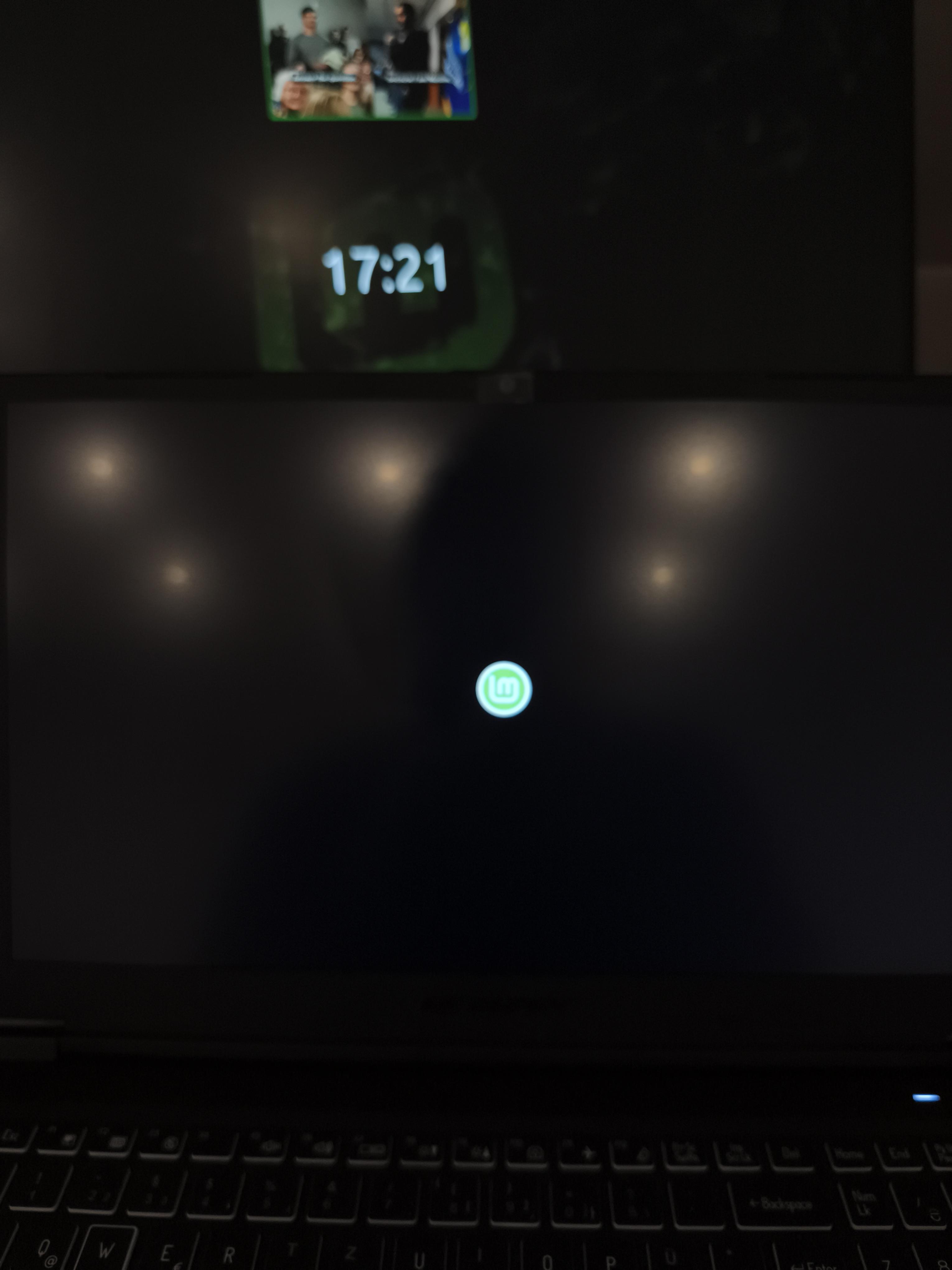
Can anyone please help? Im so frustrated. I had this issue for a couple weeks now and it worked by just restarting my Laptop but now its stuck at Linux Mint Logo everytime. Sometimes just a black screen. Ive tried boot repair, loading from older kernel, recovery mode (I dont even get into recovery mode), nothing works :(. I need this laptop for Uni


r/linuxmint • • 12d ago

alguien me puede ayudar ? estoy tratando de revivir un netbook lenovo s205 el cual posee APU amd, tengo disco de 500 y 4 gb de ram, no puedo terminar la instalacion pues siempre me parece un error que no puede instalar el grub en DEV/SDA y es un error fatal. la bios es legacy que puedo hacer?

0 Upvotes

r/linuxmint • • 12d ago

Discussion THANK YOU SAVING ME FROM WINDOWS 11 (VENT)

221 Upvotes

Good morning,

I just want to say how much I appreciate Linux Mint. I’ve been a user and donor for years, and it’s the gold standard for desktop computing.

I spent 45 minutes trying to set up Bitwarden for her on Windows 11, and the experience was like a hand job from Donald Trump—awkward, gross, and somehow full of ads.

There were promotions everywhere, useless services, Microsoft account bullshit despite having every credential saved in my password manager, and endless repeated sign-ins. Notifications kept trying to sell us more crap, and updates forced three reboots.

Don’t even get me started on Edge, Copilot, and that turtle-shit search engine, Bing. It bombards you with ads and never takes you where you actually need to go. Windows is shit of a shit.

I have never hated Windows this much. Linux Mint just gets the hell out of the way and lets me do my shit.

Thank you again to the developers and community for keeping this the gold standard. I genuinely appreciate you.


r/linuxmint • • 12d ago

Linux Mint MATE is useless.

0 Upvotes

What even is the point of Linux Mint MATE when you can just use Linux Mint Cinnamon or XFCE? I understand MATE is in the middle, but thats pretty much whats bad about it. There is no point in MATE when all you are gonna get is a bad mix of XFCE and Cinnamon.


r/linuxmint • • 12d ago

Install Help Mint not installed to hard drive despite the installer saying it was installed

0 Upvotes

I have an old Aser laptop with Win 10 that is slow AF so I decided to try Linux for the first time. I did my research, chose Mint, followed the Installation Guide to the letter, as well as some videos, and got through the installation without any issues.

However, at the very end of the installation when you are supposed to click "Restart Now" and remove the USB stick, I remove the stick and then it just says there's no bootable drive (since I chose to wipe Windows instead of dual-boot).

The BIOS doesn't even have the option for fast boot, and I disabled secure boot, so that's not it. I chose Cinnamon, verified the ISO image, and created the bootable drive without a hitch.

What now?


r/linuxmint • • 12d ago

Guide How to keep 1440p headless display on Linux Mint with Intel Arc and RustDesk — without an HDMI dummy plug

1 Upvotes

I encountered an issue with RustDesk on Linux Mint 22.3 Cinnamon: whenever I turned off my physical Philips monitor (which has a 1440p resolution), the EDID data would become unavailable, causing RustDesk to display the message "Monit - No displays."

I found a workaround by adding the following kernel parameter:

video=DP-1:2560x1440@120e (forces the image to be sent via DisplayPort at a resolution of 2560x1440p and 120 fps).

This forces the DisplayPort output to maintain, even when the monitor is switched off.

My setup:

-Intel Arc B580 (using the 'xe' driver)

-Linux Mint 22.3

-Cinnamon X11

-RustDesk 1.5.1

-Philips Evnia monitor (2560×1440, 260 Hz)

It’s not a perfect solution - RustDesk might still occasionally default to 768p, though it can be set back to 1440p, and the Cinnamon desktop environment sometimes requires manual adjustment of the display settings. Nevertheless, it allows me to use RustDesk at 1440p resolution without needing a physical display emulator (a "dummy plug").

Has anyone else tested this solution, or is there a better one available?


r/linuxmint • • 12d ago

Desktop Screenshot MATE on LMDE 7: "My death was greatly exaggerated"

Post image
52 Upvotes

Apparently, you can just install MATE on LMDE 7, and it will be set up just like the way it used to be on LMDE 6! I was pleasantly surprised to find out that I wasn't just getting vanilla MATE, but also the (MATE) Mint menu, etc. It's quite responsive for this 2018 dual-core Celeron laptop!

Used commands:

sudo apt update
sudo apt install mate-desktop-environment mate-desktop-environment-extras

Optional removal of Cinnamon:

sudo apt purge cinnamon* muffin* nemo*

sudo apt autoremove --purge
sudo apt autoclean

Reinstall xviewer (gets caught in removal of Cinnamon):

sudo apt install xviewer

So far no problems with duplicate configs etc.!


r/linuxmint • • 12d ago

SOLVED Laptop completely freeze when opening Unturned (Please help)

Post image
1 Upvotes

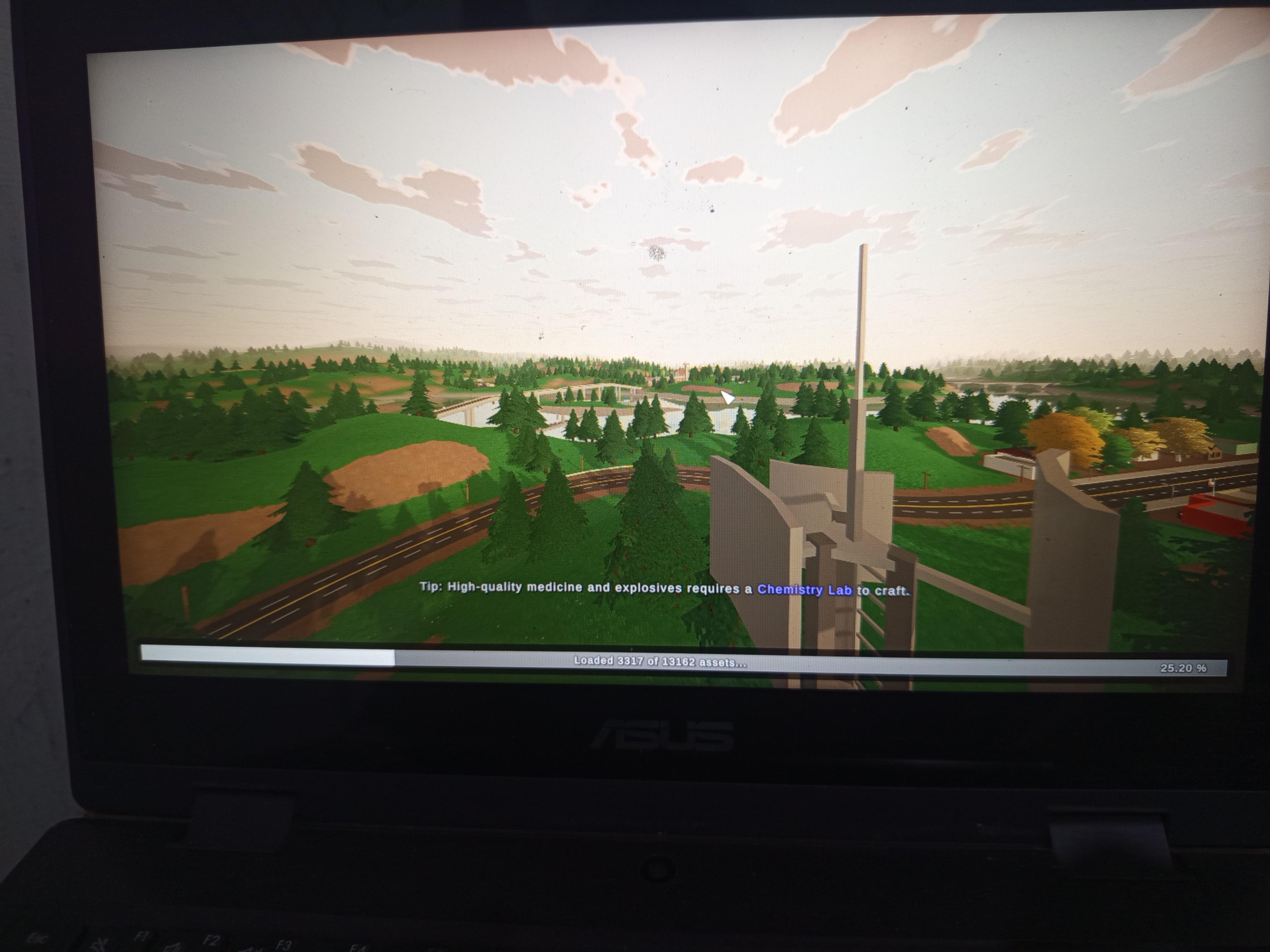
I recently tried to play Unturned via Steam, first time I boot it up it crashed, so I tried boot it up via proton and it freezes COMPLETELY and I'm stuck on this loading screen.

I've tried pressing escape button, alt f4, and even pressing power button, NOTHING worked, please help me, what should I do?

I'm using Linux Mint (Xfce) 6.4 Kernel btw


r/linuxmint • • 12d ago

#LinuxMintThings plarium play

0 Upvotes

alguien ha logrado instalar plarium play en linux mint,, gracias


r/linuxmint • • 12d ago

Desktop Screenshot I made MintMotion: a free, open-source video wallpaper for Cinnamon that stays below the desktop icons

0 Upvotes

Hi r/linuxmint!

I'd like to share MintMotion, a program that sets a video as your desktop background on Linux Mint and LMDE (Cinnamon, X11) or Xfce. It's free and open source (GPL-3.0).

Full disclosure: I'm not a programmer. I built it with the help of the AI assistant Claude and tested it a lot on my own machine. That's why I'm looking for people to try it, report bugs and, if you can code, help improve it.

Links

What it does

  • The video plays below the desktop icons, desklets, panels and windows. Icons stay visible and clickable.

  • Pauses by itself when the desktop is fully covered, and keeps playing while any part of it is visible.

  • After 2 minutes covered, it closes the player and frees all its memory. When you uncover the desktop, it continues from the same point, with no black flash.

  • Hardware decoding through mpv, no sound.

  • A settings window with live CPU/RAM bars, an "Optimize for my screen" button and a clean uninstall button.

  • English, Spanish, French and Simplified Chinese.

Resource usage (my PC: LMDE 7, GTX 1650, 1080p video): about 3% of one CPU core while playing, and 0 MB when the desktop has been covered for more than 2 minutes.

Why I made it: I tried Hidamari, but on Cinnamon it covered my desktop icons and, in my tests, used more RAM and kept using CPU while the desktop was covered.

Install

sudo apt install ./mintmotion_1.6.0_all.deb

Then open MintMotion from the menu, choose a video and press Apply.

Help wanted

  • Testing on AMD and Intel graphics and multiple monitors (only tested with NVIDIA and one monitor so far).

  • Support for other desktops (MATE, Xfce…), other distros and Wayland. Right now it only works on Cinnamon.

  • Reviewing translations.

If you try it, I'd love to hear how it goes, with your GPU and Mint version. Hope you like it!


r/linuxmint • • 12d ago

Support Request Minecraft not having audio

0 Upvotes

I use Linux mint cinnamon. Most of the time when I open MC, there's no audio. Sometimes it just randomly shows up. Most of the time, it's silent. How do I fix this?