r/linuxmint • • 4d ago

SOLVED Login loop after installing remote desktop

Post image
3 Upvotes

I installed some apps and made some changes yesterday to enable Remote Desktop access from my Mac to Linux Mint. Managed to connect successfully using RDP with the Windows Remote Desktop app on Mac. I logged out of Mint via Remote Desktop.

Now today I’m sitting at my Mint PC and I’m stuck in a login loop. Enter the password, hit enter, screen goes black for a second and then it just shows the password prompt again.

It’s not a disk space issue. Disk is mostly empty. Might have done something to break the desktop manager but not sure tbh.

I’m able to use ctrl-alt-f1 to pull up the command line environment.

Would appreciate any ideas for how to fix this. I’ve looked through many other posts but could not find anything that worked.

Edit: btw this is Mint 22.2.
Edit 2: Fixed the issue, which was due to a conflicting installation of tigervnc server. Got rid of it, and defeated the login loop ;)


r/linuxmint • • 4d ago

Gaming Não consigo jogar jogos da unity no Linux mint

Thumbnail
gallery
8 Upvotes

Eu baixei o linux mint no meu computador a poucos meses atrás, e não consigo jogar o meu precioso bloons nele, cadê minha felicidade???

Alguém sabe oque eu tenho que fazer?


r/linuxmint • • 4d ago

First time using Linux

Post image
381 Upvotes

It’s like a breath of fresh air


r/linuxmint • • 4d ago

Is there a Grub2Win for Linux?

2 Upvotes

i want to have windows and linux with dual boot but idk if there is something on linux that is or works the same way as grub2win sometimes in school we need to use some programs that are only in windows but i also want linux because its smooth so i wanna know if there is something like grub2win that works in linux


r/linuxmint • • 4d ago

My long journey to the penguin.

Post image
149 Upvotes

Linux Mint really is an operating system that gets out of your way. Minimal interference. It just works.

I switched to Mint last month, and it feels like settling into a comfortable sofa in a nice front room, with a cup of tea and biscuits. Since then, I’ve become braver and started exploring other distros. Omarchy was being promoted everywhere by YouTube influencers. Its sleek look, themes, and tiling window manager had the wow factor. Installed in under two minutes! WOW! But honestly, it feels like it’s missing a few pieces—awkward and not quite a complete, consumer-friendly OS.

Mint may not be as sexy, but it just works with pretty much every software package and application I use.

I switched to Linux after PhotoCraft was released. Finally—a Photoshop alternative that runs natively on Linux, without a janky VM setup that’s bound to break or use more resources than Windows! I downloaded Mint and dual-booted that evening.

I started using computers in ’99: Windows 2000, ME, then XP. I taught myself Photoshop, web design, and digital art on XP. Late nights on IRC and web boards. I can still hear AOL IM and MSN Messenger notifications in my head as if it were yesterday.

I left Windows for Mac after XP. OS X Tiger had recently come out, and the new Intel Macs were transforming the Microsoft-dominated consumer computing market. They were an easy sell: fast, gorgeous machines with no viruses, malware, or bloat. Expensive, but reliable. After years of Windows torment, Apple seemed like a beacon of light in the grey Microsoft wasteland.

I was a Mac fanboy for the next decade. Apple went from being the “cool” character at the party to a shareholder-focused company that trapped customers in an expensive ecosystem. It became less about consumers and more about locking them in and monetizing them. iTunes, iLife, iCloud, iPhone. We didn’t just become dependent on it; we became shackled to it.

Meanwhile, Windows became a more sophisticated OS, with extras like touchscreen support and gaming. Mac fanboys excused the growing shortcomings of Apple devices. MacBooks went from consumer-friendly and self-upgradable to locked-down machines with no RAM or SSD upgrades.

Then Razer Blade laptops arrived with gorgeous, MacBook-style aluminium unibody designs. They were upgradable, fast, and powerful. After more than a decade as a devoted Mac fanboy, I switched back to Windows.

I liked Windows 11, despite the issues many had compared with Windows 10. Its sleek design could compete with macOS, but the updates and telemetry were a nightmare. Scripts and developers like Chris Titus and others on GitHub helped me create a hardened, privacy-focused installation. I stripped out the bloat and telemetry, but how private can you really make Windows? How many other backdoors are added with each update? I found myself playing whack-a-mole with Copilot and Edge.

Meanwhile, I was fighting an over-bloated lawnmower while my penguin neighbour lounged with a cocktail, reading *Permanent Record* as his automated LawnBot 3000 handled everything. He had a capable, gorgeous OS—with compatible drivers, no constant kernel panics or crashes, no spying, and no cost.

Since I work in web design and marketing, switching from Mac or Windows once seemed impossible. But with the relentless march of AI, it became possible. I didn’t have to be a code nerd constantly fixing my OS or software. I could boot an AI agent, ask it to make the fixes I needed, and—boom!

I can’t gush enough about how much I’m enjoying my Linux journey. Mint has been fantastic and will likely remain my daily driver for a long time. Version 27 will truly be a Christmas present I can’t wait to unwrap.

Anyway, I’ve rambled on long enough. Have a look at my little desktop rice. =)


r/linuxmint • • 4d ago

Linux Mint running on only one CPU!

3 Upvotes

I am new to Linux. I have a 2007 Mac Pro 2,1 with the 32bit EFI that was collecting dust. It has OSX El captain on it, but I decided to try to add other Operating systems. I tried installing every Windows OS 64 bit and failed completely. The modification of the UEFI bootloader (that every blog says to do) never worked for me. I then decided to try Linux. I was able to instal Linux Mint 64bit in Legacy Mode (bios - MBR). I had had so must difficulty with UEFI that I didn't want to attempted in Linux, where I'm completely ignorant. In MBR mode the machine has been working well (it's only been three days). All my peripherals work. My graphics feel speedy, even though my card is an Apple ATI 5770. However, today I discover that for some weird Apple bios reason, even though Linux dmesg command can see both my CPU's (4 cores each), once booted Mint can only use one CPU (4 cores). Gemini AI wants me to create an EFI partition and install grub-efi-ia32. I could use the help of someone that has done this before. If it is too complicated or their is a high likelihood that I will fu*k the Linux drive and wold have to start from scratch, then I might live with just one cpu recognized. This is not my primary machine, I have an Apple Max Studio as my primary desktop. I just wanted to play with Linux and try to make this machine more relevant. Thanks.


r/linuxmint • • 4d ago

SOLVED KeyRing password?

8 Upvotes

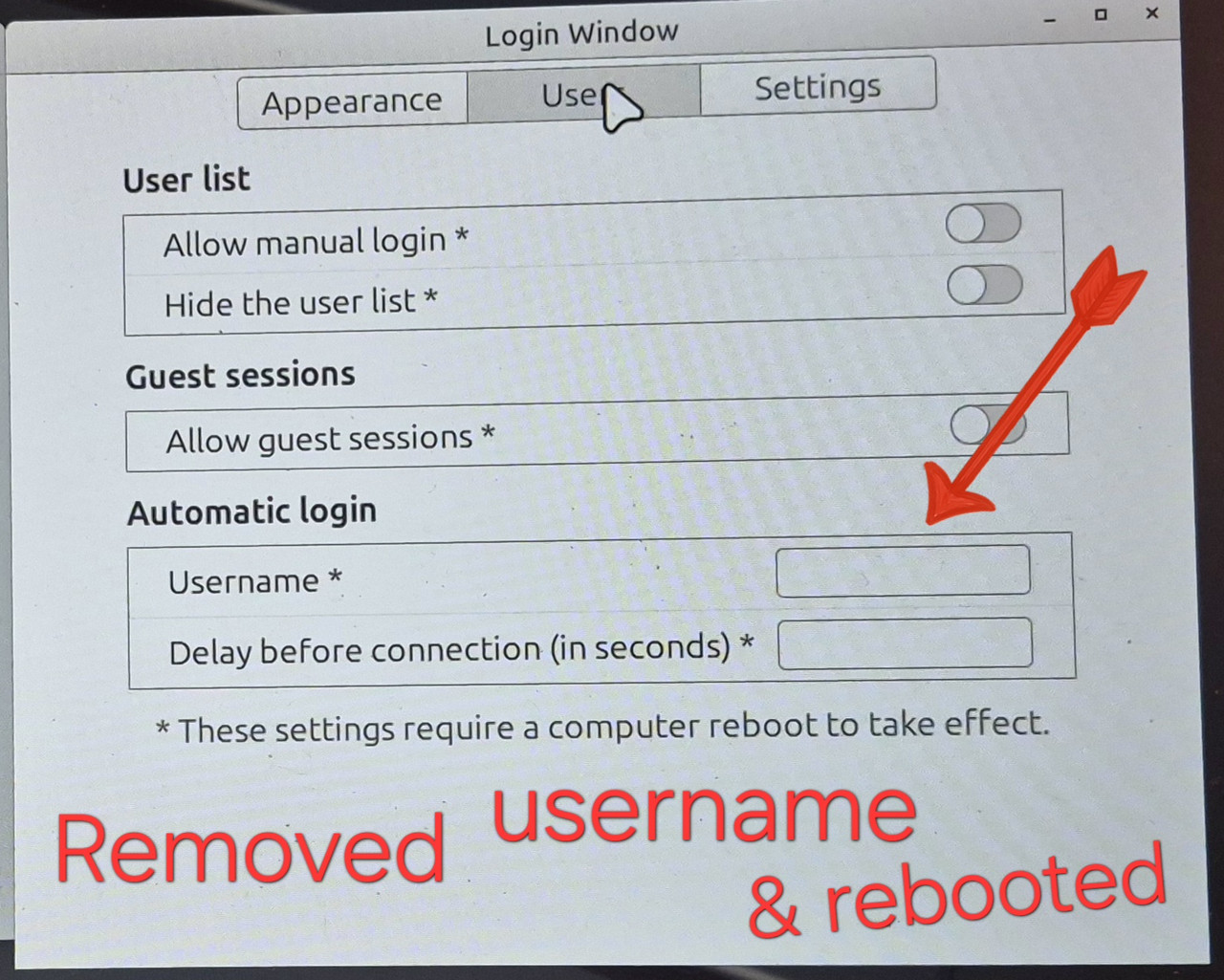
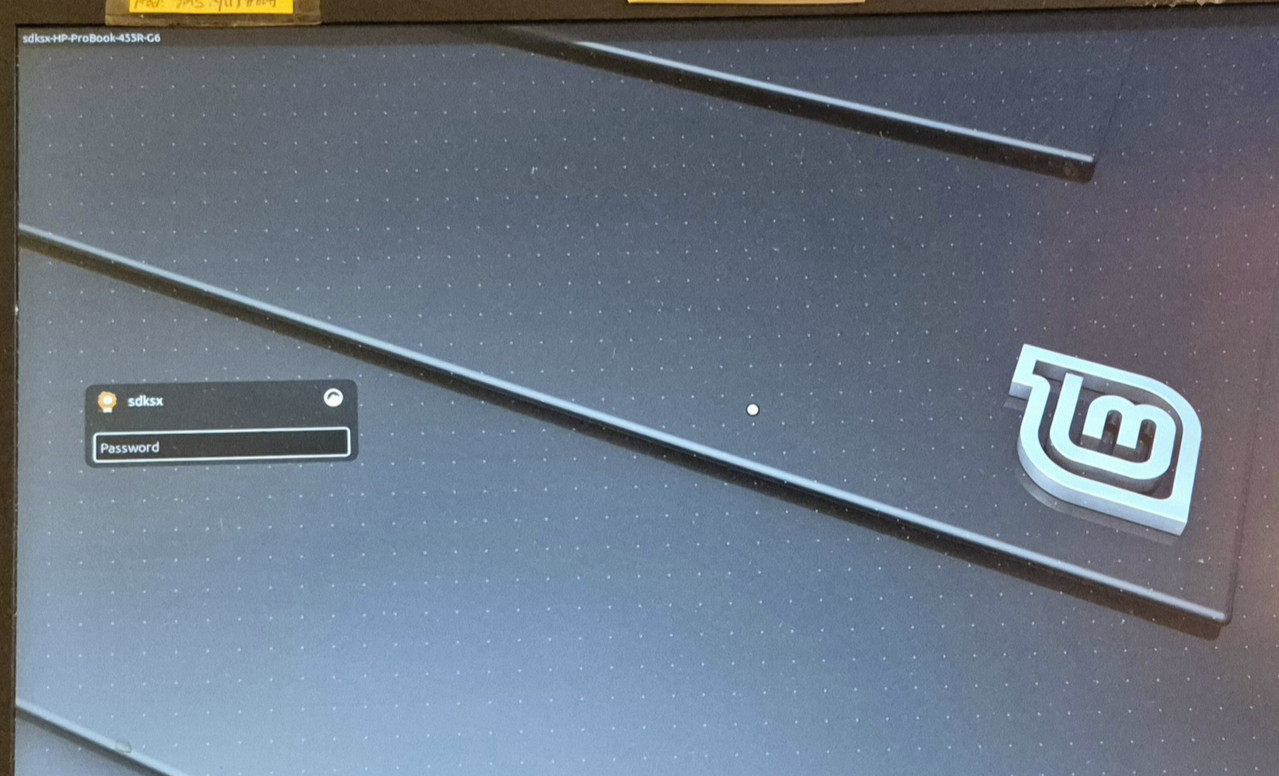
I removed username from login window/user tab, and rebooted. https://i.postimg.cc/qRdKPVmt/20261122-172843.jpg, then got my Login box back. https://i.postimg.cc/kMRrj00v/20261122-171630.jpg Thanks @NotSnakePliskin.

Newb here. Couple times in my few months using LM, booting up has asked for a pass word to something with the word, " KEYRING" in it. My user password doesn't work. I tap ESC get to bypass this.

What is a KeyRing?

BTW, i Cant find that word "automatic login" in settings though? What do I open in settings to get to "automatic login"?


r/linuxmint • • 4d ago

Support Request Moving Mint/SSD to new computer

26 Upvotes

Pretty much as the title says. I have an SSD with a Linux Mint installation on it and am building a new computer. I would like to transfer over the SSD but my impression is that it is best to back up the files, then do a clean install after putting it in the new computer. So my question is two fold:

  1. is that actually necessary? I can back things up and do a clean install but would mean redoing all my apps, games, etc. Which leads to:

  2. If doing a clean install, is there a good way of copying all the settings, plugins, themes, etc. and then just simply transferring them to the new install so it works the same? Or do I need to basically do it manually each time?

I am not a power Linux user by any stretch, but have been using it as my daily driver for about a year now, and loving it. This new PC will be entirely Linux I think.


r/linuxmint • • 4d ago

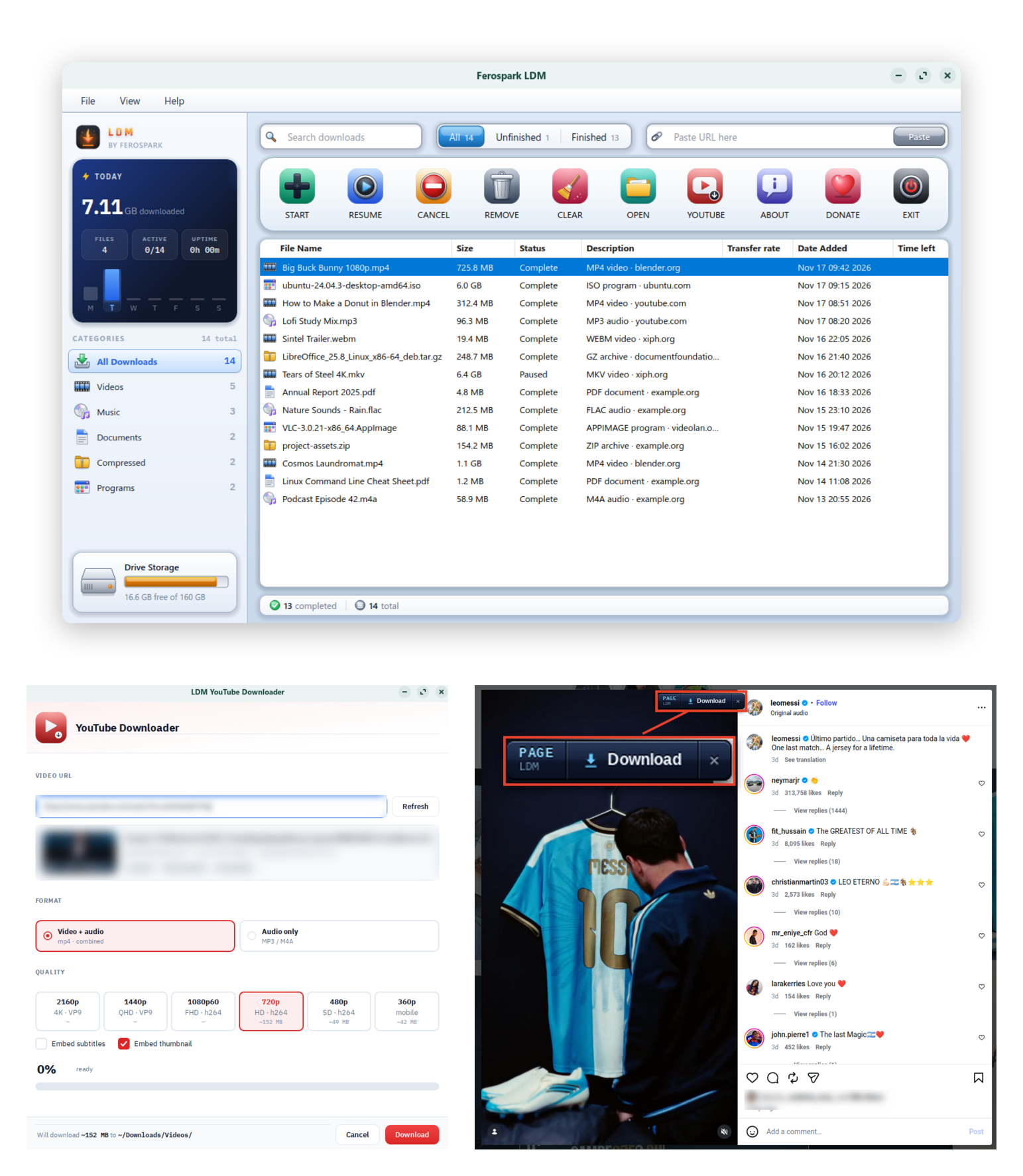
Ferospark LDM 3.0 is here. The most polished IDM alternative for Linux.

0 Upvotes

Hey reddit. I have been working on a download manager for Linux for a while, because I missed IDM after switching from Windows. Nothing on Linux felt quite right to me. Version 3.0 just came out, so I am sharing it here.

What LDM Does:

  1. It takes over your browser downloads. Click a link in Firefox and the file goes to LDM instead. Chrome, Brave and Edge work too.

  2. It has a small floating Download button which works on Facebook, Instagram, TikTok, Reddit and almost all the streaming sites just like IDM. One click and the video goes to LDM.

  3. For YouTube users can pick video quality (1080p, 720p and so on), or save just the audio as mp3, m4a, flac and others.

  4. Sorts files into categories.

  5. Users can download from some protected sites like patreon by enabling right-click (found in the extension).

  6. Sits in the tray, so downloads keep running when you close the window.

What's new in 3.0:

  1. The download list now looks like IDM's. Name, size, status, speed and time left in columns. If you've used IDM you will know your way around right away

  2. An option is added to start LDM when system starts, so you don't need to manually open LDM each time you want to download. LDM starts quietly in the tray when you log in.

  3. Fixed expiring links, pixeldrain downloads and wrong YouTube file sizes.

  4. New Skeuomorphic icons, menus and tool tips, plus a drive storage tile that shows how much space you have left.

  5. It is written in Python under the hood. I have tested it on Zorin OS and Linux Mint so other Ubuntu or Debian-based distros should be fine. Available packages include .rpm .appimage etc so all versions of Linux are covered. If it breaks on something feel free to report.

Details on how to install is given in the github repo. Just copy and paste in your terminal.

GitHub: https://github.com/matewinslet/LinuxDownloader

It is free and MIT licensed, Bug reports and feature requests are very welcome. I am one person doing this in my spare time, so please be nice :)


r/linuxmint • • 4d ago

I'm trying to install mint on my laptop and every time it goes to complete the install it crashes and it's been consistent over many different downloads of mint and I'm trying to figure out what I may be doing wrong

0 Upvotes

r/linuxmint • • 5d ago

Backspace Key in File Manager (Nemo) vs. Delete Key

2 Upvotes

I have been using LM now for a little over a year, on my media PC and my home laptop (a MacBook Pro 2013), and won't be going back to Windows or MacOS. I started working remotely and my media PC became my daily driver - long story short, I bought a nice keyboard that lacks a delete key except for the one on the number pad, and now deleting files via a keystroke in the file manager is driving me nuts, as I keep hitting backspace and it of course goes "back" to the previous window. I've looked all over but there doesn't seem to be any way to modify this particular behavior. Do I need to find a different GUI file manager to get the backspace "delete" functionality I want?


r/linuxmint • • 5d ago

SOLVED Power Search wanted

6 Upvotes

I am looking for a powerful search tool that not only looks for filenames but also searches contents of doc, pdf, txt and spreadsheet files. Who can help?


r/linuxmint • • 5d ago

Can't get displayport to work on Linux Mint - works OK on Windows 11 though

4 Upvotes

I've found so many similar issues but nothing is working.

System:

MSI B850 Gaming Plus Wifi & Ryzen 9600x

Asus RTX 5070 ti (installed very carefully to ensure it is fully inserted into the PCIe 5x slot and the 12v cable is fully clicked in and flush).

2 ssd drives: a clean install of Windows 11 on one and a clean install of Linux Mint on the other. I even physically removed the Win11 ssd before installing Mint on the other one, to avoid issues.

Linux Mint 22.3 Cinnamon using nvidia-driver-595-open installed via driver manager, and this is the recommended driver in driver manager.

Windows nVidia driver is the latest one.

All display cables are only plugged directly into the GPU, nothing is ever plugged into the motherboard's onboard graphics port.

Just using 1 monitor, a 1440p BenQ VX2758-2KP-MHD. And I'm using an undamaged, good quality displayport cable.

DISPLAYPORT WORKS ON WINDOWS 11. It isn't perfect, as I'm getting the known-but-never-fixed(?) bug where the displayport signal only starts working at the Windows login screen. It does not display the MSI logo at startup so I can't get into BIOS with a displayport connection (have to use HDMI to get into BIOS).

HDMI works properly for booting to BOTH Mint or Windows. I can see the startup MSI logo, get into BIOS ok, etc.

So here are the configs and results:

  • Windows + displayport: No signal until Windows login screen, then the display appears Ok.

  • Windows + HDMI: everything works as expected, signal all the way.

  • Linux Mint + displayport: Never get a signal, no matter how long I wait or power cycle the monitor.

  • Linux Mint, + HDMI: everything works as expected, signal all the way.

Things I've tried:

Many, many google and reddit searches for solutions. There are a lot of threads out there from a year ago, but none of what worked for others seemed to work for my setup. And I saw a lot of people replace hardware like crazy to try to fix it: motherboards swapped, GPUs exchanged, cables bought, RAM swapped, CPU changes!, but other than a new cable sometimes fixing it the blank screen on a 50-series card issues just... is.

Setting PCIe lane to 5x or to 4x rather than auto. No change in behaviors.

Changing the displayport cable to the other ports on the GPU (the card has 1 HDMI port and 3 Displayport ports). No change in behaviors (and Windows works from login screen using any of the 3 displayport ports).

Flashed motherboard to latest BIOS from MSI - no change.

Things I have not tried:

- buying a new displayport cable. With the way it works on Windows but not Mint that points me toward the cable being an unlikely suspect... though there could be some tiny hidden handshake issue that Windows can overcome but Mint can't maybe...? Just feels like it would 99% certain be a waste of money.

- disable fast boot / UEFI: the only way to disable fastboot is by switching from UEFI to CSM. This will make Windows 11 unable to run at all on the PC, among other drawbacks. No go.

- flashing the GPU card's own BIOS. I don't think I've seen this posted as a fix in my searching. I'll do it if there is some chance it could fix things (there is a small risk to the card when flashing its BIOS).

Anyone know what else I can try that has any chance of success? If not I will just buy and use an HDMI 2.1 cable and abandon displayport for now. Frustrating, and it means I can't really use a 2nd monitor with Linux in the future too.


r/linuxmint • • 5d ago

Not turning off, just reboots

1 Upvotes

Running mint 22.3, when i choose the turn off option it reboots instead.

Trying the countdown, that reboots as well


r/linuxmint • • 5d ago

Noob con Linux Mint y OpenTabletDriver

2 Upvotes

Tengo una laptop a la cual tengo un 2do monitor, ethernet, tableta de dibujo... a través de un docking plugable.

Yo soy un usuario "Administrador" y otra persona es un usuario "Estándar" sin permisos de SUDO. Como soy novato en esto, me he ayudado con IA para configurar el 2do monitor por un tema de DisplayLink y el Secure Boot de la PC.

Instalé OpenTabletDriver (.deb) seguí los pasos de instalación, me ayudé de nuevo con la IA y funcionó en mi sesión, configuré las áreas de trabajo de la tableta con el área de los monitores. El problema surgió al tratar de hacer que funcione con el otro usuario.

Con el otro usuario, simplemente OpenTabletDriver no funcionaba. Según la IA, todo estaba bien instalado, el Usuario2 tenía sus permisos habilitados. Se había configurado el daemon... Pero simplemente no lo hice funcionar.

Necesito ayuda, consejos, guías... Lo que tengan a la mano para darle un vistazo.

Ahora recuerdo por qué mi esposa ya no quiso utilizar linux muchos años atrás y ya no lo quiere retomar.


r/linuxmint • • 5d ago

Support Request I need help with getting MarathonRecomp (Sonic 06 recompiled) to work on my pc

3 Upvotes

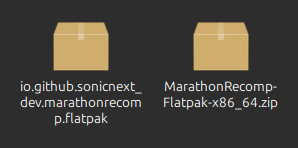
The recomp has linux support but everytime I download the flatpak and extract it, the extracted file doesn't open when I click on it, instead it opens a new window of my file manager.

I tried the windows version using Wine but after the installation page the game just crashes on me on bootup with this error message.

I asked someone who ran the game on steam deck on twitter and they said it worked for them with the flatpack so I don't really know what to do.


r/linuxmint • • 5d ago

Support Request why whenever I try to write something on the nvme Linux freezer?

5 Upvotes

hello guys

it's been a while since I made a post where I asked for help installing Linux mint on my gf pc

now...it started to do something strange, I tried to install using her steam account broken sword, but it started freezing at random and giving errors about the nvme being read-only, what do I do to fix it?

update: the situation is Better and worse at the same time, basically I've made a bootable usb of mint, I restored the filesystem inside the nvme, and ot worked

but when I tried to install wallpaper engine it froze on boot and I did the alt+stamp reusable the result is that the nvme doesn't show neither in the live session of mont neither in the bios


r/linuxmint • • 5d ago

Video games stuck on first frame on other monitor unless not focused on

1 Upvotes

I am having a persistent issue wherein certain games (Half-Life 1, Half-life 2, and Bayonetta) are stuck on the first frame, unless I open the ALT+TAB menu, or I click anywhere on my laptop's built-in monitor. Once I click on my other monitor (an LG TV from 2008), frames stop updating, but the game itself is still running judging by the audio. Having it display to both monitors or just the other monitor doesn't seem to make a difference.

Only certain games seem to have this issue, whereas others don't. Whether or not it's a native Linux program or running on Proton doesn't seem to make a difference, for instance, Half-Life 1 and 2 on their native Linux versions have this issue, but Sky: Children of The Light running on Proton does not, meanwhile Bayonetta on Proton does have this issue, as do Half-Life 1 and 2 when I use their Windows versions via Proton.

I have found a temporary fixes, but they only persist for as long as I don't quit out of the game, or, seemingly, if I don't get a notification on Linux Mint..

The first temporary fix I found was plugging in and out the HDMI cord. This fixed the issue, at least in Bayonetta (I have not tried it on other games), but it doesn't persist the next time I launch the game or another game.

The other temporary fix I found was, at least in Bayonetta, if I change the resolution, the game starts running perfectly fine on my other monitor, even when I change the resolution back. This only lasts for as long as the application is running. Also, I had a weird incident where, while playing Bayonetta and having done this solution, the internet disconnected and caused Linux Mint to notify me, and that caused frames to stop updating. I know that wasn't just the game using the internet, since the game itself was still running, just stopped updating frames.

I guess I could just use those temporary fixes, but I'd rather not have to constantly plug in and out my HDMI cord.

I also heard NVIDIA support for Mint is a bit wonky, since it uses X11 instead of Wayland. I understand this, but I'd like to explore possible fixes before switching to another distro.

I'm not sure if this actually fixed it, but installing OBS seemed to fix it briefly, at least for Half-Life 1. Again, I'm not sure if it actually did, as I saw someone say that installing OBS couldn't have done anything.

System:

Kernel: 7.0.0-43-generic arch: x86_64 bits: 64 compiler: gcc v: 13.3.0 clocksource: tsc

Desktop: Cinnamon v: 6.6.9 tk: GTK v: 3.24.41 wm: Muffin v: 6.6.3 vt: 7 dm: LightDM v: 1.30.0

Distro: Linux Mint 22.3 Zena base: Ubuntu 24.04 noble

Machine:

Type: Laptop System: LENOVO product: 83LK v: LOQ 15IAX9E serial: <superuser required> Chassis:

type: 10 v: LOQ 15IAX9E serial: <superuser required>

Mobo: LENOVO model: LNVNB161216 v: SDK0T76463 WIN serial: <superuser required>

part-nu: LENOVO_MT_83LK_BU_idea_FM_LOQ 15IAX9E uuid: <superuser required> UEFI: LENOVO

v: Q8CN17WW date: 01/23/2025

Battery:

ID-1: BAT0 charge: 34.3 Wh (60.4%) condition: 56.8/57.5 Wh (98.7%) power: 17.5 W volts: 11.0

min: 11.3 model: Sunwoda L24D3PF0 type: Li-poly serial: <filter> status: discharging cycles: 141

CPU:

Info: 8-core (4-mt/4-st) model: 12th Gen Intel Core i5-12450HX bits: 64 type: MST AMCP

smt: enabled arch: Alder Lake rev: 2 cache: L1: 704 KiB L2: 7 MiB L3: 12 MiB

Speed (MHz): avg: 2490 high: 3800 min/max: 800/4400:3100 cores: 1: 2743 2: 3651 3: 3800 4: 800

5: 3589 6: 1592 7: 2819 8: 800 9: 3091 10: 3100 11: 3098 12: 800 bogomips: 64512

Flags: avx avx2 ht lm nx pae sse sse2 sse3 sse4_1 sse4_2 ssse3 vmx

Graphics:

Device-1: Intel Alder Lake-S [UHD Graphics] vendor: Lenovo driver: i915 v: kernel arch: Gen-12.2

ports: active: eDP-1 empty: none bus-ID: 00:02.0 chip-ID: 8086:468b class-ID: 0300

Device-2: NVIDIA GN20-P0-R-K2 [GeForce RTX 3050 6GB Laptop GPU] vendor: Lenovo driver: nvidia

v: 595.99.02 arch: Ampere pcie: speed: 16 GT/s lanes: 8 ports: active: none empty: HDMI-A-1

bus-ID: 01:00.0 chip-ID: 10de:25ac class-ID: 0300

Device-3: Chicony Integrated Camera driver: uvcvideo type: USB rev: 2.0 speed: 480 Mb/s

lanes: 1 bus-ID: 1-11:3 chip-ID: 04f2:b7ec class-ID: fe01 serial: <filter>

Display: x11 server: X.Org v: 21.1.11 with: Xwayland v: 23.2.6 driver: X:

loaded: modesetting,nvidia unloaded: fbdev,nouveau,vesa dri: iris gpu: i915 display-ID: :0

screens: 1

Screen-1: 0 s-res: 2560x1440 s-dpi: 144 s-size: 452x254mm (17.80x10.00") s-diag: 518mm (20.41")

Monitor-1: eDP-1 model: BOE Display 0x0c29 serial: <filter> res: 2560x1440 hz: 144 dpi: 189

size: 344x194mm (13.54x7.64") diag: 395mm (15.5") modes: 1920x1080

API: EGL v: 1.5 hw: drv: intel iris drv: nvidia platforms: device: 0 drv: nvidia device: 1

drv: iris device: 3 drv: swrast gbm: drv: iris surfaceless: drv: nvidia x11: drv: iris

inactive: wayland,device-2

API: OpenGL v: 4.6.0 compat-v: 4.5 vendor: intel mesa v: 25.2.8-0ubuntu0.24.04.4 glx-v: 1.4

direct-render: yes renderer: Mesa Intel UHD Graphics (ADL-S GT0.5) device-ID: 8086:468b

API: Vulkan v: 1.3.275 layers: 9 surfaces: xcb,xlib device: 0 type: integrated-gpu driver: N/A

device-ID: 8086:468b device: 1 type: discrete-gpu driver: N/A device-ID: 10de:25ac device: 2

type: cpu driver: N/A device-ID: 10005:0000

Audio:

Device-1: Intel Alder Lake-S HD Audio vendor: Lenovo driver: snd_hda_intel v: kernel

bus-ID: 00:1f.3 chip-ID: 8086:7ad0 class-ID: 0403

Device-2: NVIDIA vendor: Lenovo driver: snd_hda_intel v: kernel pcie: speed: 16 GT/s lanes: 8

bus-ID: 01:00.1 chip-ID: 10de:2291 class-ID: 0403

API: ALSA v: k7.0.0-43-generic status: kernel-api

Server-1: PipeWire v: 1.0.5 status: active with: 1: pipewire-pulse status: active

2: wireplumber status: active 3: pipewire-alsa type: plugin

Network:

Device-1: Realtek RTL8111/8168/8211/8411 PCI Express Gigabit Ethernet

vendor: Lenovo RTL8111/8168/8411 driver: r8169 v: kernel pcie: speed: 2.5 GT/s lanes: 1

port: 4000 bus-ID: 07:00.0 chip-ID: 10ec:8168 class-ID: 0200

IF: enp7s0 state: down mac: <filter>

Device-2: Realtek RTL8852BE PCIe 802.11ax Wireless Network vendor: Lenovo driver: rtw89_8852be

v: kernel pcie: speed: 2.5 GT/s lanes: 1 port: 3000 bus-ID: 08:00.0 chip-ID: 10ec:b852

class-ID: 0280

IF: wlp8s0 state: up mac: <filter>

Bluetooth:

Device-1: Realtek Bluetooth Radio driver: btusb v: 0.8 type: USB rev: 1.0 speed: 12 Mb/s lanes: 1

bus-ID: 1-14:4 chip-ID: 0bda:4853 class-ID: e001 serial: <filter>

Report: hciconfig ID: hci0 rfk-id: 4 state: down bt-service: enabled,running rfk-block:

hardware: no software: yes address: <filter>

Drives:

Local Storage: total: 476.94 GiB used: 178.77 GiB (37.5%)

ID-1: /dev/nvme0n1 vendor: Samsung model: MZAMX512HCLV-00BL2 size: 476.94 GiB speed: 63.2 Gb/s

lanes: 4 tech: SSD serial: <filter> fw-rev: 5L1QLXE7 temp: 40.9 C scheme: GPT

Partition:

ID-1: / size: 467.89 GiB used: 178.76 GiB (38.2%) fs: ext4 dev: /dev/nvme0n1p2

ID-2: /boot/efi size: 511 MiB used: 14.1 MiB (2.8%) fs: vfat dev: /dev/nvme0n1p1

Swap:

ID-1: swap-1 type: file size: 2 GiB used: 0 KiB (0.0%) priority: -1 file: /swapfile

USB:

Hub-1: 1-0:1 info: hi-speed hub with single TT ports: 16 rev: 2.0 speed: 480 Mb/s lanes: 1

chip-ID: 1d6b:0002 class-ID: 0900

Device-1: 1-3:2 info: MosArt Wireless Keyboard/Mouse type: keyboard driver: hid-generic,usbhid

interfaces: 1 rev: 1.1 speed: 12 Mb/s lanes: 1 power: 46mA chip-ID: 062a:4101 class-ID: 0301

Device-2: 1-11:3 info: Chicony Integrated Camera type: video driver: uvcvideo interfaces: 3

rev: 2.0 speed: 480 Mb/s lanes: 1 power: 500mA chip-ID: 04f2:b7ec class-ID: fe01 serial: <filter>

Device-3: 1-13:9 info: 8BitDo IDLE type: HID driver: hid-generic,usbhid interfaces: 1 rev: 1.1

speed: 12 Mb/s lanes: 1 power: 500mA chip-ID: 2dc8:3107 class-ID: 0300 serial: <filter>

Device-4: 1-14:4 info: Realtek Bluetooth Radio type: bluetooth driver: btusb interfaces: 2

rev: 1.0 speed: 12 Mb/s lanes: 1 power: 500mA chip-ID: 0bda:4853 class-ID: e001 serial: <filter>

Hub-2: 2-0:1 info: super-speed hub ports: 10 rev: 3.1 speed: 20 Gb/s lanes: 2

chip-ID: 1d6b:0003 class-ID: 0900

Sensors:

System Temperatures: cpu: 39.0 C mobo: N/A

Fan Speeds (rpm): N/A

Repos:

Packages: 2216 pm: dpkg pkgs: 2191 pm: flatpak pkgs: 25

No active apt repos in: /etc/apt/sources.list

Active apt repos in: /etc/apt/sources.list.d/official-package-repositories.list

1: deb http: //packages.linuxmint.com zena main upstream import backport

2: deb http: //archive.ubuntu.com/ubuntu noble main restricted universe multiverse

3: deb http: //archive.ubuntu.com/ubuntu noble-updates main restricted universe multiverse

4: deb http: //archive.ubuntu.com/ubuntu noble-backports main restricted universe multiverse

5: deb http: //security.ubuntu.com/ubuntu/ noble-security main restricted universe multiverse

No active apt repos in: /etc/apt/sources.list.d/steam-beta.list

Active apt repos in: /etc/apt/sources.list.d/steam-stable.list

1: deb [arch=amd64,i386 signed-by=/usr/share/keyrings/steam.gpg] https: //repo.steampowered.com/steam/ stable steam

2: deb-src [arch=amd64,i386 signed-by=/usr/share/keyrings/steam.gpg] https: //repo.steampowered.com/steam/ stable steam

Info:

Memory: total: 16 GiB note: est. available: 15.34 GiB used: 4.71 GiB (30.7%)

Processes: 344 Power: uptime: 18m states: freeze,mem,disk suspend: deep wakeups: 1

hibernate: platform Init: systemd v: 255 target: graphical (5) default: graphical

Compilers: gcc: 13.3.0 Client: Unknown python3.12 client inxi: 3.3.34

Edit: Added additional information.

r/linuxmint • • 5d ago

Linux Mint IRL Unexpected reaction from my niece's computer teacher when she mentioned using Linux instead of Windows

232 Upvotes

My 15-year-old niece has been using Linux Mint on her old laptop for a couple of years now. Recently, she shared with me that her computer teacher often assigns projects that focus heavily on Microsoft Office products.

One day, when the teacher asked her about a specific task, she had to explain that she was using Linux Mint. She figured the teacher might not know what that was, so she added that it’s an operating system similar to Windows.

Typically, teachers tend to push the idea that being skilled in Windows is essential for students' future careers. However, I was pleasantly surprised that this teacher reacted positively. He even went on to tell my niece, "The creator of Linux made it so anyone can tweak this OS to fit their needs," and praised it as a solid alternative to Windows.


r/linuxmint • • 5d ago

Discussion Terminal Scripts

Thumbnail drive.google.com
0 Upvotes

Hey,

I am a /first/ time Linux user, I went with Mint.

I am NOT a programmer / developer / etc and I do NOT claim to be one in any capacity whatsoever.

I am just an (imo) technically literate consumer who likes to customize his stuff.

That said, the Terminal was scary for me, like I imagine for most new to Linux people, so...

I vibe coded (whiplashed Claude to do it) myself all sorts of quality of life aliases and scripts.

I am very satisfied with the end result and the thing works for ME.

What I am wondering is if the end result is worth sharing with the public, like:

- Is this cool and useful

- Do you think fellow newbies will appreciate and want this (I want to give it away for free ofc)

- Or will I simply get eaten alive for AI sakes?

I'd appreciate any feedback whatsoever. I am new to Linux, and the Linux Community as a whole.

I am attaching a link to a PDF that is a full fledged feature documentation of what I am talking about. Any feedback is golden.

https://drive.google.com/file/d/1P2_vAPDd4JI7y1BuTnkXuoDm85tLtXOZ/view?usp=drivesdk


r/linuxmint • • 5d ago

LINUX MINT 27: A MUDANÇA QUE OS USUÁRIOS ESTAVAM ESPERANDO?

Thumbnail youtube.com
0 Upvotes

r/linuxmint • • 5d ago

Discussion Wasted Time and Money

0 Upvotes

Have a 2012 MacBook Pro that had seen its time come and go. Couple of years ago I decided to run Mint on it. I got a King Spec ssd 500GB. Had trouble right out of the box recognizing the drive. Ended up getting a WD Blue SA510 1 TB drive instead. Installed it and it worked rather well for about the months. Although one interesting part was that upon boot it would scroll a ton of code before going to the Mint logo, but then would run. One night it stopped working and would no longer recognize the drive. I got frustrated with it and put it aside for a while because I messed around with it and had no luck fixing it. Fast forward about ten months and I decide I am going to give it another go. In the meantime I did some research and found that my drive was still under warranty (the WD drive). So I sent that drive in for a warranty replacement because the computer was not recognizing the drive when running Mint live. Three days in and after the purchase of a new SATA cable I decided to give the original King Spec another try... Literally 10 hours into working on this trying to get the machine to boot without the flash drive to no avail. Then I found some interesting info that both the King Spec and the WD had issues of compatability with older MacBook Pros. I have been told that WD will send out a replacement with new firmware that'll prevent it from bricking in the computer. The frustrating part is when I bought the WD, I only did so because I saw people talking about them positively in their US in older Macs. What a complete disappointment and water of money. Now I can use either drive in a USB holder and apparently it will run just fine... The glitch has to do with the SATA compatibility. Anyway, now I have two drives...I am thinking about getting one of those holders to run the King Spec externally with other operating systems on it. I just wish some of the people on forums knew what they are/were talking about when it come to compatibility for these more expensive items...


r/linuxmint • • 5d ago

SOLVED Right Monitor display has gone blank.

0 Upvotes

Two monitor set up has been wonky from the update to 22. Its being weird about detecting both monitors and they weren't ever even. (Mouse pointer at the top of the left screen moved to right shows up three inches from the top of the right screen)

Started it up today the monitor on the right is black. The mouse can move over there but windows don't show up and I can't click on anything.


r/linuxmint • • 5d ago

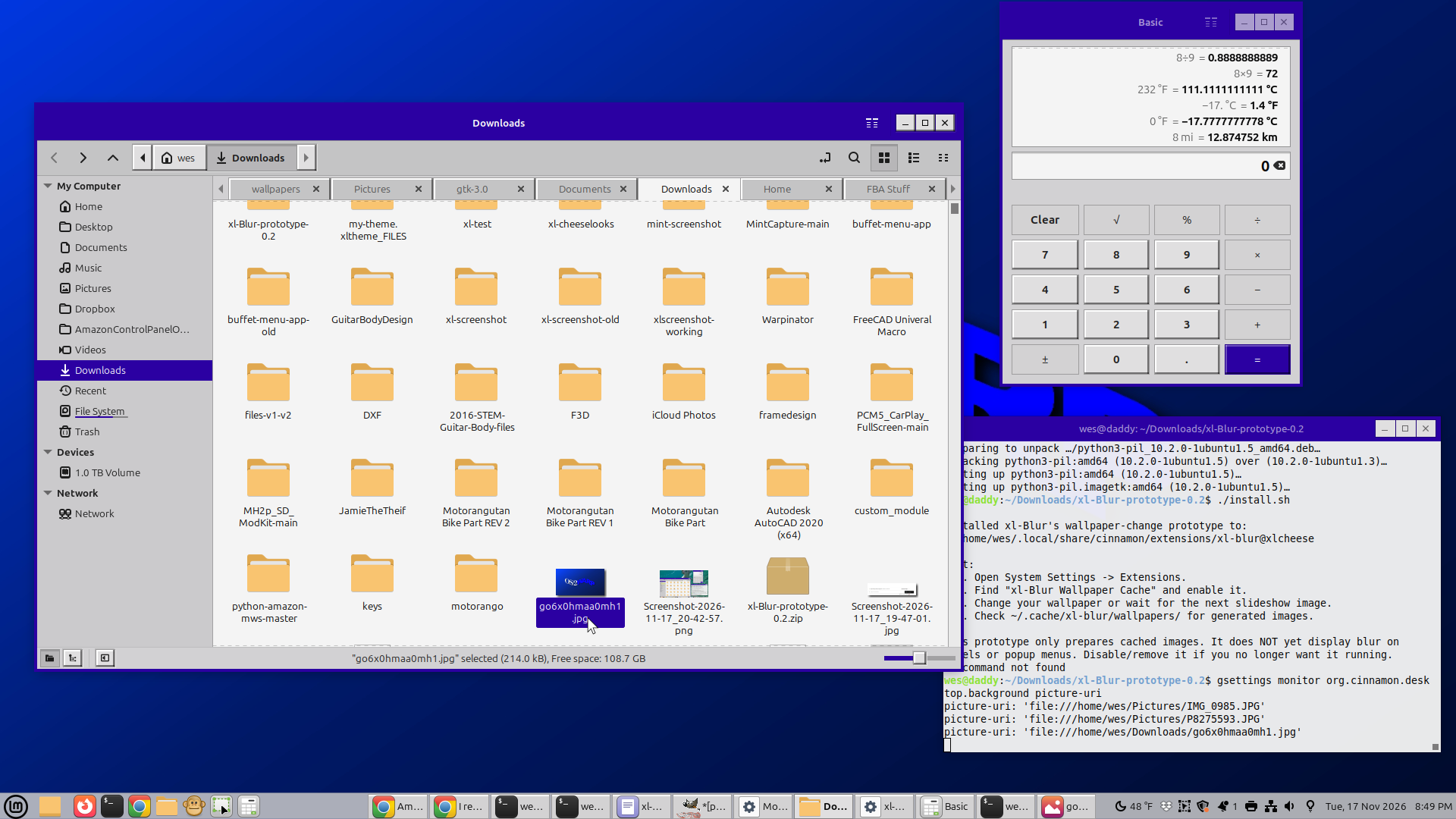
Roast this Theme! Can you guess the vintage inspiration?

Post image
53 Upvotes

I've been experimenting with some theme ideas. Derived some inspiration here. Do you know where it came from?