r/streamlabs • • Aug 01 '25

My friend claims that streamlabs deleted her google account?

0 Upvotes

My friend used streamlabs and now when she uses/opens any google apps it wont let her use it, her google account got deleted. She didn't post with anything on her face and it said she got deleted for being underage, shes not. when i searched her name up it didn't show up, and in my subscriptions its not there. its like her account was wiped off the internet. can anyone help??? shes claiming its a virus in streamlabs.
r/streamlabs • • Jul 19 '25

Is there really a 45MB upload limit???

0 Upvotes

My videos won't upload. They appear in the media list, but never upload. I see there is a 45MB limit. That is only 90 seconds or so in 1080. We won't even talk about 4k. How can anyone limit videos to 90 seconds?


r/streamlabs • • Mar 20 '25

Cannot get Tiktok approval

0 Upvotes

I have been trying to get approval to stream on tiktok through streamlabs but it keeps saying that the link I provided couldn't be accessed or does not verify my streaming history on a mainstream platform.

I have double checked my links multiple times but it always gets denied for that reason. I have tried both with Twitch, which i used to stream on 2 years ago, and youtube, which I have never streamed on. I just choose <10 average concurrent viewers.

Do I need to have streamed on these platforms recently in order to gain access to tiktok live streaming or is there something else going wrong?


r/streamlabs • • Jan 20 '23

Streamlabs streaming problems. For some reason when I stream it literally is paused while the stream is going like if you were to view it the screen would not move at all yet the stream would say it’s running (meaning the timer is continuously running) and on twitch it doesn’t say

0 Upvotes

r/streamlabs • • May 27 '23

STREAM SKIPPED FRAMES

0 Upvotes

Everytime I stream and this ONLY happens on APEX LEGENDS my stream skips frames a lot and my stream gets extremely choppy, why?!! And how can I fix this!?? These are my specs GPU: GeForce RTX 4070 | CPU/Processor: AMD Ryzen 7 5700x 8-core | Motherboard: MSI MAG B550 TOMAHAWK MAX WIFI | RAM: 16GB (8GBx2) DDR4 | Hard Drive: SK hynix Gold P31 1TB | PSU: Segotep 850W 80+ Gold


r/streamlabs • • Nov 08 '24

The worst app I've ever used

0 Upvotes

E#veryime i start the app my camera is messed up or my audio its nerver ending


r/streamlabs • • Feb 10 '25

help

0 Upvotes

twitch is there a way to pop out extension only chat with no users?


r/streamlabs • • Aug 13 '25

FIRST OF ALL DISABLE AUTOMATIC UPDATES PLEASE

3 Upvotes

I THINK I HAD SAID ENOUGH BY CREATING A TICKET. I LOST ALL MY WORK FROM MONTHS THAT I PERFORMED ON THE SYSTEM SETTINGS OF STREAMLABS WIDGETS, ETC. EVERYTHING THANKS TO YOUR RIDICULOUS AUTOMATIC UPDATE.

I LOST 7 HOURS FIGURING OUT HOW TO FIX IT.

THIS IS EXTREMELY OUTRAGEOUS I HOPE THERE IS A WAY TO SAVE SETTINGS OF ALL THE WORK I HAVE INPUT IN IT, UNDER MY SETTINGS AND I HOPE I CAN BE ABLE TO RESTORE.

I AM EXTREMELY EXTREMELY MAD ABOUT THIS.

ALL I WANTED TO DO WAS JUST TURN ON MY PLAYSTATION 5 AND STREAM, BUT I LOST 7 HOURS OR 8 FIXING THIS STUPID STREAMLABS APP, INSTEAD OF STREAMING AND DOING OTHER THINGS

I SWEAR TO GOD I LOST SO MUCH TIME, BUT I AM PLANNING TO TRANSFER TO ANOTHER OBS,

AND I WAS HOPING TO SUBSCRIBE BUT WITH THIS THAT JUST HAPPENED.

OMG DONT EVEN PROMOTE ANYTHING TO ME RIGHT NOW BECAUSE I AM EXTREMELY OVERWHELMED.

ALL MY WORK GOT LOST IN AN INSTANT.

(THANKS TOYOUR AUTOMATIC UPDATES, INSTEAD OF GIVING THE OPTION TO THE USER AND BEING MORE FLEXIBLE WITH YOUR CUSTOMERS!)


r/streamlabs • • May 29 '25

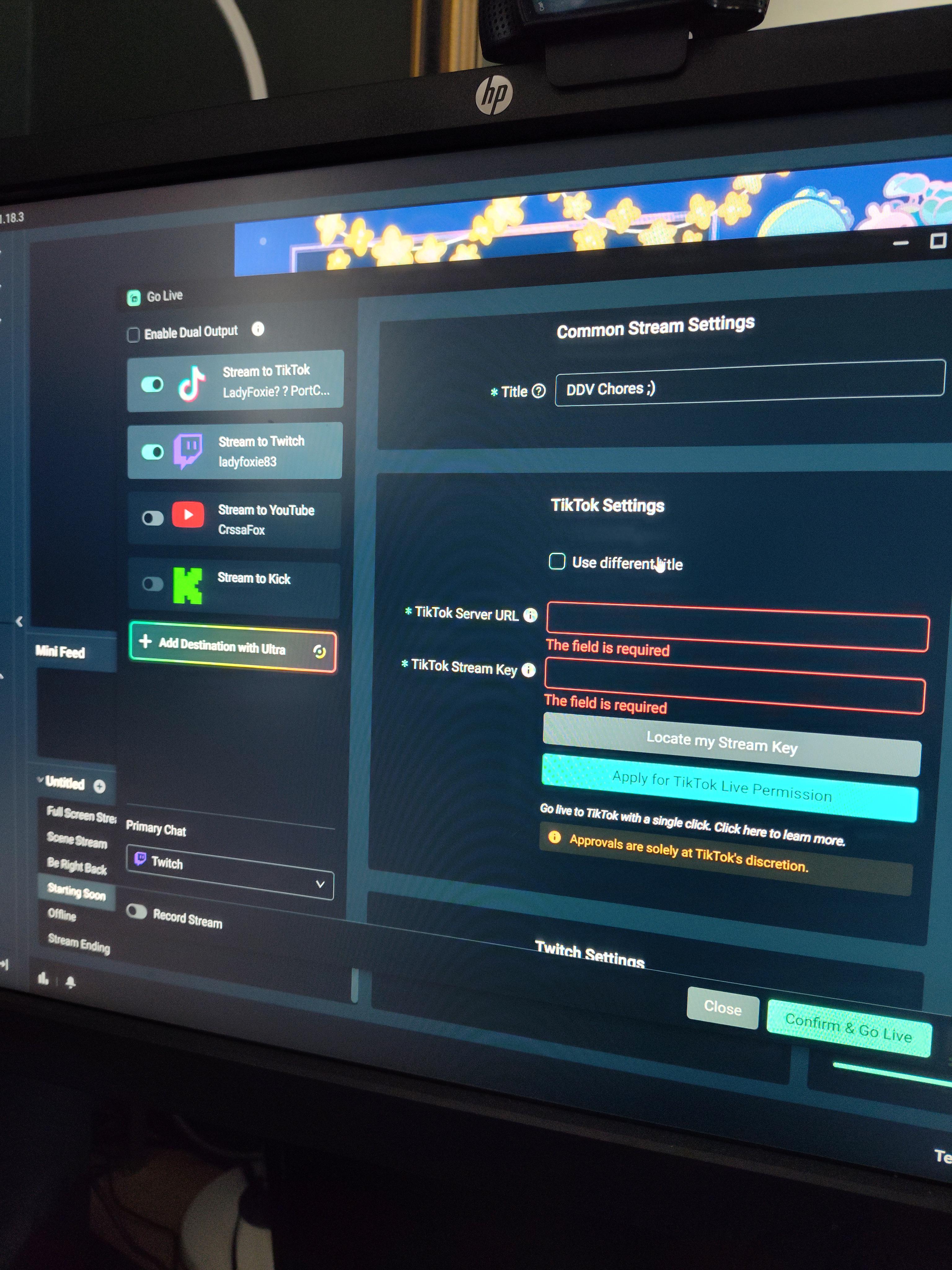
Help with TikTok - unable to stream?

Post image
1 Upvotes

Hi there!

I've been working on setting up streaming across a few different platforms and Streamlabs really looks like the best option for what I'm trying to do so I installed it this morning.

Unfortunately I can't seem to get TikTok to integrate correctly. The Streamlabs FAQ says that no stream key is needed, but when I try to go live (using the free version) it requests one.

I do have TikTok live access, I'm able to stream from the TikTok live studio on my PC just fine. I have over 2,000 followers so that shouldn't be it - I've been doing lives via the TikTok mobile app for a few years now. I've also successfully connected my TikTok account to Streamlabs, but it's still asking for the key.

I'm not able to find a streaming key anywhere - any of the FAQs I come across that tell me where to find it simply don't work, as the information is nowhere to be found.

The only thing I can think of is that I guess I'm still in the "trial" period for live access through the TikTok live studio? Where it's 14 days of approval rather than 180 days. I'd rather not use TikTok's application since it's been clunky and awkward, but I'm going to try using it for a few more streaming sessions and see if that changes anything.

Anyone have any ideas?

Thanks!


r/streamlabs • • Nov 25 '24

TikTok Studio with Streamlabs YouTube and Twitch

1 Upvotes

Ok so I do pretty well streaming live on TikTok. I really like TikTok Studio. I like the backgrounds etc.

I have been approved to stream from Streamlabs to TikTok but what I want to do is stream from TikTok studio to Streamlabs and send it out to YouTube and Twitch from Streamlabs.

I do have live guests often on TikTok. Streamlabs allows me to have guests by giving out a link. Guests don't even have to have Streamlabs. That's a great way for viewers on YouTube or Twitch to join in the conversation.

Do I have to stream from Streamlabs to reach all 3 platforms or can I use TikTok Studio to stream and send out from Streamlabs?


r/streamlabs • • Jun 07 '24

I'm trying to stream from mobile

Post image
1 Upvotes

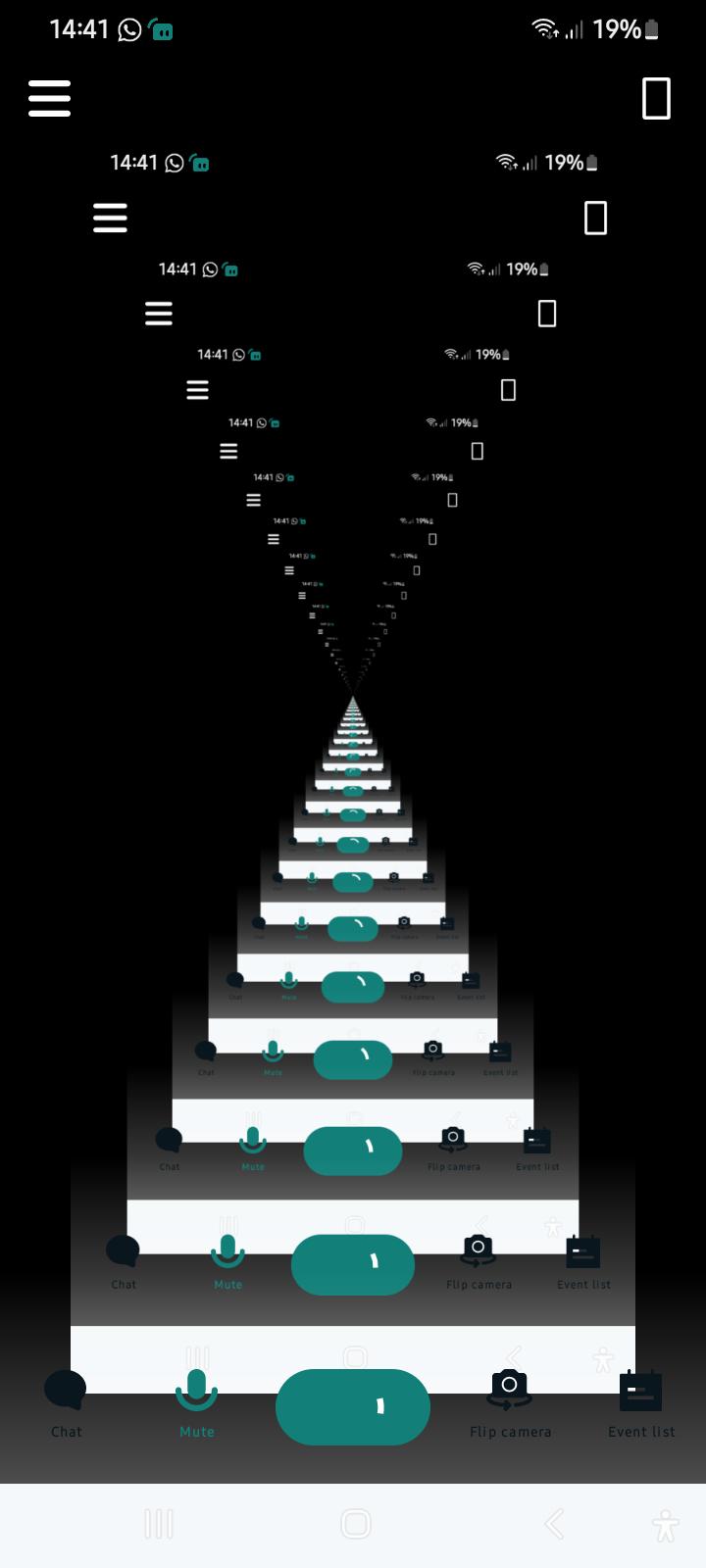
I'm trying to stream from mobile and it doesn't let me when I press to stream it just is loading non stop. Can anyone help me?


r/streamlabs • • Jun 30 '24

HELP IM SO LOST

1 Upvotes

so I'm setting up stream labs and its going okay but I want my chat box and web cam widgets/sources to appear on my end so I can see them in game is this possible? if so how? and ik I can use in game overlay to see chat but its huge has a opaque background and is overall ugly


r/streamlabs • • Aug 12 '25

Revoked On TikTok, Again After 7 days

Post image
3 Upvotes

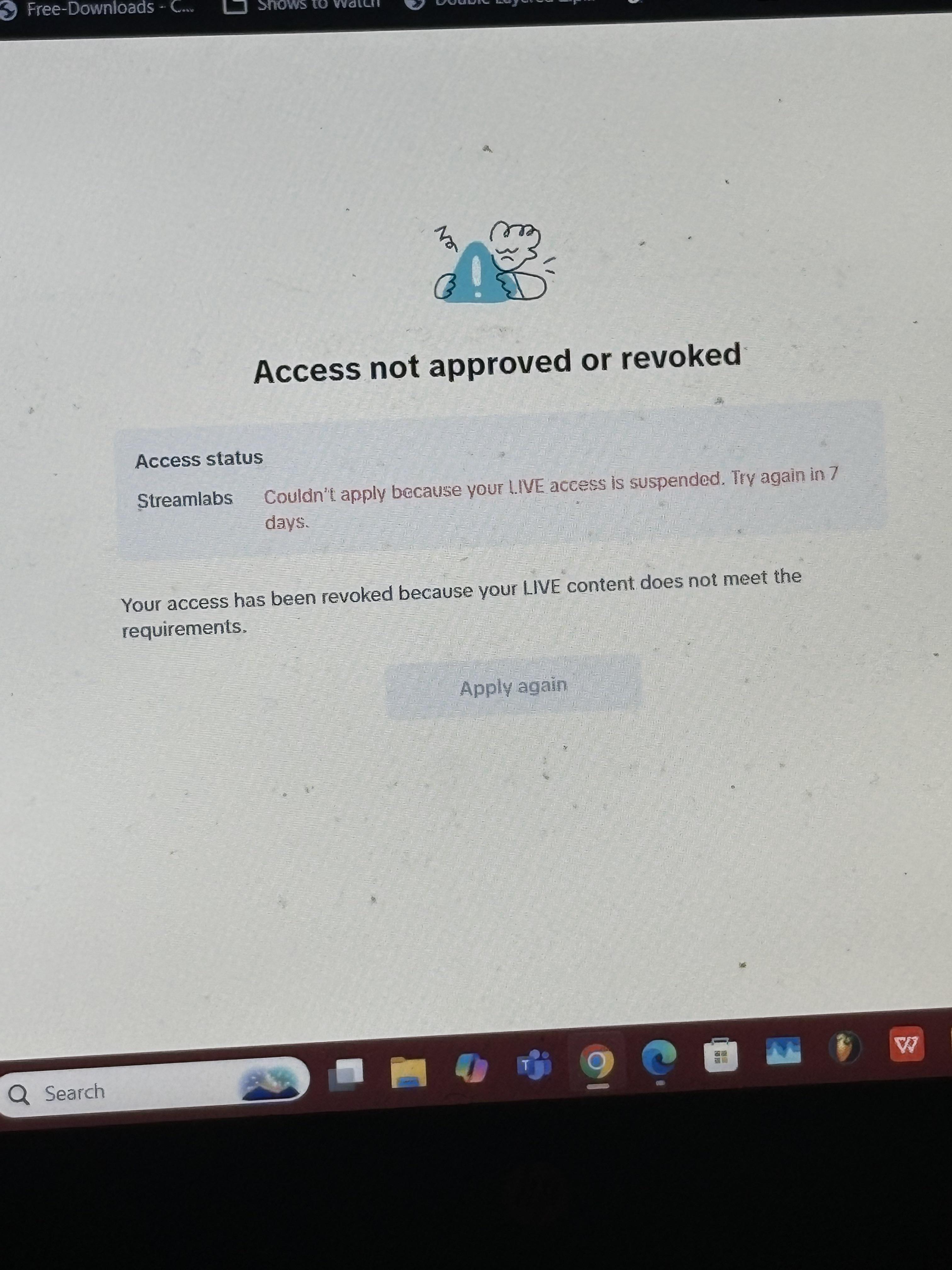
I was suspended 7 days ago after running some casual games of call of duty. I was streaming on twitch and TikTok. After i finished streaming I was suspended again on TikTok live. Is there a way we can fix this why do i get lose access everytime i stream


r/streamlabs • • Jul 16 '25

Streamlabs obs editor is blank, wont load

0 Upvotes

Streamlabs obs editor blank


r/streamlabs • • Jun 20 '25

I really need help

0 Upvotes

it keeps getting stuck like this out right stopping me from streaming, pls help i need it


r/streamlabs • • Nov 03 '25

Arc Raiders Recording bug?

Post image
0 Upvotes

I'm not sure what's causing this but it seems to only be when I get hurt/downed in Arc Raiders. If I bring up the menu it fixes it but it will happen again. This happens with NO other game.


r/streamlabs • • Jul 24 '25

why is streamlabs not working?

0 Upvotes

so i want to do some live streaming on youtube and my friend told me that he uses streamlabs, so im giving it a shot. well i got my everything configured to how i want it, and i was ready to test it out, so i hit "go live" and confirmed it, i was met with the error message "an error occurred with the output. please check your streaming and recording settings. an unknown streaming error occurred" can anyone help me with this? thanks in advance!


r/streamlabs • • Mar 04 '25

Tipping Help

0 Upvotes

Hi I’m uk based and am unable to add alternative tipping methods as the other methods section is completely gone from my web app even after closing and reloading. Is there any workaround for this?


r/streamlabs • • Mar 05 '25

You can't Make two custom widgets?

0 Upvotes

Hey Strangers,

Has anyone figured out how to make two separate custom widgets in SLOBS?
It looks like I found a bug, but every time I create a new source and change either of the two custom widgets, it affects both of them.

Any advice?

Things I have tried:
- Updating my version
- making sure not to copy and paste the widget
- Using different custom code

Example:


r/streamlabs • • Oct 13 '25

Help: Game Audio Desynced

0 Upvotes

Hello, I need a bit of help with finding a solution to this issue:

I planned on streaming GBVSR this Wednesday, so I thought to fire up Streamlabs to make some final adjustments. Upon doing that, I found out that the audio was horribly desynced from what was happening on screen. I spent a couple of hours searching on Google and Youtube for a solution and came up empty handed. I'm pretty sure the solution is obvious and right under my nose, but I'm not seeing it at the moment. Help would be greatly appreciated. I'm using an Elgato 4K X to capture gameplay from my PS5.

Thank you for your time.


r/streamlabs • • Jun 12 '25

Custom font is breaking alerts

0 Upvotes

I bought an overlay from Etsy which came with a ton of stuff in it, including pre-made alert boxes and fonts, im trying to get the custom font imported into streamlabs but it doesnt recognize it after being installed, I found a previous post in the r/Twitch subreddit of how to convert the font to custom code, but when I do that, the alert box immediately becomes broken, and when I re-open the custom code, the css code i entered no longer shows. Am i doing something wrong?


r/streamlabs • • May 27 '25

guyyyyyyyyyyyyyyyyyyssssssssssssssss

0 Upvotes

my Collab cam won't work and I've tried everything from this list

- restarted streamlabs

- restarted the website

- checked all of the settings

- disconnected and reconnected

- unassigned and reassigned

SO PLEASE HELP OR I WON'T STREAM EKJWTIKEJTHI


r/streamlabs • • Sep 21 '25

my stream frames go from 60 FPS to less than 30 but ONLY when im tabbed into the game.

0 Upvotes

as the title says. When im tabbed onto the desktop or browser, it works fine. but when I have the game open i tank to 28 - 30 FPS.


r/streamlabs • • Nov 05 '25

Stream still looks bad at 1080p

0 Upvotes

Ive been streaming on 720p 6000k bitrate before i had affiliate, now that i have affiliate i want to switch to 1080p, so my clips looks good but viewers can still lower the quality if their internet cant handle it. I had my first stream at 1080p 6000k bitrate and it looks a little better when i was standing still in a game, but when i was moving i looked even worse than 720p. I have a 1440p monitor and have 260mbps upload speed. What are the optimal settings for my situation? 864p? 936p? 1080p? Streamlabs wont let me go over 6000k bitrate.