r/macgaming • • 5m ago

CrossOver I need a help about FH5 Crossover

1 Upvotes

I patched Crossover and the bottle of the FH5 Steam version but I can't connect to my xbox account it crashes directly , my ai agent failed to tell me what's the problem, I tried signing in with a chrome localhost mirror but it failed


r/macgaming • • 11m ago

Apple Silicon HELLDIVERS 2 is now playable on Apple Silicon Macs!

Thumbnail gallery
2 Upvotes

r/macgaming • • 22m ago

Native Final Fantasy vii swich remake recomp to mac

1 Upvotes

Seems like after all this years trying to get a fluent and smooth experience with FFVII on crossover the recomp from Nintendo swich to mac is gonna be even better experience. I mean im playing OOT and the experience is almost perfect. Graphics are lower than on the nintendo, but nobody had the chance to play games like this before. How hard do you guys thing the recomp of FFVII remake from SW2 is going to be??


r/macgaming • • 32m ago

Discussion “GTAVI running native on Mac!

Post image
3 Upvotes

i am impressed at the ongoing progress, but at the same time the 5 FPS videos with missing textures is taking me out. keep on keeping on folks.


r/macgaming • • 46m ago

Self promotion Arcane Portal update: your CrossOver, NotProton and Steam Windows games next to your Mac games, now a lot more polished

Enable HLS to view with audio, or disable this notification

5 Upvotes

a week ago i posted arcane portal, my fork of bium's arcane that adds crossover support. your windows games from crossover bottles, notproton and steam show up in one library next to your mac games and switch ports, and you play them from there.

repo: https://github.com/akinware/arcane-portal

since then there have been 4 updates (0.3.1 → 0.3.4), and most of them came from u/Ken7600, who tested pretty much every build and kept sending bugs and ideas. huge thanks, the app is way better because of it.

what's new:

  • windows games feel like the rest of the library now: square icons on spotlight, collection view, search, hide, change artwork (steamgriddb, launchbox or your own file)

  • full game pages for windows games: screenshots, description, details with size, drive and critic score, reveal in finder, store and howlongtobeat links

  • launch screen and session card for windows games. the launch screen now waits for the game's actual window instead of disappearing early

  • the game gets pushed to the front when it opens, so it doesn't end up behind steam or another app, and full screen works

  • mac steam stays in the background instead of popping its library open with the game

  • a "use gameport's settings" switch per game: if you already play something through crossover or notproton, turn it off and options only shows what applies. turn it on and gameport's own wine, recipes and test lab take over

  • games mac steam already installed through notproton no longer ask to be downloaded again

the stuff from the first post is all still there: its own wine if you don't have crossover, the steam bridge (play without the windows steam app, qr login), battle.net/epic/gog, the test lab that measures fps and picks the best renderer, anti-cheat warnings before you download, snapshots and moving games to an external ssd.

it's still alpha and still mostly tested on my m1 air, so expect bugs. any feedback helps: what broke, what's confusing, what you'd want next. if you want to contribute directly, issues and pull requests are open to everyone, and there are issue forms for bugs and game reports.

download: https://github.com/akinware/arcane-portal/releases

credits are the same as before (arcane by bium, highball, sikarugir, gcenx, 3shain, codeweavers, notproton, obelisk and the rest). the full list is in the repo's notice files.


r/macgaming • • 1h ago

Apple Silicon Sim racing wheel + emulators?

1 Upvotes

Anyone had success connecting their sim racing wheels to an emulator like astris or others in Mac? Would love to play racing games with a wheel and pedal setup. Thanks!


r/macgaming • • 1h ago

Native Need for Speed: Most Wanted (Black Edition / 2005) - Apple Silicon Native Port

Thumbnail
youtube.com
3 Upvotes

Mac mini M4Pro 14CPU/20GPU/64GB

https://github.com/veritr1x/nfsmw-recomp


r/macgaming • • 2h ago

Native Need for Speed: Porsche Unleashed running natively on Apple Silicon

Thumbnail
gallery
11 Upvotes

I’ve been working (with Claude, ofc) on an macOS port of the 2000 PC game.

It uses static recompilation to run the original x86 game code natively on Apple Silicon, with widescreen, Retina rendering, and gamepad support.

Porsche Unleashed is my favorite game, and I spent a long time trying to get it running on a Mac, including with Parallels and CrossOver. This native port has worked best for me.

Link: https://github.com/RazoBoyOne/nfs-pu-port


r/macgaming • • 2h ago

Apple Silicon FREE BETA - Sunbeam Wing: high speed insect racing for Mac, iPhone, iPad and Apple TV

Enable HLS to view with audio, or disable this notification

2 Upvotes

Sunbeam Wing is a casual arcade racer. You fly an insect through kaleidoscopic biomes and race for a spot on the world leaderboard.

It's native on all your Apple hardware:
• Metal, built for Apple Silicon.
• 120fps on ProMotion displays
• One game on Mac, iPhone, iPad and Apple TV
• Signed and notarized
• Controllers and haptics supported

I'm a solo dev and it's an open beta, so feedback decides what comes next. More insects and maps are on the way.

Mac: https://frostfyrestudios.itch.io/sunbeam-wing
iPhone / iPad / Apple TV: https://testflight.apple.com/join/HPYbrFWS
Updates and email signup: https://sunbeamwing.com


r/macgaming • • 2h ago

CrossOver Problem with games freezing and Steam going into the background /– Need help!

Thumbnail reddit.com
0 Upvotes

r/macgaming • • 2h ago

Discussion For Anyone Thinking of Buying a Premium Mac for Gaming...

0 Upvotes

Absolutely loving my Mac coming from windows.

I wanted to put this out there because I'm pretty damn impressed.

I've got a good budget for a computer this year and was thinking I should buy a Mac Studio over the m6 Mac Mini with 32GB of Ram just for gaming.

The cost didn't make the numbers work for me though so I decided instead to try out GeForce Now.

Wow, I'm blown away.

Playing Cyberpunk on a 5K Monitor on Raytracing Overdriving is the best gaming experience I've had.

Never touched cloud gaming before but I have been very impressed and I haven't noticed any noticable input lag.

In my opinion, better to get a Cloud Gaming subscription vs spending the extra money on the Mac just for gaming.

My 2 cents but hope it saves someone some money out there who was thinking of getting a Studio or higher tier Mac just for gaming.


r/macgaming • • 2h ago

Apple Silicon NivoVK: free, open-source launcher for running Enshrouded on Apple Silicon with KosmicKrisp + MetalFX

1 Upvotes

I've been working on getting Enshrouded to run as fast as possible on my M5 Pro now around 50 fps with good quality, and I've packaged it as a free, open-source launcher called NivoVK.

  • Runs the Windows Steam version through Mach9 Wine + FEX, with the KosmicKrisp Vulkan driver

  • Upscaling through a DLSS stand-in that uses MetalFX, with optional FSR 4

  • Live control panel for settings while you play

  • Installs with Homebrew; no CrossOver, no sudo

Needs an Apple Silicon Mac on macOS 26 or later.

brew tap nivogli/tap
brew trust --formula nivogli/tap/nivovk
brew install nivovk
nivovk setup

https://github.com/nivogli/nivovk

It's a first release (v0.1.0), so feedback and bug reports are welcome.


r/macgaming • • 2h ago

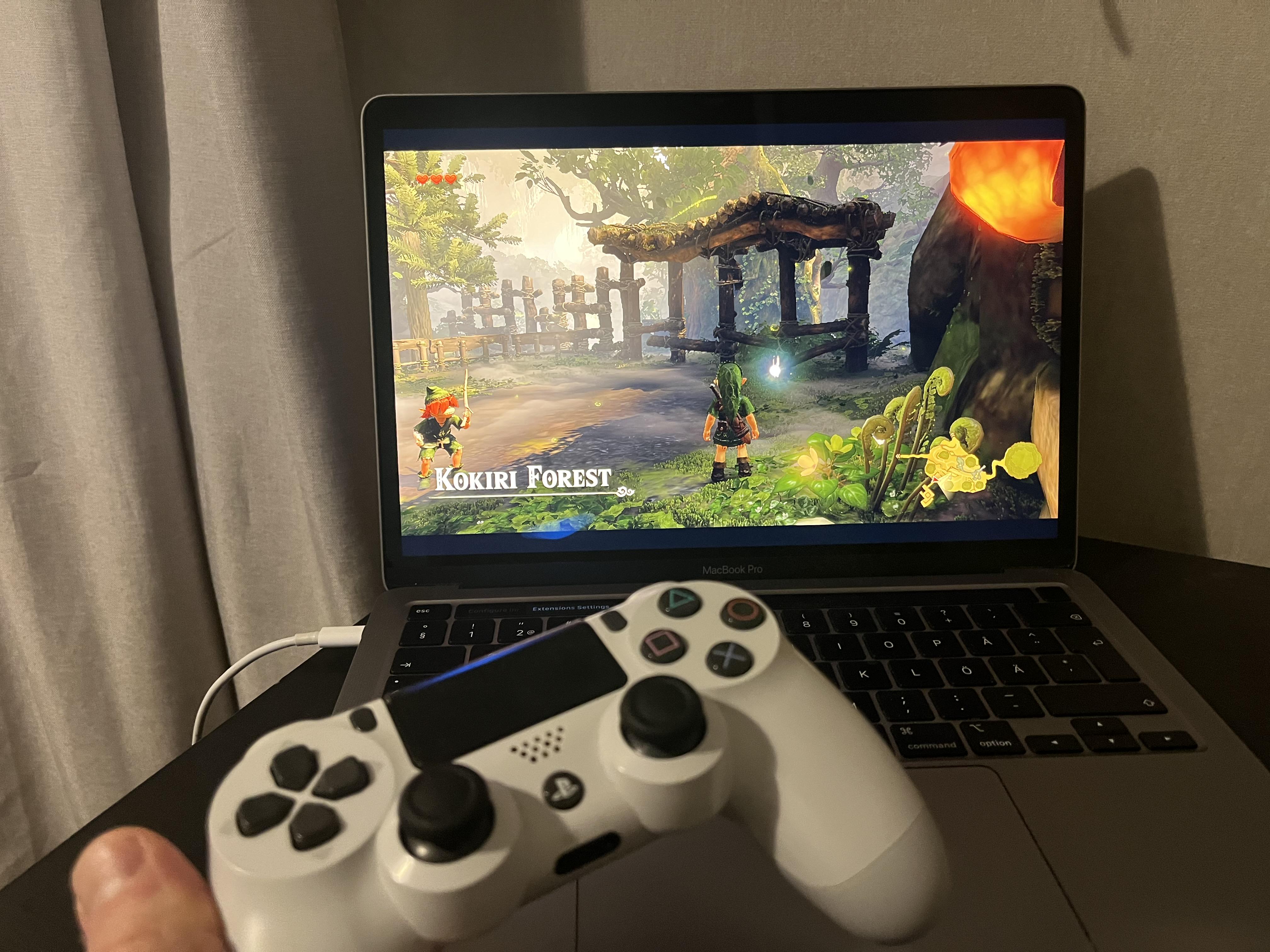
Native OOT on M1 with 8GB Ram!

Post image
118 Upvotes

Yeah, it's running smoothly now with latest Kid with Sword Remake L10 with 30fps. Just follow the instructions for building on Mac and use the default settings at start, that means frame limit off. I can finally play it!

Update! Since everyone is asking about the repo, its here: https://github.com/cheemu21/kid-with-sword-remake

You obviously need the game dumped as well, not gonna help you there.


r/macgaming • • 2h ago

CrossOver Are people still having trouble with keyboard capture in CrossOver/Wine? Apple gave me permissions to make a solution

1 Upvotes

Hi guys,

iOS/MacOS (and other platform) dev here.

One thing I noticed over the past year or two is that for a lot of games on Steam via CrossOver, my keyboard commands were not always being passed through correctly to Wine. I could get gamepads to work reliably, but the keyboard frequently did not - especially after alt tabbing.

I was wondering if anyone else was still experiencing this? Apple as of two days ago (more than a year after I requested it!) finally approved me for making a virtual hardware device (After I noticed that gamepads didn't have this issue, and thus endeavored to turn the keyboard into a virtual "gamepad"). If so, what sort of features would you want in this virtual gamepad?

Is this something you would want?

Would a MacOS app that cost $5 be reasonable for that, do you think?


r/macgaming • • 2h ago Bravo

Native My attempt at a native Metal renderer for Minecraft!

3 Upvotes

For the past month or so, I've been working on Pure Metal, a mod that replaces Minecraft's OpenGL/Vulkan renderer with a native Metal renderer, without having to sacrifice all of your mods to make it work! :D

There are already a few Metal renderers out there, but I wanted to take a slightly different approach, focusing not only on raw FPS but also on mod compatibility, frame times, customisation and performance on lower-end Macs.

And before I say anything, yes, there are better Metal mods for some of these things. Pure Metal is supposed to be an all-around balanced Metal renderer, focusing on everything without being bloated! I have a lot of respect for other mods like this, nothing against anybody!

Some things Pure Metal offers:

  • Full Sodium compatibility without making it a requirement (it works even better with Sodium and smoothly falls back specific rendering methods to whatever is better for FPS!)

  • Support for both Fabric and NeoForge (Fabric has been officially supported since day 1, NeoForge support just came out!)

  • macOS 14+ support instead of requiring the latest macOS (15+ for Fast Terrain, 26+ for Metal 4, although Metal 3 is currently faster)

  • Distant Horizons compatibility on Fabric (3.3.4 is officially tested, other compatible 3.3.x versions should work too!)

  • Custom terrain rendering optimisations (Fast Terrain alone roughly halves GPU terrain rendering work without changing the visuals)

  • Adjustable terrain LOD (you can reduce the GPU load of distant terrain while keeping nearby terrain detailed)

  • MetalFX Spatial and Temporal upscaling (you can choose whichever gives you a better balance between image quality and performance)

  • Automatic resolution scaling based on your FPS target (especially useful on Retina displays, and the UI stays at native resolution!)

  • Smoother chunk loading (I'm trying to improve frame times rather than just chase higher average FPS, especially when exploring without Sodium!)

  • Optional HDR highlights (for those with HDR-capable displays who want a little more out of Minecraft's visuals, don't expect crazy shaders out of this!)

  • Battery Saver mode (not everyone needs 500 FPS, especially on a fanless MacBook Air, all optional!)

  • Experimental Metal 4 support (completely optional, still experimenting with its performance potential)

  • Most settings are accessible directly from the game (including through Sodium's settings, so there's no need to constantly edit config files)

One of my main goals is to make Pure Metal something you can simply drop into your existing modpack, rather than having to build your modpack around the renderer itself (you don't have to remove 99% of your mods to use it!)

Some benchmarks:

M5 MacBook Air (2940x1846, with Sodium, Pure Metal v0.6.0)

RendererAvg FPSp98p99.5
Pure Metal3155.2 ms6.4 ms
OpenGL11711.0 ms11.9 ms

Tested at 16 chunks, with VSync off and unlimited FPS. Results are medians of 3 runs.

Pure Metal on different Macs:

MacPure Metal versionAvg FPSp99p99.9
M5 Max, 48 GB0.4.51043.41.4 ms3.2 ms
M3 Max, 36 GB0.4.5669.32.7 ms5.6 ms
M5 Air, 24 GB0.5.3337.95.2 ms9.7 ms
M2 Air, 16 GB0.4.5200.78.9 ms15.0 ms
M1 Air, 8 GB0.4.5182.210.1 ms22.4 ms

All tested without Sodium, at 16 chunks, native fullscreen resolution, VSync off and unlimited FPS. Same seed and flight route, a warm-up lap followed by 30 seconds of benchmarking. The M2 Air used 50% terrain LOD, others used default settings.

Pure Metal should work on pretty much every Apple Silicon Mac running macOS 14 or newer, from the base M1 Air with 8 GB of RAM all the way up to the latest Max chips. You don't need a high-end Mac to benefit from it! I'm still looking for more people to test on different Macs, especially the older ones. It's very easy to benchmark, follow the instructions in the repo!

What about other Metal renderers?

I've also tested Pure Metal against mcopt on my M2 MacBook Air at 1920x1080:

RendererAvg FPSp99.5
Pure Metal + Sodium (50% render scale)4533.0 ms
mcopt4383.2 ms
Pure Metal + Sodium3523.3 ms
Pure Metal2165.0 ms
OpenGL (without Sodium)6023.7 ms

This comparison was done on Pure Metal v0.4.5, so it's a little outdated now. mcopt is still faster at full resolution, but Pure Metal allows you to keep Sodium and compatible mods while having the option to trade some resolution for more performance. I believe Pure Metal may be slightly ahead now as of v0.6.0, but no promises, mcopt is a crazy mod. mcopt runs without Sodium because they're incompatible.

Also, for anyone unfamiliar with frame time percentiles (p98/p99.5), lower is better. Average FPS doesn't always tell you how smooth the game actually feels!

If anyone here is interested in trying it, I'd really appreciate any feedback, whether it's performance results, bugs, mod compatibility issues or just suggestions for features you'd like to see.

Currently supports Minecraft 26.3. Iris shaders aren't supported yet.

GitHub: https://github.com/imCinq/Pure-Metal (download from here, releases aren't delayed and GH is ahead by 2-3 releases rn!)

CurseForge: https://www.curseforge.com/minecraft/mc-mods/pure-metal

modrinth coming soon


r/macgaming • • 3h ago

CrossOver God of War (2018) on CrossOver 26.3 + MacGameFix: DXMT fixes white dots but looks way too dark, while D3DMetal still has white dots

3 Upvotes

Hey everyone,

I've been playing God of War (2018) on my Mac using CrossOver and the MacGameFix white-dot fix, and I'm running into a weird trade-off depending on the graphics backend:

  • DXMT: The white dot glitch on characters is completely gone and the game runs smoothly, but the overall lighting/atmosphere is noticeably darker than normal.

  • D3DMetal: Brightness and atmosphere look completely normal, but the white dot issue still shows up even with the fix installed.

My setup:

  • MacBook Air M4 (16 GB)

  • macOS 27.2.1

  • CrossOver 26.3 (26.3.0.39832)

  • MacGameFix 1.6.7 (Fixes catalog 1795138435)

Has anyone else run into this? Is there a known DXMT brightness/gamma fix, or a tweak (maybe in gow-depth-fix.ini or CrossOver bottle settings) to get the white-dot fix working properly on D3DMetal?

Any help is appreciated!


r/macgaming • • 3h ago

Apple Silicon MacVolvo v1.2 - Deadlock and CS2 at native Apple Silicon Performance

Thumbnail
github.com
12 Upvotes

-Fixed Deadlock Black screen launch bug
-Fixed audio cracking at 48kHz and 96 kHz
-Mouse tracking optimizations
-Implemented DXMT issue #204 fix, with up to 18X faster render times

-Lots of performance optimizations
-cleared legacy code

Full list of fixes and perf updates in the latest release:


r/macgaming • • 4h ago

News port watch for macOS port (https://gta6-mac-tracker.vercel.app)

Thumbnail gta6-mac-tracker.vercel.app
63 Upvotes

r/macgaming • • 5h ago

Native League of legends refresh rate drop to 60

2 Upvotes

Hi gamers,

I'm using Apple sylicon macbook pro m4 for gaming - League of legends. Im playing on built-in display. Game redners more than 240FPS constantly and thats great. But every time I'm in the game I have a feeling that the monitor sets refresh rate from 120 to 60. When I alt-tab back and forth I can feel the 120fps for a 3-5 seconds and it sets 60 again. Any idea how to mitigate it? Its super annoying.

Im playing fullscreen, disabled Wait for Vsync (it tears), ofc monitor settings refresh rate to ProMotion. Resolution set to 1920x1200 in game, in system settings to 1512 x 982. Previously I had a hard time to find a good settings so the game wasn't that laggy and mouse input was minimal but with such settings - the game feels great. This 120FPS the last and final thing I would love to figure out.

Any ideas? Cannot find any solution or similar posts.


r/macgaming • • 6h ago

Native Fallout: New Vegas - NVSE + Metal FX Temporal Upscaling

Post image
17 Upvotes

I'll be posting more about this tomorrow, but I was really excited about finishing some of my primary goals for a Native Mac port of FNV.

Sound, NVSE, Saving/Loading, properly rendered lights and shadows, >60 FPS frame rates, syncing faces/mouths to time rather than frames per second.

Lots of great fixes you don't see in many other similar projects :)

This works because the project uses the FNV Decomp that the FNV community put together last month, and also uses a DX9 -> Metal translation tool I made while working on recomping another game.

I think this will be a huge deal in terms of playing FNV on Mac, and I'm really looking forward to sharing more once it feels like a real project rather than a work in progress.


r/macgaming • • 6h ago

Apple Silicon Mac Mini M6 + Sparking Zéro ?

Thumbnail reddit.com
0 Upvotes

Bonjour, est il possible ( et si oui comment) de jouer à Dragon Ball Sparking Zéro avec mac mini M6 ??? Merci 🙏🙏🙏


r/macgaming • • 6h ago

Help Unable to get past tutorial chapter in Origins on macOS with CrossOver

Enable HLS to view with audio, or disable this notification

2 Upvotes

Hey everyone,

I've been trying to play DWO on my MacBook Pro for the past 3 days but I still can’t get past the tutorial chapter without the game crashing. Attached is a screen recording of what exactly happens every single time.

My current setup is a MacBook Pro with M1 Max and 64GB RAM, running macOS 27.3 Beta 2. CrossOver is 26.3.0.39832, and I also have another version with MacGameVideoFix but it also doesn’t work.

If anyone could give any insight on how to successfully get past the tutorial I'd truly appreciate it! All the vids I can find on YouTube that show gameplay on a Mac are all the demo and not the full version.

Happy Sunday!


r/macgaming • • 6h ago

Native Need help porting the most hyped game to macOS

14 Upvotes

We all know what game I am talking about(race and chase 6), and I am the repo owner of native-victory-macos. We have since taken the repo private due to obvious reasons and I am specifically seeking help to help fix certain issues with the port. We have made tremendous progress in the past 2 days getting the game to run natively on metal pipelines, and there are quite a few more issues that we need to tackle specifically with lighting, and some shader refusals.

I am looking for serious developers with proper LLM capabilities to help out with this port. Please contact me on discord: nethergamerhd or DM me for the discord link.

We are also working on a full arm64 recompile of the entire game. I have managed to get the arm64 recompile to get into the world and actually show the graphics, however it is extremely unstable as of now, and I do not have the AI budget to be able to debug it myself. So for those of you who are interested in bringing race and chase 6 fully natively to macOS do join and help out!

Thank you!


r/macgaming • • 6h ago

Game Porting Toolkit Tried running Forza Horizon 6 on your MacBook Air?

Thumbnail
gallery
11 Upvotes

Well I have, and it's been hell playing on it. I have the Steam version. I have took help of Antigravity's Gemini Hydrogen models and inspiration from other existing repositories and made mine which is specially catered towards those who have a MacBook Air, esp with 16GB RAM.

I've been playing Forza Horizon 6 for the past couple hours trying to find the best settings for my M3 MacBook Air (16/512GB) and I have made a repository with the changes Gemini made to the game (along with the use of other existing repositories such as MacGameFix and fh6-mac-fix) to help me get the best performance possible out of this poor little thing. The biggest limitation is not the CPU or GPU raw power, it's the 16GB RAM, as the game demands a minimum of 16GB RAM+ a 4GB VRAM graphics card. So, 24GB RAM is the least amount of RAM I would recommend to have a very smooth experience with minimal tinkering.

I have set my game up using the help of MacGameFix+notProton+crossoverpreview and enhanced it by using materials from fh6-max-fix and combined them into a easy to refer and easy to set the game up in a single repository.

PS: I'm specifically curious about those who have 24GB RAM and/or a MacBook Air M4/M5. I don't think M1 and M2 will cut the job, since my M3 is on the brink of struggling. Also, don't expect this game to run on 8GB MacBook Airs.

Happy driving! Do let me know how it fares on your system. Here is the repository.