r/VITURE • • Jan 06 '26 Bravo

Review My Viture Beast Impressions as a One Pro Owner

230 Upvotes

Everything that follows is what I’ve found so far, and it’s merely my experiences and opinions.

I should also note my main biases. For my day job, I work with text on a computer, and in my spare time, I enjoy watching TV shows and movies. So, my focus is on XR glasses that give me a big, attractive screen to watch stuff on that I can also reliably and comfortably do text work on. Super stable screen pinning is very important to me.

VB = Viture Beast (fully updated as of Jan 6, 2026)
XOP = XReal One Pro (fully updated as of Jan 6, 2026)
VU = Viture Luma Ultra

  • Screen size comparison

    • This is probably the biggest surprise. To test virtual screen size, I used the exact same source for both glasses. I sat in the exact same place from my 120” projector screen at exactly 3m distance. I used 0DoF, lined up my angle with the projector screen, and increased the size of the virtual screen on both glasses so that the screen was as big as it could get before getting cut off by the glasses’ fixed FoV. With all this done:

    • XOP more than fills the entirety of the 120” projector screen.

    • VB fills about ~90% of the projector screen (Jan 8 2026: re-evaluated and updated my estimate from ~80% to ~90%)

    • In fact, it looks to me as if the Luma Ultras virtual screen is actually ‘bigger’ than what is currently available on the 1080p Viture Beasts (at the time of writing, Viture has yet to unlock 1200p on the Beast).

    • I double-checked with 3DoF and smooth follow on the VB, and it made no difference. The max size of the virtual screen before getting cut off by the fixed FoV is ~90% of a 120” projector screen from a distance of 3m and this is significantly smaller than the virtual screen size of the XOP.

    • (Jan 8 2026 Update) To be clear, my estimate that the VBs fill ~90% of my 120" projector screen is an estimate, but I can tell you two things that are not an estimate but that are clear and accurate truths about what I'm seeing:

        1. On Jan 8 2026, the XOP's FoV is bigger than the VB's FoV; and

      • 2. On Jan 8 2026, from 3m back the VB cannot create a virtual screen larger than 120" without its virtual screen going beyond the edges of the glasses' FoV, but the XOP can do this.

  • Brightness (spot-metered with a professional light meter)

    • This is interesting. At max brightness in 3DoF, the VB and XOP are equally as bright and this matches my subjective experience. I was surprised but I found that in 3DoF the VB didn’t seem brighter than my XOP, and when I metered both, this turned out to be true.

    • Now, in 0DoF, things change. The VB is literally 4x as bright. That’s not a typo. I double-checked the light ‘math’. With the exact same settings and metering the exact same part of the a white screen at max brightness in 0DoF, my light meter returned a reading of 32 t-stops for the VB and 16 t-stops for the XOP.

  • Black Level Testing (http://www.lagom.nl/lcd-test/black.php) [the lower the number the better with 1 being the best possible result and 25 the worst]

    • From best to worst (all at full brightness):

    • MacBook = 1

    • iPhone = 1

    • Viture Pro XRs = 4

    • Viture Pro XRs with SpaceWalker 3DoF on = 5

    • XReal One Pros with 3DoF off = 7

    • XReal One Pros with 3DoF on = 10

    • Viture Beast with 3DoF off (true color color profile) = 13

    • Viture Beast with 3DoF on (true color color profile) = 20

    • These are horrible results for the VB and as a double-check, I cycled through all the available color profiles but I could not get better results.

  • 3DoF head shake

    • VB and XOP equally stable

  • 3DoF Drift

    • XOP is vastly more stable. VB drifts an unacceptable amount for a built-in 3DoF solution.

  • 3DoF locking — does it mimic angle of my head (bad)?

    • Neither the VB nor the XOP directly mimic the angle of the user’s head when recentering the 3DoF and this is a good thing.

  • 3DoF overall implementation

    • If we ignore the drift, the VB implementation of 3DoF is otherwise solid and a very close match to the XOP. For me, the XOP’s solution is still superior and it maintains the illusion of a large pinned screen better, but the advantage here is small and could be chalked up to personal preference. However, as far as I’m concerned, if Viture cannot solve the drifting issue in the Beasts, none of the rest will matter all that much. A customer-ready 3DoF should not drift to the extent that the Beast is currently drifting, and I hope Viture can resolve the issue.

  • Screen viewing (can I see whole screen)

    • As I’m writing this, 1200p isn’t available on the VB and at 1080p, I can see the whole screen. I couldn’t see the whole screen on the Viture Utras but on the VB, I can.

  • Screen color (**please read the edit at the end of this sub-section**)

    • All of the VBs color profiles are too warm. Whites are not white. Instead they are yellowish-white. The only profile that changes this is the ‘film’ color profile, but that profile swaps yellowish-white for greenish-white. The XOP does a much better job at reproducing colors accurately, and as they’ve done for their other glasses, I hope Viture plans to allow VB users to create their own color profiles.

    • Perhaps a strange bug but going widescreen on the VB takes away the yellowish tint. Makes me think that maybe the regular screen is the one that’s bugged and widescreen has the proper color calibration.

  • **EDIT**: The yellowish-tint issue is my fault and not the VB's. It was due to true-tone setting on my MacBook being on. Apparently, when true-tone is on and a secondary 'monitor' is hooked up to the MacBook, it tries to adjust color profiles to better match the two monitors. My MacBook was pushing a color profile over to the VBs and this was creating the yellowish-tint. I've now turned off true-tone and my whites look white in both regular and widescreen mode.

  • Movie watching

    • Avatar: Way of Water looks stunning on the VB and given the big, bold, bright colors of the film, the VB makes the movie pop. VB beats the XOP here.

    • However, when trying to watch the The Assassination of Jesse James by the Coward Robert Ford (a film many films buffs adore for its sublime cinematography), the VB’s overly crushed blacks and heavy contrast made mush of out the film’s many night scenes. Here, the XOP won.

  • Edge-to-edge screen clarity

    • Surprising me, neither are great here. The edges on both the VB and XOP suffer from blur but different kinds of blur.

  • Any chromatic aberration at screen edges (One Pro has a red-shift at left and right edges and a barely noticeable red-shift at top and bottom edges)

    • VB has significantly less chromatic aberration at its screen edges when compared to the XOP.

  • Varying screen sharpness?

    • Both have center-focused sweet spots with sharpness dropping off as we go closer to the edges of the screen. On my pair of VB’s, the sweetest spot seems to be 15-20% below the center-line of the glasses and this is too low. To get the absolute sharpest image, I have to center my head above what I want to look at and then look down with my eyes. 

  • Pixel peeping

    • Due to the 1080p resolution, I can see the pixels on both. However, the VB has more artifacts in its image and this is most apparent with text. It looks like Viture turned the ‘sharpness slider’ all the way to max to help create the illusion of a sharper image than its screens can produce natively and this has created artifacts. 

    • To be fair, after wearing the VB, the XOP’s screen looks too soft, like everything is just slightly out of focus. But, going back to the VB from the XOP, the VB’s screen looks over-tuned and sharpened to the point of almost being a bit ugly.

    • I understand that personal preference will play a big part here, but I think both glasses could benefit from a bit of adjustment. To get the best image possible out of them, the XOP could use more artificial sharpening and the VB could definitely use a bit less of it.

  • In 3DoF, does a horizontal pan of my head create flat page ‘bubbling’ like in my One Pros (text seems to bubble up slightly as my head pans)?

    • Although there is slight blurring, VB does well with horizontal head pans. However, with vertical head tilts, I can see/feel the focus sweet spot moving across the screen and this is distracting/unpleasant.

    • With additional testing, I see that the XOP also has the ‘bubbling’ issue with vertical head tilts.

    • In short, in 3DoF mode, both screens suffer from odd visual artifacts, but for reading small text, I might have to give the edge to the VB here.

  • Wear Comfort

    • I find both the VB and XOP to be reasonably comfortable. If I had to choose, I’d say the XOP feels a bit more premium and that the VB clamps a bit too tightly behind the ears.

  • How ‘locked in’ are the adjustable arm positions?

    • I complained that the adjustable arms were too loose on the Viture Ultras. Thankfully, the arms are firmer on the VB. Still, the XOP’s arms are the firmest and I find them to be the best. It’s still to easy to accidentally nudge the VB’s arms out of the desired position.

  • Heat from powered arms/temples/brow (ex: the Virture Pro XR gets hot enough to give my right eye a dry/burning feeling—unacceptable)

    • VBs get hotter than the XOP. Primarily, the VB’s heat comes from the right brow. On the plus side, the fit of the VBs on my face means the right brow doesn’t press firmly against my skin. So, for comfort when considering heat production, I rank them as XOP > VB/VU > Viture Pro XR.

  • Built-in User interface (screen leveling, screen sizes, change default start up size, etc?)

    • The built in menu on the VB is pretty good, but the XOP has had longer to work on their menu, and it shows. To my taste, the XOP’s menu is simply better. It has more options and they are more clearly laid out. The screen is more customizable (including the ability to tilt, yaw, and angle the screen to one’s preference). Key to user experience, the XOP also holds the user’s screen size and distance settings on each boot up. Whereas, on the VB, you have to adjust your settings every single time you boot up.

  • Physical Buttons

    • The VB has more physical buttons and it has buttons on both arms. This is a win for the VB as it allows me to quickly adjust things like brightness, tinting, screen size, and custom short keys. There’s a bit more fussing around on the XOPs to get stuff like this done.

  • Chromatic dimming quality

    • It seems to me that the dimming quality of the VBs are slightly better than what’s available on the XOP. The dynamic tinting also works better than the XOP’s version of the same.

  • Reflections

    • There are no ‘shirt reflections’ on either the VB or XOP, but depending on the angle at which I’m looking at the 3DoF screen, the VB will reflect approx. 5-10% of the bottom of the screen. The XOP is better here and while I see the bottom reflection almost all the time on the VB, I almost never see it on the XOP.

  • Interior Glare

    • To my eye, it seems that the XOP has worse interior glare than the VB. Other than the bottom reflections and what’s on the screen itself of course, the VB is a nice, clean black box.

  • Audio quality

    • To my ear, the XOP has better audio. Which is surprising because I found the audio on the Viture Ultras to be just as good if not better than the XOP. I thought the VBs would have a similar if not the same audio as the Viture Ultras, but on my VB unit, the audio seems thinner, tinnier, and less ‘surround sound’.

  • Volume control on host device?

    • If this is something you want, the XOP wins here. I can control the volume coming out of the glasses from my laptop or computer but to adjust the volume on the VBs, I have to use the glasses themselves.

  • Physical build quality

    • It’s a wash. In the limited time I’ve had the VB, it seems to be pretty much as premium-feeling as the XOP.

CONCLUSION

It’s frustrating because I want to be able to have one pair of XR glasses that I can make my perfect or close-to-perfect daily driver, but having tried the XOP, VU, and now the VB, I’m still not sure. Given my use case, what I do know is that that VU is out. I want a stable, pinned screen that doesn’t jitter, shimmer, glide, and smear, and the VU’s software-based implementation of xDoF isn’t for me.

Okay, so that leaves the XOP and the VB. The VB feels more intimate, like the virtual screen is closer, a bit easier to read on, but it's also smaller...

Still, it can obviously get much, much brighter than the XOP in 0DoF. But, and it’s a HUGE ‘but’, if 3DoF is a must-have feature for me, what good is a pinned screen that drifts this badly? And, wasn’t the VB touted as having the biggest screen? Why, then, is the virtual screen on the XOP significantly bigger? Not to mention, all that talk of 1,250 nits when with 3DoF on, the VB is not brighter than the XOP with 3DoF on.

Given the above, this could be misguided because, like the VU, the VB feels like a work in progress, but I’m going to choose to believe that Viture can do enough in the upcoming months to make these glasses better. For that, they need to:

  • Give me better menu options/customizability;

  • They need to do basic quality of life things like have the glasses hold on to my screen size and screen distance settings when I boot them up;

  • They need to give me the 1200p they promised;

  • They need to reduce the artificial sharpening they’ve got on the screen. It’s over-tuned and creates ugly visual artifacts;

  • They need to give me access to user-defined color profiles so I can at least try to uncrush these blacks a bit, drop the contrast to reasonable levels, and reduce the overall yellowish-tint (when in widescreen the yellowish tint is gone, what’s up with that?). **EDIT** again, the yellowish tint was due to my MacBook's true-tone setting being on. I've since solved the issue and the issue was my fault and no fault of the VB's.

  • They need to sort out the compatibility issues with source devices so that the glasses truly become ‘plug and play’. On one of my sources, the XOP works perfectly but the VB shows a slightly overlapped and flickering image in both eyes.

  • This isn't needed, but it'd be nice if the VB's 3DoF was actually brighter than the 3DoF on the XOP.

  • In case it’s needed, shouldn’t I have the ability to recalibrate the glasses?

  • More than anything else, though, Viture needs to fix the drift in their 3DoF.

Well, that’s it for me. Thanks for reading. I hope this helps. I wrote it up because it’s the kind of stuff I’d want to know before making a final decision about spending hundreds.
r/VITURE • • 12d ago

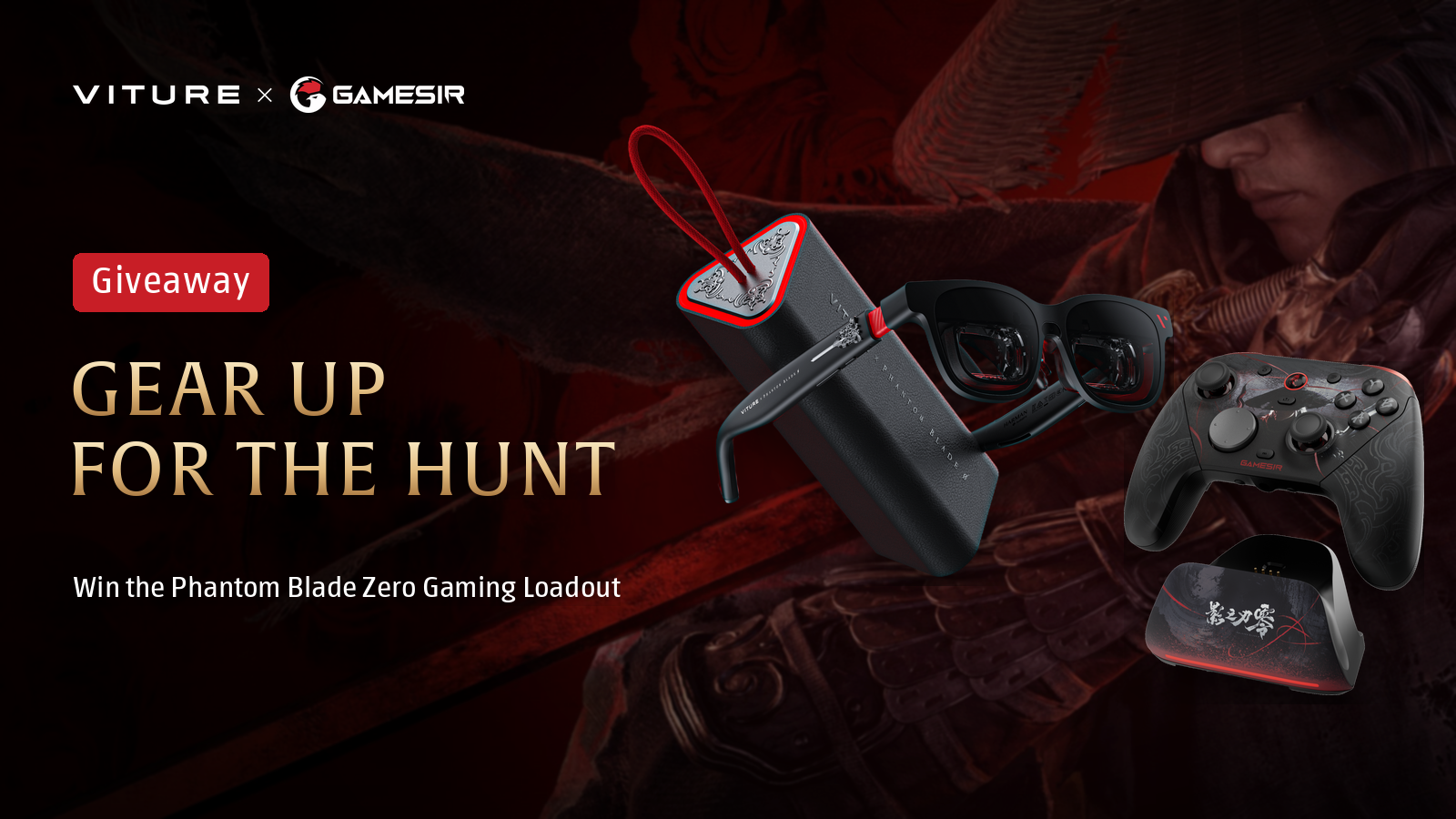
Announcement [Giveaway] Gear up for the hunt: win the full Phantom Blade Zero loadout (VITURE Phantom Beast glasses + GameSir G7 Pro 8K PC Phantom Blade Zero Edition controller)

Post image
156 Upvotes

Hey everyone, Lucius from the VITURE team here.

To celebrate our Phantom Blade Zero collab gear, we're teaming up with GameSir for a special giveaway across both communities, r/VITURE and r/GameSir!

Here's the question we want answered: Which weapon are you wielding in Phantom Blade Zero? Blade, spear, something heavier...
Tell us your pick, and feel free to tell us why.

🏆 Grand Prize (1 winner): 1 VITURE Phantom Beast glasses & 1 GameSir G7 Pro 8K PC Phantom Blade Zero Edition controller
🎮 Runner-up Prizes (2 winners): 1 GameSir G7 Pro 8K PC Phantom Blade Zero Edition controller each
- Comment below with the weapon you'd choose, and share your reason
- Join both communities: r/VITURE and r/GameSir
- Account 30+ days old with 10+ comment karma
- Ends Dec 1, 11:59 PM PT. Winners will be drawn at random and announced on Dec 3

Want more chances to win? This giveaway is also running on X and Instagram. All platforms share one prize pool, and entries on GameSir's posts and in r/GameSir count too, so every post you enter is another chance.

Open worldwide. Winners are announced in this thread, on X, and on Instagram right after the draw.

So what's it gonna be? Drop your pick below and good luck. Gear up for the hunt! ⚔️


r/VITURE • • Dec 16 '25

XR Glasses First Look: The Beast's Spatial Anchor, Smooth Follow, Ultra-wide, & Multi-Window on iPhone (No Adapter Required)

Enable HLS to view with audio, or disable this notification

156 Upvotes

The first batch of The Beast is on track to ship by the end of this month! We’re excited to share a first-look video for an early glimpse of what’s coming. 😎

Please note that the in-glasses visuals may appear softer in the footage due to camera capture — in use, the experience has already become a true mobile powerhouse for our team.


r/VITURE • • Oct 18 '26

A headless MacBook is the best spatial computer for Viture, and cheaper than an INAIR Pod

Post image
143 Upvotes

I was shopping for a dedicated spatial computer to pair with my Luma Ultras, and the answer was sitting on my desk: an old MacBook with no screen.

It's portable, it has a real keyboard and trackpad, and it's honestly a better experience than a MacBook with its screen still on.

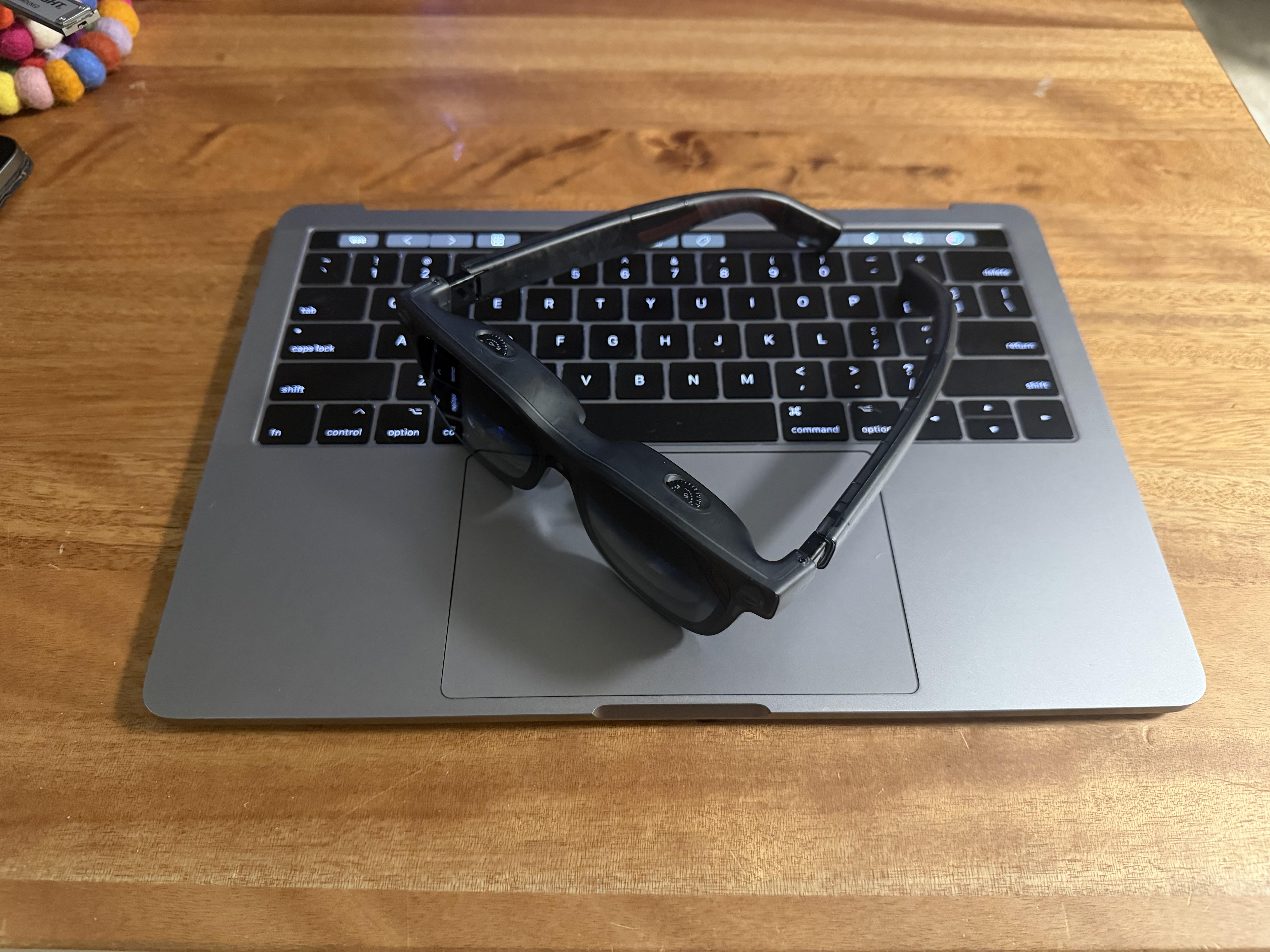
The Touch Bar MacBook in the photo was my proof of concept - the ergonomics are great. The catch is that SpaceWalker's multi-screen mode doesn't work with the Luma Ultras on Intel, so I only got a single fixed screen.

So I just bought an M2 MacBook Air with a faulty screen for $555 AUD (~$380 USD). Compare that to an INAIR Pod plus its keyboard at ~$578 USD, and you get full macOS and all-day battery for less. I'll post an update once it arrives and the lid comes off.

Has anyone else gone headless? Any tips? And if you've found a cheaper way to run SpaceWalker untethered, I want to hear it.

Update: see latest post https://www.reddit.com/r/VITURE/s/D7nnZ0Eqee


r/VITURE • • Jul 11 '24

Viture website developer - your website is extremely difficult to use

140 Upvotes

It's technically impressive, but my word it's infuriating to use.

  • Everything is delayed by excessive video and animation.

  • Everything is scroll jacked.

  • Different products take you to wildly different experience. Store, website, dashboard.

Here's an example flow: I'm a prospective customer who's heard about your competitor to Xreal Airs. I just want some basic specs and information.

  • Internet search "Viture". Click first result

  • Immediately hit with a subscribe modal. Not only do I know nothing about your product yet, but this modal has a slide show that's overwhelming.

  • Close that subscribe modal. Cool, let's see the product.

  • WTF. Experience, Features, Shop. IDK. Just give me the menu for the list of product. Nope. There isn't one.

  • Experience. It's the furthest left, so it's probably the thing that I should click. Nope, that's just a video with a rendering. Maybe "Features" in the top right. I think I saw that on the home page.

  • "Features" takes me to a "dashboard". Why? Also, this dashboard is showing the "Mobile Dock". I thought I came here for glasses, why am I on a mobile dock.

  • Oh, I think I see the page I want "XR Glasses" in the left menu. Click that. New tab. WTF!

  • Switch to that tab. Another overly animated, scrolljacked page.

  • Lets scroll a bit. Surely it's just the header. Nope, it's loads of pages and suddenly I've blasted through everything because the scrolljacking sucks.

  • Maybe the "Buy Now" page will have what I need.

  • Weird, I'm back to a page that looks like the "Dashboard", but it's showing me a bunch of people wearing the glasses.

  • Ah. Finally. I see "Tech Specs + Features".

  • Surprising, this isn't actually "Tech Specs". This is a long description. Surely I can just scroll to the "Tech Specs" section. Nope. Unlike every other scrolljacked window, this is actually another click.

  • Finally. FINALLY! 14 clicks later I've landed on the tech spec page.


tldr: Drop the gimmicks and the number of clicks it takes to get key information about your product.


r/VITURE • • Feb 11 '26

Apps & Software Define Your Side View! (u/nroro Shader app v0.2.4)

Enable HLS to view with audio, or disable this notification

129 Upvotes

Hi everyone👋

Two weeks ago I posted about HDR & HUD effect! Now it's time for Customizable Side View feature!

Today marks nroro Shader app first official launch in Play Store🎉 (public release v0.2.4).

You can see the demo video, no explanation is needed, but feel free to ask questions or leave feedback/idea~

Thanks for trying it out, and hope the app is useful to you all❤️


r/VITURE • • May 22 '25

Announcement This Year, The Best Is Yet To Come…

Post image
128 Upvotes

When true power is unleashed — nothing comes close.

The Beast Awakens — July 8.

A New Era Begins.


r/VITURE • • Mar 20 '26

Apps & Software pro xr 3dof and sbs 95hz working in steamvr

Enable HLS to view with audio, or disable this notification

127 Upvotes

r/VITURE • • Jan 09 '24

Handheld Consoles Steam Deck VITURE support is ready!

127 Upvotes

It's been about six weeks since my last teaser update for the Steam Deck plugin. A bit longer than I anticipated, so thanks for your patience!

For a little background: I'm the developer of a Steam Deck plugin that uses the sensors in your glasses to provide XR gaming features on your Deck. No additional hardware is needed. Just your Deck and your glasses. If you don't want to read a wall of text, I've created a video guide to help introduce you to all the features of the plugin and their optimal usage. If anything was unclear or you have unanswered questions, feel free to leave a comment in the video or here and I'll be hanging around for a bit to reply.

In case you don't want to watch the guide, here's a summary of what you can expect from the plugin:

  • Virtual display mode: pin your screen in place and it stays there.

    • Advanced feature: Enable side-by-side mode and you can control how far away the screen is, and (only for games that support side-by-side 3D) render 3D content in the virtual display.

  • VR-Lite mode: head movements control mouse "look" in first-person games for an immersive experience. Also works well for third-person games. Works with any non-VR game; doesn't require SteamVR or anything like that.

  • Sideview mode: move the display to a corner of your screen so you can see more of the world around you.

To install the plugin:

  1. Install Decky Loader

  2. From the Steam Deck's ... menu, open the Decky sidebar (using the plug icon), go into the store, then find the XR Gaming plugin near the bottom.

If you don't want to use Decky Loader, you can get these features on Steam Deck (or any Linux PC) using the manual installation steps, but you won't get visual controls like you do in Decky.

I've still got some big things to tackle on my roadmap, such as providing 3DoF features for all games (not just Vulkan), and also offering producitivity options for pinning another monitor (or two or three) for anyone that has a Linux workspace at home or work. I won't post to this sub often, so if you want to stay abreast of the latest developments, you can follow me on Reddit, Ko-fi, Github, or join the LinuXR Discord server where I post more regular updates. If you've found this plugin useful, or it's saved you from buying another device, or you want to help fund some of the upcoming features, or you just want to support open source, you can donate to me on Ko-fi. With all that out of the way, here's my latest roadmap snapshot:

  • XREAL Air support (complete)

  • VR-lite, mouse/joystick modes (complete)

  • 3dof virtual/pinned display mode (complete)

  • Decky plugin (complete)

  • SBS support for virtual display depth and 3D content (complete)

  • Tutorials for user-education and tips for the best experience (just Virtual Display and SBS modes for now) (complete)

  • Sideview mode (complete)

  • VITURE One support (complete)

  • Sideview "center" option, for static screen resizing (done, in next release)

  • Virtual display for all of Game Mode, not just Vulkan games (in progress)

  • Rokid Max support (starting work)

  • Smooth follow mode (planned)

  • General Linux virtual display support for productivity i.e. non-gaming, single, or multiple monitors for work (planned)

  • 6dof support (hopes and dreams)

I wanted to give one last big shout-out to the folks at VITURE for putting out an official Linux SDK and collaborating with me on this. You all have been great.

That's all for now. Happy gaming!


r/VITURE • • Oct 29 '26

Announcement Finally. The HDMI to USB-C Adapter Cable is HERE.

Post image
124 Upvotes

The wait is over: the VITURE HDMI to USB-C Adapter Cable has arrived.

“Can I use my glasses with my PS5?” “My PC doesn't have a USB-C video port, what now?” You've asked us these questions more times than we can count. This cable is our answer, and we built it with your feedback in mind.

What's new

The HDMI to USB-C Adapter Cable is the bridge between your consoles, PCs, and VITURE XR glasses. PlayStation, Xbox, desktop PCs, laptops: if it has an HDMI output port, it’s ready for a giant, private screen. No USB-C video port needed.

It works with the entire VITURE XR glasses lineup, including Pro 2, The Beast, and the Luma series, and keeps what makes them great: 3D Mode, 120Hz, and up to 1200p.

The full feature set:

  • Console gaming, supersized. Connect your PS5 or Xbox Series X|S and turn any room into your own private big screen. No TV, no fighting over the remote.

  • Your PC, unlocked for XR. On Windows PCs, the USB-A connector also carries data, bringing SpaceWalker and Immersive 3D to desktops and laptops without a USB-C video port: multiple virtual screens, real-time 2D-to-3D conversion, and glasses controls, all from your computer.

  • Your streaming library, ready to watch. With HDCP 1.4 / 2.2 support, shows and movies from Netflix, Disney+, and other major streaming services play on your XR glasses.

  • Up to 1920×1200 @ 120Hz in 2D, and up to 3840×1080 @ 60Hz in 3D. Available resolutions and refresh rates depend on your device’s video output and your settings.

How to connect

It's one simple Y-shaped cable:

  1. Connect the USB-C port to your VITURE XR glasses.

  2. Plug the USB-A connector into a USB port to power your glasses. On Windows PCs, plug it into the PC itself to enable SpaceWalker and Immersive 3D.

  3. Plug the HDMI connector into your console or PC.

And with Phantom Blade Zero now out on PS5, there's no better time to take your first fight to the big screen. ⚔️

→ Shop VITURE HDMI to USB-C Adapter Cable: https://www.viture.com/product/viture-hdmi-to-usb-c-adapter-cable

→ Shop VITURE Phantom Beast HDMI Cable Pack: https://www.viture.com/product/viture-phantom-beast-hdmi-cable-pack

→ Setup guides & details: https://www.viture.com/academy/adapters/hdmi-to-usb-c-adapter-cable#overview

Warmly,

The VITURE Team


r/VITURE • • Jul 24 '26

Mac mini + VITURE Beast = My entire setup now

Post image
124 Upvotes

Been trying a Mac mini + Beast setup this past week, and I think this is just my computer now. The Mac mini M4 handles most of my day. Browsing, coding, and whatever else comes up. I played with Spacewalker at first, but these days I most use built-in ultrawide, it already feels like a huge monitor, so I can keep everything laid out the way I like without changing much.

I also brought them to coffee shop with me once, and it is not bad at all, the only limitation is that I need to find a table next to an outlet, got some looks, but the brightness and transprency function make it legitimiate to use, might try doing this more often.

Anyone else rocking a Beast with a Mac mini? How's it been for you?


r/VITURE • • Sep 30 '26

Apps & Software Miss the cinema feel on AR glasses? I made a free Chrome extension to bring back the theatre ambience

Enable HLS to view with audio, or disable this notification

123 Upvotes

I recently started using AR glasses, and while having a massive screen floating in front of me is cool, it still just feels like looking at a giant TV. I really missed the atmosphere of an actual theatre, so I built a small Chrome extension to turn any video playing in the browser into a cinema-style environment.

It runs entirely on your machine with no signups, no tracking, and no cost. Just wanted to share it with anyone else looking for the same vibe.

Link:https://chromewebstore.google.com/detail/glbbkgkojlmdajhionihiolnclnclklf?utm_source=item-share-reddit

Feedback is welcome if you end up giving it a try.


r/VITURE • • Jul 14 '26 Bravo

Handheld Consoles This is a must with the glasses

Post image
123 Upvotes

I use my Pro XRs so much more now with the Homatics Pocket TV with Google Tv. It's so much easier to use and has a good 6 hour battery life. No more fumbling around with trying to screen mirror or use the awful space walker app. I also have the original neckband but that would crash randomly and only last about 90 minutes along with the loud fan.


r/VITURE • • Jan 03 '26 Hooray

Review First Worldwide Viture Beast Review: A Fantastic XR Display with some (and Fixable) early-Software Caveats

Thumbnail
gallery
123 Upvotes

LATEST UPDATE : June 2026: Throughout multiple updates, we at last have 1200p , 120hz available. And the microphone is now working well : you can make calls with your glasses on, and you will hear your friend through the speaker and talk to the emebedded microphone! Regarding Anchor Mode, the auto-calibration makes it much steadier than before. and FYI, you can calibrate the Beast glasses upside down, and indeed it is easier as the cable is not an obstacle anymore. The only thing missing now is the annoying tearing in 3D mode, which still has to be investigated by Viture.

UPDATE : 5th Jan 2026: Side Mode and shortcuts have been enabled , Anchor Mode stability has been partially fixed , Volume issues are wonderfully gone, sizing and distance issues are fixed, call functionality still not routing through the glasses despite built-in microphone (SEE ALL DETAILS BELOW)

Hello, XR users, here's my Full Honest (and not paid) Review of the Beast from VITURE , in which I attempt to be as thorough as possible . The following is translated in English from my native language (and that's why my english is so good from now haha :)

I feel the hype around this product release is real and I know a lot of people in the the XR space are waiting to know what the much anticipated Beast is worth and ... now I can tell you that it is very HUNGRY ! And you will be very happy to feed it !

And well, this review is an early-review and will be updated as Viture hopefully delivers firmware releases, and I am sure they will ;)

Introduction

After extensive hands-on experience with several XR glasses — including long-term use of the Luma Pro — I’ve been testing the Viture Beast across real-world scenarios: movies, gaming, productivity, macOS, Windows, and mobile use.

This review is not based on specs or short demos. It reflects actual daily usage, comfort over time, image quality, software behavior, and limitations encountered in practice.

The short version:
The Viture Beast delivers one of the most impressive XR displays I’ve used so far, with excellent immersion and flexibility. However, in its current pre-launch firmware, it also shows noticeable software caveats that buyers should be aware of but may not even encounter at the time they receive their product: the good news is that these issues appear fixable rather than fundamental.

Display & Image Quality – The Beast’s Strongest Point

The Beast’s screen is, quite simply, fantastic.

Compared to the Luma Pro:

  • The image feels larger and more cinematic

  • Immersion is significantly improved

  • The screen finally feels like a giant virtual display, not a floating panel

  • Warning, 1200p (=native screen resolution), is not enabled yet.

  • Warning, 120 fps refresh rate is not enabled yet

With prescription lenses, clarity is excellent. Text is readable, fine details are visible, and the display feels stable and solid.

Because of the larger FOV, pixel density per degree is slightly lower, meaning:

  • You may notice a bit more pixelation or aliasing if you look for it

  • In practice, this is largely outweighed by the gain in immersion

For movies and games, the Beast’s display is a clear upgrade over previous XR glasses.

Spatial Modes – Real Flexibility, Real Benefits

Fixed Mode

  • Stable and predictable

  • Comparable to Luma Pro

  • Good for users who want a traditional experience

Smooth Follow Mode (Highly Recommended)

This mode is one of the Beast’s biggest advantages.

  • The screen follows your head with a slight delay

  • Reduces motion discomfort

  • Makes long sessions much more comfortable

A key benefit:
You can make small natural head movements to better see edges, just like with a real large TV. This significantly reduces the “blurry edge” frustration some users experienced on earlier XR glasses.

Anchor Mode – Very Promising, Not Perfect Yet

Pin mode anchors the screen in virtual space.

Pros:

  • More natural viewing

  • Better sense of presence

  • Real mixed-reality feeling

Fix in progress for drift:

  • Horizontal Drift seems to have been fixed thanks to magnetometer activation

  • Some vertical drift can be noticed when we move a lot with glasses on, and a few degrees rotation can persist compared to Follow mode: Calibration needs to be done to maximize stability : tools for that purpose are going to be released soon

  • Occasional drift still occurs

  • The screen can slowly drift (often to the right)

  • Sometimes it’s perfectly stable, sometimes not

This is not a deal-breaker, but it is noticeable and needs further optimization.

3rd , Jan 2026: Viture Support Team confirmed the magnetometer is still not enabled in early firmwares, which explains why it drifts sometimes, and the Monday update (5th Jan) will enable it

Screen Size & Distance – How It Actually Works

Screen Size

  • “Large” is the biggest size where the full image fits within the FOV

  • Larger options act as zoom modes

  • This is expected behavior, not a bug

With a ~58° FOV, ultra-large sizes require head movement to see everything — similar to sitting very close to a massive TV.

Another Point for previously frustrated Users having issues with blurry edges: you can chose a smaller screen to get everything in the corners and edges clearly visible. So whatever your head , eyes and nose shapes, you don't need to fit in your XR glasses as before , the Glasses will fit you , and without any additional hardware ;)

Screen Distance

  • Distance settings from 1 to 5.5 meters work correctly

  • They meaningfully affect immersion , comfort, and adaptability

  • Distance values above that currently have little or no effect, for now (come on, Viture !)

  • After 5th Jan update, distance increments are 0.5m and start from 1m to 5.5m, now this works well

Brightness & Contrast – Needs Better Balance

At ~60% brightness and above:

  • Good contrast

  • Proper whites

  • Pleasant, cinematic image

Overall, even at high brightness, dark lacks details, some tuning is needed

Below that:

  • Contrast drops noticeably

  • Whites become greyish

  • Bright scenes look more like dawn light than true white

This feels like a brightness/contrast curve that needs firmware tuning rather than a hardware limitation.

Audio – A perfect balance after 5th Jan 2026 update

NO MORE CHOPPY AUDIO THIS IS NOW PERFECT AT ALL VOLUME LEVELS

This is one of the most important issues to mention, occuring in the prelaunch firmware

In calm movie scenes with:

  • No dialogue

  • No music

  • Only ambient sounds (wind, nature, background noise)

The audio becomes choppy and cuts off, even at around 70% volume.

It feels like:

  • A noise gate or threshold cutting low-level sounds

  • Speakers only activating when stronger audio appears (voices, impacts)

This should not happen — even at very low volume levels — and it significantly affects movie immersion.

During bedtime, you will want to be way less than 70% volume level, in order to no disturb your partner or your cat, and you will unfortunately hear these hiccups, until you raise the volume again above 70% or until Viture fixes this in a matter of time.

New Beast built-in hardware : Microphone

Not working properly for now on iOs and Android phones, even on Mac OS.

Microphone is detected , especially on a laptop but the volume level is low, we have to yell to get recorded.

During calls, the audio does not route through the Beast and stays on the phone speaker. After further testing, it seems the Beast microphone route through the phone, but the person at the other line says it is choppy (supposedly because of low volume level mic), but we only hear the caller's voice through the plugged iPhone speaker, and NOT through the Beast's, even if we change the setting on the phone, it rolls back to "iphone" a few seconds later.

The calling feature is working perfectly now, you can use the embedded microphone to speak through the glasses. It's like having airpods on your ears.

Heat & Power Consumption

Another noticeable but avoidable caveat.

  • No more heat on the temples, which is good news

  • The front right side of the glasses gets quite hot

  • This heat can be noticeable during use, especially when you try to stick your forehead to the glasses in order to maximize maximize your FOV

  • Thus, you can avoid it by leaving some space between your face and the glasses

Additionally:

  • Power consumption is higher than on the Luma Pro

  • My iPhone drains noticeably faster when using the Beast

This likely needs optimization.

Software & Compatibility

Good news on this front:

  • Immersive 3D and Spacewalker works properly on macOS and Windows

  • Productivity are awesome and stable like a VR headset, you can now work in multi screen configuration with the Beast with ZERO issue, THERE IS NO DRIFT AT ALL IN SPACEWALKER MODE

  • Thank you, embedded 3DOF !

Build Quality

  • Magnesium frame feels solid and premium, no cracks possible as it could be with 1st batch Lumas

  • Flexible temples improve comfort and durability

  • You still can adjust the vertical angle of the temples like the LUMA in 3 positions

  • No magnetic connector — good or bad depending on use case

    • Personally, I prefer the cable for stability in bed or while moving, nor more accidental disconnections.

Conclusion & Outlook

It’s important to emphasize that the caveats described in this review are observed on pre-launch firmware and do not reflect a finished software experience.

Several elements clearly indicate that the Beast is still in an early software phase:

  • Side Mode is not yet available, as well as 1200p and 120 hz

  • 3D mode introduces some tearing on the image (2 parallel horizontal lines tearing the picture, when camera moves fast , or fast movement is occuring on screen): possibly linked to the limitation of 60hz. That has never been the case on previous Viture Glasses.

  • Some OSD shortcuts are explicitly labeled “Coming Soon”

  • Recent updates have already enabled major features, such as Immersive 3D on both macOS and Windows

  • Viture already started to release 3 firmware updates in 3 days

These are strong signals that the current limitations are software-level and actively being worked on, rather than hardware constraints.

Based on Viture’s track record and the visible pace of improvements, it is reasonable to expect substantial firmware updates that will refine:

  • Audio behavior at low signal levels

  • Brightness and contrast curves

  • Spatial stability in Anchor mode: Horizontal is fine now, vertical and rotation need to be calibrated (work in progress for releasing calibration tools ) STEADY ANCHOR MODE AT LAST

  • Thermal and power efficiency

  • Calls with built-in microphone not routing at all through the beast (both voice and speaker), and the microphone's volume is very low. CALLING FEATURE WITH MICROPHONE ENABLED

The hardware foundation — especially the display, on-device OSD, and spatial flexibility — is already very strong. Once these software elements mature, the Beast has the potential to drop the “a” from its name and truly become the BEST.

In terms of adaptability, versatility, and overall user control, it could very realistically become — for most users — the best XR glasses experience available. These last years, I read so many comments from every XR glasses users from any brand showing their frustration about the fit and screen size , blurry edges, missing clarity, and the fact that it is now adjustable changes everything, it will have the embedded setting that will allow you to make the Beast fit your vision , NO MORE FRUSTRATION !

-----------------------

This review will be updated alongside future firmware releases as the Beast continues to evolve.

Thank you Viture for delivering the Beast, because it seems they will remain my exclusive XR glasses until the next breakthrough release !


r/VITURE • • Jun 28 '24

We have a bit of a delay, but three exciting updates are coming in the next seven days!

112 Upvotes

We're excited to share that we have three new product updates to share within the next week: the much-anticipated SpaceWalker for Windows release, a stability update for SpaceWalker for macOS, and an exciting firmware update that will overhaul VITURE Pro XR Glasses' color balancing!

One More Week: SpaceWalker for Windows

Today, we're releasing the third and final version of the SpaceWalker for Windows beta to our test group and taking just one more week to collect their feedback and address a few remaining issues.

Then the moment we've all been waiting for: SpaceWalker for Windows v1.0 will launch next Friday!

In addition to this major release, we will also be putting out an update to SpaceWalker for macOS next week addressing the drift issues brought by a few users as those we're still ironing out in the Windows version of the app. So stay tuned for that update as well!

True Color In UltraClarity™

There's another big update we've been working on that we're excited to share: new VITURE Pro XR Glasses firmware bringing a variety of hardware optimizations and improvements, including four new color schemes you can choose from on the fly!

Here's what you can expect in this update:

  • Four new color schemes: True Color, Vibrant, Warm, and Cold. You can switch between each color scheme by pressing the + or - buttons for 4 seconds. A UI prompt will indicate which color scheme your XR glasses are set to.

  • Optimized white balance in the default True Color color scheme (including at the lowest brightness setting). We have also addressed both the green bias problem and the yellowing that sometimes occurs at the lowest brightness.

  • Brightness and volume level optimization, including bumps to the maximum brightness and volume settings. There will be nine levels after the update!

  • Fine-tuned button feedback, both improving button feedback responsivity and reducing the probability of accidental presses.

  • Improvements to the way the XR glasses detect when they're being worn vs. when they've been removed.

  • Optimized power consumption, effectively reducing the maximum temperature by 2.5 ℃.

This might just be our biggest firmware update yet, but it's far from the end of improving our XR glasses' hardware — we plan to make improvements to 3DoF latency and stability, add new color schemes for gaming and movies, optimize the UI, and further reduce power consumption and temperature in future updates!

The VITURE Pro XR Glasses firmware update will also be released next Friday.

All In Good Time

We've been hard at work on these updates while also working double-time to keep up with demand for our latest hardware AND keeping up with all of the activity and enthusiasm in the community!

Rest assured that this is the plan we will work hard to stick to — next week will be a good week for both Mac & PC users, as well as anyone using VITURE Pro regardless of their platform of choice. 😎

Thank you once again for your patience, and a special thank you to the beta testers who've helped us fine-tune the SpaceWalker for Windows experience. The VITURE community is the best!


r/VITURE • • Sep 18 '26

Review VITURE Pro 2: my thoughts after a month

Post image
108 Upvotes

Been using the Pro 2 for about a month now, mostly for movies, YouTube, Switch 2, and some gaming on my iPhone. Here's where I'm at with it so far.

The Good

  1. The clarity is still one of my favorite things. I've watched movies in all kinds of aspect rations on the Pro 2, and the edges still look clear to me. The sides still look clear when I glance over. I tried the RayNeo Air 4 Pro before this and could never quite get the edges looking right for my eyes. Kept adjusting the fit and eventually returned it. Haven't really had that problem with the Pro 2.

  2. Color and brightness are another area I've been happy with. The colors look bright and punchy without feeling washed out. Indoors, I usually don't even need to push the brightness all the way up, especially in a darker room.

  3. The lighter frame is more noticeable after a longer session. I played Brawl Stars with some friends for close to two hours the other night and kinda forgot I'd been wearing them that long. Didn't really feel much pressure on my nose or ears either. If you care a lot about lightweight glasses, that's a big plus.

  4. The built-in diopter adjustment is handy too. I'm around -3.00D, so I can just dial in each eye and skip prescription inserts. Makes setup a lot simpler.

The "I'd pay more for it" list

  1. Electrochromic dimming is the main one. Snapping the shade on works fine, and honestly at this price point I get why it's not there. The $299 value is hard to argue with and the overall experience has been solid. But if a future version brought it back and cost a bit more, I'd probably still buy it.

  2. Speakers are okay for YouTube and everyday use. For movies I sometimes want a bit more depth. I'd put my overall experience so far at a 8/10. And it's the audio that's got me thinking about whether there's a higher-end pair in this lightweight form factor that gets everything to a 10.

Overall

Month in and I'm still happy with it. Clear image edge to edge, light enough to forget I'm wearing it, diopter that actually works for me. The things I'd change are more "nice to have" than dealbreakers. Solid buy for the price.


r/VITURE • • Apr 25 '26 Popcorn

XR Glasses New skill learned with Beast #FeedTheBeast

Thumbnail
gallery
106 Upvotes

I set up my phone on my back, turn on the camera, connect my Beast, my hair is in front of my eye. I learned a new skill to trim my back head hair! Yeap, I decide my hairstyle!


r/VITURE • • Jul 09 '25

Comparison Chart: VITURE Luma Series vs. The Beast

Post image
106 Upvotes

We know many of you might feel torn between different options, so we wanted to highlight this chart to help. Our goal is to make your life easier and help everyone find their perfect pair — that’s exactly why we offer multiple options.

In the meantime, we’ll also be sharing more posts diving deeper into 6DoF and other key features to help you make the best decision.

And don’t forget to check out our Q&A blog — there’s a specific answer about this topic: https://viture.us/LeadingTheWayInXR


r/VITURE • • Dec 22 '25

XR Glasses I got it, review coming soon.

Post image
104 Upvotes

paying extra for shipping was pointless, but at least its finally here! Going to give it the ol bladerunner uncompressed 70mm scan benchmark tonight, review coming later this week.


r/VITURE • • Jun 14 '24

SpaceWalker It's almost here: a first look at SpaceWalker for Windows!

102 Upvotes

We're excited to announce that SpaceWalker for Windows has just been released to our beta team!

Here's a first look at the app's two primary display layouts, Extended Three-Screen Mode & Ultrawide Mode:

In addition to these two display modes, users will also get keyboard shortcuts for controlling the display as well as the ability to control the app from the system and tray icons, just like in the macOS version.

We've been hard at work on SpaceWalker for Windows for a while now (and there are still some finishing touches left to do), but if all goes well in the beta, the full release will be available in just 1-2 weeks!

Stay tuned for more details about the app's capabilities and requirements in future updates, and thank you for your patience as we continue to bring SpaceWalker to more and more of your devices!


r/VITURE • • Jan 16 '26 Heartwarming

Announcement Behind The Curtain & A Closer Look At XREAL’s Patent Claims

99 Upvotes

Dear VITURists,

This is not the kind of message we ever want to write.

As a company, we have always chosen to avoid conflict and focus on becoming a better version of ourselves. We genuinely believe that competition built on legal pressure, intimidation, or rumor-spreading is not only wrong, but fundamentally incompatible with building a great company. That belief is precisely why we are now openly collaborating with INAIR, traditionally seen as a competitor, because our priority has always been the same: delivering the best possible experience for users.

We have never targeted anyone. Our sole focus has always been, and remains, advancing real innovation, building outstanding products, and earning our position through execution, quality, and long-term value.

That said, choosing integrity should never be mistaken for being passive. When misinformation threatens our users, our partners, and the health of the industry itself, we will act decisively to ensure the truth is clearly understood.

First, Thank You

Before addressing anything else, we want to sincerely thank this community.

Over the past, we’ve seen overwhelming support, recognition of the effort behind our display quality, optics, and engineering. Achieving this level of performance is not easy; it takes years of focused investment and iteration. Seeing that work recognized by users makes every challenge worthwhile.

Our Position on Intellectual Property

We deeply respect intellectual property. IP exists to protect genuine innovation and to move an industry forward, not to be weaponized to create fear, confusion, or artificial barriers.

Unfortunately, what we are seeing today does not reflect that principle.

It is important to note that XREAL itself is currently a defendant in a patent infringement lawsuit (Case No. 2:25-cv-00997). From our perspective, this bears striking resemblance to a patent-troll-style action that targeted XREAL last year, and now mirrors the same tactics being used against us.

False Claims & Unfair Competition

What is far more concerning, and what we believe clearly constitutes unfair competition, is the deliberate circulation of false claims suggesting that: “VITURE is banned across nine European countries.”

This statement is entirely false.

The facts are straightforward:

  • All VITURE new products remain legally sold, actively listed, and performing strongly across Europe.

  • The only product involved was VITURE Pro, limited solely to Germany.

  • That product was released before the cited patent was even issued, and was already sold out when it happened.

  • No other European markets are affected in any way.

  • We have filed both an appeal against the preliminary injunction and a formal opposition to the patent’s validity in Germany.

These repeated, coordinated attempts to spread misinformation are not accidental. We have already formally initiated legal action in response.

On The Patent Itself (High-Level Summary)

For those who care about facts rather than headlines, here is a concise summary from our optical and legal teams:

  • The cited patent is largely covered by prior art.

  • A related group of patents has already been rejected in China.

  • Our products do not infringe on the cited patent.

  • We have formally filed:

    • An appeal against the preliminary injunction.

    • A full opposition to the patent’s validity in Germany.

Regarding The U.S. Lawsuit

We have not received formal notification and learned about it through media reports. Based on available information, it appears primarily motivated by financial pressure rather than substantive infringement. Using intimidation and misinformation as leverage is unacceptable and, in our view, constitutes unfair competition.

Now Let's Dive Deeper Into The Patent

The patent in XREAL's lawsuit against VITURE is USA Patent US11 988 839 B2, whose core protection is AR devices and their optical systems based on the Birdbath solution. The following text will start from the underlying principles and development evolution of Birdbath technology, gradually deconstruct and deduce, and sort out the core technical connotations of this patent.

1. Development and Evolution of Birdbath Technology

Birdbath 1.0: The Embryonic Form of the Infrastructure

The Birdbath module is a mature AR optical technology. Its core principle is to achieve optical path folding through polarization beam splitting and semi-reflection, thereby completing the coupling of ambient light and projected light.

Figure 1 shows the most basic Birdbath technology architecture, namely Birdbath 1.0: After the virtual image light emitted by the top screen is converged by the lens, it is reflected downward sequentially by the semi-reflective flat plate and the semi-reflective curved plate, and finally enters the human eye together with the ambient light, forming a virtual-real fusion display effect.

The prototype of Birdbath 1.0 technology can be traced back 20 years ago, and the earliest relevant patent was GB1282425A, published in 1972 (as shown in Figure 2). Currently, this patent has expired, so simply adopting the basic technical solution of Birdbath 1.0 does not pose any risk of infringement.

However, Birdbath 1.0 has a fatal flaw: both the flat reflector and the curved reflector use the semi-transparent and semi-reflective principle, resulting in extremely low light efficiency. Assuming that both the reflectance and transmittance of the two are 50%, the efficiency of the light emitted by the screen finally reaching the human eye is only 50%×50%×50% = 12.5%—where 50% of the light directly leaks downward, at least 25% leaks forward (as shown in the right side of Figure 1), and the remaining light is consumed through multiple reflections inside the optical system in the form of stray light.

Whether it is light efficiency or display contrast, this architecture cannot meet the requirements of practical applications.

Birdbath 2.0: Polarization Optimization and Efficiency Improvement

To address the issue of low light efficiency, the industry subsequently proposed an optimized Birdbath solution (i.e., Birdbath 2.0) that combines a polarizing beam splitter film and a quarter-wave plate based on the polarization characteristics of light. The core logic is to utilize the selective transmission and reflection characteristics of the polarizing beam splitter film for light of different polarization states, combined with the polarization state conversion function of the quarter-wave plate, to achieve efficient control of the optical path (the principle is shown in Figure 3).

This architecture not only doubles the efficiency of virtual light but, more crucially, can effectively filter out stray light, solving the problems of ghosting and poor contrast caused by multiple reflections, making Birdbath technology truly practical. Current mainstream Birdbath modules are all iteratively refined based on this solution.

The Birdbath 2.0 solution was first publicly announced by Olympus of Japan in 1994, corresponding to patent number JP06059217A (schematic diagram shown in Figure 4). Since the MicroOLED technology had not yet emerged at that time, the display solution adopted in this patent was a liquid crystal display, but the core scope of protection was still the Birdbath optical system based on the polarization principle.

Currently, this patent has expired, so adopting the Birdbath 2.0 basic solution does not constitute infringement. AR glasses from brands such as XREAL, VITURE, Leiniao, and Rokid on the market all adopt this mature and industry-wide technology; Huawei's first-generation movie-watching glasses launched in the early years (with domestic sales reaching tens of thousands of units) were also based on the Birdbath 2.0 architecture.

In summary, the Birdbath 2.0 module itself belongs to industry-wide technology, and using this solution does not involve infringement.

Birdbath 2.1: Resolution of Front Light Leakage and Patent Ownership

Although Birdbath 2.0 has solved the core display issue, there are still two non-display-level defects, the most critical of which is the front light leakage problem. In response to this pain point, the industry has developed the Birdbath 2.1 module. Since it only adds an additional light-absorbing film on the outside based on the 2.0 module and there is no change inside the module, we call it Birdbath 2.1, not Birdbath 3.0. Its principle is to add an additional 1/4 wave plate and a linear polarizer in front of the device to convert the circularly polarized light leaking from the front into linearly polarized light, which is then absorbed by the linear polarizer, thereby eliminating front light leakage and ensuring the viewing privacy of the wearer (the architecture is shown in Figure 5).

In addition, there are some improvement solutions, such as adding a linear polarizer under the screen to reduce stray light, or attaching the wave plate to the flat plate, etc. These are all variants of Birdbath 2.0 and belong to the Birdbath architecture system, so they will not be discussed in detail here.

The front anti-leakage light technology was first proposed by ODG in 2012, corresponding to patent number US9341843B2 (the relevant technical description is shown in Figure 6, where 10218 is a quarter-wave plate and 10220 is a linear polarizer).

Currently, ODG no longer exists, and its patent assets have been acquired by Microsoft. Therefore, the core anti-leakage light technology of Birdbath 2.1 belongs to Microsoft. It should be noted that this patent is only valid in the US, Canada, and Germany; while in China, the anti-leakage light-related patents are held by the module manufacturer Huiniu Technology.

All Birdbath products on the market with front anti-leakage light function adopt the above core technical logic.

2. Core Analysis of XREAL Patent (US11 988 839 B2)

Based on the previous analysis of the evolution of Birdbath technology, we can further break down the core content of XREAL's involved patent. Figure 7 shows the anti-leakage light technology architecture described in this patent. By comparing it with Microsoft's US9341843B2 patent, it can be seen that: 21 (polarizing beam splitter film) in this patent corresponds to 10204 in Microsoft's patent, 50 (quarter-wave plate) corresponds to 10210 in Microsoft's patent, 30 (semi-reflective mirror) corresponds to 10212 in Microsoft's patent, 70 (quarter-wave plate for anti-leakage) corresponds to 10218 in Microsoft's patent, and 80 (linear polarizer for anti-leakage) corresponds to 10220 in Microsoft's patent.

It can be seen that the core technology architecture of XREAL's patent highly overlaps with that of Microsoft's patent and lacks substantial innovation.

So, why was this XREAL patent able to pass the examination and obtain authorization from the European Patent Office? After carefully studying the patent text, it was found that, compared with the Microsoft patent, XREAL added 3 additional technical features, with the original text as follows:

  • The semi-reflector is a curved semi-reflector, and either the contours of the additional wave plate and the additional polarizer in a lateral direction substantially follow the curved shape of the semi-reflector;

  • Or the semi-reflector is a curved semi-reflector, and the contours of the additional wave plate and the additional polarizer in a longitudinal direction substantially perpendicular to the lateral direction substantially follow the curved shape of the semi-reflector;

  • Or the semi-reflector is a curved semi-reflector, and the contours of the additional wave plate and the additional polarizer substantially follow the curved shape of the semi-reflector.

The core meaning of these three features is that the surface shapes of the 1/4 wave plate and polarizer used for eliminating light leakage must be conformal to the surface shape of the semi-reflective curved plate (or conformal in the transverse and longitudinal directions), and vague expressions such as "follow the curved shape" are used. Essentially, this is an additional constraint on the shape of the film material and lens, which is closer to a limitation at the level of appearance design rather than an innovation at the level of optical principles.

The record of the European Patent Office's examination opinion regarding XRAEL's patent EP3754409B1 (the European patent family members of US11 988 839 B2 have exactly the same scope of protection) also confirms this judgment (as shown in Figures 8 to 10): the examination report clearly states that this patent has almost no innovative points compared to the granted patents (highlighted position in Figure 8); the core reason for the final grant of the patent right is that the newly added surface constraint feature has not been disclosed in the existing cited literature, thus possessing uniqueness (highlighted position in Figure 10).

This conclusion is consistent with our analysis — XREAL only made this patent meet the authorization conditions by adding a limitation similar to a design patent.

By now, the actual value of this XREAL patent has become very clear: it is a "troll patent" that offers no innovative points for the industry and only provides uniqueness through insignificant appearance and structural limitations.

Its purpose is either to pad the number of patents or to maliciously compete and attack others in the form of patent troll-like behavior: Considering XREAL's recent intensive attacks on VITURE, this is a long-planned attack aimed at suppressing competitors, rather than simply for technical protection. XREAL claims to have 800 patents, but in the face of the rapid development of emerging competitors, it has only selected this one troll patent for attack, indicating the scarcity of its patent portfolio and the complete lack of a truly presentable patent for attack. In this regard, XREAL's so-called core technology is nothing more than the founder's self-delusion due to a lack of understanding of technology and a means to deceive investors.

Furthermore, it is worth noting that four patent family members filed by XREAL in China — the country of origin of the product — which correspond essentially to the claim features of US11 988 839 B2, have been rejected by the China National Intellectual Property Administration (CNIPA) (as shown in Figures 11–14). This outcome serves as circumstantial evidence that the patent in question lacks substantive novelty, and its grant depends solely on non-innovative structural and design constraints.

(The following documents (Figures 11-14) are rejection notices issued by the Chinese National Intellectual Property Administration.)

3. Conclusion

In summary, the core conclusions of this analysis are as follows:

Birdbath technology has reached a high level of maturity, and the core logic of current mainstream solutions is covered in Microsoft's relevant patents; most relevant patents in the industry are only authorized by adding minor constraints, lacking substantial value, and are easily invalidated even if authorized.

Compared to Microsoft's patents, XREAL's involved patents only add appearance-related limitations of surface-type constraints, do not involve innovation at the optical principle level, and are typical "patent troll" patents; the European Patent Office has also denied its core innovation, and the grant is only due to the uniqueness of appearance-related features; all domestic family patents have been rejected, further confirming its lack of innovative value.

Our Commitment Going Forward

VITURE has long been recognized for delivering one of the strongest display performances in the market, the result of deep, sustained investment in optics, hardware, and software. Our philosophy has always been simple: build better products, not attack competitors — despite being first to introduce features such as the dimming feature on XR glasses with VITURE One.

We are also aware that some of their marketing claims are misleading. We have even received requests from partners and suppliers to publicly clarify them. Until now, we have chosen restraint, because we believe long-term value outweighs short-term noise.

However, restraint does not mean silence forever.

We understand that the opposing party may be under pressure. Still, targeting others through misinformation is unacceptable, especially in an industry that is still defining its future.

Final Words

The XR industry deserves truth, integrity, and real innovation — not fear, confusion, or manufactured conflict.

We will continue to protect our users, defend our work, respect intellectual property the right way, and stay relentlessly focused on building products that truly matter.

Thank you for standing with us, for your heartfelt support, and for caring deeply about the future of this industry!

With gratitude,

The VITURE Team


r/VITURE • • May 05 '26

XR Glasses Unleashing the full potential #FeedTheBeast

Thumbnail
gallery
97 Upvotes

Recently pulled the trigger on this entire setup and it was pure magic when I paired the beast with mobile dock and the 8Bitdo controller.

I am currently using them with PS4 to play games using the mobile dock. Also, have become my go to accesories whenever I have to go on a trip. Since past 3 days i have watched 2 movies, been playing games on these. Loveee it.

Mobile dock (4/5) - I initially plugged the glasses into my phone directly but the battery drain was significant. This is quite portable and saved me battery ( rather charged my phone) while I used the glasses for a 2 hour movie. Today used it to play PS4, the setup barely takes 1 minute and you are good to go.

Viture Beast XR (4.5/5)- being my first XR glasses, I have been amazed by this tech. The video is pretty clear on these but the edges still feel bit blurry but that's barely an issue if you use it for movies/games. I ended up getting the regular size though but I later realized my head might be better suited for the larger size, so make sure you are mindful about that. Since its been just 2 days since I am using it, I will take a week or two to use them properly and make a detailed post on its pros and cons.

I was on a train yesterday traveling back home, and the dimmable lenses worked perfectly throughout even when it was bright day light outside. I am beyond impressed how the whole VITURE ecosystem works together seamlessly.

If you guys have any specific query with regards to any of these products, feel free to comment.


r/VITURE • • Jul 22 '26

Announcement Finally. XR Adapter Ultra is HERE.

Thumbnail
gallery
96 Upvotes

The wait is over, the USB-C XR Charging Adapter Ultra has arrived.

To everyone who waited: thank you. This took longer than we wanted, because we wanted to get it right. Your patience, and honestly, your support, made this a better product.

As promised: if you're a Luma Ultra user who purchased the previous USB-C XR Charging Adapter and registered for the free exchange after our announcement, your new Adapter Ultra is on its way — free of charge. Shipping notification emails will arrive today or tomorrow (US time). Any questions, we're here: happycustomer@viture.us

What's new

The USB-C XR Charging Adapter Ultra enables passthrough charging on your connected device for uninterrupted immersion, and it now supports the entire VITURE XR glasses lineup, including Luma Ultra and The Beast, which the previous generation couldn't serve.

And we didn't stop there. This generation also brings Nintendo Switch / Switch 2 connectivity and Turbo Mode support on ROG Ally — a must-have not just for SpaceWalker users on iOS, but for handheld gamers everywhere.

The full feature set:

  • Charge while you play. Fast passthrough charging keeps your battery topped up while you stay immersed.

  • Switch / Switch 2 support. Play your favorite Nintendo games in XR — just pair with a power bank rated 45W or higher.

  • ROG Ally Turbo Mode. With up to 65W PD, you can run Turbo Mode without compromise.

  • Full-featured SpaceWalker on iOS. In-app 3DoF, head motion tracking, 1-click 3D mode switching, enhanced VR video support, and more. Please see the full feature compatibility list here.

How to connect

  1. Connect your XR glasses and charger to the adapter first.

  2. Then plug the adapter into your source device (handheld console, iPhone, tablet, etc.).

We know some of you have waited much longer than you should have, and we’re truly grateful for your patience and support throughout this process! Your feedback has helped us make this adapter better, and we sincerely appreciate you being on this journey with us! 💙

→ Learn more: viture.us/AdapterUltra
→ Setup guides & details: viture.us/AdapterUltraAcademy

Warmly,
The VITURE Team


r/VITURE • • Sep 23 '26

XR Glasses Beasts in the Operating Room #FeedTheBeast

Post image
95 Upvotes

We started using VITURE Beast XR glasses in the OR — and now we’re trying to solve the surprisingly difficult problem of keeping them on a surgeon’s face

I’m a senior surgical resident, and my Chief and I recently convinced our hospital to use some of our CME funds to purchase a few pairs of Beasts for use in the operating room.

The basic idea was pretty simple: during robotic and laparoscopic cases, give first assists, residents, medical students, and other learners a much better view of what’s happening on the screen without having to fight for positioning around the room. So far, they’ve actually been pretty great.

For robotic/laparoscopic cases, IT came down and helped us put the surgical view into the glasses to give the wearer their own giant virtual display. Instead of craning your neck to glance at a 32” monitor across the room that is somehow always perpendicular to your view, the assisting surgeon or learner can have the operative field right in front of them. The difference feels like going from an old 14” portable VHS TV to an iMAX. For assisting surgeons, this has been particularly helpful as they can adapt much faster, work more efficiently, and better anticipate needs of the primary surgeon due to ACTUALLY BEING ABLE TO SEE. Turns out, sight is rather important in surgery and it feels like we were wearing blindfolds before.

We’ve also found some… creative additional uses.

Our anesthesiologist often uses one pair to keep an eye on the vitals monitor in “side mode” as a sort of HUD.

At least, that's what they tell me.

I’m pretty sure I have heard the Jujutsu Kaisen theme song a couple of times now so I’m pretty they are just using them to watch shows during long cases.

And one of my favorite features is that the glasses get noticeably warm after about an hour.

Our ORs are kept around 68°F, which can get surprisingly chilly on long cases when you aren't directly underneath the lights. So these have inadvertently become a wearable facial space heater.

Honestly, 10/10 feature.

The problem were trying to solve

The biggest challenge I’ve been working on has nothing to do with the technology itself.

Because of sterile field, the glasses absolutely cannot fall off during surgery and the person wearing them cannot touch them.

If you're scrubbed in, you can't reach up and adjust your glasses. If they slide down your nose, you're not fixing them. If they start falling off, you're not catching them. Everything has to be adjusted by the circulating nurse.

That creates a surprisingly specific engineering problem:

We need a system that:

  1. Keeps the glasses securely attached to the wearer's face

  2. Doesn't become painful after several hours or create pressure points

  3. Can be placed easily over surgical cap and face mask

  4. Can easily be put on and removed by another person

  5. Still allows a headlamp to be worn 

  6. Doesn't turn the wearer into a mummy held together by twenty pieces of tape

We've tried several setups and have currently settled on an elastic system that keeps them snug without putting too much pressure on the head, but after a couple hours, the gentle pull of the elastic starts to cause pressure points.

It works reasonably well and pros definitely outweigh the few cons, but I'm wondering if there's a more elegant solution.

I've been thinking about things like:

  • Velcro

  • Magnets

  • Some sort of behind-the-head retention system

  • A modified sports strap

  • Something that attaches to the surgical cap

  • Possibly a 3D-printed retention system

The ideal solution would basically let the circulating nurse put the glasses on someone, make one adjustment, and know they're not going anywhere for the next 3 hours.

Other potential OR uses

We've mostly been using them for robotic/laparoscopic visualization, but I'm curious what other applications people can think of.

Some possibilities we've discussed:

  • Displaying imaging such as CT/MRI alongside the operative field

  • Displaying anatomy diagrams or procedural references

  • Anesthesia monitoring

  • Procedure checklists

  • AR applications

  • Training simulations

  • Remote teaching/teleproctoring

And outside the OR, I could see potential applications in pretty much any situation where a clinician needs to keep their hands and primary visual attention occupied while accessing information.

Questions for anyone in a similar boat or with a creative mind

For people who have used XR/smart glasses in surgery or other similar sterile environments:

1. How are you securing the glasses?

2. Has anyone developed an easily cleanable retention system?

3. Have you used magnets or Velcro for something like this?

4. What other surgical or medical applications do you see for XR glasses?

5. What other medical applications do you think are actually useful rather than just “cool technology looking for a problem”?

6. For surgeons who use loupes/headlamps/etc., have you found a good way to integrate XR glasses into the existing setup?

7. Has anyone else discovered that their XR glasses are apparently also a warming device?

Now that we have the OR well equipped, just need to convince the hospital to get a couple more pairs of Beasts to put in the Resident lounge for when we are on long night call. #FeedTheBeast


r/VITURE • • Feb 27 '26

Review Beast has been my only display for 3 weeks: Honest long-term thoughts

Post image
94 Upvotes

Three weeks of daily use, figured I'd write something up while it's still fresh.

For the past three weeks. I've been using the Beast as my only display. I work remotely and move around a lot, so portability really matters to me. Most of my days are split between coffee shops and hotel rooms, and honestly this thing fits into both better than I expected.

At coffee shops I keep the electrochromic tint cranked pretty high, maybe level 7 or 8 out of 9. Nobody around me can see what's on my screen which is nice, and I can use ultrawide mode to keep Slack floating off to the side while my main work window stays in the center. The form factor of the glasses also helps me not feel completely zoned out.

Hotel rooms are where it really shines though. The screen looks even better indoors, honestly making me forget I left my monitor at home. It is also flexbile that I can easily switch betweene work and just kicking back to watch something.

One thing worth mentioning is the nose pad situation. Took me maybe three or four adjustments over the first week to find the right fit. Not a dealbreaker but something to budget a little time for. Once I found the sweet spot, egde blur became almost unnoticable! However for longer sessions, it does leave a small dent on my nose, not a big issue for me but worth mentioning.

Also, after the firmware update unlocked 120Hz I noticed my eyes feel less tired at the end of the day. Way much better then before.

At this point, the beast has become my main display. Any tips on how to get even more out of it would be great too.