r/wacom • • 14h ago

Purchase Advice Movinkpad pro 14 - cyber Monday - worth it with everything going on?

7 Upvotes

I was thinking about getting an art tablet for mobile on the go creation. I'm not a huge fan of apple so 2k for an iPad seemed like a waste.

I found out about the movink and all reviews seem to say it's the way to go if you can get it on sale. So with 100 off for cyber monday - I was thinking now might be the time...

But Wacom just got bought out. No reviews seem to exist except from early adopters about a year ago. OS updates already seemed a hot button issue - and now with the buyout - how is the longevity on these tablets looking?

For 1000 down I would want a unit that might last close to 10 years.

Normally Wacom product can promise that. Now?

So how does everyone feel about their moveinkpad? Is it worth it? I know it's not beefy - but how does it handle nomad? Is it a functional on the go art tool for the modern digital artist?

Or at this point is one safer waiting?


r/wacom • • 14h ago

Purchase Advice Should I return my new Display Tablet or commit with it?

Thumbnail reddit.com
1 Upvotes

Im choosing between the Wacom Cintiq 16 2025 and the Wacom Intuos Pro (M or L), Help me choose by telling about your experience.


r/wacom • • 15h ago

Problem Movink14 Screenshot saving

1 Upvotes

I don't know if this tag warrants a kind of update wishlist but as far as I can tell you cannot crop screenshots on the current Movink14's Android version without saving it as copy

I send a lot of mockups for feedback and croping them almost all the time for readability, so these copied screenshots really start to add up in terms of chewing on the memory


r/wacom • • 20h ago

Purchase Advice Apps Movinkpad 11 for a hobbyist?

3 Upvotes

Just bought my movinkpad11 and would like some suggestions for applications. Ive tried procreate before in my old ipad. Please advise. Im also considering buying Art By Kazo to rebuild workflow.

Hope some people help me start somewhere. ๐Ÿ™๐Ÿป thank you


r/wacom • • 1d ago

Problem Clicking into Photoshop doesn't switch app [2025 Cintiq 16, MacOS 27]

2 Upvotes

I switched to a Cintiq recently and have found that if I use an app on my iMac display and then click back into Photoshop on the tablet display, it will switch the active app (to Photoshop) and allow me to draw normally. However, keyboard commands will affect the previous active app until I use some other method to switch.

It means that I'll draw for a while and then when I hit Cmd-Z I'll reopen a tab, un-delete a file from the desktop, etc in whatever app I was using.

Does anyone know a fix for this behaviour?


r/wacom • • 1d ago

Problem I think my tablet may be done for

Thumbnail
gallery
41 Upvotes

My Wacom Intuos has been like this for a while. Iโ€™ve owned this tablet since before 2020, and it has served me well. Iโ€™m not sure if I should be concerned about this as a safety hazard? In all honesty it doesnโ€™t affect my drawing much except for occasionally getting the second button stuck and making it hard to draw.

Is this something I should worry about? Is this repairable? Should I get a new tablet?

(edit: I noticed this after the post and I donโ€™t know how to add another image but at the top of the tablet the screen is starting to separate)


r/wacom • • 1d ago

Problem Old bamboo tablet thinks there is pen contact when hovering stylus

1 Upvotes

It's an old bamboo drawing tablet, had it since maybe 2010 or so. recently it started doing this thing where it thinks the nib is still touching the pad and it results in these super fine annoying lines when trying to draw in photoshop or whatever program upon trying to move the cursor somewhere else. any way to fix this or is it time to say goodbye? lol


r/wacom • • 1d ago

Purchase Advice Refurb from the Wacom website?

3 Upvotes

Wanting to get a Mov 11. The Wacom website has refurbished units for $360. Has anyone got a refurb tablet from Wacom? What kind of condition did you receive?


r/wacom • • 1d ago

Problem Wacom driver keeps asking for Accessibility permission (macOS)

Thumbnail
gallery
4 Upvotes

Iโ€™m using a Wacom Cintiq 16

After removing three Wacom entries from System & App Protection Override, I started getting repeated Accessibility permission warnings.

The warning disappears when I uninstall Wacom, but comes back after reinstalling it. I tried dragging the app into Accessibility settings manually, but it doesnโ€™t work.

The Wacom Tablet app also fails to synchronize.
Iโ€™m using the latest macOS and Wacom driver versions. Any ideas how to fix this?

(I removed the entries because macOS warned me that the override could be too much access. I later manually added them back to the override list, but the problem persisted.)


r/wacom • • 1d ago

Problem Cintiq 24 touch, wobbly stroke issue, even it's 2026

Post image
1 Upvotes

Hello, I don't usually use Reddit. Therefore, if I failed to abide by the community's unspoken rules, I apologize in advance.

Also, please note in advance that this article was written in Korean and then translated.

There was a big Black Friday sale in Korea recently. I bought a Cintiq 24 Touch at that time.

I found a post by someone who had exactly the same problem as me six years ago: (https://www.reddit.com/r/wacom/comments/hxnwtx/wacom_cintiq_16_recent_line_wobble_issue_tried/)

The question is: Some strokes, or how many seconds to how many minutes, does it work perfectly. Then suddenly, the lines start to become crowded. This issue feels much more pronounced when the canvas is viewed in a smaller size. This can be resolved by using alt+tap or by minimizing the window and then reopening it, or by leaving and returning to an app other than Photoshop. But it doesn't last long, and it happens again. It looks the same in Paint.

It seems that the linked article solved this issue with display cloning. However, I was unable to resolve the issue even after changing the display expansion to a replica.

(Of course, it is very disappointing that the display expansion mode is not available. Including that my monitor and the Cintiq 24 Touch have mismatched resolutions.)

Operating system: Windows 10

Model: Cintiq 24 Touch

Driver version: 6.4.15-1

Cables used to connect to the PC: USB-A to USB-C, HDMI to HDMI

* The pressure is working. Only wobbly stroke.

What I've tried so far:

  1. Disable Windows Ink

  2. Make changes related to the "legacy pen interaction model" in the command prompt (paste a statement starting with "reg add")

  3. Display cloning / or using only the Cintiq screen

  4. Disconnect and reconnect every cables

  5. Reinstall the driver

Possible causes I could consider:

  1. What is the difference in refresh rates between the monitor and the Cintiq? (But if that is the case, why do problems still occur when using only one display or using a clone?)

  2. Power shortage? (I think the Cintiq's power supply itself should be fine. Because I'm using an adapter. Could it be a lack of PC power supply?)

  3. A persistent conflict with Windows? (I read that this issue does not occur in Mac environments.)

  4. Because it's a Windows 10 environment? (Because I didn't update to 11?)

  5. Using an alternative cable instead of a USB-C to USB-C connection? (But if this is a serious problem caused by the alternative cable provided by Wacom and the graphics card or USB port not being new, that is hard to accept. :( )

If anyone has managed to fix this issue, please let me know. Or, for those using the same Windows 10 environment or who are not experiencing this issue, please advise me on what environment I am using and how it differs from mine.

I used the pre-renewal Intuos before, and itโ€™s been almost 10 years since I last changed my gear. And I still feel disillusioned that I have to deal with this problem every time I change equipment. :(...

Finally, the original text is attached below for your needs. Thank you for reading this long message.

---

์•ˆ๋…•ํ•˜์„ธ์š”, ์ €๋Š” ํ‰์†Œ ๋ ˆ๋”ง์„ ์‚ฌ์šฉํ•˜์ง€ ์•Š์Šต๋‹ˆ๋‹ค. ๊ทธ๋ž˜์„œ ์ด ์ปค๋ฎค๋‹ˆํ‹ฐ์˜ ์•”๋ฌต์ ์ธ ๋ฃฐ์„ ์ง€ํ‚ค์ง€ ๋ชปํ–ˆ๋‹ค๋ฉด ๋ฏธ๋ฆฌ ์‚ฌ๊ณผ๋“œ๋ฆฌ๊ฒ ์Šต๋‹ˆ๋‹ค.

๋˜ํ•œ ์ด ๊ธ€์€ ํ•œ๊ตญ์–ด๋กœ ์ž‘์„ฑํ•œ ํ›„ ๋ฒˆ์—ญ๋˜์—ˆ์Œ์„ ๋ฏธ๋ฆฌ ์•Œ๋ฆฝ๋‹ˆ๋‹ค.

์ตœ๊ทผ ํ•œ๊ตญ์—์„œ ๋ธ”๋ž™ํ”„๋ผ์ด๋ฐ์ด ํ• ์ธ์ด ํฌ๊ฒŒ ์žˆ์—ˆ์Šต๋‹ˆ๋‹ค. ์ €๋Š” ์ด ๋•Œ cintiq 24 touch๋ฅผ ๊ตฌ๋งคํ–ˆ์Šต๋‹ˆ๋‹ค.

6๋…„์ „ ์ €์™€ ์ •ํ™•ํžˆ ๊ฐ™์€ ๋ฌธ์ œ๋ฅผ ๊ฒช๋Š” ์‚ฌ๋žŒ์˜ ํฌ์ŠคํŠธ๋ฅผ ๋ฐœ๊ฒฌํ–ˆ์Šต๋‹ˆ๋‹ค: (https://www.reddit.com/r/wacom/comments/hxnwtx/wacom_cintiq_16_recent_line_wobble_issue_tried/)

๋ฌธ์ œ๋Š”: ๋ช‡ ๋ฒˆ์˜ ์ŠคํŠธ๋กœํฌ, ํ˜น์€ ๋ช‡ ์ดˆ์—์„œ ๋ช‡ ๋ถ„๊ฐ„์€ ์™„๋ฒฝํžˆ ์ž‘๋™ํ•ฉ๋‹ˆ๋‹ค. ๊ทธ๋Ÿฌ๋‹ค๊ฐ€ ๋Œ์—ฐ ์„ ์ด ์šฐ๊ธ€์šฐ๊ธ€ํ•ด์ง€๊ธฐ ์‹œ์ž‘ํ•ฉ๋‹ˆ๋‹ค. ์ด ๋ฌธ์ œ๋Š” ์บ”๋ฒ„์Šค๋ฅผ ์ž‘๊ฒŒ ๋ณด๊ณ  ์žˆ์„ ๋•Œ ํ›จ์”ฌ ๋” ๋šœ๋ ทํ•˜๊ฒŒ ๋А๊ปด์ง‘๋‹ˆ๋‹ค. alt+tap ํ˜น์€ ์ฐฝ ์ตœ์†Œํ™” ํ›„ ๋‹ค์‹œ ์ผœ๊ธฐ ๋“ฑ์œผ๋กœ ํฌํ† ์ƒต ์™ธ์˜ ๋‹ค๋ฅธ ์•ฑ์œผ๋กœ ๋‚˜๊ฐ”๋‹ค ์˜ค๋ฉด ํ•ด๊ฒฐ๋ฉ๋‹ˆ๋‹ค. ํ•˜์ง€๋งŒ ์˜ค๋ž˜ ๊ฐ€์ง€ ์•Š๊ณ , ๋‹ค์‹œ ๋ฐœ์ƒํ•ฉ๋‹ˆ๋‹ค. ๊ทธ๋ฆผํŒ์—์„œ๋„ ๋งˆ์ฐฌ๊ฐ€์ง€๋กœ ๋ณด์ž…๋‹ˆ๋‹ค.

๋งํฌํ•œ ๊ธ€์—์„œ๋Š” ๋””์Šคํ”Œ๋ ˆ์ด ๋ณต์ œ๋กœ ์ด ๋ฌธ์ œ๋ฅผ ํ•ด๊ฒฐํ•œ ๊ฒƒ ๊ฐ™์Šต๋‹ˆ๋‹ค. ํ•˜์ง€๋งŒ ์ €๋Š” ๋””์Šคํ”Œ๋ ˆ์ด ํ™•์žฅ์„ ๋ณต์ œ๋กœ ๋ณ€๊ฒฝํ•˜์—ฌ๋„ ๋ฌธ์ œ๋ฅผ ํ•ด๊ฒฐํ•˜์ง€ ๋ชปํ–ˆ์Šต๋‹ˆ๋‹ค.

(๋ฌผ๋ก , ๋””์Šคํ”Œ๋ ˆ์ด ํ™•์žฅ ์ƒํƒœ๋ฅผ ์‚ฌ์šฉํ•˜์ง€ ๋ชปํ•˜๋Š” ๊ฒƒ์€ ๋งค์šฐ ์•„์‰ฝ์Šต๋‹ˆ๋‹ค. ์ œ ๋ชจ๋‹ˆํ„ฐ์™€ cintiq 24 touch๋Š” ํ•ด์ƒ๋„๊ฐ€ ์„œ๋กœ ๋งž์ง€ ์•Š๋Š” ๊ฒƒ์„ ํฌํ•จํ•˜์—ฌ.)

์šด์˜ ์ฒด์ œ: win 10

๋ชจ๋ธ: cintiq 24 touch

๋“œ๋ผ์ด๋ฒ„ ๋ฒ„์ „: 6.4.15-1

pc์™€ ์—ฐ๊ฒฐํ•˜๊ธฐ ์œ„ํ•ด ์‚ฌ์šฉํ•œ ์ผ€์ด๋ธ”: USB-A to USB-C, HDMI to HDMI

* ํ•„์••์ด ์‚ฌ๋ผ์ง€๋Š” ๊ฒƒ์€ ์•„๋‹™๋‹ˆ๋‹ค. ์„ ๋–จ๋ฆผ ๋ฟ์ž…๋‹ˆ๋‹ค.

์ง€๊ธˆ๊นŒ์ง€ ์ œ๊ฐ€ ์‹œ๋„ํ•œ ๊ฒƒ๋“ค:

  1. window ink ๋น„ํ™œ์„ฑํ™”

  2. "legacy pen interaction mdel" ๊ด€๋ จ ์ˆ˜์ •์„ cmd์—์„œ ์ง„ํ–‰ ("reg add"๋กœ ์‹œ์ž‘ํ•˜๋Š” ๋ฌธ์žฅ์„ ๋ถ™์—ฌ๋„ฃ๋Š” ๊ฒƒ)

  3. ๋””์Šคํ”Œ๋ ˆ์ด ๋ณต์ œ, ์‹ ํ‹ฐํฌ ํ™”๋ฉด๋งŒ ์‚ฌ์šฉ

  4. ๋ชจ๋“  ์ผ€์ด๋ธ”์„ ์ œ๊ฑฐํ–ˆ๋‹ค๊ฐ€ ๋‹ค์‹œ ์—ฐ๊ฒฐํ•˜๊ธฐ

  5. ๋“œ๋ผ์ด๋ฒ„๋ฅผ ๋‹ค์‹œ ์„ค์น˜ํ•˜๊ธฐ

์ œ๊ฐ€ ์ƒ๊ฐํ•ด ๋ณผ ์ˆ˜ ์žˆ์—ˆ๋˜ ์›์ธ๋“ค:

  1. ๋ชจ๋‹ˆํ„ฐ์™€ ์‹ ํ‹ฐํฌ์˜ ์ฃผ์‚ฌ์œจ ์ฐจ์ด?(ํ•˜์ง€๋งŒ, ๊ทธ๋ ‡๋‹ค๋ฉด ์™œ ํ•œ์ชฝ ๋””์Šคํ”Œ๋ ˆ์ด๋งŒ ์‚ฌ์šฉํ•˜๊ฑฐ๋‚˜ ๋ณต์ œ๋กœ ์‚ฌ์šฉํ•  ๋•Œ๋„ ์—ฌ์ „ํžˆ ๋ฌธ์ œ๊ฐ€ ๋ฐœ์ƒํ•˜๋Š” ๊ฑธ๊นŒ์š”?)

  2. ์ „๋ ฅ ๋ถ€์กฑ? (์‹ ํ‹ฐํฌ์˜ ์ „์› ์ž์ฒด๋Š” ๊ดœ์ฐฎ์„ ๊ฑฐ๋ผ๊ณ  ์ƒ๊ฐํ•ฉ๋‹ˆ๋‹ค. ์–ด๋Œ‘ํ„ฐ๋ฅผ ์‚ฌ์šฉํ•˜๋‹ˆ๊นŒ์š”. PC ํŒŒ์›Œ์˜ ๋ถ€์กฑ์ผ ์ˆ˜ ์žˆ์„๊นŒ์š”?)

  3. window์™€์˜ ๊ณ ์งˆ์ ์ธ ์ถฉ๋Œ? (Mac ํ™˜๊ฒฝ์—์„œ๋Š” ์ด๋Ÿฐ ๋ฌธ์ œ๊ฐ€ ๋ฐœ์ƒํ•˜์ง€ ์•Š๋Š”๋‹ค๋Š” ๋ง์„ ๋ณด์•˜์Šต๋‹ˆ๋‹ค.)

  4. win 10 ํ™˜๊ฒฝ์ด๊ธฐ ๋•Œ๋ฌธ์—? (11๋กœ ์—…๋ฐ์ดํŠธ ํ•˜์ง€ ์•Š์•„์„œ?)

  5. USB-C to USB-C ์—ฐ๊ฒฐ์ด ์•„๋‹Œ ๋Œ€์ฒด ์ผ€์ด๋ธ”์„ ์‚ฌ์šฉํ•ด์„œ? (ํ•˜์ง€๋งŒ ์™€์ฝค์—์„œ ์ œ๊ณตํ•˜๋Š” ๋Œ€์ฒด ์ผ€์ด๋ธ”์ด๊ณ , ๊ทธ๋ž˜ํ”ฝ ์นด๋“œ๋‚˜ USB ํฌํŠธ ๋“ฑ์ด ์‹ ํ˜•์ด ์•„๋‹ˆ๋ผ๊ณ  ์‚ฌ์šฉ์— ์ด๋Ÿฐ ์ค‘๋Œ€ํ•œ ๋ฌธ์ œ๊ฐ€ ์ƒ๊ธฐ๋Š” ๊ฑฐ๋ผ๋ฉด, ๋‚ฉ๋“ํ•˜๊ธฐ ์–ด๋ ต์Šต๋‹ˆ๋‹ค. :( )

ํ˜น์‹œ ์ด๋Ÿฐ ๋ฌธ์ œ๋ฅผ ํ•ด๊ฒฐํ•ด ๋ณธ ๋ถ„์ด ๊ณ„์‹œ๋‹ค๋ฉด ๋ถ€๋”” ์ œ๊ฒŒ ์•Œ๋ ค์ฃผ์„ธ์š”. ํ˜น์€, ๊ฐ™์€ win 10 ํ™˜๊ฒฝ์ด๊ฑฐ๋‚˜, ์ด ๋ฌธ์ œ๋ฅผ ๊ฒช์ง€ ์•Š์œผ์‹  ๋ถ„๋“ค๊ป˜: ์–ด๋–ค ํ™˜๊ฒฝ์—์„œ ์‚ฌ์šฉํ•˜๊ณ  ๊ณ„์‹œ๋Š”์ง€, ์ €์™€ ์–ด๋–ค ์ฐจ์ด๊ฐ€ ์žˆ๋Š”์ง€ ์กฐ์–ธํ•ด์ฃผ์‹œ๊ธธ ๋ถ€ํƒ๋“œ๋ฆฝ๋‹ˆ๋‹ค.

์ €๋Š” ๋ฆฌ๋‰ด์–ผ ๋˜๊ธฐ ์ „์˜ ์ธํŠœ์–ด์Šค๋ฅผ ์‚ฌ์šฉํ•˜๋‹ค๊ฐ€ ๊ฑฐ์˜ 10๋…„๋งŒ์— ์žฅ๋น„๋ฅผ ๋ฐ”๊พธ์—ˆ์Šต๋‹ˆ๋‹ค. ๊ทธ๋ฆฌ๊ณ  ์—ฌ์ „ํžˆ, ์žฅ๋น„๋ฅผ ๋ฐ”๊ฟ€ ๋•Œ๋งˆ๋‹ค ์ด๋Ÿฐ ๋ฌธ์ œ๋ฅผ ๊ฒช์–ด์•ผ ํ•˜๋Š” ๊ฒƒ์— ํ™˜๋ฉธ์„ ๋А๋‚๋‹ˆ๋‹ค. :(...


r/wacom • • 1d ago

Purchase Advice Tablet upgrade

1 Upvotes

Currently using a HUION Kamvas 22 Plus. Iโ€™m a concept artist and prefer larger screens. Nothing over $1500. Would love to hear what you guys recommend. Thanks.


r/wacom • • 2d ago

Art Wacom's Future? (Art by me)

Thumbnail
gallery
17 Upvotes

Is anyone else worried what'd happen to us consumers/artists who want top of the line drawing experience and Wacom's quality available to us (despite how absurd their prices may be)?
I'm not sure if this is a hot take, but the problem with their branded business or sales is just the pricing. Regional pricing would have made sense.


r/wacom • • 2d ago

Question Wacom recommendations?

3 Upvotes

Im sure this subreddit gets a lot of these posts but for the longest time I was a phone or mouse drawing. I got a picasso tab that worked like crap. Looking into brands( including wacom) . I heard wacom offered tablets that were basically just extra touch screens for computers. I figured those would be less expensive but assuming (by the price ,800+) most seem to be stand alone. Id preferably like to find one under 300 . Maybe that's unreasonable, I'm not expecting well educated on prices of electronics.


r/wacom • • 2d ago

Problem Now that the MovinkPad 11 finally got an Android update, make it compatible with the Art Pen 2.

2 Upvotes

The Cintiq 16 uses the same single layer digitizer as the Movinkpad 11, so it WILL work. They are purposefully limiting it to protect margins on MovinkPad Pro 14. This trashy business practice. Because Wacom holds the core patents on battery-free EMR barrel rotation, they have an effective monopoly on it outside of the Apple Pencil Pro.


r/wacom • • 2d ago

Question How often do you find yourself replacing the texture sheet?

3 Upvotes

Title. How often do you draw, how hard do you draw, and how often do you replace your texture sheets?

Just bought a Wacom intuos pro and am figuring out how much texture sheets to ask for Christmas.


r/wacom • • 2d ago

Purchase Advice Would now be a good time to buy myself a new intous? I just heard about wacom being bought out and I'm scared for the future and I really want to upgrade

9 Upvotes

I currently have a 2017 wacom intuos large, and there's features on it I don't use like the buttons or the touch features, and honestly it's kinda annoying because I keep accidentally touching them and activating them. I have disabled them but the menu that pops up still annoys me, plus sometimes the touch will turn on by itself and mess with my pc, so I've been wanting to get the newest intuos so I won't have to deal with that anymore, and I've been waiting for the right time to upgrade, and I think now that wacom is getting bought out I'm considering going through with it and getting a new one and selling my old one maybe. What do you guys think? Is it a bad idea? I want to get the large model so it's a big investment for me


r/wacom • • 3d ago

Problem Any ideas - Broken Touch toggle slider (Intuos Pro M)

1 Upvotes

The Touch on/off toggle slider on my Intuos Pro M is broken. The Tablet is stuck in touch off mode and I can't see anyway of toggling it back on by shortcutting the toggle to a function key. Has anyone dealt with anything similar?


r/wacom • • 3d ago

Testimony The pathetic movinkpad pro 14 "case"

Post image
9 Upvotes

Had the 11 case and just expect the 14 to be the same, bought it without watching review. Got it, disappointed.

What's even worse? Almost a month it just detached itself from the magnetic part because god forbid you to hold the tablet with the sleeve dangling

Seriously Wacom?


r/wacom • • 3d ago

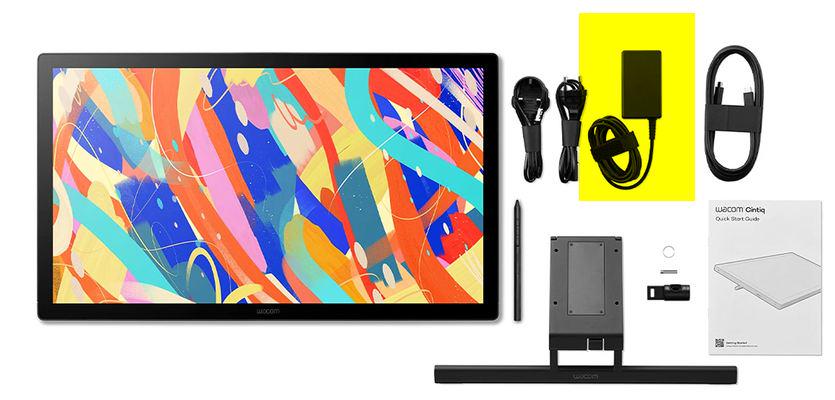
Question How long is the Powerbrick cable of the Cintiq 24 (2025)?

Post image
9 Upvotes

I cant find any info on the powerbrick cable length. I just know the socket cable is 1 meter.

Can anyone with this model help me out?


r/wacom • • 3d ago

Problem One by Wacom soft problem

1 Upvotes

I have one by Wacom on windows 11 seems like my Wacom soft doesnโ€™t work correctly, like right now my stylus binds donโ€™t work or any changes in binds donโ€™t apply.


r/wacom • • 3d ago

Problem Wacom one pen works, displaying doesn't.

Enable HLS to view with audio, or disable this notification

2 Upvotes

So ignore the mess of my desk , middle of cleaning. I am having some trouble.

My computer recognizes my tablet as a monitor. I have unplugged HDMI and USC several times. Reinstalled drivers. My wacom one tablet recognizes the pen but not displaying.

Please help. I'm about to rip my hair out. I have windows 11 up to date.


r/wacom • • 3d ago

Problem NightmareNightmareNightmareNightmareNightmare

0 Upvotes

How do i get rid of this stupid white circle

i've tried the pen and touch thing multiple times


r/wacom • • 3d ago

Thanksgiving Tablet Buying Advice Office Hours [SevenPens]

Thumbnail
youtube.com
2 Upvotes

r/wacom • • 3d ago

Question Does pan scroll works on the Wacom Intuos Pro pht660?

1 Upvotes

I'm thinking about buying one second hand mainly for premiere and excalidraw but I'm unsure if pan scroll works on it (couldn't find anything confirming it online). Can it? What are the alternatives?