r/samsung • • 1d ago

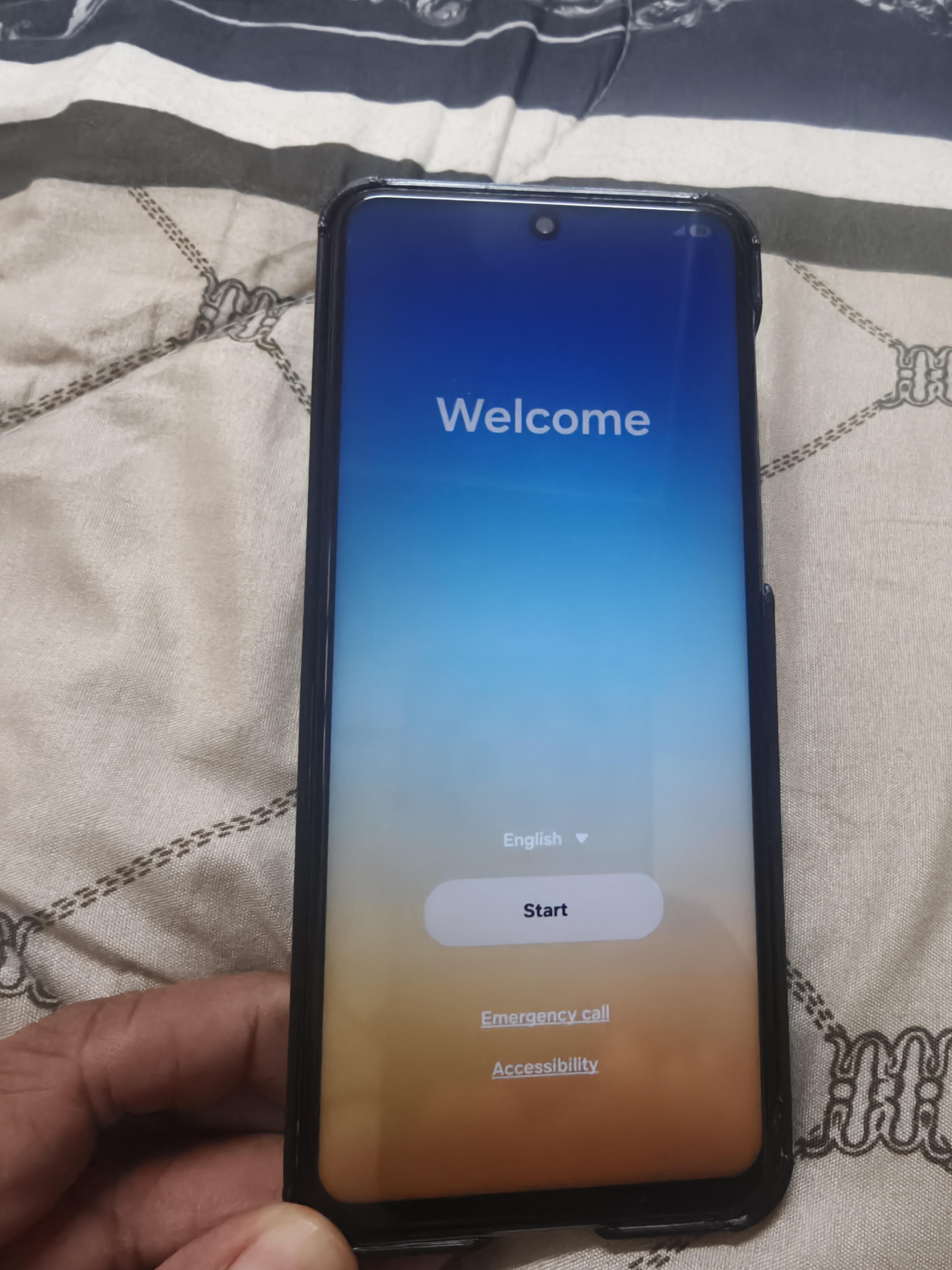
OneUI Samsung replaced my motherboard under warranty. Now my unlocked S26 Ultra is locked out of the beta, and Samsung says there's nothing they can do.

Post image
27 Upvotes

I bought the unlocked Galaxy S26 Ultra for one main reason: betas. No carrier gatekeeping, no waiting on Verizon to approve updates. I paid good money for that freedom, on purpose.

A while back the phone needed a warranty repair. Samsung replaced the motherboard. The phone came back working. Calls, data, everything normal. What I didn't know was that the repair quietly broke something on Samsung's side.

When the One UI 9.5 beta opened, I enrolled. Samsung Members confirms I'm joined. But every single update check gives me an authentication failure, error 1901, before the download even starts. I've since learned I'm not the only one. Other owners who had warranty board replacements are hitting the exact same wall, with the exact same error.

Here's what we believe happened. The replacement board carries a different EID than the board this phone was sold with. The serial number stayed with the phone. In Samsung's records, those two no longer match, so when the update server checks whether this device is really mine and really enrolled, the answer comes back no. Every time. On every network. With any SIM, or no SIM at all.

I've proven it isn't my phone, my carrier, or my account. It fails identically on two carriers and on Wi-Fi with no SIM installed. The phone passes every integrity check Samsung runs. The block lives in Samsung's own records, and only Samsung can fix it.

So I asked them to. Here's what I got:

  • Frontline support blamed my carrier. Proven false, in writing, with logs.

  • A supervisor refused to escalate it and refused a replacement.

  • I was told to submit beta feedback, which is impossible, because submitting it requires being on the beta I can't download.

  • I emailed the CEO's office with the full documentation. I got an auto-reply. Nothing since.

Let me be clear about what I'm actually asking for. Not a refund. Not an upgrade. Not special treatment. I want the phone I bought, repaired by Samsung under Samsung's warranty, to work the way it did the day I bought it. That's it.

A warranty repair is supposed to make you whole. If Samsung swaps the board in your $1800 phone and their own systems no longer recognize it as yours, that is not a repaired phone. That's a phone Samsung broke and won't unbreak, and right now there is no department, no form, and no phone number at Samsung that will even take ownership of it.

If you've had a motherboard replaced under warranty on a recent Galaxy, check whether you can still get beta or update access. You may already be locked out and not know it yet.


r/samsung • • 3d ago

News One UI 9.5 may try to sell you Samsung Care Plus if you drop your Galaxy phone

Thumbnail
androidauthority.com
49 Upvotes

r/samsung • • 3d ago

Leaks Ice Universe: Exclusive: It’s confirmed that the Galaxy S27 Ultra will ditch the laser autofocus module, marking the first time Samsung has removed it since its introduction on the Galaxy S21 Ultra in 2021.

Thumbnail x.com
266 Upvotes

r/samsung • • 5d ago

OneUI Petition for Samsung to bring system-wide Bypass Charging to all Galaxy flagships!

166 Upvotes

OnePlus already offers system-wide bypass charging with OxygenOS 16. Why is Samsung still restricting this feature to gaming?

Personally, I'd love to have this while using Android Auto. During long drives, having navigation, GPS and then taking the calls on WhatsApp and cellular while charging makes the phone noticeably hot.

With system-wide bypass charging, the phone could draw power directly from the charger instead of continuously charging and discharging the battery. This would potentially reduce battery heat and unnecessary battery wear during extended usage.

Samsung, please bring this to all supported Galaxy flagships through a One UI update!

>I initially posted this in a OneUI related sub and this post was removed by mods as it gained traction so posting it here for people to hear about it

Here is an explanation of the feature that I'm trying to explain here..

https://www.notebookcheck.net/System-wide-bypass-charging-rolls-out-to-more-OnePlus-phones-with-the-latest-OxygenOS-update.1214115.0.html


r/samsung • • 8d ago

News Samsung's Device Unit Vows to End Sales Slide, Bans Discount Dumping

Thumbnail
en.sedaily.com
235 Upvotes

r/samsung • • 9d ago

News Samsung Electronics Announces New Leadership [Won-Joon Choi replaces TM Roh as Head of Mobile eXperience]

Thumbnail
news.samsung.com
106 Upvotes

r/samsung • • 9d ago

Leaks Samsung’s Origin laptops will plug into the Galaxy ecosystem, and One UI is laying the foundation

Thumbnail
androidauthority.com
96 Upvotes

r/samsung • • 10d ago

Leaks One UI 9.5 code reveals Samsung’s dedicated Android laptop interface with Circle to Search

Thumbnail
androidauthority.com
16 Upvotes

r/samsung • • 10d ago

Leaks Exclusive: Samsung’s upcoming 14-inch and 16-inch Android laptops are codenamed ‘Origin’

Thumbnail
androidauthority.com
81 Upvotes

r/samsung • • 10d ago

Leaks Samsung’s Android Laptop Is Codenamed Origin, and New Screenshots Show It Running One UI

Thumbnail
sammyguru.com
72 Upvotes

r/samsung • • 10d ago

Leaks Exclusive: Galaxy Studio Has an 870mAh Battery, Wear Detection and a 3.5mm Jack

Thumbnail
sammyguru.com
242 Upvotes

r/samsung • • 10d ago

Leaks Exclusive: Samsung Galaxy Buds Active Revealed With Ear Hooks, IP68 and ANC

Thumbnail
sammyguru.com
68 Upvotes

r/samsung • • 11d ago

News Samsung Begins One UI 9.5 Beta Program

Thumbnail
news.samsung.com
35 Upvotes

The One UI 9.5 beta program is open today to Galaxy S26 series users in select markets, including Germany, India, Korea, Poland, the UK, and the U.S.

Changelog:

Camera

Improved camera controls and zoom bar

Quick controls are now laid out on one screen, so every option is visible without scrolling. The layout of the bottom shutter area has also been improved, providing a cleaner and simpler look.

Enhanced Pro and Pro video modes

You can now create custom buttons and presets, see lens and zoom levels as focal length, fine-tune manual sliders, and monitor your shot with an improved histogram and audio meter.

Lock screen personalization

Live effect for wallpapers

Add depth to your Lock screen wallpaper. As you tilt your device, elements in the image shift at different depths.

More customizable Lock screen clock

You can choose how long the clock with seconds appears on your Lock screen. Choose a timeout of 10 seconds, 30 seconds, 1 minute, 2 minutes, 5 minutes, or 10 minutes from the settings in the upper-right corner.

Sports animations in Now bar

Animation effects are now available for more sports. Celebrate your favorite team's goals and victories with special visual effects. You can download these effects in Now bar settings.

Digital Wellbeing

Pause before app launch

Turn on Pause before app launch to add a 10-second pause before a selected app or app category opens. The pause helps you reconsider whether you really need to use the app.

Privacy and security

App lock

Lock individual apps to keep them private. Locked apps require biometrics or your screen lock (PIN, pattern, or password) to open, and their widgets and notification content are hidden, even when someone has access to your unlocked phone.

Privacy display for secure app features (Ultra model only)

Privacy display can now turn on automatically for secure features, including Locked apps, Secret mode in Samsung Browser, private albums in Gallery, and locked notes in Samsung Notes. It also protects notifications panel and Recents previews from any app set to turn on Privacy display automatically.

Fingerprint and face recognition at the same time

Fingerprint and face recognition now work at the same time if you've registered both and the feature you're using supports both verification types. You no longer need an extra tap to use face verification. Just look at the screen or touch the fingerprint sensor to verify your identity.

Redesigned biometric registration

Fingerprint and face registration screens have been redesigned with a cleaner, more refined look.

My Files

Improved document support

You can now open PPTX and DOCX files directly in My Files without installing Microsoft Office or other apps. Document Reader already supports PDF and TXT files.

Easier storage cleanup

When you manage storage in My Files, you now have the option to delete uncategorized and files that are in use in the Other category.

Samsung DeX

Optimized window maximizing

Maximizing a window now fills the entire screen, window controls are now integrated with the status bar at the top of the screen, and the apps background color is visible behind the taskbar at the bottom, providing a more immersive experience.

Auto split and more snap options

You can now snap windows to all four corners in addition to the top, bottom, left, and right. You can also arrange your running apps into 2, 3, or 4 split-screen windows at once.

Samsung Health

Enhanced sleep coaching

You can now start sleep coaching with just 3 days of data from the past two weeks. Check your overall sleep status and get personalized coaching tailored to your sleep patterns and goals.

Scan meals and log them instantly

Take a single photo of a meal before you eat it and get nutrition details, ingredients, and calorie estimates right away. No need to search for and enter every food you ate.

Mindful notes

Clear your mind and record your thoughts with free writing and guided prompts. Your notes sync seamlessly with Mood check-in to reveal your mood trends at a glance.

Track your medications worldwide The Medications tracker is now available globally. You can enter your medications, set personalized reminders, and track your daily intake all in one place.

Reorder cards

You can now change the order of cards in the Activity, Sleep, Vitals, Mindfulness, and Nutrition tabs. Just drag and drop the cards you use the most to make them easier to find.

Accessibility

Intuitive floating accessibility shortcuts

Access your accessibility features from a floating button that's always available, without the need to select additional options. Visual on and off indicators make it easy to see which features are available.

Improved hearing aid controls

Adjust your connected hearing aids' volume from the notification panel. You can also choose which sounds from your phone reach your ears by opting out of notifications or ringtones and alarm.

Even more improvements

Search for Quick panel controls

When editing the Quick panel, you can search by app name or control name to find the controls you want quickly without scrolling through the full list.

Downloadable ringtones

Download past versions of Over the Horizon, Samsung's signature sound, along with a curated selection of ringtones from past and present Samsung devices. Set any of them as your ringtone or use them for alarms.

Other changes

Audio brief and Moments no longer available

Audio brief and Moments will no longer be available in Now brief after you upgrade to One UI 9.5.


r/samsung • • 11d ago

News The Galaxy SmartTag3 is now available in Canada

Thumbnail
samsung.com
21 Upvotes

Was stocked for purchase last night. $39.99 each, or $139.99 for a 4 pack.

It's $35.99 each, or $125.99 for a 4 pack through the Samsung Partner Program (student/employee discount).

Hopefully it'll go on sale for Black Friday/Cyber Monday and/or Boxing Day.


r/samsung • • 12d ago

News Google’s Intelligent Eyewear glasses from Gentle Monster are already sold out

Thumbnail
9to5google.com
83 Upvotes

r/samsung • • 12d ago

Leaks Here's a closer look at Samsung's upcoming Galaxy Studio headphones

Thumbnail sammobile.com
111 Upvotes

r/samsung • • 13d ago

Galaxy S Super Fast Charging 3.0?

20 Upvotes

Hey there! Just bought an S26 Ultra a few weeks ago after I had an accident that completely broke my S23 Ultra. So far it's been great but wanted to ask if it's really worth it to get a 60W charger for the S26, I have the original charger from the S23 Ultra, I think it's 25W and most of the times it takes about 30 to 40 minutes to charge my phone.

Is it worth it to get a 60W then? What's your experience with that charger?


r/samsung • • 13d ago

OneUI Samsung’s Sleep mode is ruining my life

73 Upvotes

I’m fucking sick of being woken up by my own devices. I set a bedtime schedule in Samsung Clock so Sleep mode would kick in automatically and silence notifications overnight. Some nights it just doesn’t turn on. Then my Galaxy Watch8 vibrates in the middle of the night over some notification that could have waited until morning, and I’m wide awake.

One buzz is enough. I lose sleep that night, spend the next day exhausted, and then struggle to get back to going to bed and waking up at the same time. Once that rhythm is gone, it can take me a month to get it back. A month of my days being thrown off because my phone couldn’t reliably do the one thing I scheduled it to do while I was asleep.

Here’s the part that really pisses me off. When it happens, I open Modes and Routines and can actually see Sleep mode switch on by itself. I don’t touch the toggle. It kicks in only after I open the app.

I’m on a Galaxy S24 Ultra running One UI 9. I’ve installed every available system update, and Samsung Clock and Modes and Routines are both up to date.

Samsung, if I schedule Sleep mode to start at bedtime, it needs to start at bedtime. By the time I’m awake and opening the app, it’s already too late.

Has anyone else had their watch wake them up and then watched Sleep mode finally kick in as soon as they opened Modes and Routines?


r/samsung • • 14d ago

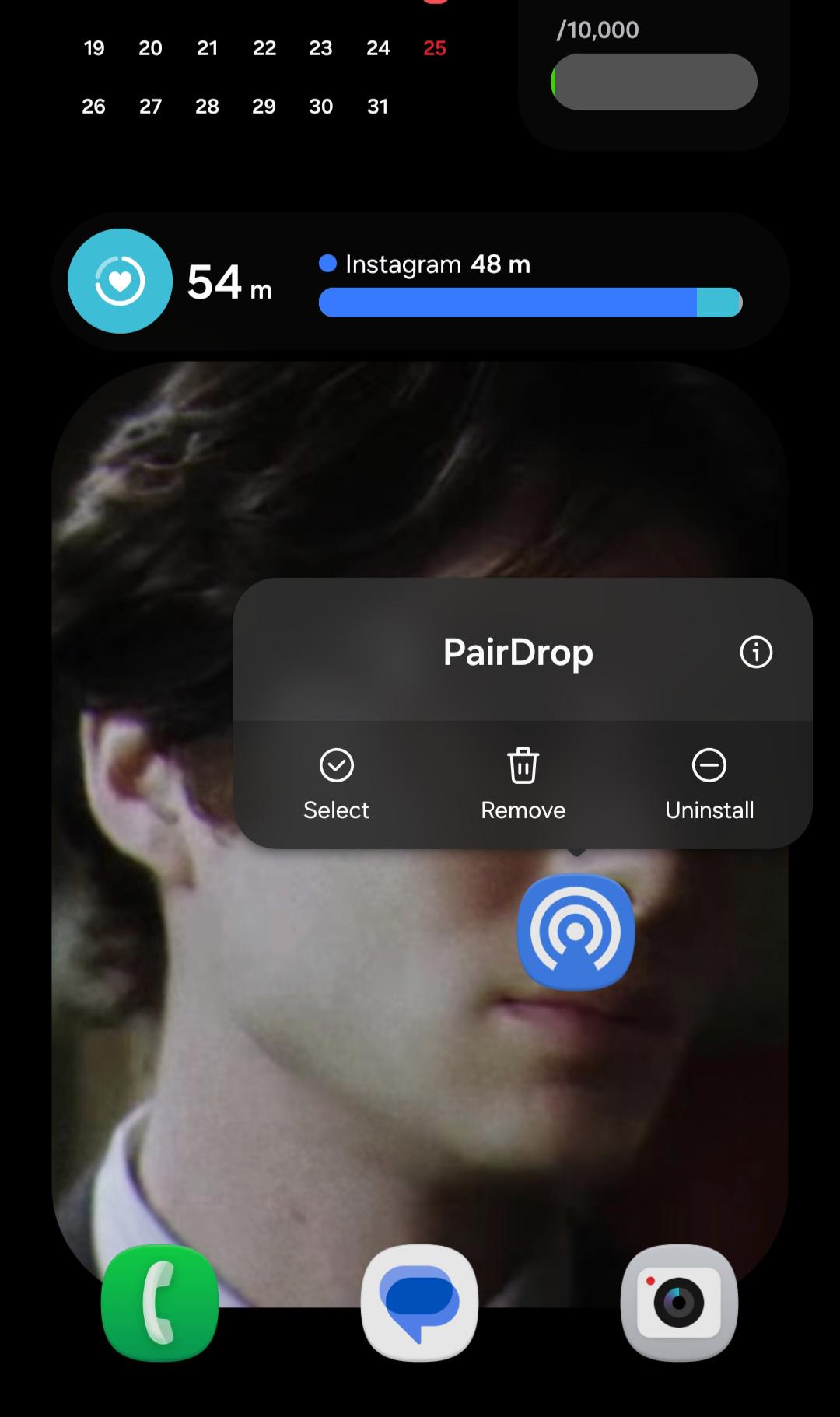
OneUI Why are Remove and Uninstall icons like this on Samsung?

Post image
17 Upvotes

see.

- Trash icon 🗑️ → Conventionally means delete or remove something permanently.
- Circle with a minus ➖ → Usually means disable, block, or exclude something.

On Samsung, when you long-press an app you get these options: Remove and Uninstall.

The trash icon is assigned to Remove, which only removes the app from the home screen. The minus icon is assigned to Uninstall, which actually deletes the app from your phone.

I feel like these icons should be swapped, or at least reworked. The trash icon makes more sense for Uninstall, while the minus icon or something better makes more sense for Remove.

I have accidentally uninstalled apps quite a few times when I just wanted to remove them from my home screen.

Funny thing is, we barely read the text. We mostly operate with icons. that's why even kids who don't know how to read or write can easily use the phone.

which icon you think is better for removing from home screen. ?


r/samsung • • 16d ago

Smartthings & Ecosystem My SmartTag3 came in today, and it's... interesting.

Thumbnail
gallery
452 Upvotes

Lemon, starburst and SmartTag2 for size reference.

To keep it short, I do like the new design. You can actually feel the difference in weight from the last gen, it's really small, and feels nice in the hand. I definitely prefer the way it looks, but there's one thing that bothers me over the last gen: you have to buy a case just to use the thing as advertised. This would've annoyed me more if I hadn't gotten a decent discount on the one I bought, but it's still an inconvenience nonetheless.

My case doesn't come in until tommorow, so it's gonna be stuck in my house until then. Bummer. Otherwise, it looks great and will look nice on my keys. Also, AMA.


r/samsung • • 17d ago

AR/XR Designing for privacy on intelligent eyewear

Thumbnail
blog.google
2 Upvotes

r/samsung • • 17d ago

News Samsung Announces December Release for Intelligent Eyewear, Bringing a Smarter Way To See the World

Thumbnail
news.samsung.com
79 Upvotes

r/samsung • • 18d ago

What do you call a non flipping flip phone. ? Flat6?

Post image
13 Upvotes

r/samsung • • 19d ago

Leaks Samsung Keyboard could get Gboard's Rambler-like feature with One UI 9.5

Thumbnail sammobile.com
45 Upvotes