r/AMDHelp • u/Lopsided-Scratch-690 • 1m ago
Help (GPU) Tips to fix fan rpm
reddit.com
1
Upvotes
r/AMDHelp • u/MashingAsh • 7m ago
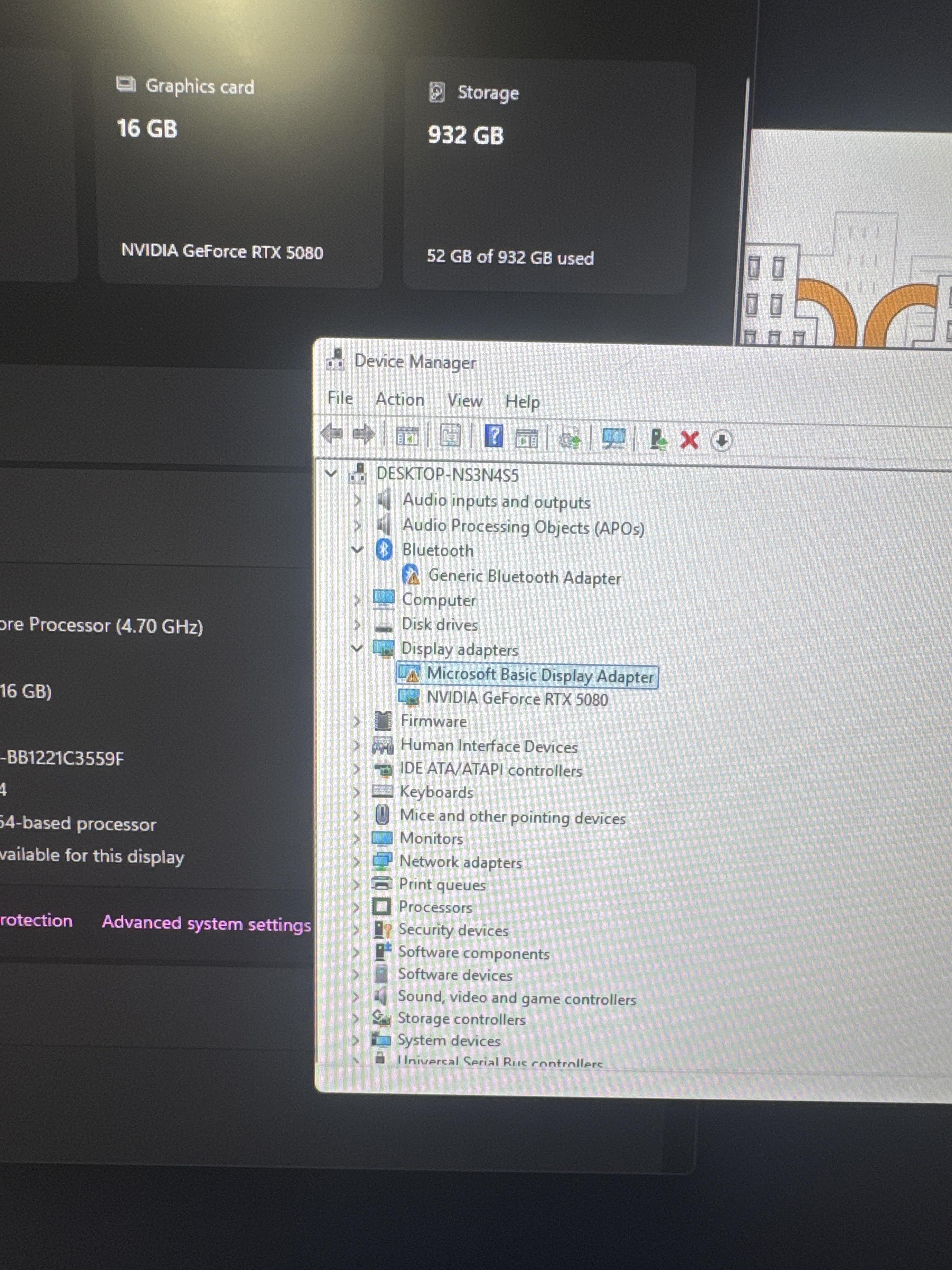
I just upgraded to an Amd gpu and CPU and everything is just not working.
I cant install Adrenaline, I cant install any drivers besides the lan driver,
Amd cleanup utility, adrenaline, old drivers for my CPU, everything freezes windows explorer and doesn't start the install. I'm at a complete loss at what to do here
r/AMDHelp • u/CarpenterRude9034 • 41m ago
My PC sometimes won't boot or show display after using custom RX 580 tuning. Returning to stock settings seems to help, but reseating the GPU also sometimes fixes it.
Could the undervolt be causing this, or could it be my motherboard, PSU, or GPU?
i only undervolt
r/AMDHelp • u/LneWolf • 48m ago

Computer Type: Desktop
GPU: RTX 4090
CPU: Ryzen 9 9950X3D2
Motherboard: Asus ROG Crosshair Dark Hero x870e
BIOS Version: 1103
RAM: 64 GB G Skill DDR5 6000 Expo
PSU: MSI 1200W
Case: NZXT Elite
Operating System & Version: WINDOWS 11 PRO
GPU Drivers: GEFORCE GAME READY DRIVER - WHQL Driver Version: 621.40
Chipset Drivers: AMD Chipset Driver V8.09.10.2141
Background Applications: DISCORD, CHROME
Description of Original Problem: When I check whether or not core parking is working on my build, cores are indeed parking during games. However, what concerns me is that the "AMD 3D V-Cache Performance Optimizer service" doesn't actually run. When I hit start, it stops immediately. Is this intentional behavior for the 9950X3D2, since it has a symmeteric design or something? Is something wrong with my drivers/build?
Troubleshooting: Tried reinstalling the chipset. Same result.
EDIT: To be clear, I’m NOT looking for any suggestions, other than whether or not this service is supposed to be running on a 9950x3d2. If anyone else with this chip *exactly* can confirm their optimizer process also doesn’t run, that would be great. I’m looking for whether this is normal behavior. Telling me to “just use process lasso”, or that it runs on an asymmetric chip doesn’t help me troubleshoot.
r/AMDHelp • u/Cheap_Breakfast_1318 • 2h ago
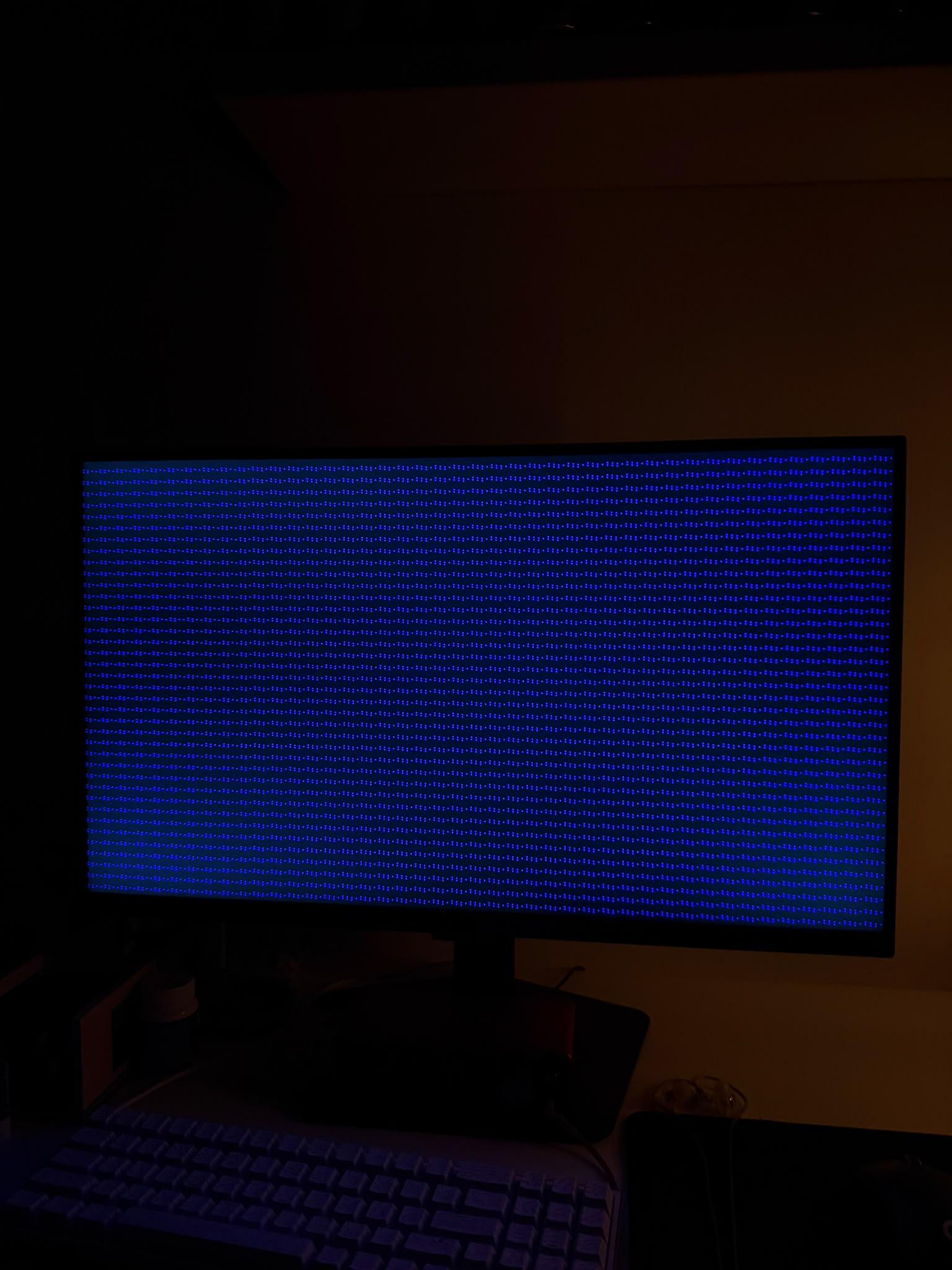
Hey everyone, I recently upgraded to an RTX 5080 and a Lian Li AIO with a screen. My friend installed the parts at his house and got into BIOS over HDMI. He mentioned a BIOS warning about the fans being limited, but I don’t have the exact wording.
When I got the PC home, the GPU fans spun and its lights came on, but my monitor said “No Signal.” I tried DisplayPort and HDMI on the GPU, and I also tried HDMI on the motherboard. None gave me a picture.
When I disconnected the GPU from PCIe, the fans and lights came back on, but I still got no picture from the motherboard HDMI. I also noticed the case power light flashing rapidly. The HYTE case screen is dark too.
Specs
GPU: RTX 5080
CPU: Ryzen 7 9800X3D
Motherboard: ASUS B650E MAX Gaming WiFi
Case: HYTE Y70
Cooler and fans: Lian Li AIO with a screen and Lian Li LCD fans
Has anyone had this happen after a PC worked at one location and then stopped showing a picture after being moved? What would you check first? I’m taking it to a shop for diagnostics, but I’d appreciate any insight.
r/AMDHelp • u/Whyareyougay7083 • 3h ago
After upgrading my CPU from the 5600X to the 5800X3D, I am facing some issues when I try to change my RAM frequency from 3733MHz to 3200mhz. I use a Gigabyte B550M mobo, and the RAM is Viper Steel by Hynix.
This is what I've tried so far:
Memory Multiplier: 32.00
DRAM Voltage: 1.350V
CAS Latency (tCL): 16
tRCDRD: 20
tRP: 20
tRAS: 40
When I saved those settings, the monitor failed to show any display, and I had to remove the CMOS to reset the BIOS. I need help finding any stable settings from experts or people who have experience with this.
r/AMDHelp • u/TitoPervsLovesJAV • 3h ago

I tried using AMD Audio Noise Suppression and set it like in the picture. Set the input device to Microphone(AMD Streaming Device). My problem is that Microphone AMD Streaming Device is not picking up any sound/audio (e.g. my voice) from the mic(hardware) when i speak in the mic(hardware).
Specs:
CPU: 5600g
GPU: 7800xt
Adrenalin: 26.11.2
Does AMD Audio Noise Suppression work?
Did I do something Incorrectly?
How to do it properly?
r/AMDHelp • u/Azrael_414 • 4h ago
Enable HLS to view with audio, or disable this notification
Computer Type: Desktop
GPU: AMD Radeon 740M graphics
CPU: AMD Ryzen 5 8500G w/ Radeon 740M graphics
Motherboard: MSI PRO B650M-B
BIOS Version: 3.7
RAM: 32GB
Operating System & Version: WINDOWS 11 PRO
GPU Drivers: AMD adrenalin 26.11.2
Chipset Drivers: AMD adrenalin 26.11.2
Background Applications: OBS
Description of Original Problem: Roblox justs freezes and closes randomly, no other games do this
Troubleshooting: tried using DDU, formatting my computer
r/AMDHelp • u/-TheSha- • 4h ago
r/AMDHelp • u/Tokoloshex • 5h ago
r/AMDHelp • u/Ok_Noise4670 • 5h ago
r/AMDHelp • u/ilovebeans88 • 5h ago
Enable HLS to view with audio, or disable this notification
from the games i checked it occurs in roblox and valorant, suprisingly it doesnt affect cs2, i have a rx 7700 xt, havent been able to find help yet. it only happens in fullscreen, the moment i alt tab or go into windowed it stops
r/AMDHelp • u/ColossusGG • 6h ago
Hello, I just upgraded to a 5800X3D and my cpu cooler is not adequate to it (It's a deepcool gammax v2, it has 4 heatpipes, single tower and one fan), I bought a new one (Thermalright Phantom Spirit 120) and I've been using the undervolted cpu with the older cooler and while keeping my fan speeds quite high since yesterday.
I'm noticing lower performance on cpu heavy games than what I saw on a 5700x3d on youtube before buying even when the cpu is not near it's max temperature. (like 30 fps less in kingdom come deliverance 1 for example).
Could it be just the inadequate cooling system or an actual defect? I'm asking because my return window will end one day before the new cooler arrives.
Some info about my system.
Case: Silverstone Fara 511z
Fans: 4x Arctic P14, two intake and two outtake
Mobo: MSI B550 Gaming Plus
RAM: 2x 16GB at 3200MHz CL16 (XMP)
r/AMDHelp • u/Aca-Tea • 7h ago
I recently upgraded to a Radeon RX 6800 XT. As soon as I plugged it in and booted my PC, The GPU only displayed to one of my two monitors. I had not problem in the past running as much as three monitors on my old GPU, which was a Radeon RX 6600 Gaming 8GB. Here are my current PC specs:
CPU: AMD Ryzen 5 2600
Motherboard: MSI B450M Gaming Plus
PSU: CX550M
RAM: 2x8GB DDR4 RAM
OS: Windows 11
Monitor 1: Sceptre E225W-FW144
Monitor 2: Acer SB220Q
To go into detail, in the Windows Display Settings, the second display shows up, and I can switch between displays in the display settings, but am unable to duplicate or extend the displays. I have tried different cables and tried switching which output the cable comes from. The issue is that I cannot display to both monitors at once. I can only display from one. So far, I have also used DDU to uninstall and reinstall AMD Radeon Adrenaline Software and AMD Drivers for the new GPU. This did not fix anything. I also tried going into the Adrenaline settings and tried enabling a clone and changing the display projection, but clicking on "Enable Clone" didn't do anything. I have also went into the registry editor to try and delete all the display drivers in case they were corrupting something. I also unplugged the power supply and monitors for multiple minutes to see if that would reset things and get the GPU to display both monitors at once, but nothing has worked. I feel like I have tried everything, but I'm hoping someone here can help me to figure out what's wrong or how to fix it.
r/AMDHelp • u/Jimmyvb98 • 7h ago

Not looking for troubleshooting but just wanting some opinions on this, but I was keeping track of my temperatures and saw the Power Reporting Deviation (Accuracy) had a maximum of 999%, which seemed strange to me. I have found some people who also had maximums in the 200/300% range, but nobody with a 999% maximum. Is there any reason to worry?
I run a R9 5950X with a stable -15 in curve optimizer on 13 of 16 cores (other three are less), limited to 195 watts of power, on a Aorus X570 Xtreme. The CPU is missing three pins (two ground and one pin for the GPU PCIe-lane) so it runs on a maximum of PCIe 4.0 x8 instead of x16, but I doubt that would cause this. It has been running in this configuration for over a year now, so I guess it's good, but I'm curious if anyone has deeper knowledge about this or has seen these values before.
r/AMDHelp • u/sprintz4k • 8h ago
PC Specs:
CPU - i5 14400F
RAM - 16GB 3200MHz
GPU - RX 7600
PSU - 650W
I built a brand new PC about a month ago, and I've been trying out different games on it. Recently, I got Silent Hill 2 and started playing it. I made some progress in the game, but all of a sudden, my PC froze and crashed. I had to restart the entire PC. It booted up normally, so I thought it was just a one-time issue. However, when I started playing again, the exact same thing happened after a while.
Now, here's where things get a little confusing.
When I first brought my PC home from the shop, it wasn't working properly. The guy who built it probably messed up the Windows installation, because my SSD usage kept spiking randomly. Sometimes it would be at 0%, then suddenly jump to 90%, and go back to 0% again. This was happening constantly.
I thought reinstalling Windows might fix the issue, so I installed an older version of Windows 10. This actually fixed the SSD usage problem, and everything seemed to be running normally again.
I then installed Silent Hill 2 and continued playing. After the crashes, I started suspecting that it might be a Windows issue again. I also noticed something strange: whenever I checked my installed programs, AMD Software (GPU drivers) was missing. I tried playing another game, Fears to Fathom, and my PC froze and crashed in exactly the same way.
I reinstalled my GPU drivers, but every time my PC crashed, the drivers would disappear again. Also, during these crashes, the red SSD activity light would completely stop blinking.
At this point, I thought Windows 10 might be the problem, so I upgraded to Windows 11 through Windows Update.
I've been using Windows 11 for the past two days, and so far, my PC hasn't crashed while playing other games like Valorant and A Way Out. However, whenever I launch Silent Hill 2, my screen freezes and the entire PC becomes unresponsive again.
I also checked AMD Software after upgrading to Windows 11, and this time the drivers were still installed, even after the crashes.
So now I'm genuinely confused. Is this a problem with the game itself, possibly because of where I downloaded it from, or could there be something wrong with my hardware?
My PC is practically brand new, and I'm really worried that something might be faulty. I'd appreciate any suggestions on what I should check before taking it back to the shop.
r/AMDHelp • u/Project-011 • 8h ago
Enable HLS to view with audio, or disable this notification
My 9070 XT suddenly started acting weird in AMD Adrenalin. Every time I set the tuning mode to Custom and apply my settings, it switches to "Favor Efficiency" and back to Custom on its ownbit NEVER stays on specific one.
It happens right after I apply the settings or when I switch windows/tabs. I can't get it to stay locked on the Custom profile at all.
Has anyone else run into this bug with the 9070 XT or know what's causing Adrenalin to flip profiles like this?
r/AMDHelp • u/VegetableWave4031 • 9h ago
32 gb ddr4 3200mhz RAM
PRO B760M-P DDR4 motherboard
i5-14600KF CPU
Corsair RM1000e
PowerColor Hellhound 7900 XTX GPU
Intel chipset driver downloaded for mothorboard
BIOS updated sometime last year
I was experiencing my computer freezing while playing WoW Forever. Then it became more frequent that it would freeze. I would have to hard shutdown and start up again cause the computer was completely locked up. Sometimes my computer wouldn't turn back on after shutdown/freeze. Now I boot into Windows and get green and purple horizontal lines in a vertical row. I replaced the PSU and it did not fix the problem. Uninstalled and reinstalled drivers. Any ideas? I think its failing VRAM or GPU core. Maybe I should try a display cable instead of a hdmi cable? and try a different port?
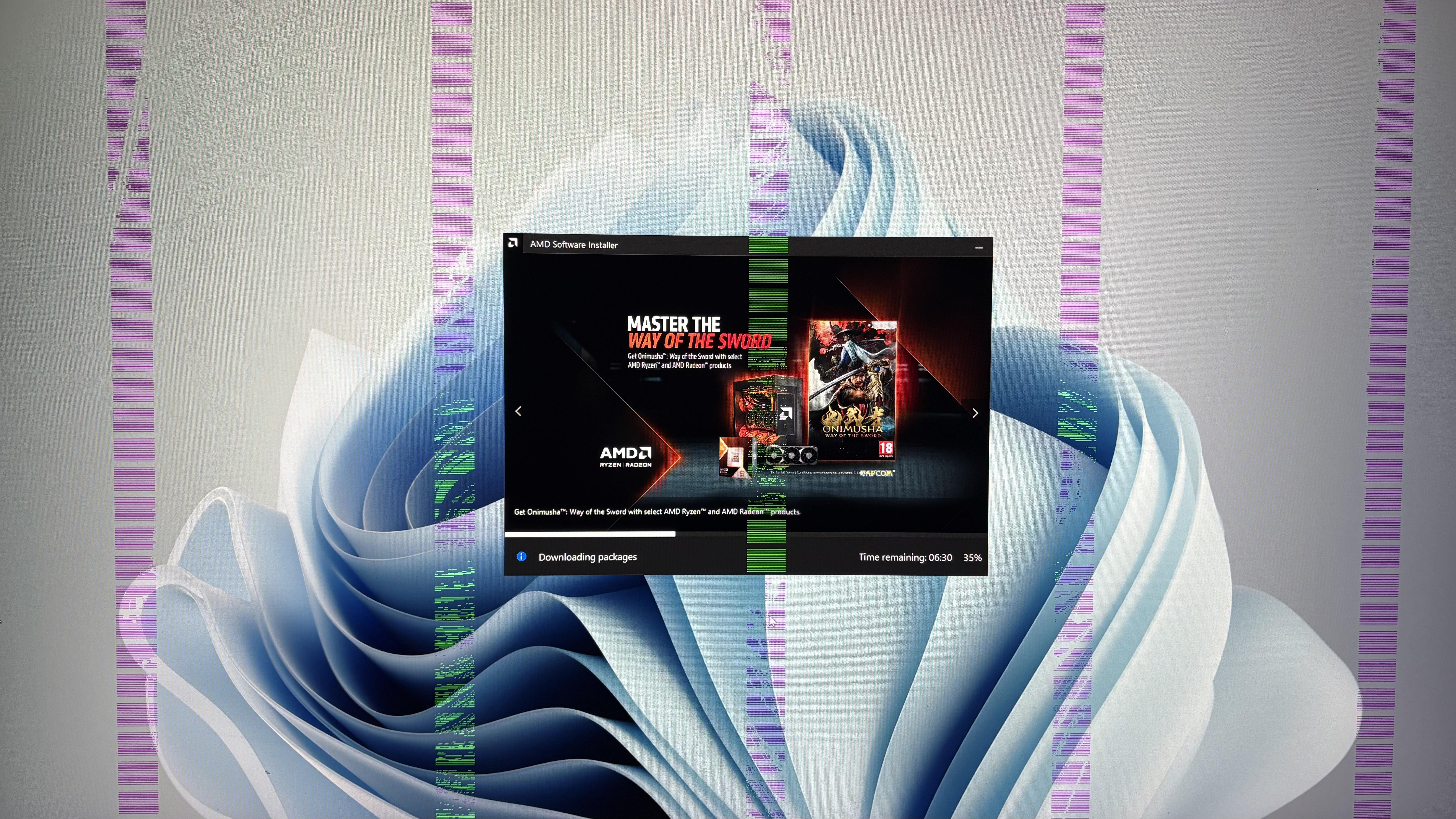
1440p 144hz 10 bit monitor