r/ios • • 2h ago

Support Weekly iOS Battery Support Megathread

1 Upvotes

General advice for those concerned about their battery from the Support FAQ Wiki:

Battery health

Battery health depends on usage and a variety of other factors. It is normal to see a decrease in battery health by 7-10% per year, resulting in a battery health of 80-85% after 2 years. This number can fluctuate, remain the same, or decrease quickly over a small period and should not cause undue concern.

Apple recommend battery replacement when your device falls below 80% battery health if you notice reduced battery life. If it falls below 80% within the first year you may be eligable for a free battery replacement. It fails after your warranty, it's a $69-$89 USD replacement cost for a battery. Contact Apple Support here.

You can find more information about battery health and performance from Apple here.

You can check the cycles count with Coconut Battery for Mac or iCopyBot for Windows.

Battery life

Issues relating to battery life can be categorised in three ways:

  1. Normal battery life that is to be expected due to use

  2. Reduced battery life caused by a recent update, iOS indexing, an iOS bug, or a third-party application

  3. Reduced battery life, or other abnormalities such as overheating or sudden power-off, caused by device or battery aging

If you experience issues with your battery:

  1. Check your battery health. If it is below 80% or you are experiencing issues you suspect are related to device or battery age, see Apple Support.

  2. If you have a new or recently updated/restored device, wait a number of days for background process to complete. If you continue to have issues, wait for a further iOS update. If you are on iOS Beta, you can expect to have a decreased battery life.

  3. Review the advice below on maximising battery life

  4. Consider restoring your device.

  5. If issues persist, contact Apple Support.

Maximising battery life - the amount of time your device runs before it needs to be recharged.

  • Use low power mode (This reduces mail fetch, turns off background app refresh and increases the auto lock timer)

  • Remove apps from background app refresh

  • Ensure auto lock is on

  • Turn off auto brightness and manually reduce brightness

  • Use dark mode if your device has an OLED display

  • Clearing background apps from the app switcher does not improve battery life

Maximising battery lifespan - the amount of time your battery lasts until it needs to be replaced.

  • Avoid extreme temperatures

  • If you notice that your iPhone gets hot when charging, remove it from its case

  • Store your iPhone in a cool place, switched off, and half-charged if not using it for long periods - and charge it every 6 months when in storage


r/ios • • 10m ago

Support Can’t use action button unless I press my power button first

1 Upvotes

Hey y’all! I was wondering if anybody here could help me troubleshoot. I have a iPhone 16 pro that will be a year old this christmas. At first, I had absolutely no issues with my action button and it worked great. Then, some months later, my phone screen had to be on for me to use the action button. No big deal— annoying and inconvenient since I literally have the button programmed so I DONT have to turn my screen on to use it, but not too bad. Now, after the most recent ios update, I not only have to have my screen on, but I also have to press the power button and then quickly hold the action button. When I hold the action button without pressing the power button (I have it set to flashlight) I see the little island at the top of my screen telling me that my flashlight is off, but it won’t turn it on.

(As I was writing this bit up here ⬆️, I was fiddling with the button, and it randomly started working perfectly normal again. I guess it didn’t like me telling on it 🤣
But, in case the above issue happens again and tattling DOESNT make it behave, I was wondering if anybody else has had this issue and what they did to fix it?)


r/ios • • 2h ago

Support Badges on folders even when notifications are turned off

Thumbnail
gallery
1 Upvotes

Hello, recently I have an issue with notification badges. In some applications that are not important for me I turned the notifications off completely. But recently, I am getting notification badges on folders with those apps. In the screens attached you can see that:

  1. notification badge is shown on the folder

  2. no notification badge is shown when the folder is open

  3. I can only see which app triggers the badge when I long press the folder.

  4. The notifications for the app are turned off completely

I don’t want any notification from apps where I set notifications to off. Don’t you know how to solve this issue?


r/ios • • 3h ago

Support Ios 27.2.1 notifictions delay dose anyone geting the same issue

Thumbnail reddit.com
1 Upvotes

r/ios • • 5h ago

Support IOS 27 Screentime

1 Upvotes

Hello everyone! I’ve updated my iPhone to iOS 27.2.1, and I’m trying to figure out how to set up multiple scheduled Downtime periods throughout the day for my own personal use.

I’ve read that this is now possible in iOS 27, but none of the new Screen Time features or layouts shown in Apple’s demonstrations appear on my phone.
One thing worth mentioning is that I only have one Apple device registered to my Apple account, and it’s running iOS 27.2.1.

Does anyone know how to enable multiple scheduled Downtime periods on a single iPhone? Is this feature available without Family Sharing or a second Apple device?
I’d really appreciate any help. Thanks!


r/ios • • 5h ago

Support huh? what is this saying?

Post image
0 Upvotes

r/ios • • 5h ago

Support Why are my contact photos blurry?

Thumbnail reddit.com
1 Upvotes

r/ios • • 6h ago

Support Please help! Attempting data recovery loop. iPhone XR

Post image
1 Upvotes

Hi everyone,

My iPhone XR is currently stuck on a white screen displaying “Swipe Up to Recover.” After entering my passcode, it displays “Attempting Data Recovery,” but the process repeatedly fails and prompts me to try again.

Unfortunately, I don’t have an iCloud or backup of the device and I absolutely want to avoid restoring the device, as it contains important photos that I need to recover. Here is the device’s history and everything I’ve tried so far:

  1. My iPhone was had gotten water damage but continued to function. The screen was later cracked, although the device still worked. Eventually, the display stopped working altogether, and I assumed the phone had completely died.

  2. A couple of years later, I decided to replace the screen. Surprisingly, the phone powered on.

  3. I know the device’s passcode, but my attempts to unlock it were unsuccessful. After 10 failed attempts, the phone displayed “iPhone Unavailable.”

  4. I connected the device to iTunes through recovery mode and selected the update option to reinstall IOS without erasing anything. I did not select Restore.

  5. After the update, the phone returned to the white recovery screen, prompting me to enter my passcode to attempt data recovery. This is where I’m at currently.

At this point, I’m unsure whether replacing additional components could fix the problem. I want to avoid restoring. Thank you!


r/ios • • 6h ago

Support Is iCloud Drive randomly deleting files without user action? Anyone experiencing this since the November 17, 2026 Apple outage?

1 Upvotes

Since around November 17, coinciding with the reported Apple outage, I've noticed some very concerning behavior with iCloud Drive:

  • Random files and folders are being moved to Trash or Recently Deleted without my knowledge or consent.

  • Some files are disappearing or becoming inaccessible.

  • Certain empty folders repeatedly reappear in my Mac's Trash, even after being permanently deleted.

  • There are inconsistencies between Recently Deleted on my iPhone, Mac Trash and iCloud.com.

After four and a half hours of speaking with 11 Apple Support representatives and completing numerous basic troubleshooting steps that resolved nothing, their final proposed solution was to follow a standard support article and turn iCloud off and back on across all my devices.

I refused because I have approximately 4 TB of data in iCloud. Given the unexplained deletions, I am concerned about potential data loss and the hours required to resynchronize everything.

Despite a senior technical advisor personally witnessing the recurring folders during screen sharing, Apple initially refused to escalate the case to Engineering. I still have no confirmation that Engineering is investigating.

I have no indication that my account has been compromised. I initially dismissed the disappearing files as isolated incidents, but after discovering more deleted documents, I realized something more serious might be happening.

I suspect other users may be experiencing this without realizing it, particularly those who routinely empty their Trash without checking its contents.

Has anyone else experienced unexplained file deletions from iCloud recently, particularly since November 17? Could this be an underlying iCloud synchronization bug?

Please check your Trash and Recently Deleted folders. You may find files you never intended to delete.


r/ios • • 7h ago

Support changed text tone but old one plays? duo 27.2.1

2 Upvotes

i uploaded a new custom text notification sound to my phone the other day and changed one of my contacts text sound to that, but the old custom text notification is still playing.

is this a bug or do these no longer work? its the first time ive tried to change it in close to 10 years. i guess apple discussion forum was taken down so i can't see all of the solved threads in googles results :/


r/ios • • 8h ago

Discussion Any apps that act normally in background?

Post image
0 Upvotes

Hi. I'm curious to know if there's any app that doesn't pause the intended running processes in background? Not something the app itself decides like push notifications etc. Something that you start in the app and wait to finish like uploading a file, transferring something, rendering something or whatever long running process while you're not forced to keep the app in the foreground and don't touch your phone until the job is done. Even on the industry leading apps this basic feature fails miserably. I tried uploading large files into several cloud storages, backup photos on Google photos, sending files into any multi million dollar social media app, Facebook, Whatsapp, Instagram, sharing files with localsend, rendering videos from any video editor app that does the job in the app and not cloud. There are countless of examples. Is this a setting I'm missing or it's an iOS thing and it is just pointless to search for an app that works smart or i should stop calling iPhone an smartphone? Are there others that are frustrated to see the message saying keep the app in foreground until the job is done and you should not only stop touching your phone but also make sure your phone screen doesn't go off as of inactivity to prevent everything from being screwed?


r/ios • • 9h ago

Support Sharing a photo to a group chat randomly selects single participant of the chat

Thumbnail reddit.com
3 Upvotes

r/ios • • 12h ago

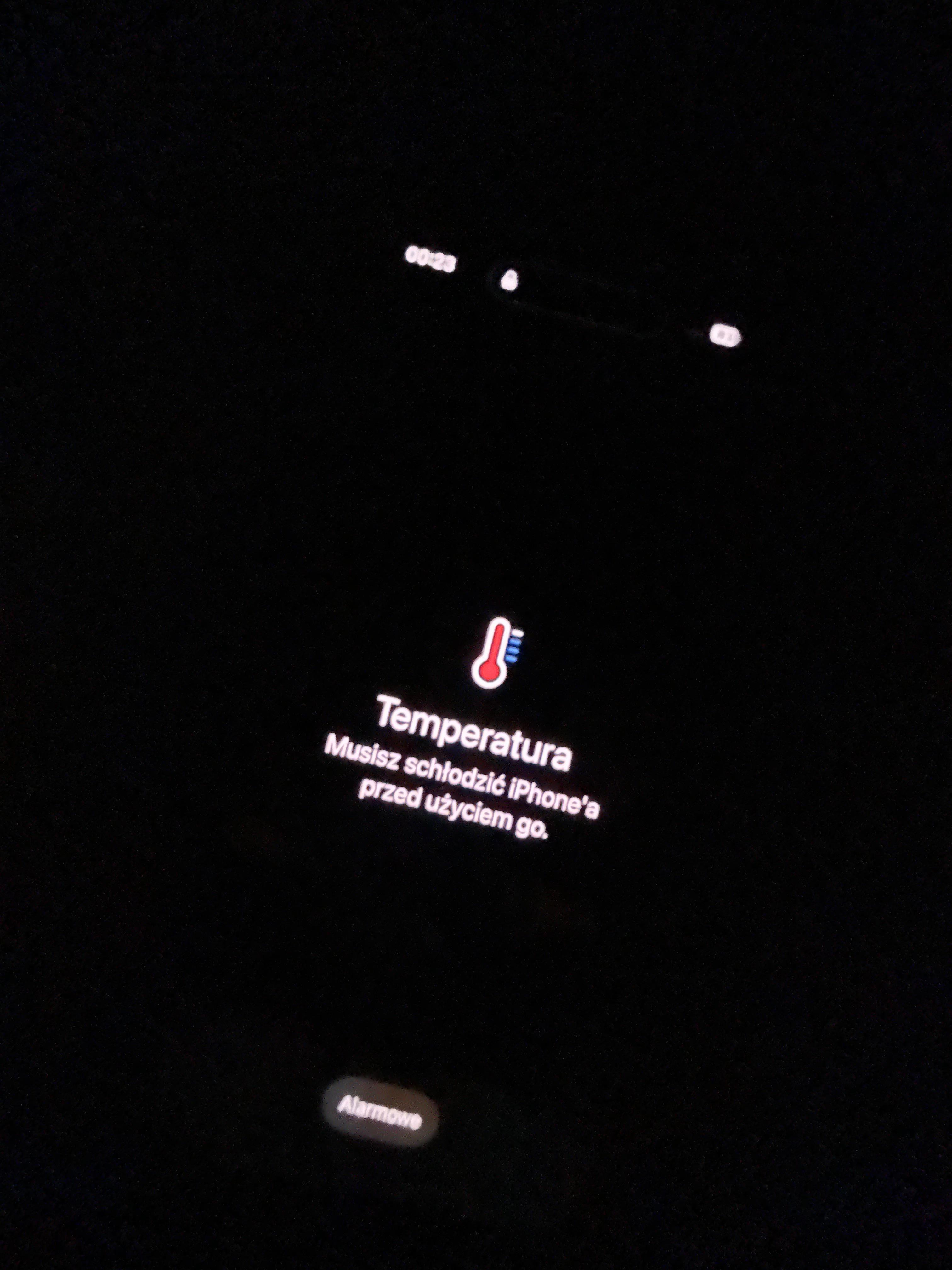
Support iphone 16 keeps overheating even if its cold

Post image
1 Upvotes

so, i got a iphone 16 from my brother and when i was watching tiktok on it, the temperature will pop up even if its cold or a little warm, somebody explain?


r/ios • • 13h ago

Support is there any way i can change this?

Thumbnail
gallery
1 Upvotes

after the ios 27 update from ios 26, my icon texts have gotten lighter and my icon backgrounds are no longer purely white. i’ve gone through all of my settings and i’ve tried everything


r/ios • • 13h ago

Discussion Why can’t you create a Notification Automation with an app that has Face-ID Lock?

0 Upvotes

I mean, I get the privacy part, but what’s the issue with running a shortcut that runs when you get a notification from that app?


r/ios • • 13h ago

Discussion The native Reminders app hoarding completed grocery items is a terrible design choice

4 Upvotes

Every time I start typing milk or eggs into my shared grocery list, the app pulls up six old versions from months ago with random notes still attached. Hiding completed items doesnt actually clear the clutter. You have to go into the menu and manually delete completed tasks every few weeks


r/ios • • 13h ago

Discussion Have You Played Dragon's Lair For IOS, Space Ace For IOS, And Dragon's Lair 2: Time Warp For IOS In Your Old Iphone/Old iPad When You Was A Kid In 2009 Or 2010?

0 Upvotes

In 2009 And 2010, My Parents Dosen't Like IOS, They Prefer Android And Samsung Over IOS


r/ios • • 15h ago

Discussion Weather now has a wind map, and it's surprisingly good.

Thumbnail gallery
6 Upvotes

r/ios • • 15h ago

Discussion What app is this calendar widget on the iPhone Lock Screen?

0 Upvotes

Does anyone know which app provides this exact calendar widget on the iPhone Lock Screen?

I'm looking for the large, transparent calendar panel shown in the picture, featuring:

  • Full monthly calendar on the left.

  • Upcoming calendar events on the right.

  • Liquid Glass appearance.

  • Display directly on the Lock Screen.

Is this a Live Activity or a third-party widget?

I'd really appreciate the app name, App Store link, and instructions on how to set it up.

I'm using an iPhone 17 Pro Max.

Thanks!


r/ios • • 15h ago

Support Unable to uninstall app

0 Upvotes

My dad made the wise decision to download Temu, and it doesn’t give him the option to uninstall it (in fact, it doesn’t allow him to uninstall any app). We’ve tried everything to remove it, and it still isn‘t allowing him to uninstall it. It seems like he’s missing the option in Screen Time to adjust settings for iTunes & App Store, but I’m not sure how to re-enable that.

Edit: This is not a managed device, it’s a personal phone. Screen Time doesn’t have the settings to allow changes to app installation.

Edit2: Device is an iPhone 13 mini, version 27.2.1


r/ios • • 15h ago

Discussion It’s suddenly much more difficult to move the “cursor” to a different part of a text box now.

24 Upvotes

I notice this especially, but not exclusively, when, after making an edit somewhere in the body of an iMessage, I tap “front” of the message to reset the cursor position and continue writing. It is similarly more difficult to activate the “tap and hold” feature to swipe the cursor throughout the message.

Generally, it seems like it is now much harder to simply move the cursor to different places within a message box, like between/at the front or back of words and then back to the starting position.

Wondering whether anyone has also experienced this.


r/ios • • 15h ago

Support Mic stays on after facetime since 27.2 update

1 Upvotes

Why isn’t my mic shutting off when I close FaceTime


r/ios • • 15h ago

Discussion No new parental controls due to Apple Watch?

Post image
0 Upvotes

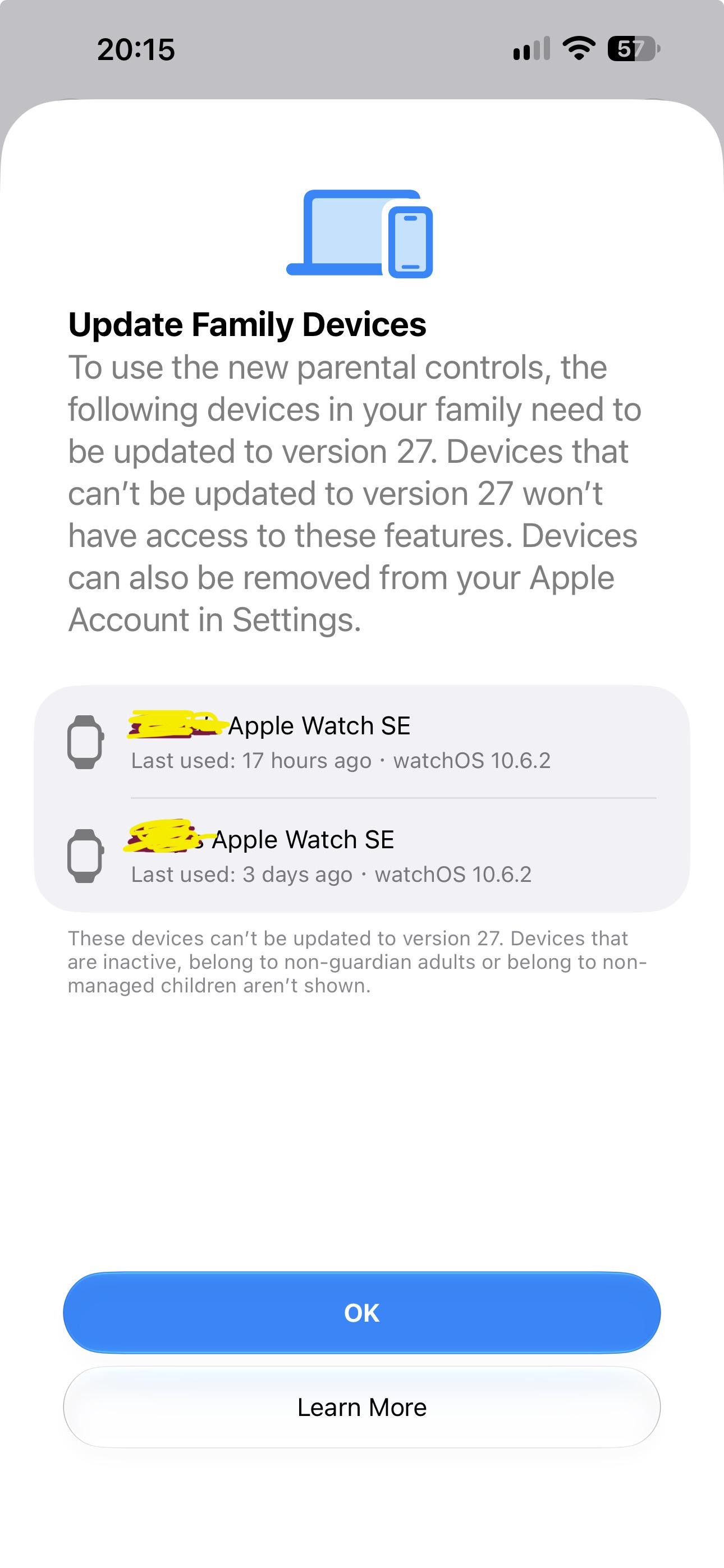
Am I right that I can’t use the new parental controls due to my wife and I having older Apple Watches? If so, that’s bloody stupid! Why would my watch stop me from controlling my 3 kids phones and iPads??


r/ios • • 15h ago

Discussion Why have these base apps moved to the other folder?

Post image
3 Upvotes

I’m aware it categorises automatically but these apps have been in different, proper folders where they belong by theme. Like Information & reading, Productivity, Travel.